Customer Ratings & Reviews




- Model:
- 6GQ-01353
- SKU:
- 6402562
Rating by feature
- Value
Rating 4.4 out of 5 stars
- Quality
Rating 4.6 out of 5 stars
- Ease of Use
Rating 4.4 out of 5 stars
Customers are saying
Customers love the 365 Family subscription for its ease of use, compatibility across multiple systems, and great price. Many appreciate its performance, software features, and cloud storage capabilities. Installation is straightforward, and users value the regular updates and tools like Excel. However, some customers dislike the yearly subscription model, and a few have experienced issues with Outlook.
This summary was generated by AI based on customer reviews.
- Pros mentioned:Performance
Great office set up
||Posted .This reviewer received promo considerations or sweepstakes entry for writing a review.Amazing product for home or office. Highly recommended!
I would recommend this to a friend - Pros mentioned:Ease of use
Great for beginners
||Posted .This reviewer received promo considerations or sweepstakes entry for writing a review.Great for beginners who are fairly unfamiliar with setting up new programs
I would recommend this to a friend - Pros mentioned:Compatibility
Office 365 Home ^ to 6 people Subscription
||Posted . Owned for 5 months when reviewed.This reviewer received promo considerations or sweepstakes entry for writing a review.This Microsoft product is good. Use it on all computers.
I would recommend this to a friend - Pros mentioned:Performance
A must need for business
||Posted .This reviewer received promo considerations or sweepstakes entry for writing a review.A must need for business, software works great with no problems
I would recommend this to a friend Crush my hard drive
||Posted . Owned for 3 weeks when reviewed.This reviewer received promo considerations or sweepstakes entry for writing a review.After upload it, three days later the system ask for an update, I clicked yes and the setup get stuck and a drive damage blue screen pops up. I took it to the technicians and they have to format my hard drive, loosing all my files…
No, I would not recommend this to a friendAwesome, secure and reliable
||Posted . Owned for less than 1 week when reviewed.This reviewer received promo considerations or sweepstakes entry for writing a review.Every single one of my office needs were met and now everyone can use it
I would recommend this to a friendLittle pricey
||Posted .This reviewer received promo considerations or sweepstakes entry for writing a review.Too costly for many who need or are required to have, but cannot afford to purchase.
I would recommend this to a friend- Pros mentioned:Compatibility, Software
a must have for modern families
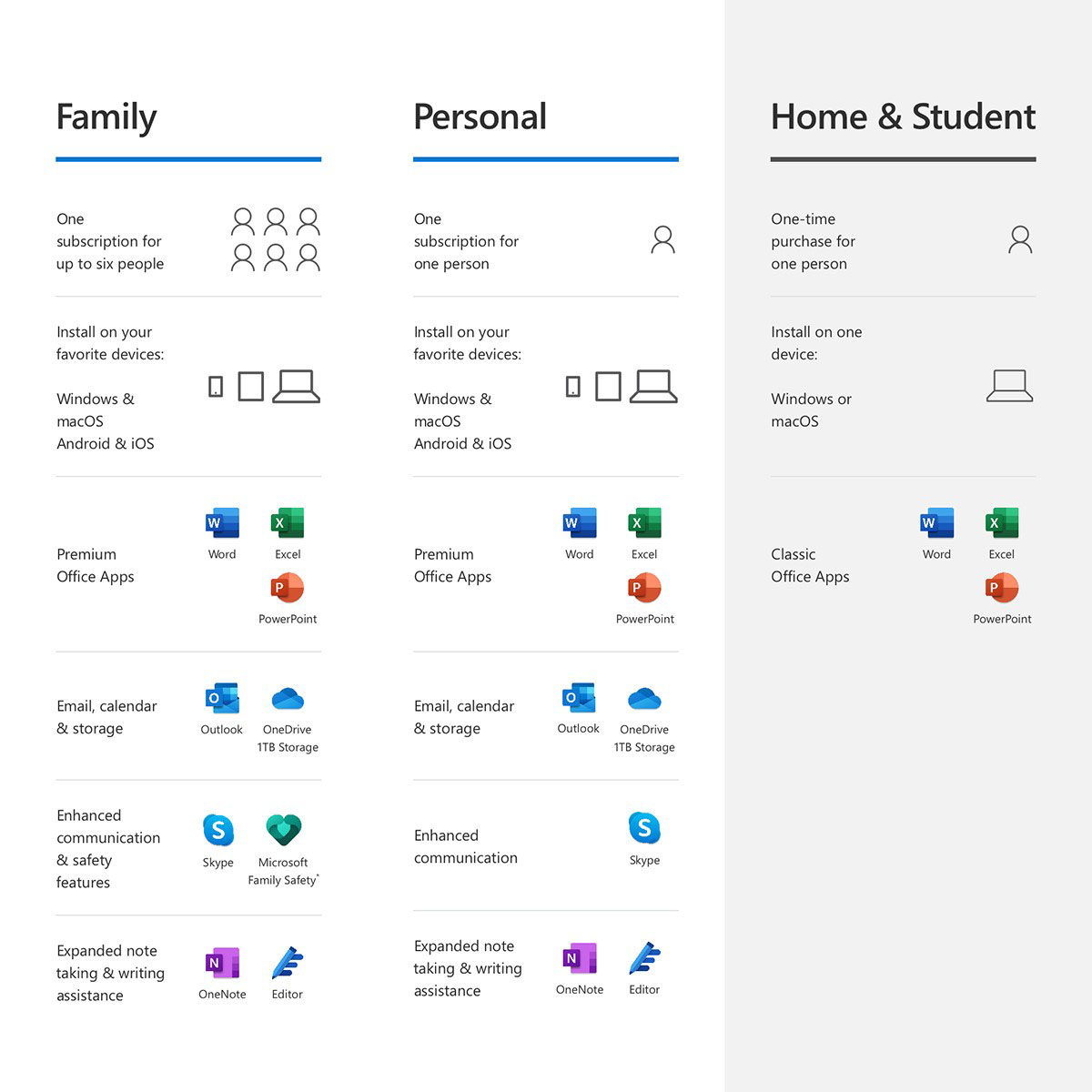
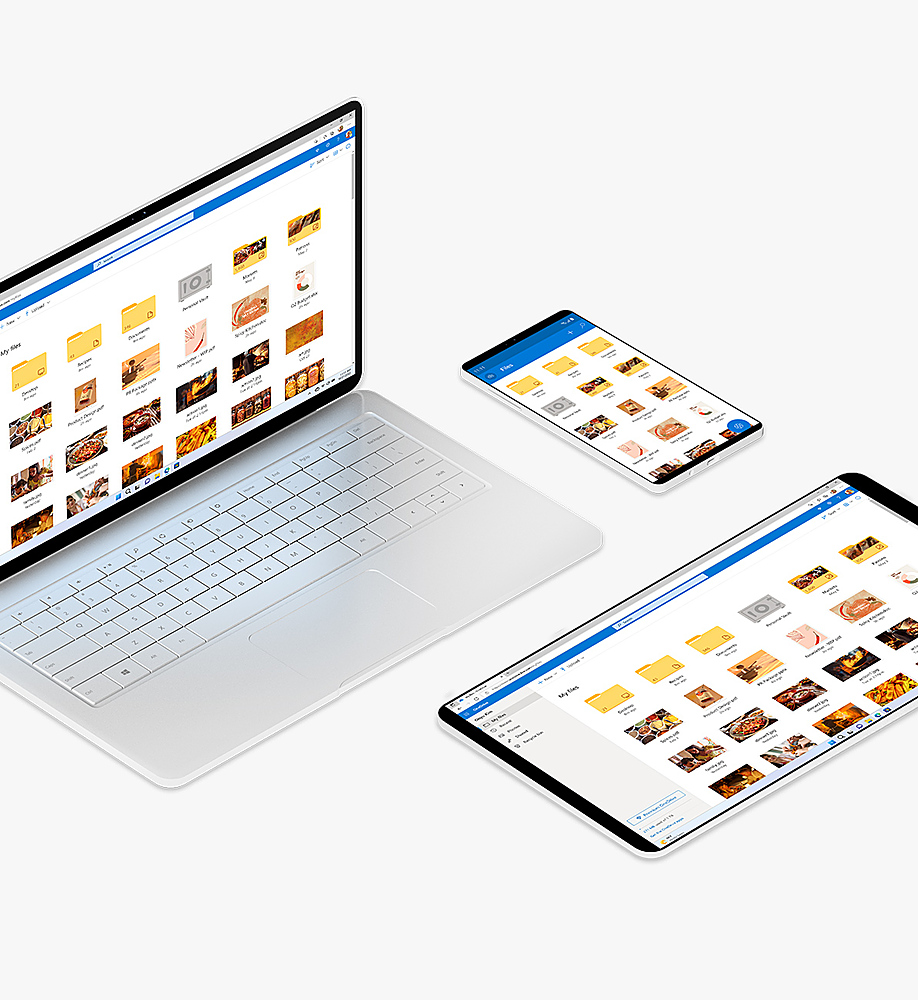
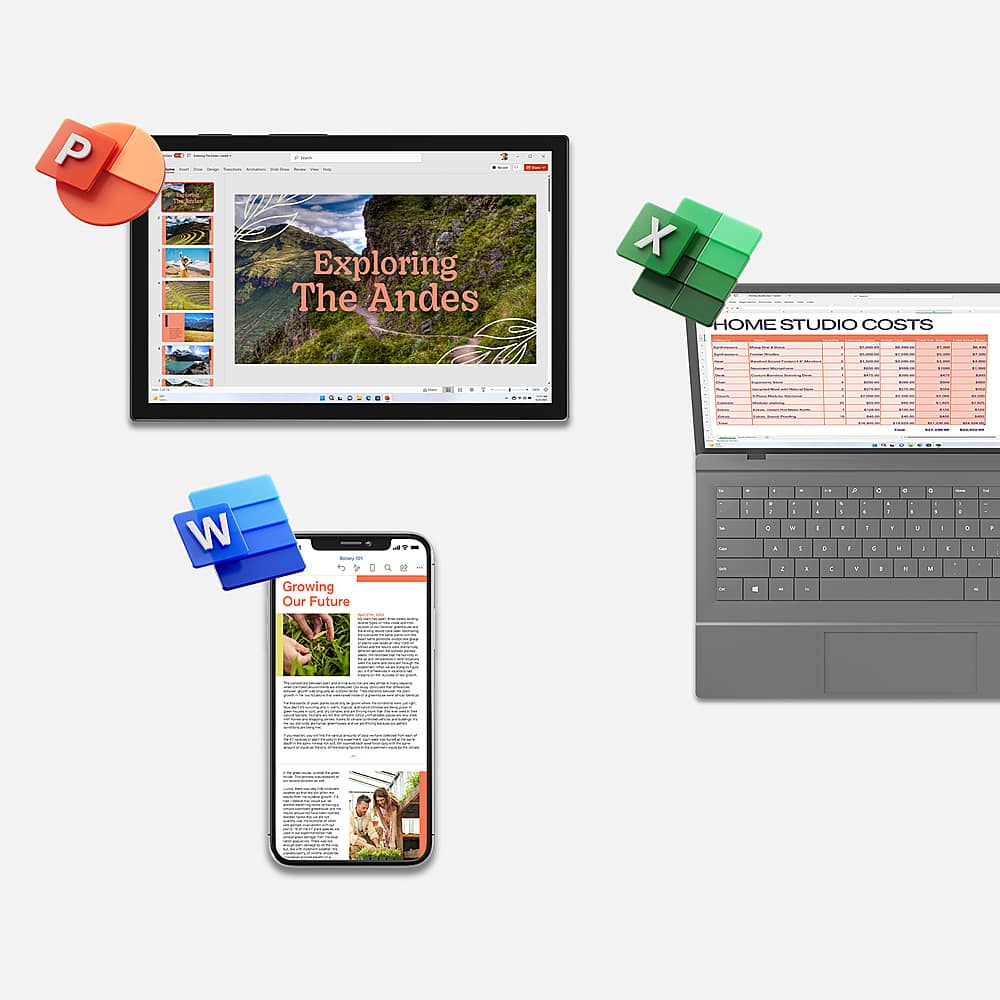
||Posted .This reviewer received promo considerations or sweepstakes entry for writing a review.Microsoft 365 Family is hands-down one of the best investments we've made for our household’s digital life. For under $100 a year, you get full access to the premium Office suite—Word, Excel, PowerPoint, Outlook, and more—across six individual accounts. Each person gets their own 1TB of OneDrive cloud storage, which is perfect for backing up photos, schoolwork, and important documents. The real-time collaboration tools are a game-changer. My kids can co-author school projects in Word while I manage our shared family calendar in Outlook. The integration across devices—PC, Mac, iOS, and Android—is seamless, and everything stays synced no matter where we are. Security is another standout feature. OneDrive’s Personal Vault adds an extra layer of protection for sensitive files, and Microsoft’s ransomware detection and recovery tools give peace of mind. Plus, the Family Safety app helps us manage screen time and track location, which is a huge bonus for parents. Pros: • Full suite of Office apps for up to 6 users • 1TB OneDrive storage per user • Advanced security features and Personal Vault • Real-time collaboration and shared calendars • Works across all major devices • Includes Microsoft Family Safety tools Cons: • Requires internet for full functionality • Occasional minor software bugs • Subscription cost may not suit single users Bottom Line: If you’re looking for a comprehensive productivity and security solution for your family, Microsoft 365 Family delivers exceptional value. It’s not just Office—it’s a full ecosystem that keeps your household organized, protected, and connected.
I would recommend this to a friend 
Great subscription to work more efficient
|Posted .This reviewer received promo considerations or sweepstakes entry for writing a review.This Microsoft Office 365 subscription is a great deal because it comes loaded with many features. An added benefit is that the membership is shareable with up to five users. I share my membership with children who do virtual school. Office 365 is essential for them to work most efficiently. Even when traveling, they can satisfactorily complete all their assignment. The subscription allows the user the ability to use the latest downloadable version of Office. When on the move or not working on your computer, the cloud/online version of Office is available on any device. For optimal usage of Office 365, I highly recommend to backup/sync all of your Office files and documents into OneDrive. You will work more efficiently and flawlessly especially if you work at different locations or devices. I use Excel a lot for school and accounting work. The online version of Excel works perfectly without any issue. When needing switching from the online version to the installed version of Office apps, OneDrive makes it very easy. The membership also includes Skype bonus features, Outlook and online Help Support which are also great services. To conclude, Office 365 subscription is essential to work more efficient at home, work or school. Highly recommended!
I would recommend this to a friendBrand response from MicrosoftOutreachTeam
Posted .Hey there,
Thank you so much for sharing your thoughts about your Office 365 experience! We're humbled to know that Office can help your family through school and work. If your young ones are in need of a guide or two for navigating Office, we've got just the thing: https://www.microsoft.com/en-us/education/students/resources/default.aspx
Additionally, our Support Center and Customer Support Team is always ready, willing, and able to help you and your family out whenever you need. Here's our link for both resources: https://support.office.com/
From the Microsoft family to yours, cheers to productivity!
Sincerely,
Jo
Office Customer Care
- Pros mentioned:Ease of use, Performance, Software
Great Software.
||Posted . Owned for 4 months when reviewed.This reviewer received promo considerations or sweepstakes entry for writing a review.These always work well. This software is very fluent. and displays just what i type. I can depend on it and i like the product count. Bestbuy provides a good product price. The quality is seamless. very easy to use and causes me to do productive typing. I would certainly recommend this to a family member because word of mouth rides faster than anything else.
I would recommend this to a friend - Pros mentioned:Software
Review home use
||Posted . Owned for 1 month when reviewed.This reviewer received promo considerations or sweepstakes entry for writing a review.✅ Pros: Includes Full Office Suite: Access to Word, Excel, PowerPoint, Outlook, and OneNote—trusted, powerful apps. Multiple Users: Family plan allows up to 6 users, each with their own Microsoft account and 1TB of OneDrive storage. Cross-Platform: Works seamlessly on Windows, macOS, iOS, and Android. Cloud Storage: 1TB OneDrive per user is ideal for backing up documents, photos, and videos. Security Features: Includes ransomware detection, password-protected sharing, and Microsoft Defender for added protection. Regular Updates: Always up-to-date with the latest features and security patches. ❌ Cons: Subscription-Based: Ongoing yearly or monthly cost ($69.99/year for Personal, $99.99/year for Family). Internet Recommended: Though apps work offline, full functionality and syncing require internet access. Occasional Bloat: Some may find certain features unnecessary or overwhelming.
I would recommend this to a friend - Pros mentioned:Performance, Software
Mister
||Posted .This reviewer received promo considerations or sweepstakes entry for writing a review.Perfect. Using Word and Excel a lot. Nice to have the newest versions and being able to get updates as they become available.
I would recommend this to a friend - Pros mentioned:Ease of use, Performance
Must need for any new laptop purchase
||Posted . Owned for 1 month when reviewed.This reviewer received promo considerations or sweepstakes entry for writing a review.I recently subscribed to Microsoft 365 Family for a 15-month period, which covers up to 6 users, and I'd like to share my thoughts on this versatile productivity suite. Microsoft 365 Family is a comprehensive productivity suite that caters to the needs of families with multiple users and diverse devices. It's easy to activate, offers a broad range of productivity tools, and promotes seamless collaboration. The 15-month subscription is cost-effective, making it an excellent choice for families looking to boost their productivity and streamline their digital workflows. Disclosure: I purchased the Microsoft 365 Family subscription independently and received no compensation for this review.
I would recommend this to a friend - Pros mentioned:Ease of use
Perfect for the Whole Family
||Posted . Owned for 1 month when reviewed.This reviewer received promo considerations or sweepstakes entry for writing a review.Microsoft 365 Family has been a great value. Everyone in the house gets the full Office apps plus plenty of OneDrive storage, and everything stays synced across our devices. It’s reliable, easy to use, and makes schoolwork, projects, and everyday tasks simple. Excellent subscription and totally worth it.
I would recommend this to a friend Microsoft 365 family
||Posted . Owned for 1 month when reviewed.This reviewer received promo considerations or sweepstakes entry for writing a review.Microsoft 365 Family is a comprehensive subscription designed for households—offering premium access to Microsoft’s productivity apps and services for up to six people. It’s ideal for families juggling work, school, and personal projects while needing simple, reliable tools that work across devices. The plan also includes 1 TB of OneDrive cloud storage per user (up to 6 TB total), making it easy for everyone in the family to store documents, photos, and videos securely online. Automatic syncing and backup help prevent lost files, and shared folders simplify collaboration between family members. Great value for multiple users — up to six separate accounts Full-featured Office apps with continuous updates Large cloud storage per person Strong security and parental-friendly features Works across devices and platforms Some features might be more than casual users need and Subscription cost adds up over time are the cons of this product
I would recommend this to a friend- Pros mentioned:Ease of use, Price, SoftwareCons mentioned:Subscription
Subscription model sucks but the software is solid
||Posted . Owned for 1 month when reviewed.This reviewer received promo considerations or sweepstakes entry for writing a review.The most universal and easy to use. Great value when you buy the family edition. Kind if hate the subscription model, it ends up costing quite a bit over the long run, Microsoft tries to add value with the cloud storage and the web apps being accessible worldwide, and the phone apps. The software however is solid, just the same compaint as always with Office, it is bloated and only gets more so, forcing us to upgrade computers every few years to keep up with slopping programming. But when it works, it is very good software.
I would recommend this to a friend - Pros mentioned:Performance, Software
Great product for the price
||Posted .This reviewer received promo considerations or sweepstakes entry for writing a review.I loved Microsoft 365. We used it all the time to prepare docs in Word, to create presentations and reports in Excel and Outlook Etc. We enjoy the AI-powered copilot app. It came with family subscriptions which you can download up to 6 computers or iphones.
I would recommend this to a friend - Pros mentioned:Compatibility, Performance
FAMILY STYLE SPENDING!
||Posted . Owned for 2 weeks when reviewed.This reviewer received promo considerations or sweepstakes entry for writing a review.MY FAMILY IS GRATEFUL FOR THIS PURCHASE. IT ALLOWS EVERYONE TO USE ON ALL DEVICES. WELL WORTH THE MONEY SPENT! WOULD RECOMMEND FOR ALL YOUR DEVICES. MAKES LIFE EASY!!
I would recommend this to a friend - Pros mentioned:Compatibility, Ease of use
Necessary (and interesting) upgrade
||Posted . Owned for 3 weeks when reviewed.This reviewer received promo considerations or sweepstakes entry for writing a review.I purchased Office 365 to go along with a new desktop. The installation was relatively easy, seeing as I was moving from Office 2016. The whole process was straightforward and everything opened as expected, as long as you had an account already established. The only real issue I had related to Outlook and getting it configured to accept/connect with existing profile definition. I don't think it was a problem with the product but rather establishing the connection based on IMAP or POP values. It's all greek to me since I'm more of a mainframe programmer than a PCer. Anyway, after quite a bit of trial/error, I was able to get Outlook to work and pull up my stored emails in the old PST file, as well as all the new queued up emails (400+) It was an "interesting" exercise and hopefully I get a better understand of the process by the next PC upgrade. I'm just happy with both the new desktop and being current with 365. Would do it again...
I would recommend this to a friend - Pros mentioned:Performance
Ease of use
||Posted . Owned for 1 month when reviewed.This reviewer received promo considerations or sweepstakes entry for writing a review.Great product. Used it for years not only for personal use but also business. Excel really easy to format and send to clients
I would recommend this to a friend