Customer Ratings & Reviews



- Model:
- CZV-00051
- |
- SKU:
- 5859106
Customer reviews
Rating 4.6 out of 5 stars with 4508 reviews
(4,508 customer reviews)Rating by feature
- Value4.4
Rating 4.4 out of 5 stars
- Quality4.7
Rating 4.7 out of 5 stars
- Ease of Use4.6
Rating 4.6 out of 5 stars
to a friend
Customers are saying
Customers enjoy the product's excellent portability, slick design, and comfortable feel, often highlighting its convenient size, light weight, and good battery life. They also appreciate its improved Bluetooth connectivity, overall performance, and compatibility with devices like the Surface computer. However, some customers have expressed concerns regarding the scrolling experience, finding it not very smooth, and also note that the price is a bit high and the right-click functionality can be annoying.
This summary was generated by AI based on customer reviews.
Rated 5 out of 5 stars
Very compact and handy mouse
||Posted . Owned for less than 1 week when reviewed.This reviewer received promo considerations or sweepstakes entry for writing a review.Love this mouse - bought for my wife, so I can get mine back. Microsoft "improved" the Arc Mouse by removing the scroll stripe. That is now built into the entire front end of the mouse, which takes getting used to if you know the older model, but still great for travel (folds flat).
This review is from Microsoft - Surface Arc Bluetooth BlueTrack Ambidextrous Mouse for PC - Wireless - Black
I would recommend this to a friendRated 5 out of 5 stars
MS Bluetooth mouse
||Posted . Owned for 1 month when reviewed.This reviewer received promo considerations or sweepstakes entry for writing a review.I bought this mouse to replace a previous one. The previous one lasted about 6 years and it performed well. This new one is an improvement and works beautifully as well. Setting it up with my laptop was very simple. The bend on this mouse is smooth and less jarring than with the older mouse.
This review is from Microsoft - Surface Arc Bluetooth BlueTrack Ambidextrous Mouse for PC - Wireless - Black
I would recommend this to a friendRated 5 out of 5 stars
Great mouse
||Posted .This reviewer received promo considerations or sweepstakes entry for writing a review.Just love it!! Beat mouse I ever purchased!! Love the design and how light weight it is!!
This review is from Microsoft - Surface Arc Bluetooth BlueTrack Ambidextrous Mouse for PC - Wireless - Light Gray
I would recommend this to a friendRated 5 out of 5 stars
Good mouse for Windows PC
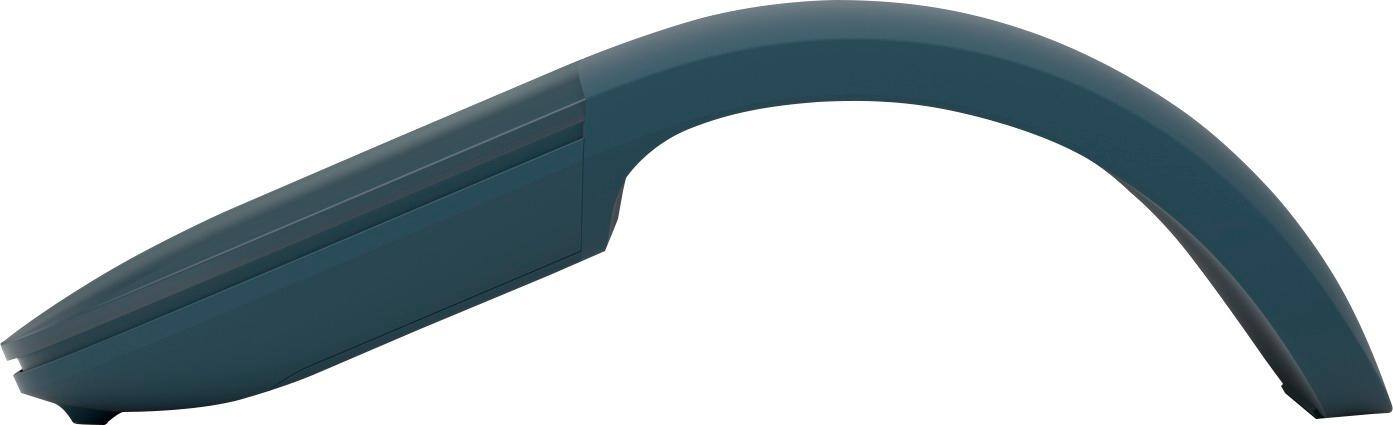
||Posted . Owned for 3 weeks when reviewed.This reviewer received promo considerations or sweepstakes entry for writing a review.I have used a Microsoft Arc mouse for many years. My old one was still working well but from heavy use had developed grooves where my finger slid on the surface, so I purchased a new one. The batteries last a very long time and the mouse is powered up when in the arced position - when flat it’s unpowered and easy to store for transport. Using finger contact pressure this mouse provides two buttons and a vertical scroll feature.
This review is from Microsoft - Surface Arc Bluetooth BlueTrack Ambidextrous Mouse for PC - Wireless - Light Gray
I would recommend this to a friendRated 5 out of 5 stars
Excellent Companion
||Posted . Owned for 1 week when reviewed.This reviewer received promo considerations or sweepstakes entry for writing a review.I have known about this Arc mouses for quite sometime. I have been a Logitech mouse consumer for over 12 years. I about a new laptop and decided, the mouse I had for over 6 years needed to be updated. I ran into the Surface Arc again and I always felt it was rather just a novelty mouse. I mean, it can turn on and off by arching it and flattening it. But, I just couldn't justify the pricing of this mouse. I've used it for just under two weeks and I have to say that his is by far the best mouse I have ever used. The pairing and remaining connected is excellent. The way to turn it on and off was good to finally experience and is a great feature. I have read where it says, it can take some time to get use to. I found it easy to use right out the box with no real acclamation period. Easy to set up and to adjust the settings in Windows 11. Very lightweight and comfortable in my palm. Nice soft material and a smooth scrolling experience. Microsoft is a software company, and I don't buy their computers because that is just not who they are nor is it their specialty. However, I will say that they made a mouse product that is well worth it has the price point. I am extremely satisfied with with purchase and I would highly recommend using this Surface Arc Wireless BlueTrack.
This review is from Microsoft - Surface Arc Bluetooth BlueTrack Ambidextrous Mouse for PC - Wireless - Black
I would recommend this to a friendRated 4 out of 5 stars
Cool design, bad scrolling
||Posted . Owned for more than 2 years when reviewed.This reviewer received promo considerations or sweepstakes entry for writing a review.I loved this mouse for it's foldable design. Great for traveling, always worked when activated, worked well on most surfaces. My only issue was the scrolling. Without a wheel it relied on touch and honestly I found it to be inconsistent. Ultimately I ended up going with the Surface mobile mouse since it has a low profile and a scrolling wheel. If Microsoft figures out the wheeless scrolling the Arc mouse would be a home run.
This review is from Microsoft - Surface Arc Bluetooth BlueTrack Ambidextrous Mouse for PC - Wireless - Light Gray
I would recommend this to a friendRated 5 out of 5 stars
Ergonomic
||Posted .This reviewer received promo considerations or sweepstakes entry for writing a review.It’s very ergonomic. As someone who works long hours at the computer, it’s the best I’ve used. It’s also very convenient to put in a bag.
This review is from Microsoft - Surface Arc Bluetooth BlueTrack Ambidextrous Mouse for PC - Wireless - Black
I would recommend this to a friendRated 4 out of 5 stars
Very cool mouse!
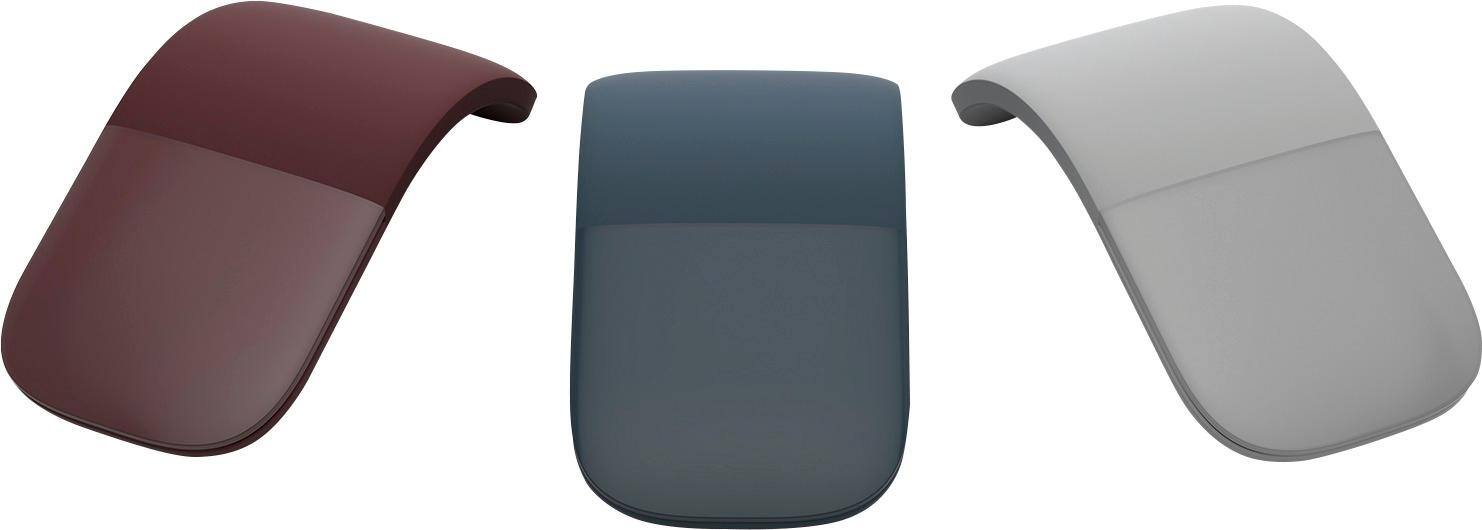
||Posted .This reviewer received promo considerations or sweepstakes entry for writing a review.Let's talk about the elephant in the room: this is very expensive for a mouse. I bought an open box one and it still costs me $50. Aside from the high price tag, it's definitely a conversation piece. To activate the Bluetooth you have to snap the mouse into an arch shape. That is a very cool and unique feature. To shut it down, you simply snap it back into normal mouse position. The arch of the mouse can be a little uncomfortable on your hand, but I've noticed after a few hours with this item it seemed to not bother me as much anymore. The laser or whatever is great and very accurate. I edit sometimes from my bedroom and the mouse is very responsive, even when I'm moving it on top a blanket or not such a smooth surface. Battery life is great. The mouse is super slim to make it great for portability.
This review is from Microsoft - Arc Mouse - Burgundy
I would recommend this to a friendRated 5 out of 5 stars
One of my all-time favorite product purchases.
||Posted . Owned for 1 year when reviewed.This reviewer received promo considerations or sweepstakes entry for writing a review.This is the best daily driver for anyone who relies on a portable mouse. It turns off when bent flat, and there's a magnet that keeps the mouse in place when walking around with your laptop (depending on the model & magnet placements, i guess). Anyway, it's an all-around great product. The only downside is that it doesn't support many Mac guestures that some might rely on such as switching desktops, etc.
This review is from Microsoft - Surface Arc Bluetooth BlueTrack Ambidextrous Mouse for PC - Wireless - Light Gray
I would recommend this to a friendRated 5 out of 5 stars
Very cool mouse!
||Posted . Owned for 1 month when reviewed.This reviewer received promo considerations or sweepstakes entry for writing a review.Such a cool mouse!! Love that it folds flat! It’s very comfortable and easy to use. I like that it came in lavender to match my keyboard case and Surface.
This review is from Microsoft - Surface Arc Bluetooth BlueTrack Ambidextrous Mouse for PC - Wireless - Violet
I would recommend this to a friendRated 5 out of 5 stars
Optimus Prime Mouse of the Century
||Posted . Owned for 4 months when reviewed.This reviewer received promo considerations or sweepstakes entry for writing a review.Love it. Never considered it due to price and you can get the other surface mouse that has direct connect Bluetooth (no dongle) but does not transform like Optimus Prime. I saw my dad had an older version and saw/understood the advantages of the Optimus Prime option...which is collapsing, in a sense, to become so slime and compact that it takes up minimal room in my bags and fits in all my bags in multiple different locations/pockets that a regular, even slim-“ish”, style mouse would not or would get damage possibly. If you are looking for an on the go mouse for your surface or any other compatible devices with this mouse, then I highly recommend purchasing even with the additional cost. If you are looking for a mouse that won’t leave your desk, then personal decision will have to be used for decision making...still buy it, as you never know when you’ll need to bug out and you won’t have an Optimus Prime Transforming mouse rather a bulky, inconvenient, pain in the rear to pack and go mouse.
This review is from Microsoft - Surface Arc Bluetooth BlueTrack Ambidextrous Mouse for PC - Wireless - Black
I would recommend this to a friendRated 5 out of 5 stars
Best Wireless Mouse
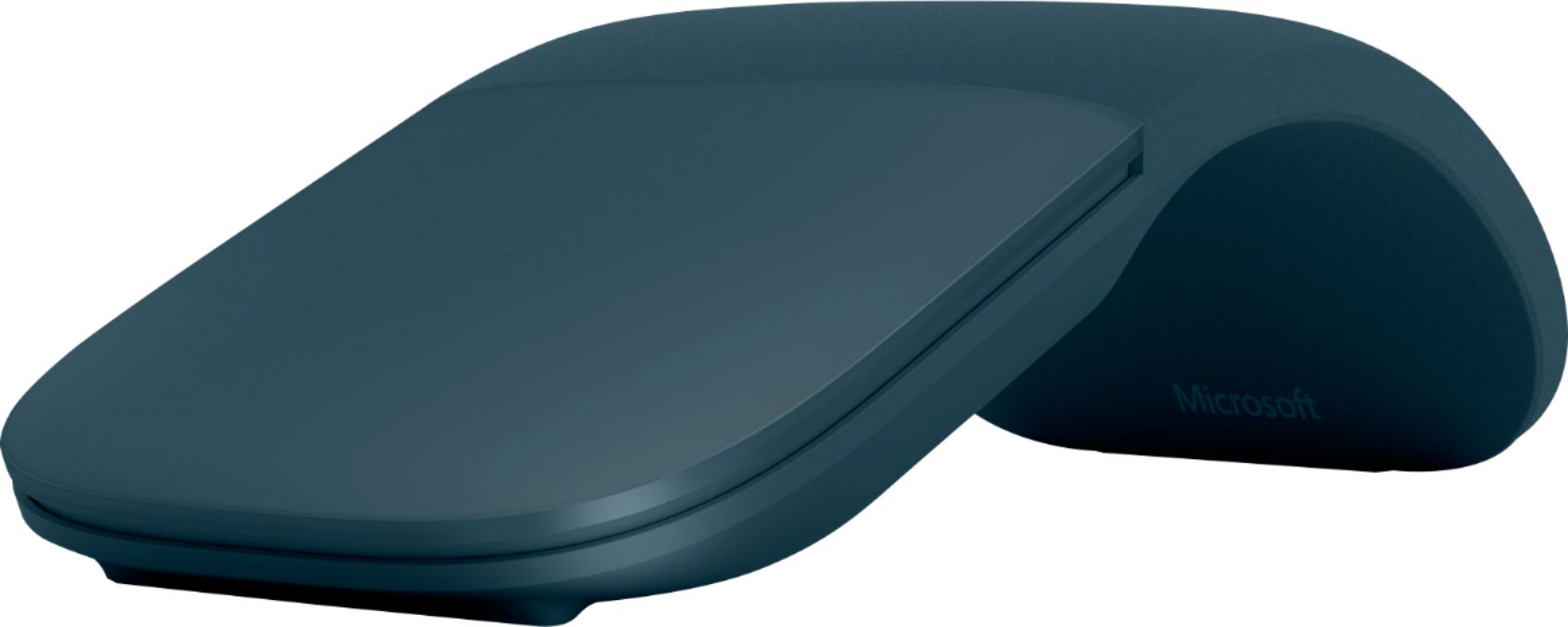
||Posted . Owned for 1 month when reviewed.This reviewer received promo considerations or sweepstakes entry for writing a review.We got this as a replacement for our 15-year + old Arc mouse which we loved. What we like about this one is the blue tooth connectivity. With the previous Arc mouse, it had a USB "dongle" which is no longer needed with this one. Also, there are 3 colors to choose from so we opted for the grey instead of black. Microsoft needs to offer other fun colors though. All in all, it's working great and hopefully this will last as long as the original Arc mouse.
This review is from Microsoft - Surface Arc Bluetooth BlueTrack Ambidextrous Mouse for PC - Wireless - Ocean
I would recommend this to a friendRated 5 out of 5 stars
Easy to use and light weight
||Posted . Owned for 1 month when reviewed.This reviewer received promo considerations or sweepstakes entry for writing a review.I bought this mouse after purchasing a Microsoft Surface Pro 7. I love this mouse it is super light weight and is sleek. Easy to turn on and off. I haven’t had any issues with it at all. Definitely would recommend this device, I didn’t think I would need but makes the tasks much quicker to get done. Worth the money.
This review is from Microsoft - Surface Arc Bluetooth BlueTrack Ambidextrous Mouse for PC - Wireless - Black
I would recommend this to a friendRated 5 out of 5 stars
GREAT ACCESSORY!
||Posted . Owned for 1 month when reviewed.This reviewer received promo considerations or sweepstakes entry for writing a review.This mouse has turned so many heads and I’ve had at least 7 people ask me about it. I like the snap on snap off feature of it and the battery life is immaculate!! One thing that may bother some is the precision of the right and left click since they are connected, but you get used to it. It is small and lightweight so it’s very conveniently portable. Connection to the laptop is seamless and I’ve had zero problems with it so far!
This review is from Microsoft - Surface Arc Bluetooth BlueTrack Ambidextrous Mouse for PC - Wireless - Light Gray
I would recommend this to a friendRated 5 out of 5 stars
great mouse
||Posted . Owned for 1 month when reviewed.This reviewer received promo considerations or sweepstakes entry for writing a review.ergonomic, durable, long battery life. I purchased a new mouse but have identical model that I bought 8 years ago to go with my old surface. It still works so I keep it in my travel bag.
This review is from Microsoft - Surface Arc Bluetooth BlueTrack Ambidextrous Mouse for PC - Wireless - Light Gray
I would recommend this to a friendRated 5 out of 5 stars
Ideal travel buddy
||Posted . Owned for 1 year when reviewed.This reviewer received promo considerations or sweepstakes entry for writing a review.Small, convinient, precise. Fits perfectly in the cover pocket for SP 8 and doesn't require charging. For work and travel - ideal companion
This review is from Microsoft - Surface Arc Bluetooth BlueTrack Ambidextrous Mouse for PC - Wireless - Black
I would recommend this to a friendRated 5 out of 5 stars
Mouse
||Posted .This reviewer received promo considerations or sweepstakes entry for writing a review.Works great delivered on time functionality and compatibility is great.
This review is from Microsoft - Surface Arc Bluetooth BlueTrack Ambidextrous Mouse for PC - Wireless - Ocean
I would recommend this to a friendRated 5 out of 5 stars
Great travel mouse
||Posted . Owned for 1 month when reviewed.This reviewer received promo considerations or sweepstakes entry for writing a review.Great travel mouse, collapses flat and takes up almost no space, Fits well in the hand, too.
This review is from Microsoft - Surface Arc Bluetooth BlueTrack Ambidextrous Mouse for PC - Wireless - Black
I would recommend this to a friendRated 5 out of 5 stars
BEST MOUSE EVER....EVER
||Posted .This reviewer received promo considerations or sweepstakes entry for writing a review.This is hands down the best mouse I have ever owned, after less than month I purchased a 2nd Arc for my laptop [the 1st was for use w/a Microsoft Surface Pro 2017]. What makes it the best...? 1) Stores easily & FLAT 2) Ergonomic & Comfortable - I have carpal tunnel and this mouse has def helped take some of the strain off my arms [the shape really makes a difference]. 3) Battery life is great, I use it daily throughout the day and still am on the original batteries. 4) Works on ALMOST EVERY surface. I've used It on a desk, leather center console in the car, denim pant legs, at a bar, and more, with no real issues anywhere. 5) The SCROLLING function, not only Up/Down but Left/Right as well, works very smoothly. 6) Connects via Bluetooth so no need for the USB receiver taking up the available ports.
This review is from Microsoft - Surface Arc Bluetooth BlueTrack Ambidextrous Mouse for PC - Wireless - Black
I would recommend this to a friendRated 4 out of 5 stars
Amazing mouse with a couple drawbacks
||Posted .This reviewer received promo considerations or sweepstakes entry for writing a review.I bought this mouse because I work with Photoshop/InDesign/Illustrator constantly and anyone who's ever used those programs knows that a scroll option that allows you to move horizontally and vertically is ideal. Personally I find the mouse very innovative. It turns on when you actually bend the mouse into the arc and I've been able to use it on my carpet and blankets without an issue. There are two things though that I wish would be better. The first is, it sometimes has issues on my studio desk and I'm not entirely sure why. It might be that it's plastic and is somewhat reflective but I'm not sure. The other problem is more obvious, since the scroll button is integrated with the click options, you can no longer press down on the scroll piece. Now for most people this isn't an issue, however, when you are using Revit that option is key to navigating the program. Thankfully there are a couple of shortcut keys you can use to allow for the same effect, however, it isn't as comprehensive as I would hope it would be.
This review is from Microsoft - Surface Arc Bluetooth BlueTrack Ambidextrous Mouse for PC - Wireless - Black
I would recommend this to a friend