Customer Ratings & Reviews

- Model:
- 222-00001
- SKU:
- 6430235
Rating by feature
- Value
Rating 4.7 out of 5 stars
- Quality
Rating 4.8 out of 5 stars
- Ease of Use
Rating 4.8 out of 5 stars
Customers are saying
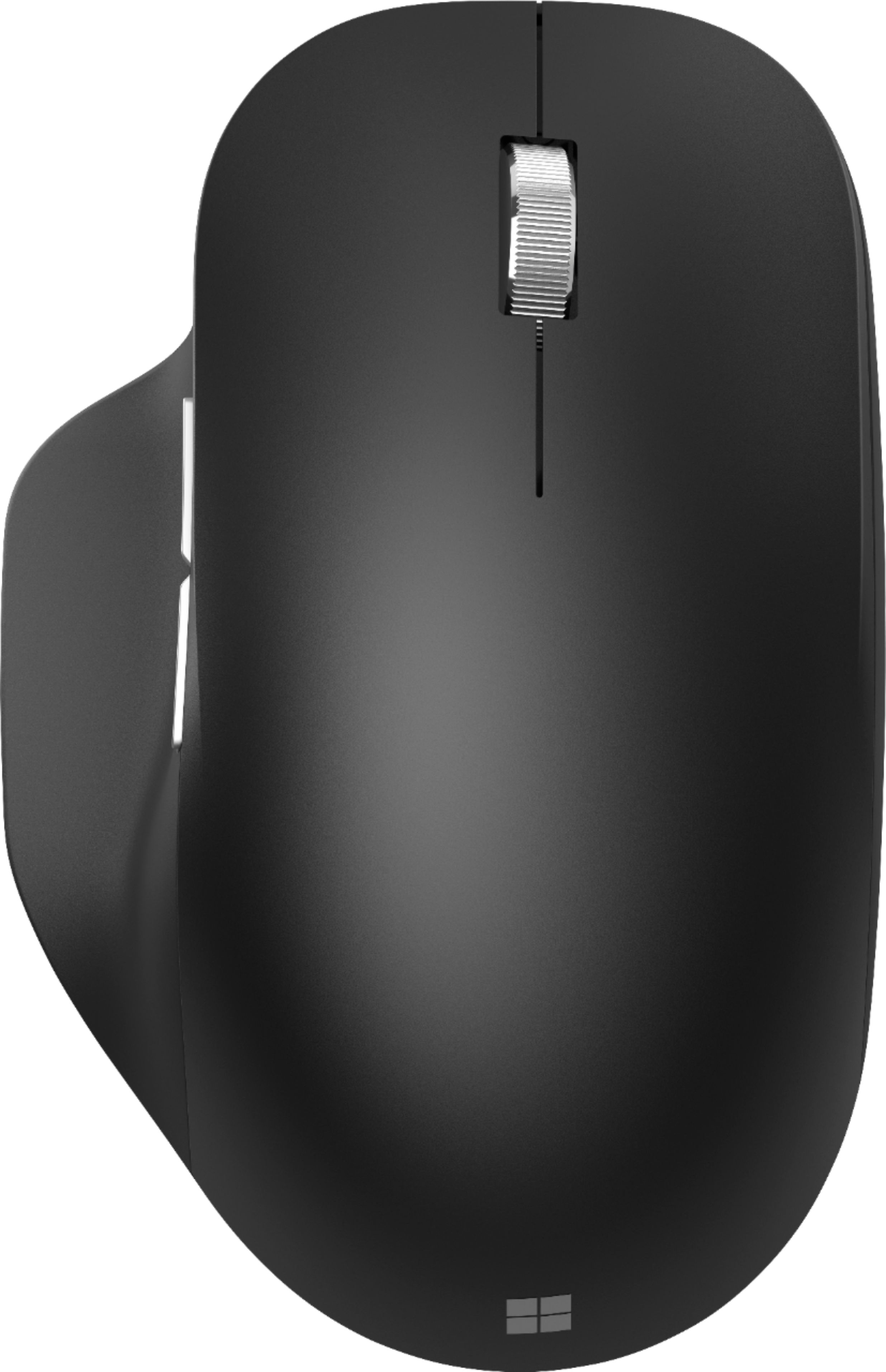
Customers are pleased with the Bluetooth Ergonomic Mouse's comfort, Bluetooth connectivity, and battery life. Many appreciate its responsiveness and size, finding it compatible with various devices. While some users noted minor issues with the scroll wheel and side buttons, the overall feedback highlights a positive user experience. The price point also received favorable comments.
This summary was generated by AI based on customer reviews.
Good sale price.
||Posted . Owned for 1 month when reviewed.This reviewer received promo considerations or sweepstakes entry for writing a review.Very comfortable fit for large hands! For me the only downside has been the lost connection to my laptop.
I would recommend this to a friendLike a glove
||Posted . Owned for 1 month when reviewed.This reviewer received promo considerations or sweepstakes entry for writing a review.Hugs the palm. Super comfortable. Super responsive.
I would recommend this to a friendHappy with the purchase.
||Posted . Owned for 1 month when reviewed.This reviewer received promo considerations or sweepstakes entry for writing a review.Just as advertised. I like it; very light and user-friendly. I would recommend.
I would recommend this to a friendEasily stains
||Posted .This reviewer received promo considerations or sweepstakes entry for writing a review.Mouse works good but rubber thumb rest easily stains. Disappointing.
No, I would not recommend this to a friendPretty Decent Mouse
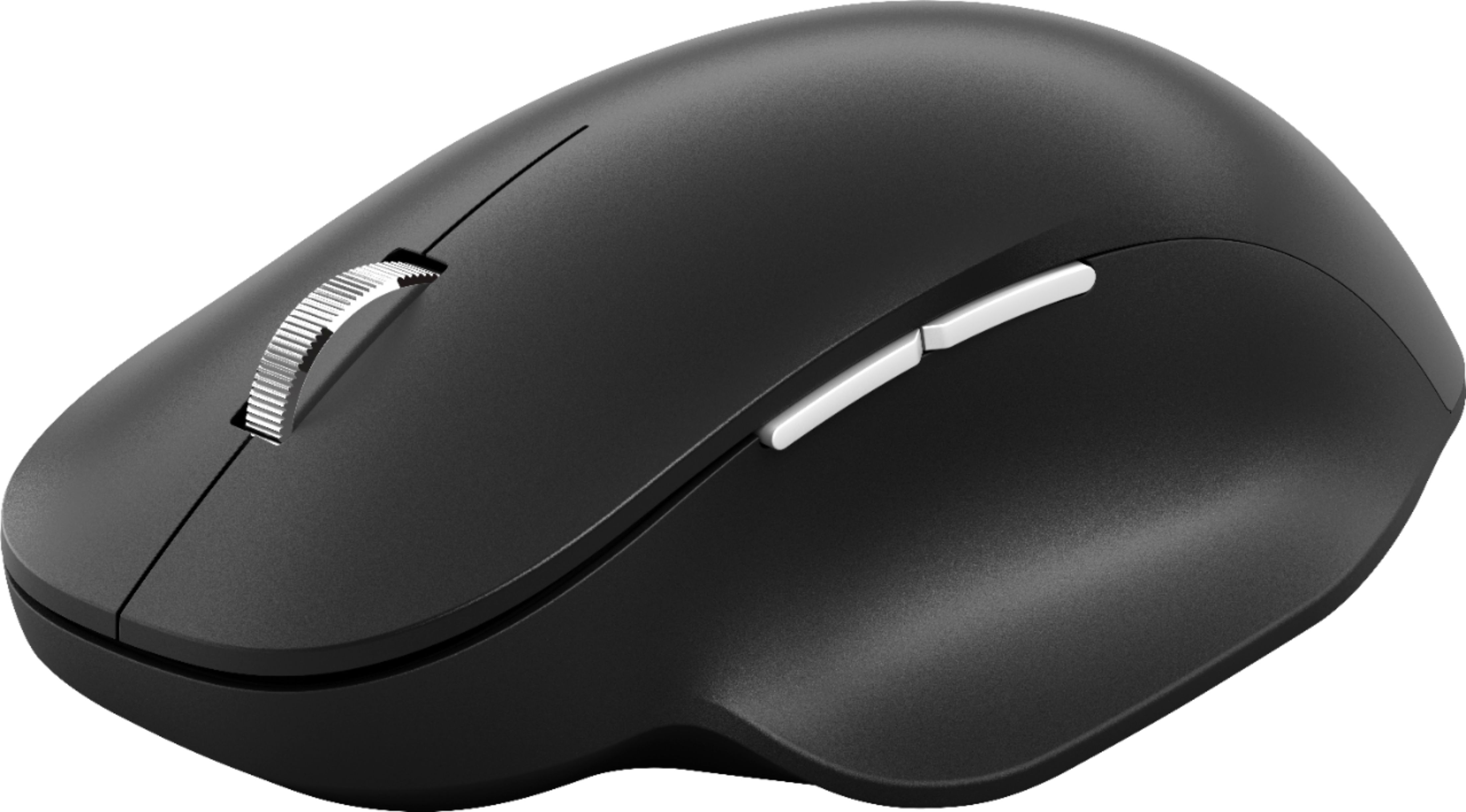
Posted .This reviewer received promo considerations or sweepstakes entry for writing a review.Nice lightweight mouse. My only complaint is that I wish the forward and back buttons on the side were a bit bigger. They would be easier to use. Price is pretty good. I like how it has a more premium feature like multiple devices at this lower price. Comes included with AAA batteries so that's nice. Really love the feel of the mouse where your thumb goes also.
I would recommend this to a friendBrand response from MicrosoftOutreachTeam
Posted .Hello,
It's great to hear that you love the comfortable feel of your new Microsoft Bluetooth Ergonomic Mouse. We're glad that its design and price fits your needs. Thank you for sharing your thoughts and feedback; we hope you enjoy using it.
Cheers,
Chuck
Microsoft Customer Care
- Pros mentioned:Bluetooth
Great purchase
||Posted . Owned for 1.5 years when reviewed.This reviewer received promo considerations or sweepstakes entry for writing a review.I switch locations a lot when using my laptop. Sometimes I work in my room, sometimes I work in my office and sometimes I work in the living room. Because of this, I’m this mouse is perfect because it’s wireless and uses Bluetooth to connect. I can even switch between two devices if I need to. Once, I commented it to my iPhone and was able to navigate my phone using the mouse. I just did this for the heck of it so too my surprise, it worked.
I would recommend this to a friend Solid watch for a solid price
||Posted . Owned for 3 weeks when reviewed.This reviewer received promo considerations or sweepstakes entry for writing a review.Its a great mouse. Very responsive and the bluetooth is flawless. The click is pretty loud after a while, if thats important to you. I would say the only issue is that the on and off switch isnt depressed into the structure so it turns itself off if you put more pressure onto that side as you swipe around. Your hand wont cramp up or tire much either due to its shape. Solid 4.5/5
I would recommend this to a friend- Pros mentioned:Bluetooth
Very good mouse
||Posted . Owned for 3 weeks when reviewed.This reviewer received promo considerations or sweepstakes entry for writing a review.Very good mouse. However, a little to small for my hand. Moves freely and works great. Love the Bluetooth option. Like the thumb rest. A nice touch.
I would recommend this to a friend - Pros mentioned:Bluetooth
Good Value!
||Posted . Owned for 3 months when reviewed.This reviewer received promo considerations or sweepstakes entry for writing a review.I was looking for a cheaper ergonomic mouse to use while working remotely and this thing is great! Comfort is good. Scroll wheel is good, tracking is good, bluetooth connections are stable. I've got it paired to 3 different computers and it switches between them easily with quick button press on the bottom. Got this at the end of Jan and I still haven't had to replace the battery!
I would recommend this to a friendBrand response from MicrosoftOutreachTeam
Posted .Hey there,
We're happy to hear you are enjoying your time with your new Microsoft Bluetooth Ergonomic Mouse! Whether it be the comfortable user interface, reliable connectivity, pairing ease, or simply its overall performance, we're thrilled you have found your new device to be a beneficial addition to your home office space. Thank you for taking some time to share your experience with us. We appreciate your feedback!
Best,
Brad - Microsoft Customer Care
Absolutely love this mouse...
||Posted . Owned for 1 week when reviewed.This reviewer received promo considerations or sweepstakes entry for writing a review.Absolutely love this thing! Went to a BB store to check out higher-quality mouses. Saw this one, and knew instantly it was for me. What makes this one stand out so much? Three things. First, it is connected by Bluetooth. No cable, no USB insert, nice. For me, it connected instantly and has never faltered even once. Second, the side rest for the thumb is fantastic. Your thumb rests on it instead of the desk, which gives a great feel. Third, the wheel in the middle is large and accurate. Very easy to move up and down screens with it. There are other similar products by other manufacturers, but they just didn't have the same high-quality and comfortable feel. I paired this with a Microsoft ergonomic keyboard--what a duo! Given how much time most of us spend behind a computer screen, spending a little more and getting something like this yields many long hours of benefit...
I would recommend this to a friendBrand response from MicrosoftOutreachTeam
Posted .Hey there,
Whether it be the optimized user interface, reliable functionality, or simply its wireless configuration, we're happy to know you are pleased with your new Microsoft Bluetooth Ergonomic Mouse. We're proud of the package we've put together in your new device, and thrilled you have found it to your liking. Thank you for taking a few minutes to outline your experience for us! We appreciate it, and are glad it was a good investment for you.
Best,
Brad - Microsoft Customer Care
- Pros mentioned:Bluetooth
Better than Expected
||Posted . Owned for 3 weeks when reviewed.This reviewer received promo considerations or sweepstakes entry for writing a review.Better than expected; the thumb rest should be the standard for every mouse. Not requiring the use of a USB connection adds to the convenience of using. Materiality and weight are also features of a premium mouse.
I would recommend this to a friend Good quality
||Posted . Owned for 1 year when reviewed.This reviewer received promo considerations or sweepstakes entry for writing a review.Solid and well built. Good feel and easy to use for hours while working on projects etc. moderately loud click but not excessive. Bought a second one to take on the go.
I would recommend this to a friendGreat mouse
||Posted . Owned for 2 weeks when reviewed.This reviewer received promo considerations or sweepstakes entry for writing a review.I got this mouse for my surface pro so that i dont have to deal with the keyboard. The mouse feels very comfortable, very smooth on my desk, and i love the thumb rest on the mouse.
I would recommend this to a friendNavigate with Comfort and Precision
||Posted . Owned for 6 months when reviewed.This reviewer received promo considerations or sweepstakes entry for writing a review.Introducing the Microsoft Bluetooth Ergonomic Mouse in sleek matte black – the perfect blend of style, comfort, and performance. Designed with your comfort in mind, this mouse takes your productivity to the next level, whether you're at home, in the office, or on the go. Let's start with its ergonomic design. Engineered to fit comfortably in your hand, the Microsoft Bluetooth Ergonomic Mouse reduces wrist strain and fatigue, allowing you to work or browse for hours with ease. Its contoured shape and thumb rest provide optimal support, promoting natural hand positioning and reducing the risk of repetitive strain injuries. But comfort doesn't mean sacrificing performance. Equipped with precision tracking and smooth scrolling, this mouse delivers exceptional accuracy and responsiveness on a variety of surfaces, from desks to countertops to mouse pads. Whether you're editing documents, browsing the web, or gaming, you can navigate with confidence and precision, every time. And with Bluetooth connectivity, setup is a breeze – simply pair the mouse with your laptop, desktop, or tablet, and you're ready to go. Say goodbye to tangled wires and USB dongles – with the Microsoft Bluetooth Ergonomic Mouse, you can enjoy wireless freedom and convenience without sacrificing performance. But the benefits don't end there. The Microsoft Bluetooth Ergonomic Mouse also features customizable buttons, allowing you to personalize your workflow and streamline your tasks. Whether you're assigning shortcuts, macros, or gestures, you can tailor the mouse to your specific needs, maximizing efficiency and productivity. In conclusion, the Microsoft Bluetooth Ergonomic Mouse is the perfect choice for anyone seeking comfort, style, and performance in a mouse. With its ergonomic design, precision tracking, and customizable features, it's the ultimate tool for navigating your digital world with ease. Say goodbye to discomfort and hello to a more productive, enjoyable computing experience with the Microsoft Bluetooth Ergonomic Mouse.
I would recommend this to a friendLove it
||Posted . Owned for 3 weeks when reviewed.This reviewer received promo considerations or sweepstakes entry for writing a review.Very smooth. I love the color. Easy to pair with any device. Only thing is I think having to download an “app”, only on a desktop and is not available for chrome books, to change the buttons functions. Other than that, I highly recommend.
I would recommend this to a friend- Pros mentioned:Bluetooth
Great Mouse!
||Posted . Owned for 1 month when reviewed.This reviewer received promo considerations or sweepstakes entry for writing a review.I love this mouse and the thumb rest. It witelessly connect to my laptop seemlisly
I would recommend this to a friend Really reliable mouse
||Posted . Owned for 9 months when reviewed.This reviewer received promo considerations or sweepstakes entry for writing a review.The Microsoft Bluetooth Ergonomic Mouse in Glacier is a fantastic piece of technology that combines functionality and style. Its sleek design is not only visually appealing but also provides a comfortable grip, making it perfect for extended use. The mouse features multi-device pairing, allowing you to switch between devices with ease. Despite its advanced features, the mouse is reasonably priced. It’s an excellent choice for anyone looking for a reliable, efficient mouse!
I would recommend this to a friend- Pros mentioned:Bluetooth
Best mouse i've purchased!
||Posted . Owned for 3 months when reviewed.This reviewer received promo considerations or sweepstakes entry for writing a review.This mouse is awesome - love the Bluetooth feature and so comfortable to use!
I would recommend this to a friend - Pros mentioned:Bluetooth
Microsoft - Bluetooth Ergonomic Mouse
||Posted . Owned for 1 month when reviewed.This reviewer received promo considerations or sweepstakes entry for writing a review.Great mouse fits perfectly and comfortable to use. Bluetooth connectivity easy to set up.
I would recommend this to a friend Travel mouse for school
||Posted . Owned for 5 months when reviewed.This reviewer received promo considerations or sweepstakes entry for writing a review.It is a little small for big hands, I recommend trying it out in the store if you can. Comfortable and smooth, the buttons near the thumb not bad.
I would recommend this to a friend