Customer Ratings & Reviews
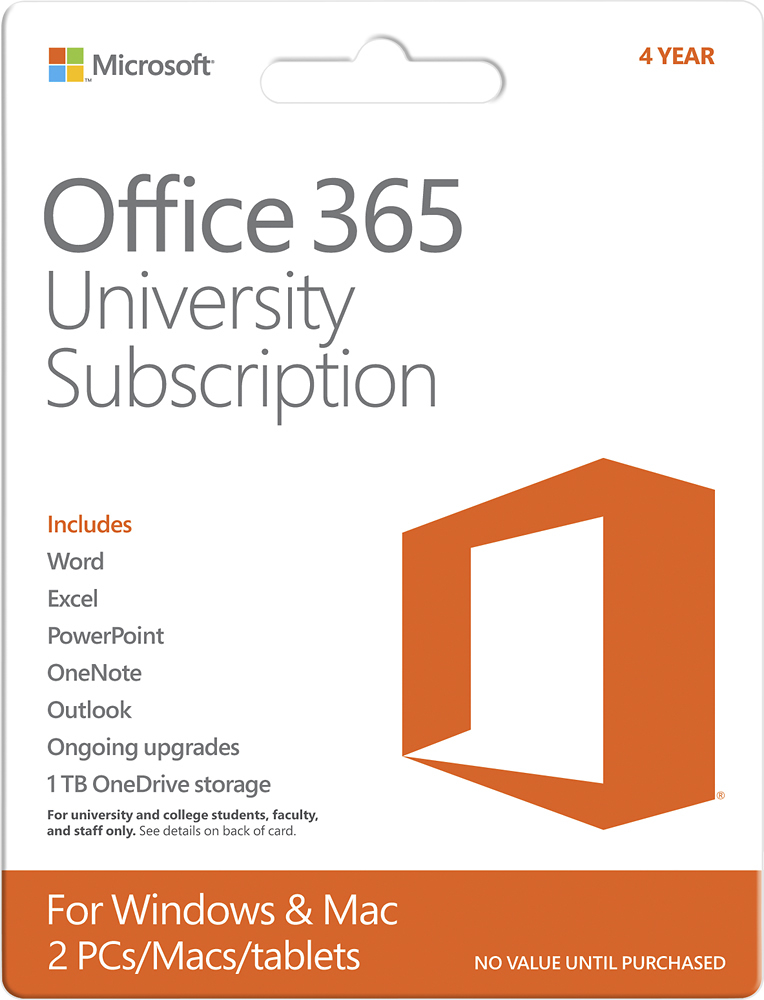
- Model:
- R4T-00154
- |
- SKU:
- 7016181
Customer reviews
Rating 4.5 out of 5 stars with 3102 reviews
(3,102 customer reviews)Rating by feature
- Ease of Use4.3
Rating 4.3 out of 5 stars
Customers are saying
Customers regard Office 365 University as an easy-to-use and affordable option, frequently praising its compatibility and the length of the subscription. Positive feedback also highlights the included software and its performance, along with the value offered by the various features. However, some users experienced difficulties with the installation and activation processes. Overall, the product receives high marks for its ease of use and value for the price.
This summary was generated by AI based on customer reviews.
- Pros mentioned:Ease of use
Rated 4 out of 5 stars
Office 365 University
Posted .This reviewer received promo considerations or sweepstakes entry for writing a review.This was a good deal we got when we bought our new computer.My boys are able to use the programs for school and it automatically updates and I don't have to keep up with it.
I would recommend this to a friend - Pros mentioned:Ease of use
Rated 5 out of 5 stars
Great for all college students
Posted .This reviewer received promo considerations or sweepstakes entry for writing a review.I purchased this after reading reviews online. It is true that you can't use this product with certain community colleges but not all of them. As long as you have a .edu email address it will work. Super easy to install, took about 10 minutes!
I would recommend this to a friend - Pros mentioned:Ease of use
Rated 5 out of 5 stars
Love It!
Posted .This reviewer received promo considerations or sweepstakes entry for writing a review.I needed to upgrade. Bought a new computer and this is awesome! Very easy to work with. You do need a student id/email address to be eligible.
I would recommend this to a friend - Pros mentioned:Ease of use
Rated 5 out of 5 stars
New Office
Posted .This reviewer received promo considerations or sweepstakes entry for writing a review.Office 365 is much better and easy to use than my old office 2007 verison.
I would recommend this to a friend - Pros mentioned:Ease of use
Rated 5 out of 5 stars
Office 365
Posted .This reviewer received promo considerations or sweepstakes entry for writing a review.Downloaded the software without issue. No problems after using the software either. Easy process!
I would recommend this to a friend Rated 5 out of 5 stars
Great product!
Posted .This reviewer received promo considerations or sweepstakes entry for writing a review.Last year I bought this software with my laptop. And let me tell you, this software has everything I need for being in college plus more! When using Microsoft word it has auto save so if something happens and you are working on a project it isn't all deleted! I have had no problems with this at all. And I like the look and feel of the software.
I would recommend this to a friend- Pros mentioned:Price
Rated 5 out of 5 stars
GREAT value
Posted .This reviewer received promo considerations or sweepstakes entry for writing a review.This is a phenomenal value for a college student. I have nothing bad to say about this purchase.
I would recommend this to a friend - Pros mentioned:Price
Rated 5 out of 5 stars
Easy Activation and worth every penny
Posted .This reviewer received promo considerations or sweepstakes entry for writing a review.It was very easy to activate and link it to my personal hotmail id, and I have been using Sky Drive (Sorry its One Drive) since the launch and now I get 1 TB for 4 years which is more than I will ever need and best of all I get the latest versions of Office free for 4yrs.
I would recommend this to a friend - Pros mentioned:Price
Rated 5 out of 5 stars
Great for student
Posted .This reviewer received promo considerations or sweepstakes entry for writing a review.Great for student going off to college. Made it through first year with no problems.
I would recommend this to a friend - Pros mentioned:Price
Rated 5 out of 5 stars
Great program
Posted .This reviewer received promo considerations or sweepstakes entry for writing a review.My daughter's school required this program and Best Buy had the best price!
I would recommend this to a friend - Pros mentioned:Ease of use
Rated 5 out of 5 stars
AWESOME
Posted .This reviewer received promo considerations or sweepstakes entry for writing a review.It works great and really easy to use. You will not be disappointed
I would recommend this to a friend - Pros mentioned:Price, Software
Rated 5 out of 5 stars
Microsoft. The brand speaks for itself.
Posted .This reviewer received promo considerations or sweepstakes entry for writing a review.To my ignorance, I thought the Microsoft University was for students who attend universities. Haha! Jokes on me. It applies to students who have an email ending in .edu. $89 for 4 years? Yes, please! Awesome software.
I would recommend this to a friend - Pros mentioned:Ease of use
Rated 5 out of 5 stars
For home or school
Posted .This reviewer received promo considerations or sweepstakes entry for writing a review.Excellent,no student or parent needs to be without
I would recommend this to a friend Rated 5 out of 5 stars
Great Value
Posted .This reviewer received promo considerations or sweepstakes entry for writing a review.I bought this about 3 days before a new version came out. When the new version came out, my program was automatically updated to the new version! Also, being able to install it on 2 PC's is great.
I would recommend this to a friend- Pros mentioned:Ease of use
Rated 4 out of 5 stars
Same word program, new box
Posted .This reviewer received promo considerations or sweepstakes entry for writing a review.Definitely what you would expect from a word program. Its nice that the basic tool bars are the same as older versions so that you don't have to learn a completely new version of word. I do not like that the purchase is for a limited time. When I purchase a product I expect to have it for the life of my computer. I should be able choose if I would like to update my computer with a newer version. Also you must be connected to the web to download the program. Not good for the few who don't have internet in their home. Would be nice if there was a traditional load from a CD option for the techy challenged.
I would recommend this to a friend - Pros mentioned:Software
Rated 5 out of 5 stars
It Comes with Office 2013 !!!!!
Posted .This reviewer received promo considerations or sweepstakes entry for writing a review.I am so happy that I bought this product instead of buying Office 2013. I was confused and thought it was a cloud based service like Google docs, but after installing the product I realized that it's not. If you buy this product, you will get office 2013 for free. Again, it's not a web based office suite.. you CAN install all the software (i.e Word, Excel, PowerPoint etc) on your computer.
I would recommend this to a friend - Pros mentioned:Price, Subscription length
Rated 5 out of 5 stars
what can be bad about a great deal?
Posted .This reviewer received promo considerations or sweepstakes entry for writing a review.i have never seen microsoft office so cheap. and this is a 4 year subscription which is awesome and it even works for 2 people.
I would recommend this to a friend - Pros mentioned:Ease of use
Rated 5 out of 5 stars
So excited to use this!
Posted .This reviewer received promo considerations or sweepstakes entry for writing a review.I got this free with a student coupon with a purchase of a new touchscreen laptop. I'm so excited to use this program this coming school year. I'm really excited about OneNote. I've never used it before and it synced perfectly with the app on my ipad. I've already done some test notebooks and everything and can't wait to see how it does in my classes. The new updates with Word are really cool to I think the updates made it easier to use. Highly recommend it.
I would recommend this to a friend - Pros mentioned:Compatibility, Ease of use
Rated 4 out of 5 stars
Just the basic microsoft office
Posted .This reviewer received promo considerations or sweepstakes entry for writing a review.added on to the computer very easily. Very glad it came with capability to go on 2 windows or macs.
I would recommend this to a friend Rated 5 out of 5 stars
Worthwhile Investment
Posted .This reviewer received promo considerations or sweepstakes entry for writing a review.You can still run your purchased 2010 software if you buy this subscription (I assume non-subscription 2010 software will remain forever unless I uninstall it.....time will tell) . You can also load 365 to multiple machines, but not for 4 years on 1 machine. 4 years of service TOTAL across your different platforms, of which you can have a total of 2. Know of Google Docs? Well, Microsoft is trying to make the "cloud" style of that reach into your own desktop with local files (default for Google Drive is to store only shortcuts locally). So far, it is working well on me. One issue: if you use multiple computers with local copies, you have to address and accept the changes (by saving) that you make from other places. Not a problem if you know how to name your files appropriately. This is also ONLY applicable if you are trying to take advantage of SkyDrive. For basic word processing all these options will make no difference (but the bulleted lists might format easier). There are more options, and they are clearer than 2010. Microsoft wants students to use this to ensure their solid footing in the market. It seems to be working on me. Also - File-->Options in excel to change your spreadsheets back to LETTERS rather than numbers only.
I would recommend this to a friend