Customer Ratings & Reviews
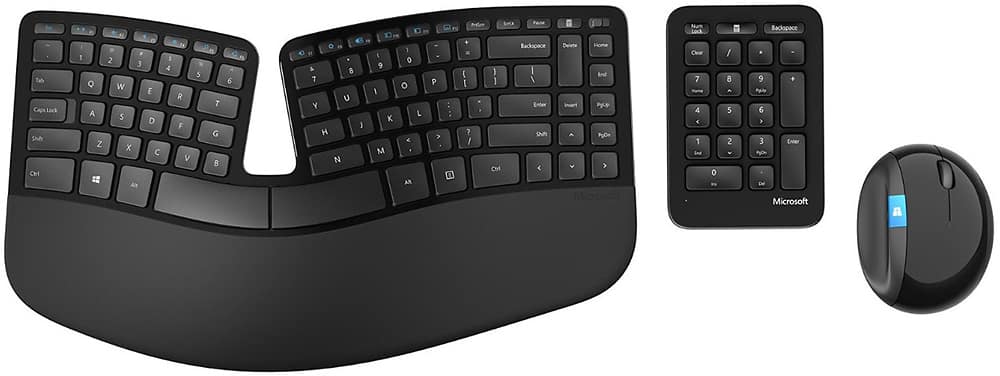
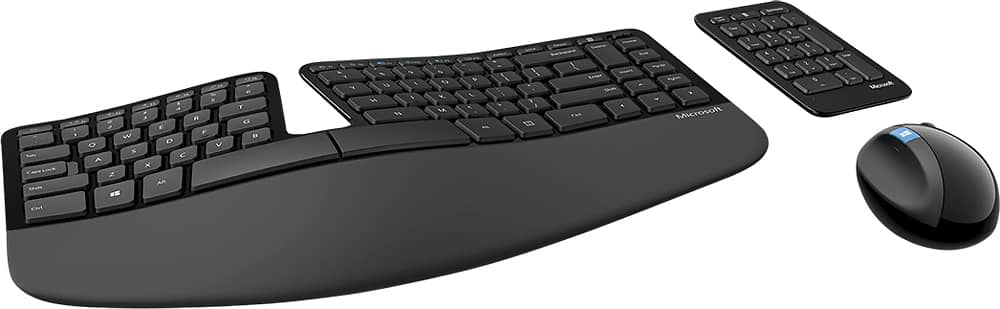
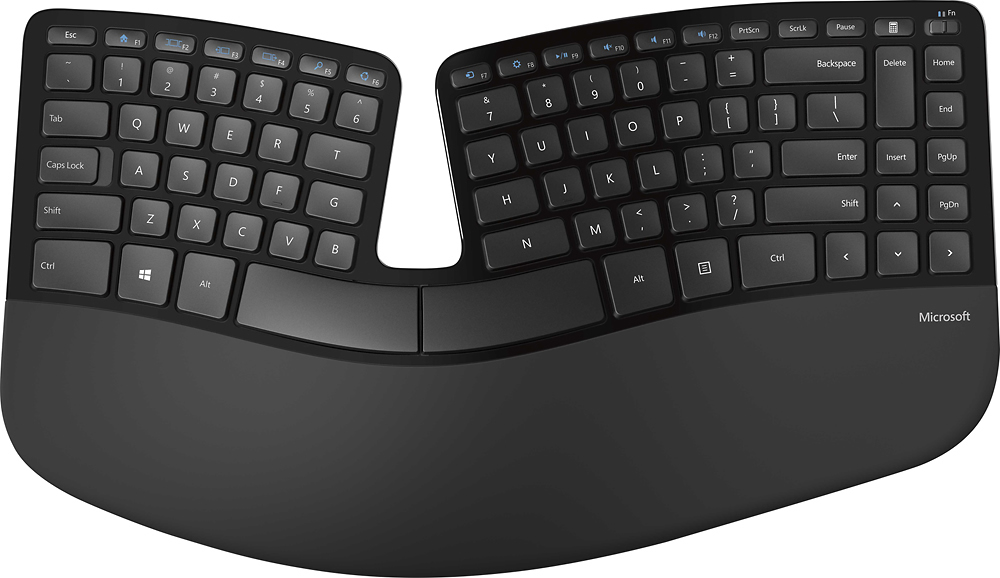
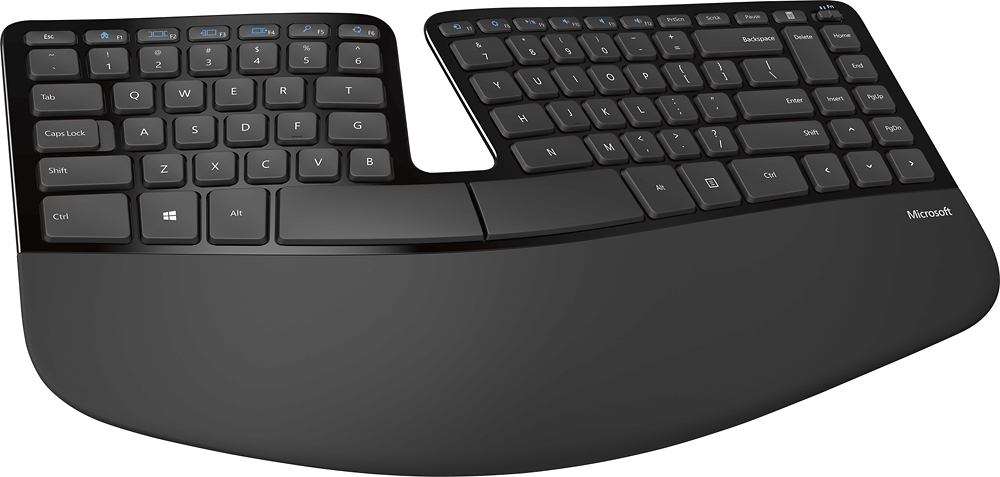



- Model:
- L5V-00001
- |
- SKU:
- 1818024
Customer reviews
Rating 4.4 out of 5 stars with 1590 reviews
(1,590 customer reviews)Rating by feature
- Value4.3
Rating 4.3 out of 5 stars
- Quality4.5
Rating 4.5 out of 5 stars
- Ease of Use4.5
Rating 4.5 out of 5 stars
Customers are saying
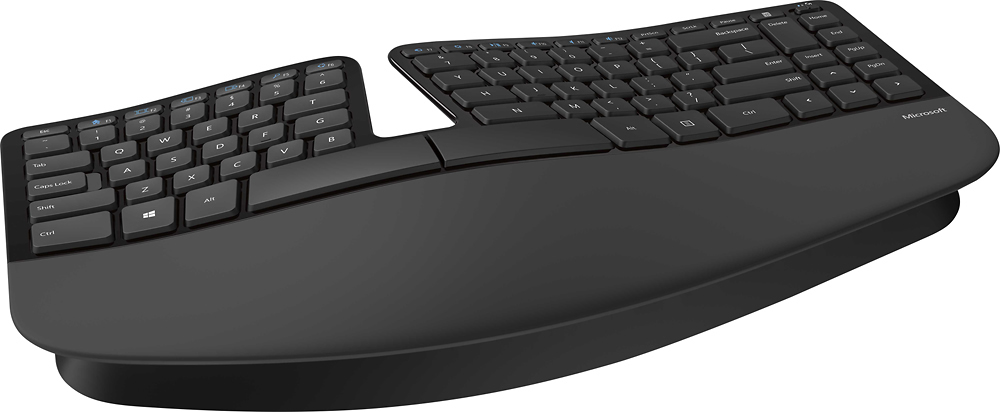
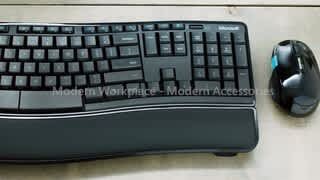
Customers love the ergonomic design of the Sculpt Keyboard and Mouse Bundle, praising its comfort and pain relief during extended typing sessions. The wireless feature is also well-received for its convenience, especially when working with spreadsheets. However, some users have concerns about the mouse's durability and responsiveness, as well as the keyboard's learning curve and battery life.
This summary was generated by AI based on customer reviews.
- Pros mentioned:Easy to use, Ergonomic
Rated 5 out of 5 stars
Fantastic set!!
||Posted . Owned for 9 months when reviewed.This reviewer received promo considerations or sweepstakes entry for writing a review.I have been using this set at work (40+ hours/week) for almost 10 months, and I am SO happy with it!! The complaints I read before purchasing it were mostly about the aesthetics: piano black finish shows finger prints, and the palm rest fades. Neither of these is drastic, in my opinion, and neither bothers me in the slightest. I do periodically wipe the palm rest with touchscreen wipes, and that seems to help a bit with the "graying" areas where my hands typically rest. But, the amount of fading is minimal (and actually looks more drastic in the photo than in person). I leave the keyboard and mouse on all the time, and I just did my first battery replacement about a week ago, so the battery drain is not bad at all. (The 10-key pad uses a button cell, so that one is still going strong.) I first purchased this keyboard set in hopes of eliminating some wrist pain I was having from horrible ergonomics at a previous job, and it did the trick! I still have minor pain now and then (wouldn't be surprised if there's some irreparable damage in there), but the difference was unmistakable after using this keyboard for only one or two weeks. Switching to the split ergonomic style was easy; I had no issues after only a couple of days. The only "complaint" I have (sarcasm, folks) is that when I taught myself to type, I hit the "6" key with my right index finger, and with this keyboard I have had to relearn that and use my left index finger instead! Ha!! Seriously, love at first feel and we're living happily ever after!
I would recommend this to a friend - Pros mentioned:Ergonomic
Rated 4 out of 5 stars
Nothing is perfect
||Posted .This reviewer received promo considerations or sweepstakes entry for writing a review.I couldn't choose between this one and the new Surface Ergonomic Keyboard, but my desktop doesn't have bluetooth so I ended up getting this one. However, nothing is perfect. But I've read a lot of reviews on this one before buying it so I accept every imperfection of it. There are a few things I don't like about it: 1. No on and off button. If you don't take out your batteries the keyboard will continue working even though your desktop is off. The mouse has a power button, but I decided to keep using my old mouse because I feel more comfortable using it. 2. No caps lock indicator. 3. Palm rest. This is the major reason that kept me from buying this keyboard but I decided to live with it since I didn't pay full price. The palm rest is extremely easy to get worn out. Two days after using this keyboard its palm rest has already started losing color, and my hands are not sweaty at all. I've heard that the fabric on the palm rest will come off too after a long period of time, but whatever. 4. Many people complaint about the dongle. I only use this keyboard at home and I am not taking it anywhere so the dongle is connected all the time. Therefore, I am not worried about losing it at all. The good things: Very comfortable to type on. I totally forgot how to type when I just started using it but I got used to it a few days later. I've tried many mechanical keyboards, and I would say once you get used to this keyboard, you will forget about the mechanical keyboards. Key travel is good, and the feedback is also nice. It is also very quiet except for the space bar. I even use this keyboard for gaming, and it works for me. I could have bought a mechanical keyboard if I focus on gaming, but I type a lot so I chose this one. Overall, it is a good buy for the discounted price. I wouldn't buy it if it wasn't on sale just because of the dislikes I mentioned.
I would recommend this to a friend - Pros mentioned:Ergonomic
Rated 5 out of 5 stars
Very comfortable, natural hand placement, get it
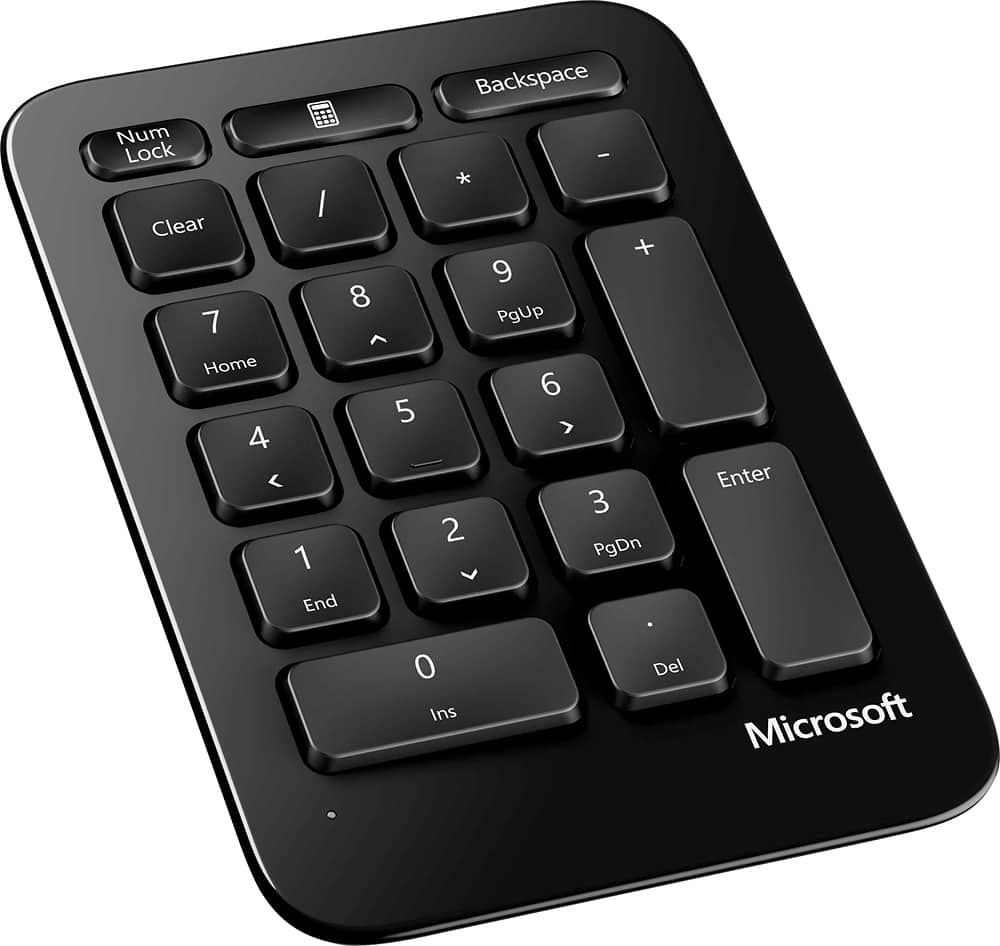
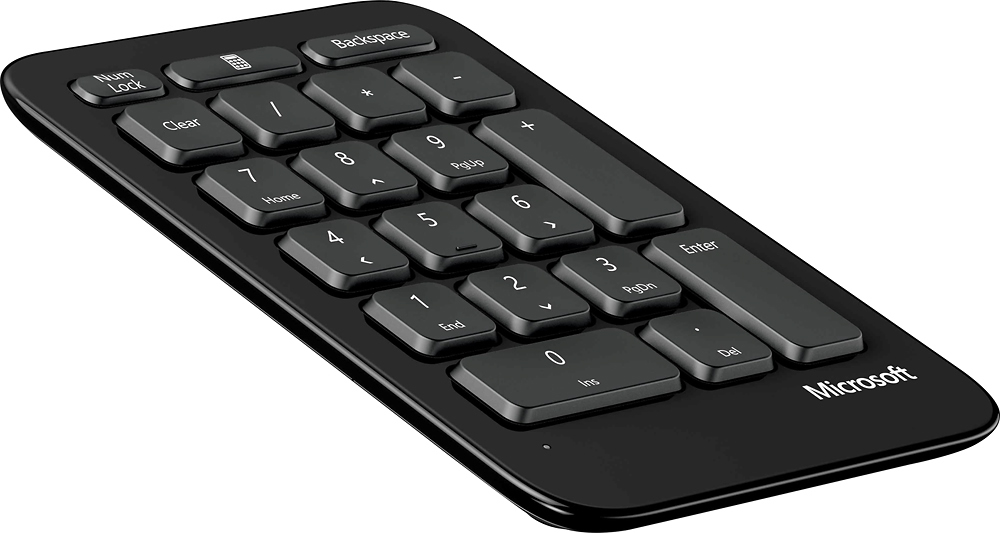
||Posted .This reviewer received promo considerations or sweepstakes entry for writing a review.I was looking for a keyboard I could use with my laptop. This is perfect! The tilt is comfortable so I feel as if my hands are resting. I have severe carpal tunnel in both wrists. I have had surgery on my right and will have surgery on my left this year. This will make a huge difference when typing for long periods of time which I do for school/work. The keys are easy to get used to, and the keyboard really is comfortable. It is also sturdy, I tend to be heavy handed when I type so this is important to me. I didn't want anything really big so I am glad that the 10 key pad is separate. I thought that using it would be awkward but it really isn't any different than reaching over to use the mouse. Speaking of the mouse, someone mentioned it is huge and bulky. I would disagree. I think that it is comfortable. I would guess that person has smaller hands. I have used an ergo mouse in the past that hugged my hand more, maybe that is something they are used to. For me the mouse functions properly and fits my hand just fine, however I also have an ergonomic mouse pad so my wrist sits up higher. If you are using a regular mouse pad I can see how someone may feel it is bulky. I would recommend this keyboard to others. I will admit I tried to buy another keyboard from another company where I have a prime membership... anyway it was 60.00 and honestly the mouse it came with was worth more than the keyboard itself. It was terrible. You get what you pay for and if you are going to be using the keyboard often, this is a great purchase. I feel it is worth every penny. I took pictures but for some r
I would recommend this to a friend - Pros mentioned:Ergonomic
Rated 4 out of 5 stars
Relief for my hands!
||Posted . Owned for less than 1 week when reviewed.This reviewer received promo considerations or sweepstakes entry for writing a review.As someone who types and 10-keys A LOT for their job, I needed an ergonomic set up after developing pain in my fingers and wrists. After using this set up for two days, I'm very pleased with the results. Yes, it does take some getting used to the different key sizes, but I find myself still able to type quickly and with no pain. The 10-key pad will take a little getting used to as the numbers are spaced out more than they would be on a standard keyboard. It's just a little more stretch than normal but the fact that I can move it around helps my wrist not get strained. The mouse feels great but it is LARGE and definitely not a travel type. I would recommend this product for anyone looking for relief. My job is accounts payable data entry for reference.
I would recommend this to a friend - Pros mentioned:Ergonomic
Rated 5 out of 5 stars
Very comfortable
||Posted . Owned for 9 months when reviewed.This reviewer received promo considerations or sweepstakes entry for writing a review.This is the best keyboard I have ever owned. I use it at work 8-10 hours a day and it is super comfortable. Takes a little time to get used to it, but once you do you will never want another keyboard.
I would recommend this to a friend - Pros mentioned:Ergonomic
Rated 5 out of 5 stars
Great keyboard
||Posted . Owned for 2 weeks when reviewed.This reviewer received promo considerations or sweepstakes entry for writing a review.Great keyboard. Super ergonomically comfortable. The mouse is also incredibly comfortable. I would just say give yourself a few days to get used to it. Once you do, it’s fantastic.
I would recommend this to a friend - Pros mentioned:Ergonomic
Rated 4 out of 5 stars
Comfortable to use
||Posted . Owned for 2 months when reviewed.This reviewer received promo considerations or sweepstakes entry for writing a review.I will be honest, it will get few days/weeks to be used to it. Feels comfortable to hands and wrist. Mouse is also good as well.
I would recommend this to a friend - Pros mentioned:Ergonomic
Rated 5 out of 5 stars
Can't Go Wrong With Microsoft
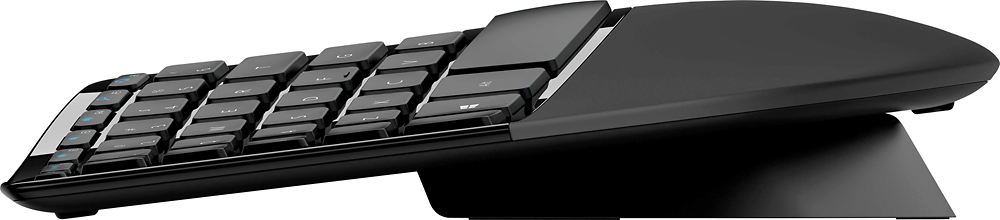
||Posted . Owned for 3 weeks when reviewed.This reviewer received promo considerations or sweepstakes entry for writing a review.I bought this keyboard because I was given a laptop to work from home from CO-VID-19. Going from a mechanical keyboard normally used for a desktop to a laptop keyboard is pretty brutal. Working off the laptop keyboard was really hard on my wrists. Looking at all the available ones, I went with Microsoft. I chose it because the ergonomic features for me seemed really on point. I like the fact that I can use the little stand if I want to prop the keyboard and take it off when I do not want to. Everything is magnetic and getting the batteries replaced is a snap. Keyboard is quick and responsive and it is a true plug and play because it is a genuine Microsoft product. Setup is so extremely simple because the operating system literally picks it up as a native device once you plug in the USB dongle. My only little gripe is I wish they had a CAPS LOCK indicator light. I know it might be trivial for most people, but I am really Old Skool. I also took a little off of value because I still think this wireless keyboard is way overpriced to its competition. I know its made of premium materials.
I would recommend this to a friend - Pros mentioned:Ergonomic
Rated 5 out of 5 stars
Great Keyboard with Great Comfort
||Posted . Owned for 3 weeks when reviewed.This reviewer received promo considerations or sweepstakes entry for writing a review.This a great product and love the comfort of the keyboard. I'm a financial manager and spend all my time on this keyboard and has helped tremendously with aches I used to get on my wrists because of my hand placement on my old keyboard. It takes some time to get used because of how the set up is but trust me, it's worth it.
I would recommend this to a friend - Pros mentioned:Ergonomic
Rated 4 out of 5 stars
Microsoft sculpt ergonomic desktop
||Posted . Owned for 1 month when reviewed.This reviewer received promo considerations or sweepstakes entry for writing a review.I love this keyboard and mouse; it’s ergonomically correct and comfortable. Link was easy and fast. Only complaint is that it is not a backlit keyboard.
I would recommend this to a friend - Pros mentioned:Ergonomic
Rated 5 out of 5 stars
worth it
||Posted .This reviewer received promo considerations or sweepstakes entry for writing a review.Ergo it is! Love it! Elegant too. Helped relieve my Carpal tunnel syndrome. Definitely worth buying.
I would recommend this to a friend - Pros mentioned:Ergonomic
Rated 1 out of 5 stars
Absolute Waste of Money
||Posted . Owned for 1 month when reviewed.This reviewer received promo considerations or sweepstakes entry for writing a review.This is the worst wireless keyboard I’ve ever used. I usually type 75+ wpm without issues on wireless keyboards yet this misses 2/3 of the keystrokes. This barely keeps up if I do the one-handed “hunt and peck” method, and even then I have to watch for missing characters. I have used it a total of 8 days and have not made it through a workday with it yet because it’s so frustrating. I am using a Microsoft docking hub and a Microsoft laptop. I have changed batteries and tried using the dongle in different ports on the laptop and the hub. I’ve tried other wireless keyboards and those are working. Ironically, the mouse and detached numeric pad both work fine, and the ergonomic feel of the keyboard is great. I do not live very close to the store, and tonight was the first time I’ve been back, when I found out about the 2-week return window. I bought this 4 weeks ago. :/
No, I would not recommend this to a friend - Pros mentioned:Ergonomic, WirelessCons mentioned:Battery life
Rated 4 out of 5 stars
Great for the price
||Posted . Owned for 1 month when reviewed.This reviewer received promo considerations or sweepstakes entry for writing a review.This is a great, disposable keyboard. Great, because it really does what it claims re saving your wrists and allowing you to type for hours without damaging yourself. (It takes less than a day to get moderately comfortable switching from a traditional keyboard; about 2 weeks to forget altogether that you're using something different.) It's become so important to me that I buy one whenever I'm visiting somewhere more than a couple of weeks. Disposable because I've owned at least 6 in the last 8 years (i.e., six at home, not counting the ones I left in countries around the world after visits). What happens? One or both of two things. The lesser is, the battery runs out on the numeric keypad and--despite that it appears replaceable--I've never successfully replaced one. I don't really even use the keypad anymore; I just keep it around for the very rare number-crunching session and ignore it once it stops working. Second, and more seriously, at some point, the wireless connection to the keyboard starts to flake. The first few times it happens, it's the signal that keyboard batteries need replacing. However, at some point, replacing the batteries no longer stops the behavior: it keeps skipping keypresses and generally making productivity impossible. Time to buy a new one.... I'm serious about this being a good solution for the right situation. There are better ergonomic keyboards, but they cost hundreds more, most aren't wireless, and they tend to be infinitely customizable, which sounds great but in practice means endless fiddling with settings. If you're already injured, one of them may be a better choice unless the Sculpt happens to match exactly the way you need to hold your wrists and hands. But if you're doing this to prevent trouble (as I am), the Sculpt works great out of the box and just keeps working--until it doesn't. Buying a new one every 18 months works better for me than a fancy-dancy keyboard that I can't carry with me and that takes an hour to reset-up every time you move it. Your mileage may vary.
I would recommend this to a friend - Pros mentioned:ErgonomicCons mentioned:Mouse
Rated 3 out of 5 stars
Eh... not impressed with wireless system.
||Posted . Owned for less than 1 week when reviewed.This reviewer received promo considerations or sweepstakes entry for writing a review.I'm not that impressed with this keyboard The mouse was far too bulbous and uncomfortable. The separate number pad is just... always in the way. I like the ergonomics of this keyboard, but the keys look like the letters are just decals applied to the keys, and in my experience, the decal-type keys rub off quickly. My fear is the keys I use the most as a gamer (WASD) will wear off. The letters have no texture indentation, just decals. The mouse? Again, feels like a baseball in my hand. I turned it off and replaced it with my old 2-button/1-wheel wired mouse. This keyboard would rate one star higher if it were a wired keyboard. I'm not sure how long the batteries will work and my fear is I will be in the middle of a battle in one of the games I play and have the keyboard die on me. I'm not a fan. (You are now thinking "Why did you buy a wireless keyboard? ... The display keyboard LOOKED like it was wired, but in retrospect, that must have been the anti-theft cable. I thought this WAS a wired keyboard and bought it without double-checking.) I WILL add that the package did not come with any instructions other than a very sparse illustration that meant nothing to me - if you are not a computer geek, you may not understand how to setup this system to work with your PC. There's no on/off button for the keyboard and the separate number pad. The plus for this? It's ergonomic and comfortable The minus? It's wireless, has good feeling keys, but they are the decal-type keys that WILL rub off in the future. The separate number pad is a pain to use, and the mouse is garbage. It is uncomfortable to use and clunky in the hand.
No, I would not recommend this to a friend - Pros mentioned:Ergonomic, Wireless
Rated 5 out of 5 stars
Very comfortable especially for extended use!
||Posted .This reviewer received promo considerations or sweepstakes entry for writing a review.As a computer technical professional, I'm easily on a computer 10-12 hours a day. Having carpel tunnel for quite a few years now, the only style of keyboards I have been able to use are ergonomic keyboards. I tried out many of the original styles until the Microsoft Natural Ergonomic 4000 keyboards came out and used many of those for quite a few years. When it came time for a replacement, I was about to order another one of those but saw this new model and was interested in taking another stab at something wireless. I was hesitant at first due to the flat key design and separated keypad, but after a couple of months of using this new model I would never go back. The flat key design is actually much more responsive, and the new design shape actually increases the overall comfort level. The detached keypad has actually been nothing but amazing, allowing my mouse hand to be closer to the natural position since that is a movement made much more often than actually using the keypad. I've almost completely forgotten about my wrist pains as they never come around anymore. I would highly recommend this keyboard to anyone!
I would recommend this to a friend - Pros mentioned:Ergonomic
Rated 5 out of 5 stars
love it!
||Posted .This reviewer received promo considerations or sweepstakes entry for writing a review.I love this keyboard. it replaced the older wired ergo version that still works, but after 5-6 years the letters were worn and it was time for a change. I saw this one on display at an office store and had to have it. My only small quirk with it is that I wish the number pad had a riser like the keyboard. I use my number key a lot and I think it would have been better to have it at the same level. I think it's a neat idea that it's mobile and could be used like a calculator per say, but doubtful that I'll move it from the normal spot on the right side. The mouse took some getting used to, but now I really like it as well. Don't give up on the mouse too early. When I actually looked at the directions on how to position my hand it felt more comfortable and is now a natural motion. I haven't experienced any delay. This is my first wireless keyboard and I have to say it does make dusting a lot easier being able to just move it. Haven't had to change the batteries. Not sure how long they are supposed to last, but it's almost been 2 months of 7 hour days, 5 days a week and it's still going strong. Oh, and the wrist pad gets a little spot from where your wrists rest on them especially if you lotion your hands throughout the day, but I just run a soft towel over it and it cleans right up. I'm a fan!
I would recommend this to a friend - Pros mentioned:Ergonomic, Wireless
Rated 5 out of 5 stars
Love it !
||Posted . Owned for more than 2 years when reviewed.This reviewer received promo considerations or sweepstakes entry for writing a review.I love this keyboard. I’ve purchased it multiple times. Really helps with my wrist pain issues. The mouse takes a bit to get used to, but once you get used to it this will be the only keyboard/mouse combo you will ever use!
I would recommend this to a friend - Pros mentioned:ErgonomicCons mentioned:Durability
Rated 4 out of 5 stars
Great combo!
||Posted . Owned for 6 months when reviewed.This reviewer received promo considerations or sweepstakes entry for writing a review.LOVE this mouse and kb combo. I deducted 1 star because I'm on my 3rd set. They don't last more than a couple of years. I like them so much though that I keep buying them. The mouse is GREAT for relieving hand cramping during long use. You also need to know how to type properly. Hunt and peck wouldn't work that well with this keyboard.
I would recommend this to a friend - Pros mentioned:Ergonomic, Wireless
Rated 5 out of 5 stars
Love this!
||Posted . Owned for 3 weeks when reviewed.This reviewer received promo considerations or sweepstakes entry for writing a review.Was having issues with my wrist and my IT guy switched my office keyboard to this one a few years ago. I haven't switched back to a normal key board since so when I saw these were on sale I bought on for my friend and another for my home office! Note: it will take time to get use to typing on it. It took me about 2 weeks before I didn't look down all the time anymore.
I would recommend this to a friend - Pros mentioned:ErgonomicCons mentioned:Mouse
Rated 4 out of 5 stars
Microsoft sculpt
||Posted . Owned for 11 months when reviewed.This reviewer received promo considerations or sweepstakes entry for writing a review.They Keyboard is awesome if you are looking for an ergonomic keyboard that's affordable. I use it for work all the time. Super comfortable on the wrists and forearms. The mouse needs to be upgraded. The shape of it does not naturally fit your hand so well.
I would recommend this to a friend