Customer Ratings & Reviews





- Model:
- CZV-00075
- SKU:
- 6379971
Rating by feature
- Value
Rating 4.3 out of 5 stars
- Quality
Rating 4.7 out of 5 stars
- Ease of Use
Rating 4.6 out of 5 stars
to a friend
Customers are saying
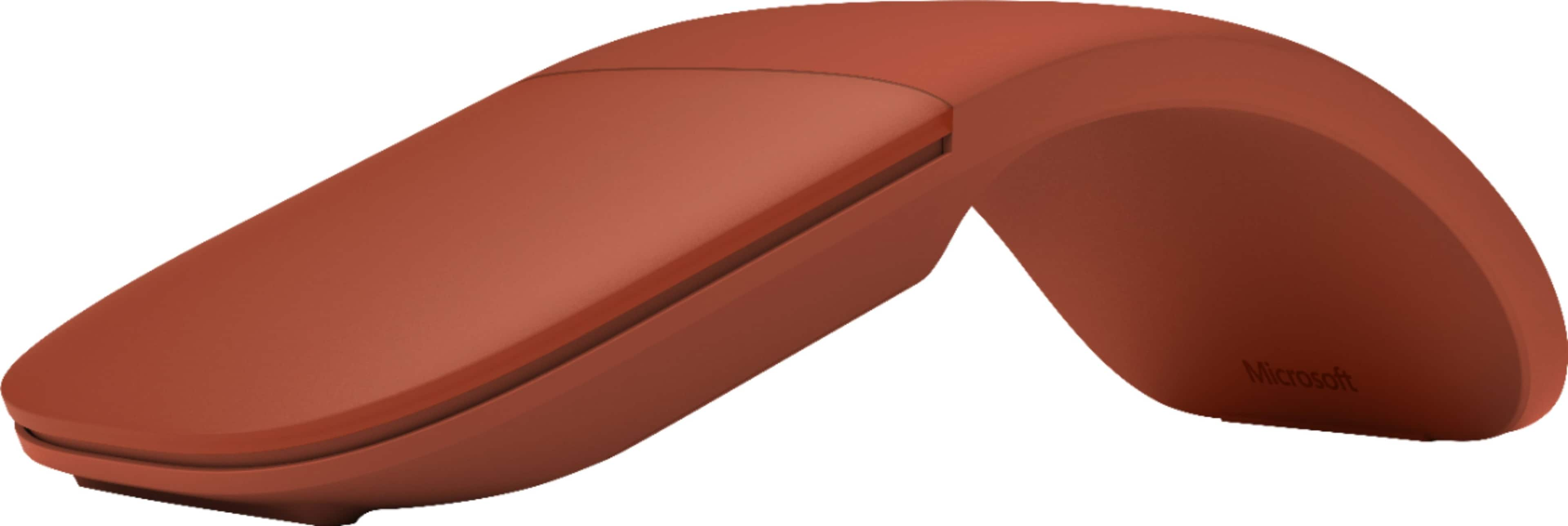
Customers praise the Surface Arc mouse for its portability and sleek design. Many also appreciate its comfortable feel, convenient size, overall performance, and reliable battery life. However, some customers have expressed concerns regarding the smoothness of the scrolling function, the price point, and issues with right-clicking.
This summary was generated by AI based on customer reviews.
Good travel companion
||Posted . Owned for 3 weeks when reviewed.This reviewer received promo considerations or sweepstakes entry for writing a review.Works great; very comfortable and i love how easy it is to travel with.
I would recommend this to a friendLove this mouse
||Posted .This reviewer received promo considerations or sweepstakes entry for writing a review.Great blue tooth mouse, I'm very happy with how well it quickly pairs with my surface pro. Easy to use, portable, great buy.
I would recommend this to a friendbest 1 yet
||Posted . Owned for 1 month when reviewed.This reviewer received promo considerations or sweepstakes entry for writing a review.I love the muti directional pad and the BT connectivity.no switches just bend and use
I would recommend this to a friendExpensive and limited features but great if you ar
||Posted . Owned for 1 month when reviewed.This reviewer received promo considerations or sweepstakes entry for writing a review.Expensive and limited features but great if you are on the go. Folds flat and stores nicely in a computer bag. Like the original Surface Arc Mouse a little more but this one works almost as well.
I would recommend this to a friendGreat portable bluetooth mouse.
||Posted .This reviewer received promo considerations or sweepstakes entry for writing a review.Great portable mouse. Works great with my Surface Pro 4 and has good battery life. Very well thought out design. Of course it will not be as comfortable as a full sized mouse but you cannot beat the portability aspect of it. Only wish it worked on all surfaces.
I would recommend this to a friendGreat product
||Posted . Owned for 1 month when reviewed.This reviewer received promo considerations or sweepstakes entry for writing a review.I've been using it for 4 months now and the battery is still full!!! Great product and easy to use.
I would recommend this to a friendNice mouse, takes some getting used to.
||Posted . Owned for 2 weeks when reviewed.This reviewer received promo considerations or sweepstakes entry for writing a review.It is a nice mouse and easy to connect to the Microsoft computer without using the port for a wireless Bluetooth transmitter. The shape takes some getting used to because it does not have the sides like a traditional mouse.
I would recommend this to a friendVery Happy
||Posted .This reviewer received promo considerations or sweepstakes entry for writing a review.This Mouse connected to my new surface pro with no problems, it is very sleek looking and very comfortable to use
I would recommend this to a friendBrand response from MicrosoftOutreachTeam
Posted .Hi there,
Thanks for complimenting the design of Surface Arc Mouse. We're delighted you're enjoying the flawless connection with your Surface Pro, as well as comfortable mousing experience. We hope you continue to enjoy!
Cheers,
Jessica
Surface Customer Care
Exceeds expectation
||Posted .This reviewer received promo considerations or sweepstakes entry for writing a review.Best travel mouse you can find. The Arc design snaps flat for travel, has yet to fail when sync-ing up now that it is blue tooth and blue tooth! frees up a USB port. It almost cost you a star Microsoft because of the price but its worth it if it will last as long as my last one. Cost per use... right?!?!
I would recommend this to a friendBuy it
||Posted . Owned for 3 weeks when reviewed.This reviewer received promo considerations or sweepstakes entry for writing a review.I love this mouse it is very convenient it goes back to flat if you are going to put it away , and when you are going to use it you fold it into the mouse. It is wireless so you can you it anywhere. I really recommend to purchase this mouse, it is the pretties and most convenient and sleek mouse I've ever seen. You won't regret buying it. It is fun to use and does the job.
I would recommend this to a friendOverall a good mouse
||Posted .This reviewer received promo considerations or sweepstakes entry for writing a review.Nice portability. Very comfortable to use. My only issue thus far is this mouse can be unresponsive on some surfaces. Overall, a good product and works well.
I would recommend this to a friendBrand response from MicrosoftOutreachTeam
Posted .Hi Nycole,
Thanks for sharing your experience with us about your new Microsoft Arc Mouse. We're pleased to hear you are loving the comfortable and portable design. It sounds like you might be able to try changing the sensitivity of your mouse to better adapt to different surfaces. Try changing your mouse settings by following these instructions: https://support.microsoft.com/en-us/help/4052284/accessories-how-do-i-change-mouse-sensitivity-dpi.
If you still feel like your mouse isn't responding the way it should, please don't hesitate to contact our support team here:https://support.microsoft.com/en-us/contactus/. They will be happy to help!
Kind regards,
Jessica
Surface Customer Care
Great product
||Posted .This reviewer received promo considerations or sweepstakes entry for writing a review.Microsoft Arc Mouse has a great design and functionality. The flat storage ability makes it great for travel.
I would recommend this to a friendgood mouse
||Posted . Owned for 3 weeks when reviewed.This reviewer received promo considerations or sweepstakes entry for writing a review.I love its design, very easy to use on any surface. A very useful complement for me. It works perfect.
I would recommend this to a friendSuper portable and easy to use and carry mouse
||Posted .This reviewer received promo considerations or sweepstakes entry for writing a review.Love the ergonomics and portability of this mouse. Just snap to turn on and off. Super slim and lightweight.
I would recommend this to a friendImproves Productivity
||Posted .This reviewer received promo considerations or sweepstakes entry for writing a review.Nice mouse complements well with Surface Pro. Easy to connect and easy to operate. The arc suits well for my hand.
I would recommend this to a friendForm and Function
||Posted .This reviewer received promo considerations or sweepstakes entry for writing a review.This is a great travel mouse. Doesn’t take up a lot of space and has a fun and unique way of working. Fits my hand well.
I would recommend this to a friendMICROSOFT THIN FLEXIBLE MOUSE
||Posted . Owned for more than 2 years when reviewed.This reviewer received promo considerations or sweepstakes entry for writing a review.This was purchased for daughter at her request. I had used this brand and model in the past for work and found it east to use as a replacement for my old standard mouse. She was very pleased with hers as well and liked the sage color
I would recommend this to a friendAmazing
||Posted . Owned for 1 month when reviewed.This reviewer received promo considerations or sweepstakes entry for writing a review.Amazing design, easy to install and carry. I will recommend to sell with an easy cover for carry
I would recommend this to a friendUnique and well-made mouse.
||Posted . Owned for 1 month when reviewed.This reviewer received promo considerations or sweepstakes entry for writing a review.I really like the flexibility of this mouse, and the fact that I can flatten it for travel. The technician recommended the mouse and I’m very pleased with it. It’s easy to use and durable.
I would recommend this to a friendGreat mouse
||Posted .This reviewer received promo considerations or sweepstakes entry for writing a review.Great mouse and easy to use. Nice ergonomics. Easy to slide cursor up and down with only single button pad area.
I would recommend this to a friend