Customer Ratings & Reviews



- Model:
- HMU-00001
- SKU:
- 6181705
Rating by feature
- Battery Life
Rating 3.8 out of 5 stars
- Speed
Rating 4.2 out of 5 stars
- Display
Rating 4.5 out of 5 stars
Customers are saying
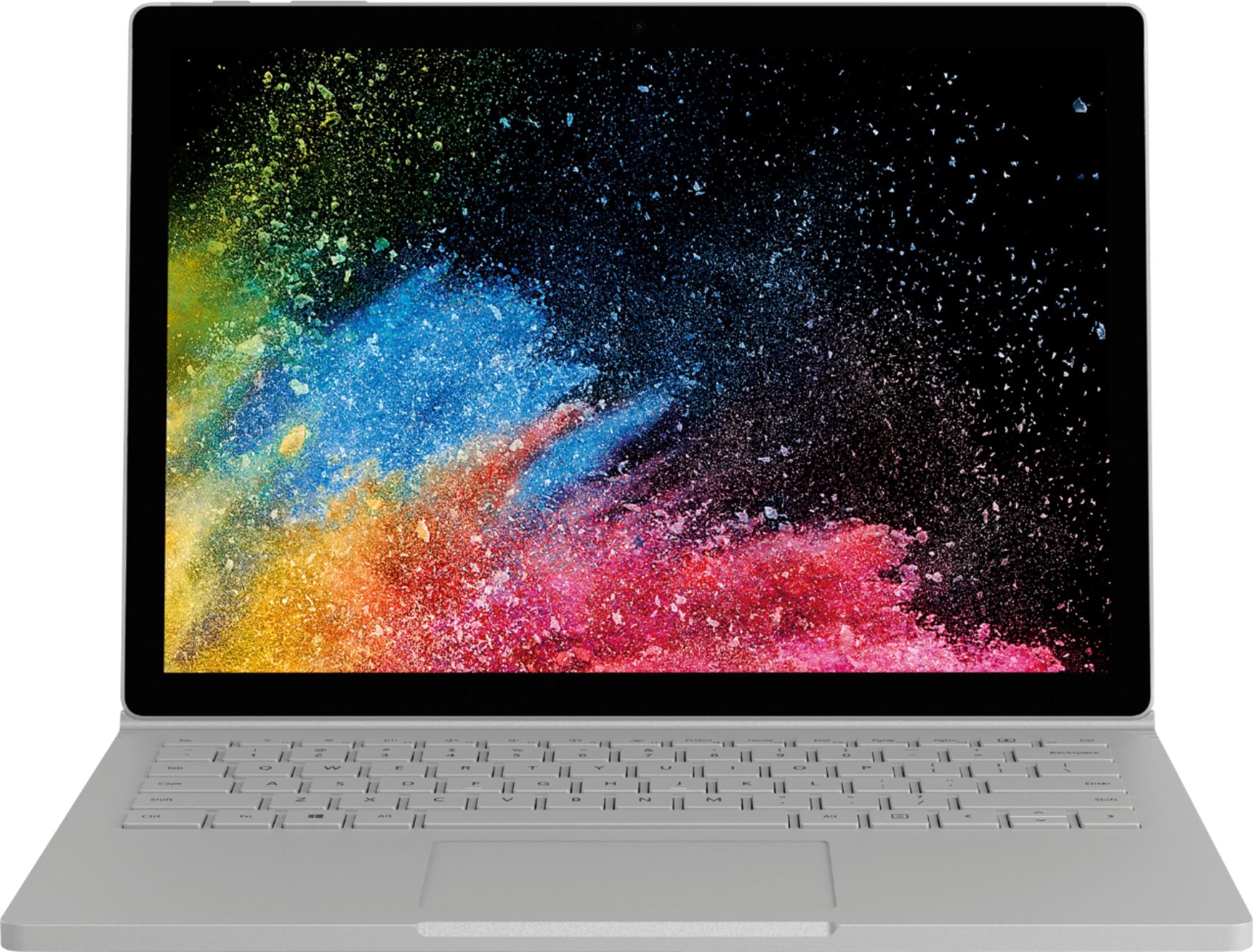
Customers highly value the Surface Book 2's ease of use, excellent keyboard, and impressive battery life. Many appreciate its portability and lightweight design, finding the tablet mode particularly handy. While some find the price high, positive feedback on the device's functionality outweighs this concern.
This summary was generated by AI based on customer reviews.
- Pros mentioned:Battery life, Keyboard qualityCons mentioned:Pen
Surface Book 2 - Excellent Product.
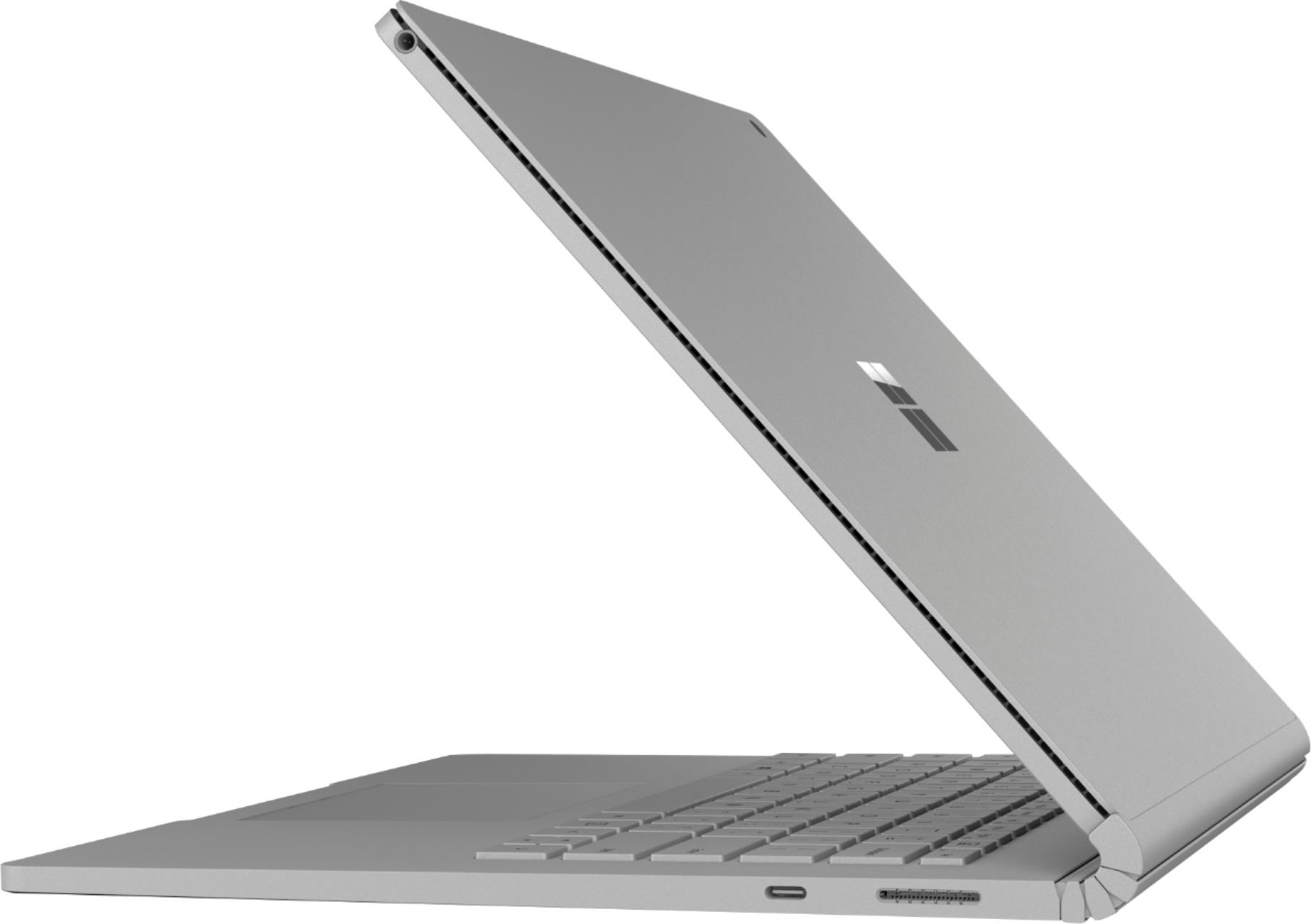
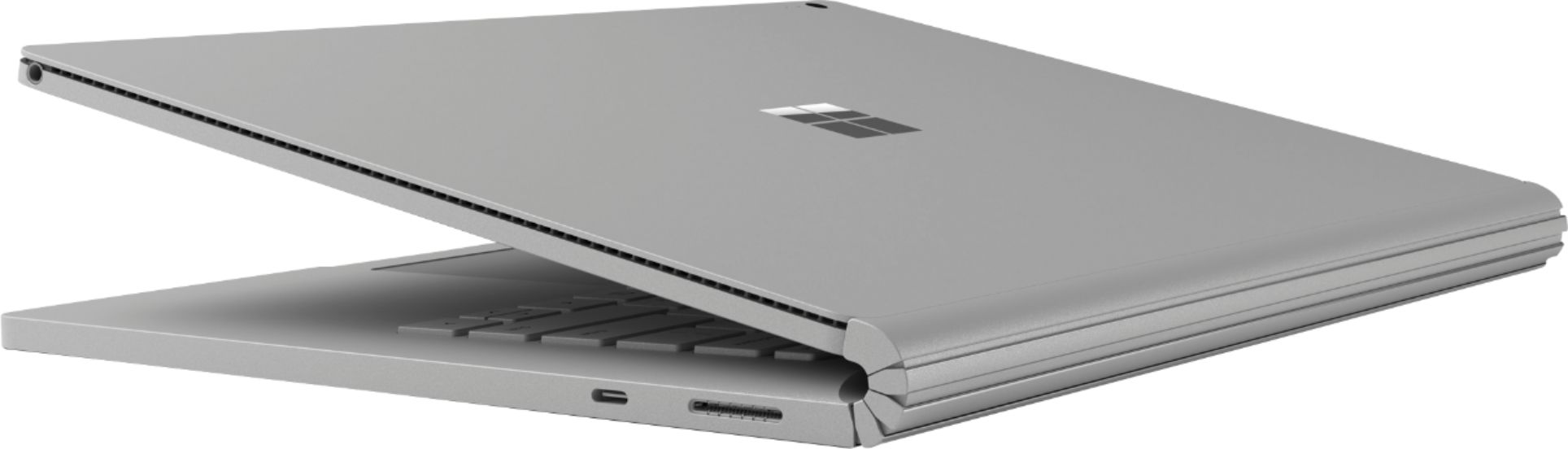
Posted .This reviewer received promo considerations or sweepstakes entry for writing a review.This is by far the best laptop that I have ever owned. Every time I open this laptop, I admire how beautiful it is. Microsoft did an excellent job in creating this laptop. Before buying this laptop, there were some things that I was weary about: 1.) The laptop does not close all the way. After owning this laptop for over a month I can say this has not bothered me one bit. 2.) The laptop is 4.2 ounces, compared to the 2.0-ounce laptops of this size. I thought this laptop was a little heavy for its size, but after carrying this laptop around in my backpack the weight does not bother me at all. The extra 2 ounces is worth the amazing 17-hour battery life. The overall quality of this laptop feels sturdy. The tactile keyboard is amazing to type on, the keys are firm and bounce back up quickly. The resolution on the screen is amazing, 2000 x 3000, which is not quite 4K but is still very nice for online reading. You cannot find a laptop with this high of resolution at $1,149.00. There were a lot of complaints about the price of this laptop, but I feel the price is justified because Apple charges just about the same price for one of their products. Plus, there is not product out there that has a detachable screen. Which I absolutely love. One thing that I would recommend for Microsoft is to increase the screen rate from 60hz to 120hz, I make this recommendation so that writing with the Pen feels more natural, there is somewhat of a delay with the Pen when writing fast, but not something that bothers me all that much. Overall this is a fantastic product.
I would recommend this to a friendBrand response from MicrosoftOutreachTeam
Posted .Hi Zach,
Wow! What an incredibly thoughtful and in-depth review of your experience so far with the Surface Book 2! We're delighted that you have so many great things to say about your new device. The Surface Book 2 is certainly one of a kind, with its amazing all-in-one features. We're glad you called out the incredibly brilliant display for our other customers. We're very proud to offer the very best in design! Thanks for taking the time to write such a lovely (and helpful) review for the community!
Cheers,
Jessica
Surface Customer Care
Could not see Keyboard Color of keys
||Posted .This reviewer received promo considerations or sweepstakes entry for writing a review.Not as friendly as I would have like very hard to see the keyboard keys because of the color and the light
No, I would not recommend this to a friendBrand response from MicrosoftOutreachTeam
Posted .Hi there,
Thank you for taking the time to share your experience with Surface Book 2 with the community! We regret to hear that you are having some difficulties with the keyboard, and we want you to know that we take all customer feedback seriously. To help you get to know your new device, we recommended downloading the Surface App, which you can do here: https://aka.ms/AA4rbrj.
Best,
Heather
Surface Customer Care
Don't buy it doesn't turn on!
||Posted . Owned for 1 year when reviewed.This reviewer received promo considerations or sweepstakes entry for writing a review.Don't ever buy one of these things......it just stopped working about 4-6 months after I bought the thing....I really did like it but one day out of the blue it just wouldn't start....I don't know what happened but it's just a big expensive paper weight, I should have bought anything else.
No, I would not recommend this to a friendHorrible!
||Posted . Owned for 1 month when reviewed.This reviewer received promo considerations or sweepstakes entry for writing a review.This computer is a nightmare! There are constant error messages and it does absolutely nothing I was told it would do! Don't waste your money! The associate told me it had ample storage, that's simply not true! Google drive isnt functioning at all. Now I get to spend more money with Best Buy because I can't return it past 14 days.
No, I would not recommend this to a friendBrand response from MicrosoftOutreachTeam
Posted .Hi Katrina,
We're truly sorry to hear you're experiencing some unique difficulties with your Surface Book 2, and we've alerted our specialized care team to assist. To receive assistance, please use this link here: aka.ms/SurfaceCustomerCare, to file a ticket using this unique reference ID number that we have created for you: 1906275060671.
We sincerely hope to hear from you soon!
Kindly,
Heather
Surface Customer Care
Stopped working after 5 months
||Posted . Owned for 6 months when reviewed.This reviewer received promo considerations or sweepstakes entry for writing a review.Started giving me issues after a couple months where the screen would not light up. Its on and working but no screen power. Issue happened when I let the battery die. Finally stopped working altogether. Best Buy said I need to contact the supplier directly, which I found annoying.
No, I would not recommend this to a friendPixel issues
||Posted . Owned for 1 month when reviewed.This reviewer received promo considerations or sweepstakes entry for writing a review.Less than a week and pixel issues started with black line periodically on screen. Contacted Best Buy, but cannot return / repair due to Coronavirus. Contacted Microsoft and told to update firmware....
No, I would not recommend this to a friend- Pros mentioned:Battery life
Microsoft Surface Book 2
Posted .This reviewer received promo considerations or sweepstakes entry for writing a review.The Surface Book 2 is a powerful and versatile laptop that combines performance and portability. With its detachable screen and robust hardware, it effortlessly handles demanding tasks like video editing and gaming. The high-resolution display and excellent battery life make it ideal for both work and entertainment on the go. While it may be pricey, the Surface Book 2 offers a premium experience and is a top choice for professionals and creative enthusiasts alike.
I would recommend this to a friend I didn't like it
||Posted . Owned for 1 year when reviewed.This reviewer received promo considerations or sweepstakes entry for writing a review.The rubber feet did not sit well after a few months of purchase. The charger started to show some problems after eight months and stopped working after a year.
No, I would not recommend this to a friendBought on 10/6/19 not working 10/28/19
||Posted . Owned for 3 weeks when reviewed.This reviewer received promo considerations or sweepstakes entry for writing a review.My brand new surface book 2 last only 22 days.. not turning it on.. tried everything but no luck. went to best buy they said they can't do anything with it.
No, I would not recommend this to a friendBrand response from MicrosoftOutreachTeam
Posted .Hi there,
Thank you for taking the time to reach out to us. We're sorry to hear you've encountered difficulties with your Surface Book 2. We've notified our special care team, and they are ready to help. To receive assistance, please use this link here: aka.ms/SurfaceCustomerCare, to fill out a ticket using this unique reference number that we created for you: 1911049900753.
We sincerely hope to hear from you.
Kindly,
Rebecca
Surface Customer Care
poor product
||Posted .This reviewer received promo considerations or sweepstakes entry for writing a review.poor product, doesnt accept software changes and updates correctly. save your money
No, I would not recommend this to a friendStopped working
||Posted . Owned for 2 weeks when reviewed.This reviewer received promo considerations or sweepstakes entry for writing a review.After a few days this device wouldn't turn on. I'm very disappointed, especially considering the price.
No, I would not recommend this to a friendBrand response from MicrosoftOutreachTeam
Posted .Hi there,
We're sorry to hear you're experiencing difficulties with your Surface Book 2 and we'd like to try to help. We recommend checking out this troubleshooting article on what to do if your Surface device doesn't turn on: https://support.microsoft.com/en-us/help/4023537.
If you need additional help, please feel free to reach out to our support team. They are eager and available to help here: https://aka.ms/AA4rbq6.
Best,
Rebecca
Surface Customer Care
Not good
||Posted . Owned for 1.5 years when reviewed.This reviewer received promo considerations or sweepstakes entry for writing a review.The power supply kept dying from the start within a year of purchase. Waste of money
No, I would not recommend this to a friendPathetic
||Posted . Owned for 1 year when reviewed.This reviewer received promo considerations or sweepstakes entry for writing a review.slower than my windows 98. Have had blue-screens as well
No, I would not recommend this to a friendNot durable
||Posted .This reviewer received promo considerations or sweepstakes entry for writing a review.The shells weak and not comparable to the Mac. Software difficulty.
No, I would not recommend this to a friendBrand response from MicrosoftOutreachTeam
Posted .Hi Greg,
Thanks for reaching out. We're sorry you're experiencing some difficulties with your Surface Book 2. We have let our specialized care team know you are experiencing trouble, and we are eager to help you. Please accept this specialized care by reaching out and filing a ticket here: aka.ms/SurfaceCare-us. Please be sure to use your unique reference number we have created for you: 1811055210142.
We are eager to hear from you soon.
Kind regards,
Jessica
Surface Customer Care
- Pros mentioned:Keyboard qualityCons mentioned:Price
Great build quality at a premium price.
Posted .This reviewer received promo considerations or sweepstakes entry for writing a review.Overall its an excellent machine with fantastic build quality. The keyboard is excellent with great travel and not too loud. Backlight is great with 3 brightness settings. It looks and feels fantastic. Screen is great. Good color and not too reflective. My only complaint is it is a bit pricey for what you're getting in comparison to similar computers. If you can find it on sale, it would be an excellent purchase.
I would recommend this to a friend - Pros mentioned:Keyboard quality
Excellent!
Posted .This reviewer received promo considerations or sweepstakes entry for writing a review.When I decided to take on a part-time job teaching students in China, I bought this laptop. My Surface 3 and MacBook Air didn’t pass their test as they needed at least 2.0 ghz. I absolutely love this laptop, especially the keys. The best keys ever in my opinion are on the keyboard cover for my Surface 3, but these do come in a close second. The display is beautiful and the camera better than the last two mentioned machines. There were a lots of updates pending right out of the box, Be aware that if your sound isn’t working, one of the last updates will take care of this. So far, I can’t think of anything I don’t like. I believe in Surface products as I’ve had my Surface 3 for many years and it’s been a great machine.
I would recommend this to a friendBrand response from MicrosoftOutreachTeam
Posted .Hi there,
Thanks for being a loyal Surface customer! We're proud to have thoughtful customers like you leaving us great remarks for the community! We appreciate you sharing your tips and tricks to help out the community. Congratulations on your new job, we're thrilled that you have found the perfect fit for work!
Kindly,
Jessica
Surface Customer Care
Ultimate work laptop
Posted .This reviewer received promo considerations or sweepstakes entry for writing a review.I love my surface book. It isn't perfect but it is amazing. I will tell you how I use my surface book to hopefully help show you how one can truly enjoy benefits of this device. I am an engineer. I review prints daily (my own and others) in pdf format. I use the surface pen, surface dial, surface dock and Bluebeam. This allows me to have three different views of the same drawing set and markup the one on my surface screen. I can then email the drawings to the other engineer or use it to start making CAD changes. I am using the base model device and it is enough for everything I do including MicroStation (CAD, no 3d drawings). The next way I use it is to take it to meetings and take all of my notes in OneNote. I tend to do better taking notes by hand and so I write all of my notes with the surface pen. The advantage with this is that OneNote can read my handwriting and search it in the search bar. That feature has saved me several times. The next way I use my surface is remote meetings. Sometimes when a tech calls me from the field and asks me questions I will see if they can do a quick webex and I pull my my pdf and draw out what they are describing on the existing prints. This has saved loads of time from not understading each other (I have used this method with other engineers in different loacations as well). The last is field markups. I take this out to the field with my drawings and markup the drawings: In situation 1 I go out to an existing site that is needs a new piece of equipment added. I mark up of the drawings and many times I end up taking a picture and inserting the picture into the pdf drawing for reference later or if the field install is completely different than the document of record I will just start drawing on the picture to show the changes I want that I can then take back and create engineering prints with. SItuation 2 is after a job is complete going out and marking up construction changes or variances. It is so much easier than carrying around a D size drawing (32" x 22"). The field is where the surface book isn't perfect. I can't charge it off of small battery packs without the base attached which makes it heavier. But for the rest of my work this is the perfect device. One suggestion, spring for more memory if it all possible. I get by with my 128GB but just barely I had to go through and purge any program or document file I wasn't using to give myself room after awhile. Pros: detachable pen keyboard screen size cons: no USB port on the tablet side to charge Tablet only battery Overall: I love it and I might add a surface Go to my bag for the field now that that exists but this is definitely my powerhouse and works to do my complete line of work.
I would recommend this to a friendBrand response from MicrosoftOutreachTeam
Posted .Hi Ben,
Let us be the first to say; wow! What an incredibly detailed and helpful review. We truly appreciate you taking the time to write such a thoughtful review. Your feedback is valuable to us since we are always striving to make improvements for our customers, and we know people reading this review will find this extremely helpful as well! We are delighted that the Surface Book 2 has been the perfect fit for all your work needs. Thanks for the stellar review!
Kindly,
Jessica
Surface Customer Care
- Pros mentioned:Keyboard quality
Worth every penny!
Posted .This reviewer received promo considerations or sweepstakes entry for writing a review.I had two other laptops before this, MacBook Pro 2018 - Returned. Overpriced. No USB ports. HP Envy 360 - Beautiful laptop - horrible trackpad, not even worth it! Then I came across this beauty! Wow! Almost like the MacBook Pro, but better. Amazing screen, great keyboard, working trackpad USB ports. and becomes a tablet. I use this laptop for every day things like email, iTunes, shopping, microsoft office... I'm not artsy fartsy but this is definitely something you want if you're into that stuff. Audio is also good! 10/10!
I would recommend this to a friendBrand response from MicrosoftOutreachTeam
Posted .Hi there,
Thanks for sharing your excitement with the community! We're delighted that the Surface Book 2 has been your perfect all-in-one solution for all your day-to-day tasks. We're proud to offer our customers this very versatile powerhouse of a machine. We're glad to hear we hit the mark! We hope you continue to enjoy all Surface Book 2 has to offer.
Cheers,
Jessica
Surface Customer Care
We want to hear your Surface story. Share your experience by leaving a review.
- Pros mentioned:Ease of use
Great buy
Posted .This reviewer received promo considerations or sweepstakes entry for writing a review.Good purchase, great for college and personal use.
I would recommend this to a friend Defective
Posted .This reviewer received promo considerations or sweepstakes entry for writing a review.Came defective keyboard, didnt change it and now im stuck
No, I would not recommend this to a friend