Customer Ratings & Reviews
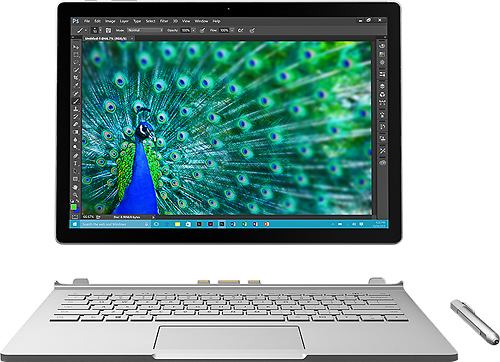
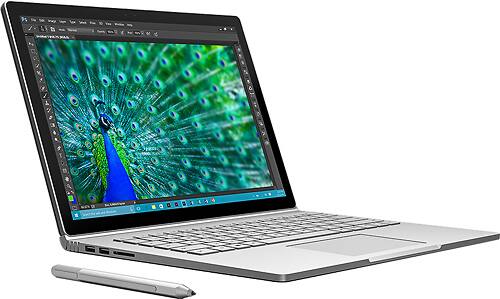
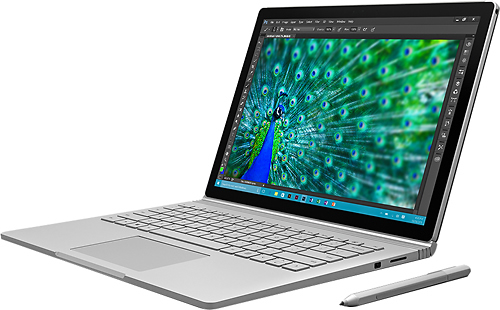
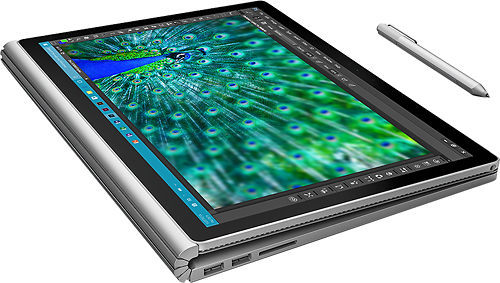
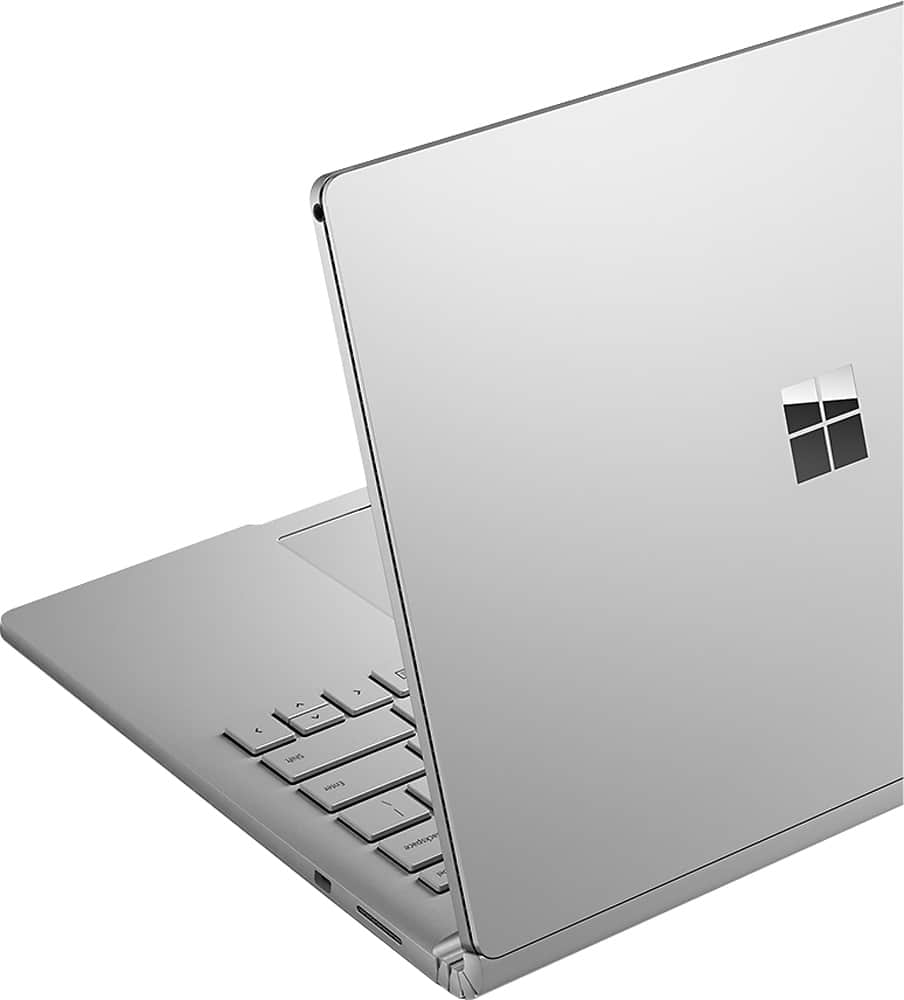
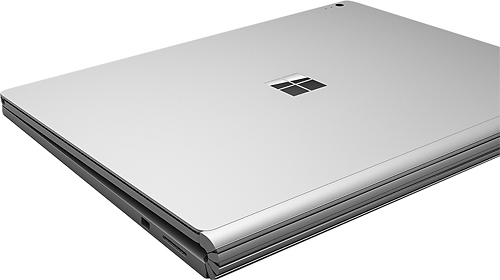

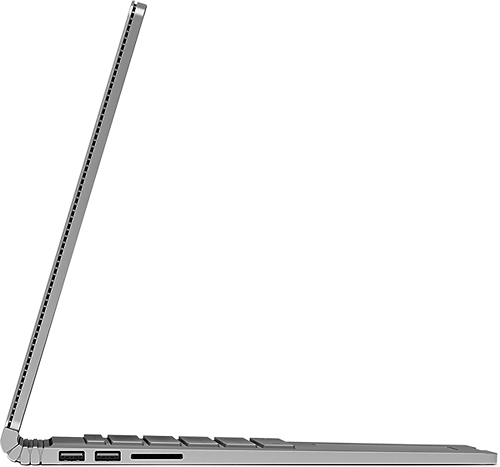

- Model:
- CR7-00001
- |
- SKU:
- 4531401
Customer reviews
Rating 4.4 out of 5 stars with 394 reviews
(394 customer reviews)to a friend
Customers are saying
Customers highly value the Surface Book 2-in-1's performance, ease of use, lightweight design, and touchscreen capabilities. Many appreciate its solid state drive and find it a convenient device for various tasks. However, some customers express concerns about the product's price and occasional overheating issues. A few also mention challenges with the pen and hinge design.
This summary was generated by AI based on customer reviews.
Rated 5 out of 5 stars
Great Computer
||Posted .This reviewer received promo considerations or sweepstakes entry for writing a review.Excellent computer and would absolutely purchase again
I would recommend this to a friendRated 5 out of 5 stars
excellent product
||Posted .This reviewer received promo considerations or sweepstakes entry for writing a review.product exceeded expectations and has been as advertised
I would recommend this to a friendRated 5 out of 5 stars
Love It
||Posted .This reviewer received promo considerations or sweepstakes entry for writing a review.It is compact and fast with amazing graphics Lovi it!
I would recommend this to a friendRated 5 out of 5 stars
great computer, exactly what i was looking for
||Posted .This reviewer received promo considerations or sweepstakes entry for writing a review.needed to replace an older laptop. highly used for work.
I would recommend this to a friendRated 3 out of 5 stars
Excelent Tablet but some problems
||Posted .This reviewer received promo considerations or sweepstakes entry for writing a review.I do enjoy the Surface book but I experience a problem where the touch screen stops working and I have to use the keyboard to force the system to reboot. Once rebooted the touch screen works perfect.
No, I would not recommend this to a friendRated 5 out of 5 stars
Love It
||Posted .This reviewer received promo considerations or sweepstakes entry for writing a review.Using for design projects with Adobe cloud software.
I would recommend this to a friendRated 2 out of 5 stars
Too many issues
||Posted .This reviewer received promo considerations or sweepstakes entry for writing a review.I went through 2 in the first three days due to improperly set up machine for first use, then for BSOD and display freezes. I have had the third since December and I'm probably going to go buy something else. I really wanted this to be great...it just has too many crashes, freezes & BSOD issues.
No, I would not recommend this to a friend- Pros mentioned:Battery life, Performance
Rated 5 out of 5 stars
Best laptop - tablet on the market!
Posted .This reviewer received promo considerations or sweepstakes entry for writing a review.I sold my Surface Pro 2 on ebay for over $400 after 2+ yrs & upgraded to Surface Book. That resale figure alone should speak for how great the surface pro line are. I loved my Surface Pro 2, but the Surface Book's performance is just astonishing! Booting from off to windows login in under 3 secs. Incredibly fast, insane display, not 1 but 2 batteries allows you to detach from keyboard & have a 1.5 pound super computer be your tablet. Microsoft put a discrete GPU into the Surface Book and it paid off making it 3-times faster than macbook pro in many aspects i.e. gaming, Earlier today i was running Adobe Bridge, Photoshop, Illustrator, Dreamweaver, with 6 virtual desktops,clusters of browser windows, outlook, + Kaspersky and Malwarebytes and it didnt skip a beat. GREAT BUY...
I would recommend this to a friend Rated 2 out of 5 stars
horrible scaling
||Posted .This reviewer received promo considerations or sweepstakes entry for writing a review.Very disappointed with Surface Book when using with external monitor(s). Micrsoft cannot figure out scaling between their OS and their own hardware. In addition, do NOT purchase the Microsoft Surface Dock as it is completely useless. Does not recognized 99% of the monitors on the market. Read reviews elsewhere and you'll see same complaints.
No, I would not recommend this to a friend- Pros mentioned:Battery life
Rated 5 out of 5 stars
Amazing piece of machinery with a few weird quirks
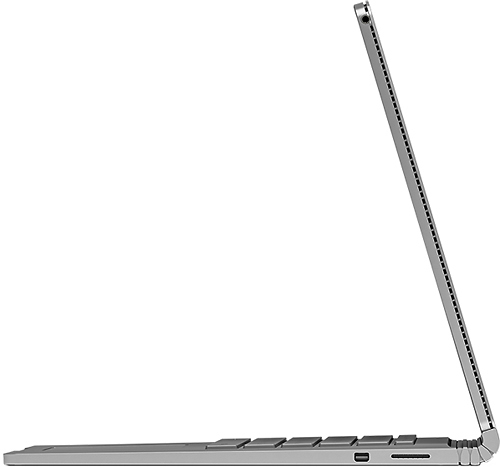
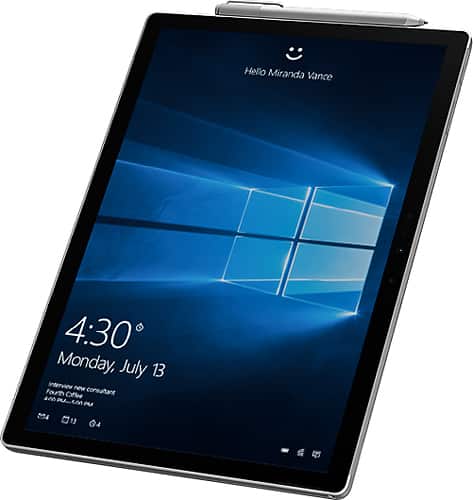
Posted .This reviewer received promo considerations or sweepstakes entry for writing a review.Bought my 512 GB i7 16GB RAM Surface book from a Best Buy store the day it came out. I've been playing with it for a full day now and am very impressed, overall. It has seamlessly handled everything I could throw at it so far, the battery seems to last about ~8-10 hours of actual use, and it just feels very solidly built. The pen feel and function is also incredible. The display is incredibly sharp (I made a super high-res NASA image my desktop background, and it looks like I'm standing on Mars). There's a few quirks that I'm a bit disappointed in. I'm sure the engineers had a good reason for these things, but they are annoying: 1) the headphone jack is at the top right corner of the SCREEN. That's the worst possible place for it. The cord now hangs down between the laptop and my mouse (on the right side). Couldn't put one in the base? Or even at the bottom of the display? 2) no Kensington lock. Maybe small laptops are moving this direction, but for such an expensive item the ability to lock it on my desk would have helped my peace of mind. 3) The act of detaching the top is a bit awkward, but you get used to it. So long as you're not changing modes several times an hour, it'll be fine. There's also magnets build into the top of the display to help hold it shut when closed, which makes it take a little extra effort to open. Also, if you almost run out of battery and have the screen flipped around in tent mode, it actually won't let you detach the display to flip it back around until it charges for a few minutes. These are just a few quirks that are minimal compared to the power and functionality of this device. It looks and feels like a premium device, and so far has performed like one as well.
I would recommend this to a friend - Pros mentioned:Performance
Rated 5 out of 5 stars
Made it Easy to switch from a MacBook
Posted .This reviewer received promo considerations or sweepstakes entry for writing a review.I had been on the fence about this book before I was able to get my hands on it. I have been a loyal MacBook pro user for over 2 decades and had just purchased a new MacBook pro once the surface book was announced. Once I opened the box and turned the surface book on I am really happy to say Microsoft seems to have finally gotten it right. Ive watched all the reviews on this machine and I'll tell you the performance for high end programs like solidworks and CAD are not exaggerated. Ive tested both programs on this machine and they run seamless. Working with Windows 10 and the tablet function on this machine eliminated the need for me to have a MacBook pro and an iPad pro. The hardware itself reminds me of an MacBook, but I have to say I am still in shock on how this system works so cleanly. I have also tested a few games out, Mad Max and Metal Gear Solid, Both work great at medium settings. Mad Max suffers a little stutter at high levels, but even at medium settings the games look amazing on the high res screen. I plan on testing battlefront once it comes out The only thing I haven't tested is the video and image rendering capabilities. My assumption would be this is the only area lacking in the performance of this device. I'm hoping in the next iterations of the surface book they have something that can compete with the MacBook pro 15. I still use it for adobe première and adobe in design/PhotoShop since I'm not confident in the surface books capabilities in that area. Aside from that, you won't be disappointed with this machine, I'm still playing with it since yesterday and haven't been bored. Seems Microsoft has instilled some major confidence they lost over the years with this baby
I would recommend this to a friend - Cons mentioned:Hinge
Rated 5 out of 5 stars
Beauty meets function in a pc...Finally!!!
Posted .This reviewer received promo considerations or sweepstakes entry for writing a review.First off, I don't think I have ever given a 5 star review on any product I have reviewed, but this...this is different! A little back story, I had the surface pro 1, skipped the pro 2, got the pro 3, and was honestly content to skip the pro 4. That is, until I saw the surface book! At that point, I knew my mind was changed, and was just like, take my money Microsoft. I was not able to get one on launch day, unfortunately. So, while obsessing about it and calling every store in the state of Colorado, I watched every video made on this computer. I heard everything they had to say, good and bad. I finally located one in Denver, which is a two hour drive one way, but they agreed to hold it for me, and off I went. I raced home. When I got home I began to unbox it. The packaging is sleek and very environmentally friendly, great job there! I have the i7/16gb/512 model. Which is basically the specs of the higher end 15 inch mbp. It feels every bit as good as a mac. Looks better imho! I actually don't find the screen wobble a bad thing, and here is why. If you take a note pad, hold it from the bottom, and apply pressure, the pad will wobble. If you lay it down flat on a desk, its solid. The keyboard is fluid, smooth for typing and illuminates very well! The trackpad is big and comfortable and also very smooth. The screen is absolutely stunning! With a laptop of these specs, I don't really see much of a need to discuss what it can handle, it can handle anything. And another reviewer already discussed benchmarking. The gap from the hinge does take some getting used to, but I don't find it a negative. That hinge was necessary for them to achieve all that they did with this product! I will say this...this is a laptop first, tablet when you need it. It is not going to be something you can use as a tablet all day. It gives you that functionality, but that's not its intended use. That's what the surface pro is for! But for me, its honestly, perfect! Cant wait to see what they do with this design in the future!
I would recommend this to a friend Rated 1 out of 5 stars
Security of Windows Pro Find my PC doesn't work
||Posted .This reviewer received promo considerations or sweepstakes entry for writing a review.I bought this computer from bestbuy in 2016 and unfortunate this computer was stoled from me and I have everthing set in security and inclusive face recognition login who is a feature of this system, find my pc enable in microsoft, all the security settings enable, i'm computer scientist and I get very frusted because microsoft doesn't help with serial number to locked it or try to find where's , may someone else is using it right now, very expensive computer and I hope to get it back with level of security who microsoft sell about this computer, but NOT, doesn't work and the computer is very slow as well for games and as well get slow for developer tools, so bad experience.
No, I would not recommend this to a friend- Pros mentioned:Battery life
Rated 5 out of 5 stars
Perfect Work Computer
Posted .This reviewer received promo considerations or sweepstakes entry for writing a review.I was skeptical of this machine based on some of the initial experiences people had but it appears most of the issues have been resolved now. There are little things here and there but they don't outweigh the benefits of this machine. Pro's: - Love the resolution, while screen is a bit small, resolution is amazing and can let me put my primary apps with plenty of room. - The detachable screen is fantastic when I want to use it as my iPad. I can sit there and take notes like I'm writing on a pad of paper. - Pen sensitivity - Feels like writing with a real pen, responsiveness is fantastic. It also does a great job on not getting messed up when I rest my hand on the screen as I write. - Battery - it does a real decent job on battery. I'm quite impressed with how long it goes. So far for my tasks I haven't had an issue of running out of juice while working on it. There appears to be several things it employs to help with it (i.e. keyboard lights up only when you're typing, goes away when you stop typing). - Workhorse - I got the i7 512gb version - it's been able to deal with everything I do just like my normal desktop. I got this version primarily for the 16gb of RAM (I think 8 is insufficient nowadays). The dedicated Graphics card was a nice plus - Multi-screen support - I have plugged it into a 3k ultrawide and 4k monitor without a problem. - Base doesn't get hot - you'll notice most people don't call them laptops anymore and when I asked apple why not they said it's not advised to put it on your laptop because of how hot the macbook base can get. Of course we all do despite the heat because it's convenient when we're out and about. This unit, because all the main components are actually in the screen the base barely gets warm. This makes it VERY comfortable to keep on my lap as I work and was a side effect I didn't quite realize as a nice pro until after using it. Con's: - Still some small bugs - there are still a couple things that I'm not sure are related to software or the hardware. Nothing major, but annoying still. I've had the mouse disappear where I need to hit the sleep button to get it to reappear as an example. Another time it was messed up and thought it should be in tablet mode when it was docked with the base again. - Heat - while I mentioned the base doesn't get hot, the screen does, and depending on how hard I'm working it and for how long, it can get decently hot. Not to the point where I say I can't work with it until it cools down but it is noticeable and kinda frustrating. I wish Microsoft had done a bit more on this and maybe utilize that new liquid cooling they're doing on their phones with the screen. If they did this down the road I'd definitely upgrade my surface book to have that. - better leverage of the dedicated GPU. I'm still new on this but from what I can tell, most of the time it's usually using the integrated gpu instead of the dedicated one. I probably need to put it in more intensive testing, but from what I can tell it's not using it enough. You do have the ability to tell it that an application needs to use the dedicated gpu which is great. -- my other little complain related to the dedicated GPU is if you have an app using the dedicated gpu and you want to detach the screen, it tells you that you have to close the app before detaching. Ideally, it would auto-switch to the integrated when I wish to switch over. I'm guessing there are some deep rooted reasons why it can't do that, but that would be #2 on my wish list (#1 being liquid cooling). All in all, I love this machine. I replaced my macbook with this and am completely happy with the decision. Other notes: I got the surface doc because I would occasionally like to connect two 4k monitors to it. I had very mixed results when doing it and ultimately took it back because it wasn't reliable enough. Sometimes it would work but not as flawless as I need for it to be considered a tool for work. I ended up getting a usb 3.0 hub that had a built in ethernet port for < $30 and it's just fine. The single display port is sufficient for 95% of what I would use it for.
I would recommend this to a friend Rated 1 out of 5 stars
Keyboard Issues
||Posted .This reviewer received promo considerations or sweepstakes entry for writing a review.I walked into Best Buy with my mind set on a new Surface Book. It was going to be more expensive than other options, but I had convinced myself that the added cost ensured better hardware. When I got my first Surface Book home, I discovered a keyboard issue with a '7' key that did not function. I went back to best Buy and exchanged it for another. Understandably, a single computer might have an issue. I got this second Surface Book home and found that it had a keyboard issue as well, different from the first. After that second malfunctioning computer, I gave up on the Surface Book and ended up with a Lenovo.
No, I would not recommend this to a friendRated 1 out of 5 stars
Had problems from the start
||Posted .This reviewer received promo considerations or sweepstakes entry for writing a review.I bought this and charged it the first night. The next day it went to a blue screen. All I could get loaded was my e-mail and the cloud set up. It failed on everything else. After that it failed to do anything. I went back to the store and talked to geek squad and exchanged it for a MacBook Pro. The sore was very helpful and all went better than I hoped. The MacBook has performed perfect. Best Buy was the best and I am very happy with my new purchase.
No, I would not recommend this to a friendRated 2 out of 5 stars
Its not worth the money
||Posted .This reviewer received promo considerations or sweepstakes entry for writing a review.Its ok pc so far and working hot short battery. The biggest problem weak body and easy damage. I will have to turn back apple macbook pro.
No, I would not recommend this to a friendRated 1 out of 5 stars
Cannot replace the battery
||Posted .This reviewer received promo considerations or sweepstakes entry for writing a review.The battery in the keyboard of my Surface Book is inoperable. The computer is out of warranty. Microsoft says they will not replace or even sell me a new keyboard and battery. Their solution is to buy an entirely new computer. This is absurd! Unless you buy a 3-year warranty, this is a throwaway computer. It's completely unserviceable.
No, I would not recommend this to a friendRated 5 out of 5 stars
Great laptop/convertible
Posted .This reviewer received promo considerations or sweepstakes entry for writing a review.Those thing is awesome. I bought the 16GB RAM/512GB SSD version over the 8GB/256GB model because I wanted the capability to build a small VM lab for on the go, and 16GB RAM is really minimal for what's needed. The extra storage helps for this purpose too. I don't game much anymore, but this thing is certainly capable of some lightweight gaming. It plays Final Fantasy 14 well on "High Laptop" settings at a consistent ~30fps. Other games play well too, especially in the low-to-medium settings ranges (though some older games do play well on high). The hardest part about gaming on it is identifying a usable resolution. Because of the unique 3000x2000 pixel display (which looks absolutely gorgeous by the way--I don't think I can go back to a standard DPI display!), there are no lower resolutions with the same display ratio for any of the games I've tried. It's not a huge deal--I can get really close to the correct ratio to minimize any black bars on the top/bottom or the sides. Just thought it was worth mentioning. The screen detachment function has worked pretty reliably (I know some users have had issues), though I don't see myself utilizing this feature as frequently as I originally thought. Handwriting recognition has come a long way since the old days of Windows Mobile--it's correctly interpreted my handwriting every time so far. The pen works great and is comfortable to hold. Battery life is quite good, though I have a hard time believing Microsoft's 12 hour claim--8 hours seems relatively realistic though. Speakers are OK, but nothing to write home about. The keyboard is great, but I'm still getting used to it. The only issues ive had with my Surface Book so far are 1) the AC adapter cords are too short. 2) more importantly, the mouse intermittently responds (or doesn't respond) in strange ways. Every 1/5-10 times it wakes up from sleeping, I can move the cursor around, but can't click on anything (a restart fixes it). Similarly, I am unable to scroll from time to time. The same issues exist when using the touchpad or a Bluetooth mouse though, so I'm confident this will be addressed via software fixes. Overall, I love this thing. If you're in the market for a laptop/convertible and can afford it, I really recommend it. Sure, it has a couple quirks, but they're software related and the fixes are hopefully coming along soon. It's amazing the type of performance Microsoft has put in such a small and portable package. 5 stars.
I would recommend this to a friendRated 1 out of 5 stars
Poor
||Posted .This reviewer received promo considerations or sweepstakes entry for writing a review.Was hoping for better performance than what I had experienced with earlier version of Surface. Book worked for 2 days then non-operational (would not power on). Refund no problem, saved 1000$ and purchased Lenovo Dogs that has been flawless. Would steer clear of Surface products.
No, I would not recommend this to a friend