Customer Ratings & Reviews


- Model:
- CR7-00001
- SKU:
- 4531401
to a friend
Customers are saying
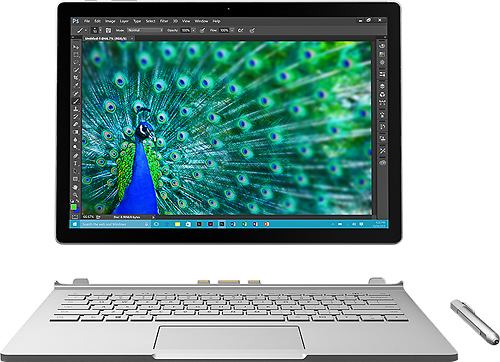
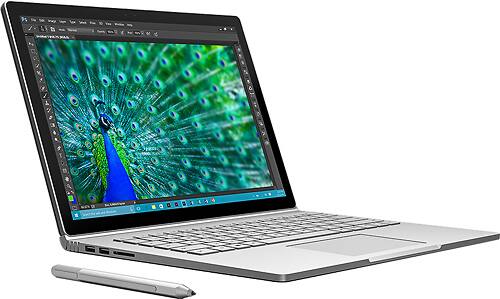
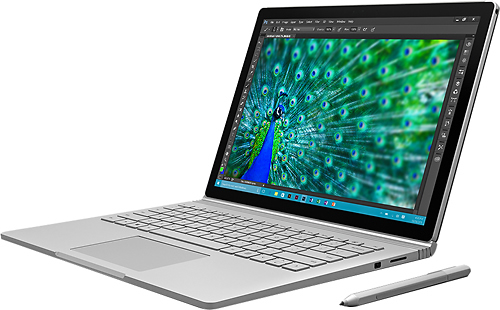
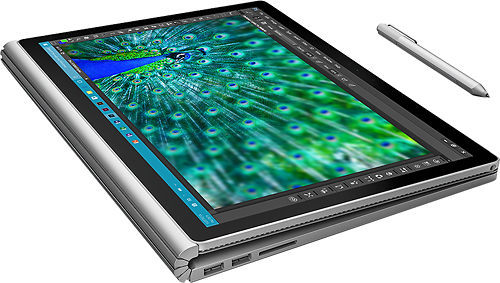
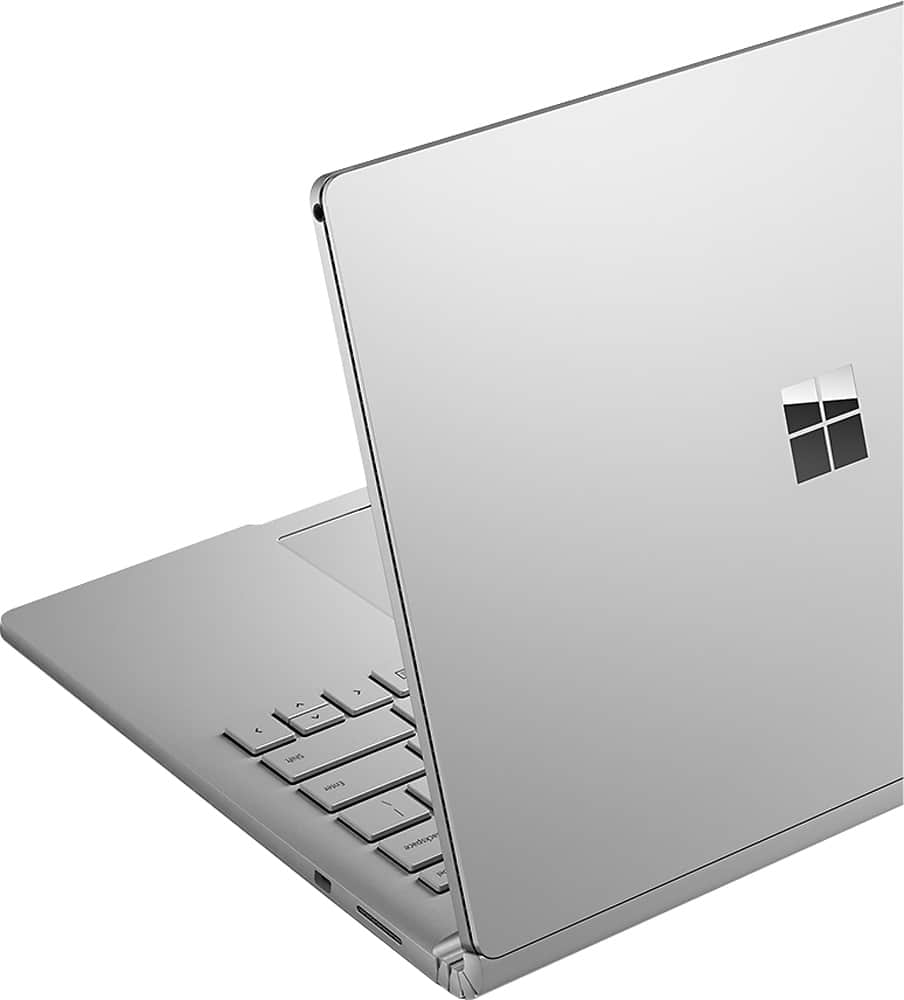
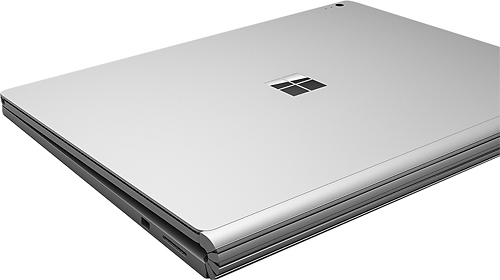
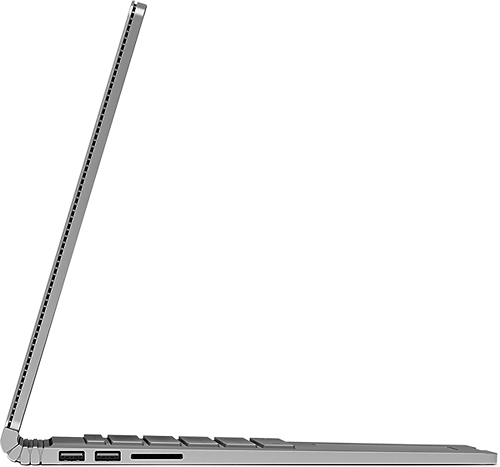
Customers highly value the Surface Book 2-in-1's performance, ease of use, lightweight design, and touchscreen capabilities. Many appreciate its solid state drive and find it a convenient device for various tasks. However, some customers express concerns about the product's price and occasional overheating issues. A few also mention challenges with the pen and hinge design.
This summary was generated by AI based on customer reviews.
Inconsistant Performer
||Posted .This reviewer received promo considerations or sweepstakes entry for writing a review.Out of the box the device was running an old version of Windows 10 Pro , Non Anniversary. However the Anniversary update caused loss of audio. Inconsistent performance when detaching the screen from the keyboard.
No, I would not recommend this to a friend- Pros mentioned:Performance
Impressive potential in a small package
Posted .This reviewer received promo considerations or sweepstakes entry for writing a review.I bought the surface book mostly for the stylus, but I'm very impressed by its overall quality. The performance is pretty good for its size and the screen colors pops out. The weight, keyboard size and feel, as well as the track pad all work very nice. On the downside (beside the price), the back of screen gets hot under heavy processing and the battery in clipboard mode doesn't last more than 3 hours. Also the screen sometimes flickers to black when left idle, but that's probably a driver issue that will get resolved pretty soon. If you're looking for a tablet or hybrid, this is not for you. Get it if you're in the market mostly for a laptop. This is mostly 80% laptop and 20% tablet.
I would recommend this to a friend Great
||Posted .This reviewer received promo considerations or sweepstakes entry for writing a review.Purchased this product for my son going to college to study electrical engineering. Great product.
I would recommend this to a friendIt crashes all the time with Photoshop and Illustr
||Posted .This reviewer received promo considerations or sweepstakes entry for writing a review.It crashes all the time when using Photoshop and illustrator
No, I would not recommend this to a friendBrand response from MicrosoftOutreachTeam
Posted .Hello Lailanie, Your feedback on Surface Book is extremely important to us and we are always working hard to optimize your Surface experience. In the meantime, please check out our support site that may help you to resolve the issues you are experiencing: https://www.microsoft.com/surface/en-us/support/browse/surface-book?category=install-update-activate . If you need further help, please contact our Customer Support through the Support Web Portal: www.support.microsoft.com . We apologize for any frustration this has cause and hope this was helpful to you.

- Pros mentioned:Processor speed
Great 2-in-1 laptop
Posted .This reviewer received promo considerations or sweepstakes entry for writing a review.Since this hybrid laptop was first presented last year I fell in love with its design and let me tell you, it also packs a lot of PUNCH thanks to its powerful i7 processor, 16GB RAM, lightining fast 512GB SSD but above all it dedicated Graphic Card Pricey but it surely worth every penny On the downside are not so great battery (it holds 2 batteries, one that gives about 3hours when display is taken apart and the one at the keyboar that extends its life to up to 12hours) I personally never used it all up so I would not know. The touchpad mouse is really sensitive and takes a time to get used to it. On the plus side, I found the charger very convenient with magnet to hold it, and the fact that it also includes a mini-display port most laptops in this category come only with a USB-C type port for which you need to buy separate display adapters if you want to work with a display. Overall is one of the fastest laptops I've ever owned, but also the most expensive Great Design, Powerful
I would recommend this to a friend Awesome for note taking in class.
Posted .This reviewer received promo considerations or sweepstakes entry for writing a review.I've had mine for about two weeks now, I use it constantly for taking notes on onenote, which is the main reason for needing a tablet. I also do alot of developement in Unity 3D and Visual Studio...which is why I wanted everything to the max as far as specs go. This device handles those big programs pretty well so far. Google chrome likes to crash often here. The biggest complaint I have is windows constantly crashes when detaching the keyboard. I don't know what I'm doing wrong or when the correct time to detach the keyboard is but, detaching at the login screen, on the actual desktop will cause windows 10 to crash 3 out 5 times.....consistently. Also, sometimes the tablet will come out of standby mode and it won't recognize any touch input....or keyboard input. It's super annoying to have to reboot the machine every time I need to slip the screen in order to take notes in class. I'm giving it a chance, maybe future windows updates will fix the issue..
No, I would not recommend this to a friendGreat Multi-Purpose Laptop
Posted .This reviewer received promo considerations or sweepstakes entry for writing a review.I have the SB i7 with the 512 SSD. I love the surface book. I originally bought it to replace an aging laptop and iPad. I wanted a computer that could be a tablet and a computer. It is great being able to use a full version of win 10 plus Autocad on a tablet. The only downfall is that the updates pushed out by windows sometimes take awhile to install. For being a new computer and since updates come out regularly I wish they would install quicker. This isn't a deal breaker for me otherwise I would've bought a MacBook pro, and being able to switch into different positions as well as have a touch screen and an included pen sealed the deal. if you want a 2-in-1 laptop then this is a great computer in a small package.
I would recommend this to a friendGreat laptop but still has too many bugs
Posted .This reviewer received promo considerations or sweepstakes entry for writing a review.I purchased the surface book and really liked it...when it worked. But I had too many problems with the system to keep it. First, sleep did not work on the system so I had to tell the system to hibernate when I closed the lid. I could get past this because the system would boot quickly. Next the battery life was only about 4 hours with my system. And the big kicker was the system date would have problems staying correct. It would bump me up a few days or even months when I booted the system up. The real kicker was the day I was wiping the system and getting it ready to return it. I turned the system on and it blue screened for me. The system is a great laptop but until Microsoft can get the bugs all worked out it just isn't worth struggling thru everything right now.
No, I would not recommend this to a friend- Cons mentioned:Heat
this is a great combo
Posted .This reviewer received promo considerations or sweepstakes entry for writing a review.as a tool for an artist this is perfect powerful tool to have, This is sliced bread hands down once you get it working there's no telling what you can do with it. the extra GPU I'm sure will helps alot yet I haven't messed with the lesser units so I can't compare. however there's a few issues I ran across while using photoshop on this unit, which is weird cause I don't think of photoshop as a very taxing program to run but I really don't know anything about computer hence me getting this powerful model so I wouldn't have to run into any of these hiccups down the line, well I did but thanks to google and my friend we were able to fix the problem, as I mentioned before I would running adobe photoshop and it would get extremely hot to a point where it actually shot down because it over heated, but like I said we were able to download the Nvidia manager tool to fix (it didnt come with it so had to look for ot online) apperantly the surface book has when you run photoshop the Nvidia graphics card overclock the GPU when running photoshop that causes it to overheat but like I said I don't know anything about computer so maybe it wouldn't have been an issue for you guys that do., for me it was a debilitating issue to it was down right unusable but like i say with the help of my friend who knew what he was doing and google we were able to fix it and now it works beautifully also the way you detached the key board is buggy as well and some programs need the the extra gpu that is in the keyboard, overall this issues combined would let me give this unit a solid 5 stars, but I highly recommend this product as and artists this is a awesome product to own
I would recommend this to a friend Thrilled.. at first
Posted .This reviewer received promo considerations or sweepstakes entry for writing a review.I waited and waited for this product, and when I finally received it I was ecstatic. The look, the feel, I was so thrilled. Then reality started to slowly set in, the reality of a generation one product. Extremely buggy at first, most of which were resolved with a numerous amount of updates, but still had some issues, mostly with the display. On top of that, external display usage was very troublesome. Scaling between external monitors was so clunky, it made for a pretty terrible user experience. Then the kicker which eventually led me to return, may of been my fault for not seeing this first, but it's only a DUAL CORE CPU! DUN-DUN-DUUUUN!!! I mean I get it, there is literally no room that I can see to fit a quad behind that screen. But for paying close to $3,000 for this, and knowing that it just doesn't come near the power of a quad, I couldn't justify the purchase. Maybe the next generation of the Book will feature a more robust CPU, as well as sort out the numerous bugs. A for effort, but a C product.
No, I would not recommend this to a friendFor art: A fun toy, but not worth the premium.
Posted .This reviewer received promo considerations or sweepstakes entry for writing a review.I'm a professional comic book artist and spent the last 10 days trying out the Surface Book. Long story short, I returned it (yay Best Buy). It’s a cool device - I really like the detachable tablet feature, but considering the premium in cost (about $500-1k more than the similar other products for pretty much identical specs) its performance was REALLY disappointing. First, with so many input options (trackpad click or tap, touchscreen, surface pen) the surface had a constant delay seemingly trying to suss out just what I was asking it to do. Additionally, Chrome ran REALLY slow (not surprising I guess, chrome can be a memory hog), firefox was better but not great. My wife’s 3 yr old macbook pro is considerably snappier. Considering that this surface is brand new, and I was trying out the maxed-out version, that’s pretty awful. But the biggest disappointment was the drawing experience(especially in photoshop). Perhaps with a less demanding drawing app (lookin’ at you, Manga Studio) none of this would have been an issue, but the one thing I was really interested in buying the Surface Book for was for drawing. So, first, the surface pen is pretty close to being a really good stylus, but the customization features are basically nonexistent. Pressure sensitivity is good (if kinda weak at the very low end - jumps from 0% to like 10% pressure, leaving the 1-9% range ignored), and while you can adjust the pressure curve a little, you’re stuck choosing between presets, and can’t really fine tune. Additionally, there’s no calibration option for the cursor (a function of the n-trig digitizer technology MS owns and uses), so if you draw with the stylus held at an angle (as opposed to holding it at a perfect 90 degrees), and view the screen from an angle the cursor won’t line up with the very tip of the stylus. It’s something you can adjust to, but it’s annoying. Second, when in tablet mode drawing is fun, and I found myself really enjoying using touch gestures(although they were kinda laggy/jumpy). It’s great that you can detach the screen, or flip it around, to draw on (and it’s very ergonomically friendly), but doing so renders the keyboard useless. The lack of dedicated buttons or a keyboard really affected my workflow. If, like me, you use lots of keyboard shortcuts, this is an issue. As it is, you’re stuck either having to manually tap the appropriate tool buttons or browse through the menus unless you purchase an additional bluetooth keyboard, which seems liked silly given that the laptop HAS a keyboard - it’s just inaccessible in tablet mode. I get why there is no full photoshop app in iOS. A peripheral-free tablet experience seems incompatible with an interface as complicated as PS’s. Lastly, and this is a BIG issue, the custom NVIDIA graphics card used in the surface book DOESN’T WORK with Photoshop. The Surface Book comes with two graphics cards: an integrated card in the tablet section, and a more powerful NVIDIA card in the base, so that when it’s attached you ostensibly will be able to enjoy improved graphics performance. Well, for whatever reason, Photoshop is extremely laggy using the NVIDIA card, and ran *fairly* smoothly on the integrated card. I spent a lot of time playing with all kinds of solutions to the performance problems - downloading additional NVIDIA control applications, fine-tuning preferences and features. I was able to improve the performance, but even after several hours of research and tweaking the integrated card still performed better. What this meant for me is that my drawing experience was smoother when I detached the tablet portion and just drew on that. Great. Except I was paying for the extra graphics card. That was the whole point. Essentially I was paying a huge premium over the lower end model (or a Surface Pro tablet) to have a fancy keyboard that I couldn’t even use when I was drawing. Ridiculous. And, even then, the performance in Photoshop was far less than ideal. Again, working in PS on my wife's 3yr old macbook pro was considerably smoother. So, nice try Microsoft, but this one’s a bit of a dud, at least for me. Other folks’ mileage may vary, but as it stands I’m still waiting for a good, truly mobile digital art solution.
No, I would not recommend this to a friendGreat laptop but a bit heavy
Posted .This reviewer received promo considerations or sweepstakes entry for writing a review.This is as laptop first, tablet 2nd. This means I'm considering it along with all the other laptops I have and it is on the heavier side. Yes I know it also fxns as a tablet but spec-wise, and design-wise, it works as a laptop. It's powerful, but my only gripe is it's a bit on the heavier, thicker side
I would recommend this to a friendGreat design terrible execution
Posted .This reviewer received promo considerations or sweepstakes entry for writing a review.I work as a software developer and I am pretty tolerant of software issues and they had many. Display drivers constantly crash even with the latest updates. Flickering of course and system hangs. Most of the issues have been fixed except for display driver crashes. But I am returning it mainly due to the fact the 'high' performance GPU runs at a 1/3 of the speed of the integrated 520. I would have purchased the SP4 except I wanted extra graphics performance of the dGPU. When I can only get 4-5 FPS with the dGPU and 18 with the integrated 520 something is wrong. I have compared my results with GfxBench and they are in line. I didn't buy this as a gaming machine but to pay hundreds extra to get lower performance is not acceptable. Not willing to wait until they get the drivers right, but I may wait a few months if the SP4 is looking more stable. I love the device just wish it worked like it should. i7/16g/512g
No, I would not recommend this to a friend3 Days and It Goes In For Repairs
Posted .This reviewer received promo considerations or sweepstakes entry for writing a review.This is my first review of the product. I will do another one when I have had adequate time to evaluate it. I don't have that time right now because I have to take it back because the number 9 key is broken. It arrived that way. I installed Office 365 and Trend Mirco so I am hoping they will just ship me another keyboard since everything is in the "screen". Until then, I give it an average rating because a product like this should not come broken in the box.
I would recommend this to a friendGreat computer
Posted .This reviewer received promo considerations or sweepstakes entry for writing a review.The first surface book I received had some major issues. It would over heat from simply charging and the fan would kick into overdrive from the simplest tasks. However I traded it in for another and it works perfectly. I absolutely love my surface book.
I would recommend this to a friend- Pros mentioned:Processor speed
Wanted to love it, but it was too unreliable
Posted .This reviewer received promo considerations or sweepstakes entry for writing a review.My primary issue was that the SB would not drive my 4K monitor. When I initially received the SB, it would only drive 3000x2000. The online tech guys spent about 6 hours and pushed on some "secret patches". It then drove my 4K monitors for about 2 weeks. Then MS pushed out an automatic update which caused the SB to not drive 4K. I spent another 4-6 hours on the phone with MS tech. They wiped my hard disk and still no joy. I took it to the MS store and they worked on it for 4 days and said they had it fixed. I take it home and again the same issue. I tried with and without the MS dock. Still didn't work. Note this was the 16GB/1TB model (highest end). Also a really stupid design with the power connector and display port being too close to each other. I could not plug in the display port cable when the power adapter was plugged in!!! It also performed sort of flaky and the battery life was not as advertised. I would suggest waiting a generation or two before buying. Back to looking for another laptop:( BTW I'm a very tech savvy guy as a design computer chips for a living and this was to be my work machine. It has the right processor(i7), enough RAM (16GB) and SSD (1TB), so I had high hopes. However, reliability is more important than the specs and this laptop doesn't have it . At least MS has a better return policy than Apple!! So I have returned the SB.
No, I would not recommend this to a friend - Pros mentioned:Battery life
Great blend of laptop and tablet
Posted .This reviewer received promo considerations or sweepstakes entry for writing a review.If you like touchscreen tablet's but need a regular laptop this fits the bill. when detached the screen is surprisingly light and battery life is much better than other ultrabooks I've had. It does have glichiness when using the dock with multiple monitors; that's been my biggest pain point. overall I really like the device.
I would recommend this to a friend So bad it's unreal
Posted .This reviewer received promo considerations or sweepstakes entry for writing a review.I REALLY wanted a surface book. I had high expectations, even after reading some of the poor reviews. I bought the i7 16 GB Ram, 512 SSD version. Day 1: Out of the box the camera did not work. A windows update took care of that so I gave it a free pass. Not the best experience, but I'll let it go. I have two external monitors and wanted a wired ethernet connection so I bought the dock, with hdmi to mini port adapter (FROM MICROSOFT, FOR THE SURFACE BOOK) Turns out the adapter DOES NOT WORK. I called MS and they recommended a 3rd party adapter that is an ACTIVE adapter. I tried some cables for HDMI to mini port and they didn't work either. So I ordered an ACTIVE adapter on Amazon for like $20. At this point I was still OK with my purchase. Amazed that for the money you pay for the device and the dock there are so many issues. I figured I wait for the adapter and it would be OK. Day 2: The usb connected external monitor that was working stopped working. A simple reset of the cable brought it back. Annoying, Odd, but OK. Not long after I clicked on the Start Button and then came the BSoD (Blue Screen of Death). That was when I called it quits. There are other issues too, like when you drag a window from external screen to surface screen it doesn't always resize automatically (was using edge browser). When resetting the device (to clear may data before returning) There was an error and now the device won't shut off and I'm not sure if my data has actually been removed. #awesome. don't buy this. It's not really production ready.
No, I would not recommend this to a friendGREAT COMPUTER !!!!! WHEN IT WORKS ; )
Posted .This reviewer received promo considerations or sweepstakes entry for writing a review.This computer is been the best experience EVER. I have been in love with this laptop since they came out. i was intrigued with the idea of removing the screen and turning it around so i can have a more conformable way to show the screen to other. So far i have to say that its the best feature is has. Cons- Once you do it 5-10 times the contacts on the base of the keyboard starts to detached by itself (acts like it) and if you are using the graphic card on the keyboard side your program will crash. The other next good point is, even if any of your programs crash stops responding it tells you it cant start or any other computer related issue the rest of the programs that you are using will keep working. even thou that single program will not until you do a hard rest on it. I was explained by the GEEK squad on how to do a hard reset and that was their solution to my software issues. "when you have a non responsive program you have to do a reset, this is the best that Microsoft created" i own several other laptops and never needed this., but OK. I went from doing this reset 2 to 3 times a week to do it 5 times in a day. Since I'm not in town most of the month i couldn't return the computer or get it exchanged fast enough. THIS WAS A HUGE MISTAKE. This keep irritating me to the point that on my last time home (1 day) i didn't do anything else but go to best buy 5 times in a single day. Best deal was get an express exchange ( 8 days ago and still nothing) regardless of these minor issues i love the computer and will want to give it another chance to properly evaluate what everyone else is saying. For right now I'm not satisfied with Best buy (even with insurance service is not what you expect from them ) and of course not satisfied with the computer . Exact words from Manger " How do i know you were having issues since you bough it, why didn't you return it before ?" I should give it a one star review but when it works it does it pretty well.
No, I would not recommend this to a friend- Pros mentioned:Performance
Top of the line laptop/tablet
Posted .This reviewer received promo considerations or sweepstakes entry for writing a review.This Surface is great for educational uses. My wife is using this for her grad school and the performance is amazing. The ability to detach the screen also makes it convenient to collaborate with others.
I would recommend this to a friend