Customer Ratings & Reviews
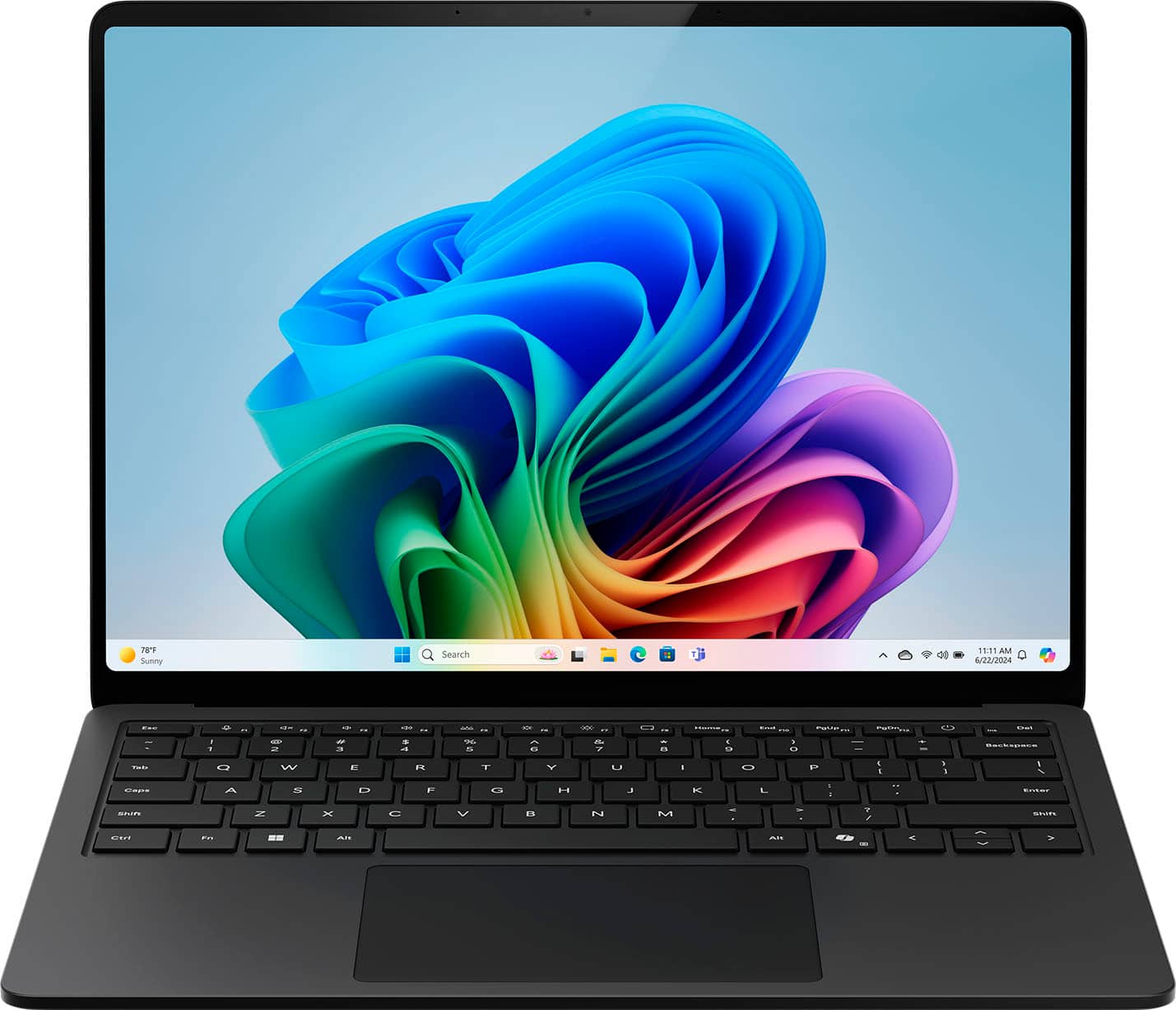
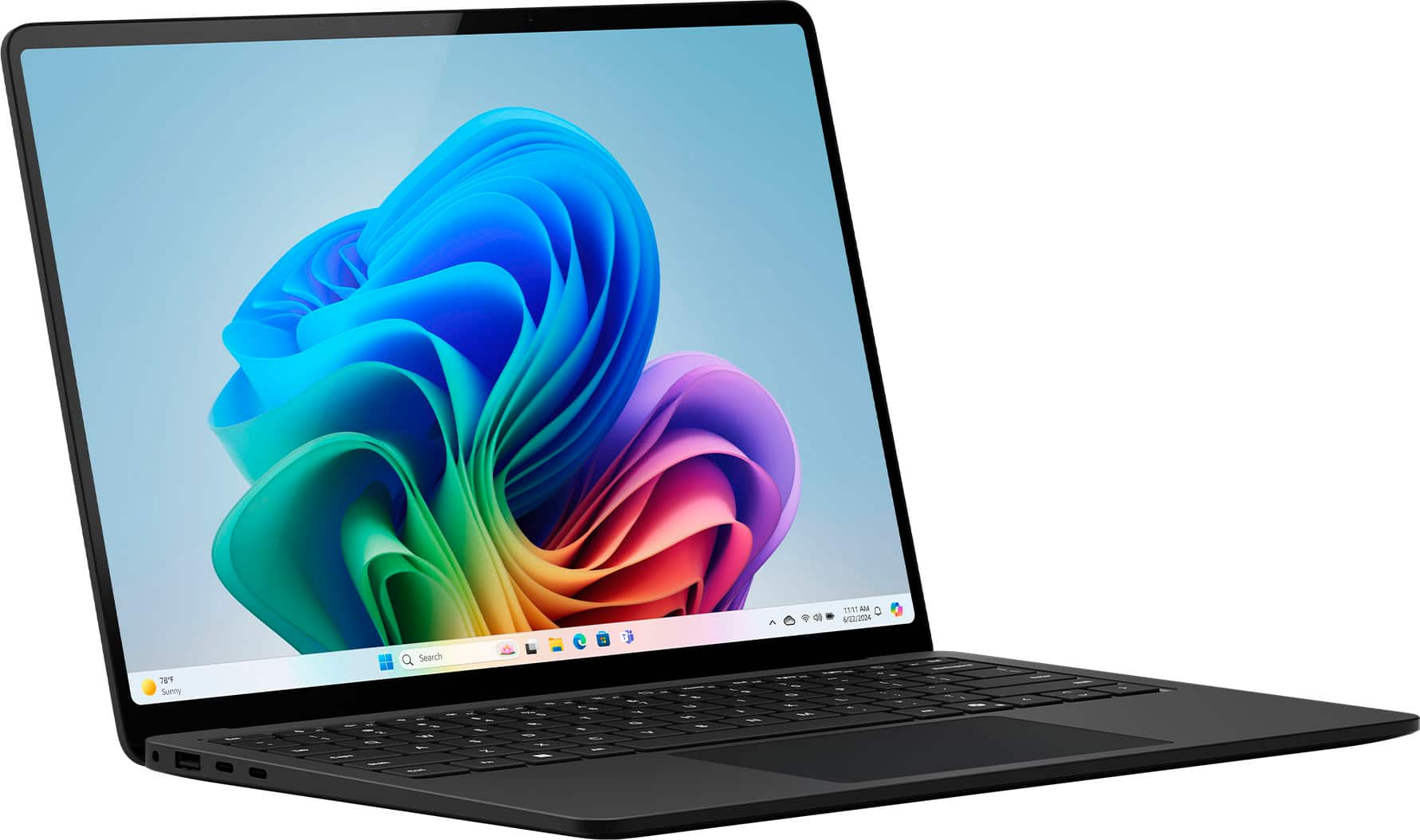
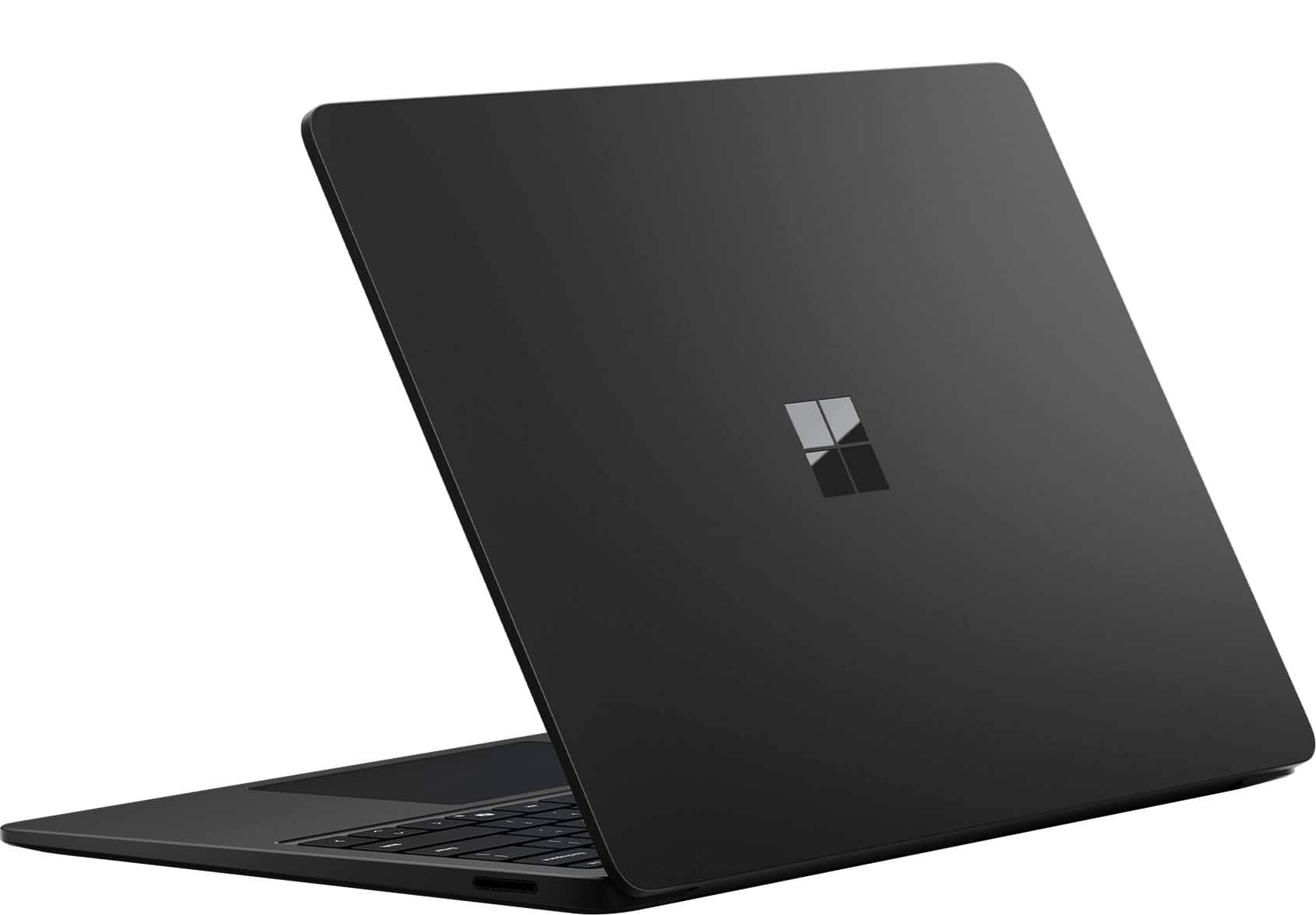
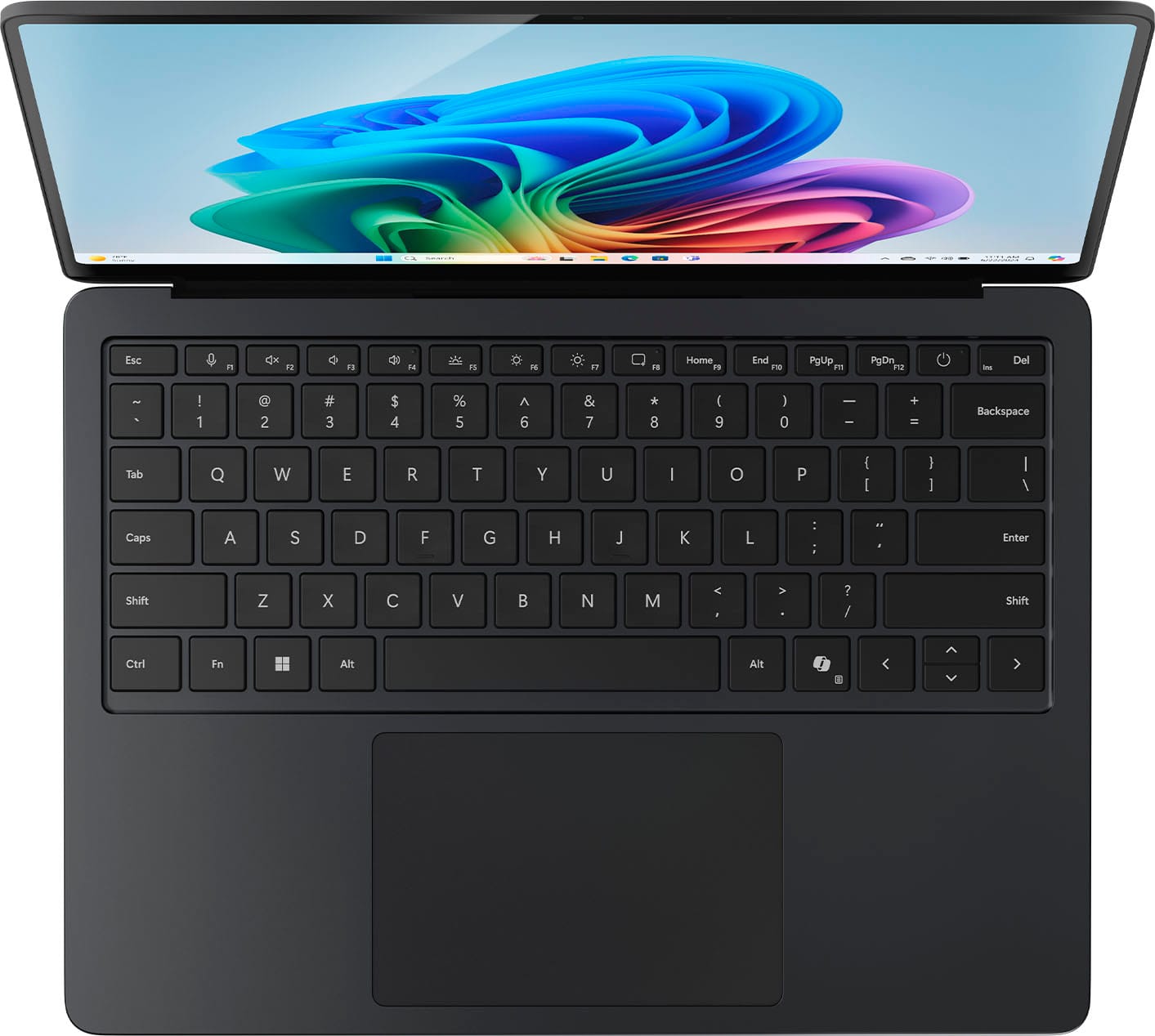
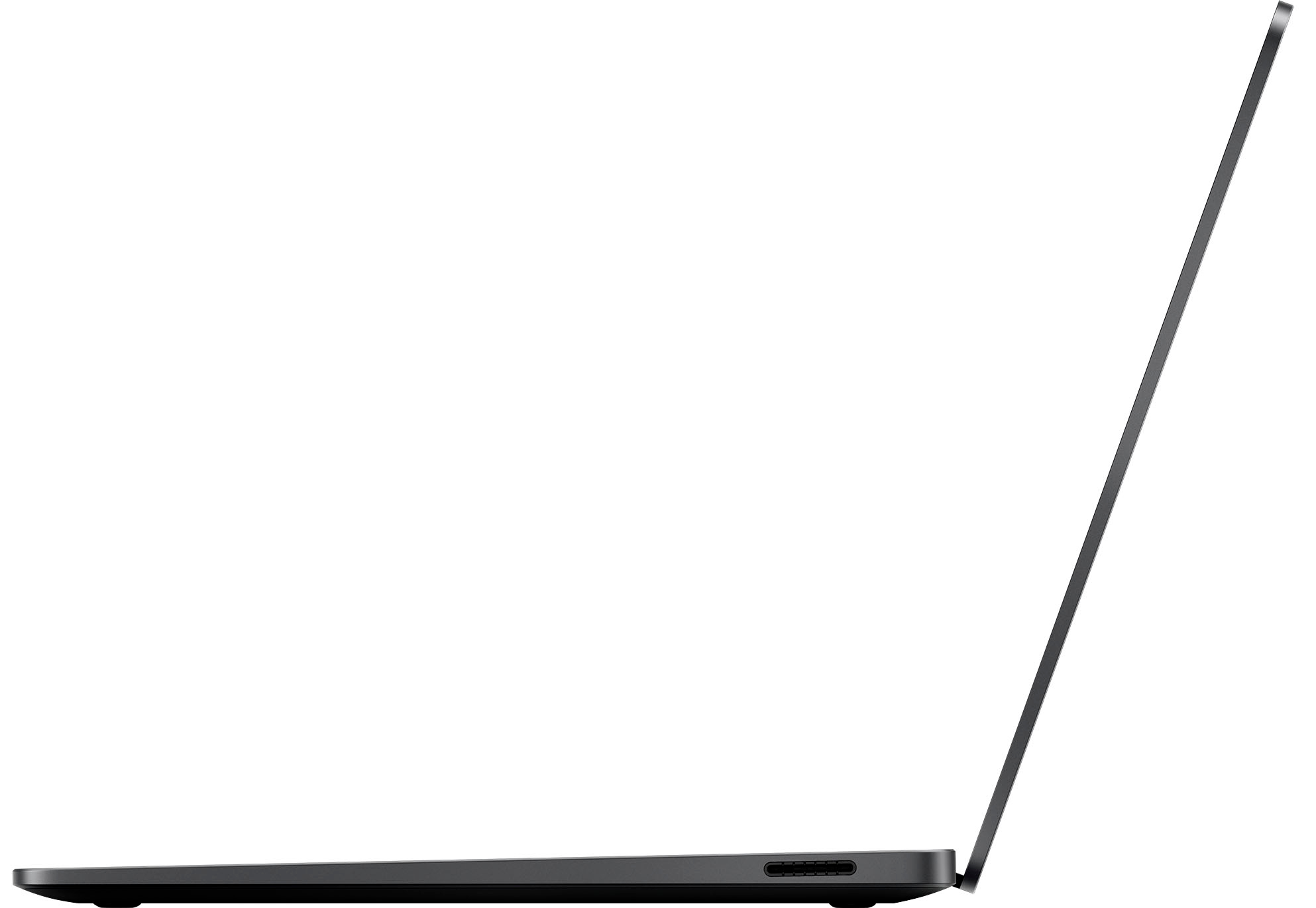












- Model:
- ZGM-00037
- SKU:
- 12314797
Rating by feature
- Battery Life
Rating 4.8 out of 5 stars
- Speed
Rating 4.8 out of 5 stars
- Display
Rating 4.9 out of 5 stars
to a friend
Great for school
||Posted . Owned for 6 months when reviewed.This reviewer received promo considerations or sweepstakes entry for writing a review.Very nice laptop. It has been great to use for my college courses and it’s very light.
I would recommend this to a friendMicrosoft surface laptop 7th gen
||Posted . Owned for 1 week when reviewed.This reviewer received promo considerations or sweepstakes entry for writing a review.Best laptop ever 100% recommend graphics are 10/10
I would recommend this to a friendA powerful computer!
||Posted . Owned for 3 weeks when reviewed.This reviewer received promo considerations or sweepstakes entry for writing a review.I am really satisfied with this computer. Not only is it built beautifully (I love its design and how clean/sleek it is made, the touch-screen component, and the color options), but it is also extremely fast. I think that although most people tend to go with Macs, I truly think that it is better to invest in a Microsoft/windows computer because they are just a lot quicker. They are also more compatible with a lot of different programs and softwares, especially if you are involved in the computer science/engineering/programming world where many applications do not run as easily on Macs as they do on windows. The display is very high quality, and I love the size of the screen. Finally, I really like this keyboard. I had a Surface Laptop 4 with the Alcantara keyboard, and although it looked cool and was different than the traditional laptop keyboard material, I consistently had errors with certain keys getting stuck. I think it had a lot to do with the Alcantara keyboard material and the way the keys were made. But I do not foresee this issue occurring with this laptop (or at least I hope so...I will check in with everyone in 4 years from now). One super duper minor thing is sometimes the trackpad gets a little wonky when you use a 3rd-party USB-C cable to charge this computer. Again, that is super niche and very specific, and in my opinion, this computer charges so fast that I rarely have it charging at the same time as when I am using it...and this computer also comes with its own charger, so it really isn't a main problem for me personally. But it is something to note, and I think others have had an issue with it. But overall, I am obsessed with this computer, and I can't wait to continue to use it for the next few years of my life!
I would recommend this to a friendRecommend!!!!
||Posted . Owned for 1 month when reviewed.This reviewer received promo considerations or sweepstakes entry for writing a review.I’ve been using the Microsoft Surface Laptop for a while now, and I’m very impressed. The design is sleek, lightweight, and perfect for carrying around without feeling bulky. The touchscreen is sharp and responsive, making it easy to navigate and multitask. Performance-wise, it runs smoothly with no lag – whether I’m browsing, working on documents, or streaming. The battery life is outstanding and lasts me through the day without constantly needing to recharge. The keyboard is also very comfortable to type on, with just the right amount of feedback. Overall, the Surface Laptop feels premium, reliable, and worth the investment. I would definitely recommend it to anyone looking for a powerful yet portable laptop for both work and everyday use.
I would recommend this to a friendExactly What I Needed!
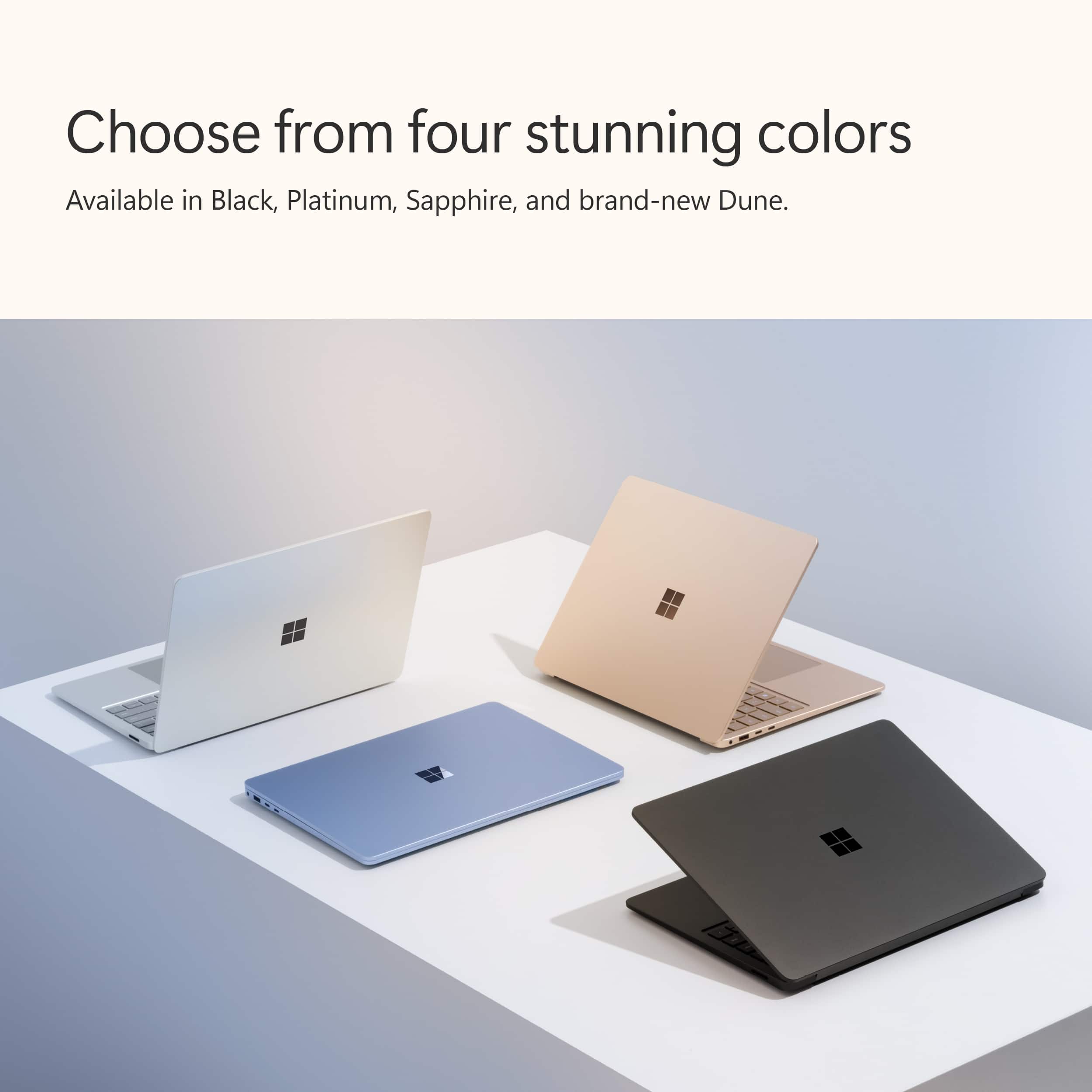
||Posted . Owned for 1 month when reviewed.This reviewer received promo considerations or sweepstakes entry for writing a review.Loving this laptop so far. It’s lightweight, super quiet, and the touchscreen is smooth and responsive. The performance is fast for everyday work, streaming, and multitasking, and the battery life easily lasts all day. The Dune color looks even better in person.
I would recommend this to a friend
Finally a windows laptop I can recommend
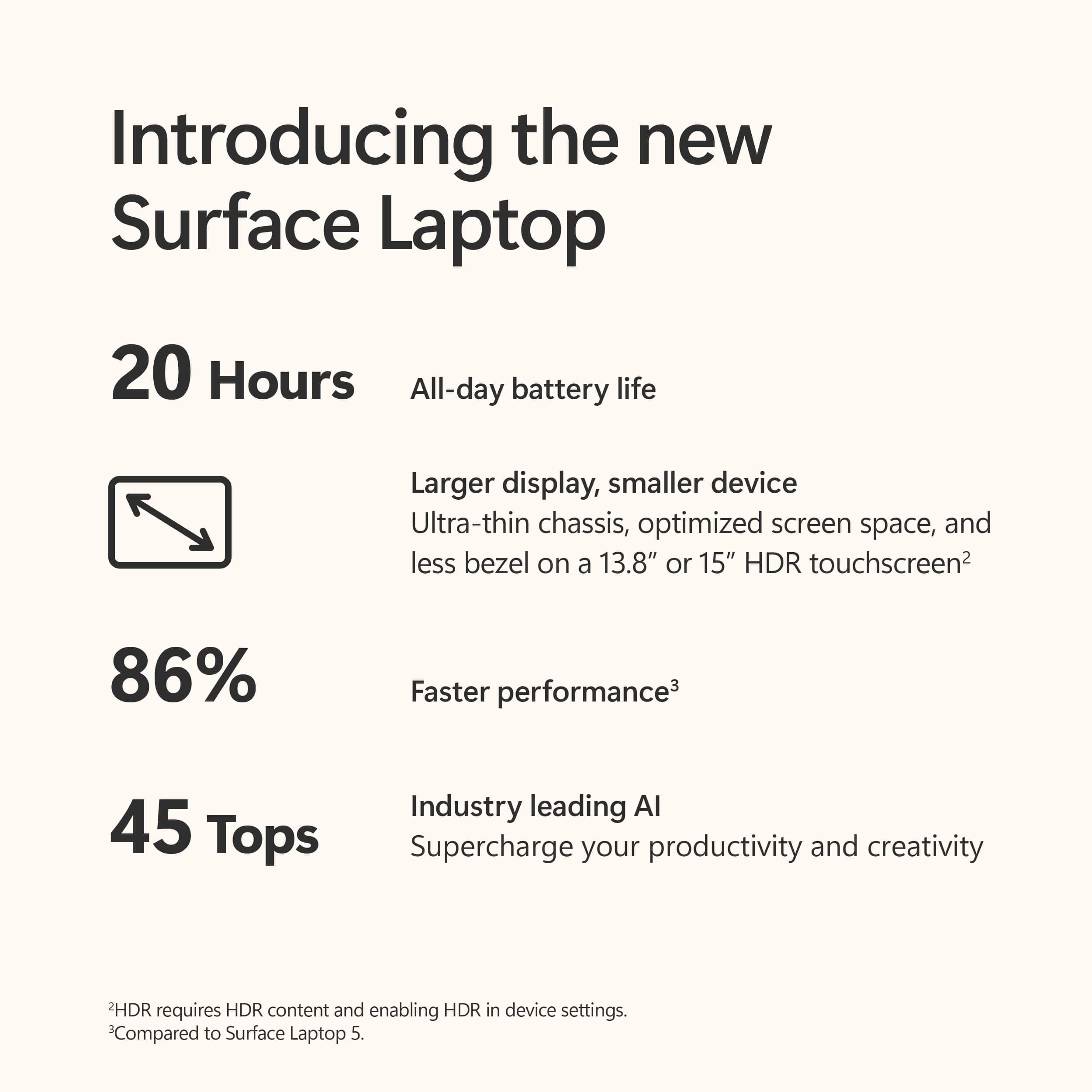
|Posted .This reviewer received promo considerations or sweepstakes entry for writing a review.So this Microsoft surface “copilot+” laptop with snapdragon x Plus has been my dedicated work / travel companion for the past week and I have to admit that I am quite impressed with this machine. It is super thin, and lightweight while having a rigid and premium machined aluminum build. The screen is beautiful, doesn’t have the best contrast ratio on the market but colors are punchy and the screen gets quite bright. It has the usual washed out blacks of an IPS screen. Most people won’t mind , but just a heads up. It’s not terrible, my unit doesn’t seem to suffer from any backlight bleeding which is great. The screen is also touch capable, and I believe it will support the Microsoft surface pen, (I’ve yet to buy one) I have to confirm it’s compatibility but I’m pretty certain you can buy one for it. The speakers are quite loud, but they lack bass. At higher volumes they don’t sound very pleasing to my ears, so I leave them below 50% volume, but even at 20% it is loud enough for me. I’m actually impressed with how loud they are. The keyboard has a very nice tactile feel and are backlit. The keys almost have a soft touch type of feel, reminds me of a silicone phone case. Not sure what material they are coated with but they feel very nice to type with and it’s kind of become one of my favorite keyboards to type on. The trackpad is smooth and accurate. As far as connectivity, you’ll get 2 USB C ports which also support video output and will charge the laptop. A full size USB port, a 3.5mm headphone jack and a proprietary charging port for the cable that it comes with. Speaking of.. that is probably my only complaint about this laptop. I don’t understand why it has that when you can charge it via usb c. I suppose it frees up the 2 usb c ports but it is a proprietary cable that works with nothing else. I feel like they could have used the space to include an SD card slot. As a photographer , I always appreciate being able to connect my sd card straight into the computer I am using. I’m tired of the dongle life. One other thing I have noticed about this laptop is that when I use it in a dimly lit room, the screen seems to flicker. Not sure if it’s a hardware or software issue. I turned off the auto brightness setting to mitigate the issue for now. Performance: this is where I’ve been most impressed. I didn’t run any benchmark tests but I did put the machine through my usual paces and it handled everything nicely. I was able to edit and upload the photos I took with my mirrorless camera. I was able to do some light gaming. I was able to run rocket league and lineage 2. Older games, but they ran quite good considering. I wouldn’t use this as a dedicated gaming laptop, but it’s nice to be able to play a game on here also, even if at low / medium settings and around 60fps. I love gaming so it’s nice to have the ability to do some light gaming with it. I made it a point to use “copilot” to assist me in my daily tasks. I tried to use it to help me edit photos, create some templates and book a trip online. I’m going to say that for now, it seems kind of trivial and gimmicky. I feel like it has a long way to go before anyone can fully rely on it to be a reliable assistant. When asking for information, it seems like it just gathers information for you from the web, which you can already do on your own. Asking it to create a photo or painting is the coolest thing about it but I could see it losing its fun after a while. I totally think copilot has potential though and I am excited to see how it evolves over time. For now, it kind of feels like a glorified search engine when trying to ask it to help you do things. You can tweak the settings for the way it responds and interacts with you. Battery life. Excellent! I have not been able to get the 20 hours of use it claims, but this is definitely the best battery life I’ve ever experienced from a windows laptop. I run it at “recommended” power settings and I would say I’m averaging about 10 hours of use before needing to plug in. Fantastic! I can finally highly recommend a windows laptop for reliable all day use. All in all, I have to say that I really really like this laptop, and I plan on carrying it with me wherever I need it.
I would recommend this to a friendAmazing AI Enhanced Laptop!
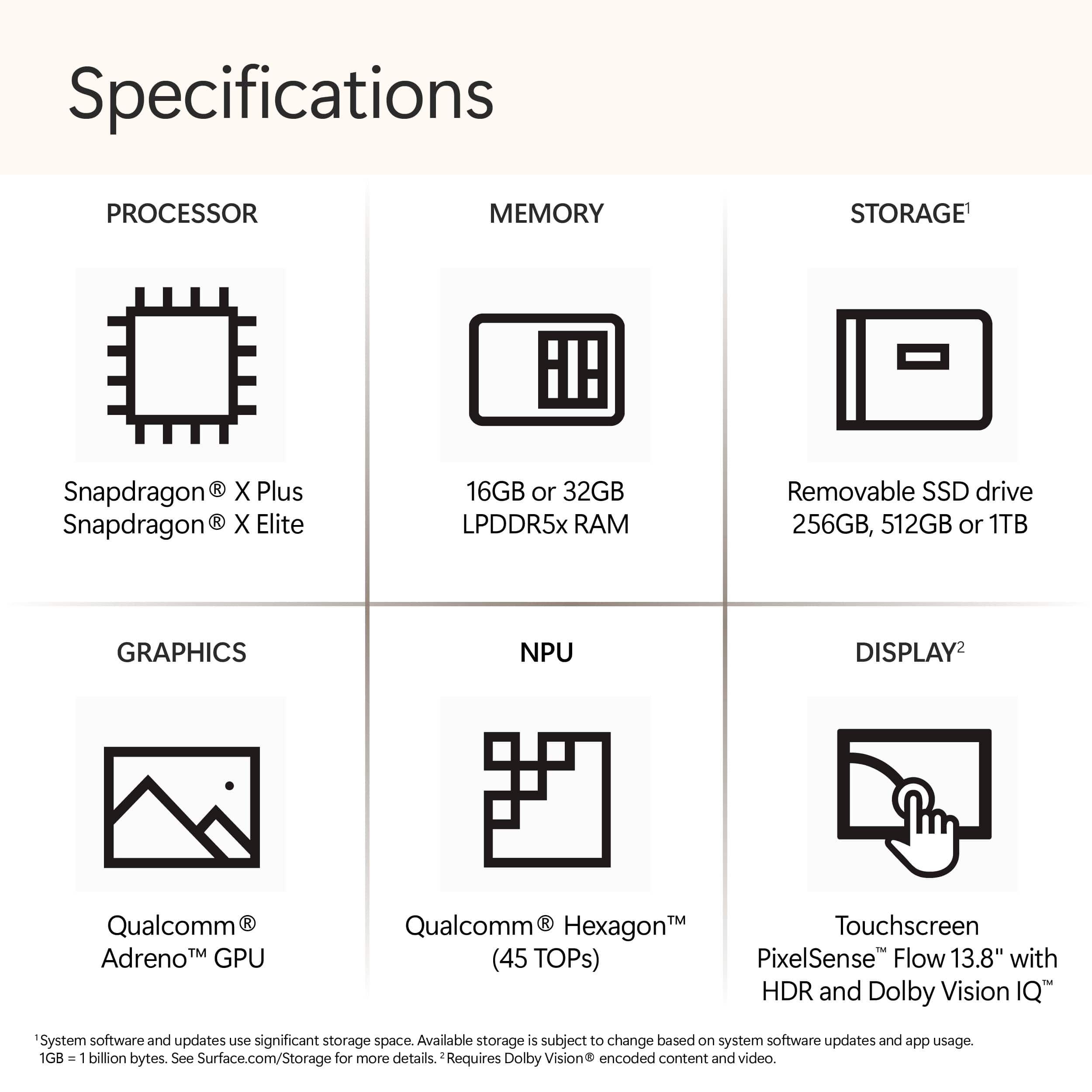
|Posted .This reviewer received promo considerations or sweepstakes entry for writing a review.The Microsoft Surface Copilot+ laptop is an incredible machine. After spending a large amount of time with this PC, I can easily say that it’s one of the most impressive computers I’ve ever used. With the addition of Copilot+ features, this laptop is packed with tools to help me with productivity, while also boosting entertainment and leisure activities as well. One of the first things that struck me about the Surface laptop is the impressive build quality. Upon opening the minimalist packaging, you’re greeted with a sleek and thin device that is simultaneously lightweight (2.96 pounds) and sturdy. I got the Sapphire blue color, translating to a gorgeous light blue finish on the aluminum body. I love that the entirety of the laptop is made of metal, and the fit and finish are absolutely top-notch. This simply feels like a piece of hardware that is made to last for a very long time. The impressive build quality continues as you open the laptop and begin to use the keyboard, trackpad, and HDR touchscreen. Typing is a joy with this keyboard, as the keys are responsive, and have the perfect amount of travel. The trackpad is also extremely responsive, and I’ve had no issues using it on a daily basis. The “clicking” sensation is precise, and multi-finger swipes and clicks are easy to accomplish as well. When using any laptop, the screen is the main thing you’ll be looking at, and in this case, you’ll have the pleasure of looking at a stunning 13.8” HDR display. With a 120 Hz refresh rate, 2304 x 1536 resolution, and 600 nits of brightness, the pictures and videos displayed always looked crisp, detailed, vibrant, and beautiful. Additionally, I found that the high resolution made it easier to read text in daily use, even on smaller fonts that typically might be harder to distinguish on less defined displays. The Surface laptop’s screen is also a touchpad, which opens up a whole new world of functionality. I found that touch inputs were responsive, and I had no problems switching from using the trackpad and keyboard, and then moving up to the touchscreen to zoom in, or tap on various items. This feature feels like an awesome bonus, as I believe that this laptop would be an amazing piece of technology even without the touchscreen. That being said, I’m certainly glad this feature was included, as it adds a useful way to interact with the content on your PC. Battery life has been rock solid during my testing. Microsoft states that you can achieve roughly 20 hours of video playback, and I found that spec to be pretty accurate during my time with the Surface laptop. With the screen brightness at a little over half and a lower volume setting, I was able to get consistently impressive battery life, with a range of 10-20 hours. I did a little bit of gaming during testing, and the battery drained quickly during that period. Other than that, the battery life was definitely one of the standout features of the Surface laptop. As for connectivity, the Surface laptop is equipped with just the right number of ports for most users. There are 2 USB-C ports, 1 USB-A port, a headphone jack, and a port for the magnetic charging cable. As for the charger, the power brick is reasonably sized and doesn't take up a huge amount of space if you plan on traveling or throwing it in your bag. The magnetic connector worked great, and the laptop charges very quickly, which is another bonus. It's time to go over the hardware in the Surface Copilot+ laptop, so here are some specs: - Qualcomm Snapdragon X Plus processor (10 core) - Qualcomm Adreno graphics - Qualcomm Hexagon NPU with 45 trillion operations per second - 16 GB of LPDDR5x RAM - 512 GB SSD Some additional specs: - 1080p Full HD front-facing camera - Sign-in via Windows Hello face authentication - Corning Gorilla Glass 5 on screen - Laptop height of just 0.69 inches - Omnisonic speakers with Dolby Atmos - Dual studio mics with voice focus - Windows key, Copilot key, and dedicated buttons for media controls and screen brightness At the heart of this machine is the Qualcomm hardware that makes daily tasks and Copilot+ AI features run blazingly fast. The Snapdragon X Plus processor was able to handle everything I threw at it, and it never got bogged down or showed any signs of struggling. One of the first Copilot+ features I used was Cocreator. For this feature, you need to open the “Paint” app, and then click on the Cocreator button at the upper right. Once there, you can draw in the box on the left, and enter a text prompt on the right. As you do this, Cocreator will begin to create a picture based off of your drawing and prompts. This was a really neat way to create AI-assisted art in almost real-time, which is something I had never done before. I found the Cocreator results to be fairly accurate in what I was asking for, while also incorporating what I was drawing and asking of the app. The Surface laptop makes accessing the Copilot+ features a breeze, with a shortcut on the taskbar, and a dedicated button on the keyboard. Pressing the “Copilot+” button will bring up the Copilot+ page, where you can chat, ask a question, generate artwork, and do just about anything that AI is capable of at this time. I used this feature to generate some album artwork for some music I had made, and with some tweaking of the prompts, I was able to get exactly what I was hoping for. I've found that AI-generated art sometimes has problems with getting spelling correct, yet I was ultimately able to get art with words spelled perfectly, which was truly a first for me. Additionally, a family member used this feature to generate artwork of a puppy that became nearly perfect as the prompts got fine-tuned and more specific. I also tested Copilot+ by asking it to do various things, like compiling a list of things I was interested in, and to help me write a birthday card. While I know I could probably search for these things on the internet, I found that the Copilot+ results were accurate, informative, and useful. The birthday card prompt served as a good jumping off point for me to write my own version of the card. Another cool Copilot+ feature is Live Captions, which is useful for videos that don’t have captions already entered. I was able to easily toggle this feature on and off, and it worked flawlessly with the video content I was watching. Windows Studio Effects are Copilot+ additions to the front-facing camera that can make video conferencing a little easier. These include things like Automatic Framing, which keeps you as the center of attention; Eye Contact, which keeps you looking at the screen; Background effects that can blur out your surroundings; and Creative Filters that can touch up your appearance with illustrated, animated, and watercolor effects. While the Creative Filters may not be best suited for professional business calls, they do work well and look pretty cool when applied. Overall, I found that the Copilot+ features worked flawlessly and that the AI tasks were fast, and easy to work with. I was able to ask the right questions or input the right information which led to me receiving content that was precisely what I was looking for. The Microsoft Surface Copilot+ laptop has been a joy to use, and has exceeded all of my expectations. If you are looking for a laptop that can be used daily for a wide range of tasks and applications, you need to look no further than the Surface laptop. On its own, this PC would be an amazing piece of hardware; add in the Copilot+ functionality, and you have a true marvel in the world of computing.
I would recommend this to a friendMicrosoft Knocked it out the Park
|Posted .This reviewer received promo considerations or sweepstakes entry for writing a review.I've owned and used laptops from most major brands. This is my first Microsoft laptop and the short of it, this has been one of the best laptop I've ever had my hands on. First off, I absolutely love the look of this unit. The color is so striking and stands out yet not, imo, gaudy. My whole family was impressed on how it looks. Taking it out of the box, you immediately can feel how solid it feels and it has some weight to it. In the box, you got the laptop, charging cable and a small instruction pamphlet. That's it. Speaking of the charging cable, it looks like a proprietary one for MS laptops only. I wasn't too happy with that at first but soon realized that I could also power the laptop using the usb-c port as well. The charging port is magnetic so that was nice, no jamming a plug into your laptop and risking breaking the tips. Setup was like most other laptops, took a few minute, nothing major. After using it for a few days, I can tell you the list for things I like is long and the things I disliked is very short. This is a really really good laptop. The screen is crisp and detailed. Touchscreen was smooth and precise. Keyboard had a nice feel and I absolutely love that it was backlit with the blue color because it was very easy to see. My old eyes makes seeing the keys in darker areas difficult. My other laptop also has backlit keys but the keys are silver so it washes out. This was a huge difference for me. The thing I had to get use to though was the keys are a little bit smaller and it was a tad closer together. Something to get use to but didn't really diminish the use of the laptop. Speakers is the best I've ever used. I honestly don't know where they mount it because I couldn't see any ports but I'm sure it's forward facing and not downwards like my other laptops. This really makes listening to anything a lot easier, especially if you have the laptop on a desk or a pillow or something like that. It can get very loud if you need it. Ports are minimalistic as you can see in my pictures so beware of that. Processor is smooth and fast. Everything I threw at it, I did not really get any lag or hiccups. I love that it has a dedicated AI button. When using the AI, I did run into a few issues it not understanding what I said. To be fair though, the words I was saying was not regular english words, it was actually names of cities in asian countries. The Ai could not correctly recognize what city I was talking about. The facial recognition to unlock the laptop was lighting fast. It made me wonder if it was actually working or did it just unlock just because, LOL. We tested that with my wife and yes, it really works that fast. Played with Live Caption and Studio Effects and that was super cool. These features are accessible through the app trays at the bottom and I liked that it was easy to pull up. Both are features that I honestly didn't think much of, but am really liking it. Trackpad also, one of the best I've ever used. Smooth and precise. This is the 1st laptop I've ever owned where I didn't change most of the settings. It's as if Microsoft figured it out LOL. I would give this laptop 6 stars if I could. Couldn't be happier
I would recommend this to a friendSo far, I LOVE IT!
||Posted .This reviewer received promo considerations or sweepstakes entry for writing a review.Bought on black Friday 2026, so far I love it. Just went back to school two days ago so not sure how it'll perform in those regards. I've used it the past couple weeks for daily browsing, creating a schedule, and just setting up my preferences and apps. Programs have been running smoothly and feel no lag, can finally have everything I need for school that i couldn't run on MACos. Battery life usually lasts me about 8-12 hours depending on what I'm doing. Didn't think I'd care much for the AI aspect of it, but its been extremely helpful and a great feature. Love the way it types and the adjustable backlit keyboard. It's a gorgeous laptop so far, perfect for me(even my boyfriend is considering getting one over another macbook). Will update in future...
I would recommend this to a friendSleek, Fast, and Great for Everyday Use
||Posted . Owned for 2 months when reviewed.This reviewer received promo considerations or sweepstakes entry for writing a review.I’ve been very happy with this laptop so far. Setup was quick and straightforward, and it runs smoothly right out of the box. The screen is bright and sharp, making it comfortable to use for work, streaming, and browsing for long periods. Performance has been fast and responsive for everyday tasks like multitasking, video calls, and productivity apps. Battery life easily lasts through most of the day with regular use, which is a big plus when working on the go. The design is slim and lightweight but still feels solid and well-built. Keyboard and trackpad are comfortable, and overall the laptop feels reliable and polished. Great value for the price and a solid choice for anyone needing a dependable Windows laptop.
I would recommend this to a friendClever Look and very Functional
||Posted .This reviewer received promo considerations or sweepstakes entry for writing a review.I love my Microsoft Surface laptop with touch screen. So easy to use; I thought about buying a mouse but with the touch screen capability and mouse pad I don't feel I really need it. I really like how light weight it is and the color choices are nice. I picked a blue one it is so attractive I don't want to put a cover; I would rather just carry it showing the color. It is compact enough to put in a purse and will not add a lot of extra weight to your purse. Most of all it is very functional and useful for my needs.
I would recommend this to a friendMicrosoft - Surface Laptop - Copilot+ PC - 13.8"
|Posted .This reviewer received promo considerations or sweepstakes entry for writing a review.—Unboxing, Initial Impressions, Setup— The new Microsoft Surface Laptop Copilot+ PC (gen 7) comes in a beautiful Sapphire finish (a steel blue color) and feels thicker than previous generations, possibly due to the excellent, improved keyboard with longer key travel and a solid feel. The touchpad also boasts haptic feedback similar to newer Macbooks, a welcome addition to the Windows world. The display is sharp and vibrant, and the powerful Snapdragon X Plus processor makes the entire experience smooth and effortless. —Applications on ARM— Windows users, who have long enjoyed application compatibility, now face limitations with ARM64 due to a lack of native apps. While emulation helps, key apps like Google Drive and VPN software lack ARM64 versions. Third-party workarounds exist, and emulation handles most other software. Microsoft's push for more ARM64 hardware from other manufacturers aims to solve this by encouraging developers to create native ARM64 apps. Native third-party ARM64 applications I installed and work great: Google Chrome Firefox VLC (nightly) Packages Tracker Netflix Hulu 1Password (via insider beta) Spotify Zoom Workplace —Performance— The Snapdragon X Plus holds its own against the top-of-the-line i9 desktop CPU. While the i9 beats out the Snapdragon in single-core performance (2369 vs 3134) and multi-core (12423 vs 20507), the Snapdragon's efficiency shines. It delivers similar single-core performance with far better battery life (12 hours vs 30-60 minutes). Even with half the cores, the Snapdragon keeps up in multi-core, exhibiting impressive processing power for a mobile chip. I was able to achieve 6 hours of work with 43% battery remaining, a vast improvement over previous laptops. Overall, the Snapdragon X Plus offers impressive performance with outstanding battery life. —Copilot+PC Features— Microsoft Paint's new AI features, Cocreator and Image Creator, are interesting but have limitations. Both rely on descriptions and generate images based on them, but the results can be hit-or-miss and may not align with your initial sketches. You also need tokens to use Image Creator. Copilot's video conferencing features are more universally useful. It can enhance video calls by seamlessly removing backgrounds, replacing them with images, generating live captions, and translating spoken languages in real-time. These features can improve accessibility and overall video conferencing experiences. —Conclusion— The Microsoft 13.8" Surface Laptop Copilot+PC is a top-of-the-line laptop with a fantastic typing experience, amazing touchpad, clear display, excellent performance, and incredible battery life. Despite some app compatibility issues (mostly due to the ARM64 processor), this laptop is a great choice for most users, and with more ARM64 devices on the market, I expect software compatibility to improve. Overall, Microsoft is pushing the industry forward with innovation in the Surface Laptop Copilot+PC and the ARM64 processor. There will be challenges, but this is a big step in the right direction. I’d like to thank Microsoft for their dedication and innovation. I'm thrilled to experience these amazing new laptops and I’m excited for the future.
I would recommend this to a friendThe Future of Mobile Computing
|Posted .This reviewer received promo considerations or sweepstakes entry for writing a review.The Microsoft Surface Laptop 7 is a well-built companion for your daily tasks. I expected some unique challenges with the move to Windows on an ARM CPU, but I was pleasantly surprised! With most of my daily applications available on the Microsoft store, I had no concerns about compatibility. That’s not to say that x86 emulation doesn’t have it’s issues, it just wasn’t something I had to deal with on my daily driver. Build Quality: The sleek aluminum chassis feels premium and durable. It is relatively lightweight at just under 3 pounds, making it easy to carry around, whether you’re heading to class or to the coffee shop. Hardware: Display: The 13.8-inch, 120hz, 2K, HDR touchscreen is crisp, bright, and a delight to look at. Keyboard and Trackpad: Typing feels comfortable, and the large precision trackpad is responsive. I’m a fan of the haptic touchpad – no corners cut here. Ports: Two USB-C/USB 4 ports, one USB-A, a headphone jack, and a surface connect port cover your connectivity needs. Upgradeability: The bottom cover can be easily removed with just 4 screws under the feet. The only user upgradable component is the M.2 SSD. That being said, the unit itself appears to be highly repairable compared to other laptops in its class. 3. Windows with Copilot: The Surface Laptop 7 runs Windows 11, and the addition of Copilot+ features is intriguing. The Snapdragon X Plus supports advanced AI capabilities with it’s dedicated NPU. Expect smooth multitasking, thanks to 16GB of RAM and the snappy SSD. 4.Performance: Everyday tasks—browsing, streaming, and document editing—are a breeze. General photo editing and casual gaming? No problem. For more heavy-duty workloads, it holds up, but do not expect workstation-level performance. The Surface Laptop 7 is a great daily driver for my typical workloads. Windows is snappy, the ARM SOC sips power, and having direct access to a dedicated NPU makes me excited for future possibilities. If you value portability, build quality, battery life, and a touch of AI magic, this notebook should be on your potential buy list.
I would recommend this to a friendMS Surface Laptop Copilot 13.8" Screen Review
||Posted .This reviewer received promo considerations or sweepstakes entry for writing a review.I've been using this Surface Laptop for about three weeks now, and I'm very impressed with it. The sapphire color is gorgeous in person - way better than the photos on the website make it look. Performance wise it runs everything seamlessly at the same time. Battery life has been great. In addition, the touchscreen is bright and crisp and easy to use as well as using the track pad. Overall, I am really happy I chose this computer and definitely recommend it if you're looking for a reliable, sharp looking laptop that can handle everyday tasks without all the bells and whistles. The Copilot+ features are there if you want them, but the laptop works great regardless of whether you use Copilot.
I would recommend this to a friendNot oled
||Posted . Owned for 1 month when reviewed.This reviewer received promo considerations or sweepstakes entry for writing a review.Best buy used to have images that claimed it was OLED, which this laptop absolutely was not. The laptop was okay, but I do not like being lied to.
No, I would not recommend this to a friendPerformance, AI and beauty.
|Posted .This reviewer received promo considerations or sweepstakes entry for writing a review.In terms of hardware, the new Surface laptops, especially in the blue color is just a beautiful. From the sleek aluminum chassis that feels very robust and solid, to the almost bezel less screen, the whole device just feels very high quality. On the entry level models In terms of ports, you get two USB-C and one USB-A port, headphone jack and the Surface magnetic charging port. The only hardware aspect I don’t like is the lack of physical privacy filter for the webcam. You can turn it off in the software, but I prefer the physical slider that some laptops have. This just gives you the reassurance that it truly is off and if turned on remotely it’s blocked by the slider. Beautiful hardware means nothing if it doesn’t have the performance and even in base form the performance feels very good. I’m not a power user by any stretch of the imagination, but I’ve been very happy with the Snapdragon plus and the 16gb of RAM to handle any multi tasking I’ve thrown at it. I also attribute this to Windows 11 also, as I personally feel the clean and less bloated feel of the OS has truly moved Windows forward. In terms of battery life this is probably the best battery life of any pc laptop I’ve ever used. It truly feels like if you went on a trip and left with 100% charge for a couple of days and forgot your charger, you’d be able to make it till you got back. The big selling point of these new laptops is Copilot+ and it’s a cool feature if you like AI. I personally am not the biggest fan of AI but can see the appeal for some. In my time using it, it proved helpful and accurate with whatever questions I had for it. The Cocreator aspect of AI was pretty neat at creating drawings, I can see this being helpful for people who want to create flyers or other stuff such as this. One of my reservations about AI is the privacy aspect of it and when you start using it, Microsoft states they collect your information with Cocreator for AI safety and security. The new Surface Laptops come wrapped in a beautiful aluminum chassis that feels as nice as anything out there. The new Snapdragon processor along with Windows 11 give you excellent performance and battery life that doesn’t leave you wanting.
I would recommend this to a friendAwesome
||Posted . Owned for 1 month when reviewed.This reviewer received promo considerations or sweepstakes entry for writing a review.The Microsoft Surface is an amazing 2-in-1 device. It’s lightweight, stylish, and powerful enough for work, school, and everyday use. The touchscreen is sharp and vibrant, and with the Surface Pen, it’s great for notes and drawing. Battery life easily lasts a full day, and switching between laptop and tablet mode is super smooth. Perfect mix of portability and performance!
I would recommend this to a friendExcellent College Laptop and Smooth Buying Experie
||Posted . Owned for 2 weeks when reviewed.This reviewer received promo considerations or sweepstakes entry for writing a review.I purchased this Windows laptop for my girlfriend to use for college, and it has been an excellent choice. It’s fast, easy to use, and handles everyday school tasks like assignments, research, and online classes without any issues. Multitasking is smooth, and performance has been consistent. The laptop is lightweight and easy to carry around campus, and the battery life has been reliable for daily use. The staff was also very helpful during the purchase process and made the experience smooth and positive. Overall, this was a great experience and a dependable, high-quality laptop for college use.
I would recommend this to a friendI like it
||Posted .This reviewer received promo considerations or sweepstakes entry for writing a review.I use this laptop for personal (non-work) use, and it’s been great. It’s sleek, lightweight, and very smooth for everyday tasks like browsing, streaming, and email. The screen is bright and clear, and the battery lasts. Also stays quiet and cool.
I would recommend this to a friendGreat promise, not yet a reality
|Posted .This reviewer received promo considerations or sweepstakes entry for writing a review.With this CoPilot+ PC, am excited to see a powerful laptop with a great battery life and competent performance. I have been optimistic about what has been in the works with AI as these technologies improve, but I’m also suspicious of claims about what AI can actually do. I’m also sensitive to privacy concerns when it comes to sharing personal data. This new chip architecture is supposed to enable on-chip AI, without the need for powerful cloud-based algorithms processing your personal data: Satya Nadella said in an interview, “It’s all being done locally, and that’s the promise.” If that’s the promise, Microsoft has not yet delivered. Hardware: 4/5 Performance: 5/5 CoPilot+ features: 2/5 “It’s all being done locally”: 0/5 Out of the box, this looks like a very nice compact laptop. It’s a lovely shade of blue. It seems like a solid piece of hardware, both elegant and capable. But, like other Surface devices before it, it seems to be unsure of what, exactly, it is. It looks like a compact laptop, and I’m inclined to use the attached keyboard/trackpad as I would any other laptop, and I forget about the touchscreen. But then when I remember the touchscreen (which is really nice), I wonder why there’s a keyboard and trackpad getting in the way, and I wish the screen were better supported so it doesn’t bounce around on its hinge when I touch it. Additionally, it’s lighter than the largest laptops, but at nearly 3 pounds it’s heavier than many other Surface devices. It’s also heavier than my MacBook Air. Here are some random pros and cons with the hardware design: + Seems sturdy overall + Three USB ports give decent flexibility - The touchscreen is awkward to use when the hinge flexes under slight pressure. I feel like I want to hold it with my other hand, which is also awkward. - Trackpad clicking is an interesting combination of mechanical movement and haptic feedback. Usually it feels great but sometimes it won’t register a click unless I take my finger off it entirely and start over. + Battery life is great; a full day’s work on a single charge, depending on what you’re doing. - Comes with a 40w charger with a proprietary magnetic connector. But + it will receive a charge from a standard USB-C charger. + The Snapdragon processor can do heavy lifting without breaking a sweat. Even after a 90 minute Zoom meeting, the device was barely warm to the touch. + It also does a perfectly capable job with video-intensive applications and games. One of the big selling points of this device is the neural processing capabilities of these new Snapdragon chips. I think a lot of the value here will come from third-party software that can take advantage of this. Microsoft mentioned, for example, Adobe suite software that will do complex image manipulation using the Snapdragon’s NPU. Out of the box, though, Microsoft offers us CoPilot+, a set of tools integrated into Windows that claim to offer new functionality that is only possible with the on-chip processing power of these CoPilot+ PCs. I tried a few of these functions to see how well they work. Live Caption translations in real time: This feature is the one that impressed me the most from the new CoPilot+ offerings, in terms of potential utility. When I turned on Live Captions, I got a message saying “Getting ready to show live captions translated into English…” with no indication of what it was doing or how long it would take. I assume it was downloading language-specific translation models, so I came back 10 minutes later. The message hadn’t changed. I waited another 30 minutes, and then finally it started doing stuff. In fact, before I even realized what was happeneing, it started giving me live captions of a YouTube video I was watching. I was also able to have it listen to the device’s microphone, and it started captioning my voice and other voices in the room. I tried speaking the few words of French and/or Spanish that I know, and even with my terrible accent it generally figured out what I was trying to say and dutifully translated (almost) everything to English. I played some other videos, and it would get a little confused with background music, but for the most part it did a pretty passable job. I could definitely see using this for taking written notes during a meeting (edit: actually nope; there’s apparently no way to save the text as a transcript) or for conversing in real time with someone who is speaking a language I’m not familiar with. And, importantly, all the processing appears to occur on-device, so I don’t need an Internet connection and I don’t need to worry about privacy issues when I’m using this feature. Windows Studio Effects: These are a set of adjustments that can be made to the front-facing camera. Effects include blurring the background, adjusting light levels, apply a creative filter to make your image look cartoony, and adjust your eyes to make it appear like you’re looking at the camera when you’re looking at the screen. I’ve seen that some people often use the blur background option that has been built into Zoom for years, so this option could be useful sometimes. It’s a more refined, more accurate version of the feature I’ve seen before. The eye contact option seemed intriguing, but the only change I noticed is that it makes my eyes look unusually large. The other effects seem like fun party tricks, but I don’t think I’d ever have a use for them in a work setting. Image and text generation with Cocreator in near real-time: A new button in Microsoft Paint offers a feature that has made for some very impressive demos that I’ve seen on the web. But when I tried it, I was not impressed. Maybe I wasn’t holding it right, I don’t know, but it uses some generative AI to generate an image based on a drawing and a text description I provide. I tried 3 or 4 different creative ideas, but despite various attempts over half an hour or so I couldn’t get any usable output. Most often the algorithm would fail to get any hints of my intent from either my prompt or my drawing. For example, I tried to draw two people in a canoe on a river; the output often gave me 3 people or 1 person, and didn’t pick up on any details I tried to include illustrating the river or the shore. As I progressively included more detail in my drawing, the output became more accurate, but it was never better than my drawing was to start with. The worst part of this feature was that it immediately stopped working if I turned off my wifi, belying the promise that the generation was being done on the device. There have been a number of other features that have been talked about that are made possible through the neural processing capabilities of the new Snapdragon processors, and I wasn’t able to try them all. I’m sure some of them may be useful. The live translation is a testament to the possibilities of this new hardware architecture. However, Microsoft is either slow to implement some of these or still relies heavily on cloud-based processing for some or all of the work. Microsoft may also be misleading or less than forthcoming regarding what processing is done on device, what is done in the cloud, and how far my data are being shared. So I remain skeptical of what is actually going on here, of where my data are being sent, of what information Microsoft is collecting from me under the guise of “improving” their services, and whether I’ll ever be able to rely on these generative AI models to provide outputs that are useful for any real-world application.
No, I would not recommend this to a friend