Customer Ratings & Reviews












- Model:
- ZGM-00026
- SKU:
- 10397724
Rating by feature
- Battery Life
Rating 4.8 out of 5 stars
- Speed
Rating 4.8 out of 5 stars
- Display
Rating 4.9 out of 5 stars
to a friend
Not there yet
||Posted . Owned for 1 month when reviewed.This reviewer received promo considerations or sweepstakes entry for writing a review.Linux and its related components either didn’t work or only functioned partially, so I had to return it. I’ll have to wait for the platform to mature a bit more.
No, I would not recommend this to a friendMicrosoft Snapdragon
||Posted .This reviewer received promo considerations or sweepstakes entry for writing a review.Microsoft snapdragon 10 core is slow and needs 32gb memory with 12 corr
No, I would not recommend this to a friendMicrosoft surface 7
||Posted . Owned for 1 month when reviewed.This reviewer received promo considerations or sweepstakes entry for writing a review.The product was good with touch and feel. However, i had to return due to technical software issue. The laptop was restarting or stuck in reboot loop for a while.
No, I would not recommend this to a friendDoesnt have pen input. Lied to by rep.
||Posted . Owned for less than 1 week when reviewed.This reviewer received promo considerations or sweepstakes entry for writing a review.Went into store and was sold surface laptop 7. I was encouraged to purchase a new surface pen and assured it was compatible by the store rep and his manager. Only to come home and find out it the pen needed a charger that wasn't mentioned by the sales associates AND per microsoft, the pen is not compatible at all, which is conflicting with information on the bestbuy website. Sales associates dont know the products their selling at all.
No, I would not recommend this to a friend
Powerful, sleek beauty.
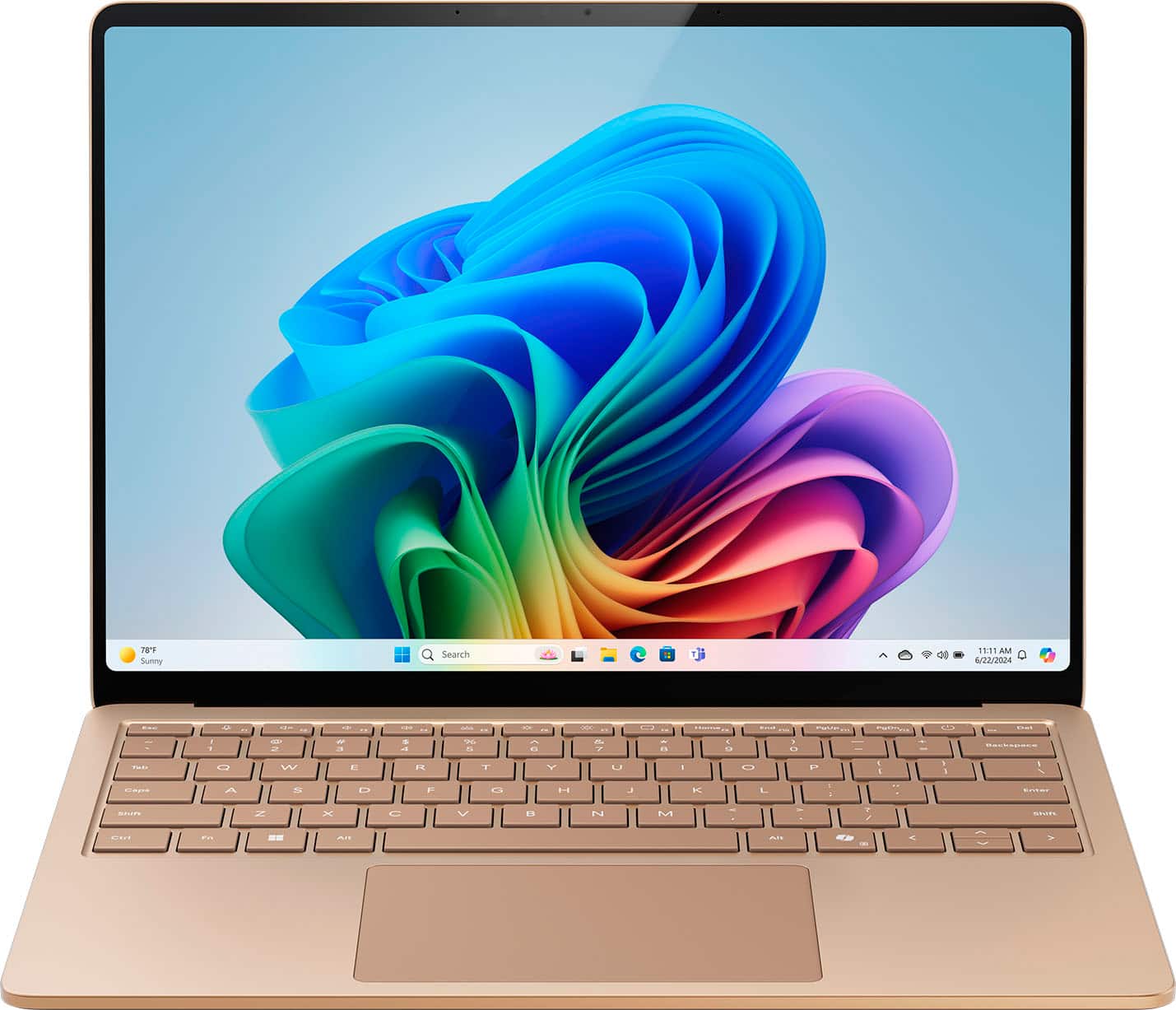
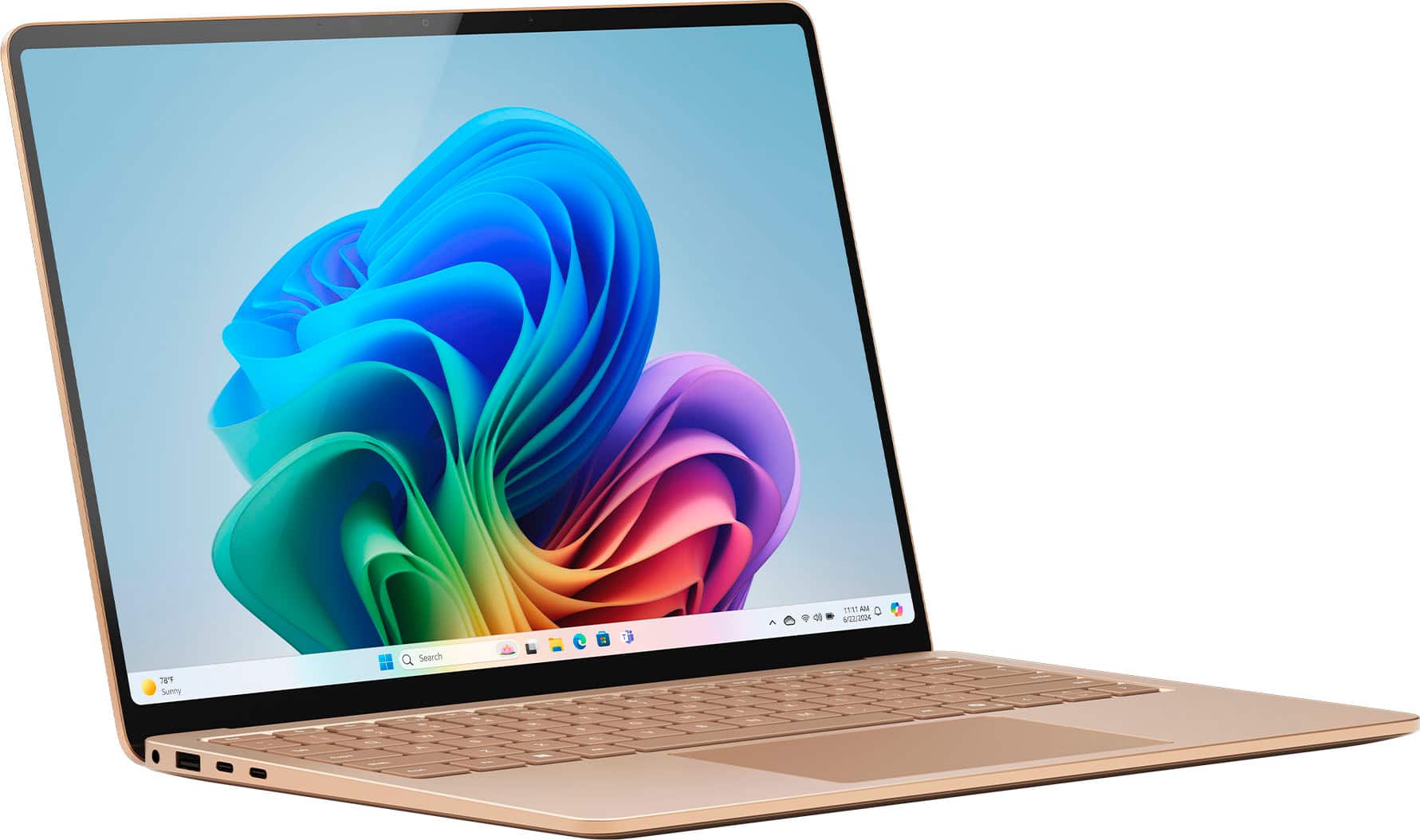
|Posted .This reviewer received promo considerations or sweepstakes entry for writing a review.This Microsoft Surface Laptop in sapphire is such a beautiful machine. The color grabs your attention from the moment you open the box. It's a sleek beauty. Thin and light making it so easy to port around. The 13.8" touch screen has a thin bezel allowing maximum viewing and is very responsive to touch. The charging cord is different from any I've used before. It is flat on the end and slides into place. I like it very much but wonder how hard it will be if I need to replace it. It's powerful and quick. The Snapdragon X Plus processor has no problem taking care of business. I haven't had any problem streaming videos or listening to music while playing Microsoft games in the background or using the Co-Creater in Paint, checking emails or chatting with family and friends. I'm still learning in Co-Creater, or the program is still learning me, maybe both? Describing what I want to create doesn't get me the exact results I'm looking for yet. But it is very helpful and the more I use it the better the results. I'm no expert, I just like creating so my experience is limited. I intend to use this to expand my experience. This is a powerful, sleek beauty of a machine. Quick and responsive. Different from any other I've used and I very much like and recommend it.
I would recommend this to a friendCant handle updates
||Posted . Owned for 2 months when reviewed.This reviewer received promo considerations or sweepstakes entry for writing a review.Doesn't handle some updates for certain apps will constantly say updating
I would recommend this to a friendBrand response from Snapdragon team
Posted .Hi Jorel, thank you for your feedback. We appreciate you taking the time to share your thoughts with us. Your feedback is important to us. We'll make sure your comments reach our team.

Worst Christmas gift ever
||Posted . Owned for 3 weeks when reviewed.This reviewer received promo considerations or sweepstakes entry for writing a review.My new surface that was a Christmas present has still not arrived. Apparently it’s in Houston Texas. Has been since December 31st. No updates, no contact number. Maybe I will get it in time for next Christmas?
No, I would not recommend this to a friendNo printer driver available for this processor
||Posted . Owned for less than 1 week when reviewed.This reviewer received promo considerations or sweepstakes entry for writing a review.BEWARE, ARM processor means this laptop will not work with most (any?) printers. Our company has at least 10 surface laptops. While expensive, they simply work, and the docking stations are the best we've found. This most recent purchase looks identical to all the rest, but took forever for IT to try and set up, and we were unable to connect to any printers (networked or hardwired), making it useless it will need to be returned. DO NOT BUY IF YOU NEED TO PRINT!
No, I would not recommend this to a friendPowerhouse in a tiny package
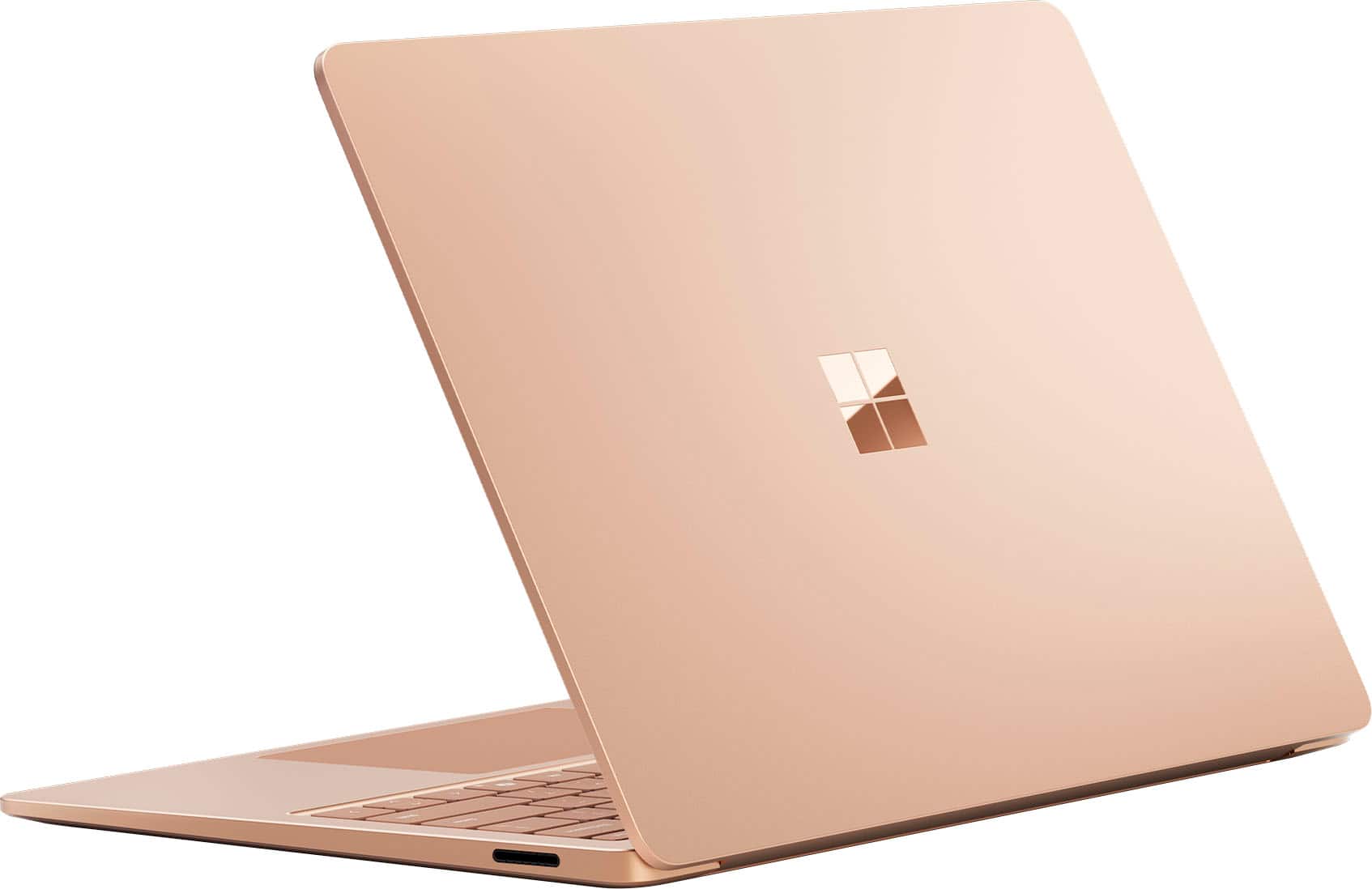
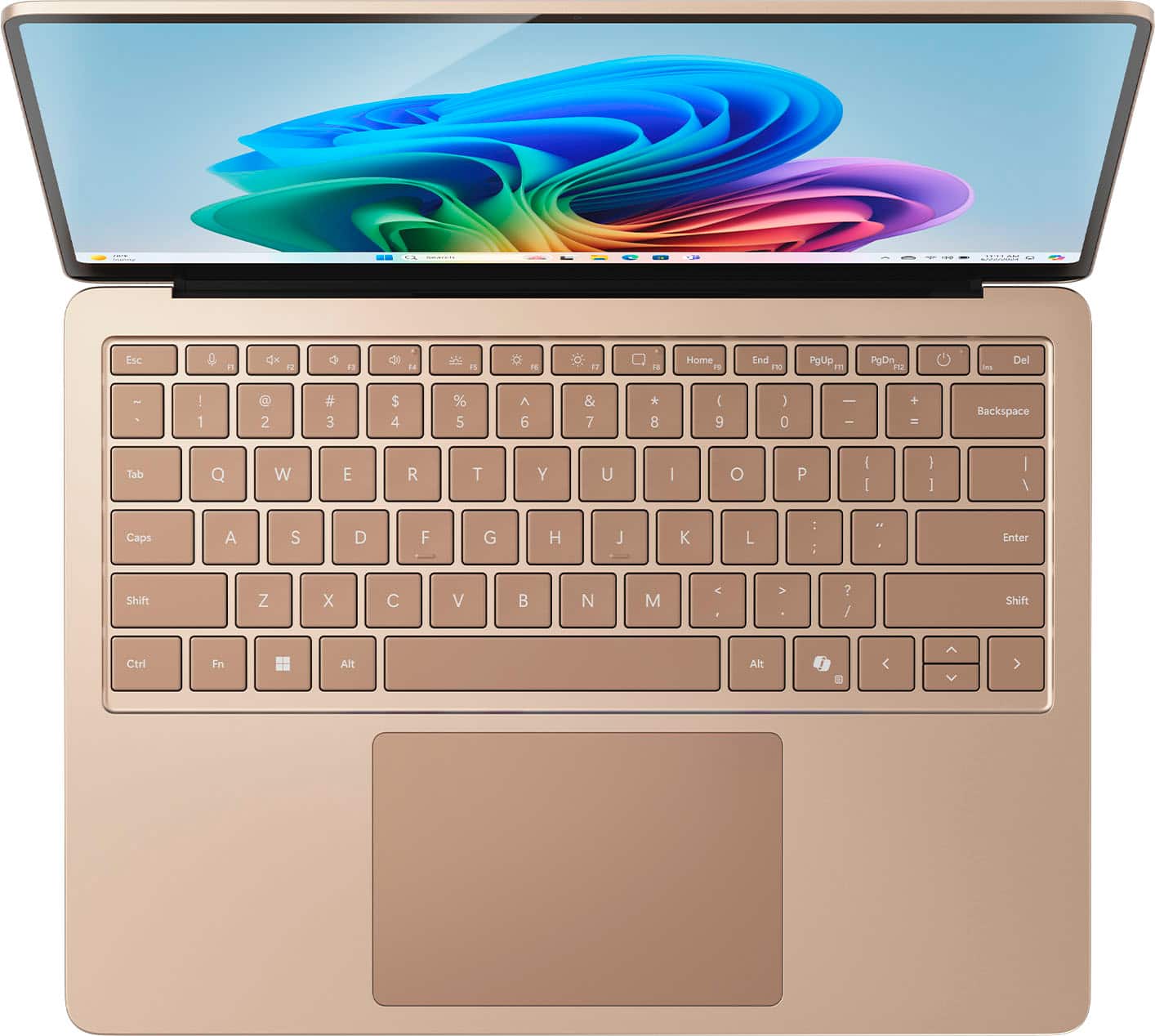
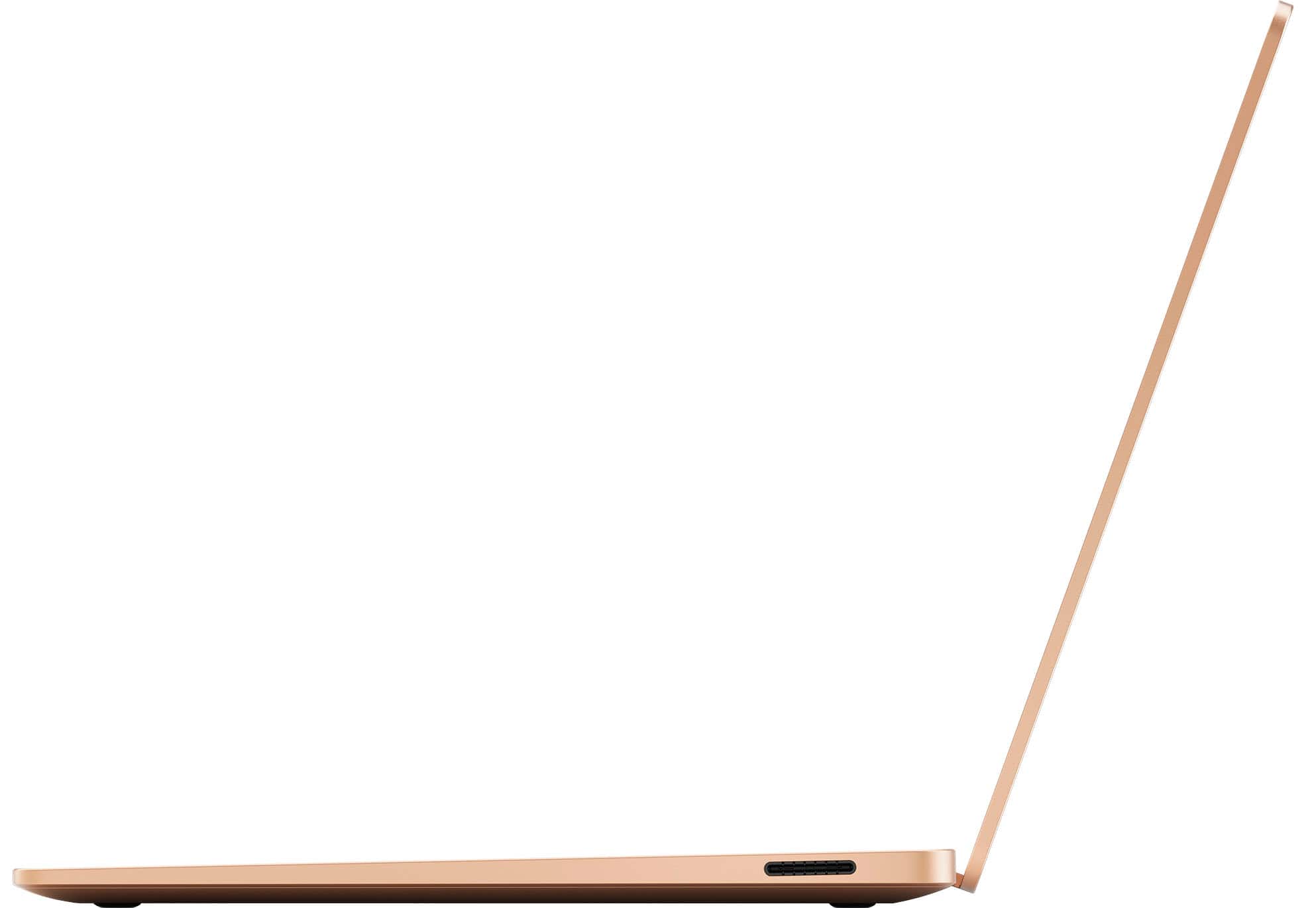
|Posted .This reviewer received promo considerations or sweepstakes entry for writing a review.I am going to lead this review by putting the summary up front. I am doing this because this is going to be a lengthy review and you shouldn’t have to scroll to the bottom to get it. This laptop is amazing. It’s everything I’ve wanted from a Windows thin and light, which you use to have to go with Mac to fulfil. It’s a very premium feeling laptop with an all-aluminum build, a high-resolution quality display with very minimal bezels. The speakers are front facing, being placed underneath the keyboard so you get that nice directional sound that you expect from a Mac. The Snapdragon-X Plus CPU is no slouch, it’s very snappy and more than performant enough for daily use stuff (such as web browsing, office, word, and even coding). This is the Netbook that we wanted 15+ years ago, and Microsoft finally delivered. It’s very powerful and has amazing battery life, in a tiny silent package. Sure, there are things that can be better, but I’ve yet to find the perfect laptop yet. So, if you’re looking for that MacBook Air like experience, but don’t want to deal with MacOS, this laptop is your answer, and I say that without reservation. That said, I’m going to go into more detail now. First let’s touch on Copilot+. In its current state, there really isn’t much to it. The features included now are Live Captions, Cocreator, Image Creator and Studio Effects. Two of these are somewhat useful. First there is Live Caption which does real-time translation local on your own machine, translating audio and video on the fly. This works Ok most the time, but I found it struggling sometimes with very fast Japanese audio. It does seem to lose focus at some points if you’re not on the window. I don’t know if that’s the technical reason or not (if the window is focused), but that’s when it seemed to happen the most. The second useful feature is Studio Effects, though the usefulness of this will depend on the software you are using. What studio effects allows you to do is apply filters to both your video and audio from your webcam. You can do varying degrees of blur, as well as filters on yourself (like eye focus on the camera). These work very well, and they run locally. Now with that said, a lot of the software we already use has these filters built in so how useful it is to you is really going to depend on what you’re using to chat. Cocreator and Image Creator are the two that I found least appealing. I messed around with both, and they do about the same as other image generators. The only major difference is that they run locally. I don’t see a practical use for these myself and I image most people will use these to toy around with. It could be fun for some, but for most I think it’s just going to come off as a gimmick. Finally, Microsoft has incorporated a Copilot button onto the keyboard. What I thought this key would do was launch an AI centric workspace where I could see all the tools that we have with AI and get suggestions on how we can use AI to accelerate our workflows but sadly it’s not that. What that button does is open a Copilot chat window, which is essentially just a browser tab opened to copilot. It has your previous chat histories in there and you use it just the same. It doesn’t run locally from what I can tell you so it’s about as useful as opening a browser. I do hope that if they are going to continue down this path of incorporating AI into Windows that we get that launchpad and more features to make it useful. This laptop comes equipped with a Snadragon-X Plus CPU with 10 cores / 10 threads and clocks to 3.42GHz with 16GB of RAM. This may not seem like much, but this is ARM, not x86 so they perform a bit differently per clock. This brings to light the first problem with these laptops, not every application you use on Windows will be compiled to support your CPU. Most of the time, this is not an issue though. Microsoft has made its own emulator called Prism that will convert your x86 applications on the fly to run on ARM. There is a slight performance penalty (ranging from 10-20% according to Microsoft), but not nearly as bad as previous attempts. In my day-to-day use case, I only ran into 2 situations where it actually caused a problem. First was monitoring software that simply wouldn’t install because it saw the laptop was ARM (not really the processors fault, was a design decision) and finally my Android Emulator I use for development. That one I had assumed would run well on this given Android and the laptop are built upon the same instruction set, but because it assumes I’m on x86, it wouldn’t launch. All my other programs worked just as well as they would have on an x86 machine. That said, I’m not a video editor, so I wasn’t able to test any of that. I wouldn’t want to attempt to use this laptop for heavy video editing anyways for reasons I’ll discuss later. With all this said, for my use cases (browsing, coding, Word/PowerPoint/Excel) this thing worked magnificently. So what is the performance like? Well in most cases very good. Cinebench 2024 MT 809 / ST 107 Cinebench R23 MT 9183 / ST 1111 Geekbench6 ST 2418 / MT12968 Speedometer – 24.6 Jetstream 2.2 – 290.82 All of those benchmarks with the exception of Cinebench R23 run native and perform rather well, especially compared to their x86 counterparts. Jetstream and Speedometer are browser-based benchmarks and all common browsers at this point have been ported to run on ARM. As you can see though, even when emulated performance in Cinebench R23 is pretty good and comparable to other mobile processors. The scores here are impressive, but the real surprise comes from the fact that all those benchmarks were conducted on battery. Unlike the x86 counterpart laptops, this laptop does not drop performance when unplugged (at least not more than a couple percent). So instead of dropping 40-60% of your performance because you can’t plug in, you get to enjoy the full performance of your laptop if your battery holds out. On that note, the battery life on this laptop is superb. By far better than any other Windows laptop I have used. I have been taking it to work with me, using it throughout the day for light coding, word and PowerPoint, and not plugging it in. I charge it overnight. So, I am getting a full days’ worth of use of out of it, without a cord. As stated above, the build quality on this is outstanding. It’s a solid aluminum chassis (mine is Sapphire blue, really nice looking). I do not know what type of keyboard is on this, but I can say that I really do enjoy typing on it. The trackpad is new on this Surface using a new magnetic design instead of the typical diving board. Its much sturdier feeling and handles multitouch very well. Coming from a Galaxy Book 3 Ultra, this keyboard and trackpad I feel are upgrades, even though I did thoroughly enjoy them on that laptop. For ports, we have 2 USB-C 4.0 ports on the left-hand side and 1 USB-A port. On the right side we have the Surface connector, which is magnetized for the charger or dock. I will say that I’m not a big fan of the charging cord and its magnetic nature as depending on the tension on the cord itself it could latch on wrong. It just doesn’t feel as premium as the rest of the laptop. The sound as mentioned above is nice, its forward-facing venting through the keyboard itself. The quality of the sound could be better, I felt the bass struggle a bit, but it’s a real thin 13.8in laptop, physics get a say here. The display is decent, coming in at 2304x1536 it has a high PPI (pixels per inch) making this a very sharp display. It supports HDR with an HDR600 rating. So far, the HDR works well, but Windows on the other hand has sloppy support, so its best to just turn it off for most things. I don’t have a method of testing color levels or brightness, but to my eyes it has decent colors and is plenty bright. The panel supports adaptive refresh rates, allowing the display to drop down as low as 24hz and up to 120hz as needed. This is a nice power saving feature that will further extend the battery life. I personally didn’t enjoy using it myself as I am very prone to noticing the fluctuations, so I turned it off and simply enjoyed the 120hz and the smooth motion. The bezels are nice and small on this, and unlike some laptops it doesn’t have a notch at the top of the webcam and microphone. Its also a touchscreen at the same time. I don't like smudges on my screen, so I didn't test it much. The only complaint I would have for this display is the lack of any sort of anti-reflective coating. It’s a gloss display so it reflects like a mirror if the display isn’t brighter than the ambient light. Not the best laptop to be used outdoors. Finally, I will touch on gaming. The first thing I want to keep in mind with this laptop is, its not made for gaming. This fact is amplified by the fact that the CPU is ARM and Qualcomm doesn’t have a history making Windows processors (at least not a strong one) so their GPU driver side isn’t as mature as others like Intel/Nvidia/AMD. Keeping that in mind I tried my hand at gaming with this only to give up on it. Even trying older games that this relatively weak GPU could handle, I would often be presented with game crashes. Even 2D games that I was sure would run fine on this I couldn’t get to run. This might change in the future with driver updates, but I wouldn’t hold my breath. These are not gaming laptops in the slightest and shouldn’t be considered for it. As my summary is at the top, I’ll leave off on a note. This is early in the life of ARM on windows where both parties (hardware and software) are taking it seriously. There is still work to be done, and that’s expected. But having said that, I am perfectly happy with this laptop. Already most of your day-to-day apps already run native on it, and more are coming. It only gets better from here and I look forward to where we go from here with Windows on ARM.
returned it within a few days
||Posted .This reviewer received promo considerations or sweepstakes entry for writing a review.I returned it. i wanted to use a vpn and couldn’t get it to work, had problems with this and returned it within a week. I think its because of the switch to ARM. I am looking for a different laptop now.
No, I would not recommend this to a friendCoPilot+ Productivity and Creativity in one laptop
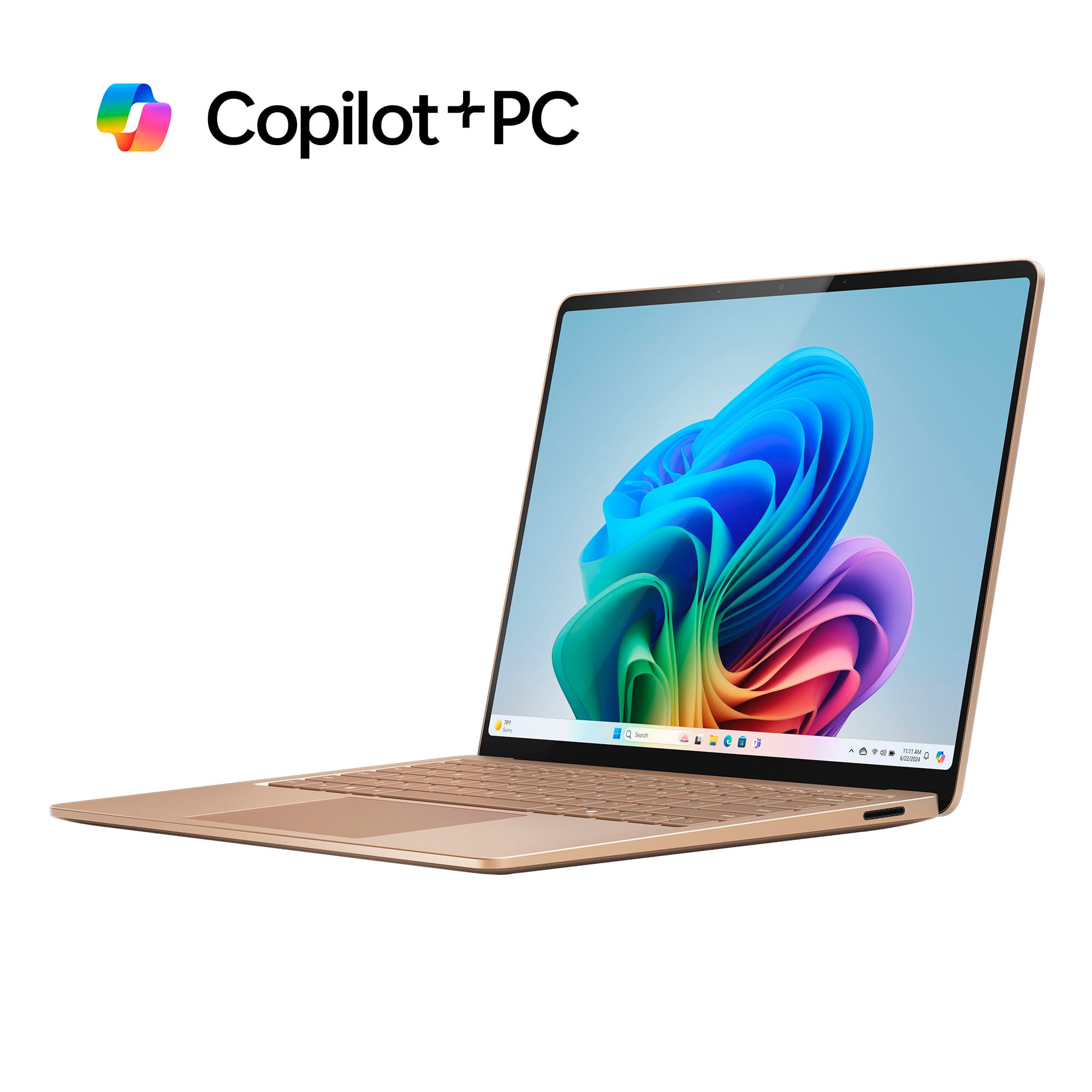
|Posted .This reviewer received promo considerations or sweepstakes entry for writing a review.It’s interesting to note that the exterior design of Microsoft Surface laptops hasn’t changed much over the years. My wife’s 2019 Surface Book 2 looks nearly identical to this new Surface CoPilot+ laptop although the older laptop is a 2-1 design and so was a little thicker. Evidently, Microsoft wisely adheres to the principle that if it isn’t broken, don’t fix it. Even the keyboards have a similar look and feel. The differences naturally are found inside, with Microsoft charting a bold new course with neural processors designed and tuned to run newly released AI applications…the wave of the future. To make this laptop more affordable, Microsoft chose to use the lesser of the two Qualcomm processors (Snapdragon X Plus) in this latest line of Surface7th Edition CoPilot + laptops. With 16GB of RAM and a 512GB SSD, this laptop is still plenty fast and to prove it, I installed Adobe Photoshop 2024 and loading time was only a matter of just a few seconds…even faster than my gaming desktop. Similarly, components of Microsoft Office 365 Suite like Word, Excel, and Powerpoint also are lightning fast. The screen is bright with excellent contrast and the onboard Qualcomm graphics processor seems more than adequate for most computing needs. The development of the CoPilot+ series of laptops is of course to introduce artificial intelligence (AI) to computing. While it’s in its early stages, AI brings user-friendly options to enhance creativity and efficiency in daily computing needs. CoPilot+ brings simplicity to browsing and it’s been my experience that search results make sense and are easy to understand, complete with references. For creativity, AI has elevated Microsoft’s simple Paint app to new heights with its ability to create artwork (Image Creator) based on simple inputs and/or crude drawings (Cocreator). I could see where this might be handy for creating artwork for Powerpoint Presentations, for example. Windows Studio adds some nice features for video conferencing, such as blurred backgrounds, face-following, and lighting effects. While I wouldn’t designate this laptop as a gaming machine, Windows 11 has added Auto Super Resolution to improve and enhance game resolution and visual quality, taking advantage of the AI capabilities of the Snapdragon X series processor. What I liked… The laptop is lightweight yet rugged and the perfect size for ease of portability. Having a lighted keyboard is a must and the feel of the keys makes typing fast and easy. The screen looks great with crystal clarity and deep rich blacks, making photos look amazing. Battery life is excellent, and it comes with a proprietary charging cable, but Microsoft claims it can be charged through one of the two USB-C ports with a minimum 65W PD charger. A fully charged battery dropped to 80% when on for four hours, so getting all-day use should be no problem. Apparently, the Qualcomm electronics run cool as there are no fans or vents visible anywhere, making it completely quiet and nice to rest on your lap without the constant worry of blocking air vents, etc. and overheating. Setup after unboxing was a breeze and transferring everything from our old Surface laptop couldn’t have been simpler. Even our family version of Microsoft 365 loaded quickly, and Outlook email transferred without a hitch. Last but not least, I love the clean design of the all-metal case and sapphire blue looks amazing. What I disliked… Well, not much to say! The main concern with Surface laptops is that they are designed and configured with a specific set of components. It usually requires a technician to add RAM or change out an SSD, for example. Microsoft isn’t the only laptop manufacturer that does this, so just be sure when you buy a Surface laptop to get it configured correctly to meet your all your current and future computing needs right from the start. I sense things will only get better as the basis of AI in computing is just getting started and the Microsoft Surface CoPilot+ laptop is designed from the ground up to take advantage in this new era of computing now.
I would recommend this to a friendDisappointed with touch screen
||Posted . Owned for 3 weeks when reviewed.This reviewer received promo considerations or sweepstakes entry for writing a review.It annoys the heck out of me. I was used to a touch screen that responds to a light tap. With this device, I have to press harder, with more finger surface area, and often multiple times before it responds. Other times, it "responds" with an action I was not asking it to take. I seriously considered returning it, but didn't want to have to go through the hassle and inconvenience again of getting a new device set up and data transferred.
No, I would not recommend this to a friendCreative and Impressive PC
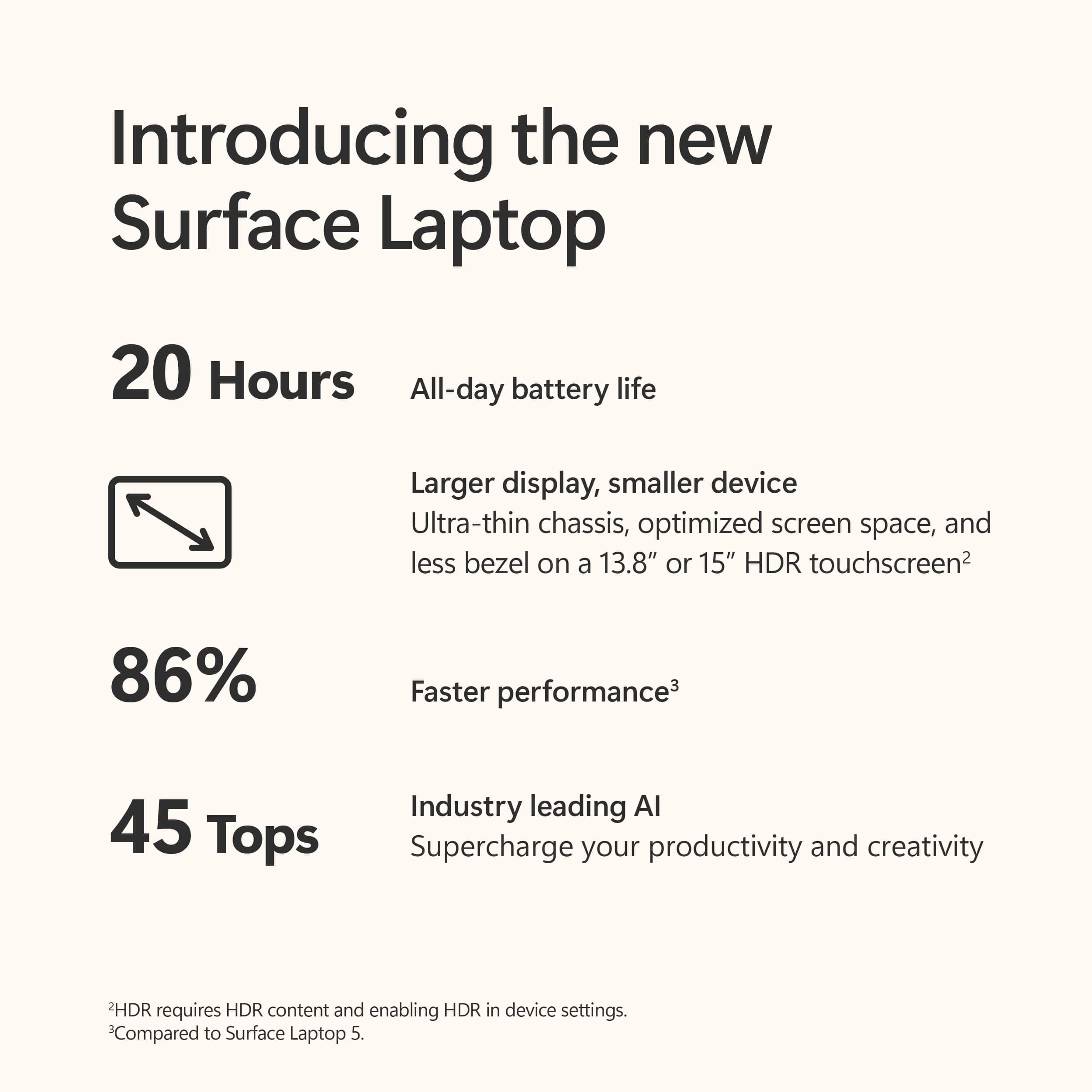
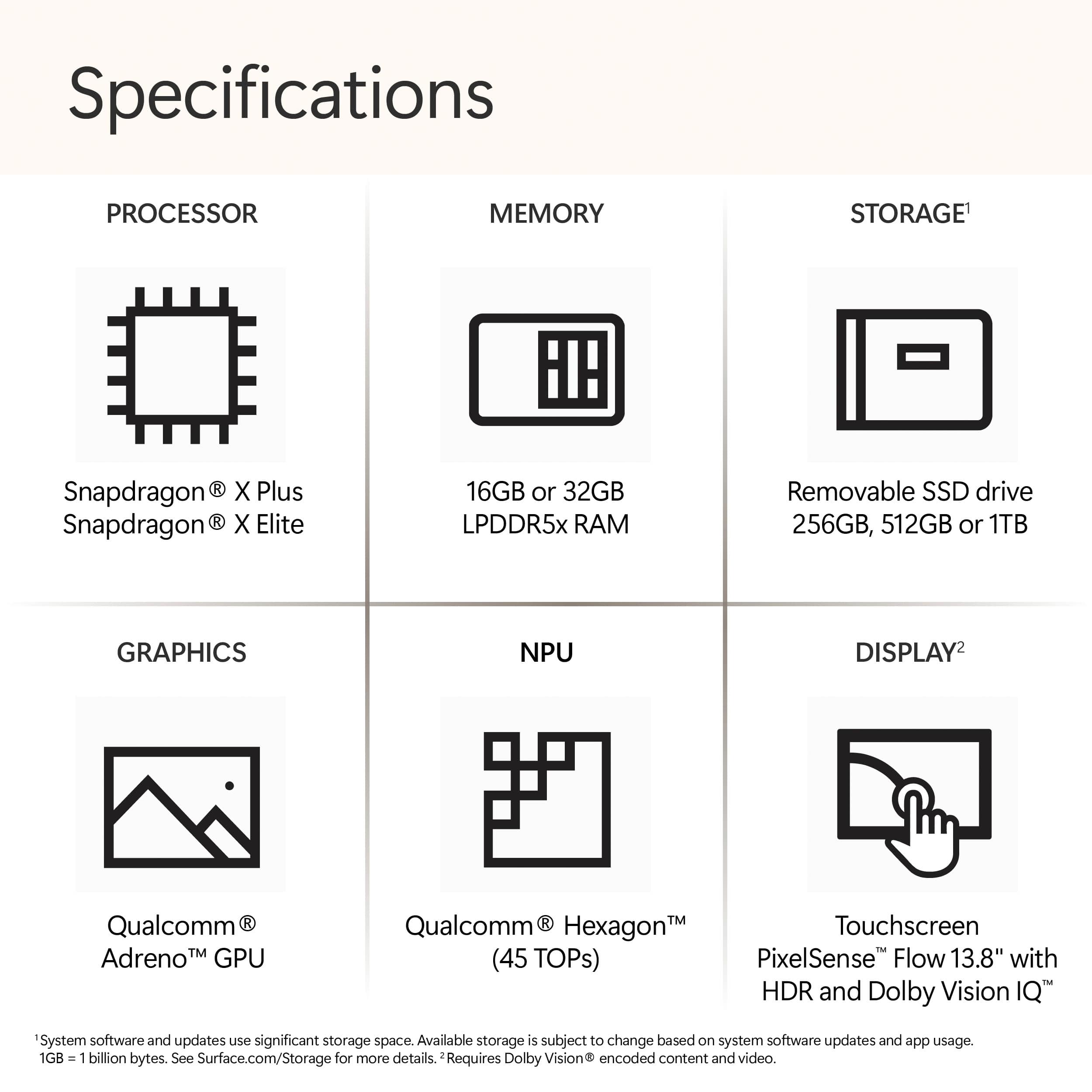
|Posted .This reviewer received promo considerations or sweepstakes entry for writing a review.I have been using the Microsoft Surface Laptop – Copilot+ PC – 13.8" Touch-Screen – Snapdragon X Plus – 16GB Memory – 512GB SSD (7th Edition) for days now, and it is genuinely incredible and versatile. Here is why I am thrilled with this device: Copilot+ PCs: A New AI Era Begins The Copilot+ PC feature is revolutionary. Turning ideas from text prompts into generated artwork is seamless and fun. The ability to understand new languages instantly with Live Captions is a fantastic bonus. Powered by the Snapdragon X Elite processor with 45 trillion Operations Per Second of NPU power, this laptop has transformed how I create, find, and communicate. Get a Fresh Perspective with Windows 11 Windows 11 offers a rejuvenated Start menu and new ways to connect to my favorite people, news, games, and content. The interface feels natural and intuitive, making it a perfect platform for thinking, expressing, and creating. Stunning 13.8" PixelSense Flow Display The 13.8" PixelSense Flow display with a 2304 x 1536 resolution is brilliant and highly responsive. The thinnest bezels of any Surface laptop and a 120Hz refresh rate make for smoother motions and swift interactions. The visuals are sharp and vibrant, enhancing every task from work to play. Powerful Snapdragon X Plus Processor The new Snapdragon X Plus (10-core) processor unleashes unparalleled productivity in this ultra-portable laptop. The speed is impressive, and the battery life is extraordinary, lasting for days on a single charge. Exceptional Graphics with Qualcomm Adreno GPU The integrated Qualcomm Adreno GPU delivers top-notch graphics for presentations and entertainment. The visual experience is rich and immersive, making everything from video editing to gaming a joy. AI-enhanced Studio Camera The new HD 1080 Surface Studio Camera is paired with AI-powered Studio effects like automatic framing, keeping me and my family in focus even as we move around. This feature is perfect for video calls and online meetings. Perfect Typing Experience Typing on this laptop is a delight. The keystrokes are perfected for accuracy and swiftness, with optimal key travel that makes typing satisfying and efficient. Inclusive Touchpad The Surface Precision Haptic touchpad includes built-in features to support users with disabilities, including an adaptive touch mode. It is inclusive and enhances usability for everyone. All-Day Battery Life With up to 20 hours of battery life, this Surface Laptop keeps up with everything I need to do, wherever I need to be. It is reliable and efficient, perfect for a busy day. Versatile Ports The two USB-C 4 ports allow for on-the-go charging, fast data transfer, and support for up to three 4K monitors at 60Hz. This versatility makes it easy to create the ultimate desktop setup or stay connected on the move. Overall, the Microsoft Surface Laptop – Copilot+ PC is a fantastic device that meets all my needs with exceptional performance, stunning design, and innovative features. I highly recommend it to anyone looking for a versatile and powerful laptop.
I would recommend this to a friendWell Built and A Performance Beast
|Posted .This reviewer received promo considerations or sweepstakes entry for writing a review.I love this laptop. That's the most direct comment I can give. It's beautiful, well built and the blue color is very different in a good way. Display I like smaller screens so this 13" screen is perfect. The screen is bright and colors are vibrant. It's also 120Hz so it scrolls beautifully. They seemed to make the bezels smaller but still could use some trimming. It is a touchscreen so if that's important to you, this is the device. Ports This comes with a standard USB port as well as two USB C ports. It also has a headset port and, for some reason, an SD card port. With cloud storage it's hard to know why these are still needed. Performance I have always been a fan of ARM processors. They run without fans and don't have all the overhead of x86 processors. The battery life is supposed to be better and while this device battery is better than x86 processors I haven't seen it being the 10-12 hours that's advertised. Not having the Elite processor I really can't compare but the Plus processor is very fast and I haven't had it bog down at all. Finally standardizing on 16GB RAM is a nice plus as well. One thing to keep in mind is being an ARM processor, if you run an application that is not specifically built for ARM you need to use emulation. This is seamless since Microsoft included the ability to emulate apps. While it is seamless to use you can get some performance hit. I have used some video and picture apps that are not built for ARM and didn't see too much of a hit to be concerned. Copilot+ AI Now for Copilot+ AI features. My initial assessment is the five features included currently are very basic and really don't set this set of functionality any different than what is already available outside of Windows. The Cocreator function is a fun thing to play with but it will take some more refining to make it a valuable tool. Restyle images is really not more than a cool application with no real use. I tried to see how this feature would be used to make an impact and really didn't find much beyond curiosity. Image Creator is interesting and I spent more time using this than any other copilot feature. AI really does a good job of envisioning what you ask it to make. However in the overall value for Windows, this is the third image based feature and really doesn't make Windows more powerful. The other disappointment is most of these features require online access to use. If you don't have access to internet, these features will not work. I do think this is just the beginning for Microsoft in adding AI functionality to Windows and being prepared with a Copilot+ device will allow you to use these features when they come. Overall is a fantastic laptop and I highly recommend it,
I would recommend this to a friendnot wowed, but happy with Copilot + PC
|Posted .This reviewer received promo considerations or sweepstakes entry for writing a review.I recently had the chance to get my hands on the new Copilot+ PC from Microsoft. I went with 13.8” surface laptop in sapphire. My first week with this new device has been positive, as this computer is an upgrade from a surface laptop I have from a few years ago, but I’m not quite sure that the future has arrived quite yet. The Copilot+ PC arrived in a small form factor sapphire box that matched the laptop inside. Other than the power supply, there’s nothing else in the easily recyclable box. For the power supply, I was pleased that the plug type to charge the PC did not change from my previous surface laptop, so now I have a back up / cord to keep in my bag. While the connect did not change, there is a minor difference on the power brick itself as the previous one had a USB port to charge another device. That port is no where to be found on the newer brick. In the grand scheme of things, it really doesn’t affect anything, but it is a negative change. After unboxing and unwrapping the new surface laptop, sapphire color is stunning and the slimness of this PC is amazing. It’s a beauty and is lightweight & ultraportable. A quick look around and you’ll notice a headphone jack, a USB-A, & two USB-C ports on the left side and only the connection for the power supply on the right side. On the first power-up, just like all tech these days, you'll have to go there some set up and the inevitable software update. As far as performance goes, this laptop is blazing fast. I’m probably not a power user but I have thrown a lot of different things at the Snapdragon X Plus processor & 16 GB of memory and not even a hint of slowdown or strain or even sound. The screen this PC has is the best I’ve seen on a surface to date. The display is high resolution and with a good refresh rate, streaming TV or cinema looks fantastic. The battery is really good. Microsoft quotes the battery life up to 20 hours, which is plenty of juice for this ultraportable machine. Its all the things you’d expect from a new PC these days. However, the copilot+ PC’s big draw is the AI functionality built directly into the machine. Microsoft says “a new AI era begins.” Copilot is literally built into the computer, with its own button on the keyboard. With a simple push of the copilot button, you can use copilot to answer questions, find information easily, or even generate images/artwork from simple text using the AI power built right into the laptop. There are some other neat tricks like some real time language translation, which sort of works like subtitles. I tried this out with some youtube videos and the live caption (as Microsoft calls it) does in fact work. It was interesting to compare what the live caption translated to versus the subtitles that are directly in youtube. The translation to English was slighty different between the two. It seemed like the meanings were the same, but the English was just a little different. I wonder which is more correct. There are also some AI capabilities built into the front Studio Camera. One of the features is automatic framing, which appears to behave like Apple’s center stage feature. It keeps you in the picture, even as you move around. You can also turn on a feature to make it appear as if you are making eye contact when you are reading something on the screen or otherwise not looking directly at the camera. While copilot has its own button and therefore is on out of the box, these other features are off by default and you have to find them in settings to take advantage. Microsoft calls this a new AI era. After a week, the Copilot+ PC is easily a great surface laptop, but it doesn’t feel quite revolutionary yet. The computer is truly a well built, beautiful product, that can complete all the tasks you require given the specs. Obviously, you won’t be able run AAA video games on the highest display settings since it wasn’t built for that type of performance but you’ll easily be able to use all the productivity and entertainment apps, all at the same time. Copilot is easier than ever to use and access, but it’s the access that feels new. The use feels similar to how it felt on my previous laptop. The live captioning seems cool and works well, but subtitles already exist on video. While you couldn’t go wrong by purchasing the latest and greatest Microsoft copilot+ PC’s, the era is just beginning and you probably have to temper the expectations a little bit. I'm not wowed quite yet, but I'm happy with this new surface laptop.
I would recommend this to a friendIncredible device with so much potential
|Posted .This reviewer received promo considerations or sweepstakes entry for writing a review.Let’s delve into the details of the all-new Microsoft Surface Laptop 7 for 2024. Design and Unboxing: The unboxing experience is reminiscent of Apple products, featuring a paper pull tab and a touch of finesse. Inside the box, you’ll find the Surface Laptop 7, a 39-watt power adapter, and the accompanying cord. The Sapphire Blue 13.8-inch Surface Laptop 7 is simply gorgeous, and the packaging strikes a balance between simplicity and effectiveness. Display, Camera, and Setup: When you lift the lid, the laptop powers on automatically, similar to Apple laptops. Kudos to Microsoft for this thoughtful feature! The vibrant IPS 13.8-inch Pixel Sense Display boasts impressive specs: 120Hz maximum refresh rate 2304 x 1536 resolution with variable refresh rate Peak brightness up to 600 Nits Supports Dolby Vision and HDR. Windows Hello Authentication is handled by the 1080P front-facing camera, allowing you to log in swiftly. Performance and Hardware: The Qualcomm Snapdragon X Plus CPU, running at 3.34GHz, paired with Adreno 741 Graphics, ensures incredible performance with efficient power consumption. With 10 CPU cores, Snapdragon Elite NPU, and 16GB of LPDDR5X RAM running at 8443MHz, it’s a very capable machine. Audio from the OmniSonic Speakers with Dolby Atmos support is impressive, considering the laptop’s thin profile. Ports include a 3.5mm headphone microphone combo jack, 2 x USB-C, and 1 x USB-A 3.1. Plus, it can be charged via USB-C. Storage is provided by a Samsung 512GB Gen 4 NVMe SSD Drive for your favorite applications. WI-FI 7 is onboard to provide next-gen wireless connectivity. The keyboard features decent key travel with three levels of backlighting to round out the hardware. Software and Compatibility: Windows 11 Home runs seamlessly on the Snapdragon X processor, thanks to the Prizm translation layer. However, be aware that compatibility with certain software may be lacking initially. AI features show promise but are not fully developed yet. Gaming Considerations: Gamers should hold off for now due to limited compatibility. As compatibility improves, the Surface Laptop 7 with Snapdragon X Plus will become a highly recommended choice. Overall Impression: This laptop is a marvel, especially for productivity and creative tasks, with all-day battery life. Over time, it will likely become a flagship device sought after by professionals and creators alike. Keep an eye on the evolving AI features—they’ll make it an even better investment!
I would recommend this to a friendDead after 1 month
||Posted . Owned for less than 1 week when reviewed.This reviewer received promo considerations or sweepstakes entry for writing a review.I purchased the laptop in April by May it was dead. Exchanged it for a new one. Thankfully, the exchange process with Best Buy was smooth. Ask me again in a month and I will let you know how the new one works.
No, I would not recommend this to a friendMisinformed prior to purchase
||Posted . Owned for 1 week when reviewed.This reviewer received promo considerations or sweepstakes entry for writing a review.I was not aware that I would need to purchase a Copilot Pro Subscription in order to have full functionalility of Copilot within my Office 365 Suite.
No, I would not recommend this to a friendNot happy!
||Posted .This reviewer received promo considerations or sweepstakes entry for writing a review.This device didn’t last seven months…stopped turning on
No, I would not recommend this to a friendmissing ms office features
||Posted . Owned for 1 month when reviewed.This reviewer received promo considerations or sweepstakes entry for writing a review.i was expecting to have microsoft office features by default. very disappointing.
No, I would not recommend this to a friend