Last-Minute SavingsLimited quantities.Shop now

Skip to content
Gift Ideas
Main Content

Customer Ratings & Reviews

Your price for this item is $1,199.99
The comparable value price is $1,499.99

Customer reviews

Rating 4.6 out of 5 stars with 221 reviews

Rating Filter

Rating by feature

  • Battery Life

    Rating 4.9 out of 5 stars

  • Speed

    Rating 4.9 out of 5 stars

  • Display

    Rating 4.9 out of 5 stars

Pros mentioned filter

Cons mentioned filter

There aren't enough negative mentions yet.
93%would recommend to a friend

Customers are saying

Customers highly value the Surface Laptop, particularly its exceptional screen quality and impressive performance. The long battery life and fast processor speed are also significant advantages. Furthermore, customers appreciate the sleek design and lightweight portability of the device.

This summary was generated by AI based on customer reviews.

The vast majority of our reviews come from verified purchases. Reviews from customers may include My Best Buy members, employees, and Tech Insider Network members (as tagged). Select reviewers may receive discounted products, promotional considerations or entries into drawings for honest, helpful reviews.
Page 11 Showing 201-220 of 221 reviews
  • Rated 1 out of 5 stars

    Save yourself a nightmare

    |
    |
    Posted . Owned for 1 month when reviewed.
    This reviewer received promo considerations or sweepstakes entry for writing a review.

    Don't forget your password with this device! I created a new password for the Surface. For weeks, when I logged on, it just required a click on "Sign in". But after about a month, it suddenly asked for my password. By that time, I'd forgotten it. Didn't let me reset the password. Call to Geek Squad useless, they made me do the 2-hr. RT drive to Best Buy. 3 different Geek Squad geniuses couldn't fix it because the Surface uses an arcane "A.R.M." system which Geek Squad can't fix. Independent computer expert I've used in the past also couldn't access the ARM system. I had to return the device, no one could get into it! I've ordered another laptop, it still hasn't been delivered. This has consumed weeks of my time, during which my ability to do business has been crippled. Best Buy is forcing me to assign one star, but if I could I'd give zero stars to this Surface laptop.

    No, I would not recommend this to a friend
  • Pros mentioned:
    Battery life, Processor speed, Screen quality
    Tech Insider Network Member

    Rated 4 out of 5 stars

    Solidly Made with Software Incompatibilities

    |
    Tech Insider Network Member
    Posted .
    This reviewer received promo considerations or sweepstakes entry for writing a review.

    To start off, this is your typical surface laptop with a new type of processor and Copilot+. The build quality is impeccable as you would expect from any Surface device. You can definitely see and feel the quality that went into it. It is very fast I have not seen any sort of delay in anything I have done. Boot time is very short as well. It has 16GB of memory and a 500GB SSD which is more than enough in most cases, I haven’t seen a case where I needed more memory and I have more that enough space on the SSD for what I need, especially if you store a lot of stuff on the cloud. Its claim to fame is the Copilot+ feature using the Snapdragon X Elite processor and Snapdragon NPU. It has a dedicated Copilot button that opens the Copilot app, which honestly seems like an Internet browser window. Most of the things that you want to know you can type into the box and it will respond with an answer of info on whatever you ask for. It basically gives you what you can already find on the Internet, only in more of a conversational response. Its English is perfect and sounds like a real person talking. I tried asking it a bunch of questions and it answered most of them. There were a couple of questions it responded that it couldn’t answer but to be honest they were rather obscure questions. You can get the answer to them on the Internet, however. I tried asking it to show me photos of famous people and got it right most of the time although there were a few popular names where it showed me the wrong person in the pictures. Not sure why. I tried doing some photo editing and got mixed results. I took a photo of my dog and changed the background to various scenes. It did fine except for right around the edges of my dog where it couldn’t differentiate my dog from the background. You can also change the style of the photo from a predetermined selection. It did a decent job here but I’m not sure of any real purpose to it and your selection is limited. I asked it to create images of a few different things. They all turned out to be cartoon like pictures that you could find on the Internet. There is an NPU but I’m not sure how to use it since it seemed like everything I tried was done by the server. Photoshop uses AI and maybe that is what uses the NPU but unfortunately, I don’t have a copy of it to try. Overall, Copilot+ was an interesting toy to play with but didn’t offer me anything that the Internet doesn’t already. The laptop has the Qualcomm Snapdragon X Elite CPU with an emulator for Intel based software. This is where problems began. Not all software is compatible and won’t run on it. I installed Office 365 and while all the apps run, Outlook which is the app I use the most would only allow me to use the “new” version of it which I didn’t like. I have always used the original look and feel version, but this is not an option for this laptop even though my other laptops allowed for it. The button on the GUI was there to switch to the original Outlook look and feel but it didn’t work. While some software worked fine, others did not. Norton Antivirus didn’t work which I already had a subscription to so I was stuck using Windows Defender, which may be good enough. I also found that CompanionLink didn’t work which is something I use all the time. Since this laptop uses new technology, I hope that the software companies are working on versions that use the Arm processor natively but that is not the case yet. Battery life was excellent. Doing email, Internet, Copilot, YouTube, office applications, and a few other types of work, I was able to get 15 hours of battery life out of it. It uses the usual Surface charger with the magnetic connector which is great and especially if someone trips over the wire. The connector just pulls out without even moving the laptop. One thing that is missing is a light to indicate that it is charging and another light to indicate that it is on. Unless it is on, you have no idea when it is done charging. Also, when shutting down the laptop, you don’t know when it has completely finished. A bit of a miss here. The keyboard and touchpad work great and feel very nice. The keyboard is very easy to type on without making a lot of mistakes. The laptop has a slight wedge design which makes typing on the keyboard even better. It has backlighting which looks great and is necessary in the dark and even when it is light in the room. Just keep it on all the time. There is a dedicated key to open the Copilot app and another key on the keyboard to power the laptop on. The touchpad also feels nice and works precisely for dragging and tapping. There are the usual touchpad buttons that also work well and provide slight haptic feedback which make it feel even more precise. I prefer using tapping instead of the buttons but that is just my personal preference. I am very impressed by the keyboard and touchpad and is probably the best I have seen on a laptop. The laptop uses Wi-Fi 7 and is the first device and chance I have had to use with my Wi-Fi 7 router. I have had no problems connecting to it and staying connected to it. I’m able to get a speed test of around 1Gbps download speed in comparison to my other 6E laptops which gave me around 700Mbps so there is definitely an improvement here. The sound quality is pretty typical for a laptop. The sound is very tinny which is probably the result of small speakers. I have heard laptops that sound better though. The quality of the screen is what you would expect from it. It has great colors and brightness. It also has a lot of glare which is a little disappointing if you have a lot of direct light shining on it or are using it outside in the sun, although the screen is bright enough in this case. It does not have an OLED screen so don’t expect that kind of quality but to be honest, I prefer laptops without the OLED screen to prevent the possibility of burn-in. It uses Windows Hello as its login security. This is very fast and works even in the darkest of rooms. I have not had a case yet where it didn’t recognize me or failed to work, and I had to use the pin to log in. The connections are very minimal but probably have all you need in most cases. There is the power/docking station connector, one USB-A, and 2 USB-C connectors. All of them work perfectly but that is all you get. The laptop is very thin and has a slight wedge which is good for using the keyboard. It is a little heavier than I would have expected but not too heavy to easily carry around with you. It is just a little surprising. It is also very pleasant to look at. As mentioned before, the build quality is impeccable. In the end, I would say there are a ton of great things to say about this laptop, but software compatibility is not one of them and that is why I would unfortunately recommend an Intel or AMD laptop over this one or wait until there is more software that supports it which I am sure will be the case over time. If you want to play around with Copilot+, don’t mind the new look and feel of Outlook, and want an extremely long battery life, this would be the way to go.

    I would recommend this to a friend
  • Pros mentioned:
    Battery life, Processor speed, Screen quality
    Tech Insider Network Member

    Rated 5 out of 5 stars

    Growing Pains

    |
    Tech Insider Network Member
    Posted .
    This reviewer received promo considerations or sweepstakes entry for writing a review.

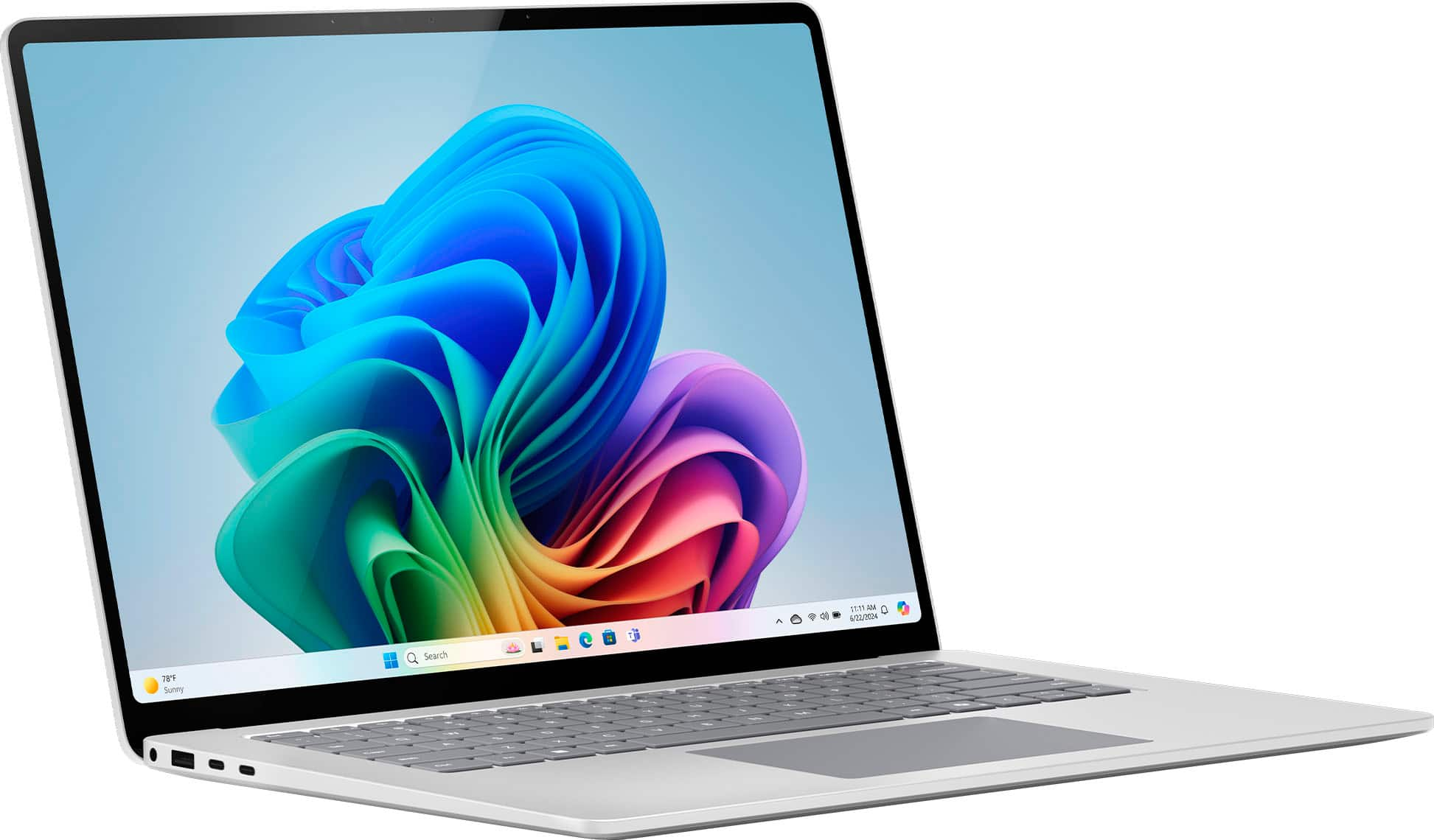
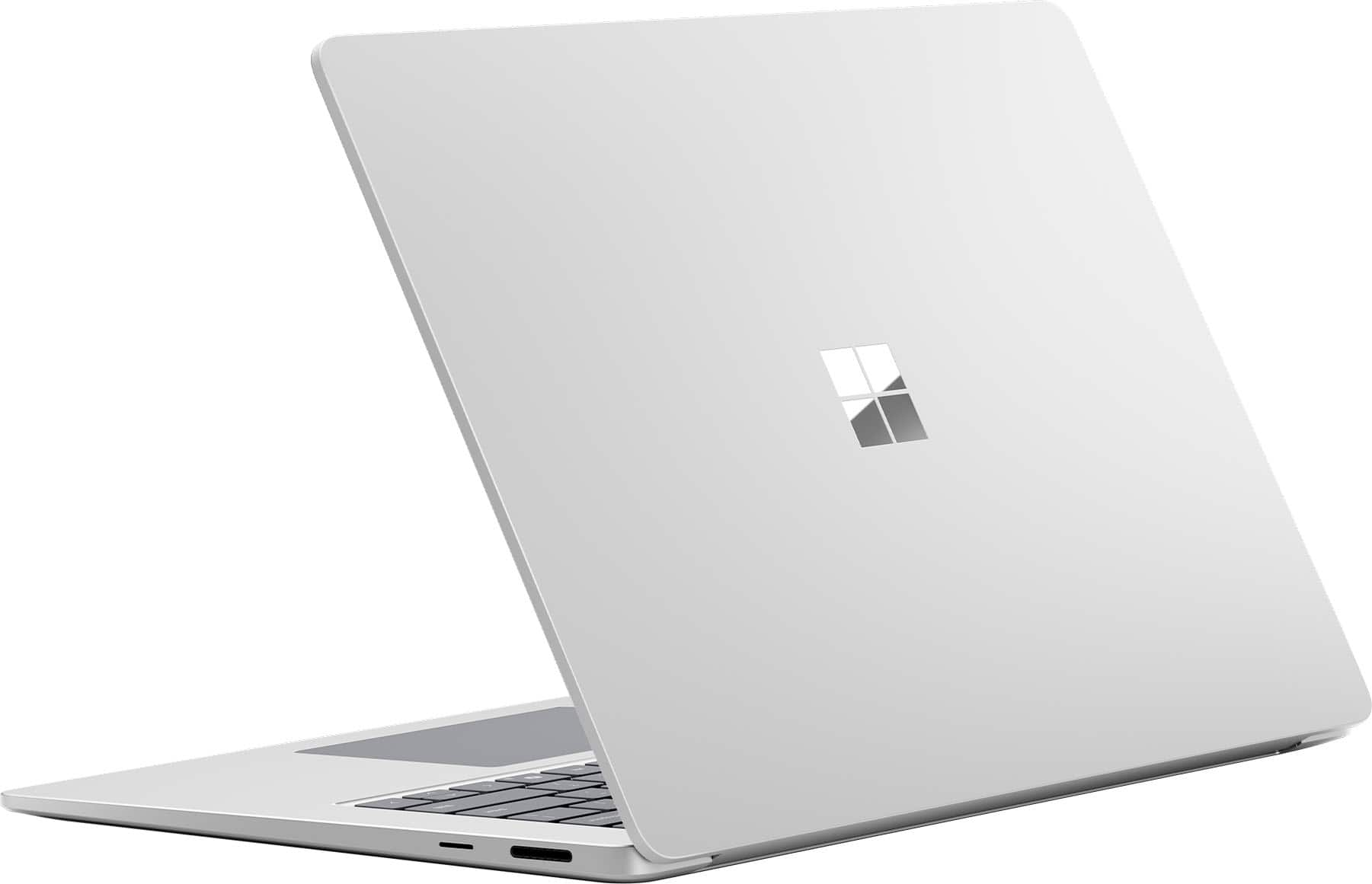
    As with most new things, you can expect growing pains and the Microsoft Surface Laptop Copilot+ is no different. The Microsoft Surface Laptop Copilot+ PC is my second Surface laptop, the first being the Studio. Like the Studio, I have to say I am really impressed with the build quality. The metal body feels sturdy and well built. It weighs in at 3 pounds 11 oz. The lid opens with one finger but there isn't any kind of knockout, just a slight overgap to grab on to. There are two USB-C ports on the left side, along with an USB-A and 3.5mm headphone/microphone jack. On the right side you have the Surface Connect which also supports I/O via a Microsoft dock along with a Micro SD card reader. I wish there was a USB-C on each side rather than both on one. Note, the SD card slot is not on the 13 inch model. The 120Hz 15 inch display is bright and crisp. Colors pop and are vivid but blacks appear muddier than my Macbook. The display has a highly reflective shine on it. In my office with a sunny window behind me, the display was very difficult to view. It is a touch screen and has 10 point touch which is responsive. It does not have pen support though. I prefer the 3:2 aspect vs 16:9 especially for office use. As far as sound, there are no speaker grills, the sound just emanates from the keyboard (Omnisonic speakers?) and there is Dolby Atmos. Volume is good and sounds clear. Like most laptops, bass is lacking and it can sound a bit tinny. The 1080p front facing camera worked as expected and included IR for Windows Hello. Video via Teams was crisp and clear. Colors seemed a bit warmer to me on the auto settings but you can adjust the white balance to make it photos and videos match your needs. The keyboard feels just like the Studio, the chiclet keys have a nice travel and feel. They are backlit with three levels of brightness. The haptic touch pad is the best I’ve seen on a windows laptop and on par with the touchpad on my Macbook Pro. Microsoft rates the battery life on the 15 inch Surface at 22 hours for video and 15 hours for web browsing. These are great numbers if you’re buying a video player or tire from using your phone to surf the web. In real-world use I did manage to get about a day and a half (work days) out of the battery. The Surface charger for the 15 inch model comes in at 65 watts and supports quick charging. From power save mode to 80% took just about an hour and to full charge took about 100 minutes. I can say that while charging and using the Surface, it did get warm but not enough to burn. Finally, you have Wi-Fi 7 and Bluetooth 5.4 for future proofing. Unfortunately, I don't have compatible equipment for either yet. Performance Out of the gate, know that application support could be an issue for you based on your needs. Unlike Apple Silicone, the Snapdragon X Elite chip contains only performance cores and more of them than all but the top of the line Apple Silicone Pro and Max. One thing I did notice was not hearing a fan. I tried as best I could to load the system to get the fan running but with everyday office use, this machine is silent. With general office work and Microsoft Office 365 I had no issues. Several other programs I use worked fine as well. Unfortunately, Adobe users should probably hold off for a bit, especially those using Premiere Pro, In-Design, Illustrator, and Audition since they are currently not yet available for these devices. Photoshop loads and works ok and Acrobat hasn't been updated for ARM processors but does work via Microsoft’s Prism Emulation Layer. The big selling point with these machines is Copilot+ and the new Copilot button. Cocreator in the paint program requires you to start drawing, then it presents you images based on what you describe in the box. For total picture generation you use Image Creator which uses DALL-E for image creation however, this requires credits. From what I can find out, you get 50 credits to start with but no indication of how credits will work once the app is out of preview. The Copilot app worked as expected. Giving it prompts provides responses. You can control the format and tone. Of course the better the prompt the better the response. The AI features in Camera are ok but require lots of light to look their best. I was disappointed to learn that the Copilot features were not immediately available in Office 365 but require an additional subscription to activate and use. For comparison, Google Docs has AI already built in. Maybe I am just too old but I’m not impressed with the AI features. They are nice to have and I am sure they will just get better with age. Overall, I really like the build of the 15 inch Surface Laptop. The new Snapdragon chips are a great step forward but are hampered by application support at the moment. I’m sure as these processors advance, support will increase faster. All the issues I’ve experienced so far are software related: My older Logitech bluetooth travel mouse works but the software driver won’t install so a couple of features don't work. My Microsoft Arc travel mouse works also but like the Logitech, the swipe features don’t work yet. Additionally, the Logitch does not wake the Surface from sleep and it takes significantly more time with the Microsoft mouse but it does wake it. My Adobe Creative Cloud isn't fully compatible with the ARM architecture yet. When waking from sleep, the color on the display was off. A restart solved that. When the auto screen brightness or change brightness based on content, is on, the constant changes are noticeable and a bit off-putting. Hardware that requires a specific driver might not work or work completely, like my mice. It seems pretty clear to me that the Surface lineup goal is to be better than Apple. With synthetic benchmarks close to or better than, it seems, to me at least, that the hardware aspect is there. I think that this new Snapdragon platform will be great moving forward. The biggest setback is the OS and application support which if past is prologue, will come around pretty quickly. I recommend this Surface Laptop to anyone looking for a great laptop ready for the future.

    I would recommend this to a friend
  • Rated 1 out of 5 stars

    GaryW

    |
    |
    Posted .
    This reviewer received promo considerations or sweepstakes entry for writing a review.

    was not told this computer is a 2024 model. I was led to believe I was purchasing a 2025 model

    No, I would not recommend this to a friend
  • Pros mentioned:
    Battery life, Screen quality
    Tech Insider Network Member

    Rated 5 out of 5 stars

    Appl.. I mean Microsoft Surface Laptop 7

    |
    Tech Insider Network Member
    Posted .
    This reviewer received promo considerations or sweepstakes entry for writing a review.

    I have not used a Surface product since the Surface Pro 4 which was a great tablet/PC, until I was unable to get any more software upgrades so I retired it. Surface hardware has always been top notch. And the 7th iteration of the Surface Laptop is no exception. I put the Surface Laptop 7 in the hands of Mac user and she thought I handed her a Macbook and only realized it wasn't a mac when her usual usual keys weren't there. Build quality is top notch. The keyboard, chassis, hinge have no flex. No unsightly vents on the bottom, sides or rear. Typing feel of the keyboard is pleasant experience again with no flex while typing and a comfortable amount of key travel and bounce back from the chiclet keys. I appreciate that Microsoft had the forsight not to put the power button on the top left corner to avoid accidental presses, but I would've have preferred it not to be mixed into the keys on the top row and set somewhere else, but that would have gone against the minimalistic aesthetic. Backlit keys are present and at this point pretty much as must have standard. A nice smooth and responsive track pad which is just the right size for me. Everytime I pick up and open the laptop, I can't help but take a moment to feel how smooth and well constructed it is for how light it is. While not an OLED screen, the 15" 2496x1664 touchscreen is essentially QuadHD and looks fantastic with the 120hz refresh rate... indoors. The screen is very glossy and makes it hard to use on a sunny day. A quick search turned up no matte screen protectors for it.... yet. It would have been nice to see an antireflective coating like that found on Samsung S24 phones. I am able to use my old Surface pen on the screen, but it isn't fully usable since the screen does not fold all the way back. I used to take notes on my old surface, but those duties have switched to my S24Ultra so not a huge loss. This is my first non Intel Laptop and on first impressions the Snapdragon X Elite is able to handle my standard daily computing tasks with NO issues and battery life seems great being able to last me for the better part of the day untethered. Also through the day I can barely hear a fan spool up. I am glad to see that Microsoft is staying with the Surface Connect cable since I have several Surface chargers and a dock from my Pro4 that still work with the Laptop 7 and I have them in various spots around the house and the dock at work. I can also charge the Laptop 7 via USB C PD so I can bring a smaller PD charger and long cable. Now do Qi2 charging! Ai is something I don't have extensive use for but it is kind of fun to mess around with it. Like asking it to generate pictures, generate formulas in Excel or simply ask it to find a video showing you how to do something. I hear that CoPilot+ was slightly crippled due to privacy concerns, but I cant miss what I never had and frankly wasn't too familiar with. As long as the battery life of this laptop keeps up and can be used without sounding like it's about to take off, I am extremely pleased with the latest iteration of the Surface line and how well made it is. I always thought that Apple had a leg up on PCs and Androids on the hardware fit and finish side of things, but Microsoft has been getting better with every generation of the Surface line. It may not be a gaming monster, but I have a dedicated gaming PC with much better monitors for that task. If I can get my daily computing done w/ a side of freecell this likely be my daily driver Laptop for the next few years.

    I would recommend this to a friend
  • Pros mentioned:
    Battery life, Processor speed, Screen quality
    Tech Insider Network Member

    Rated 5 out of 5 stars

    Great laptop with excellent features.

    |
    Tech Insider Network Member
    Posted .
    This reviewer received promo considerations or sweepstakes entry for writing a review.

    The Microsoft Surface Laptop with Copilot+ with a 15-inch screen is a big step forward in personal computers. It's a perfect mix of strong hardware and smart software, making it great for both work and play. First, let's talk about its looks. The Surface Laptop is sleek and well-built with an aluminum body. It comes in several colors, looks stylish, and feels solid. It's thin and light, so it's easy to carry around. Inside, it uses the Snapdragon X Elite processor, which is very powerful. This means it can handle multiple tasks at once, like running different programs or playing games. The 15-inch PixelSense screen is bright and clear, making videos and pictures look great. The screen also works as a touch screen, and you can use a Surface Pen for drawing or writing. One cool feature is Microsoft Copilot+, an AI helper that makes your work easier. Copilot+ gives smart suggestions, helps manage tasks, and offers tips based on what you're doing. Whether you're writing an email, planning your day, or doing research, Copilot+ is there to help. The Surface Laptop also has live captions. This means it can show text of what people are saying in real time, which is helpful if you're hard of hearing or in a noisy place. For security, it has Windows Hello, which lets you log in using your face or fingerprint. This makes it quick and secure to unlock your laptop. Working with others is easy too, thanks to co-creator features in Microsoft apps. You can work on documents and projects together in real-time. The laptop also has Windows Studio Effects, which make you look better in video calls by blurring the background, keeping you in the frame, and making eye contact look natural (great for those who might have issues with looking people in the eye). Compared to the MacBook with the M3 chip, the Surface Laptop stands strong. The MacBook is known for its performance, but the Surface Laptop offers a touch screen and Surface Pen, which the MacBook doesn’t. This makes the Surface Laptop better for those who want more ways to interact with their computer. The keyboard and trackpad are comfortable and responsive, great for long periods of use. Battery life is impressive too, lasting a long time on a single charge. Plus, it supports fast charging via a 65-watt USB-C charger, so you can quickly get back to work. For connectivity, it supports the latest WiFi 7 and Bluetooth LE Audio, ensuring fast internet and high-quality audio connections. Dolby Atmos support gives a great sound experience, whether you're watching movies or listening to music. In summary, the Microsoft Surface Laptop with Copilot+, a 15-inch screen, live captions, Windows Hello, co-creator features, Windows Studio Effects, and support for WiFi 7, Bluetooth LE Audio, and Dolby Atmos, is a powerful and versatile machine. It's perfect for anyone looking for a high-quality laptop that helps boost productivity and offers a great user experience. Nice alternative to a new MacBook.

    I would recommend this to a friend
  • Rated 1 out of 5 stars

    Wrong computer sent

    |
    |
    Posted . Owned for 2 weeks when reviewed.
    This reviewer received promo considerations or sweepstakes entry for writing a review.

    This was to be a Christmas gift, but instead of this laptop, when opened, it was a MAC! Very disappointing although recipient tried to be grateful. When he took it back to the store, he was told that he would have to jump through several hoops to deal with the situation online. Store was not helpful at all. HOWEVER, once he got the correct computer, he loves it.

    I would recommend this to a friend
  • Pros mentioned:
    Battery life, Processor speed
    Tech Insider Network Member

    Rated 4 out of 5 stars

    I absolutely love this Microsoft Surface Laptop

    |
    Tech Insider Network Member
    Posted .
    This reviewer received promo considerations or sweepstakes entry for writing a review.

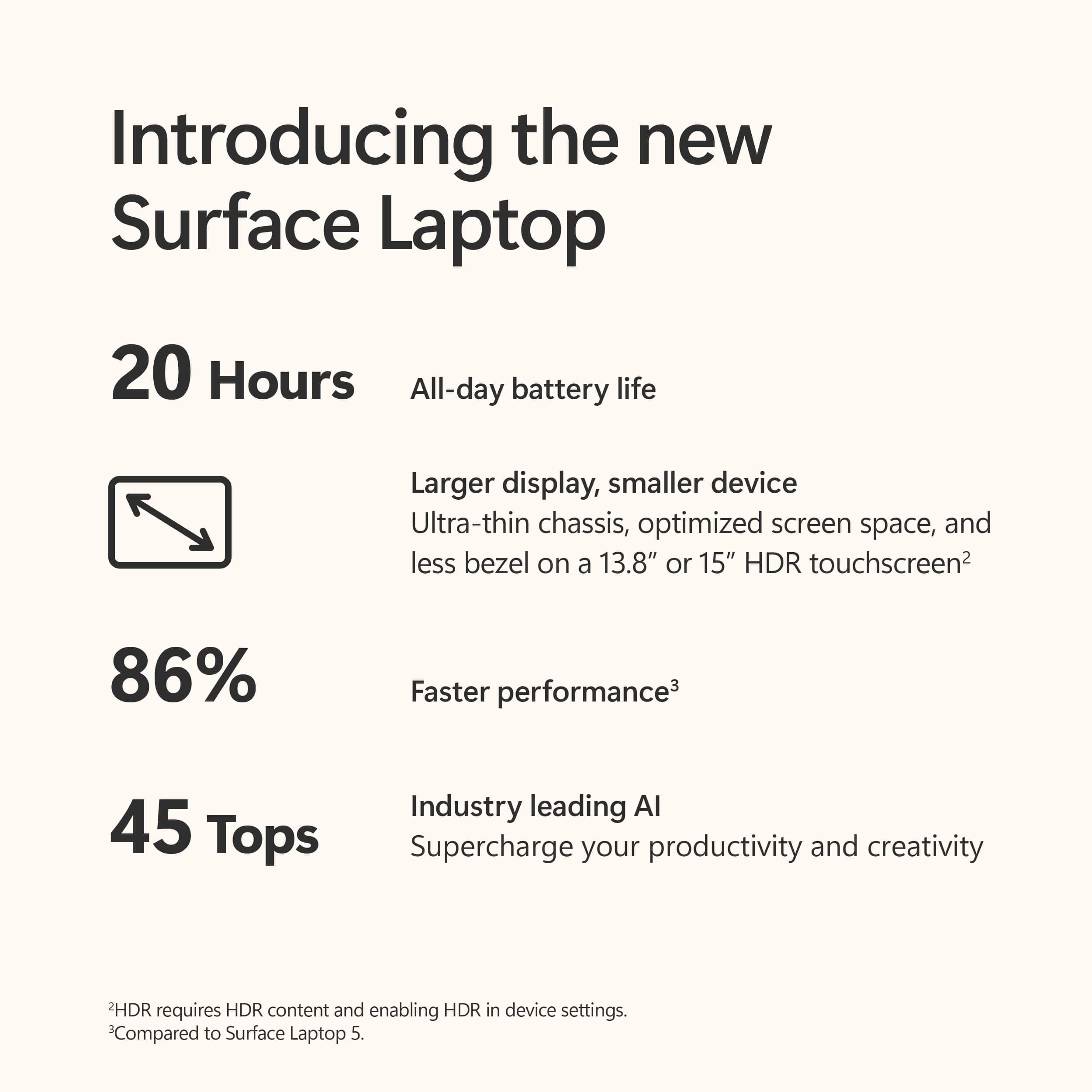
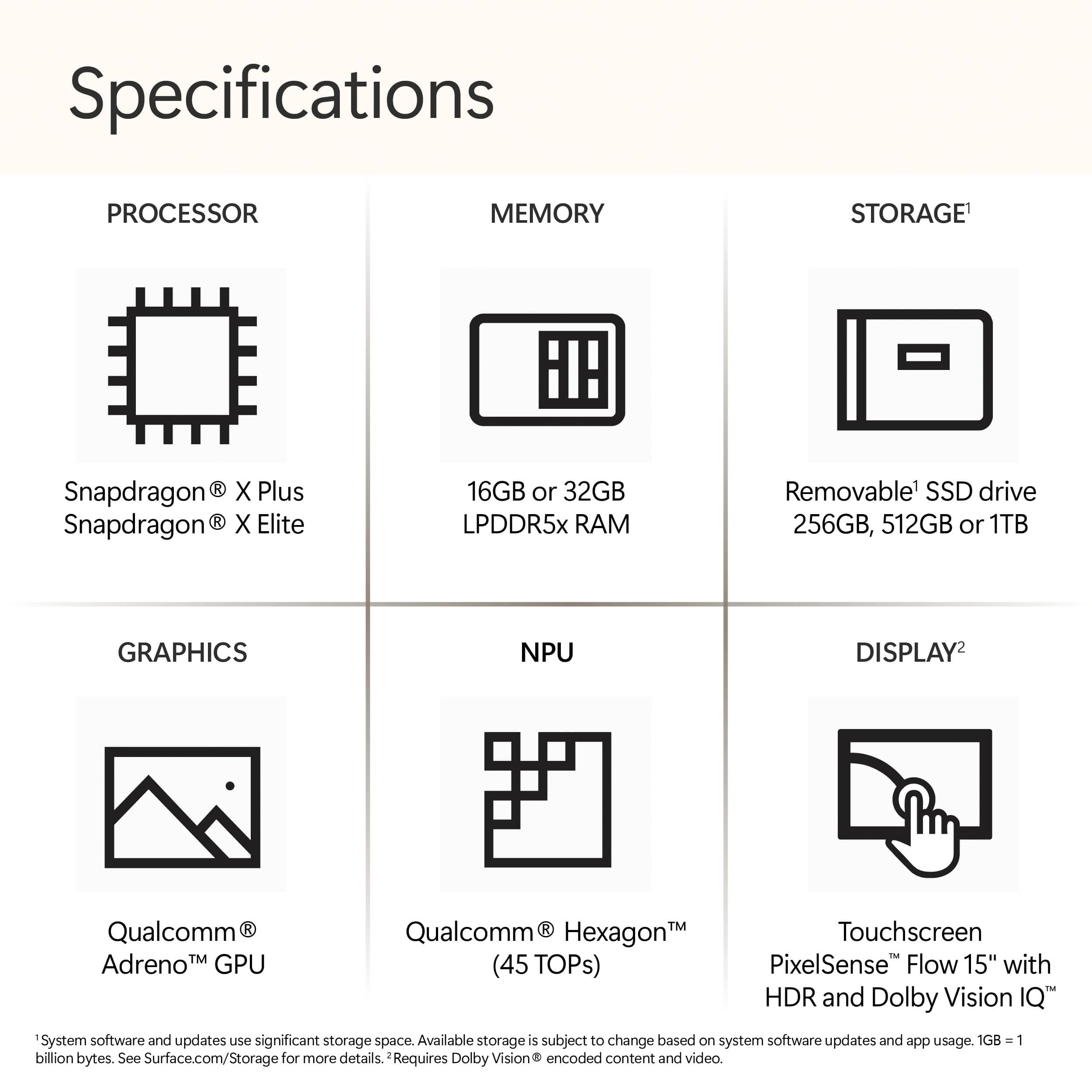
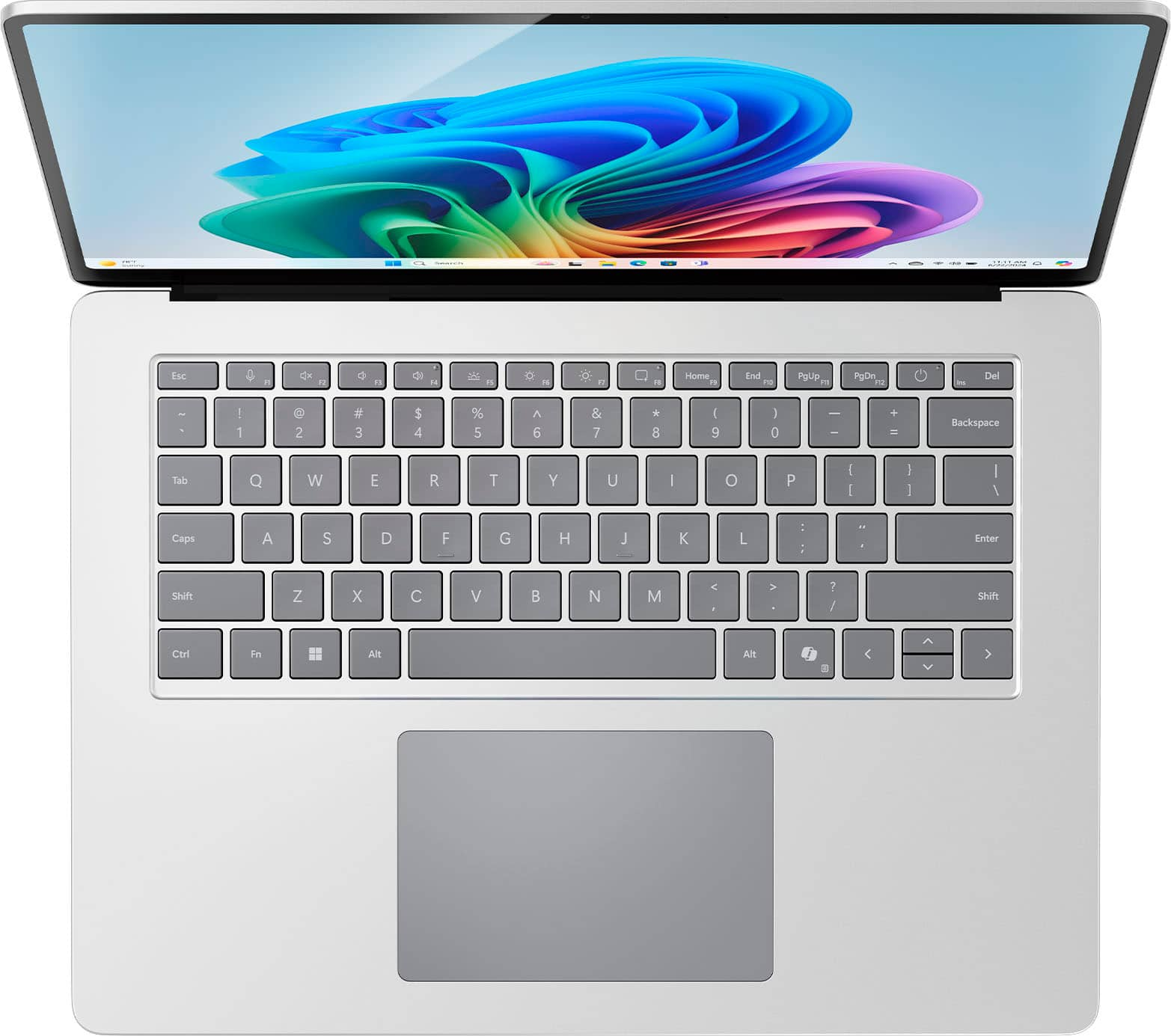
    TLDR: I absolutely love this Microsoft Surface Laptop Snapdragon X Elite Windows 11 Home laptop with CoPilot+ AI artificial intelligence. Mine is the illuminated keyboard Platinum version with 16GB of LPDDR5 RAM, a 512GB Gen 4 solid-state drive (SSD) capacity for storage and a 15” PixelSense Flow touchscreen powered by the Qualcomm Snapdragon X Elite CPU; that is an Arm-based Oryon CPU with 12 cores that will boost up to 3.8GHz or up to 4.3GHz in single-core or dual-core boost modes. Qualcomm has introduced processors for laptops and this is one of the first and it hits home runs! Some Details: It includes CoPilot+ version of the Artificial Intelligence software (AI) that Microsoft released on June 11 as a software update to this laptop. The AI is in the laptop which means it has a faster response than online AI. Have we finally reached the age shown in the 1960s sci-fi series Star Trek? The AI is able to generate images and help in editing documents as created. When in a video call the laptop will automatically monitor eye gaze to improve focus and streamed video quality. Lastly, it is possible for real time language translation and transcription while being used for a video call or just speaking to it. One good feature is that the internal SSD drive is removable by authorized MS service centers and therefore a larger capacity SSD is accommodated if wanted. I did not do that but read in Microsoft’s web site that the SSD is “removable by an authorized technician following Microsoft provided instructions.”. The graphics are processed by a Snapdragon Adreno GPU. The 15” screen is LED illuminated and has a wonderful resolution of 2496 x 1664 which is superb. It has a screen refresh rate of 120Hz. The built in camera has a resolution of 1080p for full High Definition (HD). There are 2 microphones flanking the camera. People heard me clearly using Google Voice, Meet, and while using CoPilot+. I was told my video was clear and my voice was easily understood via the microphones. The touted battery life is up to 20 hours of battery life, Microsoft says this generation has the longest battery life of any Surface ever made. I experienced a full day of battery use. I will be implementing a battery charge limiter to top out charging at 80% to prolonging the internal battery; the MS support data indicates it is available. The laptop case is crafted from aluminum. Note: It indeed has an illuminated keyboard and a dedicated key for 3 levels of white illumination, and a dedicated CoPilot+ key on the right side of the space bar. It has no numeric keypad being that the display is more square than wide screen which results in less keyboard area for a numeric keypad. On the left side edge are two USB-C 4 ports which Microsoft describes as supporting up to three 4K monitors at 60Hz. Also on the left there is a single USB-A port and headphone port. Note: I tested a USB-C to 4 X HDMI external adapter and this laptop does drive Extended Desktop external monitors from either of the USB-C ports. (I contacted the Plugable manufacturer who directed me to download the ARM based driver). After a reboot the 4 X HDMI adapter worked very well as it does on my other Windows 11 laptops. On the right edge of the case MS includes a microSD card reader where the Surface Connect charging port is also located. Note: this microSD slot is not documented on the small fold-out card packed with the device. The microSD card is inserted with the label side up into the car reader slot. Upon sliding in a microSD card, the computer instantly opens up a Windows pop-up asking what action should be taken including viewing the contents of the card. Weight is 3.7 pounds and the WiFi is the new WiFi 7 protocol for the fastest potential bandwidth. Bluetooth is conforming with the 5.4 protocol. A Microsoft 65 watt AC adapter power supply is included using the magnetic Surface Connect port. It supplies 15 volts with 4 amps to the magnetic charge port on the laptop and includes a built-on USB-A port which supplies 5 volts with 1 amp for a phone or other device. I charged my Android phone from the port successfully. BTW: The laptop also charges using the USB-C ports. I tried that with my Acer Chromebook charger which puts out 5 volts at 3 amps and it charged fine using the left edge USB-C ports. Using this very fast computer for word processing, web browsing with many tabs concurrently open, Google Voice calls, video meetings on Zoom & Meet, spreadsheets, Streaming Prime video, Hulu, You Tube, using financial websites, social media, WhatsApp, Edge CoPilot searches via voice, Alexa app on Windows, Ecobee smart thermostat control, SpeedTest app for Windows, and other tasks supports the Microsoft claim that these 7th generation Surface laptops are the fastest ever and have the longest battery life on a charge. I never had to worry about running out of charge each day. Microsoft claims up to 20 hours on a charge. By the way, I had all of the above open concurrently to test the performance; the CPU and GPU seemingly do not care and do not slow down. Of wonderful note is that this Surface Snapdragon X Elite laptop has NO cooling slots on the bottom panel which means it is very well designed and needs no air cooling from the bottom as most laptops have. It is great to see Microsoft has incorporated this feature which obliterates the need to worry about dust, soft surface fibers (sofa fabric, bed sheets/blankets), cloth table coverings, restaurant table crumbs, or other contamination clogging the bottom panel cooling slots because there are NO cooling slots. This laptop is made for road warriors. CoPilot+ on the Edge browser allows speaking any required research topic and it produces a flow of results that are both legible on the screen and recited back. Of Note: start speaking after the on-screen prompt appears that reads “I’m Listening” to ensure CoPilot+ hears all being asked of it. The laptop includes a Neural Processing Unit (NPU) which facilitates the AI response and makes those responses very fast indeed. As I understand it, NPUs offload AI-related computations from the general-purpose CPU or GPU, allowing for faster and more power-efficient execution of requests and results to the user..The NPU is a Qualcomm Hexagon with 45 TOPS. We seemingly have reached the computer sophistication seen in Science Fiction in the mid sixties in Star Trek TOS. Note: If a spoken name is not readily recognized by CoPilot+ during a search it will produce back information on someone in another country or continent with the name it seemingly understood. In that case type in the name correctly. If not willing to type, simply click the microphone icon to start speaking to CoPilot+ to initiate a search or command. If dragging and offering a picture file saved on your computer, CoPilot+ can try to identify it and report back about the topic of the picture. This laptop runs cool while performing. It seems to this reviewer that both Microsoft and Qualcomm have achieved their goals of fast performance, cool operation and long battery life by utilizing the Qualcomm brains as the CPUs. Much appreciated, again, is the fact that the laptop needs no bottom panel cooling slots and also produces loud audio without visible speaker slots. It seems there is NO cooling fan inside; it gets somewhat warm but to this user, who used a flashlight to seriously examine all edges, there are no cooling slots for air flow. The built in touchpad is very responsive to tap, double tap to open up the “right click” menu for additional functions and scrolls up and down with two fingers smoothly and without jerkiness. I also used a wireless mouse and Windows instantly recognized the USB-A plug-in receiver and activated the mouse. The touch pad being so good, one can use this laptop without a mouse most times. If you are in the market now for a new laptop, consider getting the newest generation with Windows 11 including CoPilot+ Artificial Intelligence as in this laptop. It is a utility that will make using a computer easier, faster and, with the Qualcomm Elite CPU, last much longer on a battery charge.

    I would recommend this to a friend
  • Rated 1 out of 5 stars

    Doesnt work with roblox

    |
    |
    Posted . Owned for less than 1 week when reviewed.
    This reviewer received promo considerations or sweepstakes entry for writing a review.

    Purchased this laptop to do homework and play roblox. Had to return it because it kept crashing. Upon exchange, a best buy supervisor informed me that the snapdragon processor doesnt work well with roblox. Other than that it was a great laptop. Very quiet, didnt over heat. Beauitful display and quickly responsive

    I would recommend this to a friend
    • Brand response from Snapdragon team
      Posted .

      Thank you for your feedback. We’re continuously working to expand support for more applications, both natively and via emulation. Please visit https://www.qualcomm.com/products/features/windowsapps to see the most popular supported apps. snapdragon

  • Pros mentioned:
    Battery life, Processor speed, Screen quality
    Tech Insider Network Member

    Rated 5 out of 5 stars

    Microsoft's best laptop yet!

    |
    Tech Insider Network Member
    Posted .
    This reviewer received promo considerations or sweepstakes entry for writing a review.

    First, let me say that after owning numerous Surface products, the 7th edition of the Surface Laptop is the best yet. And as an IT administrator, I can confidently say that for the majority of consumers, this is probably the best laptop available. Why am I gushing? First, the Surface laptop is a beautiful computer. If aesthetics are important to you, you'll like the look. The brushed aluminum and rounded corners make for a very sleek, classy-looking laptop. Second, it's fast. The new Snapdragon X processor makes the Surface laptop fly. Everything loads quickly and without even a hint of lag. Third, battery life is really, really good...with a caveat. For most things, this statement holds true. If, however, you are running a hardware intensive application that is not a native ARM application, it will run through an emulator so you should expect some heavy battery drain. More on that in a minute. Fourth, AI is built in. It's called Copilot. The geeky description involves an NPU, or neural processing unit which makes the AI processes happen. It does some pretty amazing things like automatic translation on the fly, and generative erase with lets you to easily remove things from your pictures. And if you're feeling lonely you can have a conversation with Copilot. The feature I appreciate most is the ability to help you create content, like a recommendation letter or even images for PowerPoints or Word documents. There are still programs that don't work on Windows for ARM, but the list will continue to shorten. ARM is the future of computing, so developers will get on board. I believe the 7th gen Surface Laptop is pretty close to the perfect laptop for the things most consumers do on a computer. It's beautiful, fast, has amazing battery life, a really good screen, and AI built in.

    I would recommend this to a friend
  • Rated 1 out of 5 stars

    RESTARTS ON IT’S OWN!!!

    |
    |
    Posted . Owned for 1 month when reviewed.
    This reviewer received promo considerations or sweepstakes entry for writing a review.

    As stated in another review, this computer constantly restarts for no reason. I am still within the return window so it’s definitely going back!

    No, I would not recommend this to a friend
  • Pros mentioned:
    Performance, Processor speed, Screen quality

    Rated 5 out of 5 stars

    Great performance and quality

    Posted .
    This reviewer received promo considerations or sweepstakes entry for writing a review.

    This product has been amazing from day one. The screen is clear and bright, the speed is impressive, and it handles multiple tasks without slowing down. It feels very solid and well built. Great value for the price, and I’m very happy with my purchase.

    I would recommend this to a friend
  • Rated 1 out of 5 stars

    Bad product- needs recall

    |
    |
    Posted . Owned for 2 weeks when reviewed.
    This reviewer received promo considerations or sweepstakes entry for writing a review.

    This is my third laptop exchage with microsoft. Very bad experience as there is consistent issue with OS. My laptop reboots on its own

    No, I would not recommend this to a friend
  • Rated 1 out of 5 stars

    Arrived late and broken

    |
    |
    Posted . Owned for less than 1 week when reviewed.
    This reviewer received promo considerations or sweepstakes entry for writing a review.

    Not only did Best Buy not ship it out on time to meet the delivery date I chose, it arrived with a smushed up box and a broken key. Now I have to go out of my way to return it and hope I can get another shipped out in working condition. This is unacceptable for $1,600.

    No, I would not recommend this to a friend
  • Pros mentioned:
    Performance, Screen quality
    Tech Insider Network Member

    Rated 5 out of 5 stars

    Well done, Microsoft....this thing is IMPRESSIVE.

    |
    Tech Insider Network Member
    Posted .
    This reviewer received promo considerations or sweepstakes entry for writing a review.

    The best way to start off this review is to say, WOW. Microsoft has finally done it. Microsoft has flirted with creating ARM based machines in the past and I can honestly tell you that they have finally nailed it. In a world where people look towards Macbooks as the gold standard of premium build quality laptops, I think Microsoft has just planted themselves right next to Apple. This laptop is extremely well constructed with the microsoft proprietary charger on the right next to a micro sd card slot. The other side has two lighting 4 USB-c ports. The 15" screen is stunning with a fantastic touch display which is essentially bezel less. The keyboard is unbelievable with fantastic key travel and a delight to type on. It is one of the better keyboards in my opinion. The trackpad is apple esque and works flawlessly...this is a fantastic trackpad. I have been testing this laptop for the last six days and have tried to put it through its paces like I did with my Macbook Pro M3 and quite honestly I have noticed that this windows co pilot device puts the mac to shame. This computer is incredibly zippy and comes with 16GB of RAM standard which is a very appreciated thing (considering 16GB is a necessity these days). I have not had a single issue using any downloaded programs that are not built on ARM yet and things have worked flawlessly. As Microsoft promised all of the ARM apps downloaded also are a joy and breeze to use. Microsoft has taken huge strides with Co-Pilot and this is one area that is not only in the name of the laptop, but where the computer really shines and is fun to use. The new keyboard has a co-pilot button that opens up the program so you can start to interact with AI. I have been using this multiple times a day and will continue to do so. It is an asset that I am so elated to see Microsoft push. Using AI for other things throughout the device has also been a breeze. Making a drawing and having AI put a touch on it has been a lot of fun. Using AI through the office suite of apps is also extremely useful and beneficial. I don't say this lightly but out of all the new generations of computers that I have ever owned or had the pleasure to try, none of them excite me or prove to me just how much of a leap this one has taken. Microsoft has created one of the strongest laptops on the market and I think in the next few years (assuming Microsoft continues to build off this) the Surface Laptops will take over the market. Well done, Microsoft....this thing is IMPRESSIVE.

    I would recommend this to a friend
  • Pros mentioned:
    Battery life, Screen quality
    Tech Insider Network Member

    Rated 5 out of 5 stars

    Bringing wow! back to laptops!

    |
    Tech Insider Network Member
    Posted .
    This reviewer received promo considerations or sweepstakes entry for writing a review.

    The microsoft surface laptop is a versitile component to everyday computing, whether for business or for personal use. This laptop is a game changer thanks to Microsofts new co-pilot AI software, adding a whole new level to document creation, art design, searches and entertainment. Out of the box, there is relatively little to set up. There are some user guides and warranty paperwork, a charger, and the laptop itself. The first thing you will notice is how light and thin the laptop is in itself. Its portability really had me saying "wow!". The laptop chassis is pretty solid, with not a lot of flex. The keyboard layout and touchpad is very functional and response is smooth. It feels good to type on and the button presses have a good feel to them. To keep the slim design, the io on the outer edges is minimized. One of the next noticeable features is that it uses a magnetic charger that flows with the slim design and is easy to attach. The power brick is lightweight and gives about 5 feed of cord overall to plug in with. Turning on and setting up the laptop is pretty basic as with any other windows 11 setup. This laptop also features Windows Hello facial recognition, and functions very well, even when I switch between glasses and no glasses. Windows operates very smoothly and is very responsive. The screen quality looks very good and gives quite the clear image, and video resolution Is very smooth. The colors and pixels are very vibrant and pop. The main feature of the surface laptop is the co-pilot AI system. There is quite a bit to pick up on with how much you can do with it. But it has been quite pleasurable for me to operate. I was genuinly iffy about having an AI system, but in using the co-pilot software, it has really helped my productivity. Overall, the surface laptop has been an incredible work and person laptop. The business integration of co-pilot has really eased my daily tasks and has generated more work flow. While you can't really game on it, it makes up for that with a super long battery life, the super slim design, the lightweight portability, and ease of operation. It is truly an enjoyable laptop to have a definitely recommend.

    I would recommend this to a friend
  • Pros mentioned:
    Screen quality
    Tech Insider Network Member

    Rated 5 out of 5 stars

    Good Solid Laptop with Great Copilot Feature

    |
    Tech Insider Network Member
    Posted .
    This reviewer received promo considerations or sweepstakes entry for writing a review.

    The newest and latest offering from Microsoft’s Surface Laptop line is quite a good solid laptop. The hardware is top-notch; with a nice clear screen that generates excellent graphics and has a responsive touchscreen. The keyboard is pleasant to type on with good travel, not mushy at all. The webcam camera successfully captures facial recognition and has yet to fail to unlock the computer for me every time I open it. Audio is satisfactory and the touchpad works well. I really like the proprietary charger cable that effortlessly clicks into place like a magnet into its special port; if the charging cable is accidentally pulled, the laptop won’t be pulled along but the cable will simply release (like a magnet), thereby saving the laptop from a possible dangerous fall. However, there is also a universal USB-C port which is also capable of charging the laptop. I particularly love the big 15-inch screen with its crisp and clear images. The Snapdragon X Elite processor and 16GB RAM are perfect for the multitasking I am constantly doing; this laptop had absolutely no problems keeping up with several tasks I would throw at it at once. But one of the truly outstanding features of this laptop is the Copilot+ PC Windows AI. This particular laptop actually has on-device AI so the response time is very quick and more importantly, is secure. It can respond to either typed or audio requests; either way the generated answers or images pop up quite fast. There is a dedicated button right on the keyboard to access this AI feature, too. You can ask it anything, have it generate anything and it is just amazing to utilize—this is the future of computing, available in the present.

    I would recommend this to a friend
  • Pros mentioned:
    Processor speed
    Tech Insider Network Member

    Rated 3 out of 5 stars

    Good but not GREAT

    |
    Tech Insider Network Member
    Posted .
    This reviewer received promo considerations or sweepstakes entry for writing a review.

    The Microsoft Surface Laptop - Copilot+ PC - 15" Touch-Screen - Snapdragon X Elite - 16GB Memory - 512GB SSD (7th Edition) - Platinum is an exceptionally powerful and ultra-thin laptop. It’s not just faster, it’s smarter. This laptop is designed to transform the way you work, enhancing productivity and creativity. The laptop is powered by the Snapdragon X Elite processor, which provides accelerated performance and unlocks a new AI era to enable Copilot experiences. It comes with 45 Trillion Operations Per Second of NPU power, setting it apart from its competitors. The 15" Touch-Screen offers a large display, making it ideal for photo and video editing, gaming, and movies. The HDR display delivers richer blacks, crisper whites, and vibrant colors, providing a visual experience so brilliant, you might just get lost in it! The Pixel Sense Flow touchscreen allows for faster, more natural interactions. The laptop comes with 16GB Memory, which is very high. This makes it the choice of serious gamers and is built for engineers and pro A/V editors4. It handles multiple heavy apps simultaneously, allowing you to speed through your day with mind-boggling levels of AI compute. The 512GB SSD provides a large storage capacity. This solid-state drive ensures fast data access and reliable performance, enhancing overall productivity and user experience. It provides ample space for storing large files, applications, and multimedia content. However, despite its many strengths, there have been reports of the screen randomly turning off. This can be quite frustrating, especially when you’re in the middle of important work. Additionally, some users have reported problems connecting to local area network drives. These issues can hinder the overall user experience and are something to consider before purchasing. In conclusion, the Microsoft Surface Laptop - Copilot+ PC - 15" Touch-Screen - Snapdragon X Elite - 16GB Memory - 512GB SSD (7th Edition) - Platinum is a powerful and smart laptop that offers a range of features designed to enhance productivity and creativity. However, potential buyers should be aware of the reported issues with the screen and network connectivity. Despite these issues, it remains a strong contender in the market, offering a unique blend of power, performance, and design.

    I would recommend this to a friend
  • Rated 5 out of 5 stars

    “Great Purchase, Even Better Service!”

    Posted .
    This reviewer received promo considerations or sweepstakes entry for writing a review.

    I’m very satisfied with my new laptop purchased at Best Buy. Great quality, fair price, and the service was fast and reliable. It’s exactly what I needed for work and school. Thank you for the great experience and the chance to join this raffle. Highly recommend Best Buy always!

    I would recommend this to a friend
  • Rated 5 out of 5 stars

    The Perfect Laptop

    Posted .
    This reviewer received promo considerations or sweepstakes entry for writing a review.

    I tried snapdragon laptops from Asus, Dell, HP and Samsung. They are all ok, but not great. Either no printing, or no smart charging, or bad bleeding backlit around the keys. Even worse, one had problems to shutdown normally or had zillions of background tasks. I was about to give up on snapdragon. Come this great Microsoft Surface Laptop 7. All my apps, native or not, worked perfectly. The printers all set up automatically. I got an older Lenovo Universal TB 4 dock. It connected and got charged without an issue yet.

    I would recommend this to a friend