Customer Ratings & Reviews




- Model:
- XK1-00001
- SKU:
- 6554716
Rating by feature
- Battery Life
Rating 4.5 out of 5 stars
- Speed
Rating 4.7 out of 5 stars
- Display
Rating 4.7 out of 5 stars
Customers are saying
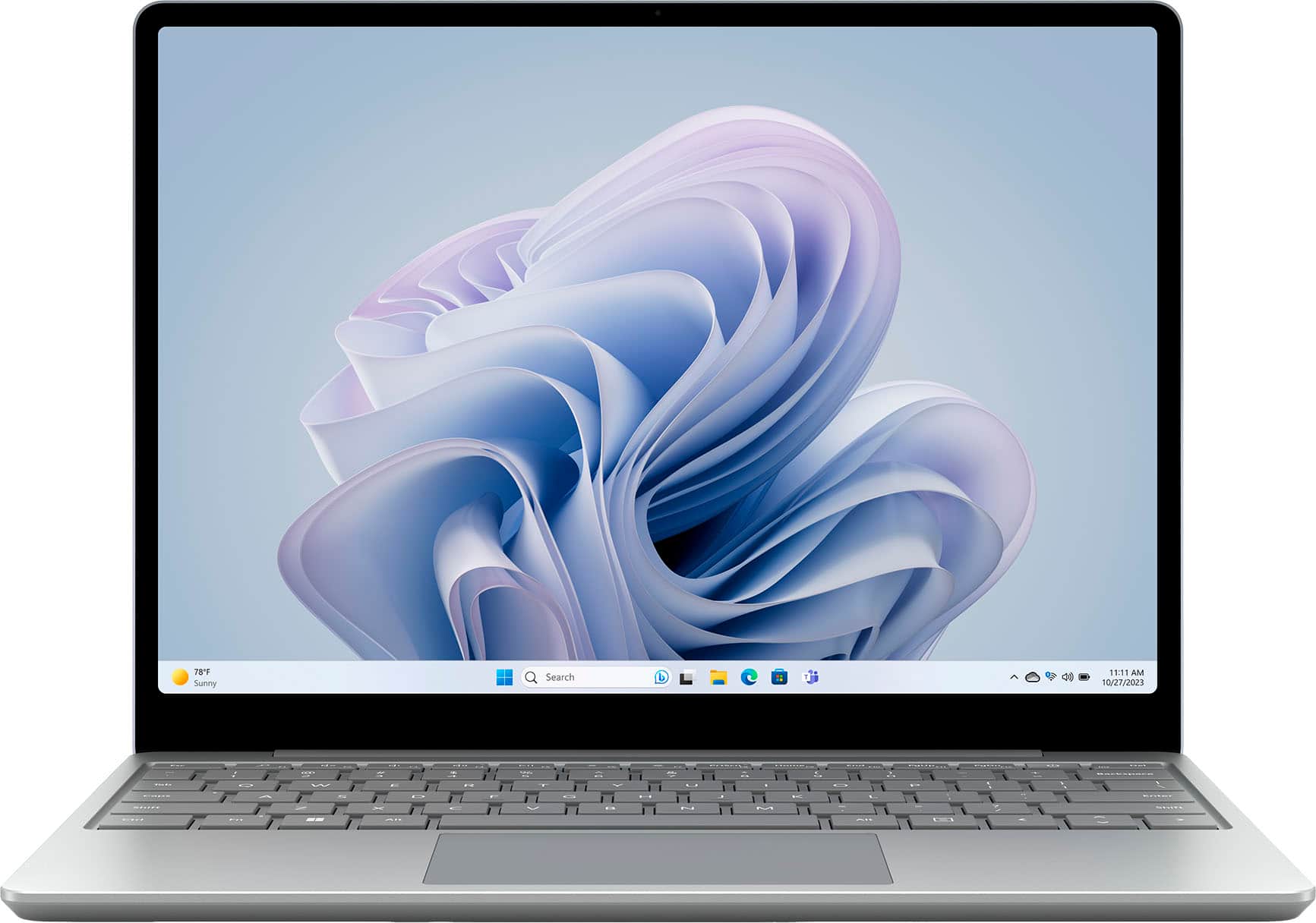
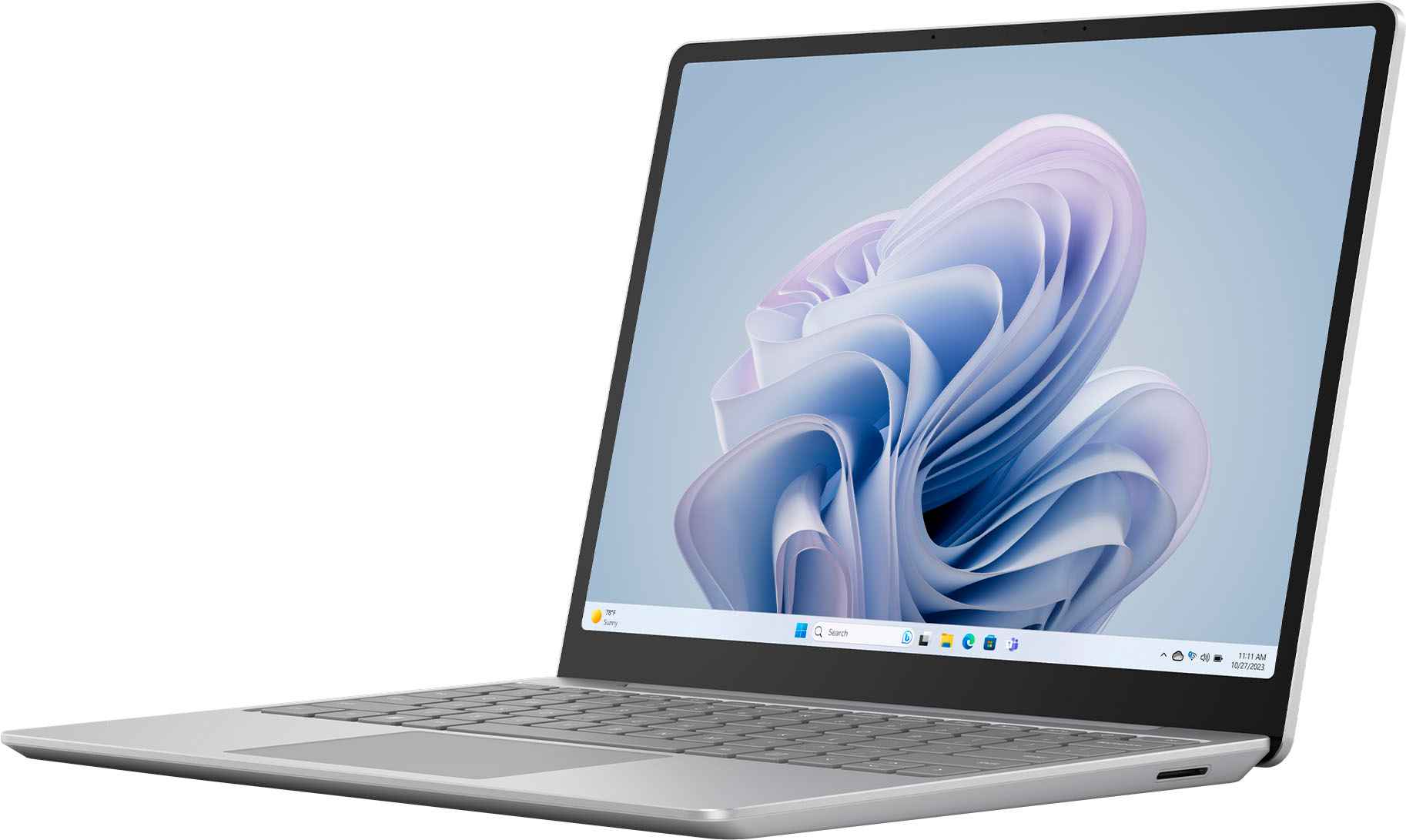
Customers regard the Surface Laptop Go 3 highly for its portability, overall performance, and compact size. Many appreciate its battery life, design, processor speed, and lightweight build. However, some customers have expressed concerns about the lack of keyboard illumination, heat dissipation, limited port selection, connectivity, and storage capacity.
This summary was generated by AI based on customer reviews.
- Pros mentioned:Design, Portability
Perfect Laptop for my wife!
Posted .This reviewer received promo considerations or sweepstakes entry for writing a review.Bought this laptop for my wife and she loves it! Super sleek, slim design and incredibly light weight. If you’re looking for something light and eye pleasing to surf the web with, this is an excellent laptop!
I would recommend this to a friend 
Very stable laptop for on the go
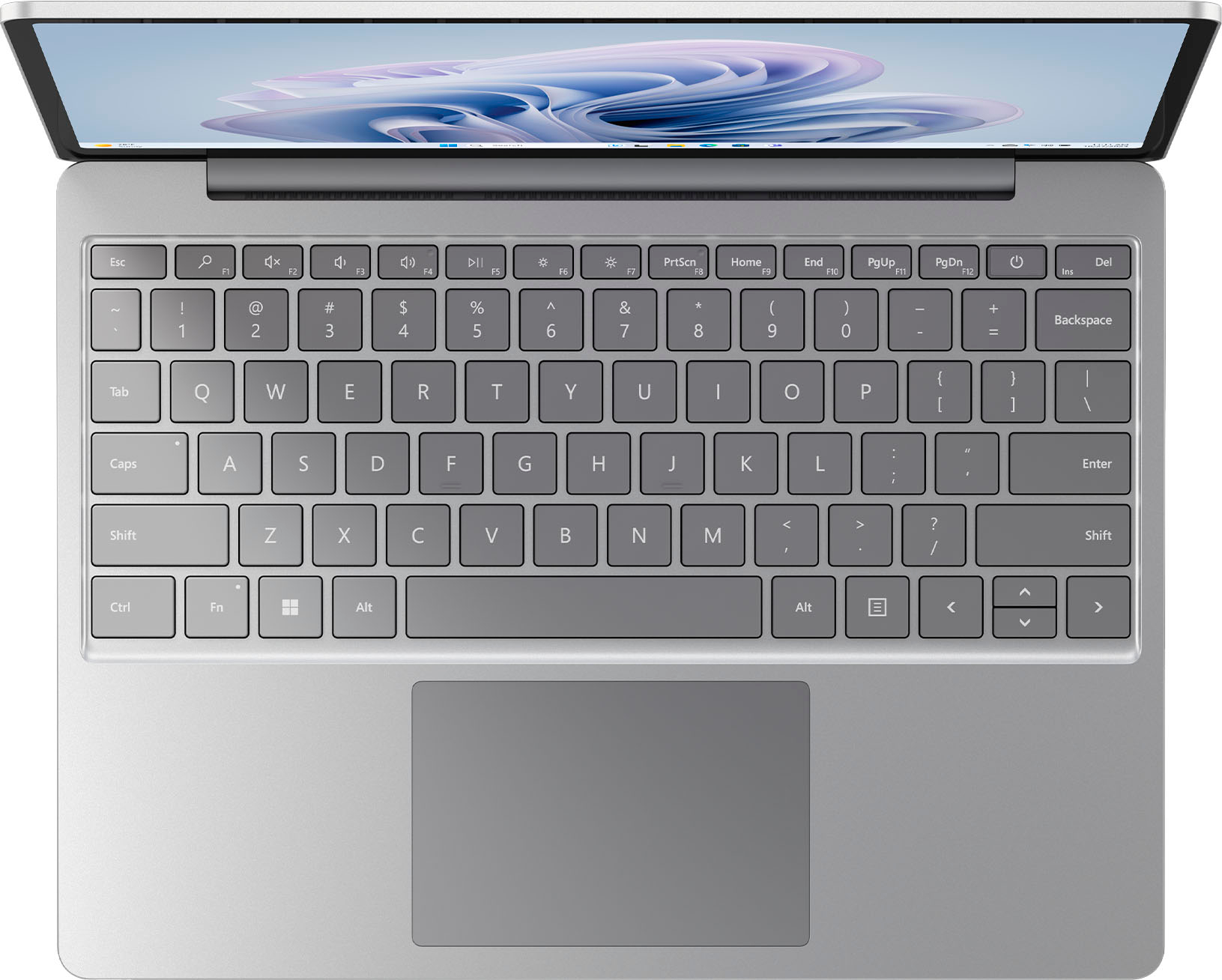
|Posted .This reviewer received promo considerations or sweepstakes entry for writing a review.This review is for the Microsoft Surface Laptop Go 3 The Microsoft Surface Laptop is a sleek and stylish device that offers a compelling combination of performance, design, and portability. I've had the opportunity to use the Surface Laptop, and here are my thoughts on this product: Design and Build Quality The Surface Laptop boasts a premium design that is both elegant and functional. Its unibody aluminum chassis feels incredibly sturdy. The laptop is available in a range of attractive colors, allowing users to choose a style that suits their preferences. Display The 12.4-inch PixelSense touchscreen display is a highlight of the Surface Laptop. With a resolution of 1536 x 1024 pixels, it offers sharp and vibrant visuals with excellent color accuracy. The 3:2 aspect ratio is ideal for productivity tasks and web browsing, providing ample vertical screen real estate. Performance The Surface Laptop is available in multiple configurations, featuring Intel Core processors, ranging from Core i5 to Core i7. Paired with sufficient RAM 8 GB in the Surface 3 I have, and 256 SSD storage, it handles everyday tasks with ease. Whether you're browsing the web, working on documents, or even light photo and video editing, the laptop performs admirably. The laptop does not have dedicated graphics, so it's not suited for intensive gaming or heavy video editing tasks. Keyboard and Trackpad Typing on the Surface Laptop's keyboard is a pleasure. The keys offer good travel and a satisfying tactile feel, making it comfortable for extended typing sessions. The trackpad is large, accurate, and responsive, ensuring smooth and precise cursor control. Battery Life One of the standout features of the Surface Laptop is its impressive battery life. It can easily last a full workday on a single charge, which is a significant advantage for users who need a laptop for on-the-go productivity. Microsoft said up to 15 hours of typical device usage. Operating System The Surface Laptop comes preloaded with Windows 11 Pro. Microsoft offers regular updates and support for Windows, making it a reliable and familiar operating system for most users. Portability Weighing in at just under 2.5 pounds, the Surface Laptop is highly portable and suitable for users who need a laptop that can be carried around with ease. Its slim profile and lightweight design make it an excellent companion for students and professionals on the move. Connectivity The Surface Laptop features a USB-C and a USB-A, 3.5mm headphone jack & the surface connect port. In summary, the Microsoft Surface Laptop is a well-rounded device that offers an excellent combination of style, performance, and portability. It is particularly well-suited for students and professionals who prioritize a sleek design and reliable productivity. While it may not be the best choice for gaming or graphics-intensive tasks, it excels in its intended role as a stylish, everyday laptop. It works great for my small business, mainly just running the office 365 apps doing quotes.
I would recommend this to a friendGreat laptop! Built like a tank but one major flaw
|Posted .This reviewer received promo considerations or sweepstakes entry for writing a review.I've got a gaming laptop, but needed another laptop that was on the small side, in which I could use for basic tasks, such as Office (Excel, Word, etc) and some small projects I have, as well as writing this review! For this Microsoft Surface Laptop Go 3, it hits all of the marks for portability and I really only have one issue, which was totally unexpected before I received it. Would this have changed my decision if I'd not know prior to receiving it? Perhaps. The unboxing experience is pretty great. The box is super sturdy and heavy duty and upon picking it up, you really get that sense of "wow, I think I got my money's worth", lol. This thing is HEAVY for such a small device and this makes me extremely happy - the heft is in zero way a bad thing at all. I wish more products these days were made like this. It's built like a tank and solid metal! The construction is superb and cleans super easy. I have no worries at all with it's portability and moving from place to place. And I'm normally the type of person that slaps a case and screen protector on all of my portable devices. So, major thumbs up to Microsoft for the build quality. I love the Sage Green color of this laptop. It's very metallic and almost has a "shimmer" type of color to it. It's very different from most other devices and for sure stands out from everything else. I feel the color also goes hand-in-hand with the build quality and solid metal construction. They keyboard feels great and is a pleasure to type on and the track pad is super nice - it literally feels like your sending your fingers across glass. It's super smooth and I never had my finger skid or skip when gliding across it. BONUS: I also purchased the matching Microsoft mouse to go with this laptop and it is also of similar construction and build quality, as well as super easy to connect for the first time and general use is phenomenal! As for performance and use, it's great! I am now absolutely SPOILED by the touch screen on this laptop. So much so, that I've caught myself accidentally swiping the screen on my gaming laptop and wondering why it's not working...whoops? I really feel more laptops, including gaming ones, really need to implement a touch-screen display...but I guess for gaming, that would be a lot more difficult to do... what with the high refresh-rate screens and such. Windows 11 performance is spot on. As soon as I set it up, I immediately done all of the upgrades and I've not had a single hiccup or stutter, whatsoever. I even tested a bit of "cloud gaming" (streaming) and it worked good, for the most part (nothing in regards to the laptop being the issue...cloud gaming is still hit or miss as far as latency goes). This thing runs as smooth as butter, which is really surprising for me, given it's only an i5 and 8GB of RAM! So now...this review is pretty glowing, right? Right! So, what's the one issue I had that I mentioned earlier? It's the lack of additional storage options. Now sure, if this laptop was staying in one place all the time, I'd just slap an external SSD to is or just keep a USB Thumb Drive inserted at all times. BUT...given this is a "GO" laptop and is geared more towards portability, it's a HUGE miss given that there's no internal SD card slot for additional storage. This laptop only has a 256GB SSD drive built in and some of that is allocated to Windows and System files. So, I have to be extra mindful on what exactly gets installed and used on this laptop. This surprised me to the point that it made an otherwise 5/5 system lose a star... So, overall, I give this a 4/5 review. It hits all of the notes and does everything well that it's intended to do. The build quality, color, touch screen and Win 11 performance are all as solid as this thing is built! However, the oversight of not including a slot to install a Micro SD or some other type of SD card into is a huge missed opportunity. So, yes, I highly recommend this laptop but if you buy it and there's an option for a larger amount of internal storage, definitely get a larger option.
I would recommend this to a friendExcellent Secondary/Travel work machine
|Posted .This reviewer received promo considerations or sweepstakes entry for writing a review.I'm a pretty big fan of Microsoft products - I loved my Surface Pro 2, and then the Surface Pro 4, and now my main machine is the Surface Laptop Studio, which so far is the best Surface product I've owned. However, do I really want to travel with such an expensive laptop? Do I want to risk damaging it in taking it outside of my home? The answer to that - NO! It's way too valuable to risk damaging or getting stolen on trips. So what to do? You get sometime smaller, lighter, that would be relatively "okay" if I lost it. Enter the Surface Laptop Go 3, it's nowhere near as expensive as the Laptop Studio, but that also means it is nowhere near the quality. I love the weight, the feel is very nice, has a touch screen, but no pen support (because really, if you can't fold it down to a tablet, then there is no point to using a pen at an awkward angle). The keyboard feels pretty good, but it's not backlit like the Studio, so it's harder to type at night to see keys. The trackpad placement and size is good, but oddly, not as smooth as the Studio - it's not terrible - it just requires a slightly lighter touch, which is not bad, but noticeable when switching between the two laptops. With a "budget" PC like this, you're not going to get great internal specs either. Will it handle web browsing, movie watching, working w/Office or CRMs - of course! It's fine for all of that! Will it handle gaming? Not graphic intense games, I installed Fortnite on it, so I could join in on a game or two while on vacation, but as soon as I started an actual game - it struggled incredibly and was quick to really heat up, regardless of the low video settings I had set. That's a bit of a bummer, I was hoping it would behave at least as good as a Switch (which struggles as well). And again, with the price comparison, I get it, it's not meant to be as great. It's not going to get you intense gaming, but it is a good lightweight work computer. I will definitely use this for work/casual browsing on trips and leave my Surface Studio safely at home. Pros: Not incredibly expensive Very lightweight Great battery life (on casual work/browsing) Touchscreen Cons: i5 chip 8GB base RAM non-backlit keyboard no gaming Trackpad requires lighter touch If this is a secondary machine, this is great. If you want to make this just your work machine, that will also work (unless using apps that require an i7, then this is under powered). If this is going to be your work AND personal (w/gaming) machine - then this is not the PC for you. You'll want something a bit more powerful.
I would recommend this to a friendLaptop that works for everyone
|Posted .This reviewer received promo considerations or sweepstakes entry for writing a review.Sleek and Sustainable Design The Surface Laptop Go 3 sports a top made from anodized aluminum, while the base combines aluminum with polycarbonate composite, integrating glass fiber and post-consumer recycled content. This makes for a sturdy yet lightweight laptop that's as kind to the environment as it is to the eyes. Portability Perfected Weighing just under 2.5 pounds, this laptop's ultra-portable design makes it an ideal pick for those who need a powerful device on the go. Performance and Connectivity With an Intel Core i5 processor, up to 8GB RAM, and a storage capacity of 256GB, the Laptop Go 3 delivers on performance. Whether for work or entertainment, the speed and responsiveness are commendable. Long-lasting Battery The promise of up to 15 hours of battery life is no small feat, and the fast charging feature is a lifesaver during back-to-back meetings or long flights. A Symphony of Features The Omnisonic Speakers paired with Dolby Audio Premium create an immersive sound experience, whether enjoying a movie or jamming to your favorite tunes. Advanced Security and Accessibility With Firmware TPM 2.0 and Windows Hello sign-in integrated with a Fingerprint Power Button, my data feels secure and easily accessible. Inclusivity at its Core The device supports the Surface Adaptive Kit and Microsoft Adaptive Accessories, making it a versatile choice for various needs, including those requiring accessible technologies. Enhanced User Experience Vivid Visuals and Touch Display The 12.4" PixelSense touch display is a visual treat, providing clarity and the perfect canvas for any task. Studio-Quality Audio The dual far-field Studio Mics ensure my voice is crystal clear during video calls, and the Voice Clarity feature is excellent for recordings and virtual meetings. Connectivity Options Connectivity is never an issue with various ports, including USB-C, USB-A, a headphone jack, and the Surface Connect port. Software Suite Preloaded with Windows 11 and Microsoft 365 Apps, along with trials for Microsoft 365 Family and Xbox Game Pass Ultimate, it is equipped to handle both productivity and leisure activities straight out of the box. Conclusion The Microsoft Surface Laptop Go 3 is a testament to Microsoft's commitment to performance, security, and design. Its build quality, battery life, and thoughtful features like the ambient light sensor and replaceable components for serviceability make it a standout device. Whether for work or play, the Surface Laptop Go 3 has proven to be a versatile, robust, and delightful machine.
I would recommend this to a friendPremium Lightweight Laptop
|Posted .This reviewer received promo considerations or sweepstakes entry for writing a review.Laptops have come along way since they were first introduced. Microsoft has created a beautiful laptop that feels ultra premium in every aspect. Upon opening the box you are greeted with a premium package. The vibrant but subtle green color strikes as modern and elegant. The metal feeling is just nice in your hand, light but durable. Booting up was instant- like blazing fast. I went through the normal Windows setup which was super easy as it connected my Microsoft account. It also allowed me to auto download my documents what was on my desktop pc. Testing: surface Laptop GO 3 - i5 (Alder Lake) with 8GB and 256 GB SSD. The screen is just gorgeous and vibrant. The clarity is eye popping. I was blown away by how responsive it was and clear. Didn’t get any eye strain. Programs: I-tested out Office 365, PowerPoint, YouTube, Netflix, and Gaming. Office 365 was snappy and loaded everything very quick. The Keyboard was super responsive and didn’t make tons of noise but was subtle clicking. PowerPoint : was actually very robust and responsive when making slides. I didn’t notice much slow down, even as I touched the screen to make adjustments. Gaming- not a gaming beast by any measure but worked well enough for some simple solitaire and post Click games. Movies looked fantastic on this on the plane flight as well, using Bluetooth and the 3.5mm jack were good enough. It does only have one USB-C 3.2 port for charging, data etc. Overall impressions: I think that its features work well together as a laptop on the go. It has everything you need even the camera to video call and conference. Some may be turned off by the 256GB SSD, but it shouldn’t be an issue as One Drive offloads the need for large drives. The value, the quality and abundance of features make this an absolute top choice for those looking to have a lightweight laptop on the go with all the needed features. I know it is my daily commute laptop as I work on my dissertation for school.
I would recommend this to a friendReach out and touch! Lightweight and easy to use
|Posted .This reviewer received promo considerations or sweepstakes entry for writing a review.I saw this laptop in green and love the soft color. It’s not mint, but not in-your-face green, and it’s not shiny, so no bothersome reflections from lights. Just lovely! However, the touch screen ability intrigued me, and I thought it would be worth a try. I’ve been using a 12” iPad Pro for some time and always with a keyboard attached to it, so I thought I might like to have the Microsoft Surface for the option of having non-Mac apps to use, but still have the touch screen option (that I’ve grown used to). I like this laptop very much. I find myself grabbing it often. It’s lighter than my iPad and I still have touch screen when I want it. I was a little frustrated with the touch pad until I found out that it had tap to click turned on and that I could turn this feature off. Now that I turned that off and I have to press down on the touch pad to click, my experience is all the better. I love being able to reach out and touch the screen or use the touch pad to navigate: I have avoided laptops for the very reason that the iPad lets me touch screen when I want and it’s attached keyboard allows me to type. With the Surface I get this best of both worlds in a lighter weight package. I don't really see any smudging on my screen from all the touching, so that's a nice surprise. The Windows performance is good. The laptop wakes up quickly and the web surfing and M365 app usage is responsive and smooth. The keys aren’t too noisy when I’m typing and the touch screen works well. Another nice feature about the laptop is that it charges with USB-C – you don’t have to use the proprietary charging cable that it comes with, which is great when traveling. I grab my laptop-capable charging plug and a USB-C cable and am good to go. If you’re considering this laptop, I recommend it. It’s lightweight, the keyboard and trackpad are easy to use, and it has a touch screen! Plus, it comes in some fun colors!
I would recommend this to a friendMy Go-To Laptop
|Posted .This reviewer received promo considerations or sweepstakes entry for writing a review.I'm just a regular middle-aged guy who needs a laptop for work and leisure. The Microsoft Surface Laptop Go 3 has been a game-changer for me. It's got a 12.4" touch-screen, Intel Core i5, 8GB RAM, and a 256GB SSD. Let me break it down for you in this quick review. Portability (5/5): This laptop is super portable. It's compact and lightweight, making it a breeze to carry around. Whether I'm off to a cafe or moving from my home office to the couch, it's my trusty sidekick. The sleek Sage color and solid build add to its charm. And the battery? It's a beast! All-day power without searching for an outlet. Battery Life (5/5): This laptop's battery life is fantastic. It powers through my work, web surfing, and video calls all day, and there's still juice left for my evening Netflix binge. No more worries about running out of power! Ease of Use (5/5): The touch-screen is sharp and responsive. Typing on the well-spaced keyboard is comfortable, and the backlit keys are a nice touch. The trackpad is smooth, and Windows 11 is a breeze to use. Windows Hello facial recognition is a game-changer. Work stuff is a breeze, and it supports the Surface Pen for notes and doodles. Versatility (5/5): This laptop is a powerhouse. It handles work, web, and more with ease, thanks to its Intel Core i5, 8GB RAM, and speedy 256GB SSD. The touch-screen adds a whole new dimension to my experience. It's versatile and has great connectivity options with USB-C, USB-A, and a headphone jack. The built-in speakers are surprisingly good, and it's ready for external speakers or headphones if I want more oomph. Final Thoughts: The Microsoft Surface Laptop Go 3 is my go-to for work and play. It's portable, with incredible battery life, easy to use, and versatile. If you want a stylish, reliable laptop for all your needs, this is the one for you. You won't be disappointed!
I would recommend this to a friendGreat little portable computer!
|Posted .This reviewer received promo considerations or sweepstakes entry for writing a review.I'm using this Surface Laptop as a replacement for an HP Spectre that I've had for the past 4 years. I was very happy with the HP Spectre, though the age was starting to show. If you haven't upgraded your laptop in a while, PLEASE READ! The HP was $1,800 when new, and had basically identical specs to this Surface, which is about $800 new. BUT - while the specs read almost identically, there have been advances! The HP worked well enough, but as I upgraded other aspects of my set-up, it fell behind. It was fine with a docking station connected to two or even three monitors, but once one was stepped up to a 4k monitor the connection became unstable. It would lose the connection, all of the windows would distort, move, and resize, the audio would cut out, etc. It would process video editing, but very slowly. The Surface Go 3 has virtually identical specs, but hasn't lost connection to the docking station at all (only once when initially setting up)! It runs games at 4k on the main monitor while still having windows open on other screens without any issues. I also regularly host trivia games where I don't always have access to enough plugs for my laptop, and I can say that while you may not get the 15 hours of battery life they claim (likely due to different system settings/activities), I get a good 12 hours with the screen at medium brightness while doing document work and connected to the internet. The only odd thing about this laptop is the screen dimensions. This is narrower than a standard wide-screen display, but also not the old-school 4:3 dimensions. This may result in games being oddly proportioned, or having black strips across the top and bottom of the screen. Otherwise, I'd say this is an excellent little computer.
I would recommend this to a friendA pretty nice little laptop but a bit basic
|Posted .This reviewer received promo considerations or sweepstakes entry for writing a review.The Surface Laptop Go 3 isn't bad by any means. The Intel Core i5 processor, 8GB of RAM, and 256GB SSD suit it a lot better than the Pentium/4GB/128GB I've seen on some other Surface offerings. Microsoft did a good job putting it all together, and thus far I've not had a single driver issue or... Any problems really. It just works, which is pretty nice. Like, my absolute favorite thing about this machine is how rock-solid it is even on the latest updates of Windows 11. There's no extra bundled junk software to slow it down, and it has really good performance - it has yet to freeze up or bluescreen. It's definitely very portable, which is one of the benefits of the small size: it's very light and much easier on my really terrible spine to carry long distances than some other computers I've used. It's been a long time since I've had a laptop without a backlit keyboard, and I kind of miss having that - it can be useful to have in dark environments. On the other hand, the Windows Hello system used is the fingerprint scanner. I greatly prefer that to the face scan, since it makes it easier to use separate logins for productivity and entertainment purposes. It also has a standard USB port as well as a USB-C port and headphone jack, which is nice because I'm really sick of having to find adapters to use a flash drive with my laptop. The touchscreen is responsive, bright, and clear; though admittedly I'm still not sure why touchscreen laptops that aren't 2n1s exist. All that being said, there's nothing that really stands out about this machine other than the color (I really like the green, though - I don't think I've had a green laptop before, and Microsoft made it look really good). It just feels... Unremarkable. It feels like it was entirely designed for practicality. On one hand that's nice, because it's a pretty rock-solid and reliable machine. But on the other hand, it almost feels forgettable. So if you're looking for something that's flashy or just feels premium, maybe skip this one. However, if you need a lightweight and portable system for tasks like coding or word processing or maybe even drawing; this isn't a bad pick. Again, I do think Microsoft did a very good job with it. If you need a capable computer that isn't a pain to transport, I'd definitely recommend this.
I would recommend this to a friendBeautiful, sleek, and fast
|Posted .This reviewer received promo considerations or sweepstakes entry for writing a review.I have owned and used so many different types of laptops, but this is my first Microsoft surface laptop. I was surprised and happy that from powering on the device to initial setup it went surprisingly fast. In the past any windows based computer took at least 30 or more minutes to get up and running with so many updates. This Microsoft - Surface Laptop Go 3 was ready to work for me in less than 10 minutes! The computer has very minimal packaging which is very nice, (*I would like to see zero plastic wrap in the future). Paper pull tabs as a seal are a lot better in my opinion. The look and feel of the entire device is solid, sleek, and beautiful. I am quite particular with the feel of the keyboard and I can say I love typing up emails, working on projects for my job, as well as typing up this review, it's just enjoyable for me to use. The touch screen is great to be able to target where I need the mouse to be quickly on the screen, or for scrolling on websites. The picture quality of the screen is fantastic for watching movies and TV shows. The sound quality of the speakers on the Microsoft - Surface Laptop Go 3 was very surprising to me, I was not expecting these little speakers to be so rich and full. The magnetic power cable is a nice change from the older type plug cable, it feels more secure and slides right in every time. The battery life has been acceptable, getting several hours of use on a single charge. This is a great computer for school, work, or play. The Microsoft - Surface Laptop Go 3 is fast, exceeding all of my expectations. I am enjoying my first Microsoft laptop and would absolutely recommend this to anyone looking for a light beautiful laptop.
I would recommend this to a friendLove this little guy, and wonderful typing
|Posted .This reviewer received promo considerations or sweepstakes entry for writing a review.MS Surface Laptop Go 3 is not getting the love it deserves in current reviews. Granted, it does not have many of the bells and whistles seen on other laptops today, but consider this: it is a Surface, and that means a quality experience that one does not get with other computers. The keyboard is the best I have ever used on a laptop. It is wonderful to use! The build quality is exquisite and pleases me every time I open it up. I appreciate the “immediate on” display, and immediate responsiveness of the fingerprint scanner. And remember, this is a full Windows laptop, that can do what most people do with laptops: research, document management, notes, e-mails, and whatever. Of course, this machine is not designed for intensive tasks such as high-end graphics, gaming, etc. So where does this device fall short? Cons: - No keyboard backlighting - Display: o Adequate for indoor, only moderate level of maximal brightness o Not full HD - Price - Real use battery life may not be as long as advertised; it depends on usage, but is likely to last over 8 hours of intermittent light use - Webcam only 720p - Not a 360 design; no digital inking - Thicker bezels than some other laptops in similar price range - No Thunderbolt 4 port On the other hand, where does this device excel? Pros: - Perfect size and weight for mobility - Feels premium: Sturdy, beautiful, no fingerprint smudges. - Comfortable on the lap, and secure on airplane tray tables; some may like this better than the Surface tablet design in this respect. - Excellent typing and track pad experience - Excellent speakers and microphone - Performance is more than adequate for routine office use - Runs full Windows, so that there is full and consistent integration with MS 365 and its excellent cloud-based file management. Ultimately, you must decide what you want for a laptop to do for you, and how much you are willing to spend. This is a high-end, high-quality machine, even if it lacks some of the refinements seen in other computers at similar prices. Who would like this computer? - Students who use a computer for taking notes in class, but who do not need an active digitizer for graphics - Anyone who wants a beautifully made companion device for on-the-road work Again, I must reiterate that using this keyboard is a true joy!
I would recommend this to a friendCompact
|Posted .This reviewer received promo considerations or sweepstakes entry for writing a review.This is a cute, compact laptop. Let’s start with the color!! I love this sage green, it so freaking to have a laptop with a touch of color. It’s not too bright, just right. The keys on the keyboard match, in a darker contrast shade. This laptop is a pretty light, but the feel is solid. Doesn’t feel cheap. The keyboard is nice and easy to type on and navigate the keys. The touch screen is very responsive. The screen quality is excellent and the colors are vibrant and clear. Picture look great. The camera takes sharp, clear pictures. I recorded a short test video and the audio was good, even without a microphone. It is great for zoom calls. I tested out a few apps and they all work well. The machine is very fast and responsive. I didn’t notice any lag while navigating between apps. Still trying different games, so far they work just fine. Set up was a breeze, it was quick and easy. I have my laptop paired with my android phone, which works out great. So far I have no complaints about this laptop. The cord is not a standard cord, it has a different charging port, which I think is inconvenient. Otherwise, it’s a great little device. I can slip it in my purse and keep going. No complaints, highly recommend.
I would recommend this to a friendSmall, basic but mighty!
|Posted .This reviewer received promo considerations or sweepstakes entry for writing a review.Got this Surface laptop to take on trips where I need a machine that will do everything I need to but isn't so large and heavy that I pull my back out carrying it. It's built exceptionally solid, as all Surface laptops are, with a premium feel to the keyboard. Sure, it's a smaller screen, but it's crisp, it's clear and colors are pleasing to the eye. One thing it won't do - 3d hardware accelerated gaming. You'll need a machine with an AMD or Nvidia discreet GPU to handle that, but other games, like those which can be played in a browser window, are more than playable on this rig. The 8GB of RAM and i5 CPU are more than capable of typical multitasking and running the OS without any hiccups, studders or delays. And the absolute best part of buying a Surface laptop - it's completely void of any bloat that other manufacturers would install on their machines. No 3rd party antivirus, no Adobe, no free offers of this, that and the other. If it's not Microsoft, it's not on this machine. If you want a small, inexpensive Microsoft Surface machine, this is the way to go.
I would recommend this to a friendGood enough power for a light and portable laptop
|Posted .This reviewer received promo considerations or sweepstakes entry for writing a review.I have used and tested this Surface laptop out for a few days now. It very much reminds me of a thicker Windows 11 version of my old 12" MacBook. The Sage (greenish/gray) color is actually nice and I can see the keys clearly (note: they do not have a backlight though if you are in a dark setting). The trackpad is very smooth and I like the gestures that can be set as well. Very responsive in my use. Display is very glossy, but clear and the colors and contrast is great. I set my brightness at 60% and the power setting to peak performance (slider all the way to the right). Responsiveness and opening apps seemed very good in all uses. Battery life with this combo paces out at over 5 hours for me. I'm sure I will get much longer life if I dial it back a bit, but this isn't terrible at these settings. Most usage was web browsing, email, MS Office apps, and light YouTube watching. Touch screen works well, but for me, since I can't flip the screen all the way back and use like a tablet, I prefer the trackpad/mouse. In summary, I think it is a good and light laptop for on the go use. But you will need to lower the power and brightness a bit to stretch it to "all day" use. I think for the retail price point, it's a bit high for what you get as well.
I would recommend this to a friendPricey basic laptop
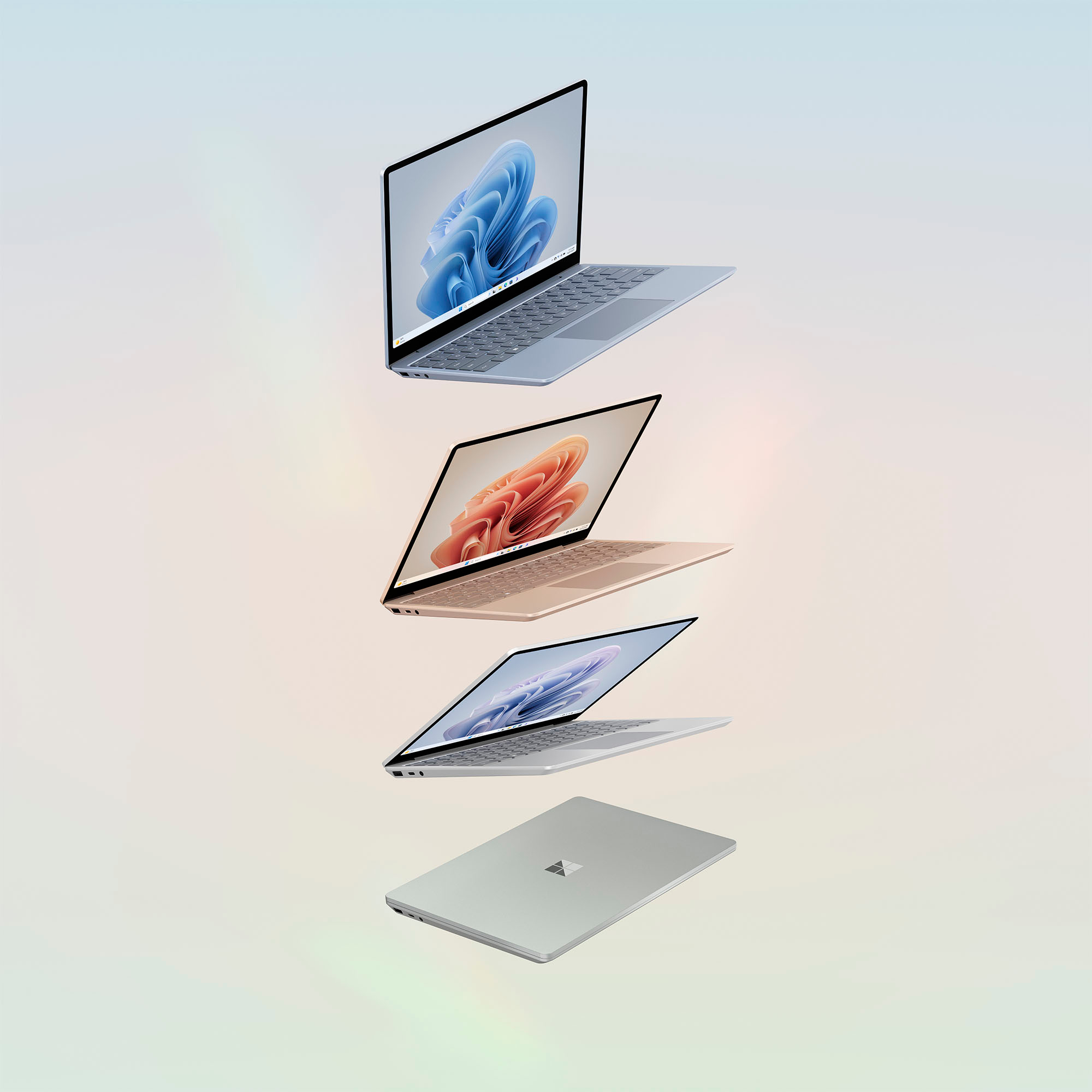
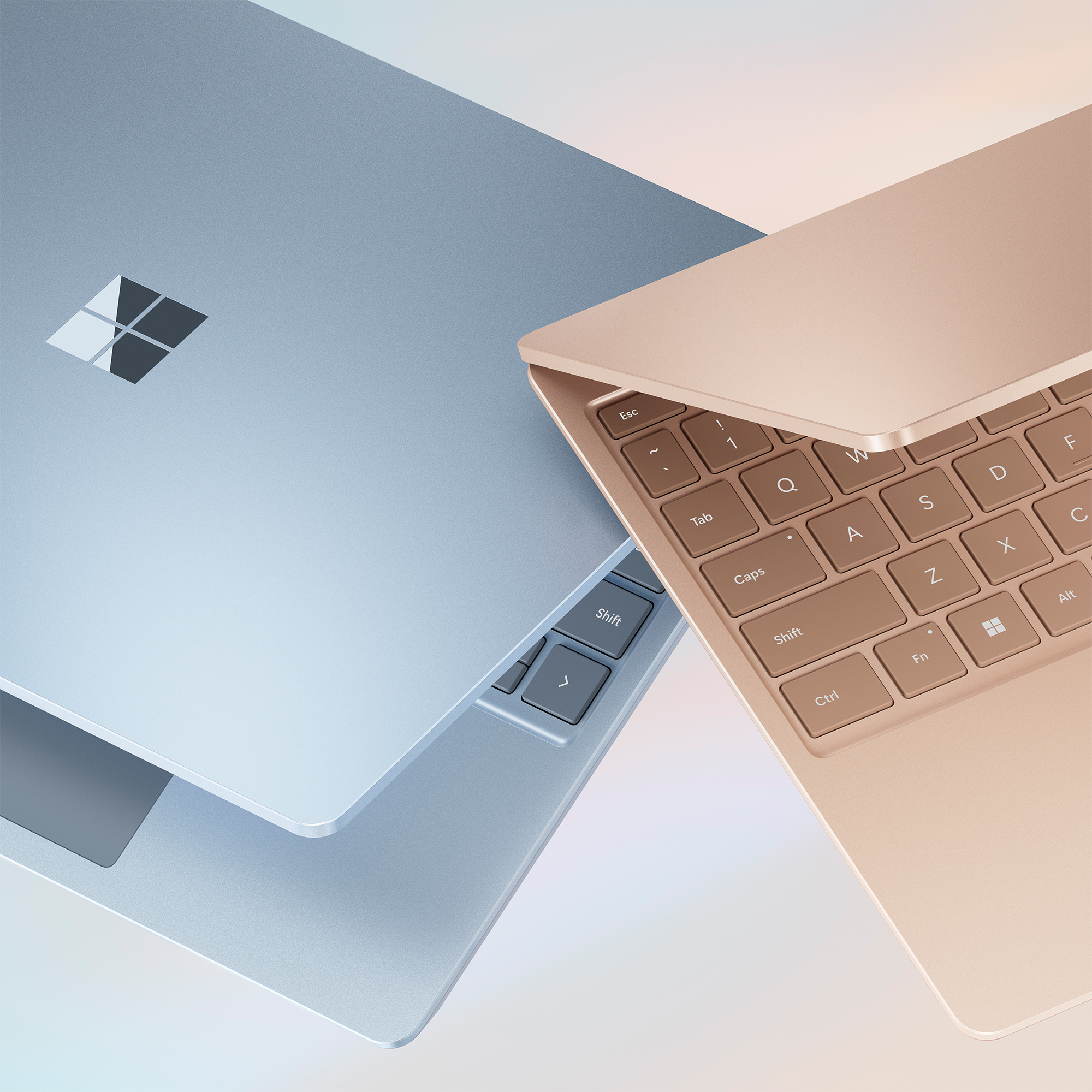
|Posted .This reviewer received promo considerations or sweepstakes entry for writing a review.Microsoft - Surface Laptop Go 3 12.4" Touch-Screen - Intel Core i5 with 8GB Memory - 256GB SSD (Latest Model) – Sage The Good: Solid metal construction. Automated setup makes it easy to get up and running. Lightweight for easy portability (2.5 pounds). Nice keyboard. (There’s also an online visual keyboard that pops up when information is requested.) Fingerprint recognition sign on makes logging on both easy and fast. (The key that you need to touch to login lights up so you don’t have to search for it. That’s a nice touch!) Nice 12.4” touch screen. It’s available in multiple colors (Platinum, Sage, Sandstone and Ice Blue. (I got the Sage.) Easy wifi connection. Easy connection to printers, mice and other devices. Comes with Windows 11. Microsoft claims that it will get 15 hours on a full battery charge. Depending on how it’s used, even if it only gets eight to nine hours, that should get many folks through the workday. It has a very responsive touch screen. Built-in camera and mic mean it can be used for Zoom and other online virtual sessions. The Not So Good The device’s specs (i5 chip, 8Gb of memory and a 256Gb SSD) limit this device’s use. You obviously can’t do photo editing or other higher end applications, and it’s probably not going to be used a lot for gaming either. The screen resolution is lower than most other laptops. (1536x1024 rather than 1920). It’s pricey and you can get a lot more bang for your buck at this price point. The keyboard isn’t backlit. That can be a deal-breaker for those who depend on a lighted keyboard when working in low-light or no-light conditions. Could use another USB port on the right-hand side. Having said all of that, it’s a neat little device that you can tote around and still do a lot of day-to-day stuff (web browsing, Word, Excel, etc.) without having to be at your desk. It could possibly be ideal for students who can afford it. Since all my computers have external monitors and keyboards, it’s nice to have a device like this that I can take with me when I’m out of the office. That way, I don’t have to disconnect things and then reconnect them when I get back to my office. While the specs really aren’t terribly exciting. and this device certainly doesn’t offer the most bang for the buck, it’s still a nice device to have for what it can do if you can only get past the price point.
No, I would not recommend this to a friendNot too shabby - lots to like
|Posted .This reviewer received promo considerations or sweepstakes entry for writing a review.I'm a daily user of Apple's M2 Macbook Air and have been a Macbook fan for some time now. Still, I fondly remember my Surface Pro days and am always keeping one eye open on what Microsoft is doing in that space. I think a well-built entry-level Windows PC like the Surface Laptop Go 3 is a really compelling product. This particular model comes with a 12th-gen Intel i5 processor and 8GB of RAM. For every day tasks, the performance provided by the CPU and RAM are totally sufficient. There is a very slight lag between (for instance) clicking on a Youtube video and the page loading, but it's easy enough to overlook if you're not in a hurry. Still, the lag is there, so if you're looking for super-snappy performance, this isn't the device for you. And that probably sounds like an overall negative statement–but honestly, it's one of the only things about this laptop that I dislike. I remember my first "real" laptop, a 13" Dell Latitude from the early 2010's. It only had a 1366x768 screen but at the time, it was an awesome device and the perfect size for mobility (again, for the time). To this day I maintain that 13" laptops provide the ideal balance between mobility and productivity, especially with the availability of higher resolutions. The Surface Laptop Go 3 has a max resolution of 1536 x 1024, and the 3:2 aspect ratio is a lot more enjoyable than I thought it would be. Just looking at the numbers, that resolution is a little underwhelming–but the aspect ratio is what makes it usable, as the laptop provides more relative 'height' in your work experience than other traditional 4:3 or 16:9 screens. The display itself is a 12.4" touchscreen, under the aforementioned "ideal" laptop screen size, but close enough that it works. Personally, I don't particularly care for touchscreens on laptops, but understand why people are drawn to them. This panel is plenty responsive, but I'd like to see some more optimization of the software when engaging text fields on the touch screen to prevent the onscreen keyboard from popping up automatically (I'm sure there's a setting somewhere in the Windows UI that could prevent this, but I'm not a huge fan of the redesigned settings app on Windows 11). The keyboard and touchpad experience are really good. The keys have plenty of travel but still feel great while typing. The touchpad could be a bit larger, but space is limited due to the size of the chassis. Similarly, the keyboard, while a good typing experience, feels a little bit cramped; Microsoft defines this as a "Full-size keyboard with large, precision touchpad" but I'm not sure I agree. Still, it's relatively easy to adjust to (even for me, who has pretty big, meaty hands). I/O is limited to a single USB-A, single USB-C (which can also used for power), and a headphone jack; this should be fine for a lot of people, especially for lighter tasks like web browsing, email and the occasional video call. Microsoft also includes a power adapter with their proprietary connector in the box. Microsoft claims 15 hours of battery life, although my experience makes me think that number is over-estimated (your mileage may vary, as with all battery life claims). Overall build quality is good–mostly (if not all) plastic on the outside, but this helps keep the weight down; depsite its construction, it feels extremely rigid. The most compelling piece here is the price. The screen might be a little small for some users, but as an entry-level laptop for $800, you could do worse. I don't love the Windows 11 operating system generally speaking, but like anything else, once you get used to it–and configured how you like it–the experience is good enough.
I would recommend this to a friendPetite Travel Laptop With A Long Lasting Battery
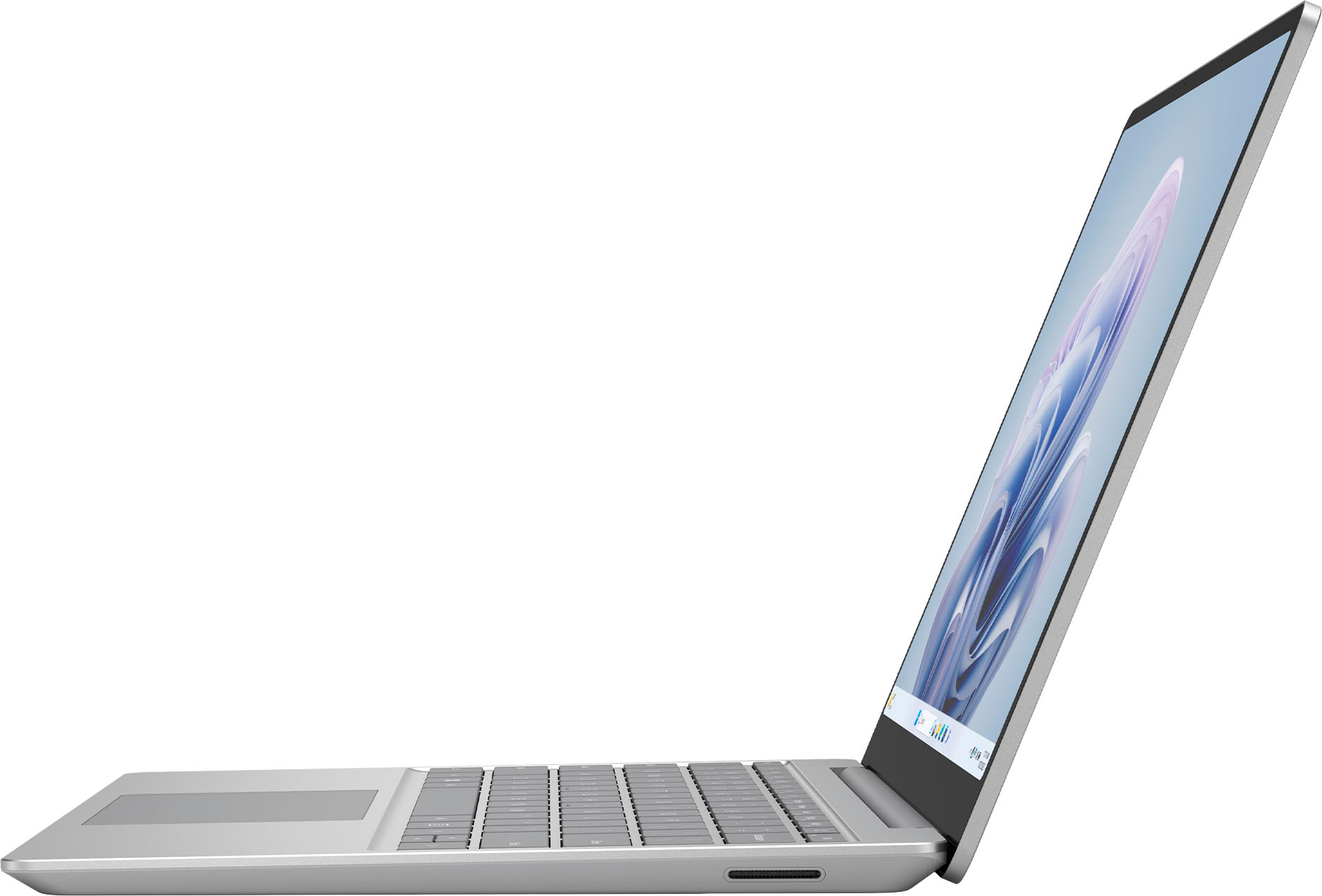
|Posted .This reviewer received promo considerations or sweepstakes entry for writing a review.I bought a Windows Surface Pro 6 years ago and still use that laptop semi-frequently when I need to travel since it’s light weight and has a fair battery even this many years later. I’d heard that the new Surface Laptops were also very light and portable but nobody I knew had one. Now I’ve received the Surface Laptop Go 3 to try and I can confirm this is a very portable laptop and the battery seems amazing. Inside the box is the usual laptop, charging cord bundle, and quickstart documents so nothing mind blowing there but the box itself is a tight fit of thick sturdy cardboard that protects the unit itself inside really well. It’s almost a shame to throw it away/recycle it with how sturdy and tight fitting it is. Once you get into that box and pull it out there’s the typical protective film/sticker all around it which comes off as easy as can be. First thing out of the box I noticed was that it was super thin and weighed almost nothing, this laptop was the most travel friendly electronic device I’ve owned yet from first glance/weight check. Once you’re logged in and Windows has finished it’s setup interrogation (I really wish I could synch my email up AFTER I’m looking at the Windows desktop after fulling powering on) you have the same Windows experience you get on your desktop or laptop. This kind of surprised me a little as I expected a watered down experience along the lines of what a Chromebook does. Nothing feels lesser here, so if you don’t like Windows you won’t like this (although not sure why you’d get a Windows Surface Laptop if you don’t like the OS), it’s snappy and doesn’t hang up or lag at all. There’s no graphics power here, this is for office work not gaming or graphic design, given the Core i5 processor with only 8gb of RAM. Still, the battery seems to go for much longer than most of my other devices including my phone. I never let it run all the way down but the company claims 15 hours of battery and I probably could have gotten at least 12 if not more. The touchscreen is a touchscreen, nothing out of the ordinary good or bad here. I didn’t feel like the keyboard was cramped given how small the laptop is, although maybe if you have large hands you may have a little more backspacing to fix typos than someone with smaller hands. Your biggest downside for this laptop will be a lack of accessory ports. You get a USB A, USB C, and a headphone jack on the left side and the Surface charging port on the right side (for charging the laptop, to my knowledge there aren’t accessories that use this port). The headphone jack is kind of pointless in a world with all bluetooth headsets but more options are better than less. USB-A is going out of style fast but there’s still lots of thumb drives around my house that use it. I don’t understand the lack of a card reader, which seems like would be just as relevant or more than the USB-A port. Considering the hard drive is less than half a terabyte if you get the largest size and there’s no way to expand your storage other than using those USB ports, it just seems short sighted. If you don’t mind the small storage and lack of ports then you’ll find this lightweight touchscreen laptop a battery powerhouse that will let you stay productive even with a long layover or car ride. Only time will tell how the performance will keep up as the device ages but fresh out of the box its smooth and bright, that’s to be expected. I wouldn’t grab it off the shelf as an impulse buy but if you think over what you want from your next travel computer and decide that storage space, multiple peripherals, or graphics intensive programs don’t matter then it’s worth a consideration.
I would recommend this to a friend- Pros mentioned:Overall performance
The best Surface laptop Go3
Posted .This reviewer received promo considerations or sweepstakes entry for writing a review.The best laptop, so fast, the way I like. I am very satisfied with my purchase. I recommend for all people!
I would recommend this to a friend It's greta premium feel but lacks a good screen
|Posted .This reviewer received promo considerations or sweepstakes entry for writing a review.The Microsoft Surface Laptop Go 3 could be a great option but there is some things holding it back especially at the MSRP price and what you get with it. Inside the box Warranty booklets Surface Charger The Microsoft Surface laptop go 3 Specs: Intel 12th gen i5 1235U 8GB DDR5 RAM 256GB SSD 12.4 3:2 screen 1 USB Type A port\ 1 USB Type C port Headphone jack Now this laptop is typical Microsoft finish and feel with a metal top but to save cost has this aluminum/ plastic bottom but it feels quite nice. It feels premium. The laptop only weighs like around 2.5 pounds which is light. Thats great for on the go and if you're using this for basic web browsing and web content. With the 3:2 display you get to see a lot of the web page of document which is great for productivity. As for the negatives which is why I gave this 3 stars although I feel 2.5 is warranted. For the price of $799 you can get other laptops although on sale which has better specs like a better CPU, more memory, more storage and a better screen. That if you stay in the windows OS platform. You can find the Macbook Air M1 which has the same ram and storage but with a better cpu, better screen and better battery life than this device for $749 typically. I think Microsoft really needs to improve the screen to justify the $799 price although I feel it will go on sale for a price that makes this worth it ($600) or lower the MSRP the price of this device to make it worthwhile purchase.
No, I would not recommend this to a friend