Customer Ratings & Reviews



- Model:
- 3XY-00011
- SKU:
- 4562010
to a friend
Customers are saying
Customers frequently mention the Surface Pen's ease of use, responsiveness, and compatibility with Surface devices as significant advantages. Many appreciate the multiple tips and the pen's comfortable feel and lightweight design. However, some customers express concerns about the price and occasional battery life issues. A few also cite minor problems with pairing and button functionality.
This summary was generated by AI based on customer reviews.
Doesn't work.
||Posted .This reviewer received promo considerations or sweepstakes entry for writing a review.Paired it with the surface but still would not work. Had to replace it.
I would recommend this to a friendGreat accessory!
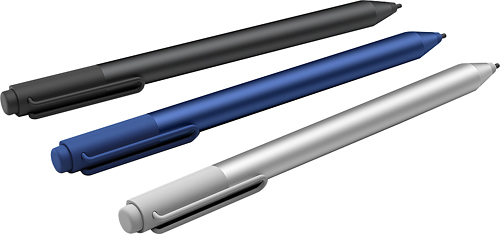
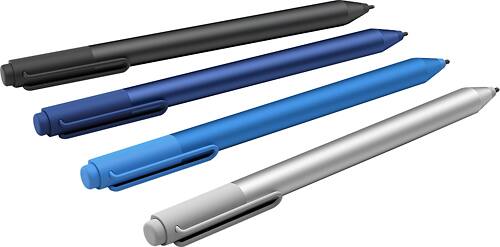
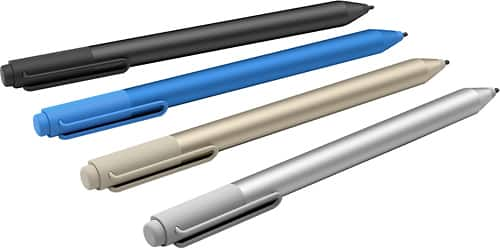
||Posted .This reviewer received promo considerations or sweepstakes entry for writing a review.Gotta have this great pen for the Microsoft Surface. It's magnetic so as not to get lost and does wonders for use on the computer. So many different things you can do! Best Buy had this awesome gold color so foto Best Buy and get one!
I would recommend this to a friendThe must have accessory for the Surface Pro3
||Posted .This reviewer received promo considerations or sweepstakes entry for writing a review.Purchased this item to replace the one that came with my original Surface Pro 3 (I had misplaced the original). Best Buy came through again. Purchased on sale in my choice of color (blue) and the package offers multiple scrolling tips.
I would recommend this to a frienddont need much
||Posted .This reviewer received promo considerations or sweepstakes entry for writing a review.I havn't really used this much soi can't say how good it is or not.
I would recommend this to a friendBrand response from MicrosoftOutreachTeam
Posted .Hello teesue, For free tips and tutorials on using the Surface Pen, please visit: https://www.microsoft.com/surface/en-us/support/browse/accessories?category=pen . We hope this was helpful to you.

Confused
||Posted .This reviewer received promo considerations or sweepstakes entry for writing a review.Still trying to figure this out. Not sure I will be using it much.
No, I would not recommend this to a friendBrand response from MicrosoftOutreachTeam
Posted .Hello ChiChi3144, For free tips and tutorials on using the Surface Pen , please visit: https://www.microsoft.com/surface/en-us/support/browse/accessories?category=pen . We hope this was helpful to you.
Must have addition to Surface Pro
||Posted .This reviewer received promo considerations or sweepstakes entry for writing a review.The pen is a must have addition to the Surface Pro 4. I would say it is even more important than getting the keyboard cover. There are so many things you can do with it that its invaluable. *Bought replacement after breaking original*
I would recommend this to a friend- Pros mentioned:Ease of use
Blue Pen
||Posted .This reviewer received promo considerations or sweepstakes entry for writing a review.I love the pen for the surface, but I now have 2....so I haven't used the blue one just the standard silver one that came in the box. But it works wonderfully and I use it all the time. I just happen to love things in blue
I would recommend this to a friend Best Surface Pro pen
||Posted .This reviewer received promo considerations or sweepstakes entry for writing a review.I bought this pen to use it with my surface pro 3. I bought different brand pens to use it with my surface pro 3 but they didn't last long. This is one of my favorite surface pro pen of all time. I recommend this to anyone.
I would recommend this to a friendexcellent tool with Surface
||Posted .This reviewer received promo considerations or sweepstakes entry for writing a review.Only drawback is that there are so few programs which recognize written text. Love the color. Different tips don't seem to make much difference near as I can tell - buy it without the extra tips if you want to save a few $.
I would recommend this to a friendGood Quality at a Reasonable Price
||Posted .This reviewer received promo considerations or sweepstakes entry for writing a review.Lost my pen. I was able to very quickly find the correct pen with the efficient help of a Best Buy sales person. He explained and demonstrated the various options and prices. I got a very nice pen at a very good price. Aloha
I would recommend this to a friend- Cons mentioned:Price
Not worth the money unless you draw.
||Posted .This reviewer received promo considerations or sweepstakes entry for writing a review.Pen is very expensive unless you will use it to draw. If you are an avid laptop user you will default to the keyboard mouse pad. Stopped using the pen because I kept losing it due to it falling off side of computer.
No, I would not recommend this to a friend Nice MS Surface Accessory
||Posted .This reviewer received promo considerations or sweepstakes entry for writing a review.The Surface Pen is a nice addition to the Surface line of accessories. While you can use a Surface effectively without it, it is especially appreciated by those who need the ability to write or draw directly on the tablet.
I would recommend this to a friend- Pros mentioned:Ease of use
Room for improvement
||Posted .This reviewer received promo considerations or sweepstakes entry for writing a review.The pen is great when it works but it doesn't work every now and then. It's not a super common issue but enough to warrant a lesser rating. It's something that should be functional 99 percent of the time during its use.
No, I would not recommend this to a friend Great improvement
||Posted .This reviewer received promo considerations or sweepstakes entry for writing a review.Great improvement over previous year's model. The one that came with my Surface 3 would disconnect and I would have to power cycle my computer to get it to reconnect. Have an experience that issue with this model yet.
I would recommend this to a friendEasily replaces original
||Posted .This reviewer received promo considerations or sweepstakes entry for writing a review.The pen works well and if necessary. I cannot touch the screen in the correct place with my finger but with this it works great. Just disappointed the original one with the tablet died so soon and hope this one lasts longer.
I would recommend this to a friendTouch of a feather
||Posted .This reviewer received promo considerations or sweepstakes entry for writing a review.Pens are a great addition to any surface tablet. These have multiple tips that allow for different feels and fine tuning the lines being drawn or anything tapped on the screen. Highly recommended with any surface purchase.
I would recommend this to a friendGreat pen for a beginning artist
||Posted .This reviewer received promo considerations or sweepstakes entry for writing a review.I bought this pen to go with my surface Pro which I loved but I ended up giving it to my sons girlfriend she needed a new computer for school and was getting ready to ship back to Germany and she has absolutely adored it
I would recommend this to a friendVery nice pen.
||Posted .This reviewer received promo considerations or sweepstakes entry for writing a review.I bought this pen for my son and he has been using it A lot. Takes a bit to get use to cause when hover the pen over the screen you see the sensor a little off but others a very good product. It also has a magnet so it can magnatiz on the side of your surface.
I would recommend this to a friendGreat Pen
||Posted .This reviewer received promo considerations or sweepstakes entry for writing a review.This pen works great with my Microsoft Surface 3. Makes it so much easier to do things than with just the finger, which is pretty big for a lot of operations. Makes accuracy a breeze. My only negative is that the battery is an odd size (AAAA) -- which is harder to find.
I would recommend this to a friendPen
||Posted .This reviewer received promo considerations or sweepstakes entry for writing a review.Haven't really had a need to use it yet. Love the concept
I would recommend this to a friend