Customer Ratings & Reviews

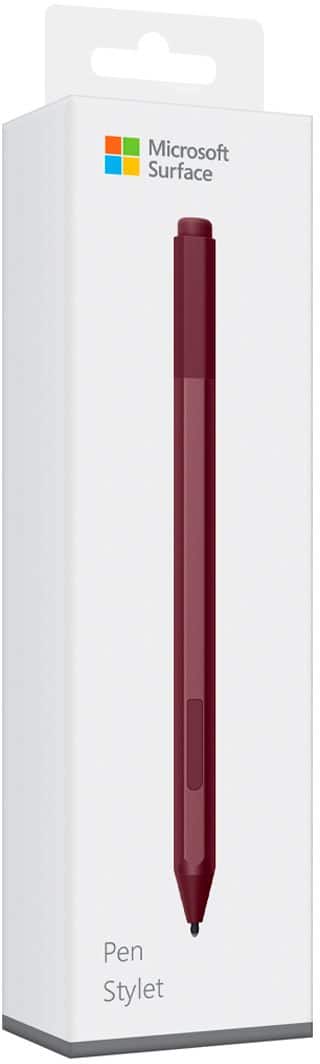

- Model:
- EYU-00025
- SKU:
- 5859102
Rating by feature
- Value
Rating 4.3 out of 5 stars
- Quality
Rating 4.7 out of 5 stars
- Ease of Use
Rating 4.7 out of 5 stars
Customers are saying
Customers praise the Surface Pen for its ease of use, overall performance, and compatibility with devices like the Surface Go. Many appreciate its suitability for drawing, good battery life, comfortable weight and feel, and sleek design, with some specifically loving the available colors and accuracy. However, some customers find the pen to be a little pricey and have concerns about the tip durability, while others have noted issues such as lag, the absence of a clip, and weak magnet strength.
This summary was generated by AI based on customer reviews.
Surface pro pen
||Posted . Owned for 5 months when reviewed.This reviewer received promo considerations or sweepstakes entry for writing a review.Well we got the pen for the surface pro I just hope my daughter doesn't lose it other than that if the same thing wrong with it I'll take it back together replace thank you
I would recommend this to a friendms stylus for surface
||Posted . Owned for 3 weeks when reviewed.This reviewer received promo considerations or sweepstakes entry for writing a review.Good stylus, fast delivery,decent price.user friendly website
No, I would not recommend this to a friend- Pros mentioned:Ease of use
Works great
||Posted .This reviewer received promo considerations or sweepstakes entry for writing a review.Works great and love the color! The quick click buttons to open programs are a nice bonus.
I would recommend this to a friendBrand response from MicrosoftOutreachTeam
Posted .Hi there,
Thanks for the kind words. We're glad to hear you are enjoying the Burgundy Surface Pen. To fully customize what your pen does and how it works with your PC take a look at this link: https://support.microsoft.com/en-us/help/27909/windows-10-change-pen-settings.
Take care,
Amanda
Surface Customer Care
Pens
||Posted . Owned for 1 month when reviewed.This reviewer received promo considerations or sweepstakes entry for writing a review.Nice pens I love it. It’s so smooth when I used in the screen
I would recommend this to a friendModern Writing Instrument
||Posted . Owned for 1 month when reviewed.This reviewer received promo considerations or sweepstakes entry for writing a review.This iten is Great for AAC use. Battery is not readily available in stores. Order AAAA batteries online.
I would recommend this to a friendWorks great for onenote on the Surface Go
||Posted .This reviewer received promo considerations or sweepstakes entry for writing a review.The pen works like it should but the Microsoft Go (8gb Version) does not work well as a tablet and does not recognize every touch with the pen. Taking notes in onenote with this pen is nice and good toi have for signatures on the go.
I would recommend this to a friendBrand response from MicrosoftOutreachTeam
Posted .Hi there,
Thanks for taking the time to give us your honest review of the Surface Pen. We're glad you decided to give it a try. Sometimes, when you experience some lag, or trouble with your device recognizing the touch of your pen, the solution is as simple as making sure your pen is properly updated, and has an adequate amount of battery life. Find out how to troubleshoot your Surface Pen here: https://support.microsoft.com/en-us/help/4023523.
If you should encounter any additional questions or concerns, we are always happy to help you get your devices running optimally. Feel free to reach out to our support team here: https://support.microsoft.com/en-us/contactus/.
We hope this helps!
Kindly,
Jessica
Surface Customer Care
It's nice but It could be a little better
||Posted .This reviewer received promo considerations or sweepstakes entry for writing a review.I think that having the pen with your surface it's a must so you can have the best experience, good response and it syncs right away, I think it could be better in the ergonomics department but maybe I'm being a little picky
I would recommend this to a friendWorks as expected
||Posted . Owned for 1 month when reviewed.This reviewer received promo considerations or sweepstakes entry for writing a review.Wish best buy would have sold this to me before they said the bamboo pen would work. This is the pen designed for use with the surface not the bamboo pen.
I would recommend this to a friendA must have for the HP surface pro laptop
||Posted . Owned for 1 month when reviewed.This reviewer received promo considerations or sweepstakes entry for writing a review.The pen is very useful to have to assist with selecting and browsing on the HP surface Pro. The laptop screen is small so this pen is being used daily.
I would recommend this to a friend- Pros mentioned:Ease of use, Overall performance
Pen pen pen
||Posted . Owned for 10 months when reviewed.This reviewer received promo considerations or sweepstakes entry for writing a review.Easy to use and good quality best to get this with tablet
I would recommend this to a friend pen for new Surface book
||Posted .This reviewer received promo considerations or sweepstakes entry for writing a review.our company has just purchased it's 3rd Surface book. We bought one of these for the first one and we will buy one with each new surface book we purchase from now on.
I would recommend this to a friendBrand response from MicrosoftOutreachTeam
Posted .Hi there,
We're proud to be providing our customers with tools that empower them to do more. We're thrilled to know we're helping empower your company one device at a time! These handy Surface Pens are convenient tools for creating a highly efficient experience in the work place.
Best regards,
Jessica
Surface Customer Care
Amazing
||Posted . Owned for 1 week when reviewed.This reviewer received promo considerations or sweepstakes entry for writing a review.it is been long i had been waiting to buy , it is really amazing experience using it and think , i got it in bundle price whixh is a super saving ,
I would recommend this to a friendabsolutely love this pen
||Posted .This reviewer received promo considerations or sweepstakes entry for writing a review.i used to use a stylus, but i started using One Note and i need a better pen with palm rejection. this is great! the people @ Best Buy recommended the perfect product for me,
I would recommend this to a friendDoes its job with absolute no problem.
||Posted . Owned for 1 month when reviewed.This reviewer received promo considerations or sweepstakes entry for writing a review.The MS pen came in the bundle with the MS Surface. Makes my taking notes in the Surface a breeze. I am glad of this purchase.
I would recommend this to a friend- Cons mentioned:Price
Think before buying
||Posted . Owned for 1 month when reviewed.This reviewer received promo considerations or sweepstakes entry for writing a review.I really do use this much but you may. My biggest complaint is the price. I love the surface but the price of the accessories adds up quickly.
I would recommend this to a friend Nice to have if you have a Surface
||Posted . Owned for 3 weeks when reviewed.This reviewer received promo considerations or sweepstakes entry for writing a review.Got it at a pretty good price, to replace the one that was accidentally damaged. Nothing to complain. An awesome adds on tool.
I would recommend this to a friendMicrosoft Stylus Pen
||Posted . Owned for 5 months when reviewed.This reviewer received promo considerations or sweepstakes entry for writing a review.I didn't think that I would use this pen so I didn't purchase it with the device. I changed my mind and went back and got it.
I would recommend this to a friend- Pros mentioned:Compatibility, Ease of use
Great pen/stylus
||Posted .This reviewer received promo considerations or sweepstakes entry for writing a review.Matches well with the surface and easy to use. No major problems with it at this time.
I would recommend this to a friend A must have for creativity.
||Posted . Owned for 3 weeks when reviewed.This reviewer received promo considerations or sweepstakes entry for writing a review.This would probably be a great add on for the more creative user. I purchased it instead of a mouse to keep things more streamlined and less bulky but to be honest, I rarely use it.
I would recommend this to a friendExpensive
||Posted .This reviewer received promo considerations or sweepstakes entry for writing a review.It works fine with the apps that come with the MS Surface Book 2. Was hoping for more usability with other editing programs, e.g., Lightroom, Photoshop, On1 PhorotRaw, Topaz Studio, Luminar 2018, and Aurora 1028. Perhaps that will come.
I would recommend this to a friendBrand response from MicrosoftOutreachTeam
Posted .Hello,
We're sorry to hear that the benefits of the Surface Pen did not outweigh your investment for the product. If you're looking for more comparability and usability with your programs, you could always reach out to them and see if there are any recommendations on how to better utilize your Surface Pen.
Kindly,
Victoria
Surface Customer Care