Customer Ratings & Reviews

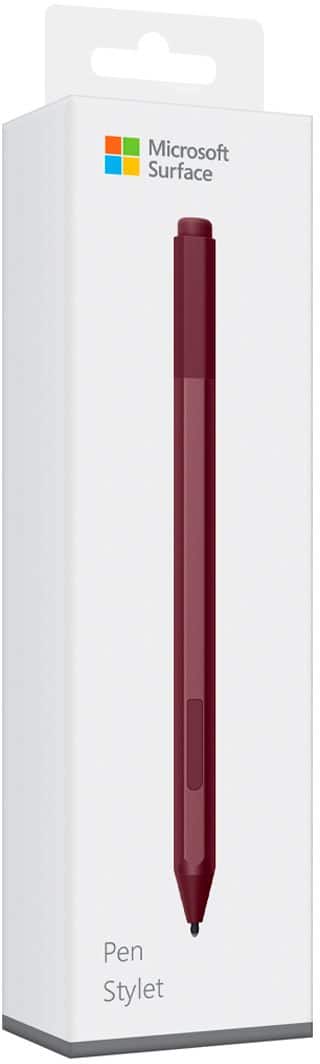
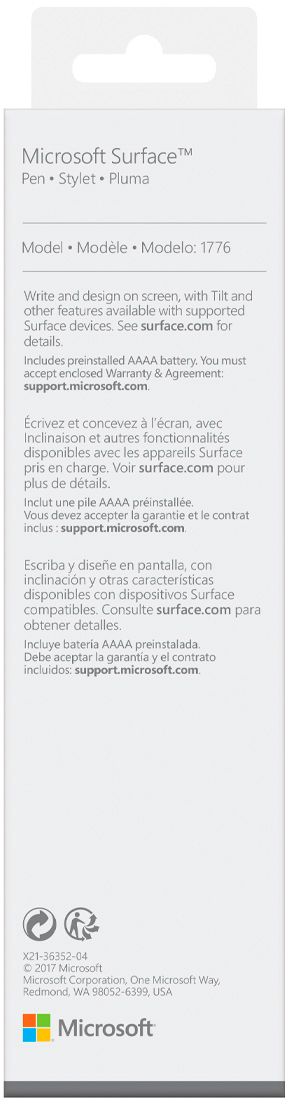

- Model:
- EYU-00025
- SKU:
- 5859102
Rating by feature
- Value
Rating 4.3 out of 5 stars
- Quality
Rating 4.7 out of 5 stars
- Ease of Use
Rating 4.7 out of 5 stars
Customers are saying
Customers praise the Surface Pen for its ease of use, overall performance, and compatibility with devices like the Surface Go. Many appreciate its suitability for drawing, good battery life, comfortable weight and feel, and sleek design, with some specifically loving the available colors and accuracy. However, some customers find the pen to be a little pricey and have concerns about the tip durability, while others have noted issues such as lag, the absence of a clip, and weak magnet strength.
This summary was generated by AI based on customer reviews.
Decent tech pen
||Posted . Owned for 1 month when reviewed.This reviewer received promo considerations or sweepstakes entry for writing a review.It works better than whatever comes with the surface device.
I would recommend this to a friendGreat for Students!
||Posted . Owned for less than 1 week when reviewed.This reviewer received promo considerations or sweepstakes entry for writing a review.The programmable buttons are awesome for classwork, right now I have it set up to take me straight to my notebook with a click of the pen. I do wish that you were able to program it to be a highlight/back to pen but that is not an option yet. I will definitely be buying another one so I have a backup
I would recommend this to a friendVery convenient!
||Posted . Owned for 8 months when reviewed.This reviewer received promo considerations or sweepstakes entry for writing a review.Purchased used and it works like a charm. Looked brand new and was still in original packaging. There is so much you can do with it as well (it can be programmed for different uses with the tablet)!
I would recommend this to a friendGood pen
||Posted .This reviewer received promo considerations or sweepstakes entry for writing a review.I really like this pen. It works really well, but if I had a criticism, it would be that it is a little too sensitive. Normally it is perfectly fine, but if I hover just above the screen, sometimes it draws when I don’t want it to. Just a matter of adjusting technique, same as most real brushes and pens.
I would recommend this to a friendBrand response from MicrosoftOutreachTeam
Posted .Hi Chris,
Thanks for taking the time to share your Surface Pen experience! We're glad you're loving to navigate your favorite Surface device with this unique tool. We have some tips that might help your Surface Pen perform the way you desire. Check them out here: https://support.microsoft.com/en-us/help/4023520/surface-troubleshoot-pro-pen.
If you have any questions about Surface Pen, our support team will be happy to help. Feel free to reach out here: https://support.microsoft.com/en-us/contactus/.
Best,
Jessica
Surface Customer Care
Not worth the price
||Posted . Owned for 1 year when reviewed.This reviewer received promo considerations or sweepstakes entry for writing a review.For my surface pro tablet It’s great, but the end got damaged within a month for the first one i bought and then when I bought the second pen the end just disappeared in my bookbag
I would recommend this to a friendGift
||Posted . Owned for 1 month when reviewed.This reviewer received promo considerations or sweepstakes entry for writing a review.Bought as part of a gift. Also bought Surface Book.
I would recommend this to a friendHad to buy
||Posted . Owned for 1 year when reviewed.This reviewer received promo considerations or sweepstakes entry for writing a review.This pen was recommended with the surface pro and I have no idea why.
No, I would not recommend this to a friend- Pros mentioned:Ease of use
Ours broke within 3 days
||Posted . Owned for less than 1 week when reviewed.This reviewer received promo considerations or sweepstakes entry for writing a review.When it worked, this pen was pretty nice to use. We used this for ~3 days before it broke. Best buy replaced it, no issues at all, but a little disappointed with overall quality as compared to the other surface accessories.
No, I would not recommend this to a friend Great Matching Color!
||Posted .This reviewer received promo considerations or sweepstakes entry for writing a review.I got the Burgundy Color because I just had to match it with my keyboard and mouse. The updates they've done to the pen itself for sensitivity and using it at an angle are great. Nothing but praise for the responsiveness.
I would recommend this to a friendsurface pen is very helpful
||Posted . Owned for 1 month when reviewed.This reviewer received promo considerations or sweepstakes entry for writing a review.I like this pen but I only used it for s month and it is scratched.
No, I would not recommend this to a friendFinally in stock!
||Posted . Owned for 1 month when reviewed.This reviewer received promo considerations or sweepstakes entry for writing a review.So happy that it was in stock! Pen works great! And really happy that the sales guy helped me pick the perfect color.
I would recommend this to a friendTiny - Slippery - No Other Tips
||Posted . Owned for 3 months when reviewed.This reviewer received promo considerations or sweepstakes entry for writing a review.I could barely keep mine in my hand. It's so freaking small and slippery. Would've been better if Microsoft offered some kind of high-friction sheath accessory for this thing to make it easier to hold onto. I likely would've bought it. I've had an Apple Pencil, so I was used to its larger, lower-friction tip and prefer that, so I wanted one for this stylus, but of course, Microsoft doesn't include any more tips with this device. For other tips, you'll have to pay another $20. The "tip selection scandal" would've been more forgivable if this thing MSRP'd for less, but at $100, it's a bit much. Good thing I got my as an Open Box item. Really, Microsoft needs to mimic the design of the Apple Pencil, which is so easy to use.
No, I would not recommend this to a friendNice improvement
||Posted . Owned for 1 month when reviewed.This reviewer received promo considerations or sweepstakes entry for writing a review.Pen works flawlessly. Nice improvement on how strong the pen’s magnet keeps it attached to the Surface. However, you still need to be careful, it can be knocked off but not so easily as earlier models.
I would recommend this to a friendYou get what you pay for
||Posted .This reviewer received promo considerations or sweepstakes entry for writing a review.I use to think this was a great pen but ehh... I don't use the pen
No, I would not recommend this to a friendFood if free
||Posted . Owned for 3 weeks when reviewed.This reviewer received promo considerations or sweepstakes entry for writing a review.Wouldn’t buy it but it came with my purchase so I have it.
No, I would not recommend this to a friendLove it!
||Posted . Owned for 1 month when reviewed.This reviewer received promo considerations or sweepstakes entry for writing a review.Perfect for designing anything, especially when using apps like adobe illustrator. Don't really mind that it takes a AAAA battery instead of worrying about having to remember to charge it all the time.
I would recommend this to a friendThese pens suck!
||Posted . Owned for 2 weeks when reviewed.This reviewer received promo considerations or sweepstakes entry for writing a review.I have had to return the first one and now I am going to be returning the second one as they both connect to the surface tablet and then will just stop working.
No, I would not recommend this to a friend- Cons mentioned:Tip durability
Poor quality and design.
||Posted . Owned for 1 month when reviewed.This reviewer received promo considerations or sweepstakes entry for writing a review.I’m on my second one. After a few uses the back tip broke off and now it no longer works. I won’t be buying a 3rd.
No, I would not recommend this to a friend Works Nice; Magnet Still Not Good Enough
||Posted .This reviewer received promo considerations or sweepstakes entry for writing a review.Does everything you'd want. Little delay on the Surface Pro 6 it's been used with. Tilt works fine. I still would NEVER rely on the magnet to keep it in place anywhere but on a desktop; you need a mechanical holder if you're gonna be taking it in and out of a sack or carrying around all day.
I would recommend this to a friendBrand response from MicrosoftOutreachTeam
Posted .Hi there,
We appreciate you sharing your experience with the community. We're glad the Surface Pen has been an excellent addition to your Surface Pro 6. We have some great tricks for you to try if you are experiencing some lag with your device. Check out how to troubleshoot your Surface Pen here: https://support.microsoft.com/en-us/help/4023523.
In addition, our support team is always ready and willing to assist you. Feel free to reach out with any questions here: https://support.microsoft.com/en-us/contactus/.
Kind regards,
Jessica
Surface Customer Care
Not as many functions as I expected
||Posted .This reviewer received promo considerations or sweepstakes entry for writing a review.For the price, I was hoping for more features and compatible uses
No, I would not recommend this to a friendBrand response from MicrosoftOutreachTeam
Posted .Hi there,
Thanks for taking the time to reach out. We're passionate about helping our customers love all their Microsoft products. We have some great tips for all the features Surface Pen has to offer we think you may be interested in. Check them out here: https://support.microsoft.com/en-us/help/17207/windows-10-use-windows-ink.
In addition, our team is always happy to help answer any questions, or show you more features of this great tool. Feel free to reach out here: https://support.microsoft.com/en-us/contactus/.
We hope this helps.
Kindly,
Jessica
Surface Customer Care