Customer Ratings & Reviews
![Esc F1 F2 F3 F4 F5 F6 F7 F8 F9 F10 Home End PgUp PgDn Ins Del ~ ! 1 2 # 3 $ 4 % 5 ^ 6 & 7 * 8 ( 9 ) 0 - + = Backspace Tab Q W E R T Y U I O P ( [ ) ] I I Caps A S D F G H J K L : i - I Enter Shift Z X C V B N M < > ? / Shift Ctrl Fn Alt Alt 7 E](https://pisces.bbystatic.com/image2/BestBuy_US/images/products/6625/6625046_sd.jpg)

- Model:
- EP2-33077
- SKU:
- 10148564
Rating by feature
- Value
Rating 4.4 out of 5 stars
- Quality
Rating 4.8 out of 5 stars
- Ease of Use
Rating 4.8 out of 5 stars
to a friend

Great Companion to Surface Tablet
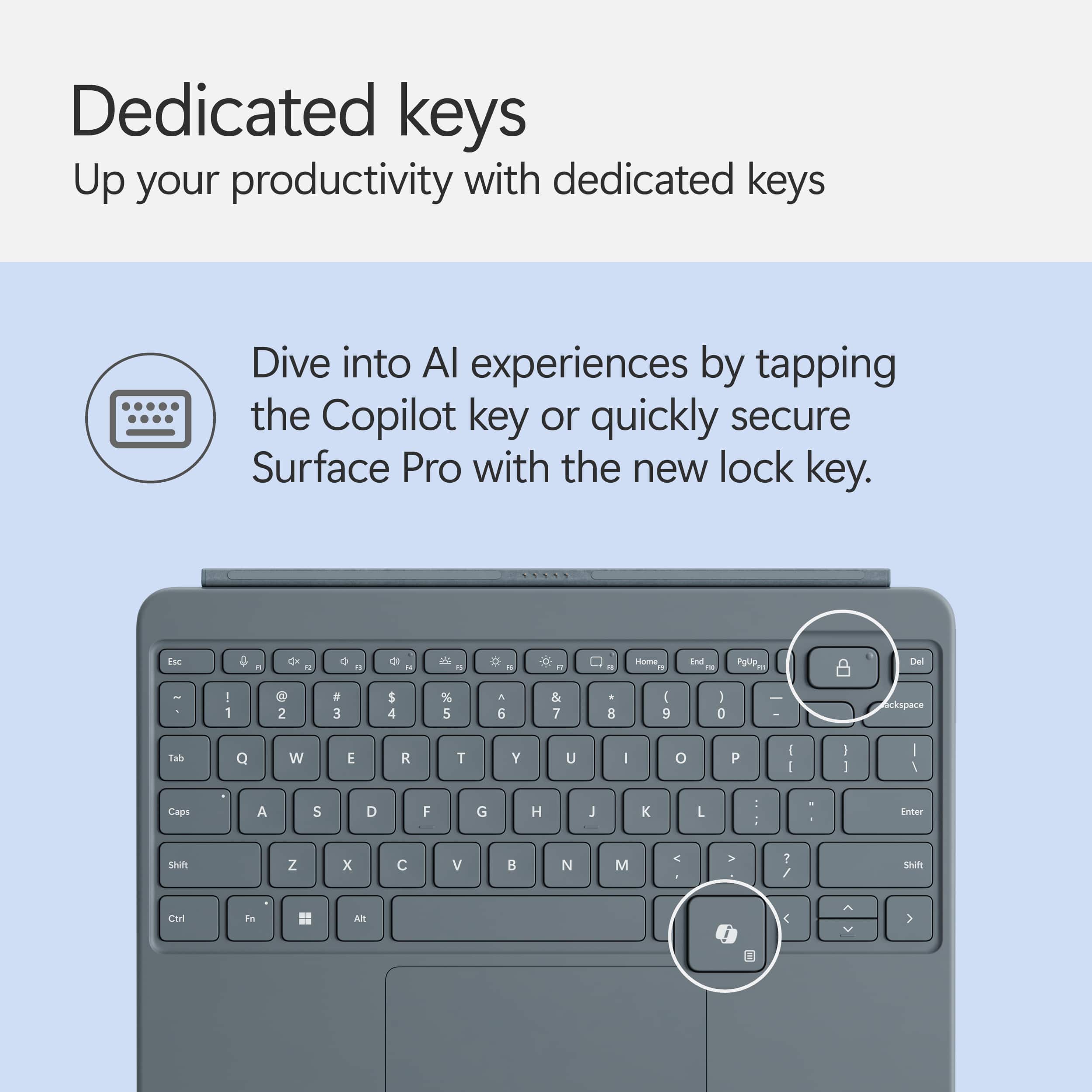
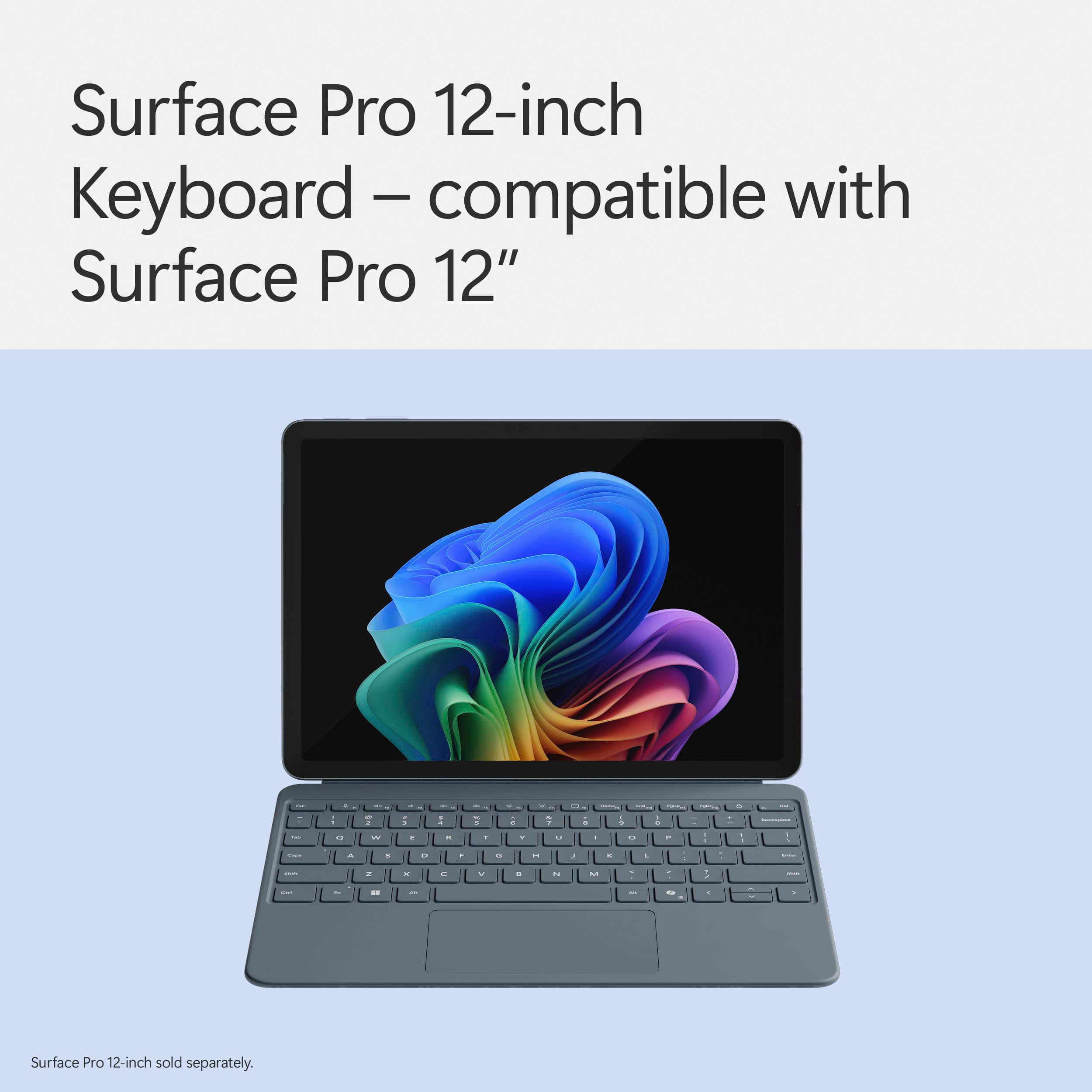
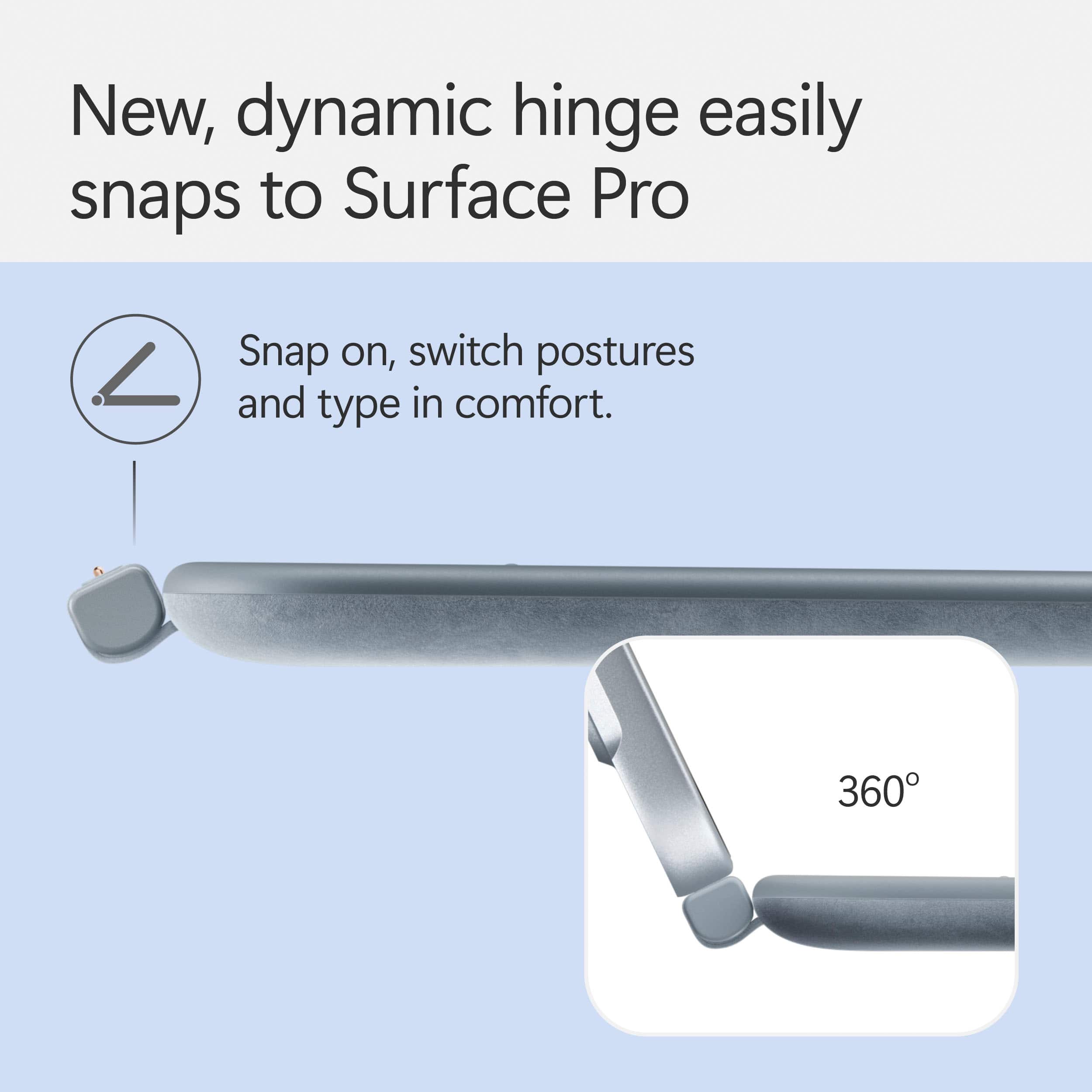
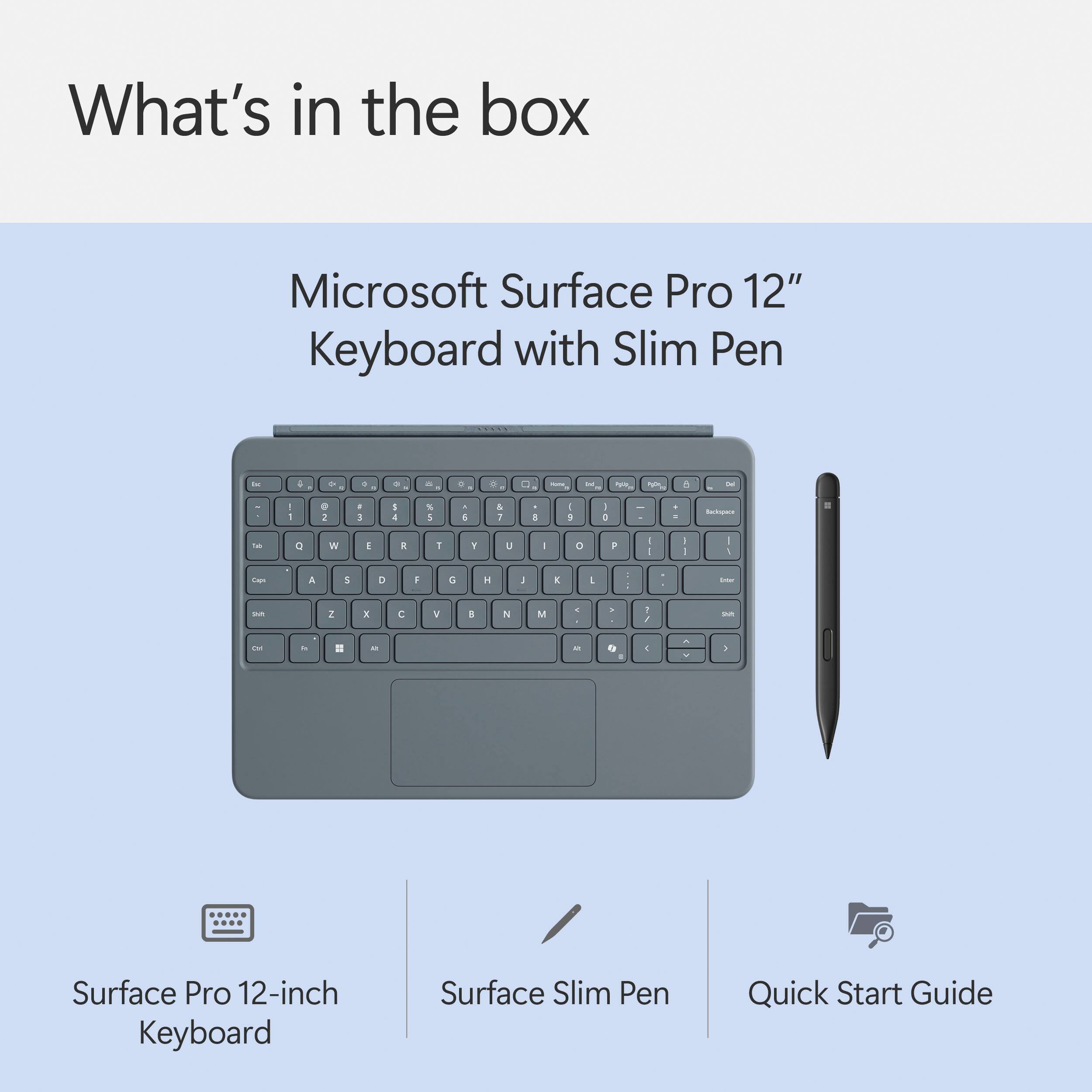
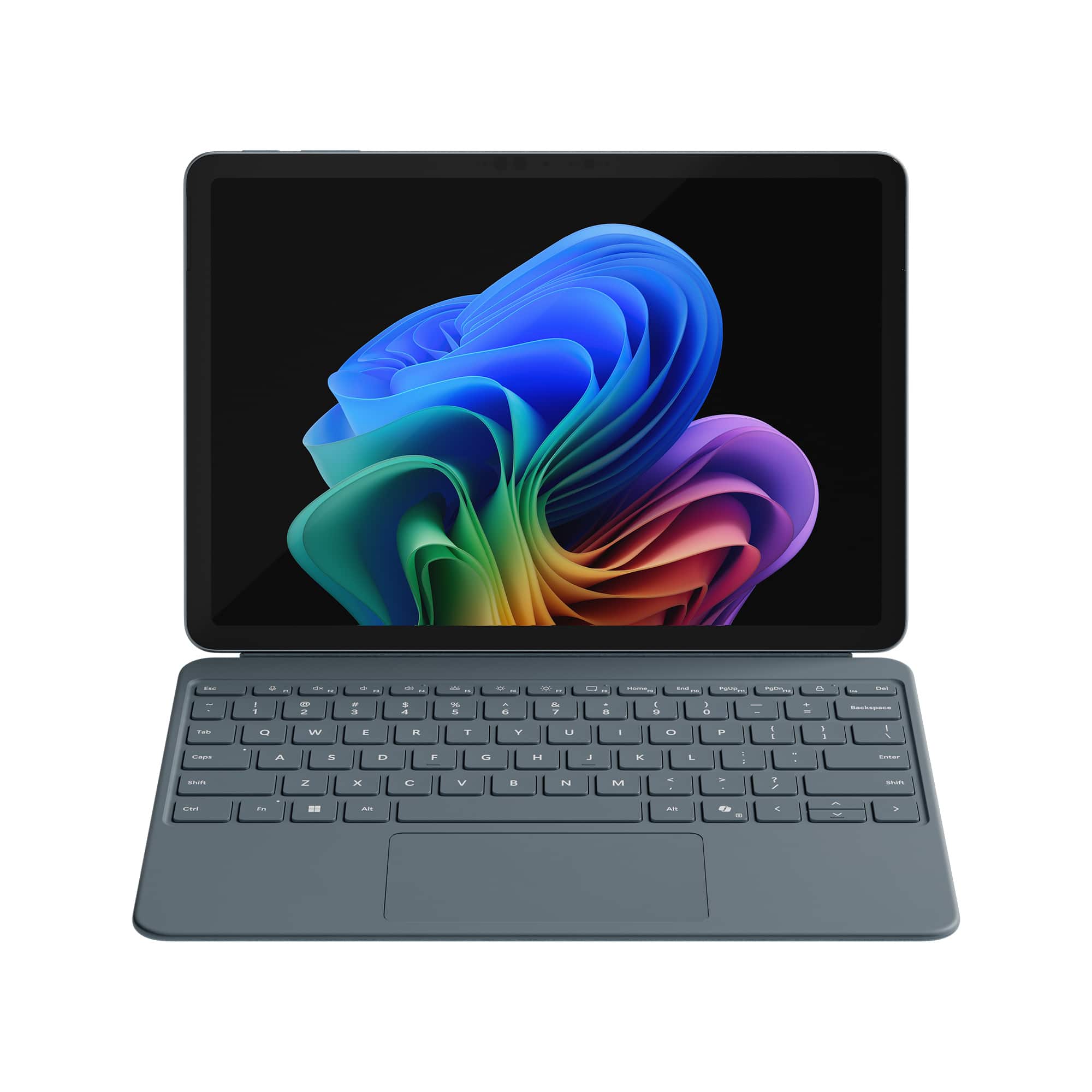
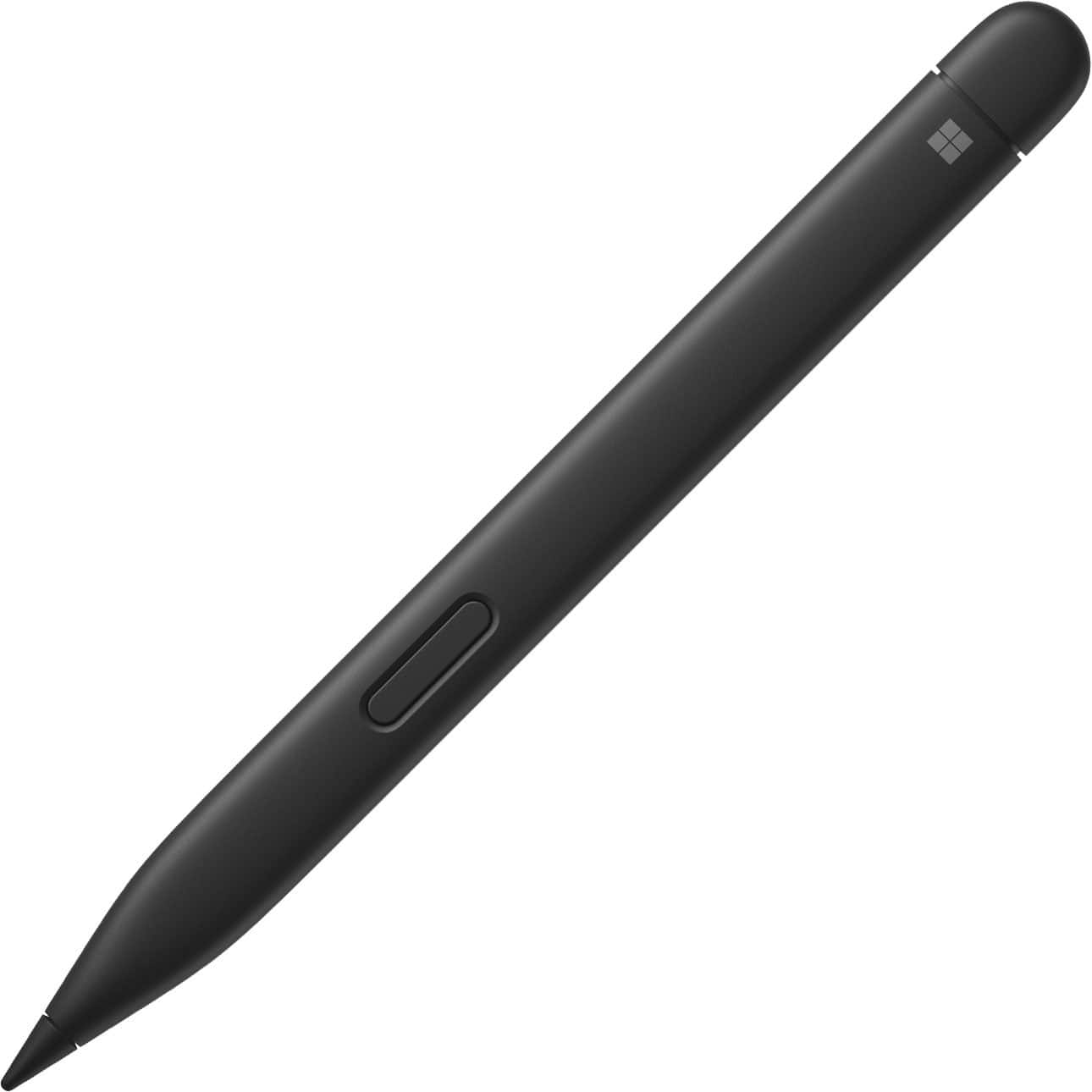
|Posted .This reviewer received promo considerations or sweepstakes entry for writing a review.The Microsoft - Surface Pro 12" Keyboard for Pro 12" with Slim Pen make a great companion to the Surface Pro 12" tablet. The keyboard makes for a great cover that not just protects the screen, but provides full laptop functionality to a tablet device. The keys boast mechanical switches and really give that tactile feel you wouldn't expect to come from a tablet cover. The keypad is also backlit and can easily be used in dark rooms. There are built-in keys for CoPilot, and a full row of function keys, to include the ability to control media, microphone, speakers, etc. The magnetic hinge can flex a full 360 degrees and feels very secure once you click it in place. The included Slim Pen stylus boasts 4,096 pressure levels, and comes with a rechargeable lithium battery. As opposed to previous models that require AAAA batteries. The manufacturer states you'll get 15 hrs of use out of a charge. The Slim Pen can be docked onto the back of the Surface Pro tablet, and there it will recharge it's battery. If you're planning to use a Surface Pro 12" tablet, there's no reason not to invest in these accessories. They are pretty much a must for productivity on the go.
I would recommend this to a friendNo bubble wrap
||Posted .This reviewer received promo considerations or sweepstakes entry for writing a review.Came packaged poorly. Not sure of the functionality its a Christmas present
I would recommend this to a friendSmooth typing and writing experience!
|Posted .This reviewer received promo considerations or sweepstakes entry for writing a review.I'll cut right to the chase here - if you're buying the new Surface Pro 12", then you need to buy this keyboard and pen set. Could you use a different keyboard? Sure, the Surface Pro supports USB and / or Bluetooth devices, just fine. But with THIS keyboard set, it turns the Surface into the magical "portfolio" computer that you're really looking for. It integrates seamlessly and it JUST WORKS. That's it, no pairing, no plugging in cables, no anything. Snap it together and it's like the devices were made for each other. Largely because they were. The keyboard itself is high quality with a solid typing action (for how slim the keyboard is) with good rebound and fairly silent keystrokes. I'm a pretty quick touch typist (I basically type all day for work) and I was quickly able to get to about my rated speed and accuracy. The keys have backlighting with 3 levels of light for working in darkness. The touchpad is large and does support gestures - I haven't had any issues with tracking and it's nice a smooth with a good click action. The keyboard is fairly stiff for how thin it is and also provides a nice screen cover when the Surface is closed. The pen is an interesting choice in being a flattened oval vs round - the shape does take a bit of getting used to, but it means that it lays flatter against the back of the surface when charging (and the magnetic hold is also strong) meaning that it's less likely to be accidentally knocked off than a round pen would be. Once you get used to the shape, it does write and draw well. I'm not really much of an artist, but I was able to create basic artwork just fine and write notes without issue. Battery life is good and charging is quick. So, on the whole, this is a great package and if you're getting a Surface Pro 12" (or have one already), you really need to pick this one up.
I would recommend this to a friendPerfect compliment to the Surface Pro
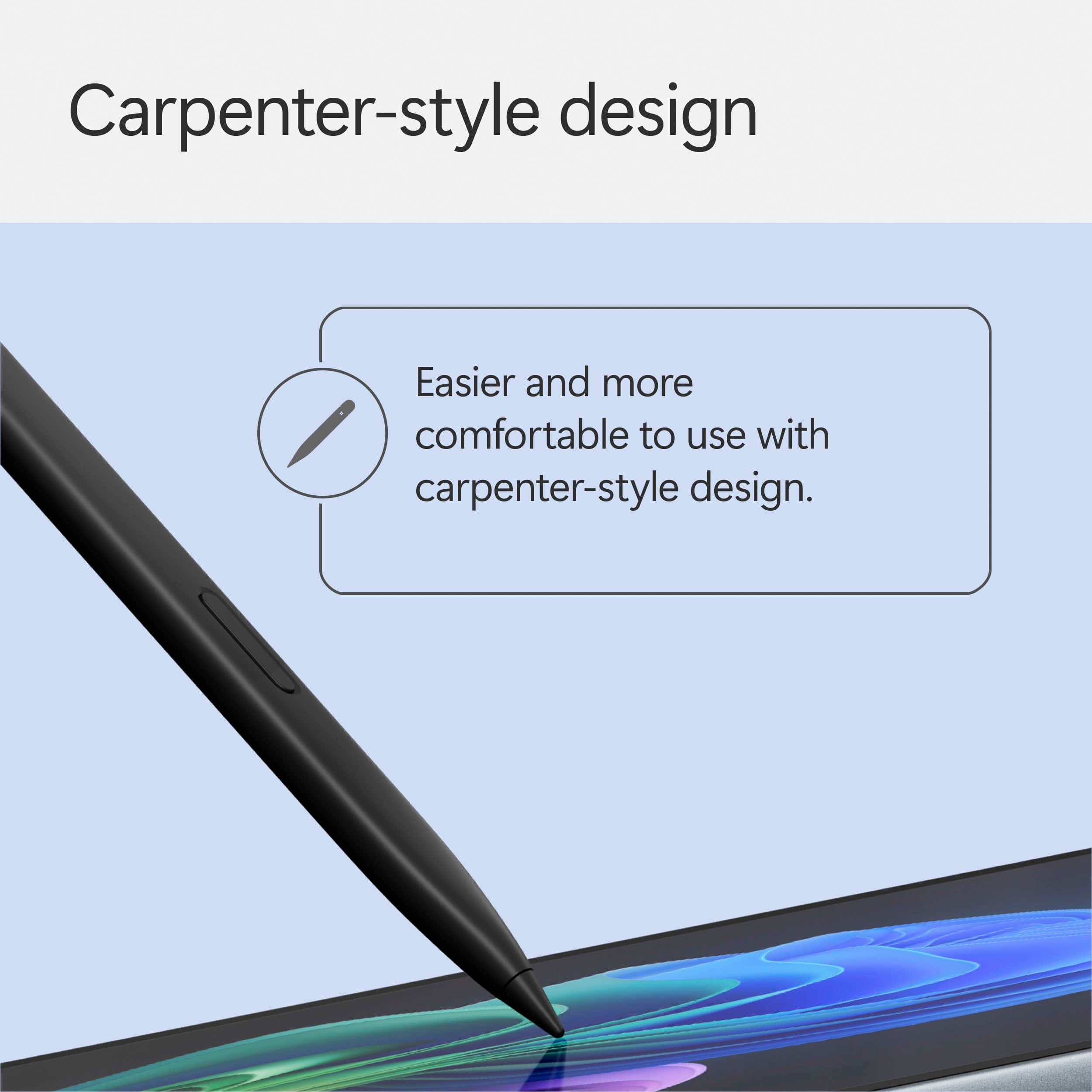
|Posted .This reviewer received promo considerations or sweepstakes entry for writing a review.This is my first tablet that is not the fruit brand, and I was somewhat skeptical as to whether or not I would like it. I LOVE IT. When I opened the Keyboard for the Surface Pro 12” I was a little taken back by its size, simply because I have large hands. I wondered if I would be able to use it proficiently, I was pleasantly surprised. The connection to the Surface Pro was seamless, and the “kickstand” on the back of the Pro used in conjunction w/ the keyboard is very steady. I truly like the layout that Microsoft accomplished in such a smaller footprint, the keys on this keyboard have a great feel to them on your fingers, and the key response is exceptional in my opinion. I absolutely love the trackpad and to me, this added feature that I never had w/ my older tablets sets this apart. When paired w/ the Surface Pro you basically have a small touchscreen laptop. And then, you have the pencil, I cannot express how much I love this pencil, the major feature I like about it is the shape, I have a small woodworking shop and I mostly use a pencil shaped just like the pen. I love how it truly feels like I am writing on paper when I use the pen, and the battery life and having it charge as I charge my Surface Pro is a plus. The dedicated keys that Microsoft incorporated in this keyboard are top notch as well, I love that I can tap a key and go directly to Co-Pilot or use the snipping tool to screengrab what is on the display. The key that I like the most is that now w/ the touch of one key I can lock my Surface Pro. This is a well designed and manufactured keyboard that is a prefect compliment to the Surface Pro, I am so glad I have this and would highly recommend it
I would recommend this to a friendSurface keyboard
||Posted . Owned for 1 week when reviewed.This reviewer received promo considerations or sweepstakes entry for writing a review.Product said it would fit a 12.3” surface screen but it did not come close.
No, I would not recommend this to a friendResponsive mousepad, Keyboard has nice touch
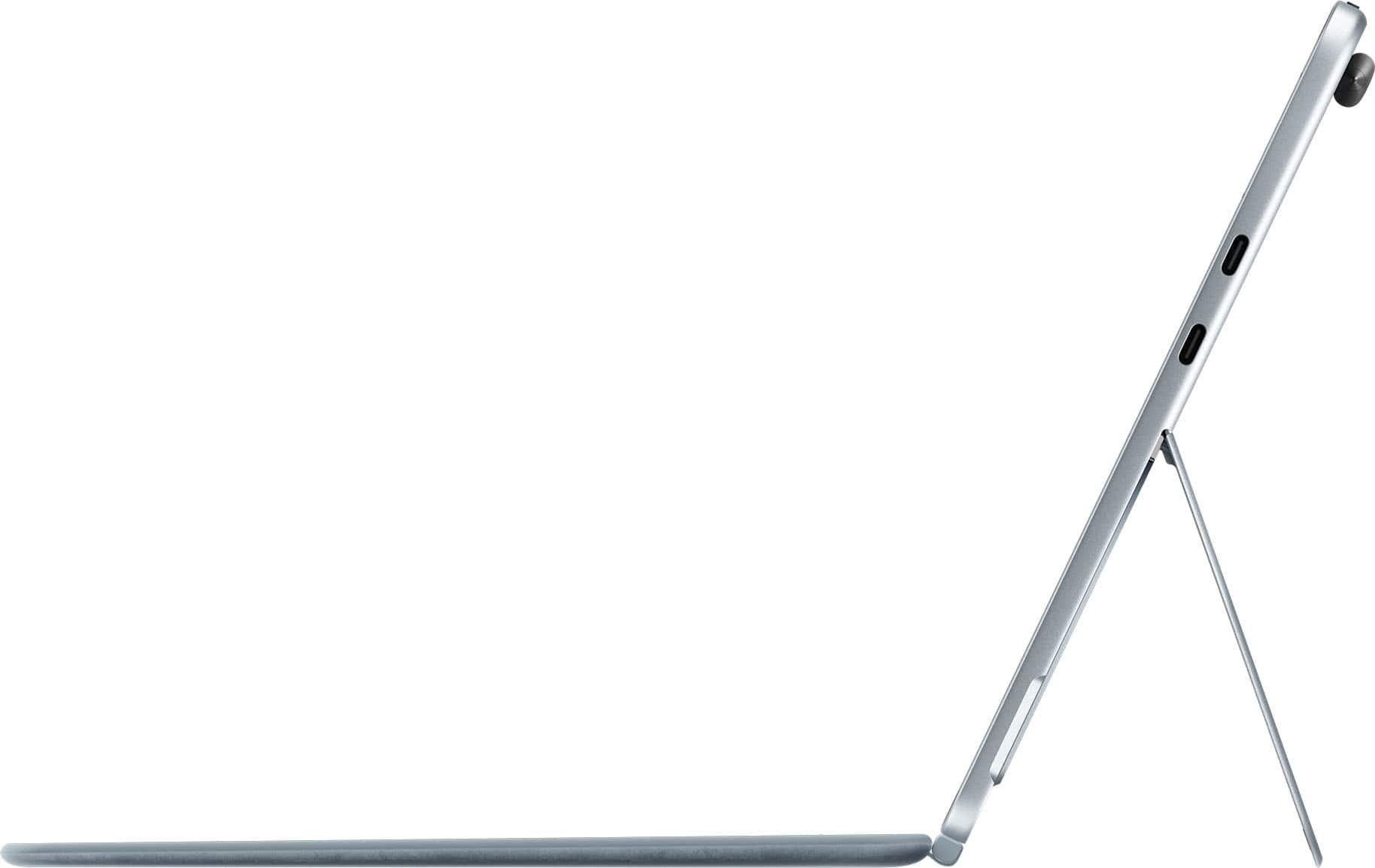
|Posted .This reviewer received promo considerations or sweepstakes entry for writing a review.The keyboard that adds on to the Surface Pro attached by simply aligning the five magnetic dots on the top of the keyboard to the five dots on the bottom (or side depending on how you are holding) of the Surface Pro. I expected to have to go through some type of installation and/or device install process. Nothing, absolutely nothing extra to do. The keyboard just worked with the Copilot screen I already had open. Simply turn the keyboard while holding the Surface steady and it detaches. Couldn’t be any simpler. The mousepad is very responsive. The keys have a nice touch. They don’t really click like most keyboards, they have more of a light thump. The pen is a new accessory for me as I have not used one before with a laptop. It too was very simple to use. Attach it to the spot on the back of the Surface for five seconds to activate. Double click the top of it and One Note opens. I was able to scribble some notes and create a new notebook. I read that you remember things better if you use a pen and write notes. Not sure if that’s true writing notes with an electronic pen. I found I used the pen in place of the mouse to open/close apps and pop up messages. I do tend to draw diagrams on white boards in meetings and I expect this handy little pen will save me a few steps as I’ll do those diagrams right on the Surface Pro.
I would recommend this to a friendNew and Broken Already
||Posted . Owned for 5 months when reviewed.This reviewer received promo considerations or sweepstakes entry for writing a review.I bought this keyboard September 2025 and now in February 26th it’s completely unresponsive. I have no support or exchange options. My last Surface keyboard lasted me 8 years. I’m so sad I don’t even know what more to do.
No, I would not recommend this to a friendNot so great
||Posted . Owned for 1 week when reviewed.This reviewer received promo considerations or sweepstakes entry for writing a review.Okay not that great it’s not steady. It’s very un easy to use
No, I would not recommend this to a friendAwesome Quality, Could be Improved
|Posted .This reviewer received promo considerations or sweepstakes entry for writing a review.Yes, I gave it four stars, but only because I would like to see a better keyboard layout with programmable buttons. It feels a little bulky for just having the basic keyboard and mouse functions, but it fits the shape of the Surface Pro, so not much can be done about the size. It has kind of a soft touch feel, is very responsive. The keyboard is super well built and is an amazing companion to the Surface Pro. I don't find myself using a smart pen much, however it feels great and functions flawlessly. When folded up over the screen, it has a premium alcantara type look and feel, and is very pleasing to the eye. Five stars to the design, quality, and functionality, however I would love a more modern layout with dedicated volume buttons, and maybe a calculator button. Would also love to see some programmable buttons for fast access to apps or functions, etc. Lastly, I want to highlight the mousepad. It has a great size, has a smooth and comforting feel, and clicks as good as many premium laptops on the market. This is more than just an accessory, it is a must if you love using your surface pro!!
I would recommend this to a friendGame Changer with the Pen, Keyboard & Trackpad
|Posted .This reviewer received promo considerations or sweepstakes entry for writing a review.I absolutely love my Surface Pro and the Slim Keyboard and Trackpad with Pen was a game changer for me. I had the original Microsoft Surface back years and years ago. And while I liked it, I didn't love it. That changed when I got the Surface Pro. I work from home and so when I travel I don't want to have to take my laptop, keyboard, mouse, etc. with me. This Slim Keyboard snaps onto the Surface Pro and acts as a cover for the screen too, so I can throw it all in my backpack and take it with me as I travel. Keyboard Usage I love having a full size keyboard most of the time-whether gaming or working, however, I am able to make do when on the go. I would love to have a 100% keyboard but I know that isn't really possible in this form factor-so I can't fault this product for that. The trackpad is responsive, the keys have a nice feel to them, and I don't make a lot of mistakes on the keyboard even though I have an ergonomic full size keyboard for my home desk setup normally. Which is great because I normally do have some errors when switching but I didn't with this one. I think it is the size and just the design, so that's a plus for me! Rating: 5/5 The Pen So the pen is super cool. I really love it. I fired up the Surface Pro and used the pen to take some notes during meetings at work, it worked beautifully. Also, playing around with one of the Microsoft paint or photos apps and using CoPilot to transform my words into art was really cool. Now it's not 100% accurate as it added details I didn't want, and even made some things wonky, it is still cool to see how far AI has come in such a short time. I think it will only get better over time. I am creative but I cannot draw at all. I am going to be letting my kids give it a go because they are insanely more creative than I could ever dream of being. But I really love the pen & will be using it a lot more for work specifically for taking notes. Rating: 5/5 Protection As I previously mentioned the keyboard also acts as a screen cover, which is a must for devices like this. I will not run my phone without a screen protector and even have them on the screens in all of our cars so I have to have them on my tablet type devices too. I am extremely happy with the level of protection this provides as well, it's not bulky while also providing adequate protection. I think they knocked it out of the park on this one. Rating: 5/5 Conclusion When it's all said and done this product fits my needs perfectly, gave me a device I didn't know I needed (the pen), and protects my new Surface Pro. I could not be happier with the product. Overall Rating: 15/15
I would recommend this to a friendMust Have accessory with Surface
|Posted .This reviewer received promo considerations or sweepstakes entry for writing a review.After spending some time with the new Surface Pro 12" and pairing it with the official Surface Pro Keyboard, I can confidently say you need it. Don’t just get the Surface without a keyboard. Its like a peanut butter and jelly sandwich without the peanut butter. First off, the build quality is excellent. The keyboard attaches magnetically and snaps in with a satisfying click, feeling secure whether you’re working on a desk, in your lap, or on a tray table. It’s thin but solid, with just the right amount of flex resistance, and the fabric material on the back feel premium. Just worried when it will gets dirty how will cleaning it be ? Typing on it feels surprisingly good. The key travel is deeper than I expected for such a slim keyboard, and the feedback is crisp and responsive. I guess I have average hand size hand and the keyboard works for me. . The spacing is good, and while the keyboard is compact (due to the 12" frame), it doesn’t feel cramped or compromised. The backlighting is another nice touch. I like the fact you can turn on and off the backlite. For a detachable keyboard, the trackpad is surprisingly close to what you’d expect on a premium ultrabook. But don’t forget it’s a tablet. The Slim Pen is a good addition too. Will take some getting use to. I typically don’t write on my tablet but will start finding ways to use it. I love how it magnetically docks and charges in the top ridge of the Surface. My only minor complaint is the price—it’s definitely not cheap, and you have to buy it separately. However, this keyboard is essential and well worth the investment. It’s not just an accessory—it’s part of the experience.
I would recommend this to a friendWorth every penny
|Posted .This reviewer received promo considerations or sweepstakes entry for writing a review.I know it can be tempting to think you can go with a cheaper solution of a Bluetooth keyboard and mouse, but I mean it when I say this keyboard (and pen!) are worth every penny for your Surface Pro experience. The material feels great in your hands, and it was an excellent choice by Microsoft to only put the Alcantara fabric on the outside; the rubber palm rests feel great and help keep your hands anchored. The typing experience is fantastic; while it can’t compete with a mechanical keyboard, it gets pretty close - and that’s almost unheard of in something this thin. I don’t know how they engineered it, but the travel is excellent, the click is firm and lets you be confident with your typing, and the backlight is also just the right amount of brightness. The trackpad is a winner too; in my week of use so far, it hasn’t picked up any oils from my finger and I haven’t noticed any lagging in the scrolling or pointing. The pen that comes with it is decent too. I don’t have much use for handwritten notes in my workflow (and I’ll never be confused for an artist), but the fact that it magnetizes to the back of the device means it’s always there and charged. I do like the touch of having the button on the back be set to invoke an app of your choosing; I used OneNote for this and it was always snappy to launch. It really is worth the price of admission; I don’t think you’ll have the best Surface experience without it.
I would recommend this to a friendAt least they include the pen with the keyboard
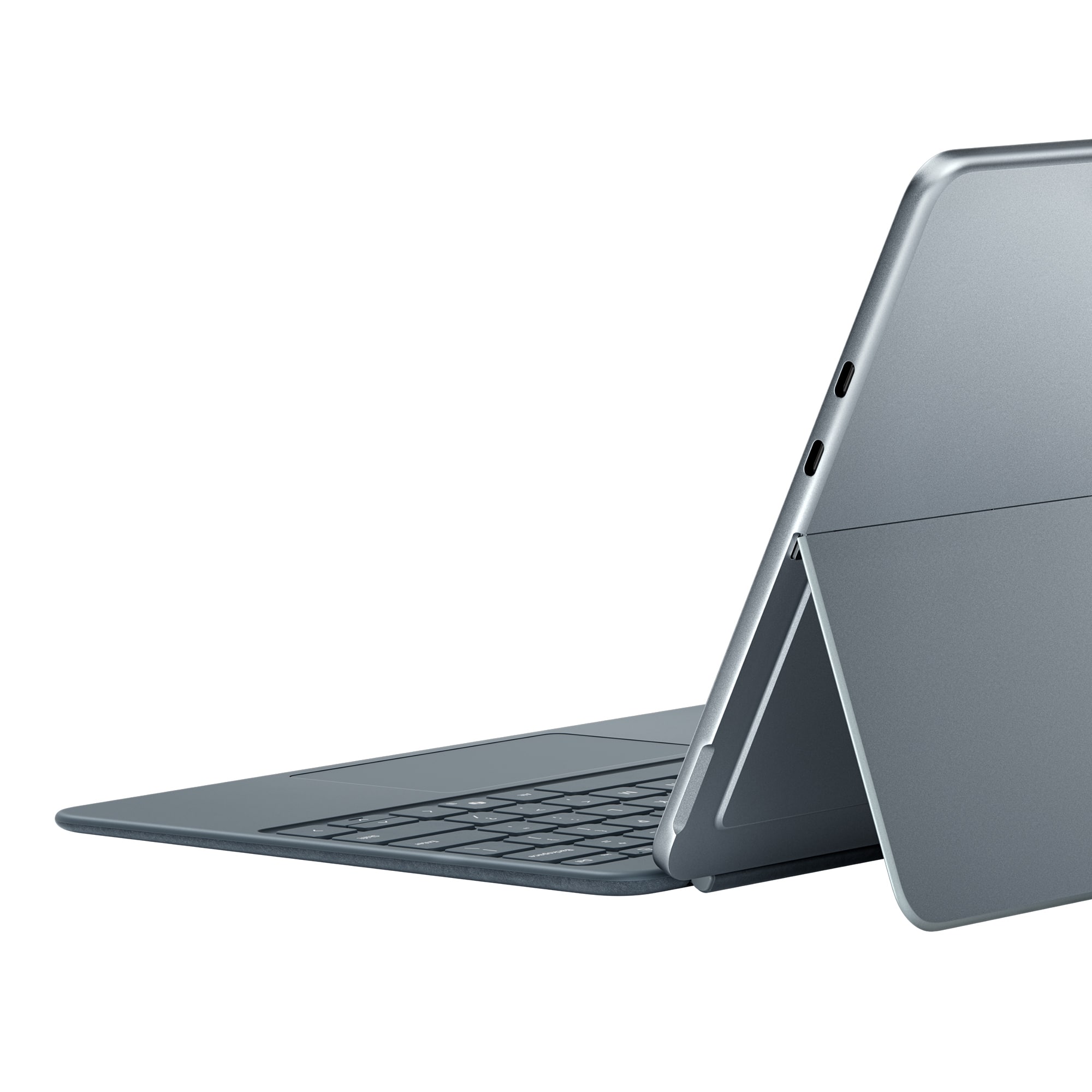
|Posted .This reviewer received promo considerations or sweepstakes entry for writing a review.I suppose I'm grateful that car dealers haven't started selling wheels separately... If you have the new Surface Pro 12" then you're going to need the keyboard and pen. The redesigned Surface Pro 12" is a worthy upgrade and the new keyboard is a really nice upgrade too. The slim pen is the same model that was introduced a few years ago, so no surprises there. The carpenter pencil square body is magnificent for note taking. Zero lag (which we've come to expect from modern devices), and haptic feedback enhance the writing experience. The keys on the new keyboard are soft rubber and provide a nice tactile typing experience. The outside is suede (alcantera?) like the older models. The keyboard lies flat now instead of tiling up at an angle like the 13" model. I'm on the fence about which I like better. The new key texture and backlighting are nicer than older models and it folds back all the way without the awkward ledge. The pen charges on the back of the device instead of the charging inset of the keyboard. If you have the Surface Pro 12" then you'll need the new keyboard (the old type covers aren't compatible).
I would recommend this to a friendGreat keyboard/cover for Surface Pro 12
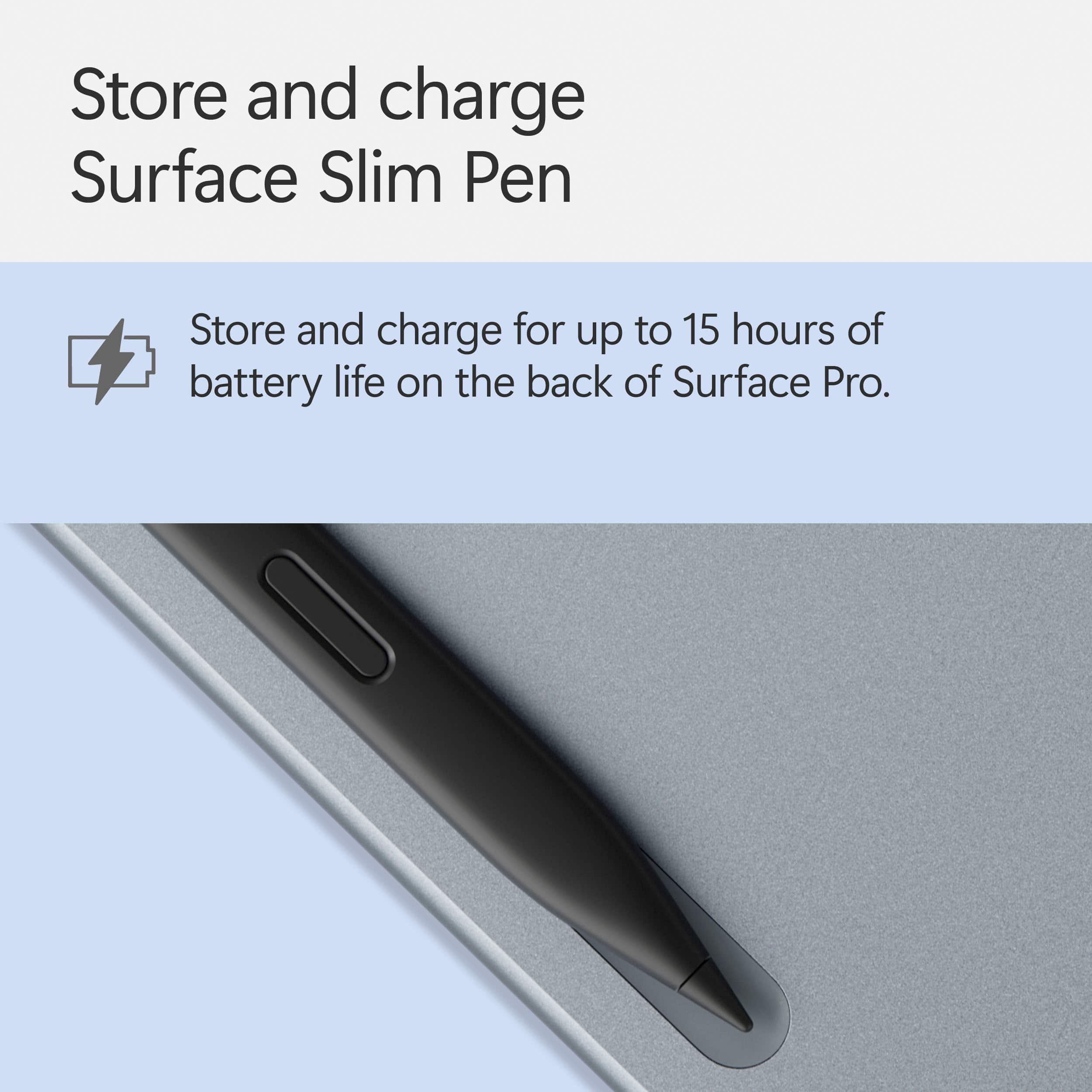
|Posted .This reviewer received promo considerations or sweepstakes entry for writing a review.The keyboard is for the new Surface Pro 12. The tablet will function just fine without the keyboard, but this keyboard adds many useful features to the tablet. It acts as a thin cover to protect your tablet at a minimum. One of the most helpful features is the dedicated copilot key. It can be helpful at times when needing a quick answer to a question. Also the addition of the “cocreator” feature in paint can be very helpful when needing some inspiration for a drawing. It can also be helpful when coming up with a concept of a project or something like that. The keyboard can feel a little mushy at first but once you get used to it it’s very nice to type on for long periods of time. The trackpad is also surprisingly good for this type of device. The new magnetic tray for the pen on the back of the device keeps the pen handy for use and keeps it charged. Overall I think it’s a great keyboard and adds to the overall use of the tablet. It is at a great price point and I would definitely recommend buying it with the tablet.
I would recommend this to a friendA Surface Pro Must
|Posted .This reviewer received promo considerations or sweepstakes entry for writing a review.The excellent Surface Pro Keyboard and Slim Pen are a must have when picking up your Surface Pro. However, it really should be included with the Surface Pro. That being said, this is pinnacle keyboard and trackpad design. Keys have the right amount of travel, and the keyboard itself is a perfect weight. What I’m really excited about is that coming from earlier Surface devices, my palm sweat and grease stained the alcantara handrests so quickly. Alcantara is just on the back of the keyboard so I no longer have to worry about my sweaty hands. The pen is excellent for hobbyists and some professionals. The tough part of having the Surface Pro with the ARM processor is that your drawing apps are hit and miss when it comes to compatibility. I couldn’t get the standard version of Krita to load (I could download a beta version for ARM but it would require a lot of backend work to get it up and running). Adobe Fresco has a built for ARM version and it works beautifully. It’s currently free to use but who knows how long that will last. As more people adopt devices with ARM processors, more developers will target this device and it will become less of an issue. Pros: Excellent key travel and touchpad No alcantara where your hands rest so you won’t get that stained from sweat The pen holds on strongly, can almost hold the computer by it Cons: No longer have the option to raise the keyboard up Should be included with the computer
I would recommend this to a friendMust Have Accessory for the Surface Pro
|Posted .This reviewer received promo considerations or sweepstakes entry for writing a review.The pen and keyboard attachment is what brings the Surface Pro tablet full circle. The keyboard has a very nice soft touch feel to it that does let my wrists get sweaty and it is pleasant to the touch. The keyboard doesn’t feel cramped and I found the typing experience to be good enough for this type of form factor. Someone with larger hands may feel a bit cramped. The trackpad worked well and was responsive. Whether you’re a touch to click or like the physical press, both were very responsive. The feel of the trackpad is smooth and easy to use. Multi touch gestures for zooming and navigating is always nice to see and worked pleasantly. A few other nice touches were the now what seems to be standard copilot key. If you get a lot of use out of copilot, it’s nice being able to quickly tap the key to start a search, summarize a task, or help you through your day. The keyboard is backlit so using it in a dim lit room makes finding the keys very easy. It also connect magnetically to the bottom of the Surface Pro. The magnets are very strong. You can pick up the tablet and they keyboard just dangles. I wouldn’t worry too much about getting up and walking around with it hanging off. You’d really have to bang it against something for it to fall off. The slim pen designed for the surface pro, magnetically attaches to the back of the surface, which also conveniently charges the pen. I’m not one for taking hand written notes as much but I could easily see myself doing so with the slim pen. I fired up one note and doodled around with note taking and drawing. I like that the pen is force sensitive, you can double click the “eraser” to launch the note taking app of your preference (one note by default) and when your done, it doesn’t get lost by letting the magnets snap it to the back of the surface pro. I would say for the pen the only recommendation I would have is the write to text is very sensitive to exactly as you write it. I think Microsoft can adjust the software to assume proper capitalization and spelling, and if that isn’t your preference, have the option to turn it off. While the surface pro exists as a stand alone device, I don’t think windows is quite ready to live without the keyboard and trackpad. I highly recommend this as a companion to your surface pro.
I would recommend this to a friendPerfect companions
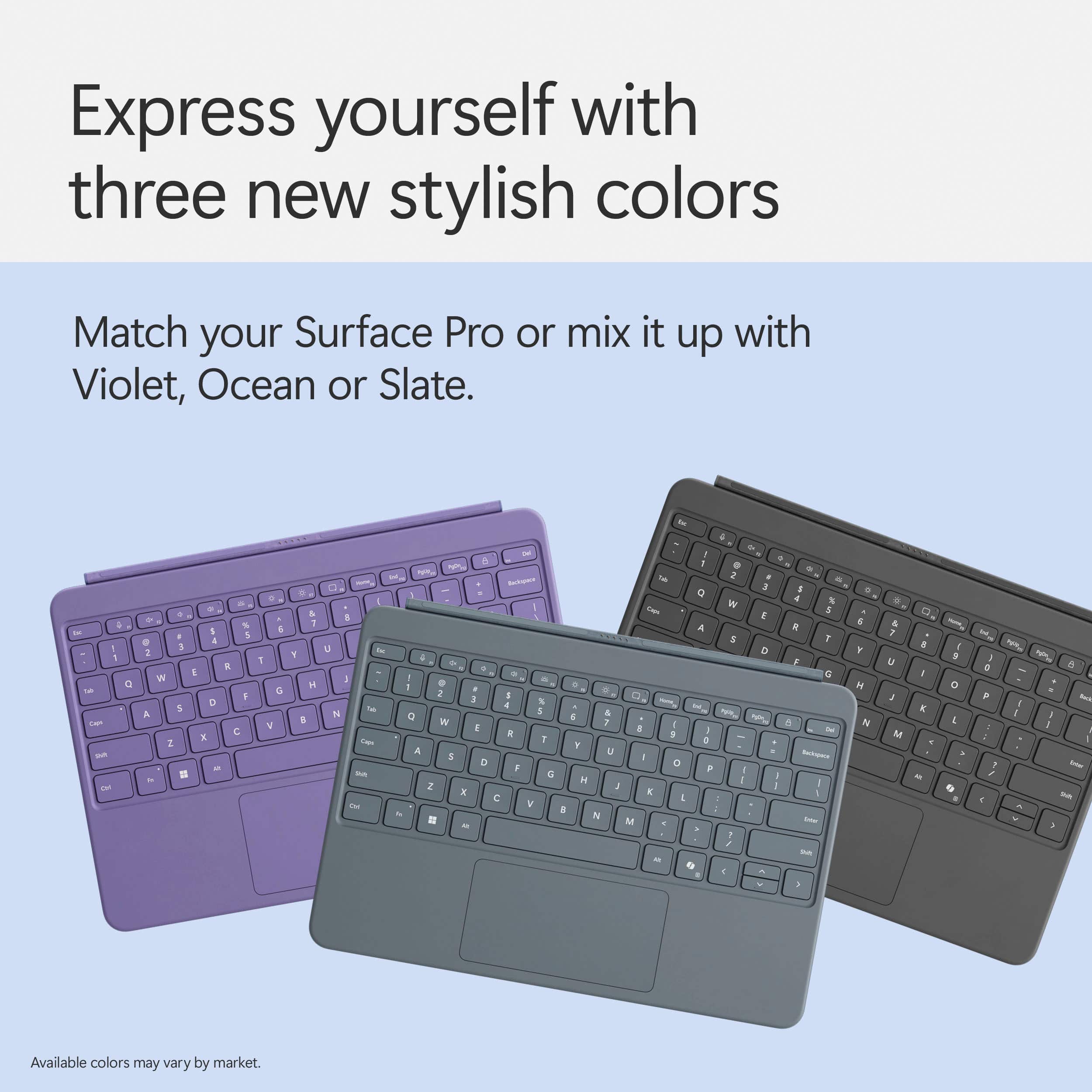
|Posted .This reviewer received promo considerations or sweepstakes entry for writing a review.I absolutely love my Microsoft surface pro and in the past I have questioned certain design language for the add ons like this keyboard and pen but this time around they got it perfect!! Super happy with the fact they really went all in on the new designs here specifically the feel and usability. The precision touch board is nothing short of amazing feeling to use which was a pain point of the past so I’m really happy this one is so much better. The backlight in the keyboard is really important to me as I do a lot of work in low light and it keeps things easily seen for me especially with the dedicated copilot key which excellently this time around comes in the layout making it extremely easy to pop that window up and utilize the amazing ai for anything you could want. The slate color i got is a perfect match to my platinum color surface pro and the pen is a perfectly synchronized color way. Since with this new design it’s actually flat and not at an angle any longer like the old one was it makes full use of the proximity snap feature where you can install and remove it without even picking up your surface pro making it extremely convenient to say the least. That to say I’ve focused mainly on the keyboard to this point but the slim pen is also perfect. It provides excellent haptic feedback when using. I’ve never had an accuracy issue or anything and it magnetically attaches to the back of your surface pro where it also charges. I also have to say compared to the past a really nice change has been the reduction of carbon footprint and extremely smart use of recycled materials in all of the packaging to the point it’s much much better than before and greatly appreciated. This is the perfect kit you need to fully utilize your surface pro. High recommendation.
I would recommend this to a friendwell-designed companion for the surface pro tablet
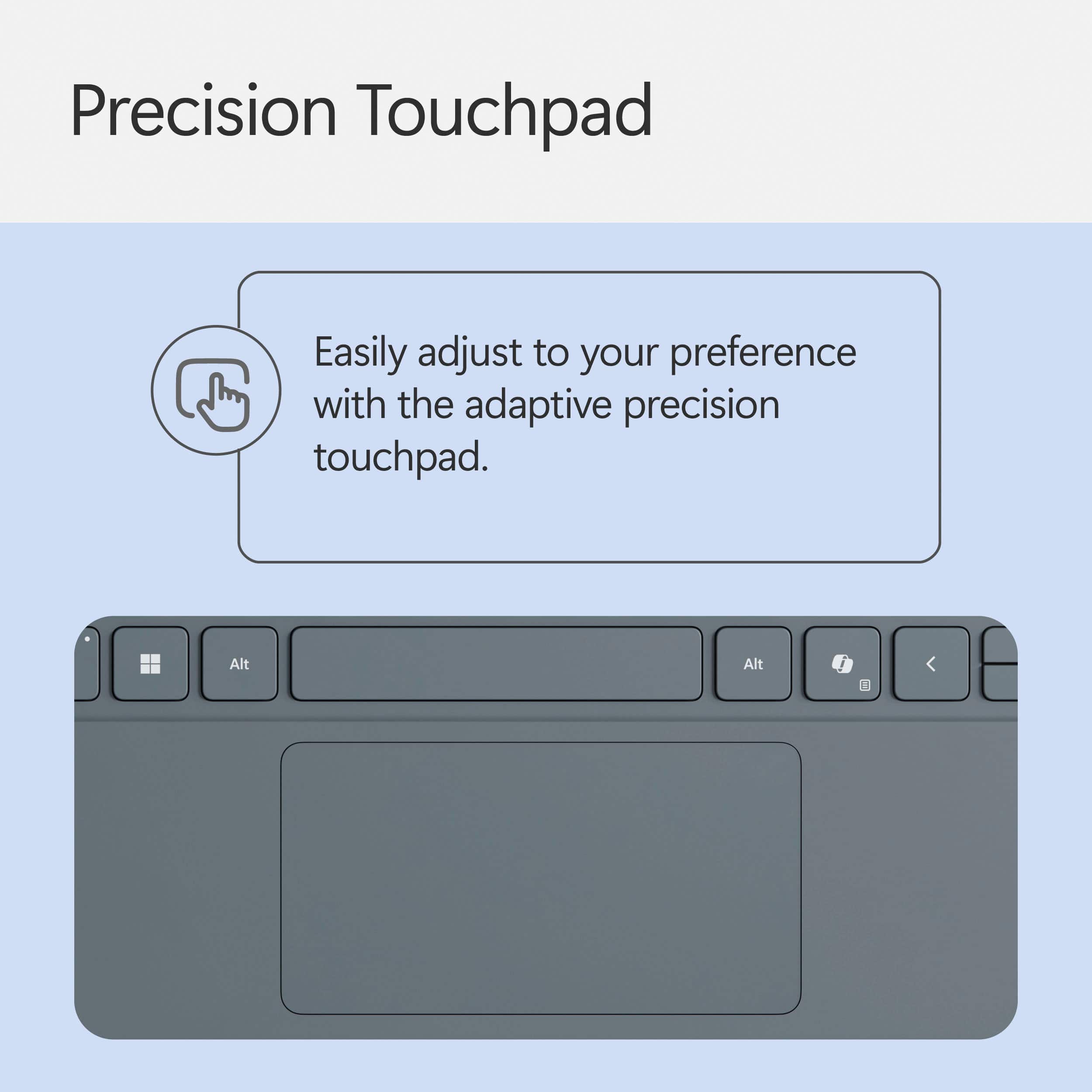
|Posted .This reviewer received promo considerations or sweepstakes entry for writing a review.SUMMARY: The Microsoft keyboard with Slim pen is a smart purchase to accompany your Surface pro. It has a track pad that is not haptic touch; it’s just a regular track pad. The track pad is very responsive; Microsoft refers to it as their “precision touch board.” I enjoy using the track pad. The keyboard is a different style compared to earlier models, in that the material on the keyboard is a matte rubber vs the textured, felt textile material of the previous generation. It also has a dedicated key for Microsoft’s Copilot. PROS for keyboard & pen: I love that this thin keyboard has a backlight feature. That’s a feature I would have expected to be cut for space saving, yet that’s not the case here. This enables me to use the Surface Pro at night. I think for a student writing a paper at night in their dorm room, or for a lawyer writing a brief in their bedroom as their spouse sleeps, this is a key feature. I personally use it regularly; I can’t sleep at night, and I’m often browsing the web or social media on my phone. I like to keep the room lights off to save on electricity. The lit keys on the detachable keyboard make typing at night in low light (or no light at all) possible. I really enjoy using this at night. Aside from the backlight feature, the keyboard is a joy to use in general. It’s thin but does not feel cheap or flimsy. Typing on It feels natural to me. Truthfully, it doesn’t feel any different from typing on my work-issued laptop which isn’t much bigger than the Surface Pro. The precision touch board is very responsive. The keyboard is well-made and looks nice despite being thin. Overall, it has a premium feel as opposed to cheap and feels comfortable to use for what it is. The pen is responsive and feels comfortable to hold. I like its flat and square design, and I feel its shape makes it capable for long-term use; comfort matters when you’re using it for hours. It uses haptic touch features to communicate with the Surface Pro. This pen is ideal for photo editing and writing in the journal and note apps on the Surface Pro. It might not be precise enough for illustrators when they are doing fine line work or doing intricate details on their illustrations. It works well with shading. CONS for keyboard: I wish the keyboard had a second part to it that could be used to encase the back of the tablet, thus allowing the keyboard to double as a protective case for the Surface Pro. If this keyboard had a magnetized half that the surface pro sat in, this keyboard would be perfect. Instead, only the tablet’s screen is protected while the keyboard is in use and the device is closed; the entire back of the tablet is exposed. I realize this is partially due to the built-in kickstand on the tablet, but if the keyboard had a cutout on the side the tablet sat in so that the cutout could still be accessed, I think the design would work. There could be a peephole for the camera too, for those that would use the Surface Pro while it sat in the keyboard case. Microsoft should consider doing this for the next iteration of this keyboard. I don’t like how there’s no Bluetooth feature inside the detachable keyboard that would allow me to use the keyboard separately from the Surface Pro tablet. The tablet must be physically attached to the keyboard in order to use it. It would be more convenient if you could pair them together both physically and via Bluetooth connection. This matters to those that want flexibility in how they set up their office space, in how they position themselves at their desk to type, etc. Attaching the Surface Pro to the keyboard is a breeze due to what Microsoft calls its “proximity snap,” but I do find detaching it from the keyboard to be difficult. It's awkward in my opinion. The connecting “proximity snap” part seems fragile and easy to break when removing it. The magnet is strong; it keeps the device connected as I hold it by the screen only, allowing the keyboard to hang without fear of drops. But that magnet strength is probably what makes it hard for me to detach the tablet from the keyboard. It just doesn’t detach as smoothly as it connects, and I hope that doesn’t cause problems for me down the line. CONS for the Slim pen: Some consumers may prefer a traditional round shape over the flat square shape.
I would recommend this to a friendGreat accessories!
|Posted .This reviewer received promo considerations or sweepstakes entry for writing a review.The Microsoft Pro Surface 12" keyboard and slim pen are great accessories for the Surface Pro 12". These are optional and NOT included in the purchase price of the Surface Pro 12". However, they are part of what makes the Surface Pro 12" so great and are a definite must-have. The slim pen mounts magnetically to the back of the unit and it actually stays in place. This space also doubles as a charger for the pen. Being able to charge the pen without being attached to a keyboard is a plus. The pen is comfortable to grip, and the haptic motor makes it feel like you're actually writing/drawing. It has a built-in LED light, a "right click" button, and an eraser. It can turn handwritten notes into text and has a battery life up to 15 hours. The keyboard attaches magnetically to the bottom edge of the screen and lays completely flat. There's very little flex making it sturdy while typing. It has an attractive, soft back which is a nice touch and keeps it from sliding around. The keyboard is backlit and has rubberized keys which are comfortable to the touch. The keys move enough to know you're typing, but are very quiet. My only negative is that the keyboard, power supply, and slim pen are sold separately and not included in the purchase price of the Surface Pro 12". They are definitely worth having and are available as a bundle so you can save a little money.
I would recommend this to a friendPerfect match!
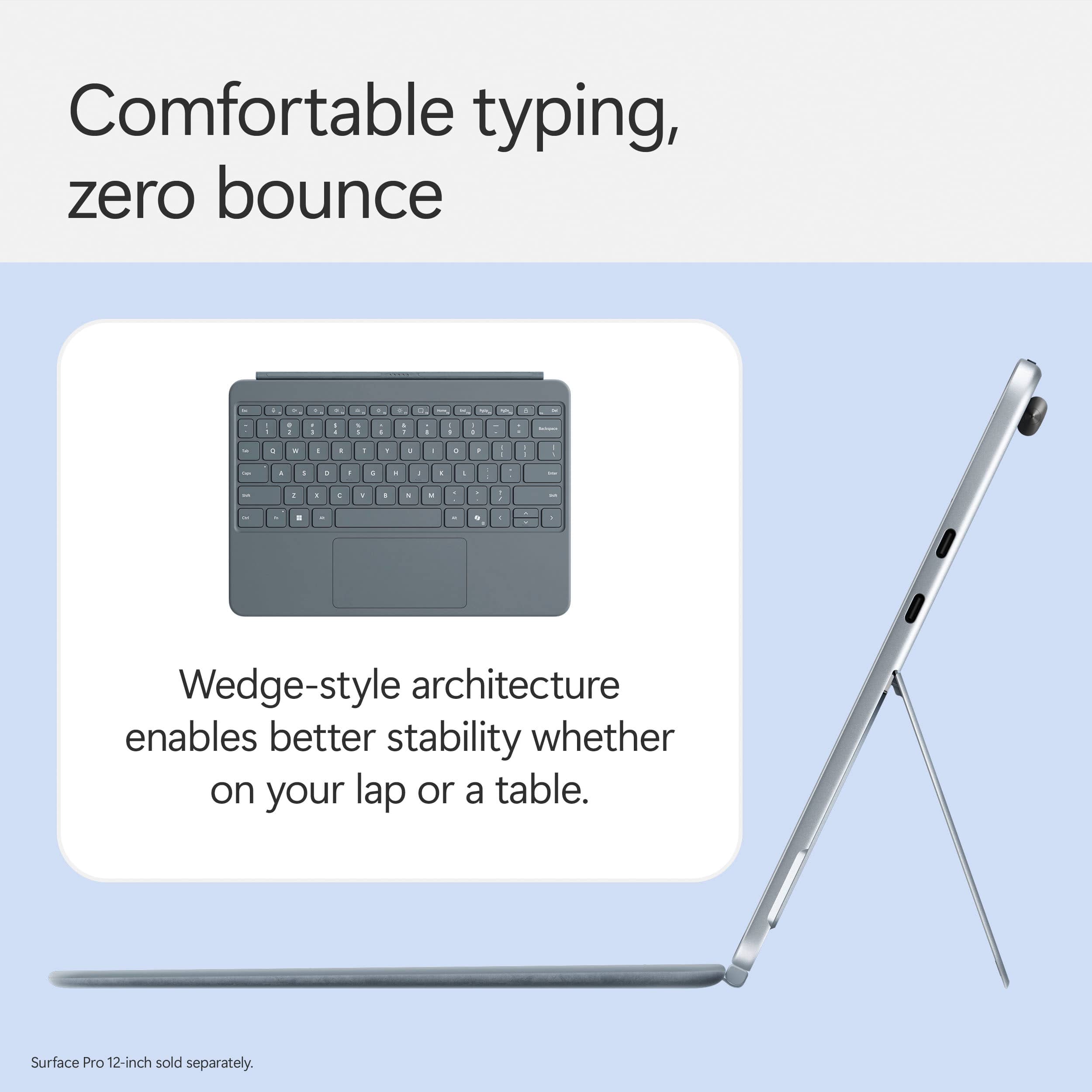
|Posted .This reviewer received promo considerations or sweepstakes entry for writing a review.If you're looking to unlock the full potential of your Surface Pro 12", this keyboard is the perfect match for your Surface Pro. Microsoft has crafted a well-designed, highly functional accessory that effortlessly transforms your tablet into a powerhouse laptop in just a click. Typing Experience: Best-in-Class The full-sized backlit keyboard delivers a comfortable and responsive typing experience, making it ideal for both work and play. The inclusion of dedicated special keys—like the Copilot key for instant AI access, snipping tool shortcut, and microphone mute key—ensures that efficiency is always at your fingertips. Precision & Comfort The adaptive touchpad is spacious, offering precise control, particularly beneficial for users with limited mobility. Additionally, the palm rest is made from a new long-lasting, easy-to-clean material, providing a sleek matte finish that resists wear while maintaining comfort. Innovative Design & Durability What truly sets the Surface Pro 12" Keyboard apart is its dynamic hinge, crafted from premium microfiber, allowing a smooth 360-degree flex for seamless tablet-to-laptop transitions. The wedge-style architecture ensures a stable typing experience with minimal bounce, whether on a desk or your lap. I love the velvet feel of the cover and it doesn’t slide which is a bonus. Magnetic Precision & Style With proximity snap, the keyboard effortlessly aligns and connects via a strong magnetic interface, eliminating any setup hassle. Plus, Microsoft offers a variety of colors—Violet, Ocean, and Slate—so users can express their style while maintaining top-tier performance. It aligns perfectly every time and really sticks on there. Final Verdict Whether you're a professional on the go or a multitasking powerhouse, the Microsoft Surface Pro 12" Keyboard delivers a premium experience with its ergonomic design, functional keys, and sleek aesthetics. It’s an investment in productivity that offers durability, adaptability, and efficiency—all in one elegant package. Highly recommended for Surface Pro users who want the best typing experience with enhanced functionality!
I would recommend this to a friend