Customer Ratings & Reviews
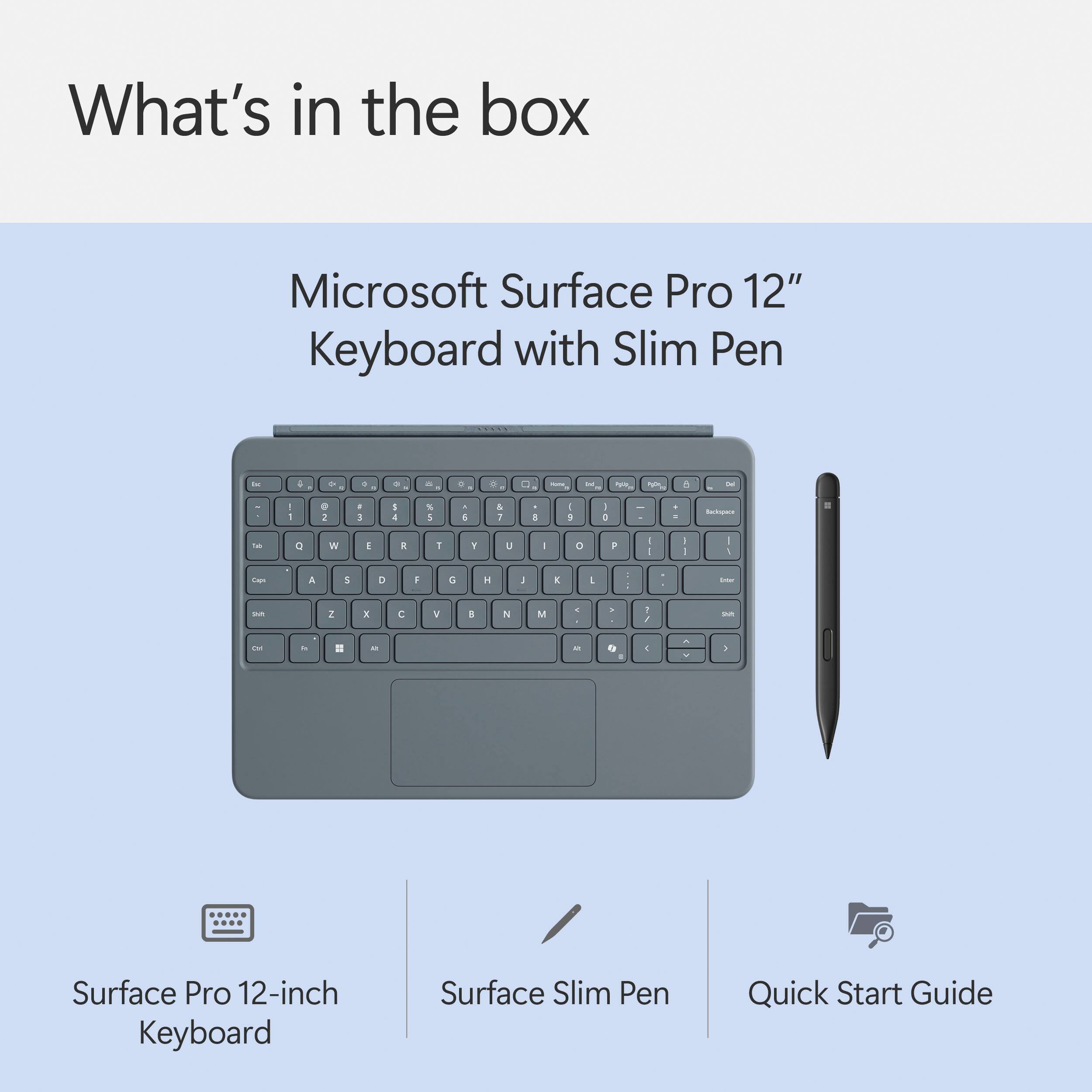
![Esc F1 F2 F3 F4 F5 F6 F7 F8 F9 F10 Home End PgUp PgDn Ins Del ~ ! 1 2 # 3 $ 4 % 5 ^ 6 & 7 * 8 ( 9 ) 0 - + = Backspace Tab Q W E R T Y U I O P ( [ ) ] I I Caps A S D F G H J K L : i - I Enter Shift Z X C V B N M < > ? / Shift Ctrl Fn Alt Alt 7 E](https://pisces.bbystatic.com/image2/BestBuy_US/images/products/6625/6625046_sd.jpg)

- Model:
- EP2-33077
- SKU:
- 6625046
Rating by feature
- Value
Rating 4.4 out of 5 stars
- Quality
Rating 5.0 out of 5 stars
- Ease of Use
Rating 4.9 out of 5 stars
Customers are saying
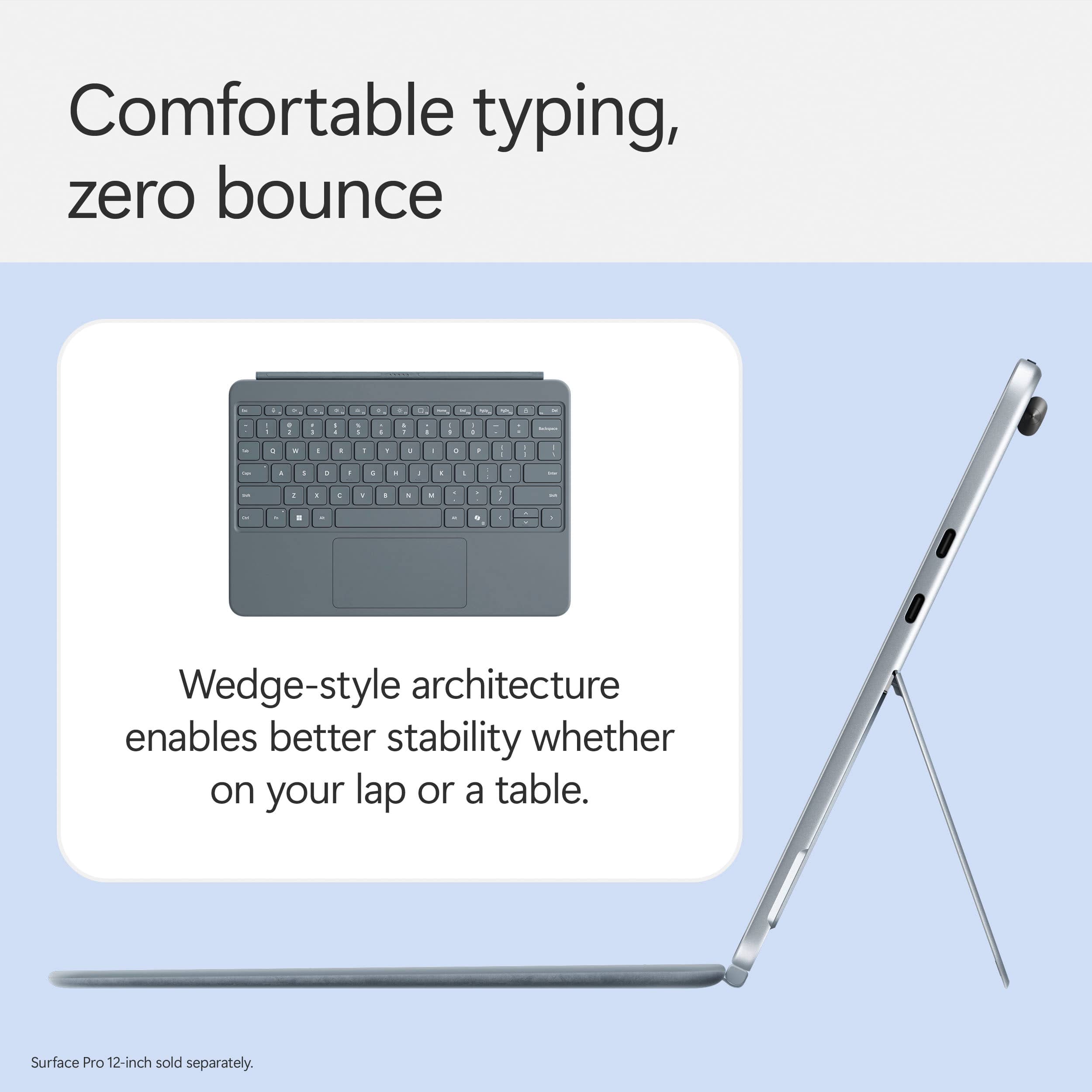
Customers frequently mention the excellent build quality and the convenient typing experience offered by the Surface Pro 12" Keyboard. Users also appreciate its portability and the satisfactory pen performance for writing and drawing. The haptic feedback and backlighting are additional features that customers find appealing, along with the precise key travel.
This summary was generated by AI based on customer reviews.
- Pros mentioned:Build quality, Haptic feedback, Pen performance

Level up your Surface with this Keyboard and Pen!
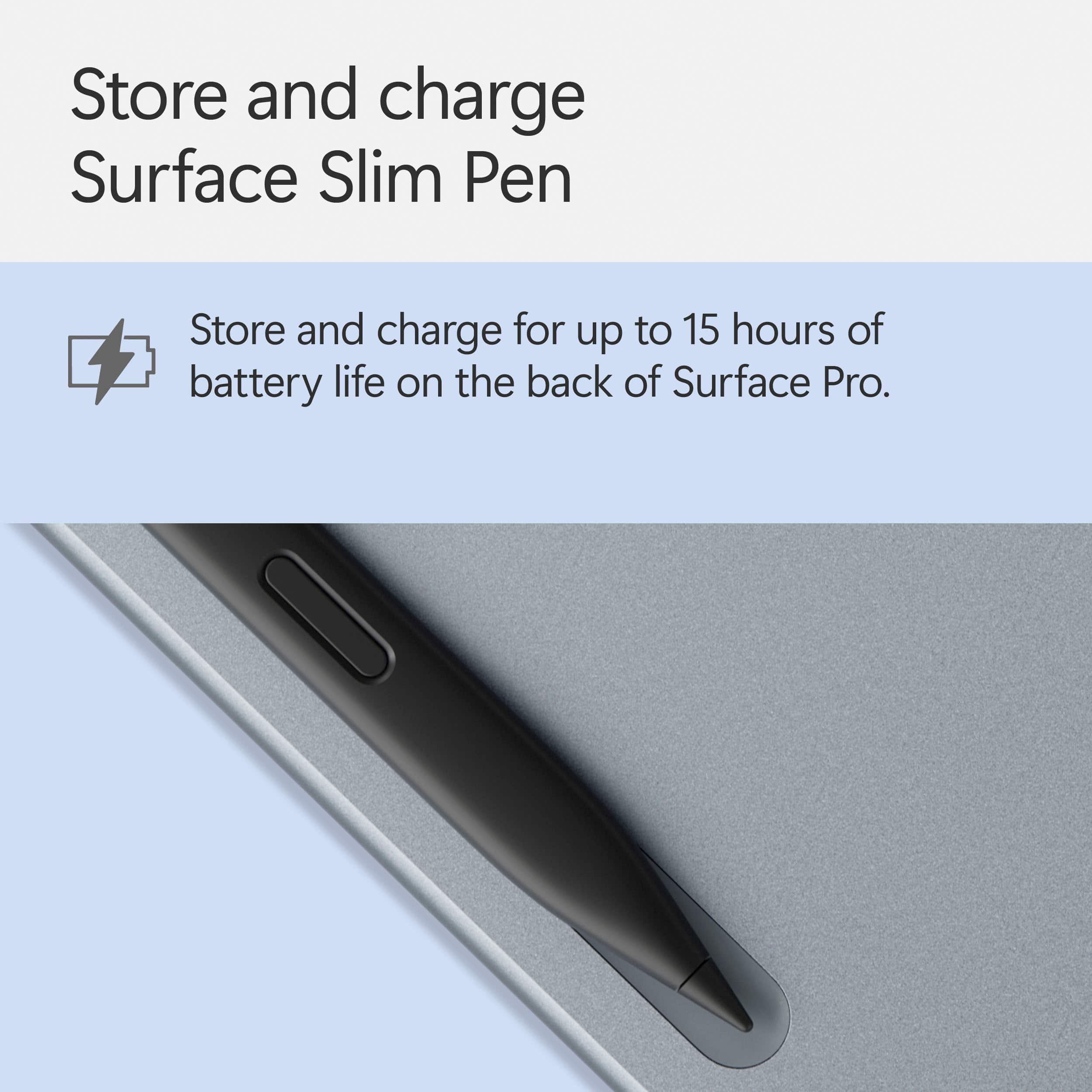
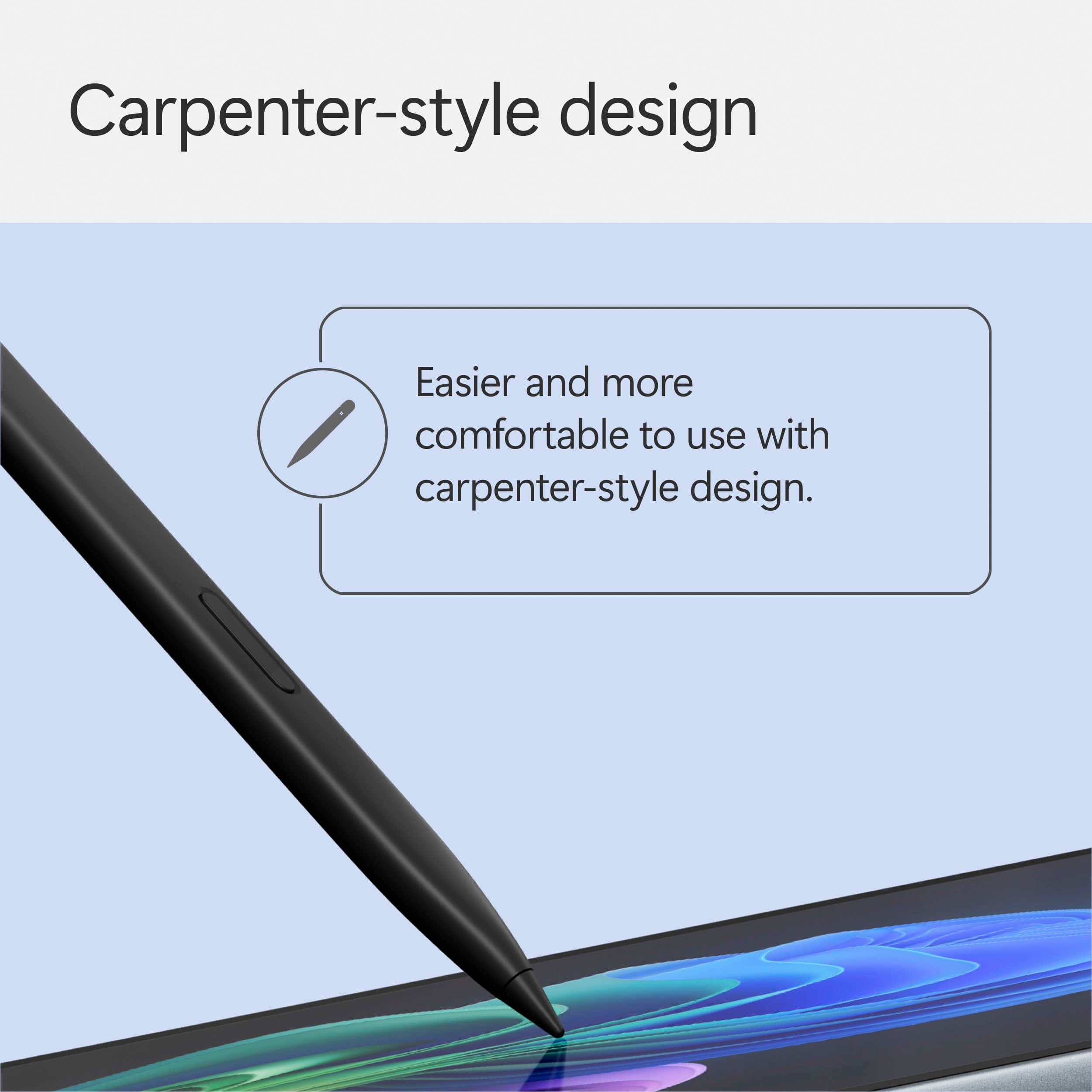
|Posted .This reviewer received promo considerations or sweepstakes entry for writing a review.The Surface Pro 12 Keyboard and Slim Pen 2 bundle arrived quickly and the packaging was clean, simple, and well thought out. The box feels premium and minimal, almost definitely all recyclable. Just like with the Surface tablet itself, it gives off that “you’re about to use something good” vibe. The keyboard and pen were both secure in a sleek clamshell-style box, no tape or plastic to fight with, and they came out ready to use. I snapped the keyboard onto the tablet in seconds, no setup or pairing needed, just click and done, which was so awesome. The pen popped onto the magnetic charging strip along the back of the Surface, and it immediately started charging. No extra steps. No wires, just a perfect seamless setup that helps to make a big difference in the user experience from the very start. The keyboard feels solid despite being super thin and extremely lightweight. I was surprised by how sturdy and durable it feels. They designed it so that there is some give between the keyboard and the rigid plastic magnetic strip that attaches to the tablet. There is some extra material that pulls out about half an inch, to give it more wiggle room. You can tug on it a bit and it stays locked in place, which makes it feel reliable. I wouldn’t throw it across the room, but I wouldn’t be surprised if I dropped the tablet and the keyboard was still attached. The keys themselves are full-size and backlit, with just the right amount of resistance when you type. You can actually feel the keypress instead of that squishy or flat feeling some detachable keyboards have. It types like a real laptop keyboard and the buttons feel nice and smooth under my fingertips. I really like having a dedicated Copilot key, it makes it easy to call up Microsoft’s AI whenever I need quick info or help writing something, for free. I’m starting to use it more than visiting search engines. The keyboard also has other shortcut keys, like screen snip and mic mute, volume controls, etc. My only real complaint is that there’s no Control key on the bottom right corner, which I use often on my desktop computer. I’ll probably get used to it, but it definitely slows down my workflow for now. The outer fabric has that faux-suede feel, soft, grippy, and high-end lookin. It’s a cutting edge material called Alcantara produced by an Italian company of the same name. I really like it, and according to the Alcantara website, it can be wiped clean, provides a grip surface and feels cool in summer and warm in winter. The touchpad is on the medium/small size, but it’s responsive, smooth, and reliable. The keyboard doesn’t feel cramped, even though it's compact. The Slim Pen 2, which I’ve been excited to try out, is really nice! It’s always charged thanks to the magnetic spot on the back of the tablet, and it stays put, even when I’m carrying the Surface around the house. It’s got a nice weight and shape to it, similar to a rectangular carpenter pencil, if you’ve ever used one of those. It does feel pretty natural in my hand, but, I will say that I am still getting used to using it a bit. Writing with it is smooth and accurate, and I love the little haptic feedback it gives in certain apps. In Microsoft Whiteboard, for example, it gives you a subtle vibration when you hold the pen still, right after drawing as shape, to notify you that the shape is being perfected from hand drawn to a perfectly sized shape. And the haptic feedback works differently for different apps. That feedback makes it feel more like writing on paper. The hover feature is also super helpful, you can hold the pen a bit above the screen and still see exactly where you’re pointing. It feels like having a mouse pointer on a tablet, and it adds a level of precision I really appreciate, and allows you to hover over options to see the help text, before clicking it. Overall, I’m really happy with the keyboard and pen. They completely change the Surface Pro 12 from a tablet into a fully-functioning laptop. The build quality is excellent, the connections are strong, and it all works together perfectly. It is a bit pricey, I won’t lie, but if you’re already buying the Surface Pro 12, this bundle takes it to the next level and makes the whole device way more fun and functional. I’d highly recommend it!\
I would recommend this to a friend - Pros mentioned:Build quality, Pen performance, Portability
Good Addition
|Posted .This reviewer received promo considerations or sweepstakes entry for writing a review.First Impressions & Design Right out of the box, the keyboard and pen combo in Ocean just looks and feels premium. It perfectly matches the Surface Pro 12" I’ve been using, with the same refined, soft-blue tone that adds a bit of personality without going overboard. It magnetically attaches to the tablet with that satisfying snap, and once it’s connected, the whole device feels like a true 2-in-1 laptop. The Alcantara fabric has a soft, suede-like feel to it—not slippery, but not grippy either. It looks good and feels comfortable against my wrists when typing for long stretches. It’s got that balance of looking business-ready while still being modern and stylish. Typing Experience This keyboard surprised me with how solid it feels for something so thin. The key travel is just deep enough to avoid feeling cramped, and the spacing is spot on. I've written full articles, edited spreadsheets, fired off tons of emails—and I never felt like I was compromising. The trackpad, while not huge, is glass and responsive. It supports all the multitouch gestures you'd expect in Windows 11, and it never felt laggy or jittery. Slim Pen Performance The included Slim Pen is tucked right into the keyboard’s top edge. It charges wirelessly when it’s docked, and it’s always ready to go when I need it. I’ve used it for digital note-taking, quick sketches in Whiteboard, and marking up PDFs—and the experience is excellent. It’s pressure-sensitive, has tilt support, and the latency is low enough that it feels natural, especially on the Surface Pro 12’s touch display. I don’t do detailed digital art, but for handwriting and annotations, it’s fast, smooth, and responsive. Palm rejection also works well—I didn’t experience any weird touches or accidental marks while resting my hand on the screen. Portability & Real-World Use What makes this keyboard + pen combo so good is how seamlessly it travels. It turns the Surface Pro into a true laptop replacement without adding much bulk. I’ve carried the setup in a slim sleeve, thrown it in a backpack, and pulled it out for use on flights, coffee shops, and couch work. Everything stays attached magnetically, even when moving between spots. The magnetic pen dock is especially helpful on the go—I never have to dig through my bag to find the pen, and it’s always charged. No AAAA batteries, no cables, just simple and convenient. Final Thoughts What I love: Beautiful Ocean color that matches the Surface Pro 12" perfectly Great typing feel for such a slim keyboard Responsive, accurate trackpad Slim Pen feels like a real tool—not a gimmick Magnetic charging/docking for the pen is super convenient Lightweight and travels extremely well What I’d change: A little pricey, considering it’s not bundled Alcantara may show wear over time, depending on usage Conclusion If you're picking up a Surface Pro 12", this keyboard with the Slim Pen is absolutely essential. It unlocks the full laptop experience while giving you the bonus of digital inking and handwriting when you need it. It’s lightweight, durable, and well-designed—and that Ocean color really brings it all together. This combo transformed my Surface Pro from a tablet I used occasionally to a daily driver I can rely on for everything from note-taking and editing to meetings and travel. Totally worth the investment.
I would recommend this to a friend - Pros mentioned:Build quality, Haptic feedback, Pen performance
A Must Have Surface Pro Accessory
|Posted .This reviewer received promo considerations or sweepstakes entry for writing a review.The Microsoft Surface Pro Keyboard 12” with Slim Pen feels like a product that should have been included by default with the Microsoft Surface Pro 12”. That is not a criticism of either the keyboard or the pen, both are great. But the fact that they are not included in the package feels off as the Microsoft Surface Pro benefits so much from the keyboard and slim pen that it feels incomplete without them. This is an excellent pen for the Surface Pro and a good tablet keyboard. Both are just as polished as the Surface Pro itself, and I have thoroughly enjoyed them. Experience: The Surface Pro Keyboard magnetically attaches to the side of the Surface Pro and instantly works with the tablet. The Slim Pen also works with the Surface Pro out of the box and charges by snapping magnetically to the back of the tablet. The keys and the trackpad for the keyboard feel great. The felt-like material on the back side of the keyboard adds some style and feels good to the touch. The keyboard features backlighting that, in my experience, stood out just enough to help me type in dark rooms. The pen has haptic support, pressure sensitivity, and two different buttons with functions that vary depending on the application you are using. Flip the pen around and you can use the backside of the pen as an eraser to correct mistakes. The pen has a good fit in my hands and is my favorite stylus to date. Conclusion: I really have no nitpicks with either the keyboard or the pen. They both work well and set the bar for tablet keyboards and pens. I just wish both had come with the Surface Pro. 5/5 Must have accessory.
I would recommend this to a friend - Pros mentioned:Build quality, Portability
A Must-Have Addition for the Surface Pro 12!
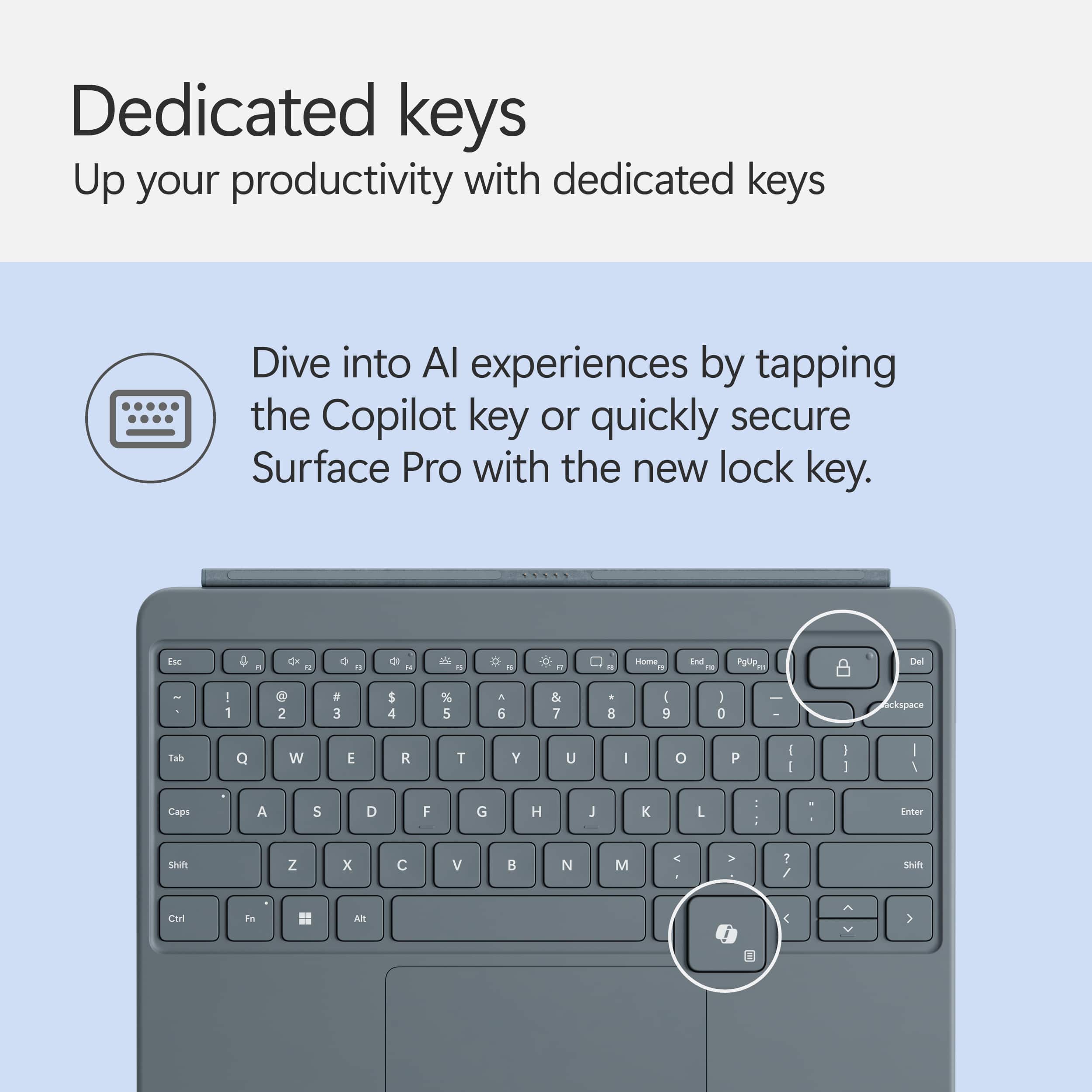
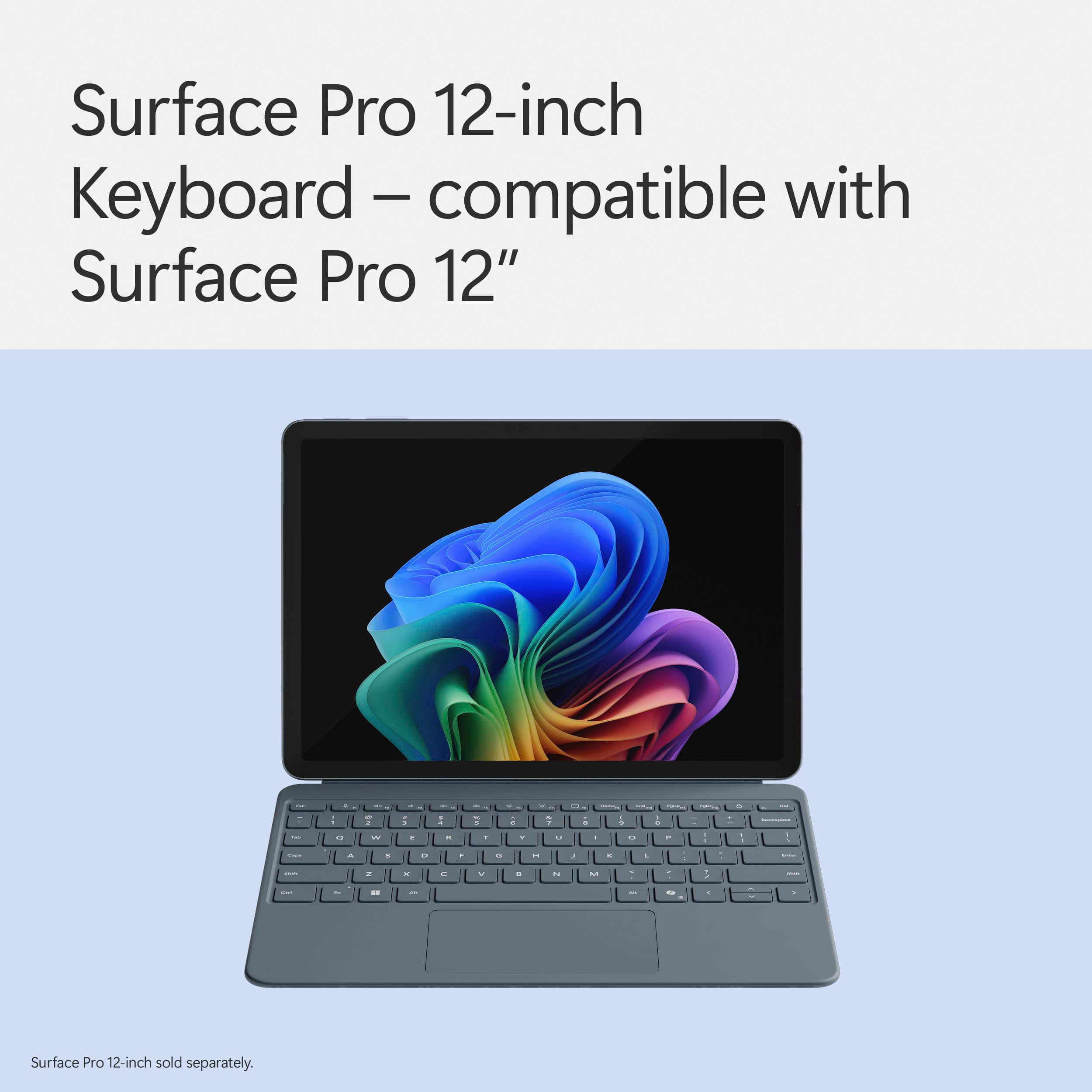
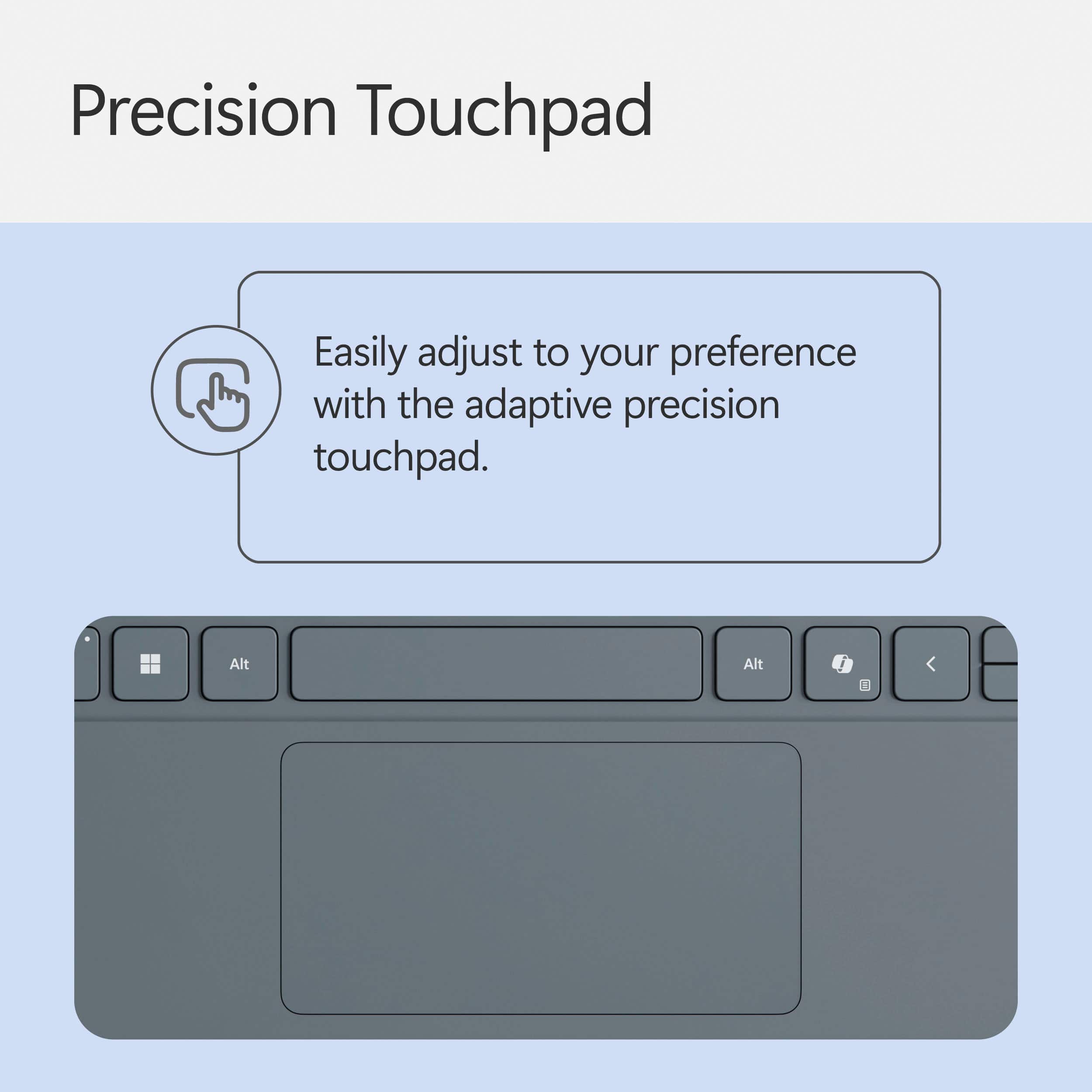
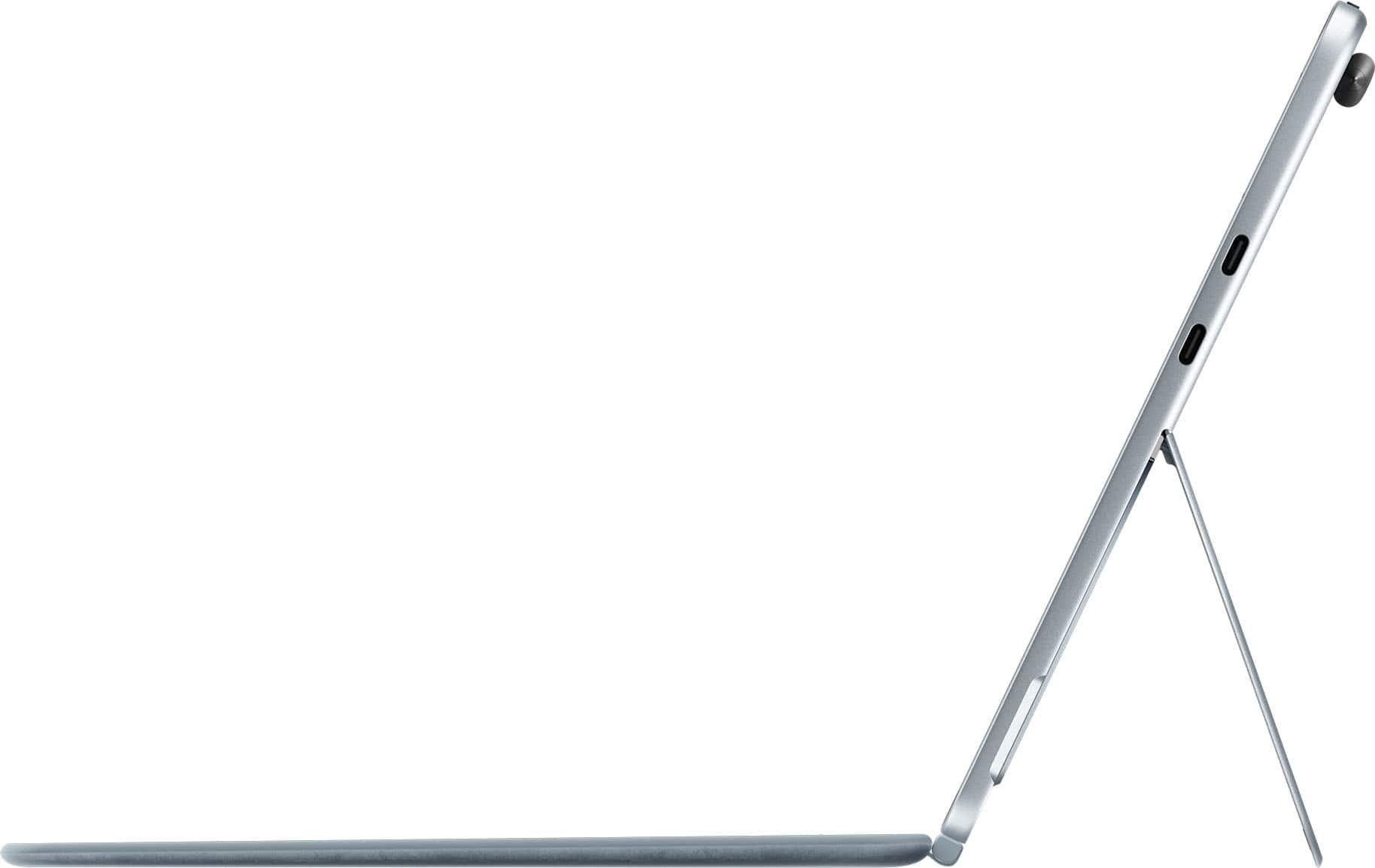
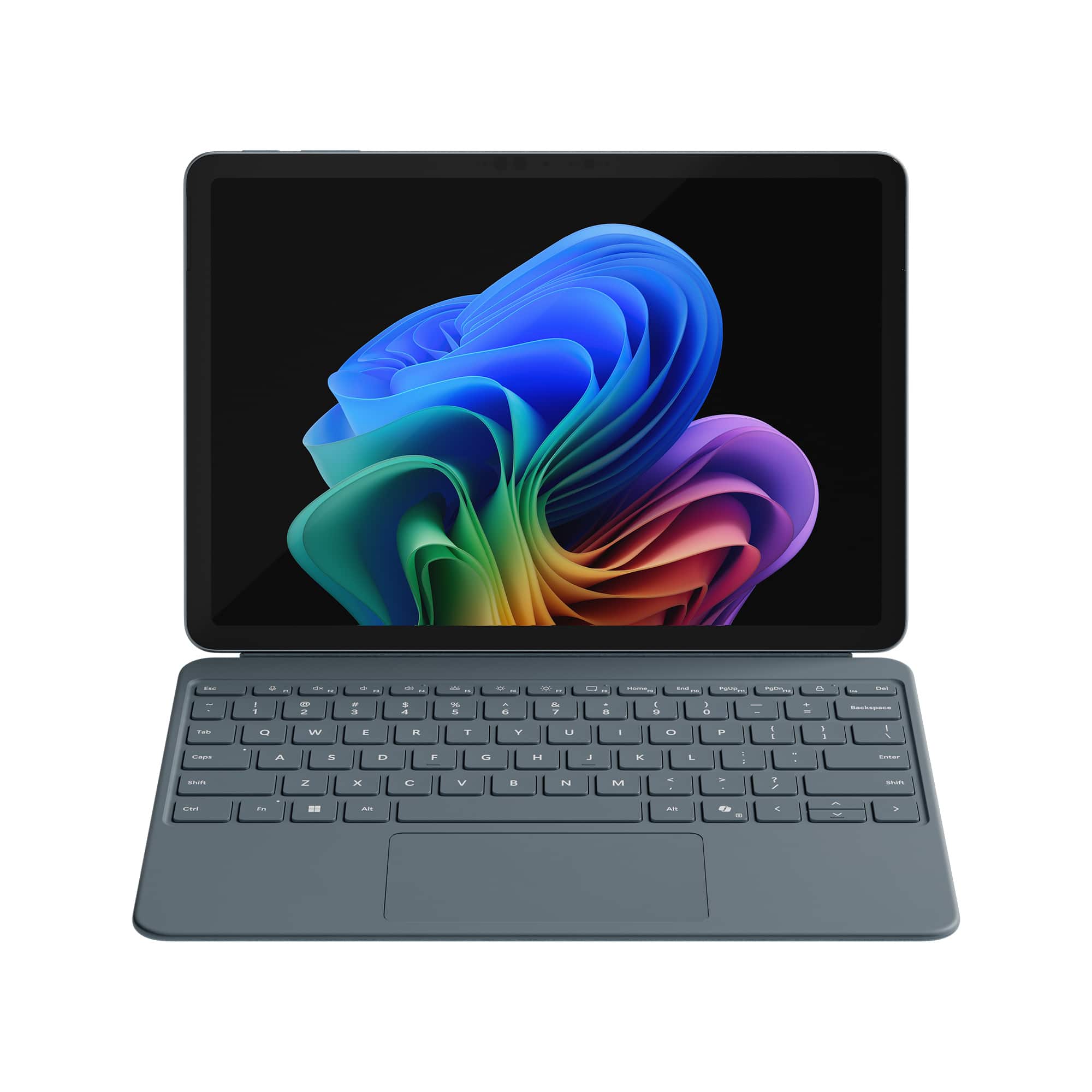
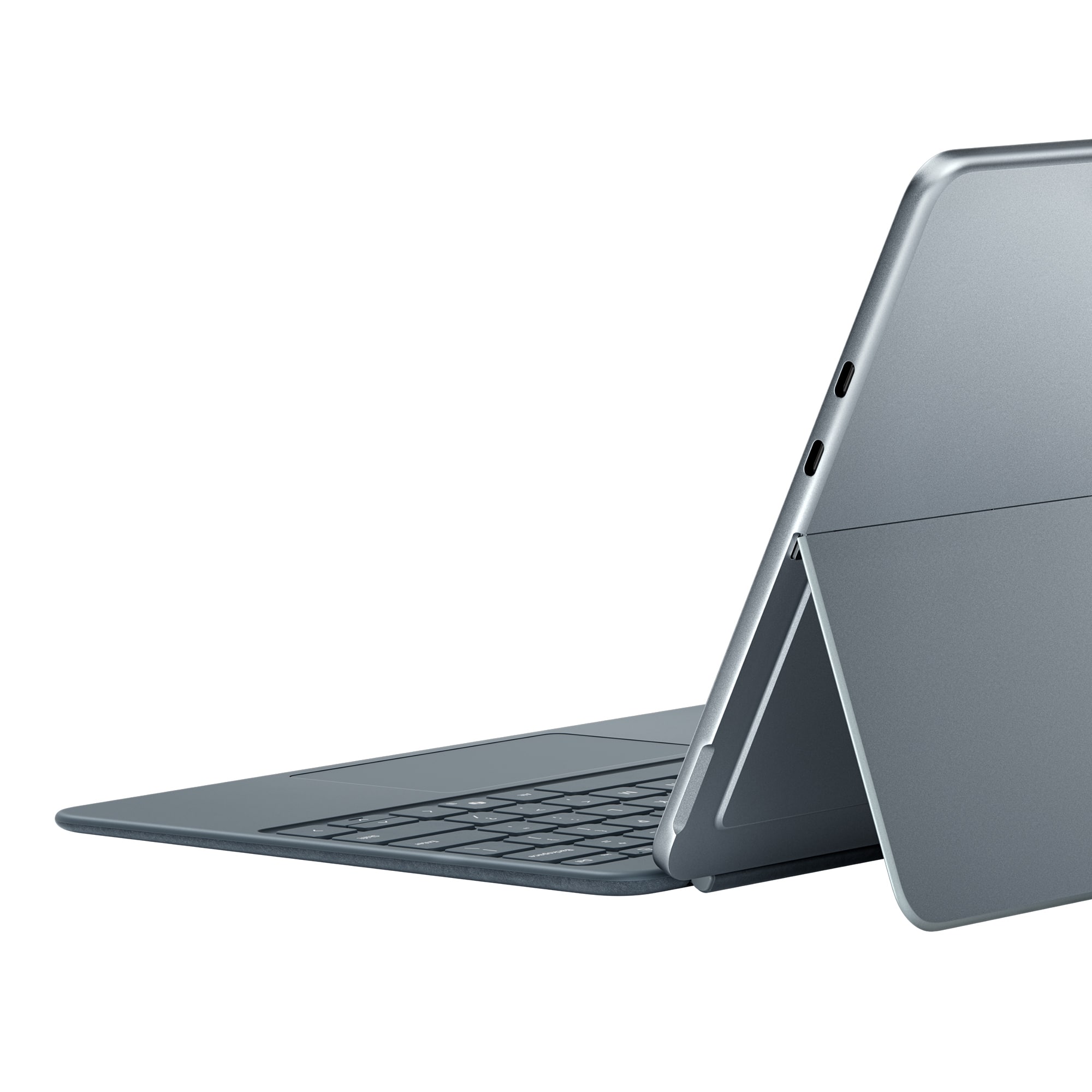
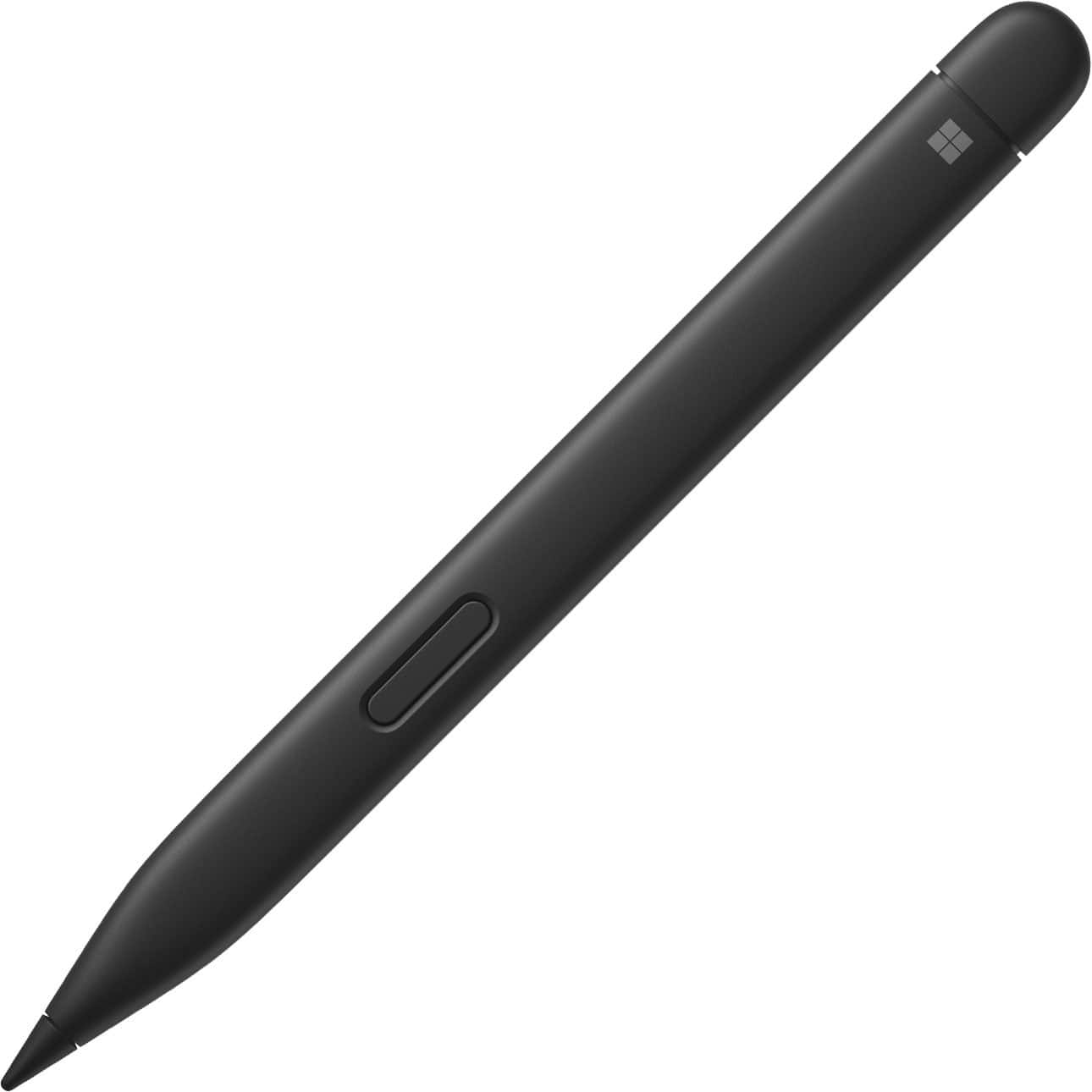
|Posted .This reviewer received promo considerations or sweepstakes entry for writing a review.The Microsoft Surface Pro 12 is their latest and most versatile tablet device offering superb general purpose computing, streaming capability and internet access services. The Pro 12” Keyboard with Slim Pen is designed to supplement the tablet with additional functionality while providing important protection. Microsoft introduced the Surface product line in 2012 as a Windows tablet. It was the company’s first product which incorporated the Windows operating system and their own hardware. The first products ran tablet-only Windows RT. The early models were somewhat under-powered with limited storage and poor battery life. The next generation added a supplemental keyboard and more processing power, becoming 2-in-1 tablet/laptops. In 2015 the Surface 3 models were the first to run the full Windows operating system and standard programs. Currently there are six lines of devices (Go, Laptop, Book, Studio, Hub and Pro.) The Surface Pro is the most powerful tablet offered and the optional Keyboard with Slim Pen is an essential accessory. Here are the key features of this very useful device: • Microsoft Surface Pro 12” Keyboard with Slim Pen (Model: EP2-33077, UPC: 196388544844) • Bluetooth 5.0 connectivity for keyboard and pen • Keyboard: 79 keys including 12 function keys, arrows, Copilot and all special Windows keys • Keyboard is illuminated in use, includes microphone mute, snipping and lock keys • Integrated Trackpad: 4.25 inches x 2.19 inches • Adjustable trackpad pointer speed, supports trackpad gestures • Power supplied by pogo pins to tablet connection, instant installation upon attachment • Automatically wakes tablet when opened • Keyboard disabled when front of case is flipped onto the back • Construction: easy to clean Alcantara suede fabric over ABS plastic • Dimensions: 10.82 inches Wide, 7.54 inches Height, 0.27 inch Thick • Weight: 12 ounces • Slim pen with haptic feedback, 4,096 levels of pressure sensitivity, zero force inking • Pen is carpenter-style: 5.38 inches Long x 0.44 inches Wide x 0.25 inches Thick • Auto-conversion of handwriting to text • Pen is securely held magnetically and recharges on back of tablet • Pen has a 15 hour battery life The Keyboard with Slim Pen provides elegant protection and superb functionality to the new 12” Surface Pro. It is finished in a very nice ocean grey Alcantara fabric which matches the aluminum body of the tablet. The case overlaps the body of the tablet just enough to give edge protection without becoming overly bulky. It is also quite slim, adding only a quarter of an inch to overall thickness and 12 ounces to the total weight. This keeps the total weight of the protected Surface Pro 12” Tablet at a svelte 2 pounds, 4.5 ounces. I really like how the case snaps into place when you bring the keyboard section near your Surface Pro. The magnets are powerful and the tabs ensure that the alignment is perfect. Once in place you have the sense that your Surface Pro is very well protected. The case is quite solid but not bulky. The fabric covering, besides being very attractive, also gives a non-slip surface. Alcantara is a premier polyester/polyurethane velvety fabric made in Italy which is soil resistant and will not stain from water. It is used in designer goods, Formula One cars and the SpaceX Crew Dragon capsule. Setting up the tablet in a laptop form just requires flipping down the keyboard cover and opening the lower portion of the back of the tablet. The stand provides multiple angles for the tablet with no slippage. If you are just watching videos, you can detach the keyboard and just use the back to support the screen at a comfortable angle. The keyboard is just superb, very responsive, solid-feeling keys and no mushiness when typing. The size is essentially that of a normal, full-size keyboard (see photo of this keyboard next to a desktop keyboard.) You don’t have the feeling that your typing is compromised in any way. It really works well. There is no separate numeric keypad, but for general purposes such as word document and email typing it is about as good as any laptop and the backlighting is excellent. The trackpad is solid feeling and large enough to easily navigate to precise locations on the screen. It gives very definite clicks when you need that feature. It also supports useful gestures such as scrolling (two fingers), switching apps (three finger swipe), pinch to zoom (two fingers). I found the preprogrammed shortcut keys very useful. One tap to activate Copilot or the snipping tool, another tap to lock the tablet – very nice! The Slim Pen is just perfect. It has a nice, carpenter pencil (flat surface) design with a top (endcap) button and a side button. The pen can detect 4,096 pressure levels which translate into various pen outputs. The side button can be used to select things or function like a right mouse click. The top button functions as an eraser or it can activate various apps. Use is very smooth. If you take notes in cursive the tablet will automatically convert those notes to text. The pen is also very useful for marking up documents with notes and deletions. The pen auto-positions itself on the back of the tablet and is very securely held magnetically. It recharges while held in place. The charge lasts 15 hours so the pen is always ready for use. Anyone who buys the new Microsoft Surface Pro 12” would be well-advised to add this great keyboard and slim pen to that purchase. It is essential to obtain the full productivity possible from the new tablet. It is very reasonably priced (considering that the pen alone would cost $130!) since it gives both protection and full laptop functionality. It will greatly add to your enjoyment and I give it my highest rating!
I would recommend this to a friend - Pros mentioned:Build quality, Haptic feedback, Typing comfort
Very sleek and well put together
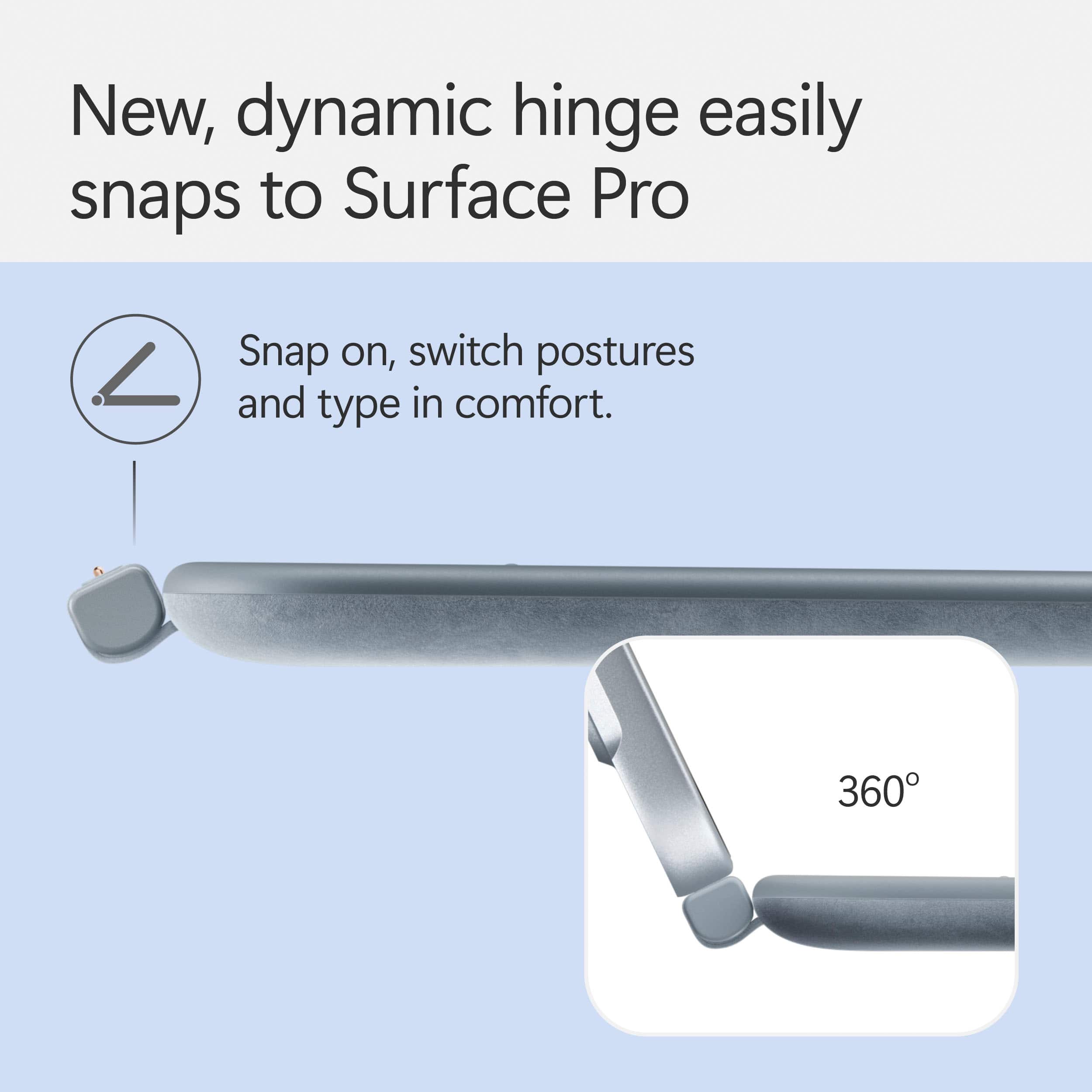
|Posted .This reviewer received promo considerations or sweepstakes entry for writing a review.The Keyboard + Slim pen combo for the Surface Pro 12 it will transform your tablet experience into a full on laptop experience as fast as you can say click. And it does click quick and strongly as the magnets that keep this things together ar very satisfyingly strong giving you the confidence and peace of mind taking it anywhere! The pen it is very precise and easy to use, as expected and offers 15 hours of productivity. The keyboard it is very comfortable on typing and also precise with good key travel at an incredible thickness. The feeling it is very premium with a smooth-matte palm rest and a cover wrapped in soft Alcantara that when closed, besides the great screen protection, gives the Microsoft Surface Pro that complete look and feel and makes it into one of the best portable devices that you will want to have virtually anywhere! The Dynamic hinge hooks with what they call it proximity snap, so you don't have to guess, the keyboard will strongly attach perfect every time and with the 360 hinge it gives the perfect versatility going from Laptop to Tablet and back! It is a very nice and i would say a must have with your Surface Pro ... just so you can get the max experience out of it!
I would recommend this to a friend - Pros mentioned:Build quality, Typing comfort
Great Pen and Keyboard
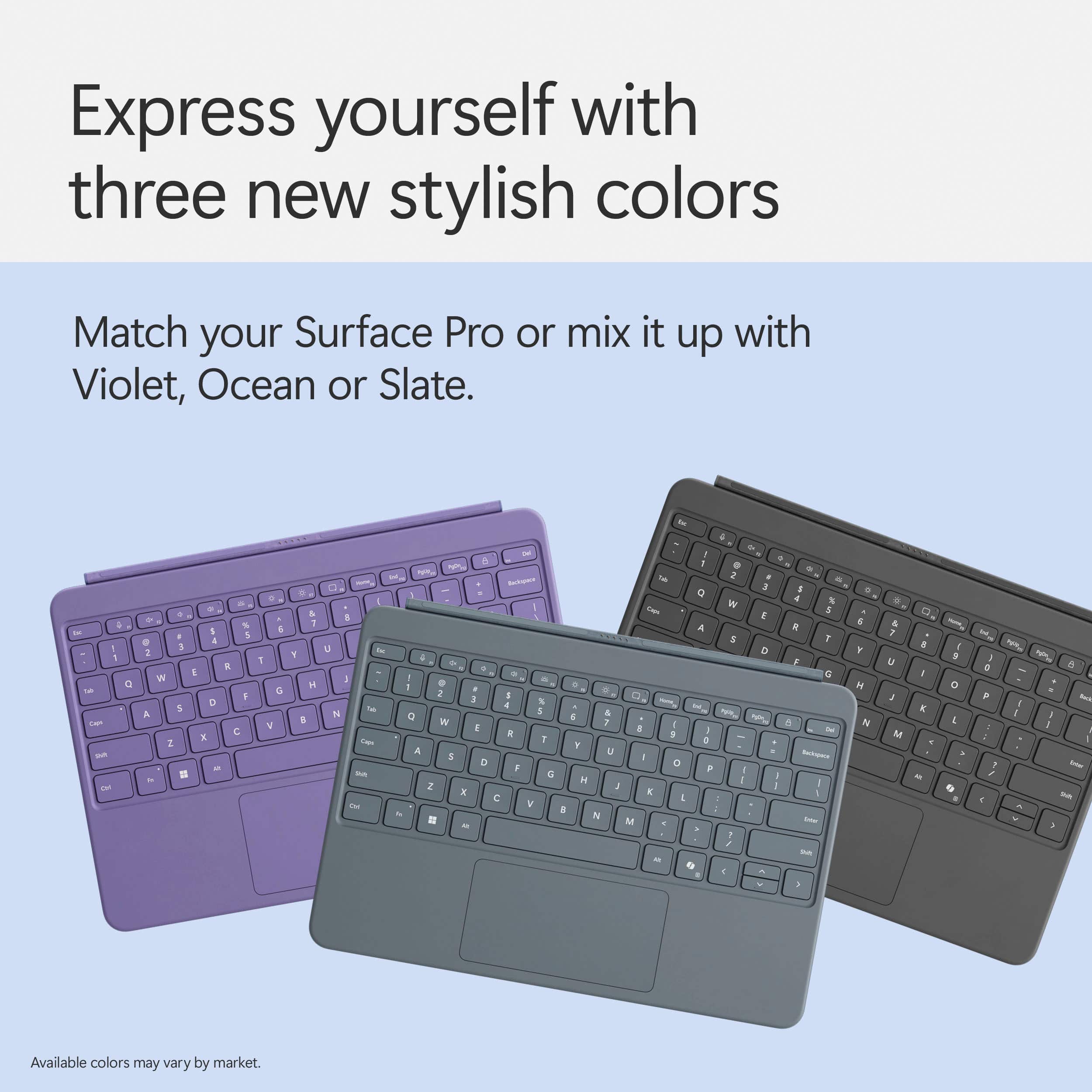
|Posted .This reviewer received promo considerations or sweepstakes entry for writing a review.I knew I was going to be using the new keyboard for the new Surface Pro 12, and as someone who has used a few Surface keyboards, I was very optimistic about receiving the new version. One of the main differences is that the inside is now a soft-touch rubber feel, as opposed to the other versions that had the same Alcantara fabric on the outside and inside. I really love the Ocean color. It’s subtle but still adds a pop of color, not quite as vibrant as the Violet version. Their keyboard is a joy to use. It feels great to type on, the keys feel great, and the sound from the keys is a bit muted, which I like since I tend to do work in bed while my spouse sleeps. The trackpad is a very good size, especially given the size of the cover. I normally just leave it on the cover since it can easily be folded back when you don’t need it. This also makes the Surface go into tablet mode, which gives Windows a slight change to the taskbar, making it a little easier to navigate with your fingers. When I do remove it, you can feel just how strong the magnets are; you really need to apply some force to get the keyboard removed from the Surface, and it’s great that it just snaps back on, even when you already have the Surface on the table. The keyboard lies flat, unlike the other Surface keyboards I have used in the past. I like that it lies flat, feels more stable when I am using this on my lap, sitting on the couch. You get function keys to adjust just about anything, along with a handy Copilot key. Plus, the keyboards also sport an adjustable backlight that turns off on its own when you haven’t used the keyboard in a while. Honestly, I wouldn’t change anything about this keyboard. It does a great job of protecting the screen when you aren’t using the Surface. It’s a pleasure to use with all the shortcuts and backlight features. The keys feel great to type on, and it’s a full keyboard, so it doesn’t feel cramped. The trackpad is nice and large, and it feels great using it. It is easy to get it out of the way when you are just using the Surface as a tablet. Now the Slim Pen. As someone who has used just about every variation of the Apple Pencil, including the latest one, I can say that the Slim Pen is a pleasure to use. I don’t miss the Apple Pencil in the slightest. I normally use Goodnotes for work, and they recently started working on a Windows solution. It’s not quite as good as what you get on iOS, but it’s nice. I ended up using OneNote since I can look at my notes on just about any platform. Using the Slim Pen to write out notes and diagrams for my students has been a joy. I really love the eraser feature; you just flip the Slim Pen over and use it like you would a pencil, and you can erase whatever you just drew/wrote. The flat design of the pen feels comfortable even after using it for a few hours. Just like the keyboard, the Slim Pen has a strong magnetic connection to the back of the Surface. At first, I was worried that it would fall off in my bag, or when I take the Surface in or out of my bag, but I am not worried about that any longer. The Slim Pen really snaps onto the back of the Surface, just like the keyboard; you need quite a bit of force to overcome that magnetic attraction. As far as battery life, I am not worried about it. It charges up while it’s on the back of the Surface, and even after using it for hours, I haven’t come close to depleting the battery. Pretty sure the Surface would power down before the Slim Pen. If I could make one change, it would be to match the color of the Slim Pen to the keyboard. I went ahead and ordered the Arc Mouse in Ocean to match the Surface and Keyboard, and it would be great to have the Slim Pen match the rest of the kit.
I would recommend this to a friend - Pros mentioned:Build quality, Portability
Must have accessory for your shiny new Surface
|Posted .This reviewer received promo considerations or sweepstakes entry for writing a review.I recently acquired a Surface Pro 2in1 w/ CoPilot 2025 edition (12 inch Snap Dragon 8 variant) and to complement it the Microsoft keyboard w/ slim pen. The packaging is very nice even for this combo and inside is the keyboard and slim pen. Let's get the good news out of the way first. The keyboard is fantastic. It is sturdy and well built and I actually prefer it to just about every real laptop keyboard I've ever used. The keys are spaced well with good tactile feedback. The backlighting is subtle and complements the keys and color (ocean) very well. The trackpad is very large and responsive. I love that it is perfectly centered as I've used laptops that have the trackpad offset that works better for right handed users as I am a lefty and use it for trackpad use. Taps or clicks feel intuitive and natural. Seriously, I think I was more impressed with the keyboard than the Surface itself. I used a few other third party models on my 2020 and 2012 Surface models along with the "official" model on the 2020 and while it was nice, the refinements made over the years must be noted. I like that it pairs/attaches very easily and the magnets are very strong. as soon as you're even somewhat in the vicinity of the docking location on the Surface you can feel the pull of it wanting to dock which is nice but I also like that as strong as it is, it is very easy to detach. Closed, it sits flush and holds its position making it a great screen protector and very easy to slide into a backpack or messenger bag and use it on the go. To me, this is a must buy to fully utilize your Surface. Now the bad news, the slim pen. While it is functional, ergonomically, the flat wide build makes it feel cumbersome when being held yet it is a must when trying to do any real touch screen work. I do remember using a third party model with my other Surface models from 2012 and 2020 I used and I may have to do that with this one. It just feels so awkward to use. Click to activate works nice. I'm not a huge fan of the sensitivity when getting close to the screen but when on the screen it has a good amount of glide and tactile feedback which is nice. I do like that the pen can lightly magnetically attach to the bezel around the screen and much stronger to the top rear horizontally with an indicator light to let you know when the unit is plugged in / charging. When you're ready to pack up and go just close the keyboard up, put the pen on the back and you're ready to go. Maybe it is an adjustment period with the pen so I will continue to use it because functionally it gets the job done. On the other hand, the keyboard is flat out fantastic and worth the price of admission alone. Overall, if you're investing in a Surface, you really should extend that investment a bit and get the keyboard and pen. It really elevates the entire Surface experience to that next level and to me is a must have accessory to get the full functionality out of your Surface.
I would recommend this to a friend - Pros mentioned:Build quality, Typing comfort
Worthwhile accessory to the Surface Pro 12”
|Posted .This reviewer received promo considerations or sweepstakes entry for writing a review.I would consider the Microsoft Surface Pro 12” keyboard and pen combo a must have if you purchase the Surface Pro 12”. It transforms your tablet Surface Pro into a full fledged laptop in an instant. The proximity snap works exactly as named. You place the keyboard anywhere near the tablet and it will snap together and dock instantly and it’s very sturdy. No chance of it just falling off in normal use. When you are ready to disconnect it, a purposeful twist and it’s off. The keys are backlit and adjustable in 4 steps, off/low/med/high. The keys feel nice when typing and I’ve had no problems adjusting to it from a standard full size desktop keyboard. The ‘key’ side of the keyboard to include the keys and palm rest feel like a light rubberized material. It’s not a smooth, slick, shiny metal or plastic. It has a different feeling, Microsoft says recycled material, I believe it, but whatever it is, it feels good. The back side is a soft suede feeling material, Alcantara I believe, and gives a premium look and feel. The touchpad is nicely sized for a tablet sized keyboard. I’m usually not fond of touchpads (I prefer a mouse) but I found the size, feel and usability of the touchpad to be completely fine for me, and not looking for a mouse. There is also a dedicated CoPilot key like you’ll find on all new AI powered Microsoft devices. I’ve been finding myself using CoPilot more every day, and the dedicated key brings it up instantly. I don't use the slim pen a lot in my daily use, but occasionally it’s nice for tasks, and is right there, ready to grab off the back of the Surface Pro. The pen feels good in your hand with a button that lands under your finger, and a clicker up top. It’s very accurate in use. I’m not crazy about the pen being held externally on the Surface pro, or at least wasn’t at first. But in my daily use I’ve had no issues. The Slim pen snaps on to the back of the Surface Pro magnetically with a nice solid clunk and it has never fallen off, even after sliding in and out of backpacks and sleeves. The holder/placement might seem weird at first, but it has been 100% functional. Just get the Keyboard / Slim pen combo, guaranteed you will find yourself using both.
I would recommend this to a friend - Pros mentioned:Pen performance
Excellent results with this keyboard
|Posted .This reviewer received promo considerations or sweepstakes entry for writing a review.I am not a fan of the 12 inch model's keyboard's lack of any way to get it positioned other than flat on the surface. There is no way to get it adjusted so it has even a slight tilt to it, like the other variations offer. There is, oddly a membrane that extends if you pull the keyboard out, almost like a little blind - but it doesn't allow for you to position the keyboard in any way. It looks as if it was simply a place to put serial numbers and such. But I didn't take away a star for it, since the performance is so much better than the WAY more expensive Surface Pro Flex keyboard... The keys on the keyboard on this are FAR better than the keys on their premium flex keyboard they introduced with the Surface Pro 11. I've been using Surface Pro keyboards for many years, and they've always been outstanding. The newer one that you can use when separated from the Surface Pro has been a horrible keyboard. I've been speed touch typing for over 40 years, and on my other Surface keyboards, I never had issues. On the new one I was finding typos all over the place, and it looked like I never typed in my life sometimes. Even now, after 6 or 8 months, I still have a lot of issues with the keyboard's responsiveness or lack thereof. But this 12 inch keyboard version has much better experience for my typing. I get great results with this one. Touch is great, feel is great, key travel, everything on this one I very much like. And this smaller keyboard for these 12 inch models of the Surface product are SMOOTH upper surfaces around the palm area and between keys, not the Alcantara that the Surface Pro keyboards have been using for a while that I never cared for. That's another bonus here in my opinion. Keyboard is slightly squashed compared to the 13 inch keyboard obviously, due to a smaller size, so keys are just a touch closer together. For me it proved no issue whatsoever. Granted, it lacks the haptic touchpad that the one newer keyboard for the 13" model has. That is the only thing I miss here, since I DO have a habit of CLICKING my trackpads for some things, I HAVE had to get some Surface keyboards replaced due to the trackpad failure in the past because of this. That won't be an issue with the haptic, but I'd far prefer the better keyboard and just deal with the non-haptic trackpad. This trackpad is responsive and works fine with the gestures. And I half wish this keyboard would fit on my 13 inch Surface Pro 11... And if you've used previous Surface keyboards, you will know there's that small little lip around e edge of it. For me, that is a bit of an annoyance as I sometimes catch it with my thumb sometimes getting it in and out of the bag. This smaller 12" keyboard does not have that lip, the edge is simply curved, and meets the edge of the front surface screen in a MUCH better, smoother way. It looks more like a normal laptop when closed with this keyboard, a rounded smooth edge right up to the screen. Pen is great - love the feel of the tip on the screen. Writing and drawing is a breeze. Pressure sensitivity is second to none for built in computer screens. I'm sure external Wacom and other high end graphics tablets have better, but I don't use those so can't compare. Palm rejection is outstanding. The button is easy to use. While I miss the option to dock the pen in the keyboard, it at least stays magnetically on the back of the computer. Just make sure to check it since it's easy to knock off and leave behind inadvertently. The price is just a touch lower than the 12" model's keyboard which lets you adjust some keyboard tilt and has the dock for the pen, so I think the price is a bit high for the lack of options compared to the one that barely costs more... But it is still a nice keyboard, and likely a necessity for most people who are going to grab a surface pro as their next laptop option.
I would recommend this to a friend Must-Have Accessories for Surface Pro 12
|Posted .This reviewer received promo considerations or sweepstakes entry for writing a review.📦 UNBOXING: Inside the box, you get the Surface Pro 12 Keyboard, as well as the Surface Slim Pen 2. There are no cables included since the keyboard only operates through the magnetic connector on the bottom of the Surface Pro 12, and the Pen is charged through the dedicated magnetic region on the back of the Surface Pro 12 tablet. Other than that, there’s a quick diagram showing how to connect the keyboard and the pen. The packaging is also paper-based and sourced from sustainable forests, so recycling should be a breeze. 💪 BUILD: The keyboard connects magnetically to the Surface Pro 12, and in my experience, that connection is rock solid and does not easily detach. Unlike the Surface Pro Keyboard however, it does not angle upward to cover the bottom bezel, so you can expect this keyboard to remain completely flat on whatever surface you put it on. It also uses a dynamic hinge so that it can be used, no matter how obtuse an angle you configure the Surface Pro 12 to. Want to use it flat?–you can definitely do that. The keyboard deck itself uses a soft touch material which should make for a comfortable typing experience. And like iterations before it, the Surface Pro12 keyboard also uses Alcantara on the bottom, which feels nice when folded over and covering the display, but it’s also more susceptible to stains, so you’ll want to be careful that the surfaces you place it down on are not wet from drink spills and such. The Slim Pen attaches magnetically to the back of the Surface Pro 12 in a designated spot. The magnets are really strong, so you shouldn’t have to worry about it falling off. In fact, bringing the Pen within a half inch of the charging region will yank it right out of your hands. There’s also a button along the side which can bring up context menus in supported apps. And on the top of the pen, is the virtual eraser which also functions as a clickable button that can be configured. There’s also an LED which is covertly hidden, but illuminates when it connects to your Surface Pro 12 to show the battery status. ⌨️ KEYBOARD & TOUCHPAD: The keyboard, while smaller, includes all of the essential keys including your function row, arrow keys, and Microsoft’s favorite Copilot key. The keyboard is backlit, which I have really appreciated when using in darker environments. I also am a frequent user of the function keys, so I appreciate that these are all still here, as well. In my testing, I’m able to obtain a 100 wpm typing speed with over 95% accuracy, which is around my normal. I personally don't feel that the keyboard is cramped, and was happy to use it while typing up this review. Comparatively, the touchpad is decent, but still feels a bit small out of the box. Palm rejection is good, so I’m not accidentally triggering mouse movements while typing, but because the touchpad is smaller, it needs some adjustments in the cursor sensitivity so that you don’t need to constantly lift your fingers up to move the mouse cursor fully across the display. After doing this, it certainly feels less cumbersome to use, although some folks might not like the speed. It also supports multi-touch gestures, so pinch-to-zoom, two-finger scrolling and three/four-finger swipes for app or desktop switching are supported. LIke any other modern laptop touchpad, you can configure these gestures within the operating system. 🖊️PEN: Since the Pen is not a cylindrical shape, it does mean that some will find it to compromise on the comfort, since it could potentially wobble a bit more in your hand. But I do find that the length of the pen itself is good. The pen tip is also removable should you need to replace it. It’s simple enough to simply pull it out without twisting. It uses a non-proprietary 2.5mm connector, so it should be easy to find aftermarket pen tip replacements. I also like that I don’t need to turn on Bluetooth to use the Pen, but turning on Bluetooth does mean that you can use the pen’s top button as a shortcut to open your favorite note-taking app or any app for that matter via single-click, double-click, or press-and-hold. For example, I like being able to configure a shortcut to do Screen Snipping, so I can then markup a screenshot quickly afterward. Or using OneNote or the Journal app to take a quick note in a meeting, or draw a diagram. Supported apps will be able to take advantage of tilt support for more precise shading, so artists can appreciate the versatility of the pen, as well. But you may find that tilt and pressure sensitivity is not enabled by default in some apps, so you’ll need to engage those to get the most out of your Slim Pen 2. Another notable feature about the Slim Pen 2 is the haptic signals that you can feel while using it. It makes using the Slim Pen 2 feel more like you’re pressing it against a paper surface, as opposed to glass. It makes for a much more natural feeling while using it, which is a frequent complaint about using digital pens on touch screens. 🧐 CONCLUSION: I like using both the Surface Pro 12 Keyboard and the Slim Pen 2. For me, the keyboard is significantly more important than the pen, but I can absolutely see circumstances where I want to do some brainstorming on paper, and having the Slim Pen 2 can really make for a great whiteboard experience. But there’s no doubt for me that the keyboard elevates my Surface Pro 12 experience, and I think it’s really a must-have accessory for Surface Pro 12 owners to add a much-needed level of productivity and speed.
I would recommend this to a friend- Pros mentioned:Build quality
Handy and nice to have for Surface Pro 12"
|Posted .This reviewer received promo considerations or sweepstakes entry for writing a review.The keyboard with slim pen for the latest Surface Pro 12” is easy to attach to the tablet, it automatically gets connected and ready to use immediately right out of box. As result, not having to perform any action to connect etc. makes the full package seamless single hardware experience. The back side of keyboard is made of Alcantara which seems made of renewable content according to the brand, which in the way has result of look and feel of suede. It is smooth and not slippery upon grabbing with one hand. The keyboard allows almost as full-size notebook keyboard with bold key function. Its Slim Pen 2nd edition: - Rechargeable Lithium Ion, - Up to 15 hs - Battery Capacity Nominal (Wh) 0.171 - Battery Capacity Min (Wh) 0.164 It has haptic feedback function based on the use of the button as per brand but couldn’t tell much difference. Also, 4,096 pressure levels and Zero force inking. The Erase and top button are quite useful to activate options and I find it well responsive at least from the time I used for writing and drawing. Both accessories are made specific to the Surface Pro 12 inch and allow seamless notebook alike experience and easy access to Copilot. However, with the case, the Surface width becomes almost double that mess bulky item for one on the move with multiple devices and personal items. It doesn’t substitute a fully functional notebook, and still its size makes bit cumbersome.
I would recommend this to a friend - Pros mentioned:Build quality, Typing comfort
Great keyboard with responsive mouse pad.
||Posted .This reviewer received promo considerations or sweepstakes entry for writing a review.The matte looking finish with that soft feeling of suede makes this thing not only nice looking but comfortable when holding. The mouse pad is responsive, and the color selections are good. Cons: not available in flex for 12” surface pro.
I would recommend this to a friend - Pros mentioned:Build quality, Portability
University
||Posted .This reviewer received promo considerations or sweepstakes entry for writing a review.Exceeded expectations! Easy to use and very well made. Highly recommend it to anyone looking to buy a Surface Pro
I would recommend this to a friend Good keyboard case
||Posted . Owned for 1 week when reviewed.This reviewer received promo considerations or sweepstakes entry for writing a review.Okay keyboard, being made for the surface 12" all functions work well. Key travel is a little small. Only downside is the pen keeps the keyboard from fully folding back.
I would recommend this to a friendSurprisingly excellent
||Posted . Owned for 3 weeks when reviewed.This reviewer received promo considerations or sweepstakes entry for writing a review.I was genuinely surprised by this keyboard. Since this is designed for the cheaper Surface Pro 12 inch, I assumed that the quality would also be a step down from the larger, more expensive Surface Pro 13 inch. Instead, I was shocked to find a keyboard deck that actually felt better than the 13 inch version. The keys were far less wobbly, and felt much closer to the Surface Laptop and Laptop Go keys, which I've always liked. If you're worried that this experience will be "lesser than" in comparison to its big brother, don't be. You're in really good hands with this keyboard.
I would recommend this to a friendMicrosoft Surface Pro keyboard with pen.
||Posted . Owned for 2 weeks when reviewed.This reviewer received promo considerations or sweepstakes entry for writing a review.I love that the keyboard is easily removable but also stays put like it should. I love the fact that the pen is magnetic so it stays with your laptop and the back side of the keyboard is a suede like material. I recommend it to anyone.
I would recommend this to a friend- Pros mentioned:Typing comfort
Best slim keyboard for surface pro.
||Posted .This reviewer received promo considerations or sweepstakes entry for writing a review.Best slim keyboard for surface pro. Even though its slim it does not feel shallow while typing. It is ver accurate and comfortable to type on.
I would recommend this to a friend - Pros mentioned:Portability
PERFECT
||Posted .This reviewer received promo considerations or sweepstakes entry for writing a review.This is so perfect for my Surface. It doubles as a case and I like that it isn't loud when I type.
I would recommend this to a friend Love it!
||Posted . Owned for 1 month when reviewed.This reviewer received promo considerations or sweepstakes entry for writing a review.Great computer keyboard for the price. This Microsoft device is portable, user-friendly, and has become my go-to for everyday use. It’s incredibly easy to set up—ready to go in just seconds—making it perfect for anyone who values convenience and efficiency.
I would recommend this to a friendGreat product
||Posted . Owned for 1 week when reviewed.This reviewer received promo considerations or sweepstakes entry for writing a review.Works well and feels comfortable. It meets what I need and fits my work.
I would recommend this to a friend