Customer Ratings & Reviews

- Model:
- 8X6-00001
- SKU:
- 12017879
Rating by feature
- Value
Rating 4.3 out of 5 stars
- Quality
Rating 4.7 out of 5 stars
- Ease of Use
Rating 4.8 out of 5 stars
to a friend
Right click function does not work
||Posted . Owned for 9 months when reviewed.This reviewer received promo considerations or sweepstakes entry for writing a review.The right click function on the mouse pad no longer works after 6 months
No, I would not recommend this to a friend
Must Have Accessories for Surface Pro
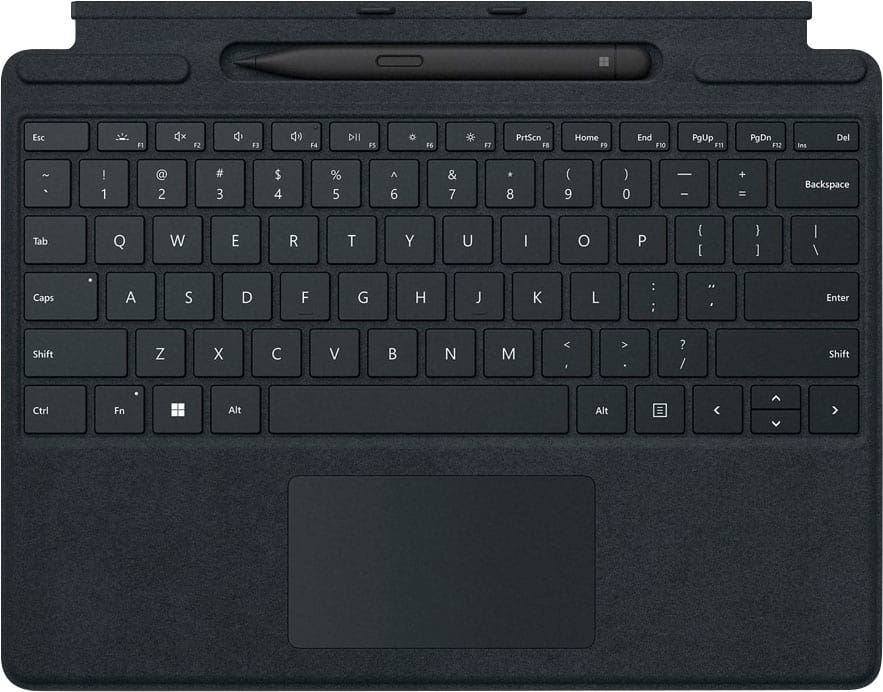
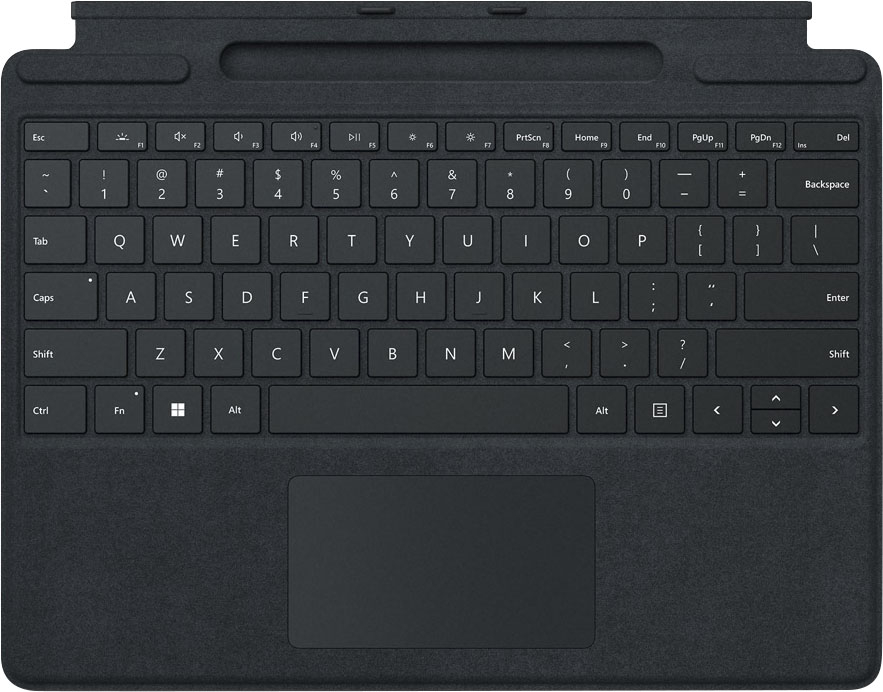
|Posted .This reviewer received promo considerations or sweepstakes entry for writing a review.The Microsoft Surface Pro is great on its own, but this keyboard cover and digital pen really complete the package. In tablet mode, the Slim Pen 2 adds exceptional drawing and hand-written note taking. With the keyboard connected, I’ve completely replaced my laptop with the Surface Pro. First, I’ll talk about the pen, which is very responsive, pressure sensitive, and very lightweight (almost to a fault – it took some getting used to). It connected to the Surface Pro immediately, and the little ridge in the top of the keyboard cover does double-duty as both a storage area and pen charger. The top of the pen is a clickable shortcut button. By default, it opens Whiteboard, but that’s customizable. Next, the keyboard. It’s very slim but has reasonably springy keys that are comfortable to use. It’s not like using a full-sized keyboard, but I was typing at my usual speed with almost no adjustment time. The trackpad is just right – responsive, “clicky,” and supports multi-touch gestures like pinch, stretch, scroll, etc. It snaps onto the Surface Pro magnetically and is rigid enough to provide some protection for the screen. Overall, this is a great bundle, and I’d recommend it for anyone who wants to be able to get the most out of their Surface Pro.
I would recommend this to a friendMust-have Accessories
|Posted .This reviewer received promo considerations or sweepstakes entry for writing a review.In my opinion, the keyboard and stylus pens are a must-have if you are getting the Surface Pro. They are extremely well-designed and make using the machine even better. The keyboard case is great. It is really excellent to type on and the trackpad works well. It is easy to attach and detach which is great if you like to quickly switch between laptop mode and tablet mode. The keyboard can also be adjusted to provide a slight angle to the keyboard which I found to be a more comfortable typing position. In my opinion, the touchscreen and stylus are the ideal way to navigate Windows 11. Windows 11 made it easy and efficient to use the stylus to navigate. The new slim pen 2 is great. I like the way it fits in my hand, and I like that it has two buttons for shortcuts. I also think that it is genius that it charges in the keyboard case. I spent a lot of time using this computer with Adobe Illustrator, and the slim pen made interacting with my work so much easier. It made very accurate and precise marks. Plus, with the keyboard case, it was really easy to switch back and forth between using it as a tablet and using it as a laptop so I could get all my shortcuts. I'd say these are must-have accessories for any Surface Pro owner.
I would recommend this to a friendA Must Buy With Surface Pro 8
|Posted .This reviewer received promo considerations or sweepstakes entry for writing a review.This is a perfect match for the new Surface Pro 8! After opening the box, I immediately attached the keyboard to my new Surface Pro 8 with ease and I was ready to go! The pen sits snug in its charging nest and is covered by the keyboard which is magnetized and attached. When using just pull the keyboard away slightly and there it sits charged and ready to use. The pen is super responsive and has a nice sharp yet soft flow to it. I can see now why this is used for a lot of painting or drawing apps. The keyboard has a nice feel to it and is super thin. I almost prefer the feel of this keyboard over my laptop keyboard. The look and feel with a perfect fit. The first week with using it and I am impressed.
I would recommend this to a friendBest digital stylus yet! Keyboard feels good too.
|Posted .This reviewer received promo considerations or sweepstakes entry for writing a review.I’ve used many stylus products from the old days of Palm Pilots to Apple Pencil and a Samsung Tab S4. This Windows stylus is easily the closest to a real pen feel. It has tiny motors and haptic feedback that recreate the sensation of drag. Really something you need to feel to appreciate. Great for notes or art. It’s not just a gimmick. The keyboard is also really good. Has a stiff core and springy keys. Really feels like a traditional laptop keyboard, not a piece of cardboard. Pen conveniently stores in a groove on the keyboard and charges. Really a convenient design that will hopefully find it’s way into other products.
I would recommend this to a friendBrand response from MicrosoftOutreachTeam
Posted .Hi – Thanks for sharing your experience with your new Surface Pro Signature Keyboard and Surface Slim Pen 2! We hope it continues to serve you well. Erica, Microsoft Outreach Team

Awesome typing experience and stability, Pen is A+
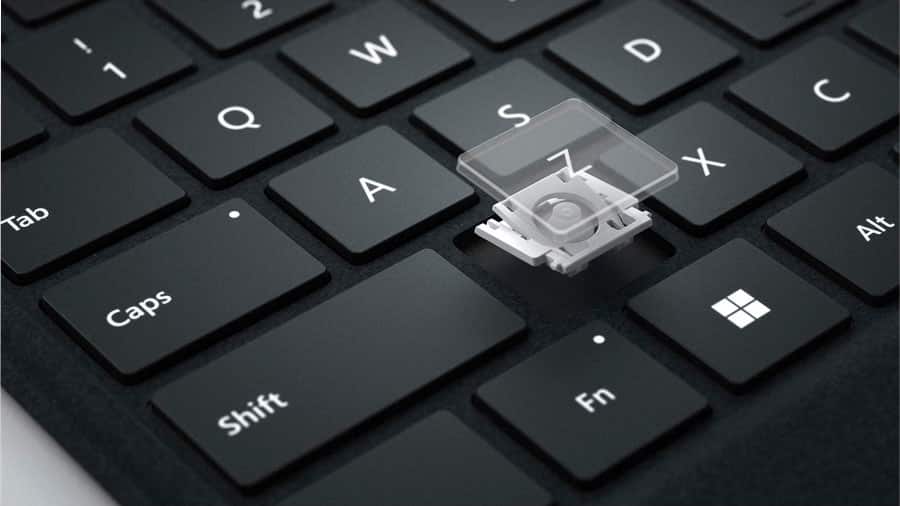
|Posted .This reviewer received promo considerations or sweepstakes entry for writing a review.The keyboard is so essential for the best Surface experience, they should just come included with every surface option above the base models. This is the best Surface keyboard I have used, the stability is really good, hardly any flex at all when using keyboard on soft surfaces, thanks I think to the carbon fiber which really stiffens without adding much weight. The keys are responsive and not too mushy, with good travel. Lighted keyboard option is very nice with three levels of brightness, and if you don't touch the keyboard, it dims off the lighted keys, but then turns right back on when you touch again. The material cover on the back is nice feeling and hope to see how durable it is. The glass touchpad is large and responsive, haven't had a misstep using it even with gestures. The pen is fun to use, I used it on a Surface Pro X and the only feature missing using it like that, is that there is no haptic feedback from the pen. This is supposed to make it feel more like writing with a real pen, but it felt fine without it on the Pro X. The charging pad area to hold and charge the pen works very well, and it closes up and hides it if you wish, like when using the keyboard on your lap, the extra magnet attachment to the bottom of the tablet from the keyboard hinging and hiding the pen area makes it more stable. I used the pen in paint and 3d paint, one note. It is fairly accurate on ink placement on screen in relation to the pen position on screen. I notice that as you tilt the pen tip really far away from vertical, to flatter in relation to the screen, the inking gets a bit further away from the pen tip. I guess no super accurate charcoal shading for me, not that I'm much of an artist. I think this bundle is a great value, and the pen is nice to have, always ready to go and easy to store and hard to lose when traveling, a real plus for something as portable as a Surface setup. I recommend this keyboard/pen bundle for the creators and note takers out there who will get a lot of use out of the pen.
I would recommend this to a friendBrand response from MicrosoftOutreachTeam
Posted .Hi – Thank you for being a part of our Surface family and recommending it to others. It's great to hear that it’s a good fit for your needs. We hope you continue to enjoy using it. Erica, Microsoft Outreach Team
a must have for your new surface
|Posted .This reviewer received promo considerations or sweepstakes entry for writing a review.At first I was a bit surprised at the price of this keyboard, but when you think about all the features it adds to your device, you soon realize thats its not only an important part of the surface "experience", its obvious that this keyboard brings alot to the surface. First of all, in spite of what some others have said, it DOES have backlit keys, at least mine did, and there are 3 brightness levels you can use with it. it comes with a nifty pen that you can use with the surface, and, even though I am not a big fan of pen type devices being used with mobile technology, this one does all the things that many folks like about interacting with a stylus on their mobile device. Also, the keyboard is actually a folio type case for your surface, and has a nice, suede like feel to it, and even thought it wouldnt protect your surface if you dropped it off your desk, it does add a nice amount of grip to the device when closed. And, the keys have a nice feel to them, are pretty responsive, and really make the surface a true laptop "replacement" for those business folks who want a lightweight, and agile device they can use while working on the road...dont get me wrong, this is a nice device to just use as a personal tablet as well, but the price tag wont make you forget that its really ALOT more than a tablet! Anyways, the keyboard is a valuable addition to your surface experience, and would recommend it strongly to anyone buying the new surface!
I would recommend this to a friendMicrosoft Did Good!
|Posted .This reviewer received promo considerations or sweepstakes entry for writing a review.Very Impressed with this keyboard for the surface. Let me start out by saying this is my first surface experience and I'm blown away at the quality and experience of this keyboard. The key response is amazing, and it even has a backlight! This keyboard is super slim and stiff at the same time. This comes in handy for times like right now where I'm typing on a pillow and because the keyboard is so rigid, it allows me to type anywhere. It has a nice trackpad that is smooth as glass and at first it seemed a little small, now I'm used to it where I don't even notice. The Pen: I never had the first-generation pen but this one seems to be very nice. The pen is comfortable to hold and is fully customizable. You can click the top button to activate any preset functions that you can assign. For example, clicking it once opens up Microsoft Whiteboard which is great for writing notes and drawing. The fact that the pen magnetically pairs with the keyboard is another cool feature. And when its attached, it is also charging so you never have to remember to charge the pen. The keyboard also folds up close to the bottom bezel of the surface and hides the pen. All around this is a solid product and i am very impressed.
I would recommend this to a friendOptional but really a must have
|Posted .This reviewer received promo considerations or sweepstakes entry for writing a review.This new surface pro keyboard and stylus are an optional extra purchase but if you want the most out of your surface pro you need it. The stylus charges right on the keyboard in a slot. The connection between the keyboard and tablet is really slick with a magnetic slot. I found switching between tablet and keyboard docked to be very quick and easy. The stylus worked well with no complaints and seemed to have no issues charging in the provided dock on the keyboard. Keyboard feels good, touch pad is no frills but fully functional and accurate. Shame you have to pay so much extra for it but really if you already dropped the money for a surface book pro, you aren't batting an eye at this. Get it.
I would recommend this to a friendStep Forward with Keyboard, Meh Pen.
|Posted .This reviewer received promo considerations or sweepstakes entry for writing a review.My last surface pro device was the Surface Pro 4, that’s a while ago. I was excited to see how much the keyboard had changed since then. The differences are not huge, but that’s ok because Microsoft was not far off even back then. The most important two things they needed to address was the trackpad and the flex of the keyboard when typing. The trackpad on this keyboard is excellent. Its not just good for an accessory keyboard, its just a flat-out good trackpad. Its smooth and made of glass. The response when clicking is just as good as a full-size laptop. The click it makes is incredibly satisfying and audible. My wife mentioned to me how much she liked the click when using it. The flex on this keyboard is getting to the point where its almost all gone. Thankfully it’s gone enough where it doesn’t bother me anymore. On my Surface Pro 4 I used to get annoyed overtime with the flex the keyboard had. Now, I can rest my hands on it and click away like any other laptop. The clickyness is great, however, I do with it was a bit quieter. Sometimes when I’m typing in class, I feel like I’m the loudest typer in the class. The pen is not my cup of tea. Coming from an iPad Pro with the Apple Pencil, this is a terrible attempt at competing with Apple. If you are buying the Signature Keyboard because you are going to use the pencil a lot, temper your expectations if coming from an Apple Pencil. The pen works, it’s just a short coming when you realize the Surface Pro product line is the best competitor to the iPad Pro.
I would recommend this to a friendAwesome keyboard
|Posted .This reviewer received promo considerations or sweepstakes entry for writing a review.This keyboard is a must have for the surface. Clicks on with magnets and is held on tight. One thing I love is the keyboard still lights up like a traditional laptop keyboard. The pen is nice however using my finger is my preference but obviously the pen is more accurate. A bit pricey but truly worth the price.
I would recommend this to a friendPerfect accessory
|Posted .This reviewer received promo considerations or sweepstakes entry for writing a review.The keyboard should come with the standard packaging of the tablet. Quiet and comfortable feel. The pen is so responsive and sensitive to pressure, it's like a marker. No delay at all! The pen also features a programmable top that clicks to do whatever. Great for presentations or whiteboard shortcuts.
I would recommend this to a friendSurface keyboard
Posted .This reviewer received promo considerations or sweepstakes entry for writing a review.Really like this product, excellent quality, easy to use, came with the pen so super excited about that. Can’t go wrong with this item
I would recommend this to a friendLove the Slim Pen2
Posted .This reviewer received promo considerations or sweepstakes entry for writing a review.Great package with my SurfacePro. I highly recommend the Slim Pen 2. Makes working on the Surface easy.
I would recommend this to a friendGood
Posted .This reviewer received promo considerations or sweepstakes entry for writing a review.Thin.. useful.. easy to use.. I like this keyboard
I would recommend this to a friendExcellent product!
Posted .This reviewer received promo considerations or sweepstakes entry for writing a review.The product meets advertised performance standards.
I would recommend this to a friend