Customer Ratings & Reviews
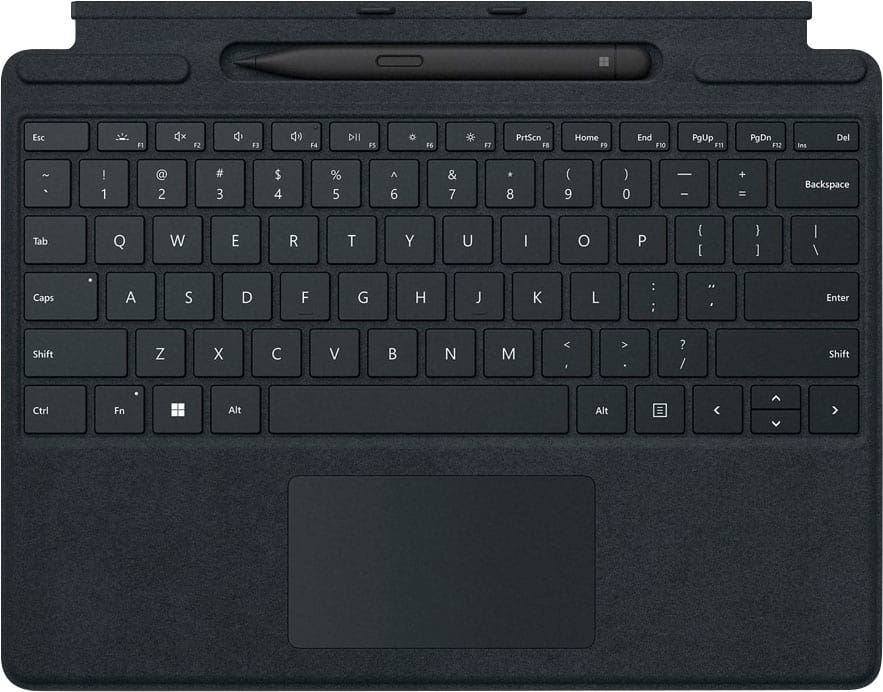
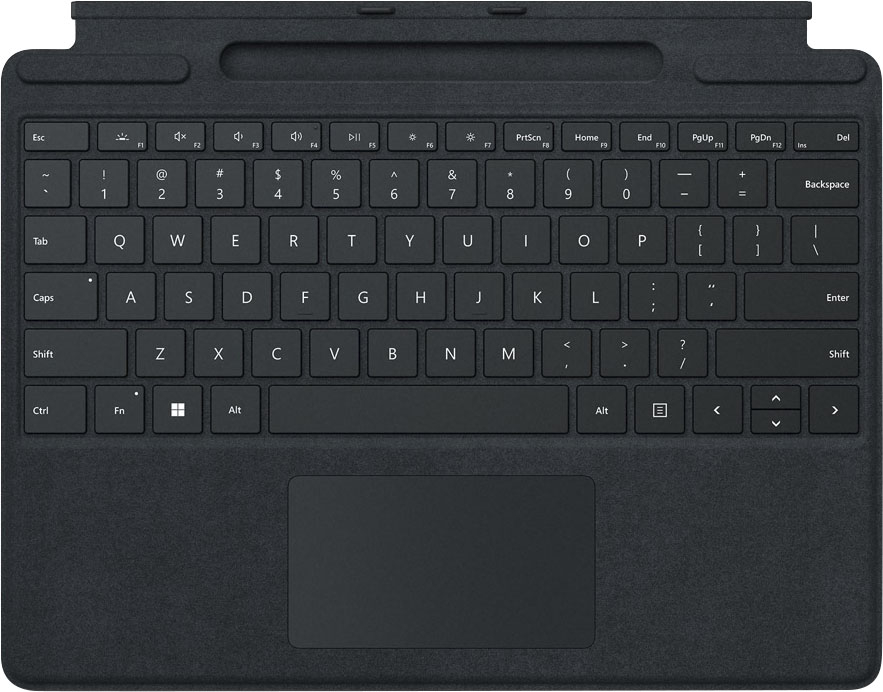

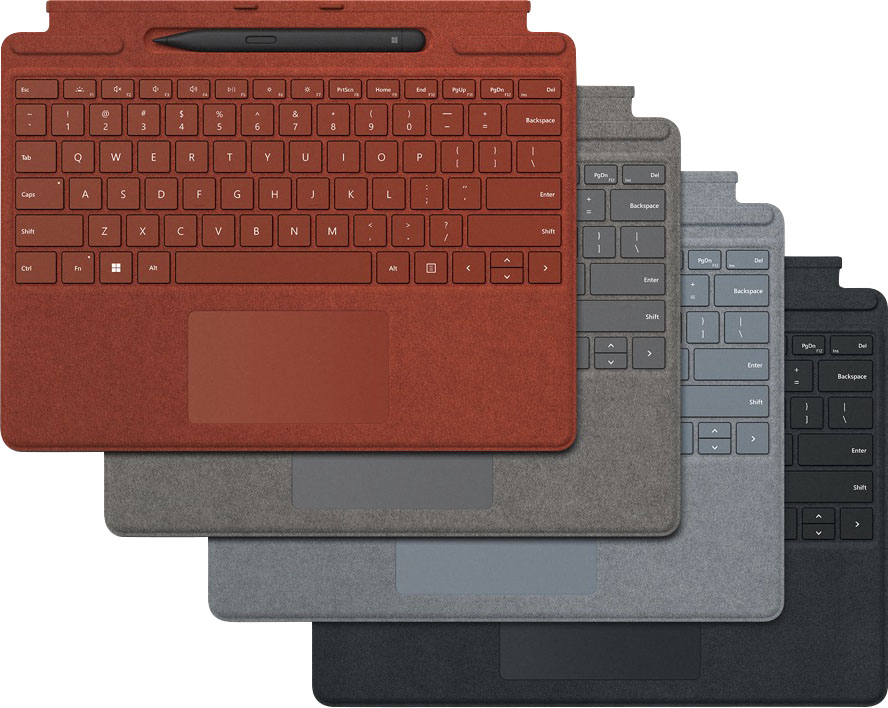
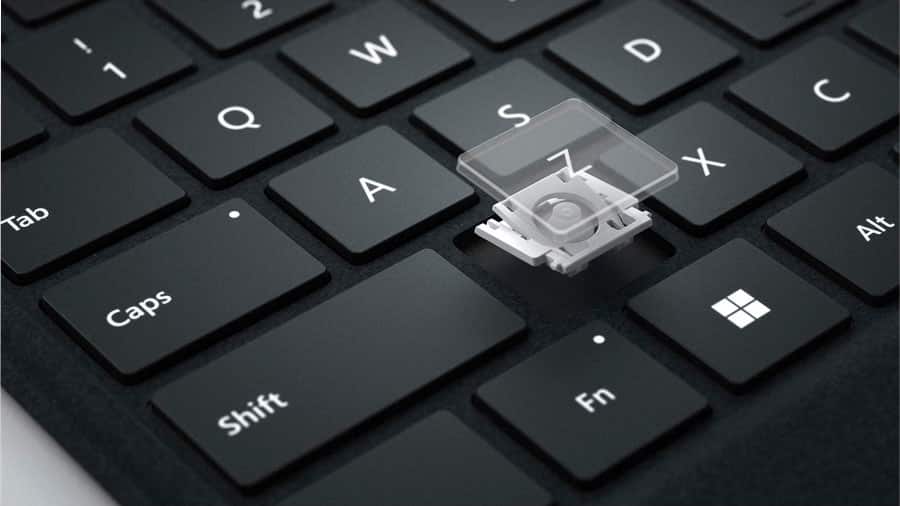
- Model:
- 8X6-00001
- SKU:
- 6477999
Rating by feature
- Value
Rating 4.4 out of 5 stars
- Quality
Rating 4.8 out of 5 stars
- Ease of Use
Rating 4.8 out of 5 stars
Customers are saying
Customers are pleased with the keyboard quality, which feels like a traditional keyboard, and the overall design and connectivity of the product. The portability of the slim style is also a plus for many users. However, some customers have noted that the size is thinner than they expected.
This summary was generated by AI based on customer reviews.

Comfortable, Great Key Feel, Awkward to Access Pen
|Posted .This reviewer received promo considerations or sweepstakes entry for writing a review.I love the Surface series of computers. The nearly seamless switch between tablet and full computer is something the Surface does almost perfectly. In terms of the Surface Pro Signature Keyboard itself: - Great key feel, lots of room to rest your wrists, and good ergonomic angles when resting on a flat surface. - The keyboard and glass trackpad are responsive and tend to ignore false strikes. The left/right click area is tricky at first if you're coming from a larger trackpad. - The magnetics are very strong and the attachment is great (a bit less convenient when trying to access the pen). - I almost always augment my Surfaces with the arc mouse or an external mouse to make sure I don't over-tax my wrists. In terms of the Surface Slim Pen: - The pen charges and connects to the part of the keyboard that folds up into an angle for more supported typing. While this is kinda convenient for storage, it's a pain to access without inadvertently triggering your touchscreen and closing your browser or whatever else. - The pen is not as easy to store if you disconnect the keyboard cover for whatever reason... and super easy to lose. - The pen is about as comfortable as one of those slim Moleskine-style notebook pens. I didn't have any problem writing notes or drawing or anything else with it. It's responsive and easy to use compared to a normal Microsoft Surface Pen. The pen tip itself seems to be custom for this style of pen (it's harder plastic with a fine cone tip). - There's a connection button and at the top of the pen there's a click-top button that can be customized with a long-click or a double-click to open an app or screenshot or other similar features. With any laptop or tablet, you're buying into the form factor of the accessories that come with the thing. In this case, it's a stylish and mostly comfortable tablet keyboard that has two primary angles that will meet the needs of most users for comfortable typing. The inclusion of the slim pen addresses one of my frustrations with the last set of Surfaces (that you had to buy the pen and keyboard separately). Now if they only bundled in the arc mouse, or better yet - turned the glass touchpad into a detachable arc mouse, I'd be all over that. Until then, this is a great 2-in-1 kit to augment your Surface with.
I would recommend this to a friendBrand response from MicrosoftOutreachTeam
Posted .Hi Nick – Thanks for giving us your honest feedback. We hope you continue to enjoy using it. Erica, Microsoft Outreach Team

- Pros mentioned:Keyboard quality
Great Keyboard
|Posted .This reviewer received promo considerations or sweepstakes entry for writing a review.This keyboard is a great addition to your Surface Pro 8 Tablet. Clicks in effortlessly and feels great. Has a nice grip feel and soft texture. The pen is fun and a great accessory. If you are getting a Surface Pro 8 go ahead and get this too, works as a nice protector and keyboard.
I would recommend this to a friendBrand response from MicrosoftOutreachTeam
Posted .Hi – We're glad that you're a fan of its functionality, both as a keyboard and screen protector. We hope it continue to serve you well. Erica, Microsoft Outreach Team
- Pros mentioned:Keyboard quality
Great add-on to the Surface. Closer to a laptop
|Posted .This reviewer received promo considerations or sweepstakes entry for writing a review.Ive always heard great things about the Surface keyboards and now I know why. They take an already great tablet and bring it very close to an awesome laptop. I really like how Microsoft gives you plenty of color options to choose from as well. So you can match your tablets color. The keyboard itself has an awesome build. Very solid. It connects to the tablet solidly and doesnt wobble or come loose. I love how the pen magnetically attaches and also charges it. And the pen itself is great if you want to try out drawing and more. The best part for me is the typing. Normally when I switch to a new keyboard it takes awhile to get use to it. But this has the perfect “feel” to it. The trackpad is easy to use as well. And when your not using it it all folds together like a laptop would. This is a must have add-on to the Surface tablet. It makes an already awesome tablet a great little laptop.
I would recommend this to a friendBrand response from MicrosoftOutreachTeam
Posted .Hi Nate – We’re thrilled you love its easy operation, and pen integration. We hope it continues to serve you well. Erica, Microsoft Outreach Team
- Pros mentioned:Keyboard quality
Optional but really a must have
|Posted .This reviewer received promo considerations or sweepstakes entry for writing a review.This new surface pro keyboard and stylus are an optional extra purchase but if you want the most out of your surface pro you need it. The stylus charges right on the keyboard in a slot. The connection between the keyboard and tablet is really slick with a magnetic slot. I found switching between tablet and keyboard docked to be very quick and easy. The stylus worked well with no complaints and seemed to have no issues charging in the provided dock on the keyboard. Keyboard feels good, touch pad is no frills but fully functional and accurate. Shame you have to pay so much extra for it but really if you already dropped the money for a surface book pro, you aren't batting an eye at this. Get it.
I would recommend this to a friend Costly Necessity
|Posted .This reviewer received promo considerations or sweepstakes entry for writing a review.(Note: This accessory was used with a Surface Pro 8. It can be used with a Surface Pro X so keep in mind that this accessory is not specific to a model.) This keyboard and cover accessory is a must if you’ve purchased a Surface Pro 8. Using the tablet without this will make typing a major hassle. On one hand, it’s needed to complete the Surface Pro 8 package. Yet at the same time, it should have been included with the tablet itself. The keyboard attaches magnetically to the tablet, with two tabs to help align where they go. I do not see any visible contact points on the keyboard, which is interesting and common in a lot of detachable keyboards. The magnets definitely help keep the keyboard attached but there may be times when you have to adjust it to slip the tabs into the slots. Once attached, there is no need to do anything else. The keyboard and trackpad start working immediately. The build quality is a hit or miss to me. For one thing, the thin profile means the keyboard is less rigid and is going to be subjected to bending. At the same time, its thin profile means it helps keep the entire package portable and light. The keys don't have a lot of travel due to its slim profile, something to be expected. And they feel okay to me while typing on it. I do find myself placing a bit of added pressure to the keys when I type. But I attribute this to using desktop keyboards where the keys have a longer travel and a more robust construction. The trackpad is smooth and the buttons have a nice tactile click to them. Using either is good and can help make using the tablet a bit easier. The stylus pen works as expected. Upon closer inspection of its writing/drawing operation, I notice that there’s a slight lag between contact and drawing. I’m not sure if this slight delay will have any effect on people who care about this but I feel it’s needed to at least point it out just to be safe. There are two buttons on the stylus but only one can be customized, unfortunately. The top button can be set to a different function instead of launching the Whiteboard app. The side button cannot be customized, which is a shame because I’d set it as an “undo” action. This could have helped with those who use a drawing application a lot with the tablet. A small bonus I noticed while using the stylus is the top part also acts as an eraser. Those who are very acquainted in using a pencil will find this useful when writing in general. In the end, this accessory is needed if you purchased a Surface Pro 8. There is no way around it due to the nature of Windows. Windows has always been a computer first and the user interface reinforces that user experience paradigm. The only way to make this accessory more of an option or a supplement is to change the Windows interface paradigm itself. It’s the reason why Android and Apple tablets are designed in such a way that a detachable keyboard accessory is only an option and not a necessity to use. At MSRP, this is a very expensive accessory. The keyboard by itself can be had for less, if you do not need a stylus pen. But still, it’s an accessory that will add on to the overall cost of the already costly Surface Pro 8. If you plan on getting a Surface Pro 8, it is highly recommended to get this alongside it. It is only for the sake of easy portability instead of needing to pack a Bluetooth keyboard. The Good: thin and slim profile, has space for stylus pen, can be used flat on surface or angled The Bad: thin means less sturdy and rigid, additional expense to complete the package The Ugly: the total cost of the full Surface Pro tablet package Verdict: Buy only if you have the tablet.
I would recommend this to a friend- Pros mentioned:Keyboard quality
If you own a Surface, you must get this
|Posted .This reviewer received promo considerations or sweepstakes entry for writing a review.If you own any Surface device, this keyboard and Slim Pen 2 is a must. The way the keyboard connects to the Surface is seamless. The way it charges the Slim Pen is ingenious. The feel of the keys and touchpad is a thing of beauty. The magnets and shapes when connected to the Surface device is just fantastic. Again, if you own a Surface device, this keyboard and pen combo is a must have and will increase the productivity and portability of the Surface device.
I would recommend this to a friendBrand response from MicrosoftOutreachTeam
Posted .Hi – We're glad that you're a fan of its functionality and pen integration. We hope your new Surface Pro Signature Keyboard continues to serve you well. Erica, Microsoft Outreach Team
Lightweight & Quiet & Easy to Connect
|Posted .This reviewer received promo considerations or sweepstakes entry for writing a review.This keyboard like the tablet is also a very lightweight device, yet has this almost magical magnetic power of attachment to two little tab inserts on the bottom edge of the Surface Pro 9, and practically flies from your fingers to find home. *Click.* Easy. The keys are whisper quiet and responsive. The keyboard features a Bluetooth pen that stays charged (which means the keyboard draws power from the tablet.) I am not much of a pen person but it was fun to toy with, I suppose it has a lot of uses. The keyboard has a quality I find odd--the surface of it is a felt-like material that I fear will hold stains and be hard to keep looking new. Time will tell. Maybe watch the snacking. Maybe. The slot where the pen rests is part of a "spine" of sorts that folds and becomes part of the bottom of the tablet to the eye. The only problem is--when attached to the tablet, you can't keep the tablet propped open with the tension of the keyboard/tablet junction like a normal laptop on your lap--you must open the back flap-stand on the Surface and pretend your lap is a desk or a table. Still an amazing lightweight must-have addition to the Surface.
I would recommend this to a friend- Pros mentioned:Keyboard quality
Awesome keyboard
|Posted .This reviewer received promo considerations or sweepstakes entry for writing a review.This keyboard is a must have for the surface. Clicks on with magnets and is held on tight. One thing I love is the keyboard still lights up like a traditional laptop keyboard. The pen is nice however using my finger is my preference but obviously the pen is more accurate. A bit pricey but truly worth the price.
I would recommend this to a friend - Pros mentioned:Keyboard quality
Perfect accessory
|Posted .This reviewer received promo considerations or sweepstakes entry for writing a review.The keyboard should come with the standard packaging of the tablet. Quiet and comfortable feel. The pen is so responsive and sensitive to pressure, it's like a marker. No delay at all! The pen also features a programmable top that clicks to do whatever. Great for presentations or whiteboard shortcuts.
I would recommend this to a friend Step Forward with Keyboard, Meh Pen.
|Posted .This reviewer received promo considerations or sweepstakes entry for writing a review.My last surface pro device was the Surface Pro 4, that’s a while ago. I was excited to see how much the keyboard had changed since then. The differences are not huge, but that’s ok because Microsoft was not far off even back then. The most important two things they needed to address was the trackpad and the flex of the keyboard when typing. The trackpad on this keyboard is excellent. Its not just good for an accessory keyboard, its just a flat-out good trackpad. Its smooth and made of glass. The response when clicking is just as good as a full-size laptop. The click it makes is incredibly satisfying and audible. My wife mentioned to me how much she liked the click when using it. The flex on this keyboard is getting to the point where its almost all gone. Thankfully it’s gone enough where it doesn’t bother me anymore. On my Surface Pro 4 I used to get annoyed overtime with the flex the keyboard had. Now, I can rest my hands on it and click away like any other laptop. The clickyness is great, however, I do with it was a bit quieter. Sometimes when I’m typing in class, I feel like I’m the loudest typer in the class. The pen is not my cup of tea. Coming from an iPad Pro with the Apple Pencil, this is a terrible attempt at competing with Apple. If you are buying the Signature Keyboard because you are going to use the pencil a lot, temper your expectations if coming from an Apple Pencil. The pen works, it’s just a short coming when you realize the Surface Pro product line is the best competitor to the iPad Pro.
I would recommend this to a friend- Pros mentioned:Keyboard quality
Keyboard For Surface Pro
Posted .This reviewer received promo considerations or sweepstakes entry for writing a review.I like the fact that it protects the screen. The keyboard also lights up and has a place for the pen. It's a little pricey but I new it when I purchased the surface pro.
I would recommend this to a friend comfortable
|Posted .This reviewer received promo considerations or sweepstakes entry for writing a review.i feel this is a must have if you get the surface pro 8. however i feel its way overpriced. first, i feel it should have just been included with the surface pro 8. that said though, the keyboard runs about 180$. nothing to fancy with it other then its specific to go with the surface pro 8. it does act as a cover as well and seems to be pretty strong magnet to hold it in place. it has a nice slot at the top as well that holds the pen and charges it at the same time. feels comfortable and i like how it looks. overall a must have. i just think the price is high myself and again i feel it should have been included with the surface pro 8. especially because i feel the surface pro 8 is more like a laptop but missing the keyboard that you get with a laptop.
I would recommend this to a friendGreat Color
Posted .This reviewer received promo considerations or sweepstakes entry for writing a review.I love how easy this product is to use. Also, I love the color.
I would recommend this to a friendKeyboard and pen
Posted .This reviewer received promo considerations or sweepstakes entry for writing a review.It is very comfortable to use, and the pen works very well.
I would recommend this to a friendSurface keyboard
Posted .This reviewer received promo considerations or sweepstakes entry for writing a review.Really like this product, excellent quality, easy to use, came with the pen so super excited about that. Can’t go wrong with this item
I would recommend this to a friend- Pros mentioned:Portability
Love the Slim Pen2
Posted .This reviewer received promo considerations or sweepstakes entry for writing a review.Great package with my SurfacePro. I highly recommend the Slim Pen 2. Makes working on the Surface easy.
I would recommend this to a friend Good
Posted .This reviewer received promo considerations or sweepstakes entry for writing a review.Thin.. useful.. easy to use.. I like this keyboard
I would recommend this to a friend//
Posted .This reviewer received promo considerations or sweepstakes entry for writing a review.It matches the tablet I bought. It's nice. The only thing I don't like is the felting. Other than that, it's perfectly fine.
I would recommend this to a friendGreat buy and best product!
Posted .This reviewer received promo considerations or sweepstakes entry for writing a review.This item is great so far, I got it on sale and it was a great deal although Red is not my favorite color, I like style it gave to my surface pro
I would recommend this to a friendSurface Pro Keyboard
Posted .This reviewer received promo considerations or sweepstakes entry for writing a review.Excellent. Exactly as I expected. Works great with my Surface Pro 9.
I would recommend this to a friend