Customer Ratings & Reviews


- Model:
- 8X6-00061
- SKU:
- 6478002
Rating by feature
- Value
Rating 4.4 out of 5 stars
- Quality
Rating 4.8 out of 5 stars
- Ease of Use
Rating 4.8 out of 5 stars
Customers are saying
Customers are pleased with the keyboard quality, which feels like a traditional keyboard, and the overall design and connectivity of the product. The portability of the slim style is also a plus for many users. However, some customers have noted that the size is thinner than they expected.
This summary was generated by AI based on customer reviews.
What a mistake Microsoft..
||Posted .This reviewer received promo considerations or sweepstakes entry for writing a review.Ok, first and foremost, I am a surface fanboy.. I have owned one since the surface pro 4, and I was really looking forward to this update. I went ahead and purchased it and once I did, i realized the mistake microsoft had made from the get go. Let me explain. I use the surface pro in tablet mode for most of its use. Now when you use the surface in this mode, you turn the surface to your right since you need to hold the surface one handed to use the pen in the other. Now the reason for this, is that you should actually hold it from the left since the keyboard is connected there and it feels a little more secure. Well the biggest issue and the killer for me was that they moved the power button to the right, so when you put it in table mode, and set it on your lap or desk or whatever to stabilize it for writing, it turns off the tablet. Now I know you can change the functionality of the button from the software, but we shouldn't have to.. The next issue, is that with the new keyboard and pen, since you now hide and charge the pen from within the keyboard, the space to hold the tablet well, has gotten much larger, making it that much more difficult to hold. What a joke, I was really looking forward to this.. D
No, I would not recommend this to a friendGreat Item
||Posted . Owned for less than 1 week when reviewed.This reviewer received promo considerations or sweepstakes entry for writing a review.The pen and keyboard work great. It allows the computer to work as a laptop and tablet. The wife uses it for drawing, and it works very well, the keyboard folds under to give grip to the tablet while she is drawing on the couch.
I would recommend this to a friend- Pros mentioned:Keyboard quality

Great addition to the Microsoft Surface 9 Pro
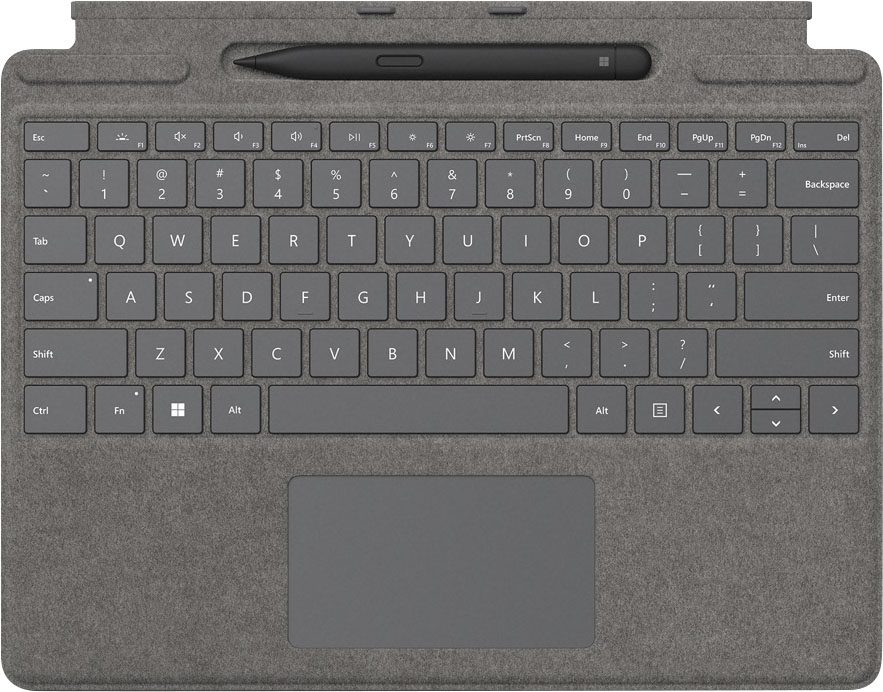
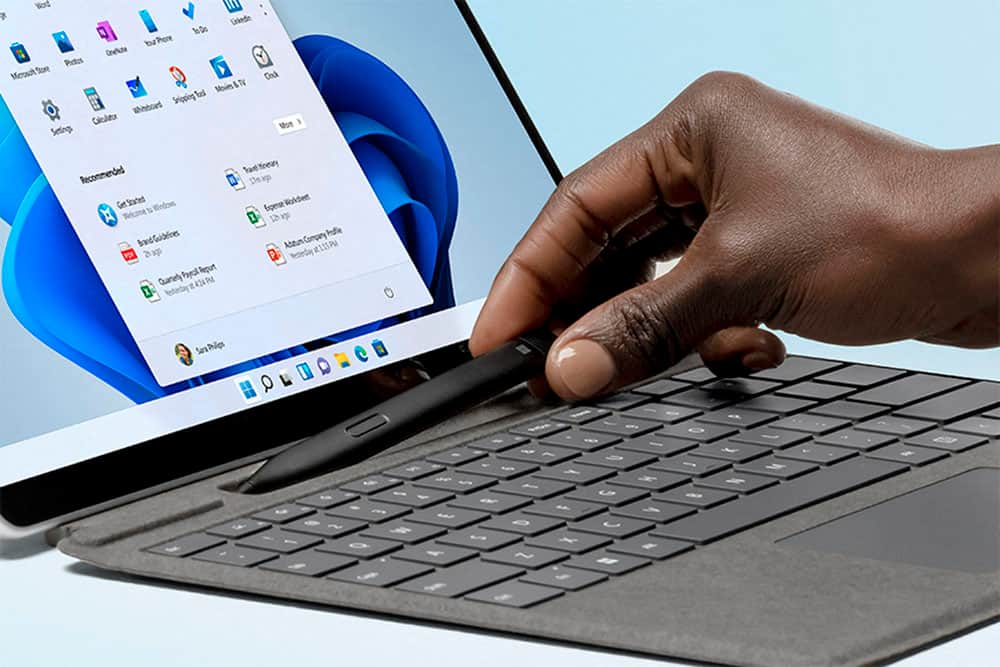
|Posted .This reviewer received promo considerations or sweepstakes entry for writing a review.First impression: My first impression of the Surface Signature Keyboard with the surface Slim Pen 2 is that it really is a signature keyboard and pen. This is the kind of keyboard/pen set I would expect for a tablet like the Microsoft 9 Pro. The magnets that hold the keyboard to the tablet and the pen in its slot are very strong, and the magnets that hold the keyboard closed are very strong. None of these inhibit using the keyboard but do a good job of keeping it where you want it. The pen is charged while sitting in the holster, and if you put it in backwards, the magnets will flip it over to make sure it is in correctly. Specifications: • Alcantara cover: Very comfortable for the wrists, and the outside gives the Surface some grip. • Weight: This keyboard/pen combo only weighs .65 lbs., helping the surface to keep a lower overall weight. • Bluetooth 5.0: Automatically connects and provides a very responsive keyboard/pen. • Right click button: You have the option of using the 2-finger right click on the touchpad but having a dedicated right-click makes using it a lot easier. • Tactile signals for the Pen 2: You can configure tactile response on the pen to give you the timing and intensity you desire. • Keyboard is a screen protector when closed. Setup: There really isn’t any setup unless you have the fingerprint reader. You lay it out and place the Surface Pro on it. The magnets grab the keyboard and hold it in place, and that’s it. You can configure tactile feedback of the pen in Windows if you like, but it is optional. Performance: The keyboard feels really good. I am a fast 2-finger typist, as long as the keyboard keys aren’t jammed too close together. These keys are spaced perfect for me, they are large enough to hit the correct key, and the feel of the keys are perfect for a keyboard like this. The keys have a light resistance, but do not bounce when typing fast. They are mechanical keys but feel more like chiclet keys. I really like this keyboard. The touchpad is called a “glass trackpad,” and for good reason. When using the touchpad, it feels like your fingers are riding on oil. It is so smooth that there isn’t any drag like on a typical laptop touchpad. I'm sure they’ve had these for a while, but it’s the first one I have used, and I really like it a lot. When using gestures with the touchpad, it is very accurate at knowing what you are attempting to do. The only thing I usually use is the one or two-fingers for a right click. This touchpad hasn’t messed that one up yet, even when I did. But if you don’t like having to use the a finger right-click, this keyboard has a dedicated right-click button to the right of the touchpad. Again, another feature I really like. The pen is also a Bluetooth device that charges in the pen holster and offers up to 15 hours of battery life. It has a top button, a side button, and eraser functionality. It also provides Haptic feedback. One of my favorite features is the little red dot on the screen to show where the pen is going to touch. It’s like a laser target. This is perfect when doing precision work. The shape of the pen also makes it easy to hold and use the buttons without the pen moving or slipping. Conclusion: The Microsoft Surface 9 Pro is a very powerful tablet. The Microsoft Surface Pro Signature Keyboard/Pen for Pro 9 turns it into a powerful laptop/tablet hybrid. Both the keyboard and pen operate wonderfully and makes using the Surface an enjoyable experience. The only con I found is the price, but to me it’s worth it. There are other keyboard options available for a better price, but none of them are specifically designed and integrated into the Surface the way this keyboard is. If I am going to pay for the Surface Pro 9, I’m not going to skimp on the keyboard. If you have a Surface Pro 8 or 9, and you want to add a keyboard/pen to it, I highly recommend the Microsoft Surface Pro Signature Keyboard with Surface Slim Pen 2. It is the perfect companion to the Microsoft Surface Pro 9.
I would recommend this to a friend Great addition to my surface
||Posted . Owned for 3 months when reviewed.This reviewer received promo considerations or sweepstakes entry for writing a review.2nd surface pro and love this one even more. Having the pen on the keyboard is great. Kept misplacing my other one. Backup lighting is easy to turn off and on. Hope this one holds up longer than the previous versions.
I would recommend this to a friendNice keyboard/cover.
||Posted . Owned for 1 month when reviewed.This reviewer received promo considerations or sweepstakes entry for writing a review.The alcantara leather is nice. Buttons have short throw but seem to click nicely. Not difficult at all to type on. Concerned about durability. Will keep in a protective sleeve.
I would recommend this to a friendKetboard and surface pen for Pro 8
||Posted . Owned for 1 month when reviewed.This reviewer received promo considerations or sweepstakes entry for writing a review.Useful for writing papers and when you do t want your fingerprints ruining the screen. It comes with a well functioned pen capapble of adding notes and highlighting content.
I would recommend this to a friendShould be included but worth it still
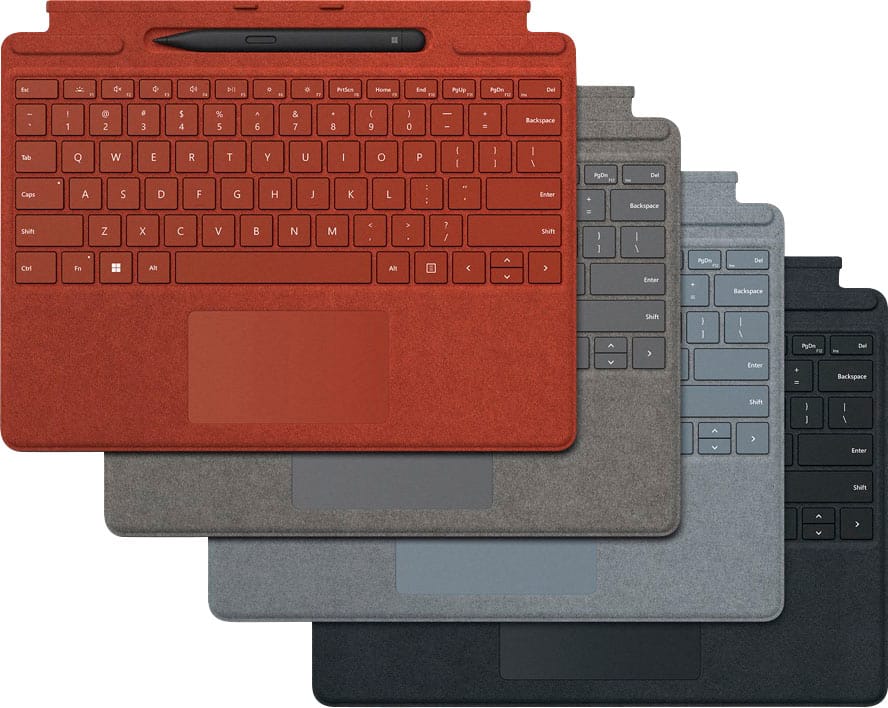
||Posted . Owned for 2 months when reviewed.This reviewer received promo considerations or sweepstakes entry for writing a review.For as much as I spent on the fully loaded surface pro this and the pen should have been included but that said they function flawlessly and red being my Favorite color I had too
I would recommend this to a friendWell match for Surface Pro 8 Platinum
||Posted . Owned for 1 week when reviewed.This reviewer received promo considerations or sweepstakes entry for writing a review.If you have a platinum surface pro 8, this keyboard is for you. The color matches 80% of your Surface. The pen place holder with charger is amazing, no more worrying about running out of battery.
I would recommend this to a friendOEM
||Posted . Owned for 8 months when reviewed.This reviewer received promo considerations or sweepstakes entry for writing a review.OEM keyboard, this is the one you want. We like the different available colors to differentiate between the several Surface's we have at work.
I would recommend this to a friendGreat keyboard
||Posted . Owned for 1 month when reviewed.This reviewer received promo considerations or sweepstakes entry for writing a review.I love it, vonnects seanlessly via magnetic fields, and there is no lag or delay in typing. Also sofres the stylus pen inconspicuously
I would recommend this to a friendWorks great
||Posted . Owned for 2 weeks when reviewed.This reviewer received promo considerations or sweepstakes entry for writing a review.Absolutely amazing keyboard. The charging bay for the pen is a great touch and works great. Pen is a little difficult to get out of sometimes though. Only complaint.
I would recommend this to a friendWorth the money
||Posted . Owned for 2 weeks when reviewed.This reviewer received promo considerations or sweepstakes entry for writing a review.Love love love this keyboard and pen! So happy I waited for the 8 because this keyboard works so amazing well. Just don’t press down to hard on the mouse pad
I would recommend this to a friendReturned
||Posted .This reviewer received promo considerations or sweepstakes entry for writing a review.I purchased an open box online from my local store. It was listed as a keyboard with pen. Someone at the store had sticky fingers and the pen did not make it from the cage to curbside pickup. The store did not want to honor the pen or reduce the price to reflect the abscence of the pen. Normal for this store and management.
I would recommend this to a friendWASTE OF TIME
||Posted .This reviewer received promo considerations or sweepstakes entry for writing a review.Tried to buy this open box - drove to store and it wasn't even in stock.
No, I would not recommend this to a friendMust Have 4 Me!
||Posted .This reviewer received promo considerations or sweepstakes entry for writing a review.Must have 4 me…absolute winner for the Surface Pro 9…pen is super nice along with built in storage
I would recommend this to a friendGood integration
||Posted . Owned for 1 month when reviewed.This reviewer received promo considerations or sweepstakes entry for writing a review.My wife loves that it color matches the surface pro and the the pen is integrated.
I would recommend this to a friendDurable and light
||Posted . Owned for 3 weeks when reviewed.This reviewer received promo considerations or sweepstakes entry for writing a review.Connects quickly and efficiently. Love having the bundle that saves some money. Everything works wonderfully!!
I would recommend this to a friendPerfect addition to a Surface Pro
||Posted . Owned for 5 months when reviewed.This reviewer received promo considerations or sweepstakes entry for writing a review.It's OEM, fits and works perfectly. It's a must-have if you have a surface pro.
I would recommend this to a friendBest addition to surface
||Posted . Owned for 1 week when reviewed.This reviewer received promo considerations or sweepstakes entry for writing a review.Great addition to the surface pro holds pencil and recharges it nicely.
I would recommend this to a friendSurface keyboard with pen
||Posted . Owned for 3 weeks when reviewed.This reviewer received promo considerations or sweepstakes entry for writing a review.Definitely need it to get the best experience of the surface
I would recommend this to a friend