Customer Ratings & Reviews
![Tablet_Keyboards:
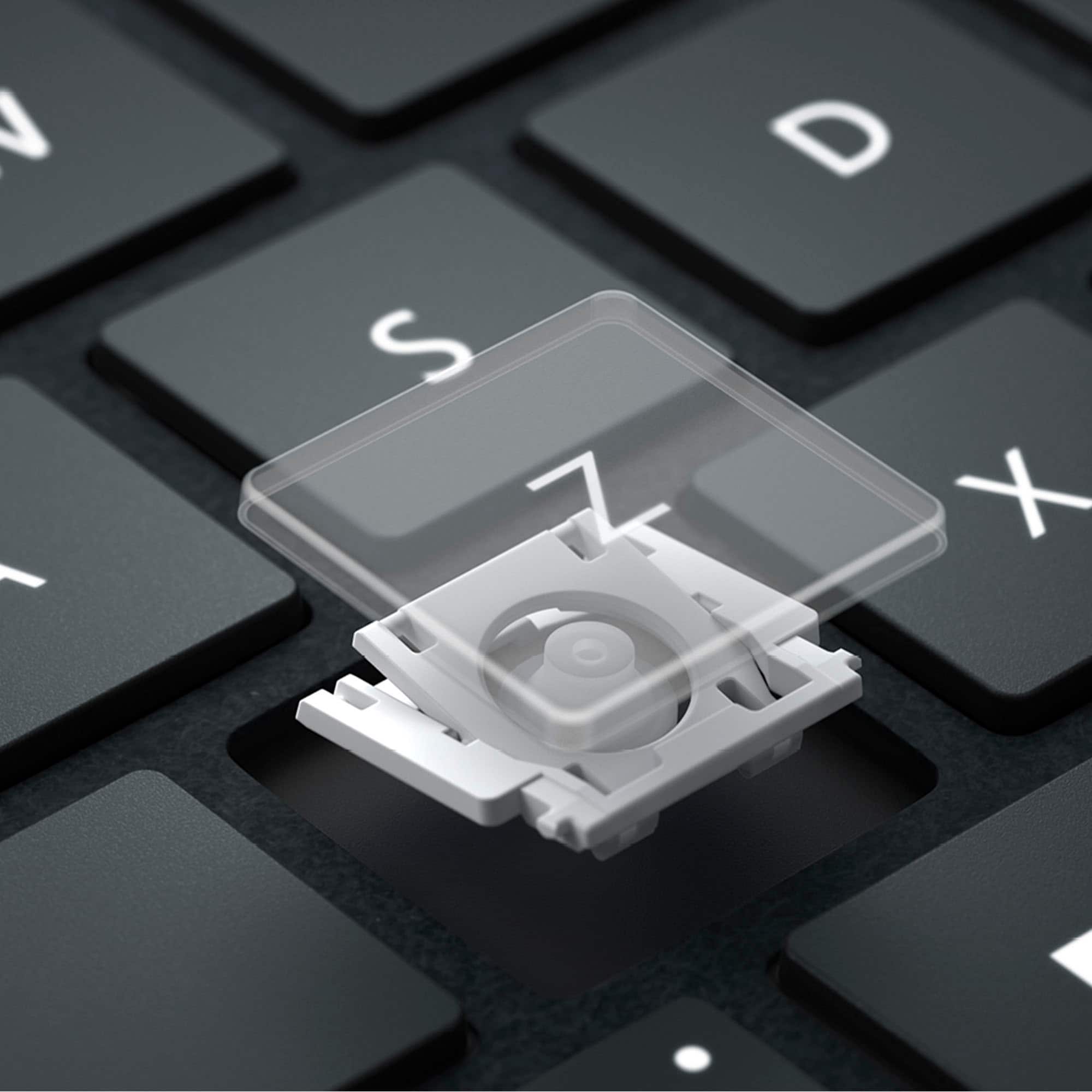
Esc 11 12 F3 4 FS F6 17 Home 15 End 10 PgUp 11 PgDn 12 ins Del - - ! 1 @ 2 # 3 $ 4 % 5 A 6 & 7 8 ( 9 ) 0 + = Backspace Tab Q W E R T Y U | O P { I } ] | / Caps A S D F G H J K L : : " a Enter Shift Z X C V N M < 1 > . ? / Shift Ctrl Fn Alt Alt](https://pisces.bbystatic.com/image2/BestBuy_US/images/products/6583/6583060_sd.jpg)

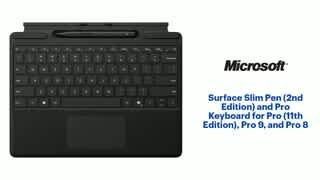
- Model:
- 8X6-00145
- SKU:
- 10148453
Rating by feature
- Value
Rating 4.4 out of 5 stars
- Quality
Rating 4.7 out of 5 stars
- Ease of Use
Rating 4.7 out of 5 stars
Customers are saying
Customers regard the product's pen storage as well-designed and space-saving, its build quality as luxurious, and its typing experience as great. They also appreciate its appealing color, portability, connectivity options, light weight, and comfortable key travel. However, a common concern among users is the trackpad, which some find to be a bit small.
This summary was generated by AI based on customer reviews.

Seamless Integration and a Must-Have Accessory
|Posted .This reviewer received promo considerations or sweepstakes entry for writing a review.The Microsoft Pro Keyboard might just be the best tablet keyboard in the market. It turns the Surface Pro into a productivity laptop and I love that it can be used wirelessly. The keyboard is full-sized, offering the classic Surface look and feel. It also includes a built-in storage and charging tray for Surface Slim Pen. The overall build quality is excellent and it provides a great typing experience. The Surface Slim Pen 2 Second Edition is comfortable to hold and adds excellent note-taking, doodling and drawing capabilities. The new design is appreciated and works great even with older Surface devices. The pen is ultra-responsive and precise, and the low-latency makes if feel natural to write with making it perfect for creatives and professionals alike. The ergonomic feel and seamless integration with Surface devices elevate productivity and creativity to new heights. If I have any complaints, it’s that the bundle is a bit costly, but I wouldn’t think of owning a Surface Pro without it.
I would recommend this to a friend- Pros mentioned:Build quality
Perfectly natural for Surface Pro, if you need it
|Posted .This reviewer received promo considerations or sweepstakes entry for writing a review.One of the top main complaints about the Surface Pro type covers since its initial release is that it should have been included with the Surface Pro to begin with. But most Surface Pro buyers would not purchase it if it were the total cost of the devices, so I think Microsoft has had the right idea in selling them separately. With that said, you really have to consider how you use a keyboard and stylus to decide if it's worth the money for you. Don't purchase it just because you see the media and promotional materials pairing them all together. That's the beauty of them being sold separately. This particular product bundles the Surface Pro keyboard with the Surface Slim Pen 2, and is compatible with the new Surface Pro 11th edition, so its size covers the tablet screen perfectly. They're both also compatible with certain older models such as the Surface Pro 8 and Surface Pro 9. I've only personally tested them with the new Surface Pro 11th edition. The Pro keyboard still uses the suede/microfiber-feeling material known as Alcantara. If you've used one of these keyboards before you should be familiar with the pros and cons. It feels premium and comfortable to touch but the material will wear over time. I don't expect any different from this keyboard. The Pro keyboard is powered by the Surface Pro itself, which it magnetically connects to, so you never have to worry about charging it as you would with Bluetooth keyboards. It will always be ready to use. The keyboard is also backlit despite its very thin profile, and you have the option to turn it off. I found typing decent with the Surface Pro keyboard but it will bother users who expect more key travel. There's just no way around it with a device as thin as this is. There is now a CoPilot key located on the right side of the keyboard where the Context menu key used to be on older keyboards. Unfortunately I haven't used it much because CoPilot hasn't been practically useful to me since it makes a lot of errors for my particular use case. But your mileage may vary. Microsoft is betting on AI and that's where the computing market is general is heading, so if they don't abandon it like Cortana (which arguably evolved to CoPilot anyway) maybe it will grow to be useful and I can be glad the dedicated key exists. There's no native way to remap the keys, but you probably can using third party software. The touchpad is large enough and glass, which feels great, but it doesn't have haptic feedback because there isn't the motor for it. That's reserved for the more expensive Flex keyboard model. There is a pen storage well placed above the keys and now left exposed for easy access to the Slim Pen 2 whenever you need it. Not only does it hold the Slim Pen 2 magnetically, it charges it as well. The Slim Pen 2 has a flat design, which I'm not the biggest fan of. Through online research, I found out this design is that of a carpenter's pencil. The thing is, one wouldn't use a carpenter's pencil to write or draw if they had the choice. So it seems like they chose this design so it's flat enough to conceal within the type cover. I can get used to it, but it's not my preference. I also found the button a bit hard to press, but that can be a good thing because I won't accidentally press it while I'm using the pen. Pressure sensitivity is nice but I'm not an artist nor do I draw. I don't know how to elaborate in a meaningful way for artists that would use the Slim Pen 2 to draw unfortunately. But it does ink at variable thickness based on the amount of pressure you use while writing/drawing with it. The top end of the pen serves as a digital eraser, which is nice and feels intuitive. The cool thing about the Slim Pen 2 is its haptic feedback. Previously people would suggest using a textured screen protector to simulate the pen on paper feel, but I never liked how those change the look of the screen just for the sake of that. With the haptic feedback, the pen feels like there's friction while writing/drawing with it, which just enhances the user experience. I can comfortably recommend it to Surface Pro users who type on-the-go, and have a need to use the pen a lot. But as a reminder, if that doesn't fit your profile, you don't HAVE TO spend that much. If you don't see yourself using the pen much or at all, don't get this. Get the cheaper model with just the keyboard. If you use the Surface Pro as a tablet most of the time and don't see yourself using a physical keyboard, or more comfortable using a bluetooth keyboard with better key travel. Otherwise the Surface Pro keyboard with Surface Slim Pen was made for the Surface Pro, especially the 11th edition. Literally.
I would recommend this to a friend Perfect Pen and Keyboard combo for the Surface Pro
|Posted .This reviewer received promo considerations or sweepstakes entry for writing a review.The Microsoft Surface Pro Keyboard with Slim Pen includes a place to store and charge the pen which some other options might not offer. As I use it now in a recliner, I'm finding it comfortable to use whether I have the keyboard in the front or folded around the back with the stand open on top of it. It was even better when used on a desktop (with the Surface Pro connected to two external displays). The magnetics hold the keyboard very well and also hold the pen firmly. Like any new keyboard, it might initially take a little getting used to -- it took me about 5 minutes. The keyboard does not appear to be backlit, which I know some other model(s) offered. The caps lock and function keys do have lights which illuminate when they are active. When the keyboard cover is closed, there is a soft cover on the outside which has a cloth book-like feel. Speaking of the feel, the surface where you rest your wrists to type also is made of some kind of materially textured surface which prevents slippage. The copilot key is a great addition, and I already am a subscriber to Copilot Pro so I intend to use this button. As per the Pen, it works mostly the way you would expect (with some surprises), I had better hand-writing with it than I typically have with other pens on other devices (such as S-Pen or Pencil Pro). It features a button for right clicking, an eraser, and for example I noticed if I double clicked the eraser OneNote opened (a single eraser click in OneNote made a pop up Quick note window open). I did some doodling with MS Paint (had fun with Cocreator). Photoshop did not seem to work as well with the Slim Pen (for example, if I tried the gradient tool, it would partially make the gradient, but drag the canvas at the same time), but that's more of a Photoshop bug and I'm not reviewing that. There was a period where, after rebooting, the keyboard and trackpad were not functioning, but detaching and reattaching the keyboard corrected that (it was either loose or needed the equivalent of a 'reboot'). Pros: Place to store and charge pen on the keyboard Keyboard can be folded back when not in use Nice Cover Material/Texture when Closed, Protects screen Caps Lock and Function Key Lights Wrist pad textured, material feel, slip resistant Copilot Key Pen includes an eraser on the other end, with two clickable buttons (side and eraser) Responsive Touchpad (feels and works better than my MacBook Air) Cons: Not Backlit (that I've noticed) Pen didn't work great with Adobe Photoshop (this is a software issue, and that might get fixed)
I would recommend this to a friendMust have for Surface Pro
|Posted .This reviewer received promo considerations or sweepstakes entry for writing a review.This is a necessary accessory pair for the Surface Pro. I'm using it with the Surface Pro 11 and it works flawlessly. This is my first time using a Surface Pro keyboard and it was immediately clear that this is a great keyboard. Even though it is impossibly thin, it is better than most laptop keyboards. The key travel feels great for any keyboard, much less on that is this thin. The keys are separated with enough space that the targets are easy to hit. I like the trackpad too, it might be the best trackpad I've ever used on a Windows device. It is large for the space it occupies and I've had no issues with it. Scrolling and gestures are fluid and have not missed. Tap to click is perfect, and actually clicks are solid and satisfying. I love that the pen stows away in the keyboard for storage. This is essential so that you don't have to carry the pen separately, and you will always know where it is. The pen has been great to use, of course it excels in drawing and I've had a lot of fun using it in Paint along with the Copilot+ features. I like that there is a pen launch menu and that the pointer is visible as a dot on the screen when the pen gets close. I also like the erase feature with the end of the pen and that you can even change what happens with the erase end or the function button on the side of the pen. The pen is great to hold too, the shape is perfect and natural. There is a dedicated CoPilot key on the keyboard, which I wasn't crazy about at first. However, now that I've used it for a bit I am a fan. It is nice to have a button to launch an application that I've come to use quite a bit. This is the perfect accessory pair for the Surface Pro, but I also think it should be included with the device and not a separate purchase.
I would recommend this to a friendSeamless productivity on the go!
|Posted .This reviewer received promo considerations or sweepstakes entry for writing a review.I recently got the Surface Slim Pen and Pro Signature Keyboard accessory bundle to complement my new Surface Pro Copilot+ PC, and I must admit, I’m thoroughly impressed! As I type this review on the keyboard, I appreciate its quick snap-on design. It effortlessly attaches to the Surface Pro without any fuss, and the connection feels sturdy. The pen, too, seamlessly integrates with the Surface Pro. Upon picking it up from its slot, the Surface Pro immediately recognized it and provided an on-screen pop-up overview of its capabilities. Using the pen is a delight as well. There is no noticeable lag, and its sleek, slim design ensures comfortable use. While the flat form factor took a bit of adjustment for me, it still feels like writing with a real pen. The built-in touchpad is equally responsive, and the material covering exudes a luxurious feel. I like that both the keyboard and pen draw power from the Surface Pro’s battery, this eliminates the need for separate charging, meaning less chargers to carry. The keyboard also doubles up as a protection cover for the Surface Pro's screen and the slim design makes it easy to slip the device into a sleeve. The dedicated Copilot key on the keyboard is also a plus. I have been using Copilot for work so this welcome addition provides a seamless access to its features and capabilities. I am also fond of using the snipping tool so having a separate key for this tool is a stroke of genius. Truly, convenience and efficiency are what's being offered by this keyboard bundle. With this keyboard, my Surface Pro Copilot+ PC transforms into a powerful laptop, making it the perfect companion for productivity on the go. So, whether I’m typing up reports or writing notes, this bundle has me covered!
I would recommend this to a friend- Pros mentioned:Build quality
Nice accessories but pricey
|Posted .This reviewer received promo considerations or sweepstakes entry for writing a review.I am using this with the new Surface Pro tablet. Keyboard is compatible with; Surface Pro (11 Edition Surface Pro 10 for Business Surface Pro 9 Surface Pro 8 And is 11.38 x 8.90 x 0.19 inches Pen 2 has rechargeable lithium-Ion battery (stated 15 hours of use) and is designed for Surface Pro (11 Edition) Surface Pro 8, 9 Laptop Studio 1 and 2 Surface Duo 2 Surface Hub 2S and 3 Surface Slim Pen (2nd Edition) Tips Surface Slim Pen (2nd Edition) Charger Combined they weigh .65 lbs. 1 year warranty Keyboard It is covered in Alcantara and attaches to the tablet but because the magnets are so powerful it sometimes isn’t centered correctly. Keyboard, for me, is a tad loud and flexes a bit if not used “flat”. It does attach solidly to tablet using magnets. Touchpad is nice size and responsive but left/right clicks again are loud if not use “flat” Has a built-in Copilot key as well as key for 3 levels of backlighting and a dedicated snip key. Pen It is held securely in place in its keyboard tray by magnet(s). So much so it is a tad hard to get out. It is neatly hidden if keyboard attached “up”. Works well with nice sensitivity. There are additional settings such as which hand you use, set speed, etc. Top works as a shortcut button. If left click the pen icon you have access to OneNote, whiteboard, snip tool and journal as well as settings. As far as I can tell the pen is charged when in tray and keyboard attached to unit. It also has an optional pen charger that is not included in this package. To check pen battery level Select Start > Settings > Devices > Bluetooth & other devices. These are nice as you don’t have to pack or keep track of separate accessories. They all fit together as one item/unit. Overall, these are built by MS for MS products, so they work and fit well. They do what you need them to do but are a tad pricey and recommend if you have one of the compatible devices.
I would recommend this to a friend - Pros mentioned:Typing experience
A must for Surface Pro owners!
|Posted .This reviewer received promo considerations or sweepstakes entry for writing a review.The Surface Pro keyboard, a versatile companion for Surface Pro owners, has been a revelation in my week-long experience. Its adaptability to various tasks and situations has impressed me. Pros: Decent typing experience Lightweight Magnetic storage tray for the slim pen Color options to match your device Responsive touchpad and smooth surface Excellent build quality and material with Alcantara fabric Responsive Pen input Comfortable Pen to hold Flip to erase The button can be customized by individual applications Cons: Touchpad is small No backlit keys (only available in the pricier model) Concern for stains, especially with the Dune color Haptic feedback from the pen could use some improvement The Surface Pro is a powerful device, but to truly unlock its full potential, a keyboard is a necessity. The Surface Pro keyboard, with its responsive trackpad, comfortable Pen to hold, and customizable button, is the perfect companion for the Surface Pro. Over the course of the week, I used it mainly for browsing the web, creating Word documents in Google Docs, and drawing with the Paint app. My only complaint about the keyboard is that the keys do feel cramped. The first day, it led to multiple typing errors. More spacing between the keys would be nice. The writing and drawing experience with the pen was fantastic. I did not experience any noticeable latency input. My only complaint is the haptic feedback. It could use some improvement. Overall, the Surface Keyboard is a good one. However, for the price it retails, I wish it came with backlit keys. After using it for a couple of days, the typing experience is solid. The touchpad is responsive. If you prefer a haptic touchpad the Flex keyboard has one. It’s not my favorite keyboard, but it’s still good enough to get work done while you’re traveling.
I would recommend this to a friend Absolutely necessary!
|Posted .This reviewer received promo considerations or sweepstakes entry for writing a review.This keyboard should automatically be included when you buy any Microsoft Surface. It improves the functionality of the computer ten fold. I will always love the ease of a tablet but this keyboard takes it to another level. If you do any sort of typing, this is a must have. Set up of the keyboard is super simple as there is none! It sets itself up due to the magnetic connection. It is soo thin so it barely adds any bulk to the Surface. And even tho it's thin, it's nice and sturdy. It has 2 positions when attached depending on if you want it flat or angled. It can also be detached and used through Bluetooth. If you want the surface farther away or on a stand like a monitor, that's a nice feature. The keyboard acts as a case for the front of the tablet protecting the screen, you'll probably want to still get a case for the back. I have a folio style case and this keyboard fits in perfectly. It has backlit keys and 3 levels of brightness. The feel of typing is great with the nice, soft clicky keys. The track pad also has a great feel to it. It's very responsive. This keyboard is a premium feeling accessory and a must have!
I would recommend this to a friendPerfect Accessory
|Posted .This reviewer received promo considerations or sweepstakes entry for writing a review.This detachable keyboard is just as good if not better than last generation. The keys and touchpad seen more clicky and responsive than the last one. The pen works great with writing notes and magnetically connect in the slot in the keyboard for charging and safe keeping. The keyboard magnetically attaches to the pro and can be used as a cover to keep the screen safe. The new keyboard I noticed has the new copilot button for easy AI access for help with search so you don't have to keep accessing the copilot app through the start menu. Although you can also use the tab from the task bar as well. The look and feel of the keyboard is sleek so it look really nice when the Pro is closed and the soft felt material is a nice feel that is not rough on your wrists when typing. Overall I'd say this accessory is definitely worth the money to be used as a cover when the pro is not in use and also when you don't want to use the onscreen virtual keyboard or just all touch. I would definitely recommend it to any consumer. Well done Microsoft on this years Surface Pros and accessories!
I would recommend this to a friendAnother Great Surface Keyboard From Microsoft
|Posted .This reviewer received promo considerations or sweepstakes entry for writing a review.I have been a surface user for many years. I have always liked the keyboard covers they developed. The keyboard cover for the Surface Pro Copilot+ may be the best one yet. First, like its predicessors its very thin and light. The black keyboard gace looks great and the felt reverse side feels and looks premium. As has been the case with precious Surface covers, this one snaps snugly and tightly to the Surface. Second, the quality and smoothness of the keyborad is fantastic. The keys do not raise much off the surface but typing stll feels very fluid. I dont experience any typing speed reduction when using this ovwr a standard keyboard. The keyboard also has the Copilot+ plus keybwhich is the new AI funtionality Microsoft has built into Windows. It makes it very easyb to.pull up the AI functionality. Finally, there is a pen holdebuilt into the case to hold the screen pen. To the best of my knowledge this is the first time Microsodt has done this and its a great addition for keeping the pen handy. This is another great Durface cover/keyboard from Microsoft.
I would recommend this to a friend- Pros mentioned:Pen storage
Must Have
|Posted .This reviewer received promo considerations or sweepstakes entry for writing a review.The Surface Slim Pen andPro Keyboard are a must if you like typing and touchscreen. I know that sounds counterintuitive but the pen helps use the touchscreen. The keyboard, at the risk of pointing out the obvious, is so much better than typing on the screen. Typing on the tablet is fine and works grear, but the keyboard makes it so much better. Obviously it makes the computer more like a laptop while having the flexibilty of a tablet, if that's what you want. You can lay it flat or it connects magnetically and stand up at a slight angle the way that I personally prefer a keyboard. The one ding that I wold take it down for is that it's not backlit. Sorry, but with LEDs being so cheap and accesible, there's no reason not to have a backlit keyboard. Just unacceptable in my opimiom. The pen is great and I would reccomend hgihly. I use it contantly and it's an extensions of your finger. Just tsp on the screen, which is beautidutl, and it's like touching with your fingure. I would highly recommend this keyboard snd pen/
I would recommend this to a friend Essential Accessory for your Surface
|Posted .This reviewer received promo considerations or sweepstakes entry for writing a review.Easy to detach when needed to have a truly tablet experience or quickly snap back onto the device for when a keyboard and trackpad are preferred. This latest Surface Pro keyboard houses a stylus pen that fits into a little magnetic slot at the top of the keyboard and hides away when not needed. The pen feels comfortable to use and fits perfectly in the writing hand even with its flatter design. It would be nice if Microsoft included the keyboard with the device as it's a pretty essential piece in the Surface experience. The keyboard is backlit and feels comfortable to type on. The keys have a nice tactile feel to them for such a thin keyboard. The trackpad is smooth and responsive. Not quite as large as on some 13-inch devices I've seen, but a decent size. The keyboard is powered by the Surface device, so it has to be attached to use it. It magnetically snaps into an inclined position or can lay flat if desired to access the pen slot. It also provides screen protection in the closed mode.
I would recommend this to a friend- Pros mentioned:Typing experience
Standard Surface Keyboard, plus Pen
|Posted .This reviewer received promo considerations or sweepstakes entry for writing a review.This is the “standard” keyboard that is available for the Surface X. Although it matches the Dune color of the tablet that I recently reviewed, it is not really any different from the Surface keyboards that came with the older tablets. The one addition here is the inclusion of the special pen that can be used for selecting, drawing, and writing depending on the active app. I used it when doing a sketch while testing the CoPilot+ features in the Paint app, but in general I don’t think that I’ll be using it much. It was easy to type on the keyboard and it was plenty comfortable to use. I’m generally not a fan of trackpads, but this one worked well for me. The tap-to-select did seem overly sensitive though even when set to the lowest sensitivity setting. In my opinion, it would be worth spending the extra money to get the newer-style keyboard that works even when detached from the tablet. That’s not how this one works, so it is really no different than the other keyboards that have been offered for a number of years.
I would recommend this to a friend Good keyboard & pen, no real AI integration
|Posted .This reviewer received promo considerations or sweepstakes entry for writing a review.Microsoft - Surface Slim Pen (2nd Edition) and Pro Keyboard for Pro (11th Edition), Pro 9, and Pro 8 – Black The Pro Keyboard makes a nice appearance and feels comfortable with the Alcantara material front and back. It is compatible with the Surface Pro 11, 9 or 8 editions and offers variable backlighting of the keys and special keys including those to mute the microphone or snip adjustable screen shots. The keys are mechanical with the keyboard being raised and attached magnetically along the front at the lower edge of the Surface Pro for an inclined typing experience, or it can be lowered so that it’s flat on the desktop as well. While not a particularly noisy keyboard, it is a little quieter in a flat position. In the inclined position there is a certain give or flex while typing but not enough to be a problem or distraction. When connected to the Surface Pro, it does so magnetically with pins on the lip of the keyboard engaging the bottom of the Surface Pro. When the keyboard is folded up across the screen, it attaches magnetically putting the Surface Pro to sleep and providing screen protection as well. The keyboard can be folded all the way back the other way with it flush against the back of the Surface Pro when using the Surface Pro as a tablet. Unlike the Surface Pro 11 Flex Keyboard, the Pro Keyboard does not have BT or a battery for use separately from the Surface Pro. The keyboard has a larger size touch pad that is quite smooth and easy to operate. It is a mechanical touch pad, so there is clicking, and not a haptic touch pad that doesn’t move as the Surface Pro 11 Flex Keyboard has. It comes with the Slim Pen 2 that nestles magnetically in a slot above the keys where it is securely protected and charges there only when the keyboard is connected to the Surface Pro. The Slim Pen 2 looks like a carpenter’s pencil with its flattened sides that I find quite comfortable and easy to hold when using. The inking experience is excellent with no issues that I noted. It’s an excellent tool for navigation, writing or sketching. While the Slim Pen 2 feels better on the screen while writing (better than the Apple Pencil 2 on the iPad’s screen), it still isn’t like writing on paper. It is, after all, a solid nib on a hard glass screen so it’s still slick with not much friction even though the haptic feedback through the pen provides some feeling of texture on the screen. Nevertheless, it doesn’t provide real friction between the nib and screen so expect a similar writing experience to other pens or stylus’s being used on a glass screen. Lastly, there is a special use key on the keyboard called the CoPilot key. Originally, it’s use was to open up a kind of AI assistant that could be directed to not only do what the downloadable version of CoPilot can do on any Windows machine, but for use as a more integrated AI experience with the Surface system enabling you to have CoPilot change settings and similar activities. However, that attribute was stripped away and now the key’s only role is to open CoPilot more as a PWA (like you would get if you opened CoPilot from a web browser). Once open in a window taking up the screen, you chat with it through text input as you would on any computer having CoPilot downloaded on it. It is a disappointing use of a special key taking up space on your keyboard. Overall, the Surface Pro Keyboard and Slim Pen 2 combo are a useful and necessary addition to your Surface Pro. Any intention of AI integration with your Surface Pro is missing and a disappointment lessening its combined capabilities with your Surface Pro.
I would recommend this to a friendGreat product, a little pricey
Posted .This reviewer received promo considerations or sweepstakes entry for writing a review.Works great and is simple to use. Love the magnetic attachment.
I would recommend this to a friendkeyboard
Posted .This reviewer received promo considerations or sweepstakes entry for writing a review.surprisingly convenient to have the functional detachable keyboard.
I would recommend this to a friendSurface pro
Posted .This reviewer received promo considerations or sweepstakes entry for writing a review.Works well with my new microsoft pro snapdragon x elite
I would recommend this to a friendReview key pad
Posted .This reviewer received promo considerations or sweepstakes entry for writing a review.Sometimes doesnt turn on automatically when first attached.
I would recommend this to a friendWorks as expected
Posted .This reviewer received promo considerations or sweepstakes entry for writing a review.I like the keyboard but i am not too keen on the material used. It gets dirty easily.
I would recommend this to a friendKeyboard does NOT have wireless connection
Posted .This reviewer received promo considerations or sweepstakes entry for writing a review.Recently preordered this from the store, and was advertised as if the keyboard had Bluetooth. The keyboard does NOT have Bluetooth connection like advertised on their website and listed on their specs. I talked to customer care because I thought the Bluetooth just wasn't working on my keyboard, and they told me that it did have Bluetooth and my keyboard was broken which was a complete lie, and after further research, I realized that this model does NOT have Bluetooth connection, so don't be fooled by what it says on their website and what customer care tells you. Very disappointed in this, I am also a BestBuy plus member and hate to be treated like this.
No, I would not recommend this to a friend