Customer Ratings & Reviews
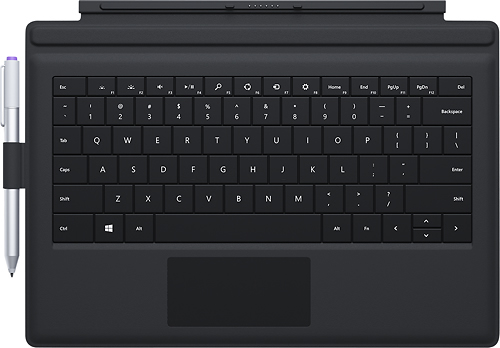
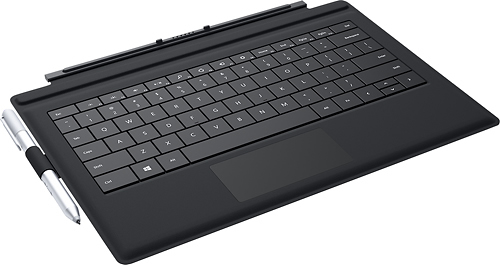
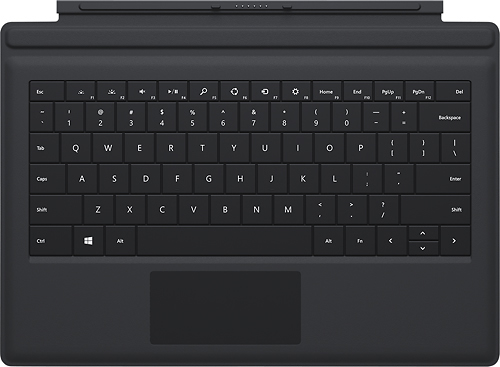
- Model:
- RD2-00080
- |
- SKU:
- 6728122
Customer reviews
Rating 4.6 out of 5 stars with 3447 reviews
(3,447 customer reviews)to a friend
Customers are saying
Customers regard the Type Cover for Surface Pro 3 keyboard favorably, praising its high-quality feel, ease of use, and lightweight design. Many appreciate its protective qualities and the variety of colors available. However, some customers find the price to be a drawback. A common criticism focuses on the pen holder's functionality.
This summary was generated by AI based on customer reviews.
Rated 2 out of 5 stars
didn't work
||Posted .This reviewer received promo considerations or sweepstakes entry for writing a review.My first one didn't work and that's pretty annoying to have to go back to the store to see what wrong with your new computer.
This review is from Microsoft - Type Cover for Surface Pro 3 - Blue
No, I would not recommend this to a friendRated 2 out of 5 stars
just ok
||Posted .This reviewer received promo considerations or sweepstakes entry for writing a review.The product is ok the keyboard is small and jumps at the slightest touch The surface is great but the keyboard is just soso
I would recommend this to a friendRated 2 out of 5 stars
Works for a while
||Posted .This reviewer received promo considerations or sweepstakes entry for writing a review.After 4 months of use, center keys stopped working
No, I would not recommend this to a friend- Pros mentioned:Color, Keyboard quality
Rated 5 out of 5 stars
Must buy
Posted .This reviewer received promo considerations or sweepstakes entry for writing a review.If you're getting a surface pro 3, you'd be crazy not to get the type cover to go with it. I use it all the time, when I'm not using it for typing it makes a great solid base (like when using it as a tablet laying in bed. I got the red because at the time it was the cheapest on amazon (always price match!) but I'm very happy with the color. Easy to spot in a sea of silver and black devices
This review is from Microsoft - Surface Pro 3 Type Cover - Red
I would recommend this to a friend Rated 2 out of 5 stars
Good quality
||Posted .This reviewer received promo considerations or sweepstakes entry for writing a review.Good stuff , great quality, portable and flexible.
This review is from Microsoft - Type Cover for Surface Pro 3 - Blue
I would recommend this to a friendRated 1 out of 5 stars
keys sticking after 1st week
||Posted .This reviewer received promo considerations or sweepstakes entry for writing a review.Would not recommend this keyboard. Several keys were sticking after only a week. The board feels like paper and is not very sturdy. However, surface pro doesn't offer any other options. Too bad.
This review is from Microsoft - Type Cover for Surface Pro 3 - Cyan
No, I would not recommend this to a friend- Pros mentioned:Keyboard qualityCons mentioned:Pen holder
Rated 4 out of 5 stars
Necessary Evil
Posted .This reviewer received promo considerations or sweepstakes entry for writing a review.This works great as a keyboard while doubling as a cover. Firmly attaches to Surface yet removes easily when you don't want to use it. Like that the keypad is backlit. Touchpad for controlling the cursor is so sensitive that we have a mouse handy and use it when needed. Pen attachment is also only so-so. So why a necessary evil? Cost. Why doesn't a computing device costing north of $1000 come with a keyboard???
This review is from Microsoft - Type Cover for Surface Pro 3 - Blue
I would recommend this to a friend - Pros mentioned:Keyboard quality
Rated 5 out of 5 stars
Must have accessory for the Surface Pro 3
Posted .This reviewer received promo considerations or sweepstakes entry for writing a review.I purchased this accessory for my Surface Pro 3 on launch day as it is a must have. I had the first Surface Pro with both the touch and type covers and they left a lot to be desired. This new type cover is an improvement over the previous versions, and the backlighting is nice and even. The typing experience is good overall, however due to the size of the device, the key travel is limited. I would recommend that anyone interested in this item stop by your local store and try it out and see if it meets your needs as everyone has their own typing preference.
This review is from Microsoft - Type Cover for Surface Pro 3 - Blue
I would recommend this to a friend - Pros mentioned:Keyboard qualityCons mentioned:Pen holder
Rated 4 out of 5 stars
Great keyboard!
Posted .This reviewer received promo considerations or sweepstakes entry for writing a review.Great keyboard...nearly a full size layout. I like the lighted keys and that the screen is protected when it is closed. I do wish there was a better way to attach the stylus pen. I don't like having to attach it with a sticky loop and having it hang out there exposed. so have never added it.
I would recommend this to a friend - Pros mentioned:Ease of use, Keyboard quality
Rated 5 out of 5 stars
Great Keyboard
Posted .This reviewer received promo considerations or sweepstakes entry for writing a review.I got this keyboard for my Surface Pro. I love it. Works as a cover also, folds back easy. No problems with it at all. Much easier to use than the keyboard on the tablet. Makes it a lite weight laptop computer.
This review is from Microsoft - Type Cover for Surface Pro 3 - Blue
I would recommend this to a friend - Pros mentioned:Ease of use, Keyboard quality
Rated 5 out of 5 stars
Awesome Keyboard!!!!
Posted .This reviewer received promo considerations or sweepstakes entry for writing a review.Awesome Navy Blue Keyboard! It's magnetic, detachable, and helpful when using the surface for all my business needs. Makes life easier when using the mouse pad if I don't want to use a wired or wireless mouse.
This review is from Microsoft - Type Cover for Surface Pro 3 - Blue
I would recommend this to a friend - Pros mentioned:Keyboard quality, Weight
Rated 5 out of 5 stars
Easy to use and looks great!
Posted .This reviewer received promo considerations or sweepstakes entry for writing a review.I really like the Type3 keyboard for my Surface Pro 3. I can even leave it attached when using the case that I bought for my SP3. It's thin, lightweight, keys are easy to navigate. Love it!
This review is from Microsoft - Type Cover for Surface Pro 3 - Blue
I would recommend this to a friend Rated 1 out of 5 stars
waste of time
||Posted .This reviewer received promo considerations or sweepstakes entry for writing a review.this is definitely not as easy to use as the commercial makes it look. thanks but I'll stick to my Mac.
No, I would not recommend this to a friendRated 1 out of 5 stars
Bought and Return in Same Day due to Geek Squad
||Posted .This reviewer received promo considerations or sweepstakes entry for writing a review.Bought and Return in Same Day due to Geek Squad not wanting to install the Microsoft onto the Surface.
No, I would not recommend this to a friend- Pros mentioned:Keyboard qualityCons mentioned:Price
Rated 4 out of 5 stars
It's good, but could be improved a bit
Posted .This reviewer received promo considerations or sweepstakes entry for writing a review.This is a good keyboard for the Surface Pro 3. It is designed to attach directly to the Surface tablet and it functions well. It doubles as a screen cover when closed and does not interfere with the kickstand. It also works well with the Surface Pro 3 docking station - the docking station is designed to let the keyboard attach while the Pro 3 is docked - one word of caution is to remove the keyboard before attempting to take the Pro 3 out of the dock. The location of the charging port on the side requires the tablet to be removed by gently pulling out on the left side first, then pulling to the left, away from the male charging port. When pulling the left side out with the keyboard attached, the keyboard hangs up on the docking station and if you try to force it, it can bend the male charging port and possibly damage the female charger port on the tablet. The only other issue I have found is that the keyboard is a little too flexible at times. When attached and pushed forward (creates the slight angle to the keyboard) the keyboard will flex while using it, with only moderate pressure. I am a light to medium force typer and the flex action of the keyboard annoys me from time to time, especially when my arthritis is flaring up. This does not inhibit the function of the keyboard, but rather just annoys me is all, because I grew up on clunky, hard keyboards (I actually learned to type on an old IBM Selectric typewriter - all you youngsters should google that and be glad you have tablets and computers to use!) Overall, a bit too pricey, but a must have for anyone that is going to be a power user of their Surface Pro 3 tablet. It lets you make use of the whole screen by eliminating the onscreen keypad, and it also allows you to use the kickstand to get 'just the right angle" on the display vs. having to lay the tablet flat and use the onscreen keypad.
I would recommend this to a friend - Pros mentioned:Keyboard quality
Rated 5 out of 5 stars
Nice cover, surprisingly good keyboard
Posted .This reviewer received promo considerations or sweepstakes entry for writing a review.Got this for my son's Surface Pro 3. It makes for a nice protective screen cover (though it doesn't completely enclose the computer, obviously, so it isn't intended to secure it from drops and dents). The keyboard is suprisingly good--not like typing on a traditional keyboard, but the keys give a satisfying response to pressure and the key spacing works. The cover also folds to produce a decent stand. Overall, I'd say this is a must-have for any Surface purchase.
This review is from Microsoft - Surface Pro 3 Type Cover - Red
I would recommend this to a friend - Pros mentioned:Keyboard quality
Rated 4 out of 5 stars
necessary
Posted .This reviewer received promo considerations or sweepstakes entry for writing a review.I got the light blue keyboard because I love the color, it looks really nice but gets dirty easy because it is really light :/ I would have also preferred to have bought the new surface pro 4 keyboard that is compatible with the surface pro 3 as well, but at the time of my purchase that keyboard did not exist. The surface pro 4 keyboard has more space in between the letters, it's helpful so you don't accidentally hit the wrong key.
This review is from Microsoft - Type Cover for Surface Pro 3 - Purple
I would recommend this to a friend - Pros mentioned:Keyboard quality
Rated 3 out of 5 stars
A necessary part of having a Surface
Posted .This reviewer received promo considerations or sweepstakes entry for writing a review.I really like my surface, but the keyboard has some issues. The biggest issue is the price. The idea that the Surface can be useful without it is absurd. The Surface is no iPad. It needs a keyboard or it is completely cumbersome to use. This product should just come in the box with the surface. Even if you buy into the idea of this being "optional," $130 is way overpriced. The keyboard works just fine and is comfortable to use, but it real isn't anything more than a Bluetooth keyboard and a cover. Bought separately, those items could easily be had for <1/2 the price. Adding the convenience of both being together still doesn't justify the total cost. The other complaint I have about it is the little loop for the stylus. It is not a permanent part of the keyboard. It attaches using a self adhesive strip that is only mildly tacky and attaches to a suede-like surface. Mine managed to stay attached for about 2 days before it fell off. I ended up putting heavy duty double sided tape on to attach it more permanently and so far it has worked but I should have needed to put a make shift attachment to an expensive product.
This review is from Microsoft - Type Cover for Surface Pro 3 - Cyan
I would recommend this to a friend - Pros mentioned:Ease of use
Rated 5 out of 5 stars
An essential for the surface pro 3
Posted .This reviewer received promo considerations or sweepstakes entry for writing a review.This add on is essential for the surface pro 3. The surface pro is easy to use without the keyboard but for longer jobs that require extensive typing to interface the device this makes it that much easier to use. I feel that it is a very useful addition to the device.
This review is from Microsoft - Type Cover for Surface Pro 3 - Cyan
I would recommend this to a friend - Pros mentioned:Keyboard qualityCons mentioned:Pen holder
Rated 5 out of 5 stars
Must have for owners of Surface Pro 3
Posted .This reviewer received promo considerations or sweepstakes entry for writing a review.Just bought this for one of sons going to college to go along with his Surface Pro 3. It is a must have and a big improvement over the original Surface keyboard. The backlight is great and I found this keyboard easy to use and highly recommend it. There is a major problem with the pen holder that they sent with it. It seems like they forgot it in design and figured it out just before shipping. It has an adhesive pad and is suppose to stick on the bottom of the keyboard. I found that it is very tight and since it was so tight it fell off when trying to pull the pen out. So need to keep an eye on the pen.
I would recommend this to a friend