Customer Ratings & Reviews
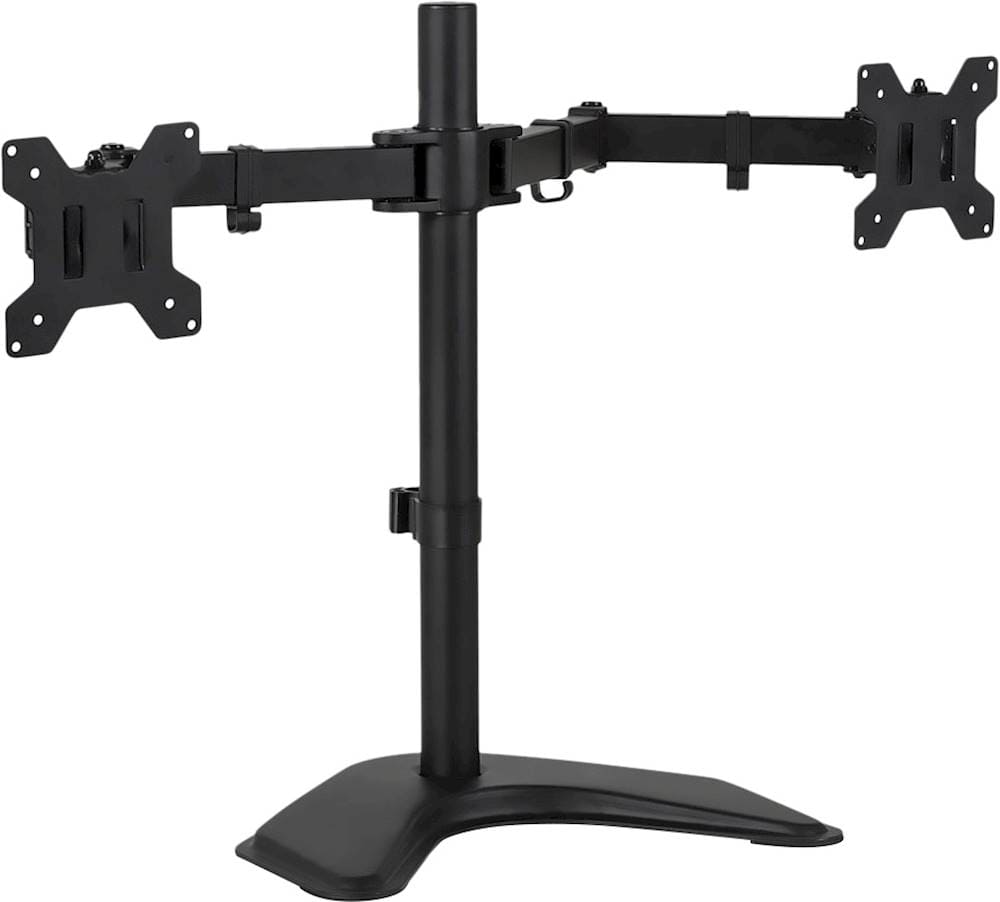
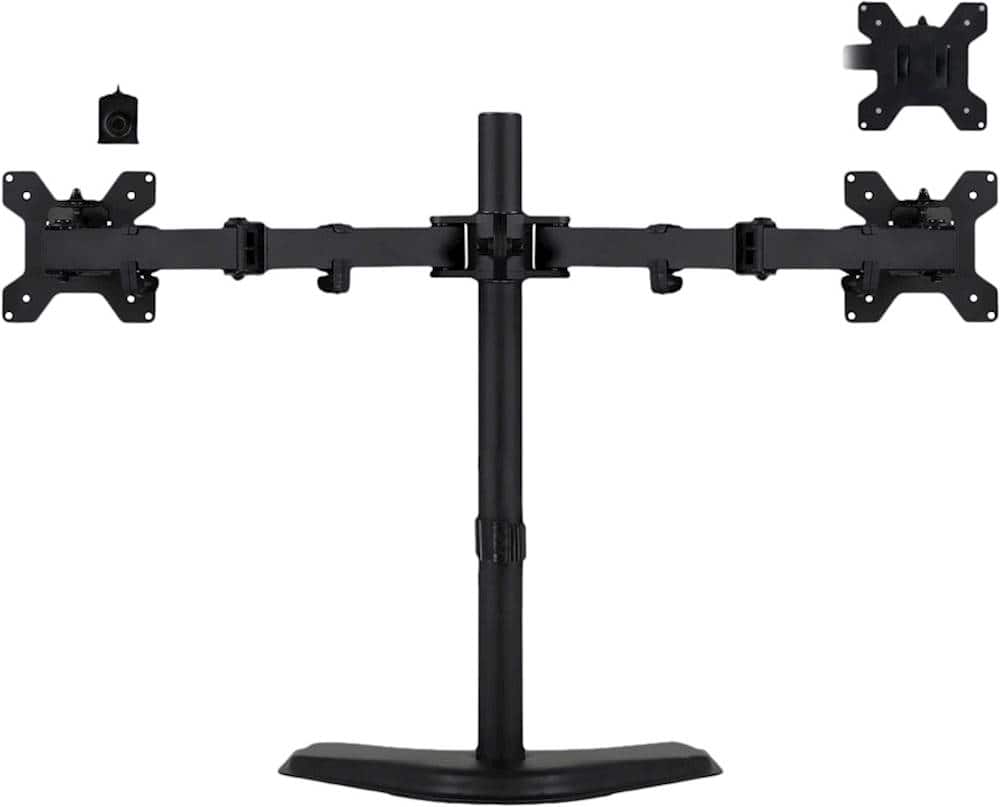
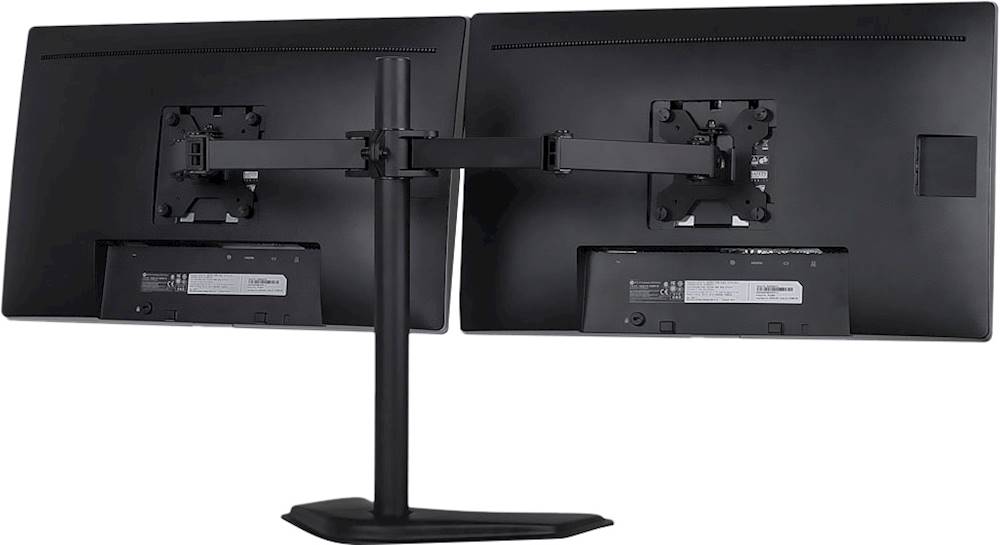
- Model:
- MI-102781
- SKU:
- 6368332
Rating by feature
- Value
Rating 4.6 out of 5 stars
- Quality
Rating 4.5 out of 5 stars
- Ease of Use
Rating 4.4 out of 5 stars
Customers are saying
Customers are enthusiastic about the Dual Monitor Desk Stand up to 32" for its ease of use, simple assembly, and affordable price. However, some customers have expressed concerns regarding its stability, particularly when used with larger screens. A few customers also found the instructions for attaching the base to be unclear. Overall, the stand seems to be well-received for its user-friendliness and cost-effectiveness, but potential buyers should consider its limitations with heavier monitors.
This summary was generated by AI based on customer reviews.
- Pros mentioned:Ease of useCons mentioned:Stability
Get the work done
||Posted . Owned for 1 month when reviewed.This reviewer received promo considerations or sweepstakes entry for writing a review.It completely fullfil my requirements. Many face a problem to adjust the monitor but you can control the screws to make the monitors stable and horizontal or vertical whatever you want.
I would recommend this to a friend - Pros mentioned:Ease of use
Good stand for the money.
||Posted . Owned for 3 weeks when reviewed.This reviewer received promo considerations or sweepstakes entry for writing a review.This is a very good dual monitor stand. The stand is easy to assemble with a Phillips head screw driver and the two hex wrenches included. Additionally the wire management clips on the stand are extremely helpful at keeping the back look clear. For this price you get a stand that works effectively. If you make frequent adjustments to your monitor orientations this stand is not for you. However, once I get the monitors set where they are, this seems to work well.
I would recommend this to a friend - Pros mentioned:Ease of use
Home office
||Posted .This reviewer received promo considerations or sweepstakes entry for writing a review.Excellent item, its easy to set up and perfect for homeoffice
I would recommend this to a friend Great Product
||Posted . Owned for 1.5 years when reviewed.This reviewer received promo considerations or sweepstakes entry for writing a review.Hi, I work from home with dual monitors. The technician service was great. These monitor holders are awesome, efficient & adjustment. I would definitely recommend.
I would recommend this to a friend- Pros mentioned:Ease of use
Love it
||Posted . Owned for 1 month when reviewed.This reviewer received promo considerations or sweepstakes entry for writing a review.Easy to set up, nice and compact even with 2 27” monitors.
I would recommend this to a friend - Cons mentioned:Screen size
Can not get order correct
||Posted . Owned for 1 week when reviewed.This reviewer received promo considerations or sweepstakes entry for writing a review.Ordered twice now, wrong one sent first time as ordered one with max screen size 27 inch and received one for up to 32 inch (not as well rated and less mine for larger version) so took back to store and supervisor was excellent in attempting to order again and made notes and second one still the same incorrect item. Contacted customer support via chat and they were absolutely no assistance so taking second one back to store and will have to order from a different company this or a similar product as I can’t use the type that clamps to the desk.
No, I would not recommend this to a friendBrand response from Mount-it Team
Posted .Hi Randy, We are sorry that you experienced this issue with your product and that you didn't receive the correct part on replacement. If you contact us at 1-855-915-2666 this issue will be corrected and escalated appropriately.

Great value
||Posted . Owned for less than 1 week when reviewed.This reviewer received promo considerations or sweepstakes entry for writing a review.Comes with two supports i love it. Not hard to mount there's a YouTube video on how to mount it
I would recommend this to a friendDifferant size monitors won't work.
||Posted . Owned for 3 weeks when reviewed.This reviewer received promo considerations or sweepstakes entry for writing a review.This is a great mount for monitors that are the same size and height. There's no independent adjustment to match up monitors horizontally.. Stand sit on the desk top which is plus if the edges of your desk are deep.
I would recommend this to a friendLooks is everything
||Posted . Owned for 3 weeks when reviewed.This reviewer received promo considerations or sweepstakes entry for writing a review.Wow, my office space at home is to die for. More desk space to use.
I would recommend this to a friend- Pros mentioned:Ease of useCons mentioned:Screen size
Pretty solid dual monitor stand with minor issues
||Posted . Owned for less than 1 week when reviewed.This reviewer received promo considerations or sweepstakes entry for writing a review.TL;DR - So I purchased the Mount-It! dual monitor desk stand because I needed a little more desk space and I wanted my monitors to sit higher for comfort reasons. In both regards, it works. It holds both of my Asus 23" monitors (VS238-HP and VS239-HP) effortlessly, but I wouldn't go with screens much heavier than those because, as others have mentioned, the base is too light for the application. There is a clamping option that allows you to install the mount over a smaller grommet, though I'd recommend just drilling a hole through your desktop if you want to go this route. All in all, a good but not amazing mount, and if the mounting holes for your screens are even just a little off from each other, you will notice it. ---------------------------------------------- Unboxing and assembly: The mount comes in a plain cardboard box. Everything is packaged in a way that it shouldn't get damaged in transit. The only things you'll need that don't come in the package are a small screwdriver (#0 I believe) and a regular-sized screwdriver (#2), both Philips head. It does come with the necessary hex wrenches for the base screws and the height adjustment screw. Assembly is straight-forward - install the mounting plates on the back side of your monitors, assemble the stand (making sure that the screws are as tight as possible, mount your monitors (making sure that you screw down the plastic retainers, especially if you're going to use screens in portrait mode), and hook everything up. If you're only using one computer with your monitors, the wire management should be sufficient; if you have multiple systems, you might have problems where not all the cables can be held by the cable management. ---------------------------------------------- Usage: The bolts on the arms for the mount are tight from the factory, so it'll take a little effort to move your screens around. However, when you find the right spot for them, you'll know it. Also, with both monitors installed, the vertical adjustment can be a little cumbersome. Good thing screens are easily removable. Rotating your screens is rather effortless. Just make sure that you have clearance as you rotate your screens. Also, keep in mind that the higher your screens are, the higher the center of balance is, and therefore the easier it is to tip the monitor stand and screens over. ---------------------------------------------- Issues: The base and I have some problems, but nothing that can't be addressed in future versions of this mount. I wanted to place my sound bar on it so it's directly under my monitors instead of under a shelf. Because of the curved shape of the base, I had to abandon that idea. At some point, I may fabricate a mounting solution for my sound bar that attaches to the base somehow. Until then, I put little rubber feet on the bottom of it and that's enough to keep it in place. It's also too light for larger screens. While I'm not getting 27 inch or ultra-wide displays anytime soon, I feel a pair of 27 inch displays or a mix and match with an ultra-wide will end badly for this mount. With that larger, flatter base, an addition of 5 or 10 pounds (~2 to ~4,5 kg) would make a world of difference. ---------------------------------------------- Conclusion: If you need a dual monitor mount and cost is a concern, you can't really go wrong with the Mount-It! dual monitor mount. Just make sure you have a truly matching pair of monitors, otherwise the difference in mount points will be glaringly obvious.
I would recommend this to a friend - Pros mentioned:PriceCons mentioned:Instructions, Stability
Not heavy duty, but get's the job done.
||Posted . Owned for 2 weeks when reviewed.This reviewer received promo considerations or sweepstakes entry for writing a review.Great inexpensive dual monitor mount, but instructions were a bit dodgy for attaching the base as there is a dual feature....I expected this to ONLY be a freestanding tabletop style, but the base can be removed and bolted directly to my desk top...a feature I missed in the ad description. It seems a bit flimsy with the freestanding base that is not weighted. The arms are a bit wobbly in the end with a slight downward tilt from my VERY lightweight HP M27f monitors.
No, I would not recommend this to a friend - Cons mentioned:Stability
Gets the Akon Done
||Posted . Owned for 1 month when reviewed.This reviewer received promo considerations or sweepstakes entry for writing a review.It’s definitely better than having nothing when you need to screens. It was easy to assemble, and very well built. It helps to keep my desk less cluttered. The only complaint I have is I wish the base was heavier to support the two monitors without having to attach it to the desk. Since I refuse to drill a whole through my desk to use the provided clamp, I had to use 5lb dumbbells to prevent it from tipping over.
I would recommend this to a friend - Cons mentioned:Stability
Well made, sturdy
||Posted . Owned for less than 1 week when reviewed.This reviewer received promo considerations or sweepstakes entry for writing a review.Very sturdy, well made. I wish the arms were a bit more flexible. They move in a few directions/positions, but the arms are a little stiff. I'm sure that will change with more use though. Overall, very good product if you can catch it on sale.
I would recommend this to a friend - Pros mentioned:Assembly
Sturdy, Assembly Required, Versatile angles
||Posted . Owned for 2 weeks when reviewed.This reviewer received promo considerations or sweepstakes entry for writing a review.Nice stand, very versatile angles. Allow a little time to assemble. Easy to put together. We are using it on tabletop. Only wish the base has more weight. What's less mentioned is that it comes with parts to clamp to the desk. We've stored those parts just in case.
I would recommend this to a friend - Pros mentioned:Ease of useCons mentioned:Stability
Mountoit dual monitor stand
||Posted . Owned for 2 months when reviewed.This reviewer received promo considerations or sweepstakes entry for writing a review.Perfect for mounting two monitors... Pro: easy to assemble with all the parts provided Eliminated desk clutter and very adjustable Con: had to use a 10 lb weight on the desk bracket so that it does not tip over. Recommend the product design improvement so that it can support the weight of the monitors. Knew that from other reviews... good product otherwise
I would recommend this to a friend - Pros mentioned:Ease of useCons mentioned:Instructions
Computer Stand
||Posted . Owned for 2 weeks when reviewed.This reviewer received promo considerations or sweepstakes entry for writing a review.Once I understood the directions it was quite easy to set up and install my monitors. The directions are pictures only so not always 100% clear. Overall, very glad I purchased and would recommend.
I would recommend this to a friend Good buy
||Posted . Owned for 1 month when reviewed.This reviewer received promo considerations or sweepstakes entry for writing a review.This mount was very inexpensive. The quality is pretty good for the price. The only thing I do not like is that you cannot adjust the height of the two arms independently. They are always the same height. So if you're using two different monitors like I am, they will not be at the same level. But I payed probably half what a stand that can do that would cost. The stand and arms are made of steel or at least metal and very strong. We used the stand vice the desk clamp.
I would recommend this to a friend- Pros mentioned:PriceCons mentioned:Instructions
Meh
||Posted . Owned for 3 weeks when reviewed.This reviewer received promo considerations or sweepstakes entry for writing a review.The price is more on the reasonable side however putting it together was a pain. Some of the pieces that come pre assembled where put on in the wrong direction and it did not come with L wrenches for those bolts. There are no written instructions only pictures so that can be a bit challenging as well.
No, I would not recommend this to a friend - Pros mentioned:Ease of use
Great product!
||Posted .This reviewer received promo considerations or sweepstakes entry for writing a review.Great product! Easy to set up. You don't have to mount the bottom of the stand to the desk. I definitely recommend.
I would recommend this to a friend - Cons mentioned:Stability, Vertical adjustment
Alright if you have a helper.
||Posted . Owned for 10 months when reviewed.This reviewer received promo considerations or sweepstakes entry for writing a review.This ultimately does its job...but it is a PAIN to connect to the monitor without a dedicated helper. I spreads the monitors far enough apart but, I wish there was more of a vertical control. You also can't put it up that high or it will tip.
No, I would not recommend this to a friend