Customer Ratings & Reviews









- Model:
- SYC940800V001
- SKU:
- 6508583
Rating by feature
- Value
Rating 4.5 out of 5 stars
- Quality
Rating 4.5 out of 5 stars
- Ease of Use
Rating 4.3 out of 5 stars
Customers are saying
Customers frequently mention the strong security features and ease of use of the 360 Deluxe software. Many appreciate the VPN and antivirus capabilities, as well as the overall performance. While the software offers numerous benefits, a few customers have noted concerns about excessive notifications.
This summary was generated by AI based on customer reviews.
- Pros mentioned:Ease of use, Overall performance

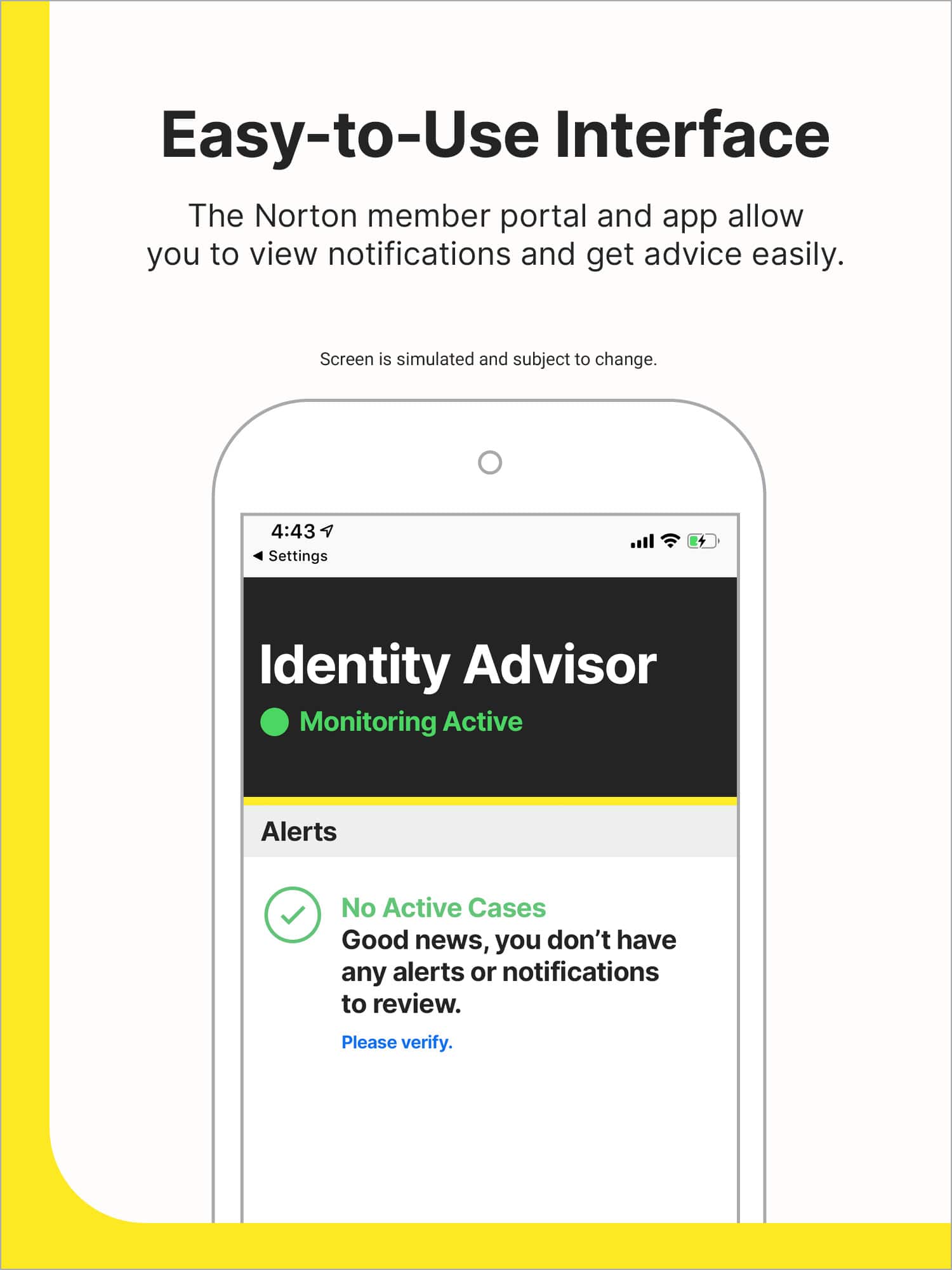
Easy to Install and Use - Love Identity Protection
|Posted .This reviewer received promo considerations or sweepstakes entry for writing a review.So easy, just download, create an account and it's up and running. The very first thing it did was do a historical dark web review for my information. Wow what a surprise that my username and password was out for four different accounts. Two I haven't used in years. It was important to know because like most of us, I use the same login and password often, especially for non financial items. However one of the items from historical review is a location where I shop online. Clearly this password is being changed immediately. Another brand of security software came with my fairly new computer and I was wondering what would happen when I installed the device security. Answer - Norton prompts you to remove the other software and recommends that you do so for peek performance. Additionally when installing on your device it says it will use 276 MB. The menu is easy to understand and navigate. Additional items like the utility to prevent tacking of your online activity can be added for an additional cost. The freeze function under the identity theft area is great because you setup a freeze with each of the three main credit reporting bureaus. It won't prevent someone using your identity but it will make it much more difficult for them. Also, you can add up to 10 bank accounts and 10 credit cards to have Norton monitor the dark web for any activity. Fantastic!
I would recommend this to a friend Norton
||Posted . Owned for 3 weeks when reviewed.This reviewer received promo considerations or sweepstakes entry for writing a review.Norton is a great product and always has the latest updates.
I would recommend this to a friendSecurity good !!
||Posted . Owned for 1 week when reviewed.This reviewer received promo considerations or sweepstakes entry for writing a review.I love the security features abd protects everything
I would recommend this to a friendIt is what it is
||Posted . Owned for 1 month when reviewed.This reviewer received promo considerations or sweepstakes entry for writing a review.Used Norton for Years like the life lock as well !
I would recommend this to a friendEXTREMELY DISAPPOINTED
||Posted . Owned for 3 weeks when reviewed.This reviewer received promo considerations or sweepstakes entry for writing a review.Never worked and wanted to charge me after I already paid for it. I think someone stole my code or something. I had to use webroot. Would like a refund on my purchase!
No, I would not recommend this to a friend- Pros mentioned:Ease of useCons mentioned:Intrusiveness
Great Option
|Posted .This reviewer received promo considerations or sweepstakes entry for writing a review.This was a relatively easy to install software although it did take awhile for everything to install on my computer. Once everything was installed it was pretty easy to set everything up and start seeing the benefits. It immediately gave me helpful dark web alerts and tips to address it for better protection even with only giving minimum information. If you feel confident going full in you have the option of having all sorts of info checked to make sure it isn’t out there on the dark web such as credit card numbers, your various email addresses and phone numbers as well as current and past home addresses. There are more add-ons you can tack on if you want to pay a little more but none are a requirement. The actual Norton part of the software works as expected with ease. Unlike some other options I have used in the past this one’s does not seem to be intrusive with a ton of pop-ups as soon as you power on the computer. There are still features I need to try to get the full effect of this bundle but it definitely appears to be a great one worth trying
I would recommend this to a friend Feedback
||Posted . Owned for 1 month when reviewed.This reviewer received promo considerations or sweepstakes entry for writing a review.only bought it because it's recommended but i've never needed this before
No, I would not recommend this to a friendBrand response from Norton & LifeLock Product Expert
Posted .Thank you for sharing your feedback. We always strive to provide a 5-star experience and welcome any additional comments so that we can do better next time.

Better Programs are available
||Posted . Owned for 3 weeks when reviewed.This reviewer received promo considerations or sweepstakes entry for writing a review.Not as good as my previous security system. I turned it in for that.
No, I would not recommend this to a friendNever used it
||Posted . Owned for 2 months when reviewed.This reviewer received promo considerations or sweepstakes entry for writing a review.Best buy employees will try to sell you thtis but its not really needed
No, I would not recommend this to a friendSorry for the pUrchase
||Posted . Owned for 1 month when reviewed.This reviewer received promo considerations or sweepstakes entry for writing a review.This is overwhelming bloarware program. It is difficult to work with. I am sorry I purchased it.
No, I would not recommend this to a friendBrand response from NortonLIfeLock Product Expert
Posted .Hi Paco2055 - Please contact us at support.norton.com for our 60-day money-back guaranty, good for another 58 days for you. We’re sorry our product didn’t meet your needs. - DWN

me
||Posted . Owned for 1 month when reviewed.This reviewer received promo considerations or sweepstakes entry for writing a review.it caused more problems on my computer.had to take in to repair
No, I would not recommend this to a friendHad a worse experience with card
||Posted . Owned for 3 weeks when reviewed.This reviewer received promo considerations or sweepstakes entry for writing a review.They never set my card up now my pc is hacked again
No, I would not recommend this to a friendBrand response from NortonLIfeLock Product Expert
Posted .Hello - very sorry to hear, but don't quite understand who 'They' is/are? This product does need to be installed on your device(s), either by Geek Squad or the purchaser - did that happen? If not, then so sorry but no - you weren't protected. If you have this subscription you can contact us at support.norton.com and our team can try to help you at no charge, but since it wasn't installed at first our Virus Protection guaranty would not apply. Hope this helps - good luck to you! - DWN
- Pros mentioned:Vpn
Decent protection - very chatty
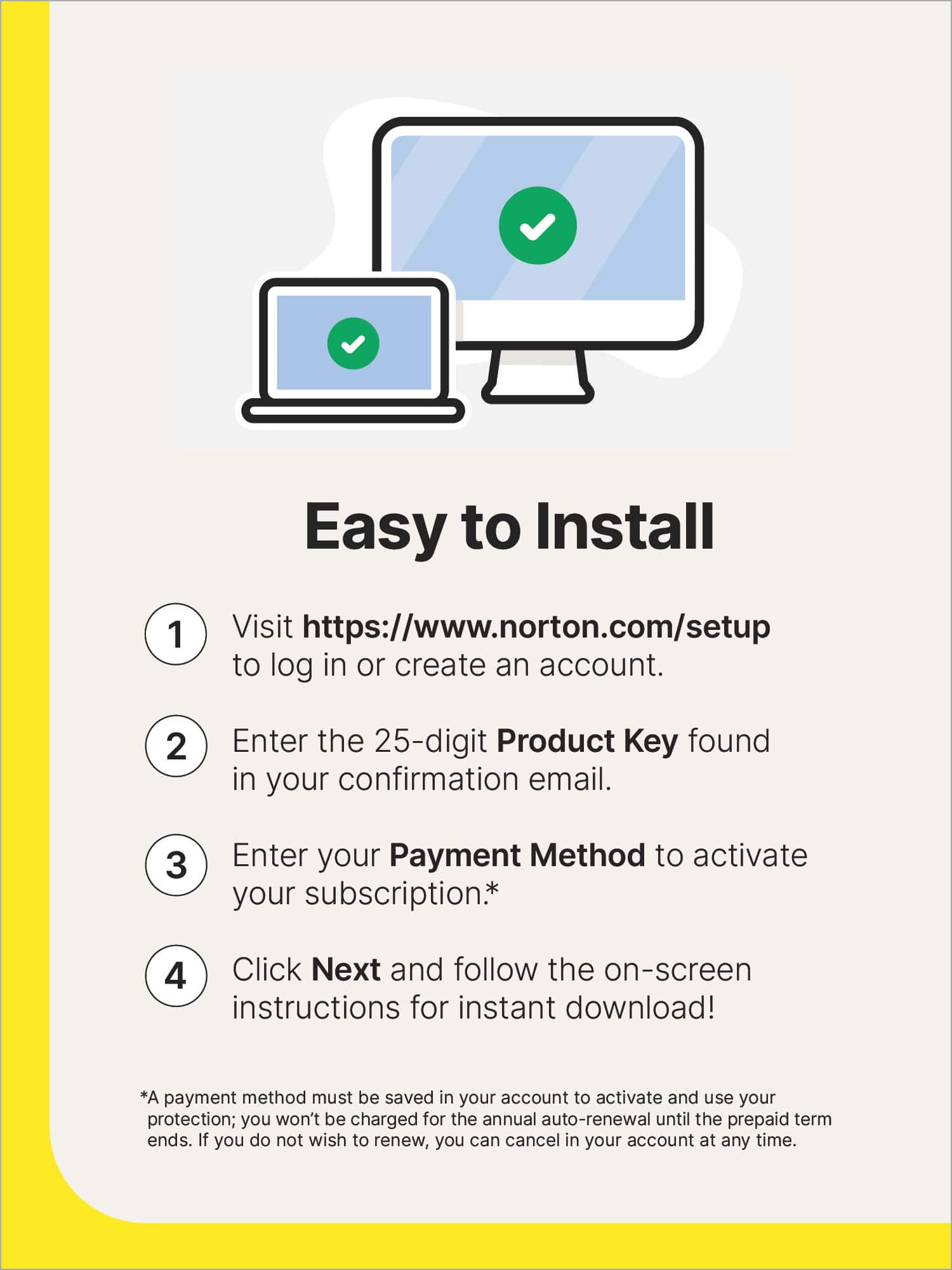
|Posted .This reviewer received promo considerations or sweepstakes entry for writing a review.At this point in time everyone is familiar with various AV programs and it's up to these companies to not only remain good at what they do, but also increase their offerings and be lucrative, I do understand this. In that vein, Norton is now being shipped with LifeLock identity advisor to help with identity protection. To start, the installation is incredibly straightforward, there's no issues in getting it installed, whether on the first machine or multiple machines. Go to the website, input the key, download the installer and go. If you're installing on an additional machine you simply click 'protect another device' and you are taken to a site to download an installer that already has everything ready to go. You do not have to login with your Norton account on the additional devices if you choose not to. Norton includes all the basic protection, firewall, antivirus, and some other addon services as well as VPN and parental controls. There's not a huge amount to write home about here as these are common offerings among antivirus programs at this point. However the one thing it does come with is LifeLock which is the most recognized name in identity protection. It allows you to monitor the information for one adult on the web/dark web for breaches that could harm your identity. The challenges I've had with Norton in this iteration (and to be honest, most previous iterations) is that it's incredibly chatty. There's all sorts of little notifications that pop up in the corner when it's performing various tasks, whether normal scanning, 'background tasks' or, most annoyingly, attempting to sell you more services. Personally I have major issues with software I paid for trying to make me pay for additional things. There seems to be no great way to make it stop sending these messages. If you close any of the notifications with the 'X' in the corner it does give an option often to 'do not show this again', however in my experience that seems to only intermittently work. Some of the notifications are now showing up less frequently or not at all, but others are still coming up no matter how often I make that selection. I moved to Norton to get away from another product that was basically doing the same thing, and while I have most of a year left on this, I'm not sure I can see myself staying with it just because of the annoyance of those chatty alerts. All in all, it's decent protection both for your PC and mobile devices, as well as for your identity, but the chattiness of the software makes it hard to recommend.
No, I would not recommend this to a friend - Pros mentioned:Vpn
Complete protection for equipment and Identity
|Posted .This reviewer received promo considerations or sweepstakes entry for writing a review.Norton has been for years a guarantee of antivirus protection and this version should not be different. In this case and because the current risks exceed the traditional virus in your device and I was interested in potential identity theft or the inadequate use of my identity I when for the option with the life lock, identity advisor. With three licenses, I installed them on my three most used devices: laptop, phone, and tablet. The installation is very efficient in both environments: windows and android. Installation is very simple, after downloading the first version (on my laptop), I created my account and introduced the license code. After this first one, I send a mail with the link that I used to initiate all other installations. In each download, the page recognizes the version to download: windows or android. As I said, very simple. One element that needs to be considered, activating the account. You will need to enter the information of your credit card for an automatic license renewal after year one. I was hesitant at first but the Norton engagement that you can cancel at any time and they will inform you before any charge is done was enough. I trusted Norton with my equipment against antivirus and my identity protection, I can trust their engagement. The first scan is amazingly fast on all my devices and I imagine that the last version of each virus is updated. The same quick process with the scan of the web about my phone or email, one warning received from an old misuse of my email in the past. An additional aspect that is also included with this license: the VPN functionality is included. Yes, I recommend thanks to its simplicity, the trust in the programmer and the VPN license.
I would recommend this to a friend - Pros mentioned:Security, Vpn
Norton remains the best protection
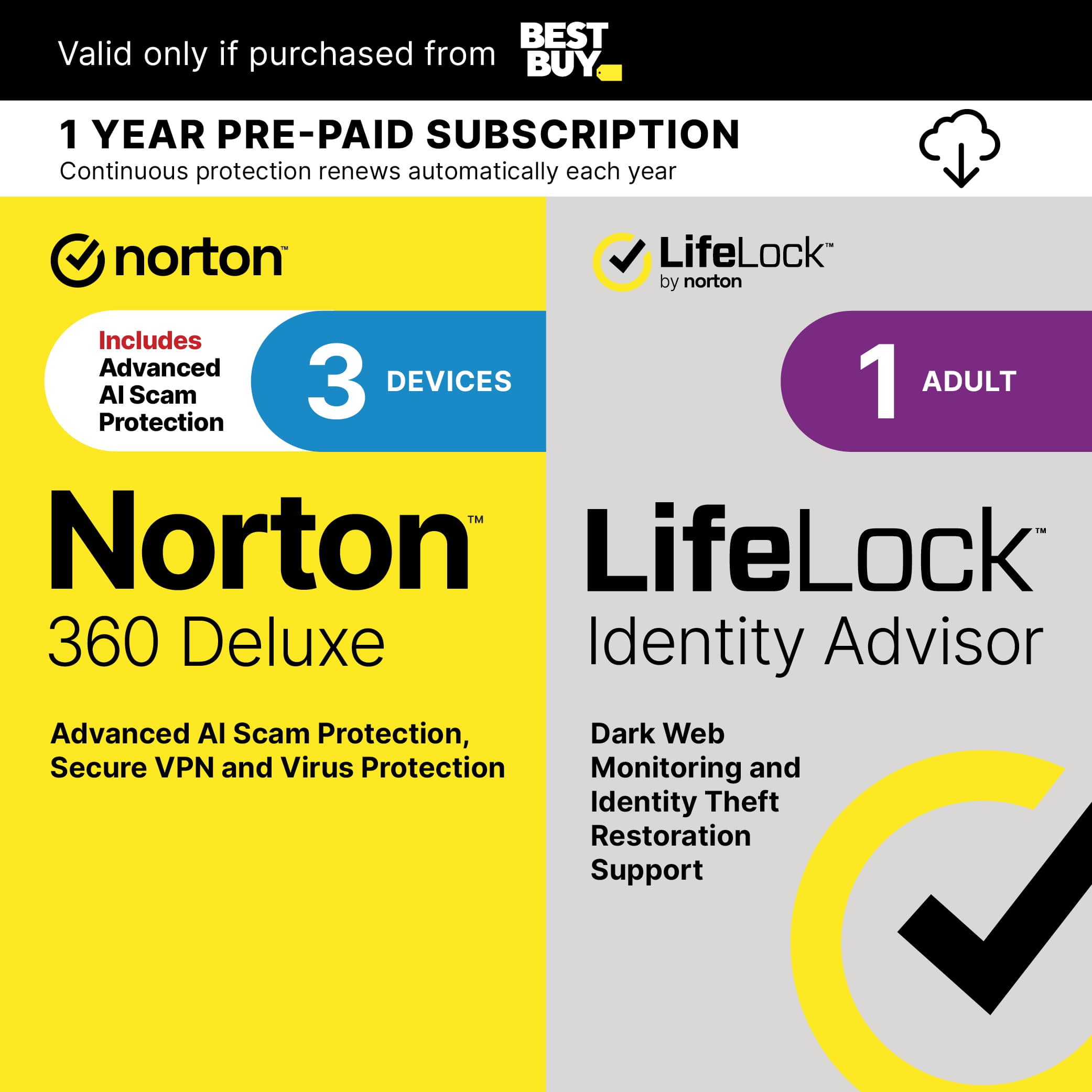
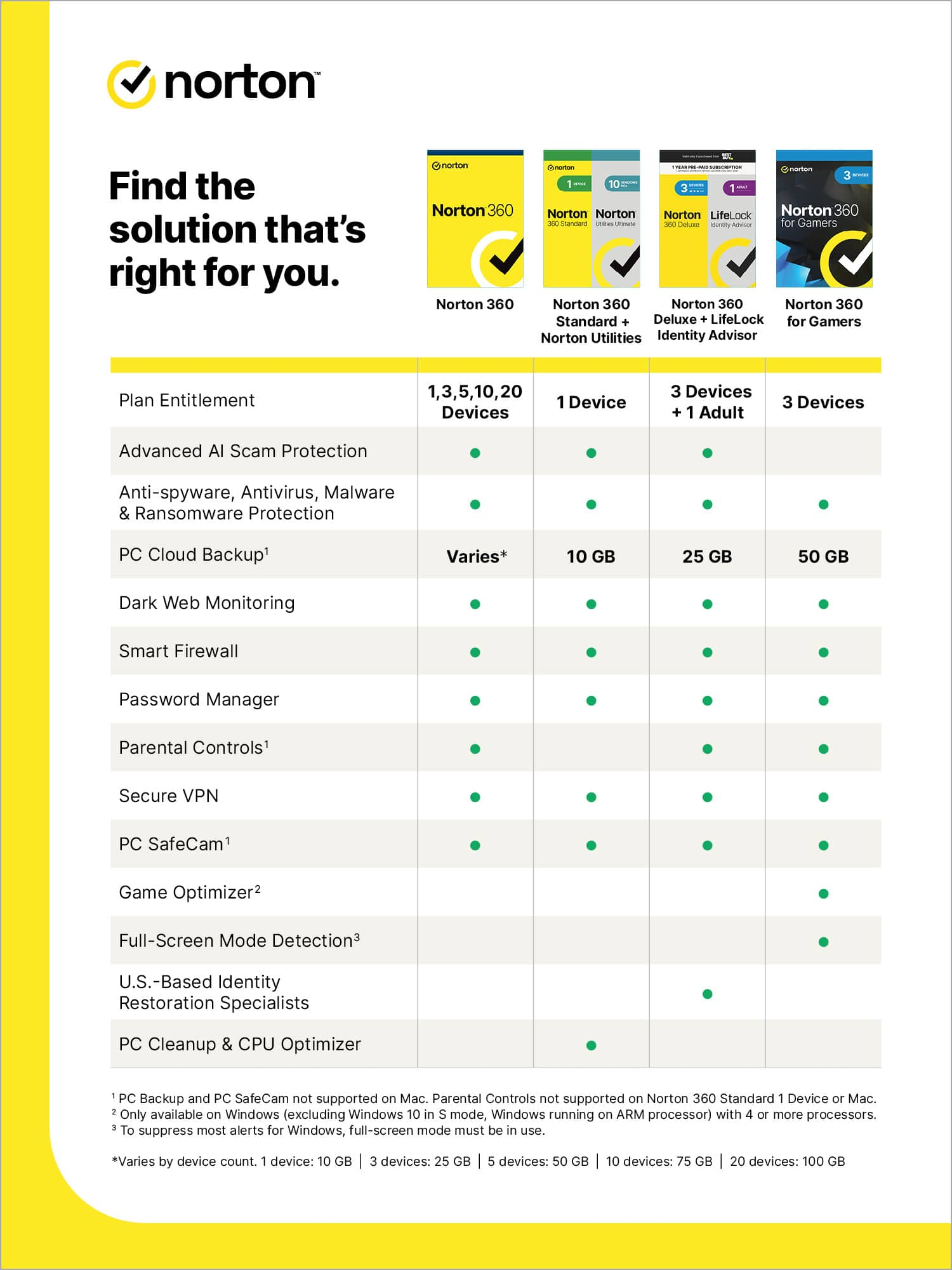
|Posted .This reviewer received promo considerations or sweepstakes entry for writing a review.Norton 360 Deluxe with LifeLock Identity Advisor is the perfect security accompaniment for your computer(s) in this day and age. I was the victim of identity theft several years ago, thinking at the time that internet security was safe. I never thought I would need LifeLock until that event had happened and my credit took a hit. I’ve been using Norton for some of my devices, and others have been using another main line name. Of the two I have felt that Norton does a better job overall with protection. Now, 360 Deluxe has proven its worth as the best protection for my computers. 360 Deluxe with LifeLock made the transition from my other Norton subscription easy. The set up as seamless and immediately set up a virus scan. I’m grateful that overall it works behind the scene and really ensures your protection. On top of that, there is VPN to check your network and all of the other devices using that network. You can download this onto three devices, so I immediately set this up on my gaming computer (which is also my main computer). This can also be downloaded onto mobile devices so I set this up on my iPad as I am on that device outside the home the most. The other great features that are included are 25GB of cloud storage. So using LifeLock for this 1 year trial gets me excited knowing that my identity would be protected. I’ve seen the commercials throughout the early 20’s up until now and feel that this is so necessary as online hackers are getting smarter. Overall, this is a great tool to have to ensure you and your identity are protected as we maintain this digital and web-based world now.
I would recommend this to a friend - Pros mentioned:Ease of use, Vpn
Norton - 360 Deluxe (3-Device) w/ LifeLock
|Posted .This reviewer received promo considerations or sweepstakes entry for writing a review.I received my product code and downloaded and installed it, activating my subscription in only a few minutes. The steps to get it up and running were simple and easy to understand/follow. I ran a quick scan of my system, which is quite new, and there was nothing to find/quarantine. LifeLock Identity Advisor came with this, and it's probably the best part of the whole thing. The ability to have software out there watching out for my identity and its use so that I can be notified of suspicious activity is wonderful. Norton 360 Deluxe does its job, for the most part. You will never, however, forget that its there to protect you, but you'll also come to realize that there is more protection available. After spending your money to buy and install this on your system, they'll remind you of their other offerings to bring you even more protection. I've only had the software a week, and the notifications just keep coming. I really need to figure out how to turn the notifications off because they are super annoying. I know that security is something we all need to work diligently to attain, but why isn't something labeled Deluxe the complete package for my laptops?
I would recommend this to a friendBrand response from NortonLIfeLock Product Expert
Posted .Hi! We're sorry to hear you are facing these issues. From time to time, you may receive promotional offers related to your subscription (like discounts or special deals) via pop-up notifications that are displayed on your desktop or mobile device.
If you do not want to receive such promotional offers via pop-up notifications, you can disable that functionality, by turning off Special Offer Notification in your Norton app. Please see link for information on how to https://support.norton.com/sp/en/us/home/current/solutions/v138304110.
Thank you!
- Pros mentioned:Vpn
A must in today's world!!
|Posted .This reviewer received promo considerations or sweepstakes entry for writing a review.Mostly everything we do today revolves around our technology. From the phones in our pockets, to our laptops/PCs, we are constantly relying on these devices to get by in life. This being the case, why not spend a few dollars to protect these expensive investments and our information. This is the reason why I decided to give Norton 360 Deluxe a try. It is a great protection package that includes security for up to three devices. I installed it on my two laptops and on my iPhone. One of them being my son's gaming laptop, which is a must!! There is so MUCH vulnerability within the gaming world. Norton gives you the option to utilize their password protection service that will automatically fill in password information, all while keeping it secure. I run scans on my devices regularly to ensure that everything is secure, and that no threats are present. Norton can also be used as a secure search engine, and will notify you of suspicious websites before clicking on any search results. What I love the most about their deluxe package is the VPN feature. I want to keep my location safe and secure. The Norton VPN service offers just what I need. To make things even better, it comes with 25gb of cloud backup. You really can't go wrong with that. You keep your files accessible while maintaining them secure. Do yourself a favor and protect your technology. You won't regret it!
I would recommend this to a friend - Pros mentioned:Security
A protection must
|Posted .This reviewer received promo considerations or sweepstakes entry for writing a review.The 350 Deluxe Norton pkus Lifelock identity advisor I believe to be a great security shield for anyone. It was so easy and fast to setup and disnt take but a few minutes. Within minutes of setting up I was notified of checks that i needed to attend to. I was surprisingly shocked to learn that a few months ago my name, address, birthday, and more were breached and the source was from the dark web. Had i not installed this program i would have never known about this! I was able to gather information that i need to secjre my accounts and everything else along with it because of the lifelock protection. Immediately after insfalling Norton also provided me information on checking something within my android and fixing the issue. Once again i had no knowledge of that until i was provided it with this program. Overall i am very pleased with the level of protection Norton 360 deluxe and lifelock offer me to keep all of my information protected and safe. Its absolutely worth having this because you just never know when your files, email, and all of your information can be leaked.
I would recommend this to a friend - Pros mentioned:Ease of use, Vpn
Easy to use.
|Posted .This reviewer received promo considerations or sweepstakes entry for writing a review.I have always loved using Norton. I also use some others. Normally if I install an anti-virus, they always seem to warn me that I should delete the other anti-virus software installed on my computer. This was an easy install, and I did not get that warning. With this, it will have an option to mine if you want while your computer is not being used. I don't really care for mining for crypto as I did it for a week just to see and maybe made 5 dollars. So, just not worth it for me. But I like that it gives the option. With this you do get a good amount of protection. It scans your software for updates, can set up VPN, which is really good if you use a laptop out and about. You can set up parental controls. You can also have it auto save passwords for websites. I am overall pleased with Norton 360. If you have kids who use the computer or have phones you can set controls. l like that its simple to use, and yet gets the job done. Easy to install, and easy to use once installed.
I would recommend this to a friend - Pros mentioned:Overall performance
Works great for mobile phones
Posted .This reviewer received promo considerations or sweepstakes entry for writing a review.Works great and at a great price to match. I love lifelock is included and protects me online and with 3 devices included
I would recommend this to a friendBrand response from Norton & LifeLock Product Expert
Posted .Hi tealgp,
Thank you for your great review! We’re happy to hear that Norton 360 Deluxe works well on your mobile phones and that you found it at a great price. It’s wonderful to know that having LifeLock included gives you added confidence and protection across all three of your devices.
We appreciate you choosing Norton for your online security, and thanks for taking the time to share your experience!