Customer Ratings & Reviews



- Model:
- SYC940800V057
- SKU:
- 6647021
to a friend
Customers are saying
Customers often highlight the ease of use and performance of Utilities Ultimate (10 Device), noting that it helps optimize performance and is not a resource hog. Users also appreciate the friendly interface and the data recovery capabilities. Some customers have experienced increased computer speeds after using the software.
This summary was generated by AI based on customer reviews.
- Pros mentioned:Ease of use, Performance

A convenient and intuitive tool to empower users
|Posted .This reviewer received promo considerations or sweepstakes entry for writing a review.Verdict: The Norton Utilities Ultimate program adds convenience to cleaning, organizing, optimizing, and reducing demand for your computer. To be clear, most of the features the program offer are available in some form on most computers or devices… but a lot of users just don’t know how to find them and use them. This program consolidates all these tools to be convenient and user-friendly – and it does that VERY well. When someone complains about their slow computer, I install the program and show them how to use it, and it’s quite magical how this simple step gives people peace-of-mind (control). The program does improve some performance on devices, but it’s not a miracle cure when a computer is just too old, or doesn’t have enough RAM or processing power for someone’s required daily tasks. I did not install this program on every computer we have, just the ones that needed the most help and had the most vocal users. Installation. The digital delivery option is one of my favorite aspects of Norton products. I have purchased many of their offerings in the last few years because I needed something quickly and I knew I would get access delivered within a few seconds in my email. I also LOVE that you can easily requests one-time login pins in case you can’t remember your password, or don’t want to type your password on someone else’s machine (while installing programs for users for example). Sharing the included 10x licenses is just as easy, with the ability to share through email, text, link, or QR code. Installation for Utilities Ultimate took maybe 1 minute on both the computer and iPad (it’s meant for a smart phone but works on the iPad too). Of note, during install, “Track Activity” is on by default, and you can’t opt out; you have to turn it off later in the settings, which I significantly dislike – it’s inconvenient and most people will forget to do it, unknowingly sharing some information about their activities in the app. During install, I wondered if this program would interfere with Norton 360, which I have installed on several computers. And (of course) there are no issues running both programs at the same time since they perform different functions. Once the program is installed, users have the opportunity to “take a quick tour” to see how the program works – useful for unfamiliar users. Features. To be clear, you can do all (or most) of these things with existing tools in Windows, MAC OS, and smart phone operating systems, but… you do need to know how to find them and remember to run them. - On computers, Norton Utilities Ultimate offers four primary capabilities: clean “System Junk” (computer files, browser data, and cloud storage), manage programs (view and turn-off processes, and run an uninstall simulator), Optimize Disks, and Manage Data (recover lost data or “shred” data so it’s not recoverable). - For smart phones and tablets (I only tested this on iPad), it offers: Optimizer for photos and videos to free up space, Clean Share to safely share media without revealing location time and other data, Secret Files to keep sensitive items in a "private locker", and Contacts Cleaner to remove duplicates and fix incomplete contacts. I did not activate any of these tools on my iPad because I don't want to take a chance on my privacy or risk downgrading the quality of my media to save space (not sure if it does, but my media is high-quality and large, and I want to keep it that way). Results. - The features on the computer are VERY intuitive and convenient to use, including for basic computer users. It also provides the impression of control over the computer, which comforts many users who get frustrated with computer performance. I was impressed at first… 37.2GB cleaned, 36,000 items removed, and 16 processes turned-off (also labeled “issues fixed”). My RAM utilization reduced by at least 40%, which was impressive. Then I decided to run another scan; it found another 100 files to clean. Then I ran another scan and it found another 100 files! I did this 10 times, and each time it found about another 100 files to clean… weird. I stopped at 10, but I suspect that it would just keep finding about 100 more endlessly. I appreciate that you can inspect the files found after a scan to assess if these are things you want to delete. Optimize disk didn’t do anything for me except “scanned, No issues found”; no defragment (if that was ever actually helpful) or other optimization that I can tell. I suspect it’s just checking for any compromise on the disks. Removing junk and web browsing data seems to work very well actually. - After 24 hours, my RAM use is back to 80% while just running Chrome (11x tabs), Word, Task Manager, and Norton (uses from 1% (normal) to 4% (scanning) of RAM). Almost all programs I can turn off in Norton Utilities are off, but task manager still shows some 200 processes running, most at 0%, but adding up to a chunk of my RAM in the end. This is what I was really wishing this program would do… help manage all the vampire processes that eat up RAM and performance. Some things I turned off in Norton Utilities are still showing as running in Task Manager – probably not Norton’s fault… There is stuff I can’t get to stop even in Task Manager (time to uninstall them). After 24 hours, another 700 junk files to remove?? Since I generally trust Norton, perhaps this just part of the daily bloat that slows computers down to a crawl. Upselling. What I dislike the most with Norton products is the constant upselling. It comes up regularly in both Norton 360 and Utilities. I noticed a warning in Norton Utilities: “Driver issues detected! Fix 21 drivers now.” That was very surprising to me, so I clicked on it… but then it asks me to pay $59.99 to subscribe to Driver Updater… No! I do appreciate that auto-renewal was off by default for Norton Utilities, but you should check your account when you setup. Things I like: - Digital delivery upon purchase - Very easy installation - 10x licenses - Gives users control (or impression of control) over their computer - There are quite a few features in this package - Use of the program and features are very intuitive and convenient – really well done! - Some features work well, some are still TBD Things I don’t like: - Upsell attempts, like all Norton Products. It’s a bit annoying, but I understand - I think Norton should position itself as a Privacy Champion. Instead of “Track Activity” being on my default (and not being able to opt out during install), the company should lean heavily into “security without privacy compromises.” Maybe they already do, but that was not readily apparent for me - It’s not clear to me if I can remove devices and add others to maximize my 10 licenses. For other Norton products, I can “Manage Devices” in my Norton account to add or remove computers. I am not able to do that with this tool. There is a chance that the 10 licenses will be static. For a product like this, static licenses makes sense from a business perspective, so I would understand Overall, this is a good package with enough value from the features, plus 10 licenses! Good value at retail, and excellent value if you can buy it on sale. It’s not something that I put on all our computers, especially since I think the licenses are static. Instead, I manage my licenses to use them on the most problematic computers and users, and that is working out well right now. I love that it gives me a bunch of time back from handling really slow computers and difficult people - for this I give 5-Stars!
I would recommend this to a friendBrand response from Norton & LifeLock Product Expert
Posted .Hi AllAboutTech,
Thank you for the detailed, thoughtful review—and for the 5‑star verdict! We’re glad Norton Utilities Ultimate is helping consolidate tools, simplify cleanup, and give users greater confidence and control over their devices. Your feedback on installation, sharing licenses, and the intuitive design is hugely appreciated.
We also value the specific points you raised and wanted to share a few tips:
“Track Activity” default: Thanks for calling this out. You can turn this off anytime in the app settings (Privacy/Activity tracking). Your input on leaning harder into privacy-by-default is noted—we’ll share it with the product team.
Repeated “junk files” findings: Many temporary items and caches regenerate quickly with normal use (browsing, app updates, background tasks), so it’s expected to see new items after each scan. You can review or narrow the cleanup scope to focus on what matters most to you.
RAM and background processes: Some “vampire” processes restart automatically via the OS or app services. Utilities Ultimate can help identify heavy processes; for stubborn ones, disabling their startup entries or fully uninstalling the app is usually the most effective route.
Disk optimization results: On modern SSDs, defragmentation isn’t typically needed; the tool prioritizes health checks and safe optimizations. Seeing “No issues found” means the drive is already in good shape.
Upsell notifications (e.g., Driver Updater): We hear you—those prompts can be disruptive. Recommendations are optional, and you can adjust notification preferences in settings to reduce promotional messages. We’ll keep working to make these quieter and more contextual.
License management: Thank you for highlighting the desire to move licenses between devices. For many Norton products this is handled through “Manage Devices” in your Norton account; we understand you didn’t see the same controls for Utilities Ultimate. We’re sharing this with the team and, in the meantime, our support can help with reassignment options.
Your review perfectly captures the program’s goal: make essential maintenance accessible, convenient, and confidence‑boosting—especially for devices and users that need extra help. We appreciate you using the 10 licenses strategically to save time and reduce frustration.
If you’d like, we can walk you through:
Turning off Track Activity and tuning privacy settings
Adjusting cleanup scopes and notifications
Best practices for startup management and identifying high‑impact processes
Thanks again for taking the time to share such a comprehensive perspective. We’re here if you need any assistance. If you are still facing issues please do not hesitate to get in touch with our support team here www.norton.com/support
Stay optimized and secure,
— The Norton Team
- Pros mentioned:Data recovery, Ease of use, Performance
Digitally Declutter
|Posted .This reviewer received promo considerations or sweepstakes entry for writing a review.The more we use our electronics by adding/deleting programs or pictures the more digital clutter. This is where Norton Utilities Ultimate comes in, it’s is a one click solution to help you declutter your devices by helping perform some regular maintenance. The program is super easy to use, click a button and everything is scanned and you get a nice breakdown of the findings. Norton’s Ultimate helps you remove clutter and broken Registry keys which might slow down your devices. On my personal device it cleaned up about close to 200 GB of data. One of the best things about deleting is Norton makes a backup of the things you deleted in case you accidentally remove something, this is wonderful in case you remove something important. Not only does Norton remove files it helps the performance of your devices but reviewing the installed programs and showing you how much of an impact they have on your device. From there you can make the decision to turn on/off programs and even uninstall them. Norton includes a unique feature when uninstalling programs, a uninstall simulator. This simulates uninstalling a program to see how it will affect your device. Norton does more than just help you declutter your devices, you can also recover deleted pictures/videos and documents from other devices. While recovering deleted things is an option it did not work for me on my USB drive or older a NVMe I have laying around. Overall this is a good program, its not a resource hog and its easy to use. My only complaint with the program is I’m unsure if recovering deleted things from other devices works.
I would recommend this to a friendBrand response from Norton & LifeLock Product Expert
Posted .Thank you for sharing your detailed review! We’re glad to hear Norton Utilities Ultimate helped declutter your devices and improve performance. Your feedback on the recovery feature is valuable and will help us improve.
If you need assistance or have questions about any features, our support team is available at https://norton.com/support.
Thanks for choosing Norton!
- Pros mentioned:Data recovery, Performance
User-friendly and Worth It!
|Posted .This reviewer received promo considerations or sweepstakes entry for writing a review.--- SETUP --- After getting the product code, all I had to do was to go to the indicated Norton Setup website, enter my code, and download the automatic software to my PC. For multiple PCs, including Macs and iPhones, the process was the same. --- PERFORMANCE AND EXPECTATIONS --- Norton has been a trustworthy household name with my family for over a decade. Though I subscribe to their anti-virus software, this is the first time I try their utilities software. Keep in mind that this is not to remove/prevent viruses. Instead, it optimizes your PC from clutter that all PCs inevitably get. Ever wonder why your PC is starting to slow down? It’s because of clutter that builds up from software that you have installed to it over time. What this Norton Utilities (NU) software does is, it removes the unessential parts of those softwares without breaking the apps that you use. And that’s just the main feature of the software, as it does so much more, and it does it very well. This version can be activated in up to 10 devices, which can be a combination of a PC, a Mac, and Android/iPhone devices. This review will focus mainly on the PC experience with a touch of the iPhone. On the PC side, I installed this software on my gaming rig. After doing a quick scan, it found a lot of broken shortcuts that lead to nowhere. Since I install a lot of games, and then uninstall them when I am done, sometimes, the game shortcuts stay behind. NU made it a breeze to remove those shortcuts. Next, I targeted the system junk and was able to remove over 43,000 items, freeing up 14 gigabytes of space. After doing that, I looked at the software that automatically opens up at the startup of my PC, and turned a lot of those off, as I don’t use them every single time I turn on my PC. I tested the data recovery for accidental deleted files. I did find success recovering a few, but not all, files. Still, it’s a good option to have, should I ever need it, especially because I also use this PC to edit videos/photos as a side hustle that I have. Finally, I optimized my OS (C:) drive and my PC now runs noticeably faster, especially at startup. All of these actions were mostly just single-click actions with explanations of what you were about to do to your PC before taking action. Very user friendly to people who don’t normally understand all PC functions. A feature that I really enjoyed was doing a similar type of clean up, but with my Google Drive (or other cloud storage). I was able to log in to Google Drive through Norton to clean up my cloud space, allowing duplicate files to be combined into one, and taking a look at older large files that haven’t been opened in a while. Now, using this software on my phone was also a great experience. After downloading the app for the iPhone app store, I was able to log in using the same username and password as the PC version. It immediately recognized that I had an active subscription and began recommending things I could do on my phone. Among my favorites, I like that I was able to merge duplicate contact info, delete contacts that had no information on them, and merge duplicate photos. An additional feature that was a welcoming surprise was that it has its own vault. What this means is that, if you have photos/videos that are sensitive in nature, you can store them in the Norton app under password instead of on your regular photos app. This way, when you open your photos app, there is no risk of accidentally opening sensitive photos that you may have forgotten to delete/hide. --- APPROVAL --- This NU app is very useful and user friendly. I would recommend this to anyone who has multiple devices to optimize and wants a stress-free user experience.
I would recommend this to a friendBrand response from Norton & LifeLock Product Expert
Posted .Thank you for such an in-depth and helpful review, Trobadour! We’re thrilled to hear that Norton Utilities Ultimate delivered a smooth, user-friendly experience across your devices. Your breakdown of the setup process and the features—like system cleanup, startup optimization, and even cloud storage management—is incredibly valuable for anyone considering this product.
We especially appreciate your insights on the PC performance improvements and the convenience of single-click actions with clear explanations. It’s great to know the mobile features, like contact and photo cleanup and the secure vault, added extra value for you. Your recommendation means a lot, and we’re glad Norton continues to earn your trust after more than a decade.
- Pros mentioned:Data recovery, Performance
A leader in cleanup on Isle-1*but forgot something
|Posted .This reviewer received promo considerations or sweepstakes entry for writing a review.Norton - Utilities Ultimate for 10 devices. Norton Utilities Ultimate is the updated version of Norton Utilities Premium. It works on Android, Apple iOS and Windows devices. It is a computer management utility platform. It pulls together scans and information into one place so you can take action to speed up your computer or phone, address faults, and clean up file remnants and leftover junk. Pros: 1. Ten devices, including phones 2. Features: • Nice Functional UI • All-in-one PC cleanup • Registry Cleanup • Application Accelerator • DriveScrubber® • Search & Recover • On-Demand Boost • CPU Optimizer Cons: 1. Driver Updater is not included and is an additional subscription for an Ultimate Utility this is a surprise that it is missing from the package. But the product does reference this and pushes it with a hard sell. I will be addressing the Windows tools in this review as my primary focus. First, let me say that there are a lot of built-in tools in Windows and free tools out there that can do similar things to Norton Utilities Ultimate, but when you have a bunch of computers and throw in some phones and tablets, that can take up a bunch of time. Plus, not everyone in your household enjoys or understands maintenance issues or how to deal with them. It doesn’t take long for a new PC to get clogged up and stop delivering that first-day performance. With 10 licenses, you can speed up and automate a lot of your cleanup and optimization chores for all the machines that you have. And it simplifies your life, allowing you to help everyone in your household, keeping things fast and clean. Norton Utilities brings many tools into one place and has an excellent User Interface (UI). A computer management utility platform could be the most feature-rich in existence and completely unusable due to poor UI choices. This is not the case with Norton Utilities Ultimate, which provides information and options simply and clearly, using a tabular interface that reduces on-screen content at any time. For example, when Norton Utilities Ultimate first opens, it shows a very clean layout with functional groups on the left and more detailed option tabs in the center of the screen. One of the main features of the product that attracts most users is the All-in-one PC cleanup. It helps identify and remove junk files, private data, registry issues, browsing data, and more to boost device performance and safeguard your privacy. It cleans internet files to improve your device's privacy and free up disk space. You can just do the suggested clean-ups or schedule for automatic cleaning. Then, for those who want more control or want to check what is being cleaned, you can drill down, and it has a nice layout of the various areas of ‘Clean up the Junk.’ There is a Manage Programs Tab that allows you to manage background programs easily, selecting programs that you may want to turn off that utilize the background processes or are automatically started when your computer is turned on. These also have drill-downs for fine-tuning and seeing their impact. There is a nice tool that simulates the impact of uninstalling programs. And an uninstaller program that uninstalls and cleans up when uninstalling programs that you determined you don’t want. Each of these has drill-downs. There is an Optimize Disk tab, which is usually not necessary if you have an SSD (Solid State Drive). unlike the necessity of optimization on standard mechanical hard drives. The Manage Data Tab has two features, one of which is Data Recovery to help retrieve accidental or entries that may have been lost through corruption. And a Data Shredder, which will permanently delete selected files, folders, or entire drives. This has three algorithms to select depending on the level of security and speed you wish to use for data deletion. A Random single-pass overwrite. The Gutmann Algorithm and a DoD 5250.22-M algorithm. There is also a Help tab (which also has an undo center) and a Settings Tab to customize various aspects of the program, which is quite extensive. In addition, one can run this on your phone, which is a big plus because phones get pretty clunky and laggy pretty fast without a good cleaner. I found this to be a useful utility that would be fully equipped if it included the Driver Updater component. It becomes even more useful the longer the computer and OS have been installed.
I would recommend this to a friendBrand response from Norton & LifeLock Product Expert
Posted .Thank you for sharing such a detailed review! We appreciate your insights on the features and usability of Norton Utilities Ultimate. It’s great to hear that the all-in-one cleanup tools and user-friendly interface have been helpful across multiple devices. Your feedback about the missing Driver Updater is valuable, and we’ll make sure it’s passed along to the product team. We’re glad the platform simplifies maintenance for your household and helps keep devices running smoothly.
- Pros mentioned:Ease of use, Interface, Performance
System Optimization Reimagined
|Posted .This reviewer received promo considerations or sweepstakes entry for writing a review.So, you're tired of your computer feeling like it's dragging its feet? Yeah, me too. That's where Norton Utilities Ultimate comes in. It's basically a digital cleanup crew for your devices – promising to give your slow PC, phone, or tablet a bit more pep in its step. What It Does (And How It Feels): The big selling point is it tackles the digital clutter. Think of it like spring cleaning for your tech. It hunts down junk files, cleans up the registry (that's the deep, messy part of your computer), and tries to make things run smoother. The interface is actually pretty friendly – you click a button, it does its thing, and you don't need a tech degree to figure it out. It's like having a helpful assistant tidying up your digital space. The Good Stuff: * Multi-Device Magic: If you've got a bunch of gadgets (PC, phone, tablet), this lets you manage them all from one place. That's a big plus if you're juggling work and personal stuff. * Windows Wins: On a PC, it feels most powerful. It really digs into the system and can make a noticeable difference if things are bogged down. * Easy Peasy: The one-click cleanup is super simple. Perfect if you just want to hit a button and feel like things are better. The Not-So-Great Stuff: * Not a Miracle Worker: Don't expect it to turn your ancient laptop into a brand-new machine. It helps, but it's not magic. Free tools can often do similar things for basic cleaning. * Mobile Limitations: On phones and tablets, it's functional, but not as deep as the PC version. You might still need other apps for serious mobile optimization. * Pricey Question: It costs money, and honestly, free alternatives exist. Is it worth it? Well, if you value the convenience of one tool for everything and managing multiple devices easily, maybe. But if you're on a tight budget, you might feel like you're paying for simplicity. The Bottom Line: Norton Utilities Ultimate isn't going to revolutionize your tech life. It's more like a reliable, user-friendly cleaner that does a solid job. It's great if you want something simple, cross-platform, and you've got several devices to look after. But if you're a tech whiz looking for cutting-edge optimization or on a tight budget, you might find better value elsewhere. It's a decent tool, especially if you're already using other Norton products and want everything integrated.
No, I would not recommend this to a friendBrand response from Norton & LifeLock Product Expert
Posted .Hi Goor00inTX,
Thank you for sharing such a detailed and balanced review! We appreciate your honest take on Norton Utilities Ultimate and how it performs across different devices. You’ve highlighted some great points—especially the convenience of managing multiple devices and the simplicity of one-click cleanup. That’s exactly what we aim for: making optimization easy and accessible.
Your feedback about mobile limitations and pricing is valuable, and we understand that expectations can vary depending on the device and budget. We’re glad to hear that the PC experience felt powerful and user-friendly, and we’ll continue working to improve functionality across all platforms.
- Pros mentioned:Interface, Performance
Delete, Clean, and Optimize
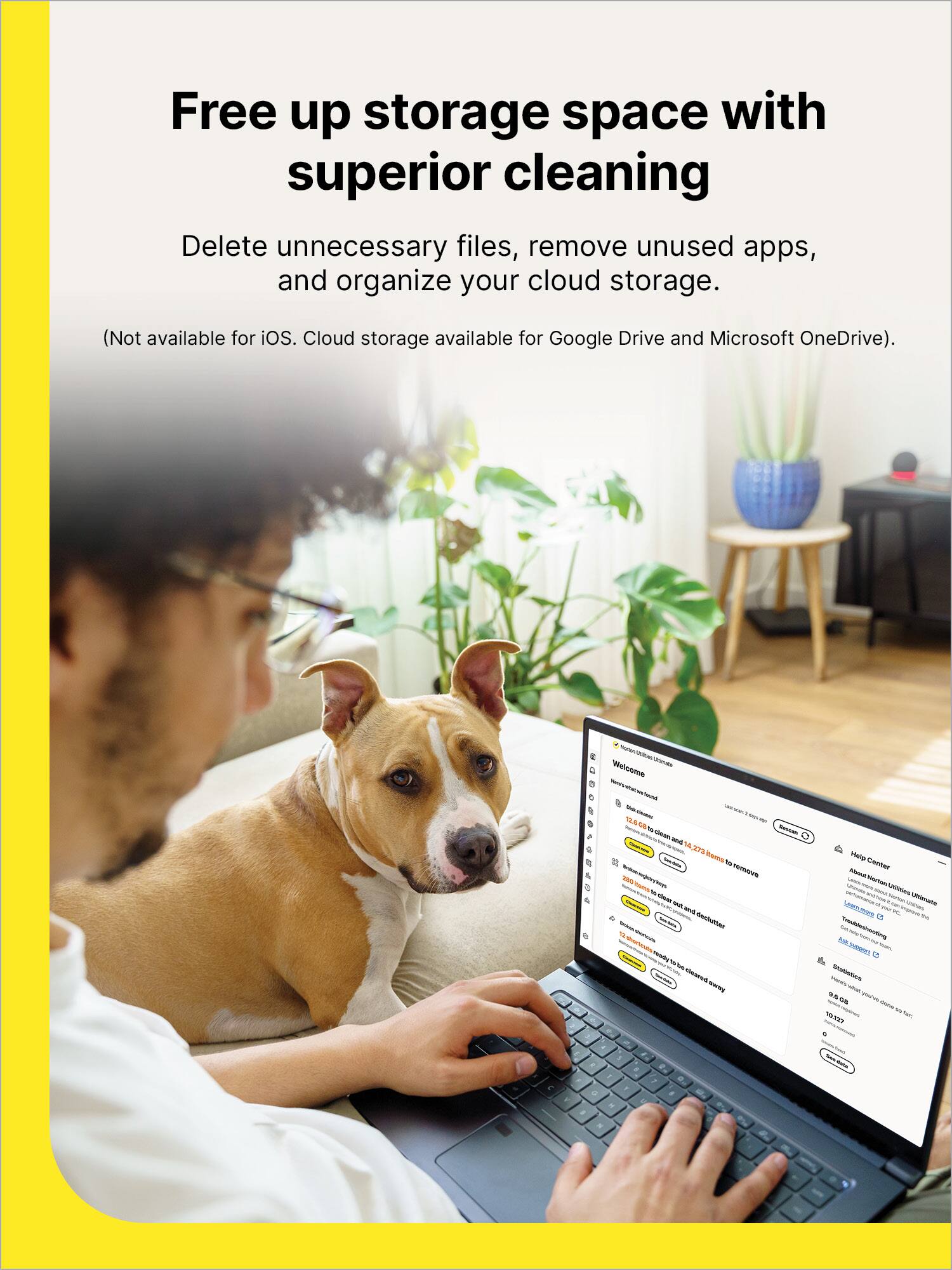
|Posted .This reviewer received promo considerations or sweepstakes entry for writing a review.[PROS] Easy Setup/Intuitive Interface: Getting started was completed within 5 minutes. Once I supplied my key, I was able to download and install the application fairly quickly. The Norton Utilities software provided a quick tour of the program and provided in-depth explanations of all key functionality. Thorough Cleaning: Norton Utilities was really able to get into the nooks and crannies of my hard drive. As a very tech savvy person, I'm mindful of the amount of programs and files that I allow to occupy my devices. I was surprised that the software was able to find at least 15GBs that I could free up on my laptop. On my phone, I found a whopping 20GBs of hidden cache that was taking up precious space. The cleaning experience was quick and effective. Robust (Android/Windows): Not only was I able to delete files, but I found resource hungry processes that could be terminated as well. I noticed a minor uptick in performance for my PC, but this benefited my phone the most. There was less hiccups and slowness to apps throughout the day which enabled for. On top of the ability to optimize my devices, I am happy that functionality extends to the major cloud services such as Google Drive, OneDrive, and Dropbox. When using this feature, I was able to find areas to opportunity to delete unneeded files that had already served their purpose. [CONS] Limited iOS Functionality: I had high hopes for this product being useful on my iPad, but I was left a bit disappointed. My iPad is a few years old, but still runs pretty efficiently. Yet, it only has 64GB of storage. I was hoping to reclaim more space outside of the native OS tools. For the iPad, the Norton Utilities software only offers the ability to clean duplicate contacts which isn't very helpful for my situation. Furthermore, the app seems to be the phone version and lacks cleanup for the iCloud. Nitpicks: I did experience a few minor quirks. For example, Chrome immediately closed without warning when I was conducting the browser cleaning. In the process, I lost some work. Fortunately, these things didn't happen as often. [CONCLUSION] Overall, the Norton Utilities software is competent and very useful. I think the benefits are far more reaching for Windows and Android users rather than iOS devices such iPhones and iPads. Yet, there's something available for everyone in this application that could be key in restoring your device back to its glory days.
I would recommend this to a friendBrand response from Norton & LifeLock Product Expert
Posted .Thank you for sharing such a detailed review! We’re glad to hear Norton Utilities Ultimate helped free up space and optimize performance on your Windows and Android devices.
We appreciate your feedback on iOS limitations and the minor quirks you experienced. If you’d like assistance or tips to get the most out of your iPad or resolve those issues, please visit https://norton.com/support for guidance.
Your insights are valuable—thanks again for helping others make informed decisions!
- Pros mentioned:Ease of use, Performance, Speed
A great software addition to help increase memory
|Posted .This reviewer received promo considerations or sweepstakes entry for writing a review.This is a great addition to cyber security for your mobile device or home computer. The software comes with an all in one device clean up app. This software helps any device to increase speed and performance. Once downloaded to my mobile phone, it was very easy to use and navigate. Most of the features were easy to understand and activate. The app gives you suggestions as to what apps, files, pictures, and documents you could delete to increase memory in your device. It also gives you a percentage of how much you can gain from cleaning certain files of your device. The app also features an uninstall service that it's easy to use. The functions are fairly fast and automatic there's no need to keep manually interacting for it to function. This service can be utilized for up to 10 devices. Overall I recommend this software for anyone looking to purchase software to increase speed and performance on their devices. To be able to install on 10 devices brings a great value to the software. It's compatible for both iOS and Android devices.
I would recommend this to a friendBrand response from Norton & LifeLock Product Expert
Posted .Thank you for your detailed review! We’re glad to hear Norton Utilities Ultimate helped improve speed and performance and that you found it easy to use across multiple devices. The cleanup and uninstall features are designed to make optimization simple, so it’s great to know they worked well for you.
If you ever need assistance with setup or want tips to maximize its features, our support team is available at https://www.norton.com/support.
We appreciate your recommendation!
- Pros mentioned:Data recovery
Great utility package fo all of your devices.
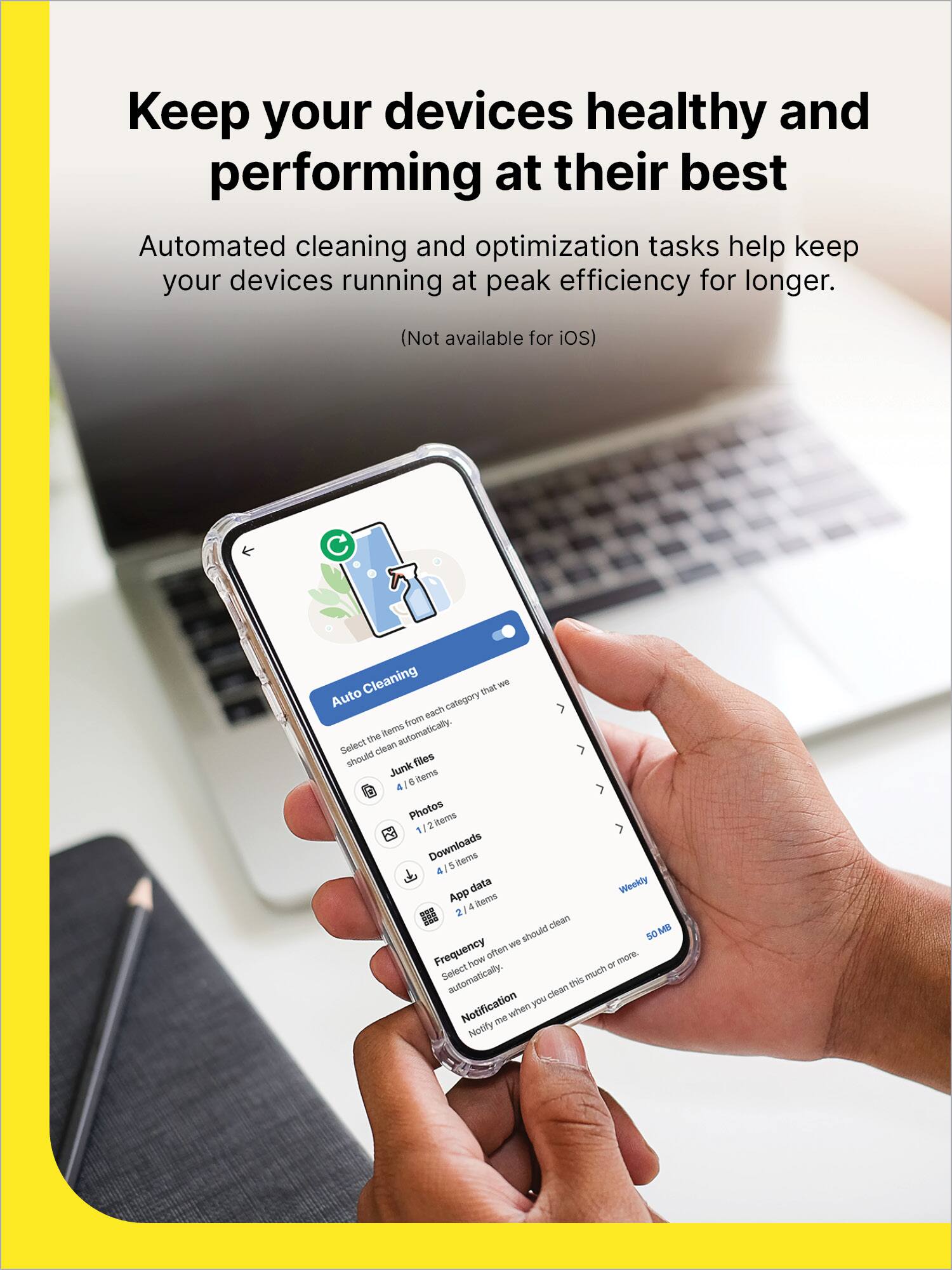
|Posted .This reviewer received promo considerations or sweepstakes entry for writing a review.This 1 year subscription of Norton Utilities Ultimate can be used on 10 different devices. It’s compatible with Windows, Android, and iOS. There are substantial differences in what the software will do in each platform, with the Windows platform being the most thorough, followed by the Android platform version, and lastly the iOS platform version. The Windows platform version does a lot. These Clean Junk tools will help your pc run like it is new again. It has an all-in-one pc cleanup that will search and remove system junk, browser data, broken registry keys, clean the cloud data, and broken shortcuts. The Manage Programs will show you all the process, the impact it is having on your system and allow you to turn it off. It also has an Uninstall Simulator and an Uninstaller. Optimize Disc will allow you to optimize your hard drive, although if you have an SSD, that is not always necessary as it would be with the older Hard Drives that are not SSD drives. The Manage Data is a pretty cool feature. It will scan your PC to retrieve lost, damaged, or corrupt data on drives, USB drives and memory cards. It’s a great tool to have. There is also a Data Shredder that will permanently delete all of the data and make it impossible to recover, which is what you want when selling, donating, or trading in your computer. There are a few features that I feel should have been included, but weren’t, like the driver updater. The Android version does a lot of what the Windows version does, but not all of them. It stops the system processes and apps that are slowing down your device, uninstalls apps and things that slow it down, removes junk files, browser data, and media files. You can also set it up to do automatic cleaning. The Apple iOS version is super limited as it only does the contacts and media. All-in-all this is a great utility package for all of your devices.
I would recommend this to a friend - Pros mentioned:Ease of use, Interface
Made life easier
|Posted .This reviewer received promo considerations or sweepstakes entry for writing a review.I am not the most computer knowledgeable person and so when something goes wrong with my computer, odds are I have to go online and seek help. Something, as simple for most people, when I see everything taking a little longer to work than usual, I don't know how to make it faster. Like most, I do know odds are that I have too many things running on the computer, therefore slowing it down. Trying to clean things manually through the pc is daunting and time consuming. This Norton utilities solves all of that for me. First off, downloading and getting started is super easy. With a key code and the website to download, it was up and running in minutes. The interface is super easy to understand and when you first start up, there is an option for a quick tour, and I mean quick. There isn't much too it and every bucket states clearly what it's meant for. I really like the fact that before deleting anything you can click on and it gives you a whole list of things you are about to clear. You also have the options to deselect anything you wish. This works on all platforms including android and ios, but not on chrome, keep that in mind. I have a chromebook which did not work.
I would recommend this to a friendBrand response from Norton & LifeLock Product Expert
Posted .Thanks for sharing your experience! We’re glad to hear Norton Utilities made things easier for you and that the setup was quick and simple. It’s great that you appreciate the clear interface and the ability to review items before deleting them.
Sorry to hear about the Chromebook limitation—thanks for pointing that out! If you’d like, our support team can help explore alternatives or answer any questions about compatibility. You can reach them anytime at https://norton.com/support.
- Pros mentioned:Ease of use
Simple Utility if you need to clean files
|Posted .This reviewer received promo considerations or sweepstakes entry for writing a review.This is a simple utility that I’ve used on windows and iPhone, plus the cloud cleanup on OneDrive. Starting with Windows, after the scanning it found a bunch of files I didn’t need and after deleting and restarting, my PC still worked. I also fixed shortcut error and registry errors. Now did I notice a difference? Not really, computer was working as it was before and since I didn’t run out of space before you won’t really notice much. On my iPhone the app is super slow and crashes. It found duplicate contacts and tried to merge them, but had problems to get it done. You can also do this in iOS itself, but the one thing that this seemed to do was duplicate contacts with different names, and merge those too, but I had issues as it kept crashing on my iPhone 15 pro. The storage cleanup didn’t do or find much. The cloud cleaner was probably what I like the best. I used it on OneDrive and it found backups of photos I had 2 or 3 times, so I was able to delete the extras. This was a great way to clear out things I didn’t need to have twice. Overall, the app works and does what is says. Its simple to use, and didn’t delete anything that then broke what I was doing. So if you want to clear out some extra files, then this is a decent option. But it also doesn’t feel like it does much for what you’re paying for, so its OK but nothing outstanding.
No, I would not recommend this to a friendBrand response from Norton & LifeLock Product Expert
Posted .Thanks for taking the time to share your experience! We’re glad Utilities Ultimate helped clean up extra files and that the cloud cleanup was especially useful. We appreciate your honest feedback and will continue improving the mobile experience.
- Pros mentioned:Ease of use
User Friendly and Reliable Windows Optimization
|Posted .This reviewer received promo considerations or sweepstakes entry for writing a review.The basic proposition of Norton Ultimate is quite simple: it’s a one click maintenance and optimization tool for Windows OS. This app has been around for so long since decades ago and I have been using it due to its reliability and simplicity. While most if not all its features are now available on Windows, the app remains valuable for its simplicity and easy to use. For individuals with technical expertise who are proficient in using Windows as an operating system, the application may offer limited value, except in cases where time efficiency is a priority. Since I got multiple PCs at home with multiple users, I don’t have time to conduct proper regular maintenance and optimization, so this app is actually very useful for me. It’s simple and quick enough to perform regular Windows maintenance and optimization. Norton Utilities Ultimate provides a license that’s good for 10 devices including mobile devices. My high-end Android device already includes a similar built-in app, so I don't think there's a need for an app like this—nor do I believe iPhones require it either. However, most of Android devices out there would probably still benefit from Norton Ultimate’s optimization capabilities. The app has a lot of functionalities from broken registry clean up, storage clean up, app uninstaller, to data shredder and recovery. Norton Driver Updater comes extra. It detects that my audio drivers need to be updated. Interestingly, my computer manufacturer’s driver updater utility app as well as both Windows Update and Microsoft Store do not show anything about new audio drivers. Clicking ‘continue to fix’ brings me to a new window that asks for another annual subscription. I would suppose that an ‘ultimate’ app should have included driver detection and updates capabilities in the first place. The app effectively reminds users of its value. There’s a simple statistics on the side panel that tell user how many storage space that the app has recovered, and also some other information. Overall, this app is a useful tool for a Windows machine, known for its reliability and user friendly orientation. Pros: Simple, easy to use and pretty fast Good for 10 devices including mobile Cons: Driver updater requires another annual subscription
I would recommend this to a friendBrand response from Norton & LifeLock Product Expert
Posted .Thank you for sharing such a detailed review! We’re glad to hear Norton Utilities Ultimate has been helpful for maintaining and optimizing your Windows devices. Your feedback on the driver updater is valuable and will help us improve.
If you have any questions or need assistance, our support team is available anytime at https://norton.com/support.
Thanks for choosing Norton!
Not as good as expected
|Posted .This reviewer received promo considerations or sweepstakes entry for writing a review.I don’t know, when I see something listed as “Ultimate”, I really expect it to do everything a utilities app used to do. Sure, this one will help clean up and optimize your drive, can help shut down processes and uninstall software. It even has a simulator for removing the apps so you can see how it might affect your system without actually removing them. But, then you are going to get a constant reminder that there are driver issues, despite the drivers it shows you know for certain are up to date. So, you click “fix” and it just takes you to another one of their apps for another 1 year subscription. Speaking of subscriptions, why does everything have to be a subscription? Sure, I can get it as “1 year of updates”, but in another year or two, they are going to introduce another version that will do something this one won’t do, so you’ll have to switch over to it and subscribe to it for a year. To top it all off, this doesn’t even remove all the things it claims to remove. When you do the “Clean Junk” on browser data, then go into it and select everything, for some reason, I’m logged in on applications that should have removed all cookies to prevent that from happening. Then, go to the manage data > data recovery and you can just recover everything. So, it’s not really protecting any privacy, you need another app for that. But, you can shred individual files or folders. No idea why you can’t do free space like most other shredder apps offer. For simple optimization and space clearing as well as recovering resources, this works. But, that is also all things you can do yourself through the apps your computer already has. This just brings them to a single place. On an Android phone, it is the same way and literally, once you give it all the permissions, will go through your settings and push all the same buttons you can push to clear the data yourself. But, it is a lot faster than doing it yourself. The Android version of the app has an issue with using login details, but if you use your product key, will operate just fine. It does give a few ways to look at and manage your storage, like showing similar photos or “bad quality” photos for you to sort through and remove. But, all this is once you give the app some of the highest control over your phone there is. Overall, if you don’t want to learn the simple steps to clear these things yourself, or don’t want to trust the cheaper or free apps out there that offer the majority of the same thing, this is fairly simple, mostly safe from removing the “wrong” things and pretty inexpensive for a years worth of access. It just feels pretty short coming for an “Ultimate” product and the constant reminder to get yet another product to do another thing that this one could have done to start with.
I would recommend this to a friendBrand response from Norton & LifeLock Product Expert
Posted .Thank you for sharing such a detailed review, David! We appreciate your honest feedback about Norton Utilities Ultimate and the points you raised regarding features and subscription model. Your insights help us understand where improvements can be made.
If you’d like assistance with driver alerts, login issues, or optimizing the app’s settings, please visit https://norton.com/support for step-by-step guidance. Our team is happy to help you get the most out of your product.
Thanks again for taking the time to share your experience!
- Pros mentioned:Performance
Noticeable Device Performance Improvement
|Posted .This reviewer received promo considerations or sweepstakes entry for writing a review.I am a current user of Norton 360, which includes antivirus, VPN, and other essential protection features. Now, all I need is a product to clean up and optimize all my devices. This is where Norton Utilities Ultimate provides the service to maximize device performance. It cleans up files, speeds up processing, and fixes most issues. Note that this optimization works on the three major systems: Windows, Android, and iOS. It works on Windows 11, 10, 8.1, 8 or 7. It works on Android 6.0 and newer. It works on Apple iOS 16 and newer. I will mainly use Norton Utilities Ultimate on my Windows computer. My two favorite features, which significantly improve my computer's performance, are the ability to stop apps and remove junk files. Norton blocks apps I don’t use regularly, which slows my computer down. This usually involves turning off programs that run in the background to prevent them from slowing your device and affecting the performance of daily tasks. The clean-up photos and videos feature in Norton is only available on Android and iOS, not on Windows. On a mobile device, it finds and deletes unwanted, bad, duplicate, or similar photos, images, screenshots, and large videos. I like that Norton Utilities Ultimate completely deletes data, so it can’t be retrieved. It goes beyond standard file-deletion methods; it uses Data Shredder's advanced techniques to overwrite the actual data, making it virtually impossible to recover. Other essential features are clearing browser data, auto-clean, recovering lost and deleted data, and making room for essential apps (not bloatware). Overall, I am delighted with Norton Utilities Ultimate. I can really notice performance improvement on my Windows computer.
I would recommend this to a friendBrand response from Norton & LifeLock Product Expert
Posted .Thank you for sharing such a detailed and practical review! It’s great to hear that Norton Utilities Ultimate has noticeably improved your device performance, especially on Windows. Your explanation of features like stopping background apps, removing junk files, and using Data Shredder for secure deletion really highlights the value of this tool for optimizing and protecting devices.
I also appreciate that you mentioned the differences between platforms—like photo and video cleanup being available only on Android and iOS. That’s an important detail for users deciding how they’ll use the product. Your emphasis on advanced data deletion and recovery features shows how comprehensive this solution is for both performance and privacy.
Overall, your review makes it clear that Norton Utilities Ultimate is a strong complement to Norton 360 for anyone looking to keep their devices running smoothly. Thanks for taking the time to share your experience—it’s very helpful for others considering this product!
- Pros mentioned:Performance
Simple all-in-one tool to clean up your devices
|Posted .This reviewer received promo considerations or sweepstakes entry for writing a review.I have been a subscriber to Norton for several years now, and they continue to amaze me with their consistency and reliability. In a world where there are several other competing brands, I still turn to Norton for my computer and device protection. Norton Utilities Ultimate is a cleanup and tune-up tool that helps keep your computers, smart phones, and tablets running faster and smoother. It also works on Windows Computers as well. This one subscription is able to support up to 10 of your devices on the same account, which is great for me and my family as we have multiple devices that would require this. Over time, your devices begin to slow down due to so many different types of files and junk The cleanup ability from Norton allows to clean and organize your devices quickly and simply. This is very easy to set up and you are good to go. Since this is has an app as well for mobile devices, you are able to clean up files, clear browsing data, removes unwanted apps and other large files as it is sorted for you for easy access. After using this on my Tab S9 and Dell Computer, there is a noticeable improvement to quality and speed. On my phone though, the app is limited as it focuses primarily on your contact lists and media organization. I was able to see my very large files and incomplete contact list. Overall, I am very pleased with Norton Utilities Ultimate. If you are looking for a simple and fast cleanup, this is an excellent everyday usage for your devices.
I would recommend this to a friendBrand response from Norton & LifeLock Product Expert
Posted .Thank you for sharing such a detailed and positive review! It’s great to hear that Norton Utilities Ultimate continues to deliver consistency and reliability for you after years of use. Your point about supporting up to 10 devices under one subscription is a huge benefit for families or anyone managing multiple devices.
I appreciate how you highlighted the ease of setup and the noticeable improvements on your Tab S9 and Dell computer. It’s also helpful that you mentioned the mobile app’s focus on contact lists and media organization—this sets clear expectations for others considering the product.
Your feedback reinforces why an all-in-one cleanup and tune-up tool can make a big difference in keeping devices running smoothly. Thanks again for sharing your experience—it’s incredibly valuable for others looking for a simple, effective solution!
Its okay
|Posted .This reviewer received promo considerations or sweepstakes entry for writing a review.The question I think one would need to ask is how much do I really want to dig into my computer or phone to keep them running smoothly? If you would prefer something that will do most everything for you – this software would work fine. But most functions can be accomplished with tools that already exist within your devices or can be done using free software. I did need to create a Norton account. After that you can download directly or send a link to someone else so they can also install it. With a 10 device limit you can easily share as it works with Android, Apple and Microsoft. Installation states there is auto renewal, but I did not have to enter any payment info to install/use as I am NOT a fan of auto renewal. License is good for 1 year. On my MS desktop it installed easily but I could not find anyway to maximize the window – so I was left having to scroll through it on window just a tad larger than on my Android phone (which was fine) – but on a 34 inch monitor it …was a tad irritating. It was easy to install on my Android phone. But it wanted what I would refer to as total access to my data. I wasn’t comfortable with this, so I only allowed when I was using it and removed access after. Some options are auto clean – which looks for broken registry keys, broken shortcuts, cleans “junk” files/browser cache/cookies and browsing history. You can run ad hoc or schedule. This worked well. Manage programs – this looks for programs you haven’t used. You can set a time frame of 2 weeks, 1 month, 3 months, 6 months or 1 year. I did find this useful and the results interesting - to see what programs after many years I may have installed that I don’t really use. Also, I can see what impact apps have on resources and if uninstalled what it would affect. Browser data – you can use to clean cookies and/or browsing history. Can choose always clean, keep 7/14/30 days. Most browsers can be setup to do this. Data shredder – I don’t use this unless cleaning a hard drive before giving to charity. File by file basis leaves little recourse to recover. I do daily backups which would help though. Windows 11 really doesn’t have a shredder per se, but there is a lot of free drive software that does, Privacy – whether you want to share this apps info with Norton. Themes – light/dark/auto Disk optimization – I do have a couple of large SATA hard drives in my desktop that I might use this on – but MS has the same kind of option. For M.2 SSDs I use the manufactures software if I can. Manage Data – data recovery. I tried this on an empty SATA hard drive, and it quickly showed a number of files that could be recovered. I chose a 3.5GB file which took 10 minutes to recover. I do multiple backups just to avoid having to try and recover a file, but if you don’t backup too often this may be helpful. I already mentioned shredding. So, it does have a couple of unique options that are fun to play around with and for the initial cost it is a nice addition. Some options require additional purchase – such as driver update/issues. Don’t know renewal costs so hard say if I would use long term. I am torn but ultimately would suggest for anyone looking for a one stop shop to help maintain their device(s).
I would recommend this to a friendBrand response from Norton & LifeLock Product Expert
Posted .Thank you for taking the time to share such a detailed and thoughtful review. We’re glad you found many of the features useful across your devices, and if you ever have questions about permissions, settings, or renewal options, our support team is happy to help at Norton.com/support.
Good but not great
||Posted .This reviewer received promo considerations or sweepstakes entry for writing a review.It would be 5 star if Norton can provide a service that includes all in one package, as it is very annoying the messages 4 other items not included in order to protect your electronics
I would recommend this to a friendBrand response from Norton & LifeLock Product Expert
Posted .Thank you for your feedback! We appreciate your suggestion about having an all-in-one package—it’s a great point and something we’ll share with our team.
Your input helps us improve, and we’re glad you took the time to let us know.
Safe on the internet
||Posted . Owned for 3 weeks when reviewed.This reviewer received promo considerations or sweepstakes entry for writing a review.Cleaning my compters and phone four So far great product
I would recommend this to a friendBrand response from Norton & LifeLock Product Expert
Posted .Thank you for sharing this! Glad Norton Utilities Ultimate is keeping your computers and phone running smoothly across all your devices.
Norton Utilities
||Posted .This reviewer received promo considerations or sweepstakes entry for writing a review.10 utilities to scan devices back to their working state. fast set up
I would recommend this to a friendBrand response from Norton & LifeLock Product Expert
Posted .Thank you for sharing your feedback! It’s great to hear that Norton Utilities Ultimate delivered a fast setup and provided the tools you needed to get your devices back to peak performance. Having 10 utilities in one package makes it a powerful solution for maintaining and optimizing multiple devices, and your experience highlights how convenient and effective it can be.
We appreciate you taking the time to share your review—it will definitely help others looking for a reliable way to keep their systems running smoothly!
Outdated version
||Posted .This reviewer received promo considerations or sweepstakes entry for writing a review.I was sold an online version for Windows 10, in December 2025, when I and most others had to update to Windows 11 before October 2025. There was no indication that it was an old version and there were no refunds. It took many attempts to get it to work. Very aggravating
No, I would not recommend this to a friendBrand response from Norton & LifeLock Product Expert
Posted .Thank you for sharing your experience! We’re sorry to hear about the frustration with version compatibility and the difficulty getting it to work. That’s definitely not the experience we want for our customers.
For help with installation or to confirm compatibility with Windows 11, please visit https://www.norton.com/support. Our team can guide you through the best steps to resolve this.
We appreciate your feedback—it helps us improve!
- Pros mentioned:Data recovery, Ease of use, Interface
Safe and secure
|Posted .This reviewer received promo considerations or sweepstakes entry for writing a review.I am very pleased with the Norton Utilities program. The instillation was quick and easy, once I was connected to a strong internet service. I initially tried installing on my computer on a WiFi service which was not very strong, so it did not work. I was only able to start the process. Once I was home on my WiFi, instillation was very quick and easy. I like the format of the utilities program. I did the initial scan and was pleased that I did not have as much junk on my computer as I thought. The program does a system scan and tells you the number of items removed to free up space. It lists process that should be turned off to save resources for the programs you need. There is a data recovery option, and data shredder which eliminates files to prevent the risk of unauthorized retrieval attempts. I tried the feature to optimize disk space. I was happy to see that my laptop was actually in pretty good shape. I use it mainly for surfing on the internet and some work sites. It feels good to know my computer is safe and secure. This package works for up to 10 devices. I tried it on my windows laptop first, next I plan to try it on my MacBook. It’s awesome to be able to secure and clean so many devices with one program. The dashboard is very easy to use. So far I am very pleased with this program.
I would recommend this to a friendBrand response from Norton & LifeLock Product Expert
Posted .Thank you for sharing your experience! It’s great to hear that Norton Utilities Ultimate was quick and easy to install once you had a strong internet connection. Your detailed explanation of the dashboard and features—like system scans, junk file removal, process optimization, data recovery, and secure file shredding—really highlights how comprehensive this tool is for maintaining device health.
I also appreciate that you mentioned the ability to use it on up to 10 devices and your plan to install it on your MacBook next. That flexibility is a big plus for households with multiple devices. Knowing that the program not only optimizes performance but also helps keep your computer safe and secure adds a lot of value.
Thanks for taking the time to share your review—it’s very helpful for others considering Norton Utilities Ultimate!