Customer Ratings & Reviews




- Model:
- SYC940800V057
- SKU:
- 6647021
to a friend
Customers are saying
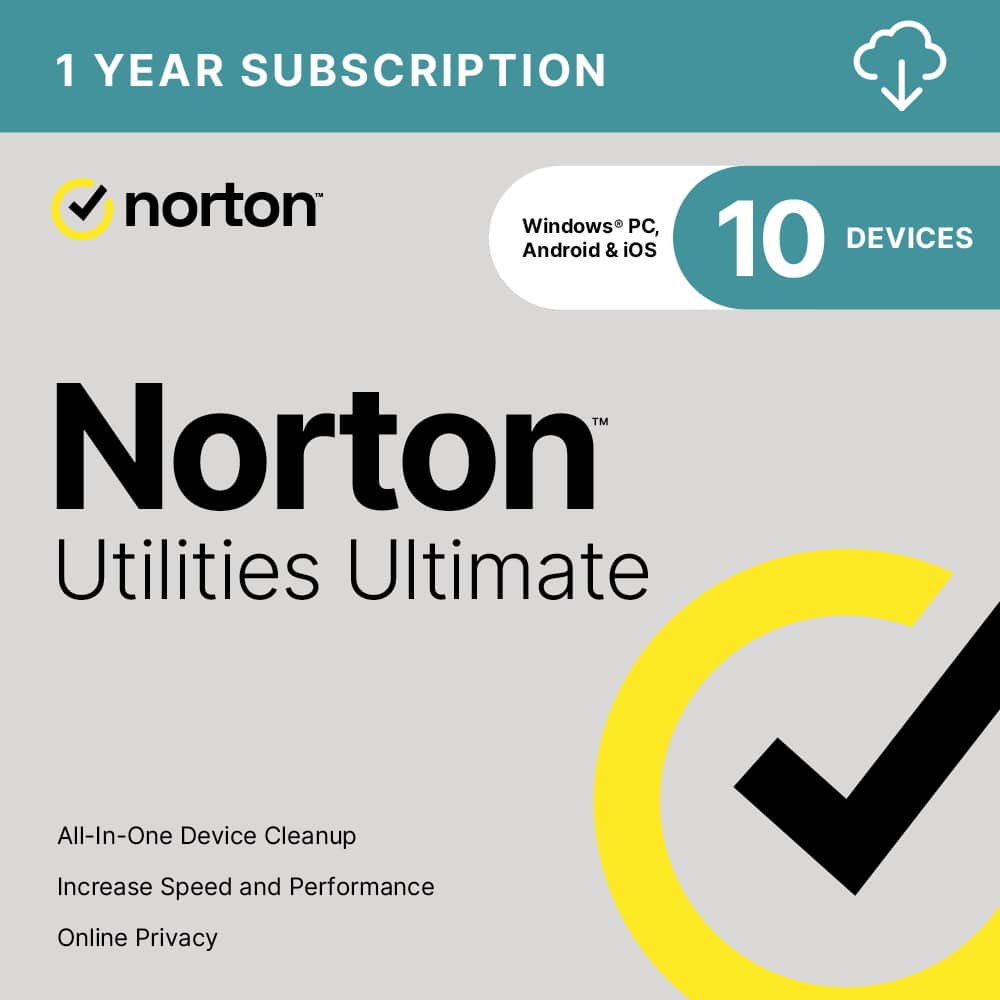
Customers often highlight the ease of use and performance of Utilities Ultimate (10 Device), noting that it helps optimize performance and is not a resource hog. Users also appreciate the friendly interface and the data recovery capabilities. Some customers have experienced increased computer speeds after using the software.
This summary was generated by AI based on customer reviews.
- Pros mentioned:Ease of use, Performance, Speed

Great Tool for Fine Tuning
|Posted .This reviewer received promo considerations or sweepstakes entry for writing a review.I’ve used Norton Utilities Ultimate (10-Device) for a few weeks—simple to use, clean dashboard, and the utilities actually speed up my PC. INSTALL/SETUP No hiccups. I installed it on my Windows 11 PC and it was up and running fast. Activation was straightforward—download, sign in, first scan. No weird errors or conflicts. BUILD/FEEL (UI/UX) The dashboard is easy to navigate—everything is where you expect it. Labels are easily designated, buttons are clear, and you’re not digging through mystery menus to find routine tasks. FEATURES/FUNCTIONS AUTO CARE / SCHEDULING — I set a weekly schedule to clear temp files and scan for issues. It runs on its own, which keeps me from forgetting maintenance. DAY-TO-DAY — After a couple of runs, the PC feels snappier—apps open quicker and general clutter is kept in check. On mobile, it’s been smooth with no performance hiccups so far. DOWNSIDE/WISH I wish it had a tracker-cookie eraser—I didn’t see an option to hunt down sticky tracking data or leftover cookies from old apps/sites. OVERALL Keeps devices running smoothly with low effort—set it once, let it maintain, and you stay ahead of small problems. Easy recommend.
I would recommend this to a friendBrand response from Norton & LifeLock Product Expert
Posted .Hi veritech13,
Thank you for sharing such a detailed and structured review! We’re thrilled to hear that Norton Utilities Ultimate has been easy to set up and that the dashboard feels intuitive. It’s great to know features like Auto Care and scheduling have helped keep your PC running smoothly with minimal effort.
Your feedback about adding a tracker-cookie eraser is very valuable—we appreciate suggestions like this as they help us improve functionality and meet user expectations. We’re glad the product delivered noticeable performance improvements and worked well across devices.
- Pros mentioned:Ease of use, Speed
Amazing Tool to Keep Your PC Optimized
|Posted .This reviewer received promo considerations or sweepstakes entry for writing a review.I was very pleased with the Norton Utilities Ultimate program, most importantly because it did not harm any functionality of my computers while it obviously had increased the speed of my computers. I tried this program on an older and newer laptop. The older computer was running very slowly and just opening email was delayed. While the new computer also did benefit from its clean-up; it was with this older computer where I was amazed at how much improvement was realized in making everything faster. An example of why you want to remove files or a process that slows down your computer is junk files like Windows Log Files. These files get automatically generated to allow a program’s last activity to be reviewed. I don’t ever do this, so it is space that I would want cleaned up. Similar useless files need to be found and the ‘brains’ in the Norton Utilities Ultimate program does find them for you. The tool allows you to separately scan many categories of files to get rid of. You can just quickly remove files from very safe-to-remove categories, or you can customize which files will get deleted by diving deeper into the results Norton provides. This is an important design point in case you want to be more cautious in which files you get removed. Norton scans very fast. The laptops I tested were a 6-year-old laptop and a new laptop; both with 500 GB SSD’s. On both machines, the scan was completed in seconds. I had feared that a scan would be an hours-long process, so I was elated to see how fast it ran. You get a complete report for another example, of how many Broken Registry Keys were found; then an opportunity to go ahead or not to fix the problems. You can clean junk files, browser data and more. You also can locate unneeded programs with a different type of scan and then select which programs to turn off after the scan shows you the results. This utility is a wonder that contains many useful features to tune your computer up. In addition to the scans to free up useless space, you can also manage cookie lists, optimize disks and clean up broken shortcuts. A tip of the cap to the Norton team for their expertise in providing a safe, effective and comprehensive tool to make your PC more efficient. I did notice that on subsequent scans more wasted space was found (although now there was smaller waste than the first run). You can select to schedule ‘auto-cleaning’ to ensure you keep up with ensuring your computer speed is optimized; and I did take advantage of this helpful feature. I highly recommend this very well designed, safe and effective product.
I would recommend this to a friendBrand response from Norton & LifeLock Product Expert
Posted .Thank you for sharing such a detailed and helpful review! We’re thrilled to hear Norton Utilities Ultimate improved your PC’s performance and provided fast, safe scans with customizable options. Your tips on features like auto-cleaning and registry fixes are great insights for others.
If you ever need assistance or have questions, our support team is always available at norton.com/support.
- Pros mentioned:Ease of use
Banish computer problems to increase efficiency
|Posted .This reviewer received promo considerations or sweepstakes entry for writing a review.Norton Utilities has been around in different forms for quite a while. In the old days (from the early 1980’s) it came on a floppy disk, in a box with the namesake’s image on it, if that tells you anything. More recently, the newest version is called Norton Utilities Ultimate and is now available online. The previous Norton Utilities Premium is now superseded. The new program essentially offers similar, yet incrementally evolved features such as cleaning out system “junk”, deleting old browser data from multiple browsers, repairing or deleting broken registry entries, allowing selective processes to be turned off if not needed to save processing time and shorten startup time, cleaning up cloud-stored files selectively for redundancy, size, etc., enables selective data recovery, completely shreds data that you select that will be unrecoverable, enables an uninstall simulator to test out an uninstall scenario without risking unintended consequences, disk optimizer/defragmenter function and finally, creates an “allow list” for faster browser operation on previously vetted websites. I may be missing some things, but those are the main features of the program. Also, each section that involves removing items, gives you a chance to review them before you take action. Suffice it to say that for me, as with the use of the Norton 360 product, this adds a bit more of a secure feeling to computing as well as the feeling of keeping up with the “housekeeping” involved in maintaining a “healthy” computer. However, the degree to which this program feels like it is effective or needed is lessening with use on newer systems, as they seem to be less prone to being slowed by use compared to older operating systems and slower hardware (especially solid state versus rotational storage drives). One measure of the effectiveness of the Utilities program is in comparing the startup time of a system both before and after Utilities Ultimate has run. As an example, with only a moderate degree of repairs needed on a fairly new laptop, the startup time shortened from 23.4 seconds to a faster, 18.65 seconds (laptop using a SSD drive and windows 11). On an older, more seasoned Windows 10, Dell Precision laptop with an SSD boot drive, (that’s seen a lot of programs come and go) I witnessed a decrease in its startup time from one minute 3.57 seconds down to a speedier, 30.62 seconds. That is twice as fast! What exact aspect of these cleanups are responsible for the time savings, I have not determined, as it would be impossible or very time consuming to set up multiple instances of the same set of data corrections to correct. I will shortly be running this program on more systems with varying expected corrections, as this version includes a ten-computer license. The other aspect of measuring the effectiveness of this program is in the storage savings of eliminating unneeded files and data. Again, this metric gain is mitigated by the ever-increasing efficiency of inexpensive storage capacity. In the past, this was probably a much more valued benefit of the Norton Utilities software. My overall impression with the Norton Utilities Ultimate edition is that it appears to do a good job with what it has always done, with of course, taking into account current software compatibilities. In addition, when taking into account the myriad of improvements that Microsoft has made to the included Windows Security program, the need for some of the features that Norton programs cover have been lessened to the point where some potential clients might be dissuaded by the extra expenditures of obtaining some of this software as well as others. In regards to any negative issues with this software, I can’t really find any faults in its functions. I do however, have a few adverse opinions on the Norton eco-system. The trend at this company (and others) is to sell a product like the anti-virus or the Norton 360 at a low, introductory price, especially around the holidays, and then through the magic of automatic renewal, increase the price many times over. In addition, through a never-ending series of “reminders” that the product you purchased is inadequate to solve all the problems encountered while using the base product, such as Norton 360, it “invites” you every time you use the initial product and do a scan, to spend an additional 59 dollars for this product under review, Norton Utilities Ultimate. This software appears to work well, accomplishing its goals of freeing up space on your storage device, repairing registry issues, notifying you of processes that may not be needed, informing you of broken shortcuts and generally tidying up issues that may cause the system to run slower or less efficiently. But, surprise, when you get done running this program, there is suddenly another program that needs to be purchased to solve the next problem highlighted (identities appearing on the dark web, being sold, etc.) and wouldn’t you know, it costs another 110 dollars. And after that, it will be suggested that websites visited may be tracking you and will need to be automatically blocked and removed, so that’s another 70 or so dollars. Within this Norton Utilities Ultimate program, also comes the invitation to buy Norton Driver Updater because naturally, some of your drivers may need to be updated. That’s another 45 dollars or so. My impression with all of this is that I feel like I’ve invited a series of pan-handlers into my home. One after the other, every day I do a scan, they warn me of the possibilities of calamity that only they can mitigate, for a price. Reminds me of another business model and of an old saying about letting the camel’s nose gain entry into your tent, and It’s not good. So, if you want the whole camel in there and you are, as they say, “In for a penny, in for a pound”, then by all means, get in there and buy all the Norton products. I would also have to say that naming products with descriptive words like “360” or “Ultimate” might imply to many that you are purchasing everything you might need, to for instance, complete a circle, as in 360 degrees, or obtain the ultimate, implying you’ve purchased everything you could buy to do the job required. The panacea in pursuing profitability never seems to be quenched until every potential penny is wrested from the paws of purchasers. I wonder what the founder, Peter Norton would think of all this?
I would recommend this to a friendBrand response from Norton & LifeLock Product Expert
Posted .Thank you for your incredibly detailed review, Dustmaker! We appreciate your insights on both the functionality and the overall experience with Norton Utilities Ultimate. It’s great to hear the program improved startup times and helped with system cleanup, even if the upsell notifications felt intrusive.
Your feedback on pricing and product naming is valuable and will be shared with our team. If you’d like help managing notifications or understanding what’s included in your current subscription, please visit https://www.norton.com/support—our team is happy to assist.
Thank you again for taking the time to share such a thoughtful review!
- Pros mentioned:Ease of use
Cool set of utilities to optimize an iOS device
|Posted .This reviewer received promo considerations or sweepstakes entry for writing a review.(While this software works on Android and Windows as well, I’m using / reviewing the iOS version/app) All in all, this is a pretty useful set of tools for your iPhone (or other iOS device). In one app you can optimize your storage, protect your privacy / lock up your media, and clean up your contacts. Basically everything you need to help your phone work a bit better and make living with it just a bit easier all in one package. The storage optimizations mostly look at media and are pretty cool. The range from basic (do you really want all those screen shots you captured? The app will suggest deleting them) to intermediate (did you take two pictures of the same things? This will identify them and suggest deleting them) to advanced (take a bunch of Live Photos when you just wanted stills? Shrink them down to stills without losing quality and gain a bunch of space). All the tools are easy to use and understand. You also get a a “secure share” utility that takes the “meta data” off things like photos you’re sharing (did you know that most photos now are geotagged so that someone can tell where you were when you took the picture? this utility removes that tagging and other identifying data) and a media vault that lets you password protect certain files. On the contact side, the app will scan for and help merge duplicate contacts, suggest fixes to contacts that are incomplete and generally keep your contacts in good order - which makes it easier to find / contact the right person! So if you could use a bit of a tune up for your phone to help it keep working well and keep your storage and contacts optimized, this is a great package from a known company. Give it a try today!
I would recommend this to a friendBrand response from Norton & LifeLock Product Expert
Posted .Thanks for sharing such a detailed review! It’s great to hear Norton Utilities Ultimate is helping optimize your iOS device and making storage and contact management easier. If you ever need assistance or have questions, our support team is always available at norton.com/support.
- Pros mentioned:Ease of use, Performance
Good Set of Tools but Costly
|Posted .This reviewer received promo considerations or sweepstakes entry for writing a review.Norton has been providing system optimization solutions for many years. It has suffered from performance issues in the past. It's nice to see that this version doesnt seem to have the same issues. Installation is straightforward. I installed it on Windows 11 and had no issues. Keep in mind Norton doesn't make a Mac version of this software. I guess that's because Mac doesnt suffer from the same issues as a Windows machine. There are 16 different tools available in this application. So far I have used Disk Cleanup and Registry Cleaner. These tools seem to work just fine. However there is no noticeable performance boost but that's not to say there isnt a speed increase there. Another interesting tool is the Super Control Panel which allows you to dig deeper into Windows settings and making changes that are readily available. I did like playing with this. Some of the tools seem to be from a bygone era. The net booster says it will make your internet faster by optimizing settings. That was fine in the days of 1MB connections but with 100MB+ connections, this seems to be less of an issues. The other tool is RAM reclaimer. In that days of 4MB or less RAM it was helpful but most systems have more than enough RAM and Windows does fine managing it. While the tools are good overall, the downside of this package is the price. There is a discount for getting into the package initially but each year will set you back $70 on average. This seems to be quite a bit for tools that may or may not be useful for every system. At the very least there are options for similar tools that are much less price. If you can get by the price, this is a good package even with some of the tools not being that useful on many systems. Keep in mind this not only
I would recommend this to a friendBrand response from Norton & LifeLock Product Expert
Posted .Thank you for such a detailed and balanced review! It’s great to hear that Norton Utilities Ultimate has improved on past performance issues and offers a smooth installation experience on Windows 11. Your breakdown of the tools—like Disk Cleanup, Registry Cleaner, and the Super Control Panel—is very helpful for anyone considering this product.
Users appreciate having a comprehensive suite in one place, this package can still be a strong option.
- Pros mentioned:Ease of use, Performance
Great Utility to Keep PC (and other) Optimized
|Posted .This reviewer received promo considerations or sweepstakes entry for writing a review.PRODUCT: Norton - Utilities Ultimate (10 Device) - Android, Apple iOS, Windows Norton Utilities Ultimate is a great tool that easy to use, even for novice computer users. Just download the software, setup an account and enter your activation key. The software will guide your though cleaning up your PC from unwanted / unneeded junk files, and help to optimize the performance. You really don't need to know anything about computers to run this utility, it does all the work for you. Then the software runs in the background making suggestions on how to keep your device running efficiently. Many users don't realize all the programs that fire up and run in the background zapping your computing power and making your system sluggish. Norton will identify them and turn them off for you automatically. So far I've only used Norton Utilities Ultimate for my Windows PC, but I look forward to trying them out on my Android devices as well. I wish I had something like this last year when I filled up my phone with "missing" photos but I could not find them to delete them. (I've since upgraded my phone). This would have made the process so much easier. RECOMMENDATION Especially for novice users I highly recommend Norton Utilities Ultimate. It does a good job at a fair introductory price.
I would recommend this to a friendBrand response from Norton & LifeLock Product Expert
Posted .Thank you for the detailed review! We’re glad to hear Norton Utilities Ultimate has been helpful in optimizing your PC and that you find it easy to use.
Your recommendation for novice users is appreciated—it’s great to know the product is making a difference. If you ever need assistance or tips for using it on Android devices, visit https://www.norton.com/support.
Enjoy keeping your devices running smoothly!
- Pros mentioned:Ease of use, Performance
Turbocharge your PC!
|Posted .This reviewer received promo considerations or sweepstakes entry for writing a review.Norton utilities ultimate will transform your slow pc and make it fast again. One of the best things about utilities ultimate is the ease of use, from the installation process to actually clesning up your PC. It’s been probably 15 to 20 years since I’ve used a Norton product and from what I remember I stopped using them because of them taking up system resources. That’s definitely not the case now at least with this software. It’s quick, doesn’t take up a lot of system resources and runs in the background to keep everything running efficiently. It’s nice that it works with multiple platforms such as iOS and Android. You get the most bang for your buck when using this with a PC or an Android device. Besides freeing up space and making your device faster, it also increases your privacy by removing your web history and tracking cookies from your web browser. I put this on my sisters computer and it freed up 16GBs of storage space. If you haven’t tried a Norton product in awhile, give this one a shot and it’ll change your mind.
I would recommend this to a friendBrand response from Norton & LifeLock Product Expert
Posted .Thanks for sharing your experience! We’re glad to hear Norton Utilities Ultimate helped boost your PC’s performance and was easy to use across devices. If you ever need assistance or have questions, our support team is always available at norton.com/support.
- Pros mentioned:Ease of use
Useful software for cleaning up your PC and iOS
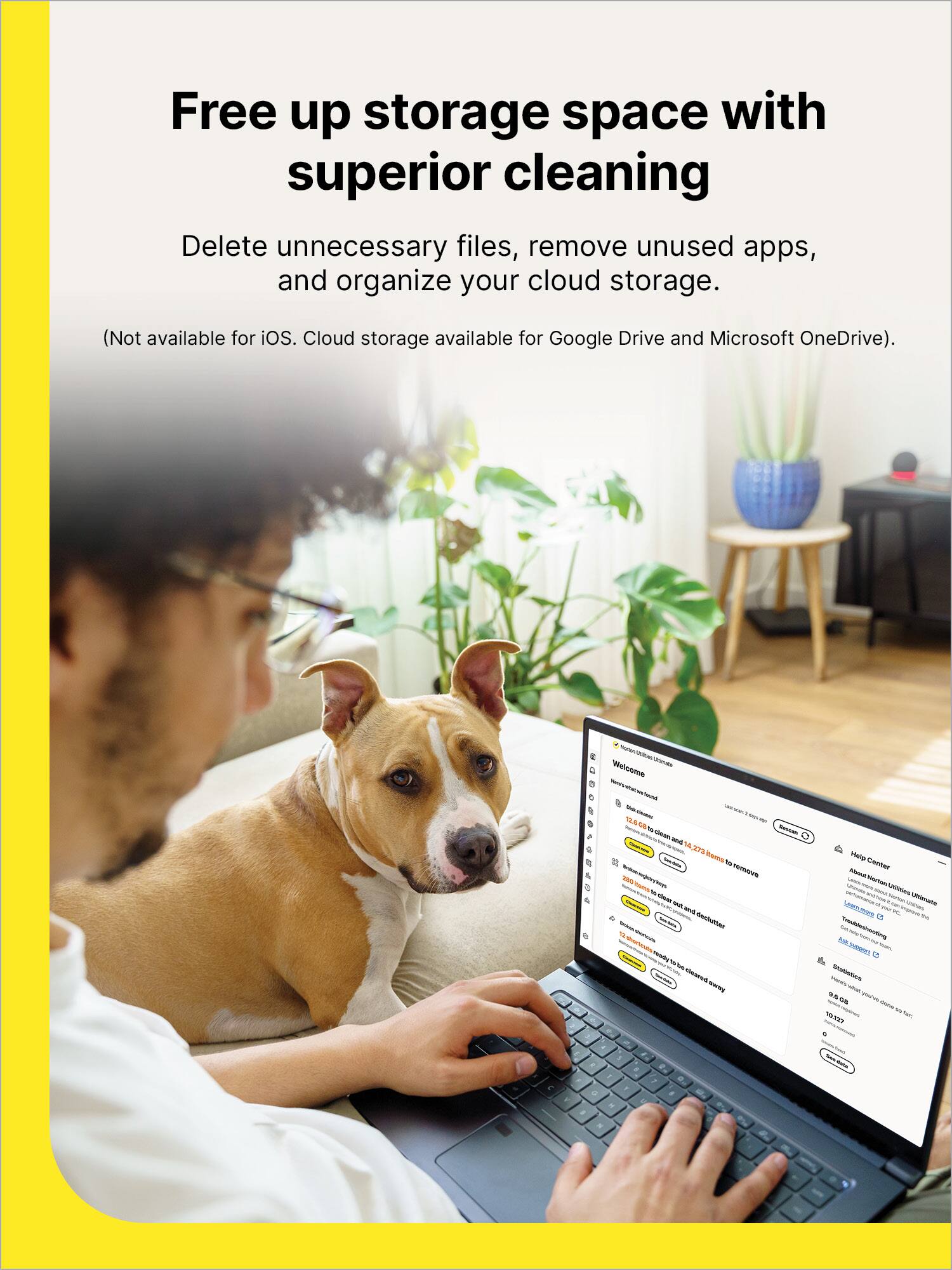
|Posted .This reviewer received promo considerations or sweepstakes entry for writing a review.As luck would have it, the SSD drive on my PC is nearly full. I did a manual search of the drive for items based on size and didn't find half of the items this software was able to find. I was actually considering upgrading the 512 SSD to a 1TB, but after running this software, I found it wasn't necessary. The software allows you to clean system junk, clear browser data, clean cloud storage, fix broken registry keys and broken shortcuts, as well as optimize your hard drives. I ran this on my desktop PC and it recovered about 10gb of hard drive space and identified a vast amount of videos that I didnt realize i had saved from my security system. Once i review the security files, I will be able to save over 100gb of storage on my hard drive. That alone made the software worthwhile for me. You should be aware that this does not include any antivirus software. This is just utility software that helps to reduce clutter, recover hard drive space and speed up your devices. This includes 10 installation for up to 10 devices including iOS and MacOS. I installed this on my iPhone and iPad and found it useful. You dont get all of the utilities as you would in windows, but there are some useful items. Clean Share, Secret Files, Contacts Cleaner are the primary ones. Using this on Apple devices, I was able to clear duplicate contacts and photos and I could easily see how much storage space i had remaining on my devices. I found this to be useful and beneficial, although you get better benefits on PC than you do on Mac or iOS.
I would recommend this to a friendBrand response from Norton & LifeLock Product Expert
Posted .Thank you for your detailed review! We’re glad to hear Norton Utilities Ultimate helped you recover storage and optimize your PC, and that you found it useful on iOS as well. Your note about the differences between platforms is very helpful for others considering this product.
If you ever need assistance with setup or maximizing features, our support team is available at https://www.norton.com/support.
We appreciate your feedback!
- Pros mentioned:Performance
Trusted brand for a reason
|Posted .This reviewer received promo considerations or sweepstakes entry for writing a review.I have been a fan and user of Norton products for a LONG time. I mean, we had Norton on our computers 20 years ago (maybe longer than that). They've been my go-to for anti-virus protection for a long time. With their new products, I have been just as happy. Norton Utilities Ultimate continues the streak. What really stands out to me is how clean and straightforward everything feels. The whole suite just works—no digging through menus, no “tech wizard” knowledge required. It tells you what to run, runs it, and then speeds up your system, clears out junk files, manages background apps, and even helps with stability issues before you ever notice them. It’s the kind of behind-the-scenes optimization that makes your devices feel newer than they really are, and on a household with a mix of Windows, Android, and iOS devices, having that all covered under one subscription is a huge plus. Performance-wise, I’ve definitely noticed faster boot times on my Windows machine and fewer random hiccups during everyday use (can I get a hallelujah?) It’s also nice having the reassurance that this isn’t just some unknown utility program—it’s Norton, a company that’s been doing digital protection longer than most of us have even been online (or alive… seriously look it up). Overall, Norton Utilities Ultimate is one of those rare utility packages that actually delivers on its promises. Easy to use, effective across multiple devices, and backed by a brand that has never let me down.
I would recommend this to a friendBrand response from Norton & LifeLock Product Expert
Posted .Thank you for sharing such a detailed and positive review! It’s great to hear that Norton Utilities Ultimate has been delivering the performance and ease of use you’ve come to expect from Norton over the years. We’re thrilled that the optimization features and multi-device coverage are making a real difference for you.
If you ever need assistance or have questions about your subscription, our support team is always available at norton.com/support.
- Pros mentioned:Performance
Not what it used to be.
|Posted .This reviewer received promo considerations or sweepstakes entry for writing a review.I used this software when it was included in the AV package. It worked great and gave me all the options to make my computer faster, safer and more functional. However, since they decided to remove this from the original software, it has gone down hill. Please do not get fooled by the "ultimate" title. It is missing much of what the original had and the things it still does, you have to pay extra for. Norton had carved up the older programs and made them separate title to squeeze more money out of the user. All the while not really improving anything in the process. Here are my notes on this product. 1. scans and detects old files, items you can delete, and none needed temp files just fine. Options to remove them are simple and safe 2.Can "tune" the computer to run smoother and in some cases faster with a all-in-one click. However, that is the extent of the programs. All other options given are either not needed or the new OS (Win11) already has options built in to does it safer and quicker. Also since I work in IT and am always updating and upping my security I know my system is up to date. Norton keeps scanning and telling me I have a bunch of updates that are needed or out of date. Only to ask for additional charges to take care of the non existent issues (which cost as much per year as the program you just bought). I installed this, ran through the settings and scanning options to see little it could do to improve my system in any large meaningful way. I will be removing this from my system as well, since it also runs in the background and can cause my CPU to work harder even when idling. I can see this a option for people that might not know how to do this themselves, but since it lacks a "all-in-one" solution without forking over 2x or 3x the cost, I can not recommend this at this time. I wanted to like it, but have a hard time with the restricted options included in the software as it stands.
No, I would not recommend this to a friendBrand response from Norton & LifeLock Product Expert
Posted .Thank you for sharing such a detailed review! We appreciate your insights and understand your concerns about the changes and additional costs. Your feedback helps us improve and provide better value for our customers.
If you’d like, our support team can review your setup and discuss options that might better fit your needs. Please visit norton.com/support for assistance—we’re here to help!
- Pros mentioned:Ease of use
Best Utilities manager on the market.
|Posted .This reviewer received promo considerations or sweepstakes entry for writing a review.Norton Utilities Ultimate provides much-needed services for your devices. Norton Utilities Ultimate is downloadable for 10 devices, Android, Apple, iOS, and Windows. On your PC you can Scan for system junk, Browser Data, Broken Registry Keys and Broken Shortcuts. Once the scan is completed you have the option to see what data was selected before you delete it. In addition to the above you can also see what processes are running and their impact on the system and turn them off until you need them. There is also a function to run an uninstaller simulator. You can also uninstall programs, it’s easier to find than the system provided uninstaller. There is also a Cloud Cleaner for Google Drive and Microsoft One Drive. Also provided in a data recovery function to reclaim your accidently deleted files. And a Data Shredder to really delete that file. The item no utility can be without is a disk optimizer. This utility scans the complete disk and reports any problems. All of this is provided in one program that works better than all those “FREE” downloads for just a once-a-year purchase at a reasonable price. I would recommend this product.
I would recommend this to a friendBrand response from Norton & LifeLock Product Expert
Posted .Hi Nicholas,
Thank you for sharing such a detailed and positive review! We’re thrilled to hear Norton Utilities Ultimate is meeting your expectations and providing the comprehensive tools you need. Features like junk file cleanup, registry repair, process management, cloud cleaning, data recovery, and disk optimization are designed to keep devices running smoothly—and it’s great to know you find them more convenient than multiple free alternatives.
Your recommendation means a lot and helps other customers understand the value of having all these utilities in one easy-to-use program
- Pros mentioned:Ease of use, Performance
Great Product
Posted .This reviewer received promo considerations or sweepstakes entry for writing a review.Great product to keep the bad at bay. Easy to setup and use.
I would recommend this to a friendBrand response from Norton & LifeLock Product Expert
Posted .Hi,
Thank you for your great feedback! We’re glad to hear that Norton Utilities Ultimate is easy to set up and use, and that it’s helping keep the “bad” at bay. Keeping devices running smoothly and efficiently is exactly what it’s designed to do.
We appreciate you choosing Norton and taking the time to share your experience. If you ever need help or tips on getting the most out of the product, we’re always here to support you!
Not Worth the Subscription
|Posted .This reviewer received promo considerations or sweepstakes entry for writing a review.Disclaimer: This review is based on the Android phone version of this program My Samsung phone was showing signs of old age, it was slowing down and had to be rebooted more than before. I knew that tuning up my phone was one way to give it a virtual shot in the arm. So when I saw Norton Utilities Ultimate, I decided to give it a try. Installation was fairly easy, even more so if you already have an account with Norton. My first order of business was to try and delete excess files and and apps on my phone. At first glance, this feature does pretty much the same thing as the optimizer already installed on my phone. What makes my phone’s optimizer more attractive is Norton wants you to give this program an uncomfortable amount of control over your phone (Full Control). Since I wasn’t comfortable doing that, it made the Quick Clean option a no go for me. When I tried to get rid of videos and photos on my phone, once again, I wasn’t ready to provide carte blanche, or “full control” over which files to delete. Norton did give me the option to choose which files I wanted to delete. Most folks I know have gigabytes worth of media on their phone, and I had no desire to pore over every pic and video on my phone to decide which ones to keep or delete. And if I did decide to undertake that tedious task one day, my phone already has an option for that. Without going any further in depth with this program, it’s a soft no for me. While it performs a few unique tasks that helps optimize your phone or tablet, my phone already has quite a few of these capabilities built in. Norton Utilities Ultimate just doesn’t bring enough bells and whistles to warrant paying them an annual fee to use it. Again, this review is based solely on my experience with the Android version of this software, not the PC version (While this version works on my iPad Pro, it is not compatible with my MacBook Pro)
No, I would not recommend this to a friendBrand response from Norton & LifeLock Product Expert
Posted .Hi DonMc,
Thank you for sharing your honest experience with Norton Utilities Ultimate on Android. We appreciate your detailed feedback—it’s very helpful for others considering the product.
You raised some important points about permission requirements and overlap with built-in phone optimizers. Norton Utilities Ultimate is designed to provide deeper cleanup and performance tools, but we understand that granting full control can feel uncomfortable, and that many modern devices already include similar features.
Your suggestion about more flexibility and less intrusive permissions is valuable, and we’ll share this with our team. For users who want advanced optimization on Windows or multiple devices, the PC version offers additional tools that go beyond standard OS utilities—but your perspective on the mobile experience is noted.
Thanks again for taking the time to write such a thorough review. If you’d like tips on maximizing performance without compromising privacy, we’d be happy to help!
- Pros mentioned:Performance
Norton Utilities
Posted .This reviewer received promo considerations or sweepstakes entry for writing a review.Fantastic product. Does a great job cleaning your PC or phone.
I would recommend this to a friendBrand response from Norton & LifeLock Product Expert
Posted .Hi RFTmimi1962,
Thank you for your fantastic feedback! We’re glad to hear that Norton Utilities Ultimate is doing a great job cleaning both your PC and phone. Keeping devices running smoothly by removing unnecessary files is exactly what the tool is designed to do.
We really appreciate you choosing Norton and taking the time to share your experience. If you ever want tips on using additional features or optimizing your devices even further, we’re always here to help!
Good, but needs improvement
Posted .This reviewer received promo considerations or sweepstakes entry for writing a review.Good product, not clear how to navigate to what one wants to accomplish. Optimizing discs procedure scarce on information after analysis.
I would recommend this to a friendBe Aware
Posted .This reviewer received promo considerations or sweepstakes entry for writing a review.It does remove fragmented stuff. However, it also removes passwords and other items you do not want removed.
I would recommend this to a friendBrand response from Norton & LifeLock Product Expert
Posted .Thank you for sharing your experience. We’re glad to hear Norton Utilities Ultimate helped remove fragmented files, but we understand your concern about passwords and other items being affected. We appreciate the feedback, and for help adjusting settings or restoring items, please reach out to our support team at norton.com/support.
Overeager elephant in the china shop
|Posted .This reviewer received promo considerations or sweepstakes entry for writing a review.Used to have Norton antivirus years ago when the protection provided by Windows was not up to par and having a decent antivirus software was kinda a necessity. Then the Windows Defender improved a lot and was less heavy on resource use than the Norton. So I stopped using Norton and paying for the use of it. The Windows Defender was good enough and gentle on me. Several weeks ago I got the message from my Google account that there was some unusual activity on my PC, suggestion was to log out from the account. No information was provided about the nature of the event. So I used the Defender to check what’s going on and nothing came out. Still intrigued and uneasy about that Google notification I decided to get the Norton Antivirus, just in case the Defender missed something. After installing the Norton Antivirus and running the scans I got assured all was fine in terms of malware and viruses but my PC was supposedly having some other issues that could be fixed. For the price of course by getting a different Norton software. In my nativity I decided to go for the Norton Utilities Ultimate. Since installing it and doing initial runs of the utilities I decided to stop using this software and delete it from my PC. Here is why. The Utilities gives you suggestions on how to “improve my PC” by removing shortcuts that do not work. As the result it removed a whole bunch of shortcuts on my desktop to my apps installed on the PC, shortcuts that actually did work and work well and now I need to go through the pain of reinstalling them. It also signed me out of everything that my PC was connected to like Facebook, my Google and Yahoo apps and log ins. The worst part is that I do not see how I can reverse the damage. My PC Recycle Bin is empty and there is no recycle bin or undo feature in the Norton Utilities. To me the Norton Utilities is like an elephant in the china shop. It promises wonders and then creates havoc. Yes, you can review files before proceeding, but to review thousands of files and unselect the important ones. We are living in the current times where the expectation is that the tool is smart enough to differentiate what is right and what is not. The Norton Utilities in the old fashion of the 90’s dumps the responsibility on you for that. Overall I find it unusable and damaging. The intent is good, the execution terrible. After removing it I will need to spend couple of hours to restore the shortcuts in sign in to all the apps I got signed out from. Definitely not recommended. Stay away.
No, I would not recommend this to a friendBrand response from Norton & LifeLock Product Expert
Posted .Thank you for sharing your detailed experience with Norton Utilities Ultimate. We’re sorry to hear about the frustration caused by the removal of shortcuts and sign-outs—it sounds like that was a major inconvenience.
Your feedback about usability and expectations for smarter tools is very valuable. For assistance in restoring your system or addressing any lingering issues, we recommend reaching out to https://norton.com/support where the team can guide you through recovery steps.
We appreciate you taking the time to share this review—it helps us improve.
Norton Utilities
Posted .This reviewer received promo considerations or sweepstakes entry for writing a review.This is my second time purchasing Norton Utilities Ultimate. Great product for your PC or Laptop. I recommend it to you all.
I would recommend this to a friendBrand response from Norton & LifeLock Product Expert
Posted .Hi iMty,
Thank you for your great review and for choosing Norton Utilities Ultimate again! We’re glad to hear that it continues to work well for you and helps keep your PC or laptop running smoothly. It’s especially rewarding to know you came back for a second purchase—your recommendation truly means a lot to us. If you ever need help or want tips on getting the most from the utilities, our support team is always here to help.
Thanks for trusting Norton!
Gets rid of junk on your computer!
Posted .This reviewer received promo considerations or sweepstakes entry for writing a review.This purchase is amazing with fixing broken registries and getting rid of a lot of junk files on your computer!
I would recommend this to a friendBrand response from Norton & LifeLock Product Expert
Posted .Hi Tweeders2011,
Thank you for sharing your experience! We’re glad to hear that Norton Utilities helped clean up junk files and address registry issues on your computer. Keeping systems running smoothly and efficiently is exactly what the product is designed to do.
We appreciate you taking the time to leave a review and are happy to know you’re seeing real improvements. If you ever want tips on getting even more out of the tools, we’re always here to help!
Great program - twenty years ago!
|Posted .This reviewer received promo considerations or sweepstakes entry for writing a review.It's difficult for me to recommend this product to anyone. If you have any computer skills, there's nothing this program can do that you couldn't do yourself with tools built-into the OS, or available for free (CCleaner). Does it do what it claims to do? Ummm... That's a stretch. None of these types of cleaning tools are actually going to make your old computer feel new, or magically perform better. At best it might put it back to the best performance a system is capable of. But more likely it'll barely make a difference. Modern operating systems do a good job already keeping themselves optimized. Browsers come with their own internal tools for cleaning. Optimizing the Windows Registry can be playing with fire if you don't know what is being changed. There is nothing in this program that I can't do manually, with full control on my own. But if you aren't savvy enough, maybe you can get benefit from this app. But be warned, you can also cause problems. Mess up your registry, without a backup - and you'll be regretting it. Aggressively clean-out your browsers and other system temp files, and you might suddenly find yourself re-inputting things like addresses, passwords, links, and other items that get cleaned without you knowing about it. Maybe you allow the program to free-up space, then you later regret it because the files were deleted locally and in the cloud - and now they're gone. If you know what you are doing, then the program can be controlled. But if you know what you are doing, you don't need this application. This application would have been useful a decade or two ago when operating systems weren't as intelligent, and when storage was at a premium. I think Norton is simply milking this application, something that is no longer needed. It might be easy to justify the purchase when you can load it on up to 10 machines. But it's an annual subscription, so you'll be paying for it every year. It's a thumbs-down from me. There is no value in me using it.
No, I would not recommend this to a friendBrand response from Norton & LifeLock Product Expert
Posted .Thank you for sharing your detailed feedback! We appreciate your perspective on how operating systems have evolved and the points you raised about manual optimization versus using a utility tool.
We’re sorry to hear the product didn’t meet your expectations. If you’d like assistance with features or settings to make the most of your subscription, our support team is ready to help at https://www.norton.com/support.