Customer Ratings & Reviews


- Model:
- 945128972500001
- SKU:
- 5709686
Rating by feature
- Value
Rating 4.6 out of 5 stars
- Quality
Rating 4.9 out of 5 stars
- Ease of Use
Rating 4.7 out of 5 stars
Customers are saying
Customers are positive about the SHIELD TV's streaming capabilities, performance, ease of use, and 4K picture quality, with many praising its gaming functionality. However, customers are negative about the remote control design and some experienced issues with lag and WiFi connectivity. A few also mentioned the price point as a potential drawback. The user interface also received mixed reviews, with some finding it clunky or difficult to navigate.
This summary was generated by AI based on customer reviews.
- Cons mentioned:Remote control
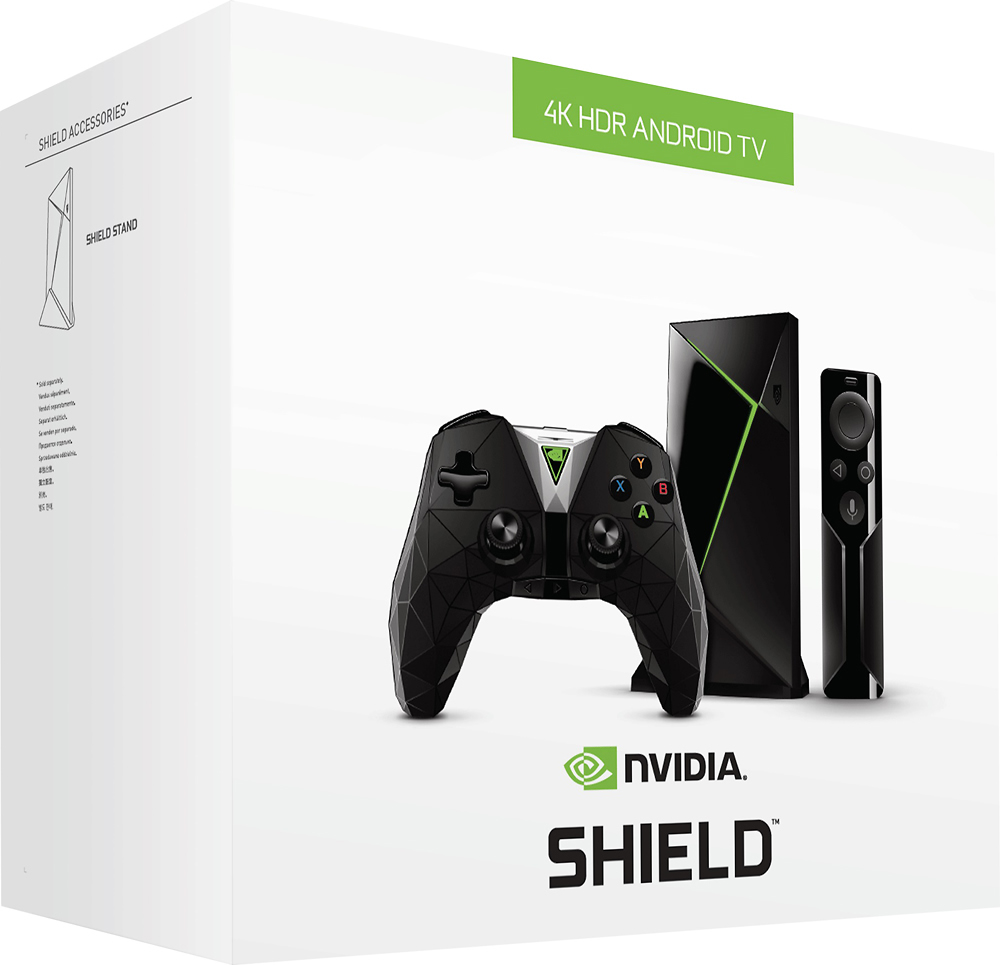
Performs identical to 2015 model but lacks ports
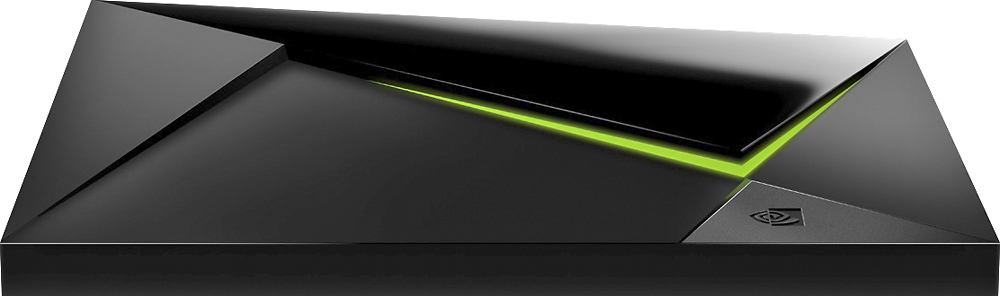
Posted .This reviewer received promo considerations or sweepstakes entry for writing a review.To clarify this has same internal specifications (CPU/Ram) as the previous 2015 16gb release and functions the same. The shield TV itself is reduced in size but at a cost of removing the micro-USB, and microSD slot. On the front the IR-receiver is also removed. The remote is different too, it is now made of plastic, uses a coin battery that must be replaced, and does not have the 3.5mm headphone jack for private listening. The controller has been updated for ergonomics, google voice commands, and increased battery life due to BT connection. Overall, the Shield TV functions the same but is a re-launch to get the controller bundle out and save Nvidia in manufacturing cost by reducing the inputs of the 16gb and making the remote plastic. The 2015 Nvidia Shield TVs will get an OTA firmware update so both would have identical performance/firmware/software. If you have the old Shield TV then it's not necessary to get this. This does have a new controller but the Shield TV/Remote is a downgrade as it lacks the inputs and aluminum remote.
I would recommend this to a friend Terrible
||Posted .This reviewer received promo considerations or sweepstakes entry for writing a review.If you like games ok, to slow and I would like my money back but I can’t.
No, I would not recommend this to a friendNot what I thought it was!!!
||Posted .This reviewer received promo considerations or sweepstakes entry for writing a review.Just wasn't happy with it!! Not what I had originally thought it was!!!!!
No, I would not recommend this to a friendBrand response from NVIDIA Community Team
Posted .Hi,
We’re sorry to hear that you weren’t happy with your experience. We’d like to understand more so that we can hopefully improve your experience. Please reach out to us at [email protected] and include a link to this review.
- Pros mentioned:Ease of use
The best of all.
Posted .This reviewer received promo considerations or sweepstakes entry for writing a review.The most efficient and easy to use device, I try many others and shows the quality of the product, highly recommended.
I would recommend this to a friend Perfect for Plex
Posted .This reviewer received promo considerations or sweepstakes entry for writing a review.I've been trying to get Plex to work well on XB1X for a long time without real success. The goal for me was direct play 4K HDR with 7.1 TrueHD with Atmos. Never could get it to work correctly without buffering/skipping/transcoding/washout. Believe me, these were NOT PC or network limitations as I eliminated those by building an I7-8700K PC with ASUS ROG STRIX motherboard and 32GB RAM. Also replaced my router with a Netgear AX6000 router. Still would get random buffering that would not resume without exiting and restarting. Not sure if these limitations were XB1X hardware/firmware/software or the Plex client app for XB1X. Plugged in the Shield, let it run all of the updates (quite a few that are installed sequentially instead of as a single pack), and I'm in business with beautiful picture and sound streaming from my home PC. I'm not sure why the complaints about the remote unless it has been updated at some point. I found the remote to have an equal to or better quality and feel to my FireStick and Samsung TV/Soundbar remotes with a decent heft for the small size. All of the high quality videos load nearly instantly on the Shield which I cannot say for the XB1X (which should do the same). If you are frustrated with your other devices and trying to use Plex to play the high quality media described then this is your magic pill. I tried a few other devices without any luck and was starting to think it was a Plex limitation but the Shield proved otherwise and allows direct play without transcoding so you aren't forced to watch washed out SDR transcodes of HDR material. I can't recommend this enough as a media streamer. I haven't delved into the other functions such as gaming so can't comment on any of that.
I would recommend this to a friendBest streamer I currently have
Posted .This reviewer received promo considerations or sweepstakes entry for writing a review.I've had it only for a day (the base version, not Pro). So far I love it's streaming apps. Netflix, Amazon, Plex and Sony's Ultra app support 4K HDR, Youtube, Google Movies, Vudu and Ultraflix and a fwe others support 4K (no HDR yet, rumored to come later for Vudu and Youtube). The Netflix app had to be updated on the Google Play Store to get HDR support. Feels much faster and responsive than my Roku, and better than my Apple TV as that only does 1080p. Sadly, no Google Home/Assistant support with handsfree mic yet - that apparently comes later this year, even though Nvidia has been touting it as if it's already supported. For now, you have to press a button on the remote or the controller to talk to the system. That works very well. An annoying thing initially - accidentally touching the vertical touch area for volume control on the remote would pop up a message saying volume is controlled with the amp. I solved it in Settings by enabling CEC Audio. Now the little Shield remote also seamlessly controls the amplifier volume, and no annoying popups on the TV when that area is accidentally touched - easy to do. The interface is fast. Launching apps, browsing content in them, playing is almost instantaneous. It supports Dolby ATMOS in Vudu. My Shield is connected to my Denon amplifier which supports ATMOS. I have not explored the gaming aspects at all. Improvement requests to nVidia: 1. It currently upscales everything to 4K. I wish it'd give an option to send content at the content's original resolution to the TV and let the TV upscale it. 2. Support the TWC (now Spectrum) app for live TV. 3. Add 4K support for Hulu. My XBOX One S already does, which I use for 4K blu-rays and 4K content on Hulu. 4. HURRY UP with the "Google Home" handsfree update. To me, this is the best streamer on the market now that includes pretty much all the popular streaming content apps. The handsfree microphone update (like Google Home), when it comes, will make it an amazing device.
I would recommend this to a friend- Pros mentioned:Performance
Worth the buy
Posted .This reviewer received promo considerations or sweepstakes entry for writing a review.Purchased it 5 years ago and still running strong!
I would recommend this to a friend - Pros mentioned:GamingCons mentioned:Lag
Best of the best
Posted .This reviewer received promo considerations or sweepstakes entry for writing a review.Awesome picture no lag great with gaming feature this by far is the best ive owned
I would recommend this to a friend - Pros mentioned:SpeedCons mentioned:Lag
NVIDIA SHIELD TV GAMING EDITION
Posted .This reviewer received promo considerations or sweepstakes entry for writing a review.AWESOME.ditched my firestick 4k to upgrade to nvidia and very happy with my purchase. it is very fast, tons of apps, audio sound is top notch. playing games on this with controller is very good so far - no lag yet. i would highly recommend using ethernet cable for best results. very expensive streaming device and it's worth every penny...
I would recommend this to a friend - Pros mentioned:Streaming
Great Product
Posted .This reviewer received promo considerations or sweepstakes entry for writing a review.I purchased the Shield in order to stream KODI and PLEX. It runs both extremely smooth. I was disappointed that the SD/MicroSD slot had been removed, but other than that, the product met all my expectations. No buffering. I'll admit, I don't plan to use this for gaming.
I would recommend this to a friend - Pros mentioned:Streaming
The best android streamer
Posted .This reviewer received promo considerations or sweepstakes entry for writing a review.I had Roku and chromecast earlier. This replaces both of them and adds more value to the streaming options. Casual android games, nvidia cloud games. Integration with google home. After I connected my 1TB external drive to shield, now it plays all the media I had collected.
I would recommend this to a friend Best Android TV and Gaming System!!!
Posted .This reviewer received promo considerations or sweepstakes entry for writing a review.The best android gaming and tv system out to date. Great overall system. Its a very good emulator. Great for tv apps. Great for gaming as well.
I would recommend this to a friend- Pros mentioned:SpeedCons mentioned:Remote control
somewhat mixed experience
Posted .This reviewer received promo considerations or sweepstakes entry for writing a review.2017 Shield TV 2017 16gb. The good being it runs faster that our Roku3, 1st generation Amazon Tv and stick. It's like moving from a 486 pc to the latest hardware, a little exaggeration there, lol. The bad, Remote Control use, which lags or "it" having a mind of it own. Actually I don't know if it's the main Shield box and/or a remote control hardware problem or of either software and/or remote driver that's in question. From reading the Nvidia Shield forum they have been upgrading the remote driver but the problem still exist for many users today. I have the latest updates available installed both for the box, game and remote controllers to date. There are responses stating it could be the remote battery or connection within the tray, interference caused by connected USB devices in which I tried removed/replace batteries and have no USB devices connected to the Shield. That's my mixed feelings on this otherwise Great box. I wouldn't recommend the Sheild TV due to this remote control problem not knowing if there's going to be a fix, how could anyone recommend a product that's not working properly? Buy this semi working product at your own risk. I may return the Shield Tv before the return period expires due to this remote problem. There's no Guarantee that this problem will be fixed in the future
No, I would not recommend this to a friend Amazing streaming box - But, read on for real life
Posted .This reviewer received promo considerations or sweepstakes entry for writing a review.If you looking at this review, you probably have already read/seen all the reviews singing praise for this TV box. While it is true that this is the most powerful and flexible TV box in the market, there are some things we assume/expect such a powerful device to do but realize the shortcomings only after you start using the device every day. Before that, some of the positives or features I needed which only shield is really good at. - Dolby Atmos pass through (There are devices which can bit-stream but this device and pass through Lossless formats such as Dolby Atmos and DTS HD - Run Plex server no other streaming media has this feature to my knowledge. I have a QNAP NAS which can also do this but I moved the Plex server to Nvidia Shield to take the strain off the QNAP. Now the NAS is just serving as media storage. - Custom Rom’s to play legacy games. To my surprise I enjoy this feature more. Capability to play old games is really nice. Well there are a multitude of other things this TV box can do. But, the above were the ones that stood out in my use case. Now to the drawbacks - Color space switching- this has been a big problem for me (at least connected to my Vizio P65 tv). In spite of being connected to high bandwidth HDMI port and having deep color output on in my TV, this box would not switch BT2020 color space automatically. I have to set it manually but once I switch input in the TV and come back to Shield, it would default back to Rec707. This turns out to be a pain in the back if you frequently switch between HDR content and non HDR. I had reached out to NVIDIA with all the details but it is not solved till date in spite of multiple back and forth communication and recent Android update. - CEC between NVIDIA and VIZO P65 is also not streamlined (I don’t know about other TV models) Shield would not turn on the TV every time I power it up. So, I have to keep the TV remote close by just in case Shield CEC fails which is another annoyance - HDMI dropouts. This seems to be a common issue (at least to one other case that I know of. A friend of mine who has Shield +Sony X900e setup) Once in a while the TV box would lose HDMI sync with the TV. The only way to bring it back is to restart the TV. - HDR-SDR conversion. This is another major drawback of NVIDIA shield. I am running a 1080P projector in my dedicated media room with Dolby atoms setup. When I play back HDR files from my NAS through Shield, The picture quality is poor (when compared to my Sony UBP X800 Blu ray player). The HDR to SDR conversion done by Shield is bad and picture looks washed out. The irony is Sony cannot pass through Dolby Atmos (from MKV files) but is better at HDR to SDR conversion. Shield can pass through Atmos but is bad at HDR to SDR conversion. So, when I want to play back HDR content with Dolby Atoms audio, I have choose either good picture quality (Sony BDP) or good sound (NVIDIA shield) I might look like I am nitpicking but these major annoyances on everyday use. Especially of you switch frequently between HDR and Non HDR content. I wanted to highlight the above shortcomings because I want other potential buyers to know what they are getting into when purchasing this expensive TV box. In spite of all these, it’s fun to use and tinker with it every day I am still amazed by the speed at which Shield can open apps and load amazon, Netflix and YouTube videos. Bottom line is this highly capable TV box which does many things well if not all. If you are a curious person enjoy tinkering with your setup frequently, this device is for you.
I would recommend this to a friendBrand response from NVIDIA Community Team
Posted .Hi,
We’re sorry to hear about your issues. We know the issues well with the TV mentioned above and unfortunately they need a TV firmware update to resolve and are not specific to SHIELD. Many of us have this TV as well and hope fixes come soon.
Nvidia shield
Posted .This reviewer received promo considerations or sweepstakes entry for writing a review.Nvidia shield is a nice streaming products that you can watch TV programs on with no interruptions as a good interface processor that works good
I would recommend this to a friend- Cons mentioned:Lag
Best Android box on the market by far!
Posted .This reviewer received promo considerations or sweepstakes entry for writing a review.I previously had the matricom gbox for over a year. It was good, but the shield is much better! It has no lag, whether it's video or the remote or switching between apps it's super quick. Bought it for kodi app. Runs flawlessly so far. I gave this 5 stars even though my first box would not power on. Best Buy swapped it out same day locally with no issue. Just from the feel of the device and the remote and controller you can tell it is not just cheap plastic parts it has some weight to it and is very nice. Happy with my purchase! Can't go wrong with this buy.
I would recommend this to a friend - Pros mentioned:Performance
Nvidia Shield TV 16 GB
Posted .This reviewer received promo considerations or sweepstakes entry for writing a review.If you want the best streaming device get this. I have an amazon fire TV stick and an android box. This thing blows them out of the water as far as performance and reliability goes. I love my Nvidia Shield. It's a lot of money to dish out at once for a streaming device but trust me it's worth it in the end, and it will pay for itself. The interface is smooth and seamless. The hardware is fantastic. I use it for MLB.TV and all other streaming apps.
I would recommend this to a friend CRIPPLED DEVICE IF YOU HAVE A CHARTER/SPECTRUM SUB
Posted .This reviewer received promo considerations or sweepstakes entry for writing a review.First off, if you don't have a Charter/Spectrum subscription this review will not apply. If you do then please continue. Charter/Spectrum blocks Android TV enabled devices use of : HBOGO, STARZ, SHOWTIME ANYTIME, CINEMAX GO and many others. I purchased the Shield TV to replace a Roku that has had problems since ROKU crippled older their devices with a firmware update six months ago. Sadly, Charter/Spectrum won't allow me to access any of the channels that we pay for in our cable subscription with an Android TV Streamer. Everything except CINEMAX GO activates fine on Roku but the 7.7 Firmware causes it to crash endlessly. The Shield TV seems great if you are using another cable provider that supports Android TV but since mine dose not it cripples my device. This cable subscription is tied to a large family so I can't just cancel it. I wish that this information was available on the Shield TV site or anywhere for that matter, but I had to find out the hard way by installing and attempting to authorize the Shield TV with each app only to find no Charter/Spectrum login available. I hope this review saves someone else from that trouble.
No, I would not recommend this to a friend- Pros mentioned:Ease of use
The Best became Excellent!!!
Posted .This reviewer received promo considerations or sweepstakes entry for writing a review.The previous Shield TV was superb. Great Pic quality, Games, easy to use. The New one takes every thing a notch up. Great 4K HDR player.
I would recommend this to a friend - Cons mentioned:Remote control
Newer isn't always better!
Posted .This reviewer received promo considerations or sweepstakes entry for writing a review.To me "NEW" was just a way of saying nvidia found a way to make it cheaper made. It is now cheap plastic and has alot of the functions removed that it's 2015 predecessor has. 1) They removed the microsd slot, Now you may be asking yourself who cares? Can't i still just use a usb drive? SURE but it won't be as fast as a class 10 high speed microsd imo. 2) No power button on the device anymore, The 2015 model you can tap on the nvidia symbol to turn off or on your device without the remote and this is removed now on the new version the symbol is there but does nothing anymore. 3 ) Remote isn't just plastic it is cheap made mine was messed up out of the box with click sensitivity have to push hard to even get it to work and i have friends that have also reported weird bugs with the new cheaper made remote, I don't care that BT 2015 remote allegedly runs down faster i can plug it in and charge it and at full charge lasts me 2 weeks or more and it works better anyway in my opinion and it isn't hard to recharge when you go to bed and aren't using it. 4) No more headset to remote enless you use controller instead, I don't like that i can't lay in bed and watch tv without my wife yellin at me to shut it off because i can't plug in headphones anymore without having a bulky controller sitting in my lap now. 5) The new model runs HOT! I can touch the bottom of the device and it is pretty hot to the touch, not that i think it is so hot it is a problem but my 2015 model i can touch it anywhere and not feel like it is overheating, The new one seems to run hotter since they crammed it into a smaller case. 6) the box makes promises that nvidia isn't keeping! Right o nthe box it boasts about google assistant that isn't even in it yet! Amung other things media reported it would do at release that it doesn't do. I can list more things but you get the idea, In conclusion in my opinion all nvidia did was take same hardware and find a flimsier way to put it into cheaper plastic and call it new, and i whole heartly believe the 2015 model is a way better made product then this new 2017 one. If you have the 2015 model i would recommend you keep it! If you thinking of adding device to another room i would suggest getting the Xiaomi Mi Box it has almost same specs as the shield as well as android 4k hdr 60fps ect ect does everything the shield does and in my opinion just as fast minus the nvidia games. I am very disappointed in nvidia with this new release, They intentionally discontinued the previous so they could cut corners on the new product. They shouldn't have even released a new model without a new cpu or ram or something hardware related to make it worth discontinuing a previous model and worth paying out for it. I will be returning my 2017 model and keeping my old one as it will update to 7.0 anyway soon and be better then the new one anyway. If people don't own one yet it is a very nice device compared to alot of others out there especially if you want it to game but is it $200 nice? that's up for debate but i have Mi Boxes in 2 other rooms and i actually prefer them 90% of the time the remote is nicer with volume up/down button instead of sloppy finger slider like shiellds and they only cost $60 on sale they are a very fast little boxes.
No, I would not recommend this to a friend