Customer Ratings & Reviews
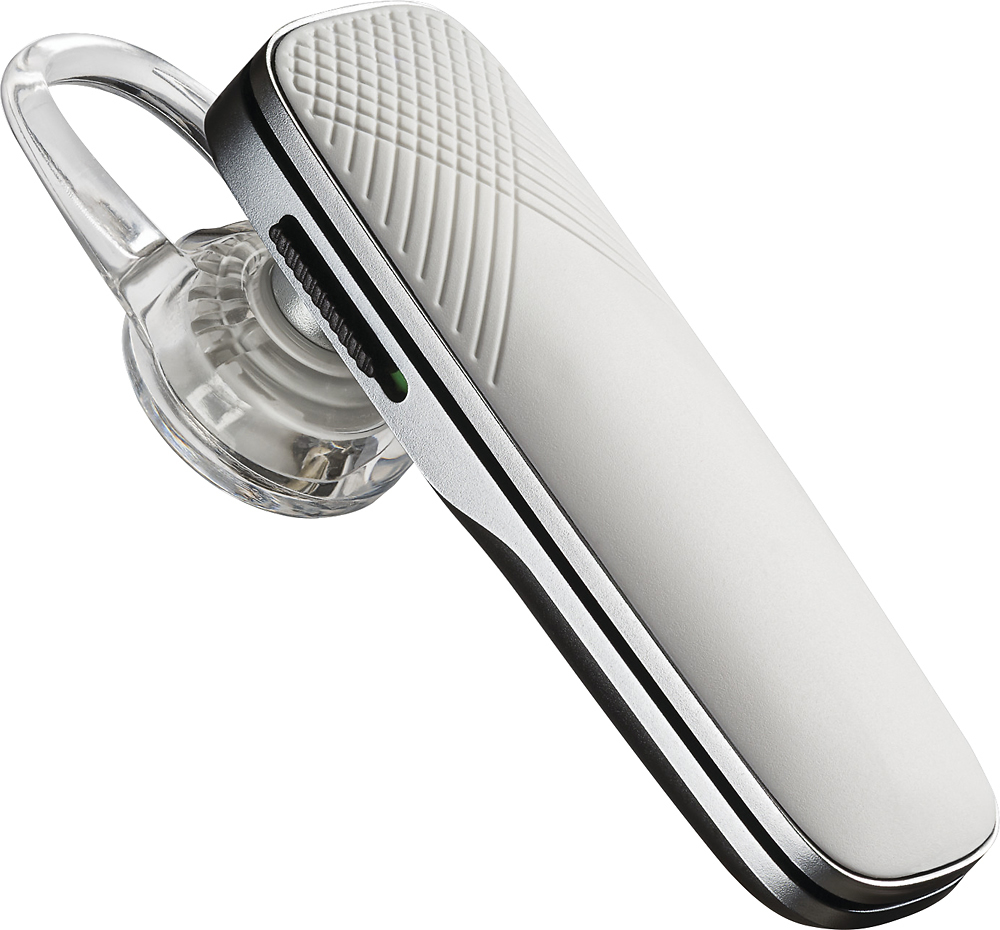
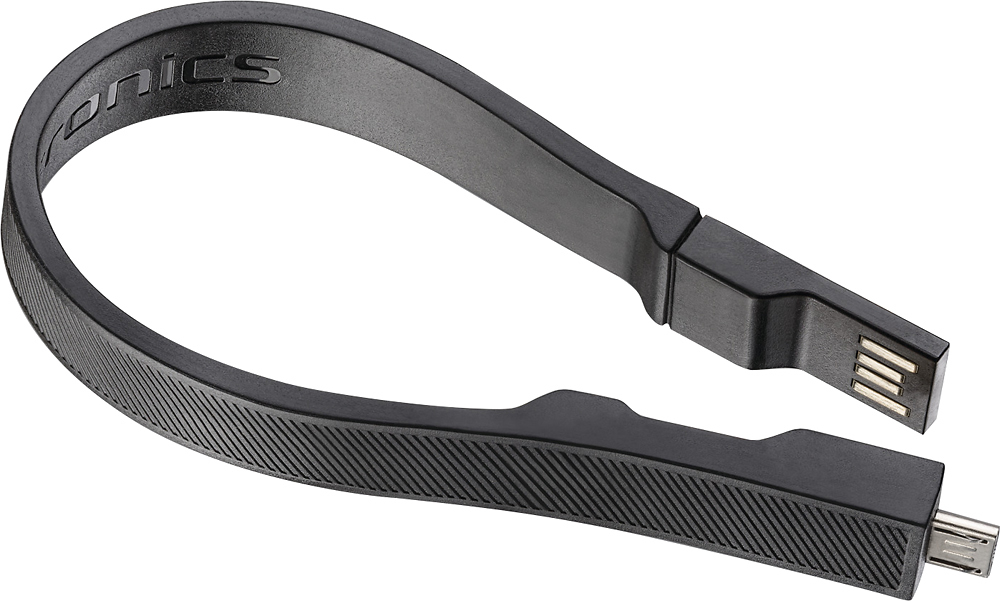
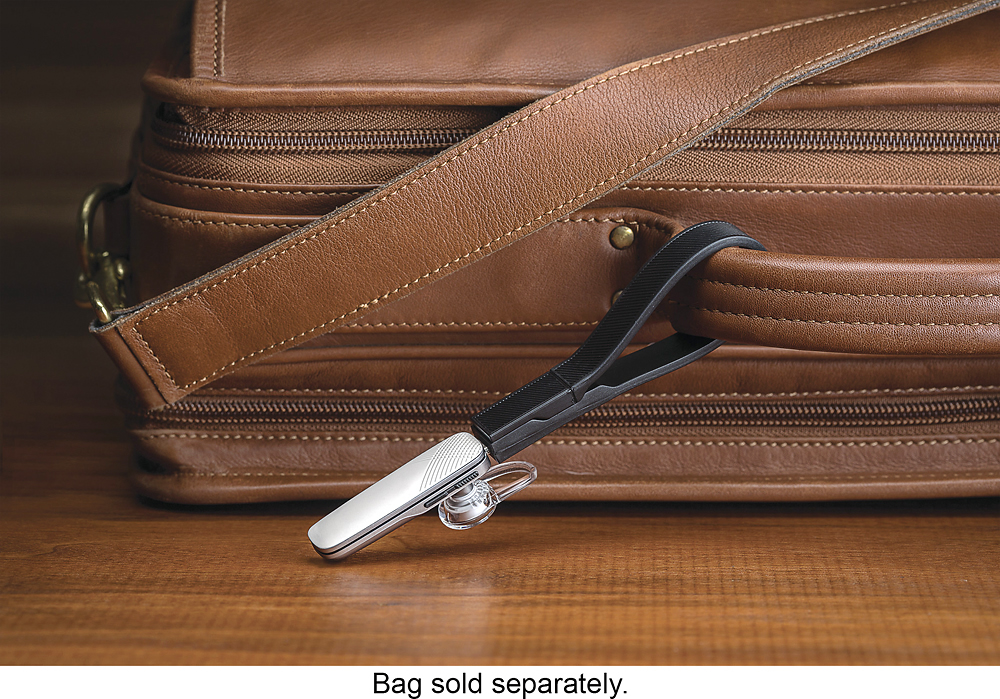
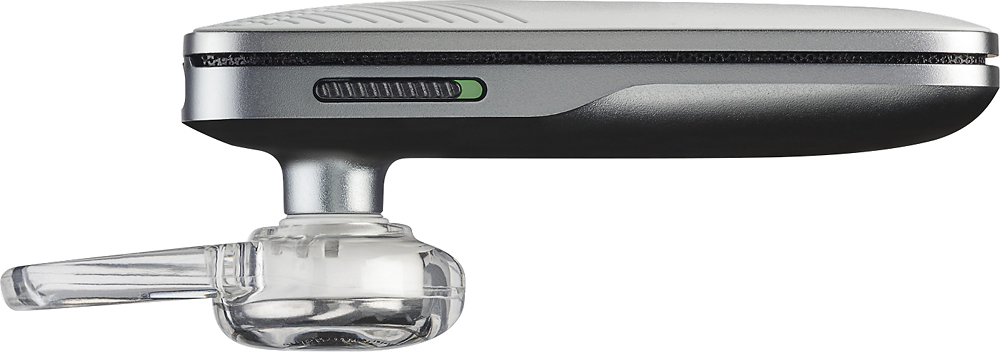
- Model:
- 203622-63
- SKU:
- 4385015
Rating by feature
- Sound Quality
Rating 4.4 out of 5 stars
- Battery Life
Rating 4.3 out of 5 stars
- Connectivity
Rating 4.3 out of 5 stars
Customers are saying
Customers have good things to say about the Explorer 505 Bluetooth Headset's sound quality, ease of use, and battery life. Many appreciate its comfortable fit and lightweight design, along with the Bluetooth functionality and affordable price. However, some users experienced issues with the maximum volume level and occasional connection problems. The headset's range and talk time also received positive feedback.
This summary was generated by AI based on customer reviews.
Good product
||Posted . Owned for 1 month when reviewed.This reviewer received promo considerations or sweepstakes entry for writing a review.This is a good product and it’s the brand that I like. The performance was good.
I would recommend this to a frienddisappointed
||Posted . Owned for 2 weeks when reviewed.This reviewer received promo considerations or sweepstakes entry for writing a review.I have had many Plantronics items and one of these a few years back. Very disappointed of the product, wouldn't stay in my ear and when accessing Siri you could not hear anything. Maybe it was just my one product since Plantronics normally have great products. Unfortunately I didn't return it in time.
No, I would not recommend this to a friendBrand response from PlantronicsRepresentative
Posted .Hello Pattie! Thank you for your review on our Explorer 500 headset, however, we are sorry to hear about your experience. If you are experiencing some audio issues with the headset when using Siri, you may want to try resetting the Bluetooth connection with your mobile. To do so: 1) Unpair the headset from your mobile phone by accessing your Bluetooth settings. 2) Power off your mobile phone for 2 minutes and turn it back on. 3) Re-pair the headset by pressing and holding down the call control button until you see the LED flashing red and blue. 4) Access to your Bluetooth settings and select "PLT_E500". Once successfully paired, you will hear "pairing successful" and the LED on your headset will stop flashing red and blue. You may also want to test the headset paired to a different mobile to completely isolate the issue. If for some reason you still encounter the same issue, then it means the headset has an actual problem and it is best to replace it. Remember this unit counts with a limited warranty since the first day of purchase, and if you need a replacement you can simply click on the following link for further instructions: https://bit.ly/2N637EC. While we thrive for our headset to fit everyone, we understand that one size doesn't fit all. With this in mind we include 3 different eartip sizes for a better fit. If you find the product too uncomfortable for normal use we strongly recommend that you consider using a headset with a different wearing style. .Our intention is to provide the highest quality products to our customers and we thank you for bringing this issue to our attention. We will forward your comments and feedback to our team for future consideration when developing new products and accessories. Please don't hesitate to contact our Customer Care Team at https://www.plantronics.com/us/en/support/contact if you require assistance.

Good device but not enough distance.
||Posted .This reviewer received promo considerations or sweepstakes entry for writing a review.Great ear device but the distance you do not get enough of before the clarity of the person voice fades. Good office use or driving purposes.
I would recommend this to a friendBrand response from PlantronicsRepresentative
Posted .You should have a range of 10 to 33 feet in direct line of sight. If it isn't reaching that far it may be an issue with the connection. To Reset:
1. Delete the headset from your cell phone's list of paired devices.
2. Once deleted, power your phone completely off, then power it back on. This resets the Bluetooth stack in the Bluetooth software on the phone.
3. Re-pair the headset with your phone. and test.
If the issue is the same we can replace it. The following url will take you to our replacement steps.
http://www.plantronics.com/us/support/kb/detail.jsp?vfurl=/articles/en_US/Warranty/RN9669&retURL=%2Fapex%2FknowledgeSearch®ion=us&p=&c=All&k=replacement&t=All&lang=en_US&popup=false&c=All
It ain't all that
||Posted . Owned for 1 week when reviewed.This reviewer received promo considerations or sweepstakes entry for writing a review.Wasn't my first choice,it don't tell you who's calling..
No, I would not recommend this to a friendBrand response from PlantronicsRepresentative
Posted .Hello! Thank you for reviewing our Explorer 505 headset, however, we are sorry to hear this product did not meet your expectations. This headset model will not announce who is calling, it will only notify you when there is an incoming call. We intend to provide the highest quality products to our customers and we thank you for bringing this to our attention. We will forward your comments to our Product Development Team, as we appreciate feedback based on customer use to create the best possible products. Please don't hesitate to contact our Customer Care Team at 1-888-363-0726 if you require assistance.
Good value for the price
||Posted .This reviewer received promo considerations or sweepstakes entry for writing a review.Works very well in terms of blue tooth connectivity. Sound quality is so-so. I like the small compact nature of the ear bud.
I would recommend this to a friendBrand response from PlantronicsRepresentative
Posted .Thank you for your honest review on our Explorer 505! We will forward your comments and feedback to our team for future consideration when developing new products and accessories, please don't hesitate to contact us at www.plantronics.com/support if you require assistance!
Uncomfortable
||Posted .This reviewer received promo considerations or sweepstakes entry for writing a review.The ear piece is uncomfortable, the product should include various size ear pieces. Keeps falling out of my ear.
No, I would not recommend this to a friendBrand response from PlantronicsRepresentative
Posted .Hi! Thank you for your honest review on our Explorer 500 headset, however, we are sorry to hear you weren't able to find a comfortable fit with the headset. Our intention is to provide the highest quality products to our customers and we thank you for bringing this issue to our attention. While we thrive for our headset to fit everyone, we understand that one size doesn't fit all. With this in mind we do include 3 different ear tip sizes for a better fit. If you find the product too uncomfortable for normal use we strongly recommend that you consider using a headset with a different wearing style We will forward your comments and feedback to our team for future consideration when developing new products and accessories. Please don't hesitate to contact our Customer Care Team at https://www.plantronics.com/us/en/support/contact if you require assistance.
Still a bit big
||Posted .This reviewer received promo considerations or sweepstakes entry for writing a review.The ear piece was a bit big for my wife so I used it for many years. Good company and good products.
I would recommend this to a friendbackground noise
||Posted .This reviewer received promo considerations or sweepstakes entry for writing a review.I am having some background noise with this version which is disappointing. My ear is still getting use to the device also.
I would recommend this to a friendGood price lightweight
||Posted .This reviewer received promo considerations or sweepstakes entry for writing a review.Like it when it works I do have a lot of drops. And I have to manually reconnect. Maybe it will work better for you I have an iPhone 6
No, I would not recommend this to a friendBrand response from PlantronicsRepresentative
Posted .That may be an issue with the headset or with the connection between the headset and phone. You might want to try resetting the Bluetooth connection between your phone and headset to see if that helps the issue.
To do so:
1. Delete the headset from your cell phone's list of paired devices.
2. Once deleted, power your phone completely off, then power it back on. This resets the Bluetooth stack in the Bluetooth software on the phone.
3. Re-pair the headset with your phone and test.
If the issue is the same we recommend testing the device with another phone to determine if it's on the phone or headset. If the issue persists even on a different phone we can replace that device, it comes with a 1 year warranty from the date of purchase. You can use the following URL to view our replacement steps: http://www.plantronics.com/us/support/kb/detail.jsp?vfurl=/articles/en_US/Warranty/RN9669&retURL=%2Fapex%2FknowledgeSearch®ion=us&p=&c=All&k=replacement&t=All&lang=en_US&popup=false&c=All
Small device
||Posted . Owned for 1 year when reviewed.This reviewer received promo considerations or sweepstakes entry for writing a review.The distance is so short I can’t use the Bluetooth from room to room
No, I would not recommend this to a friend- Cons mentioned:Volume
Nice but...
||Posted .This reviewer received promo considerations or sweepstakes entry for writing a review.Very light easy to use but volume is very low unable to hear with any type of back ground noice
No, I would not recommend this to a friendBrand response from PlantronicsRepresentative
Posted .That may be an issue with the headset or with the connection between the headset and phone. You might want to try resetting the Bluetooth connection between your phone and headset to see if that helps the issue. To do so:
1. Delete the headset from your cell phone's list of paired devices.
2. Once deleted, power your phone completely off, then power it back on. This resets the Bluetooth stack in the Bluetooth software on the phone.
3. Re-pair the headset with your phone and test. When you test your headset please ensure to increase the volume on the headset itself and on your phone as well during the call.
If the issue is the same we recommend testing the device with another phone to determine if it's on the phone or headset. If the issue persists even on a different phone we can replace that device, it comes with a 1 year warranty from the date of purchase. You can use the following URL to view our replacement steps: http://www.plantronics.com/us/support/kb/detail.jsp?vfurl=/articles/en_US/Warranty/RN9669&retURL=%2Fapex%2FknowledgeSearch®ion=us&p=&c=All&k=replacement&t=All&lang=en_US&popup=false&c=All
- Pros mentioned:Sound quality
Decent
||Posted .This reviewer received promo considerations or sweepstakes entry for writing a review.Sound quality is good but material quality is not. The little plastic ear loop breaks easy.
No, I would not recommend this to a friendBrand response from PlantronicsRepresentative
Posted .Thank you for your honest review on our Explorer 505, we will forward your feedback to our team for future consideration. This model has a user replaceable eartip and earloop, in case of loss or damage you can find these accessories through most of our authorized resellers. Please don't hesitate to contact our customer care group at www.plantronics.com/support if you require assistance.
Headset
||Posted . Owned for 1 week when reviewed.This reviewer received promo considerations or sweepstakes entry for writing a review.After about 30 minutes of not using it turns off so you don’t hear your phone ring.
No, I would not recommend this to a friendIts a good unit
||Posted .This reviewer received promo considerations or sweepstakes entry for writing a review.The headset was what I needed. For the price it does well. I'm not too crazy for the on/off switch. It can be difficult to do either.
I would recommend this to a friend- Cons mentioned:Volume
Returned
||Posted . Owned for 3 months when reviewed.This reviewer received promo considerations or sweepstakes entry for writing a review.This was comfortable to wear but was not loud enough for me.
No, I would not recommend this to a friendBrand response from PlantronicsRepresentative
Posted .Thank you for sharing your honest feedback on our Explorer 505 Headset; however, we're sorry to hear you didn't find it loud enough. Please note an Android phone must be set to medium/high or audio will sound too low. All Plantronics headsets meet and exceed OSHA standard regulations/requirements. None of our headsets exceed 118dBA. Thank you for your comments. Your feedback has been shared with our team for review and consideration. If you have any questions, please don't hesitate to contact our Customer Care Team at: 1-888-363-0726
no
||Posted . Owned for 1 year when reviewed.This reviewer received promo considerations or sweepstakes entry for writing a review.does not filter out background noise. Amplifies it though.
No, I would not recommend this to a friendSomewhat Satisfied
||Posted .This reviewer received promo considerations or sweepstakes entry for writing a review.It works well when I'm in a quiet place. However, without any noise-cancelling options, I have too many complaints and problems.
No, I would not recommend this to a friendBrand response from PlantronicsRepresentative
Posted .This unit provides a good level of noise, wind and echo reduction in order for your callers to be able to hear you.
If you receive too many complaints about your voice quality or background noise that may be an issue with the headset or with the connection between the headset and phone.
You might want to try resetting the Bluetooth connection between your phone and headset to see if that helps the issue.
To do so:
1. Delete the headset from your cell phone's list of paired devices.
2. Once deleted, power your phone completely off, then power it back on. This resets the Bluetooth stack in the Bluetooth software on the phone.
3. Re-pair the headset with your phone and test.
If the issue is the same we recommend testing the device with another phone to determine if its on the phone or headset. If the issue persists even on a different phone we can replace that device, it comes with a 1 year warranty from the date of purchase. You can use the following url to view our replacement steps:
http://www.plantronics.com/us/support/kb/detail.jsp?vfurl=/articles/en_US/Warranty/RN9669&retURL=%2Fapex%2FknowledgeSearch®ion=us&p=&c=All&k=replacement&t=All&lang=en_US&popup=false&c=All
Volume is weak.
||Posted .This reviewer received promo considerations or sweepstakes entry for writing a review.The unit is also unconfertable with glasses. The ear cushion is also hard to fit. I last my ear cushion and I can't find replacement.
No, I would not recommend this to a friendGreat head phone
||Posted .This reviewer received promo considerations or sweepstakes entry for writing a review.The only reason I rated it a 3 is because it hurts my ear after a short period to having to remove it from my ear.
I would recommend this to a friendBrand response from PlantronicsRepresentative
Posted .Thank you for your honest review on our Explorer 505, we will forward your comments and feedback to our team for future consideration when developing new products and accessories.
Not good
||Posted .This reviewer received promo considerations or sweepstakes entry for writing a review.Would not recommend. Even turned up to high volume you still can barely hear. Hard to connect when a call comes in.
No, I would not recommend this to a friendBrand response from PlantronicsRepresentative
Posted .Thank you for your honest review on our Explorer 505, we are sorry to hear you are experiencing trouble with your unit.
In order to get the loudest possible volume please be sure to adjust your phone and headset's volume while you are using it on a call as you'll otherwise adjust your phone's media or notification volumes. To answer a call you can also press the headset's call control button once.
Please don't hesitate to contact our customer care group at www.plantronics.com/support if you require assistance!