Customer Ratings & Reviews
- Model:
- 203622-63
- SKU:
- 4385015
Rating by feature
- Sound Quality
Rating 4.4 out of 5 stars
- Battery Life
Rating 4.3 out of 5 stars
- Connectivity
Rating 4.3 out of 5 stars
Customers are saying
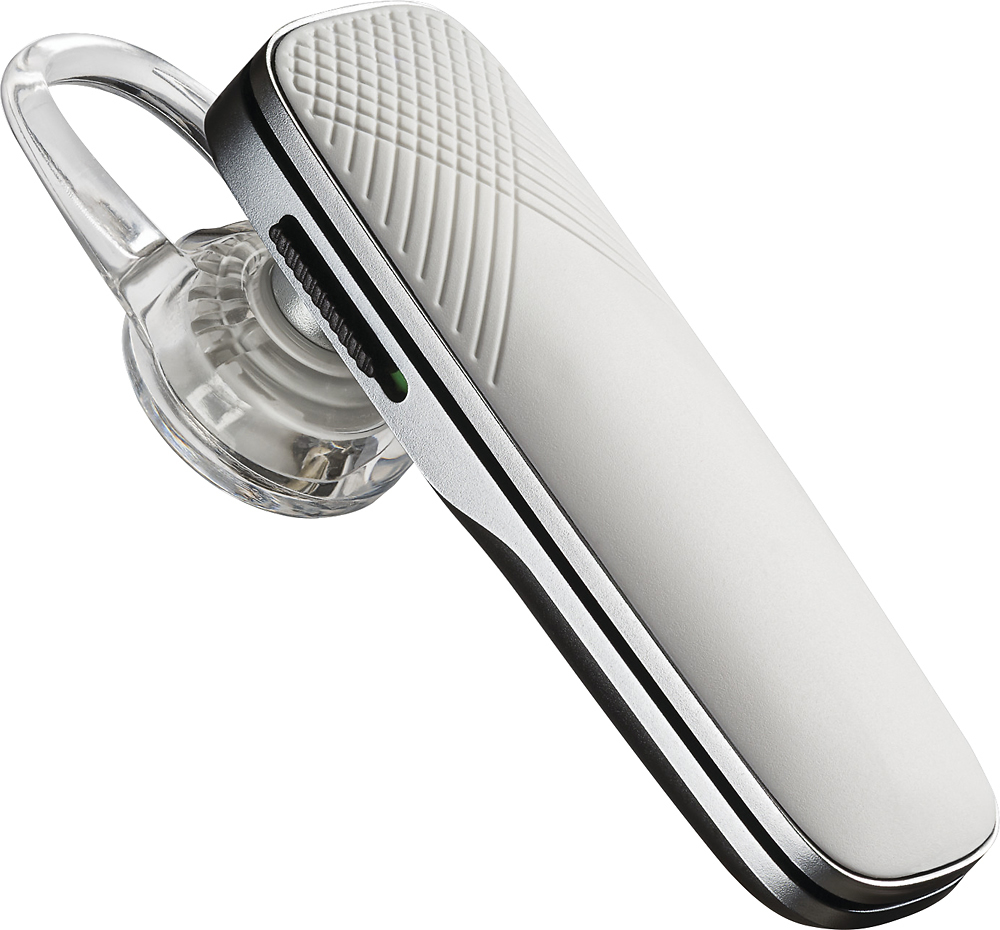
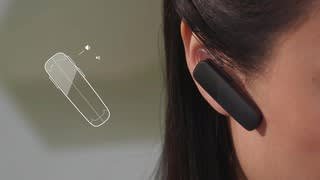
Customers have good things to say about the Explorer 505 Bluetooth Headset's sound quality, ease of use, and battery life. Many appreciate its comfortable fit and lightweight design, along with the Bluetooth functionality and affordable price. However, some users experienced issues with the maximum volume level and occasional connection problems. The headset's range and talk time also received positive feedback.
This summary was generated by AI based on customer reviews.
bought this for my g-friend
||Posted .This reviewer received promo considerations or sweepstakes entry for writing a review.I bought this blue tooth headset for my girl friend. She has not reported any problems with it to me.
I would recommend this to a friendAudio is terrible.
||Posted .This reviewer received promo considerations or sweepstakes entry for writing a review.‘‘Thiis is the worst product I ever purchased from Brands Mart. I could not hear music or voices.
No, I would not recommend this to a friendBrand response from PlantronicsRepresentative
Posted .Thank you for your honest review on our Explorer 505, we are sorry to hear you experienced trouble with your unit.
You might want to try resetting the Bluetooth connection between your phone and headset to see if that helps the issue. To do so:
1. Delete the headset from your cell phone's list of paired devices.
2. Once deleted, power your phone completely off, then power it back on. This resets the Bluetooth stack in the Bluetooth software on the phone.
3. Re-pair the headset with your phone.
If this does not fix your issue, we suggest pairing the headset to another cell phone as a test. If the issue is not present on the second phone, then the problem may be with the first phone, rather than the headset. If the issue exists on the second phone as well, you will need to replace the headset.
Please don't hesitate to contact our customer care group at www.plantronics.com/support if you require assistance!
I love the long battery life
||Posted .This reviewer received promo considerations or sweepstakes entry for writing a review.It does not clip on to your ear tight enough it always feels like it will fall off the ear.
No, I would not recommend this to a friendBrand response from PlantronicsRepresentative
Posted .Thank you for taking the time to share your feedback on our Explorer 505 Headset. We're very sorry to hear about your experience. Please be sure to try wearing your headset on either ear and try other ear gel sizes (Small and Large) in order to find the most fit
and comfortable fit. You can also try the optional clip-on earloop for a more secure fit. We will forward your feedback to our team for future consideration when developing new products. Please don't hesitate to contact our customer care group at https://www.plantronics.com/us/en/support/contact if you require assistance!
Would not recommend at this price point
||Posted .This reviewer received promo considerations or sweepstakes entry for writing a review.Volume will not turn down far enough. Can not access address book using button on device.
No, I would not recommend this to a friendBrand response from PlantronicsRepresentative
Posted .Thank you for your honest review on our Explorer 505 Headset. We're sorry to hear about your experience. If you feel the sound is too loud, please try resetting the Bluetooth connection. To do so: 1. Delete the headset from your cell phone’s list of paired devices. 2. Once deleted, power your phone completely off, then power it back on. This resets the Bluetooth stack in the Bluetooth software on the phone. 3. Re-pair the headset with your phone. In case you get the same issue, please note this unit has a one-year limited warranty from date of purchase. We thank you for bringing this to our attention. We'll forward your comments to our team for consideration. Feel free to contact our Customer Care Team at: https://www.plantronics.com/us/en/support/contact if you have any questions!
Not a Marque 165 replacment
||Posted .This reviewer received promo considerations or sweepstakes entry for writing a review.I thought this was a replacement for the Marque version of the original headset but no not at all .
No, I would not recommend this to a friendBrand response from PlantronicsRepresentative
Posted .Thank you for your honest review on our explorer 505, please don't hesitate to contact our customer care group at www.plantronics.com/support if you have any questions regarding our products.
bluetooth
||Posted .This reviewer received promo considerations or sweepstakes entry for writing a review.Works alright ,battery capacity low, strap is not very secure
No, I would not recommend this to a friendOK Earpiece
||Posted .This reviewer received promo considerations or sweepstakes entry for writing a review.Sound quality is thin or "tinny" Comfortable to wear Only 5 hours talk time on a full charge
No, I would not recommend this to a friendBrand response from PlantronicsRepresentative
Posted .Thank you for your honest review on our Explorer 505, we will forward your comments and feedback to our team for future consideration when developing new products and accessories.
Headset
||Posted .This reviewer received promo considerations or sweepstakes entry for writing a review.Quality is good but range is not phone has to stay close or Bluetooth will drop
I would recommend this to a friendBrand response from PlantronicsRepresentative
Posted .Hello Latoya, and thank you for your review on our Explorer 500 headset, however, we are sorry to hear about your experience. This headset has a range of up to 10 meters/ 33 feet. If you are experiencing some connectivity issues with the headset you may want to try resetting the Bluetooth connection with your mobile to see if there is an improvement. To do so: 1) Unpair the headset from your mobile phone by accessing your Bluetooth settings. 2) Power off your mobile phone for 2 minutes and turn it back on. 3) Re-pair the headset by pressing and holding down the call control button until you see the LED flashing red and blue. 4) Access to your Bluetooth settings and select "PLT_E500". Once successfully paired, you will hear "pairing successful" and the LED on your headset will stop flashing red and blue. We also recommend testing the headset paired to a different mobile to completely isolate the issue. If for some reason you still encounter the same issue, then it could be that the headset has an actual problem and it is best to replace it. Remember this unit counts with a limited warranty since the first day of purchase, and if you need a replacement you can click on the following link for further instructions: https://bit.ly/2N637EC. Our intention is to provide the highest quality products to our customers and we thank you for bringing this issue to our attention. Please don't hesitate to contact our Customer Care Team at 800-985-9815 if you require assistance!

Average
||Posted .This reviewer received promo considerations or sweepstakes entry for writing a review.Average quality, what you would expect given the brand.
I would recommend this to a friendPlantronics you’ve done well
||Posted .This reviewer received promo considerations or sweepstakes entry for writing a review.I really like this Bluetooth device with one exception, the earbud needs more fittings.
I would recommend this to a friendDoesn’t last long.
||Posted .This reviewer received promo considerations or sweepstakes entry for writing a review.The previous plantronics I had lasted 11 hours but this one dies a lot less only about 7 hours.
No, I would not recommend this to a friendBrand response from PlantronicsRepresentative
Posted .Thank you for your honest review on our Explorer 505, this headset model should provide you with up to 7 hours of talk time with a full charge. If you're looking for a headset with longer battery life you might want to consider our M70/M90 or Explorer 80 as they feature up to 11 hours of talk time.
Please don't hesitate to contact our customer care group at www.plantronics.com/support if you require assistance!
Not the best for the money
||Posted .This reviewer received promo considerations or sweepstakes entry for writing a review.Sound not the greatest , doesn't always answer when you push tha answer button. But it does work
I would recommend this to a friendBrand response from PlantronicsRepresentative
Posted .Thank you for your honest review on our Explorer 505, we are sorry to hear you're experiencing trouble with your unit.
In order to troubleshoot connectivity, call control or audio issues you might want to try resetting the Bluetooth connection between your phone and headset to see if that helps the issue. To do so:
1. Delete the headset from your cell phone's list of paired devices.
2. Once deleted, power your phone completely off, then power it back on. This resets the Bluetooth stack in the Bluetooth software on the phone.
3. Re-pair the headset with your phone. If this does not fix your issue, we suggest pairing the headset to another cell phone as a test.
If the issue is not present on the second phone, then the problem may be with the first phone, rather than the headset. If the issue exists on the second phone as well, you will need to replace the headset. Please don't hesitate to contact our customer care group at www.plantronics.com/support if you require assistance.
- Pros mentioned:Ease of use
Not Quality
||Posted . Owned for 4 months when reviewed.This reviewer received promo considerations or sweepstakes entry for writing a review.Bought this to replace another Plantronics Bluetooth and was a waste of money. Pairing it was easy but it does not eliminate background noise. Ended up pitching it because the noise for the listener was just too much. Such a shame.
No, I would not recommend this to a friendBrand response from PlantronicsRepresentative
Posted .Thank you for sharing your honest feedback on our Explorer 505 Headset. This model features dual microphones with noise-cancelling DSP and certified HD Voice. To troubleshoot audio issues, we always recommend to reset the connection between the phone and the earpiece. To do so: https://goo.gl/emzUTA. Testing with a different phone is also ideal to isolate the cause of the issue. In any case we do thank you for bringing this to our attention. We will forward your feedback to our team for review and consideration. If you have any questions, please don't hesitate to contact our Customer Care Team at: 1-888-363-0726.
No voice control
||Posted .This reviewer received promo considerations or sweepstakes entry for writing a review.No voice to text, can't answer by voice command, drops calls may be apple problem
No, I would not recommend this to a friendBrand response from PlantronicsRepresentative
Posted .Hi Rick! Thank you for your honest review on our Explorer 505. We're sorry to hear about your experience. Please note that this headset does not have a voice answer/ignore feature. The ability to text with your voice is not a feature of the headset itself. This will depend on the capacity of the text app to detect Bluetooth devices. If you are experiencing audio issues, please try changing the call audio routing. To do so: Open your iPhone's Settings. The Settings icon is the one with gray cogs on it, and it's usually found on one of your home screens, or under a folder labelled "Utilities." Tap on "General" It's the icon with a white cog under the third section of menu options. Then accessibility, then go to call audio routing and select your Bluetooth device. You might also want to try resetting the Bluetooth connection with your phone. To do so: https://goo.gl/emzUTA . Feel free to contact our Customer Care Team at: https://www.plantronics.com/us/en/support/contact if you have any questions!
OK bluetooth, but awkward
||Posted .This reviewer received promo considerations or sweepstakes entry for writing a review.It works OK, good features, just a little bulky, since I am small. I prefer my older smaller one.
No, I would not recommend this to a frienddecent bluetooth
||Posted .This reviewer received promo considerations or sweepstakes entry for writing a review.this product is ok for what it is used for...not top of the line, but it does the job...
I would recommend this to a friendIt's OK
||Posted .This reviewer received promo considerations or sweepstakes entry for writing a review.The automated voice is scratchy. The buttons are designed to be designed for right side only.
I would recommend this to a friendBrand response from PlantronicsRepresentative
Posted .Thank you for your honest review on our Explorer 505, please don't hesitate to contact our customer care group at www.plantronics.com/support if you require assistance with your unit!
Ok so far
||Posted .This reviewer received promo considerations or sweepstakes entry for writing a review.Haven’t used extensively but seems like talking to Siri is only way to turn on
No, I would not recommend this to a friendBrand response from PlantronicsRepresentative
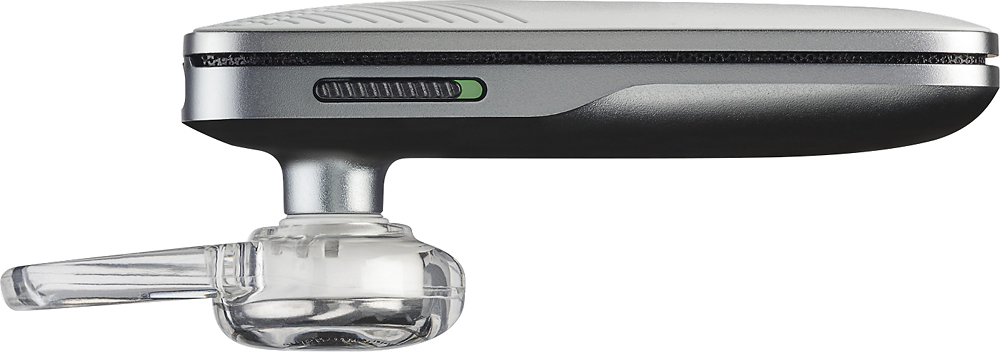
Posted .Thank you for your review on our Explorer 500 series, however we are sorry to hear about your experience. The way the headset will turn on is by sliding the power switch up located on the side of the headset. A blue light then comes up for a couple of seconds and goes away. Siri will be activated by pressing the call control button so make sure you are pressing the correct button to power on the headset. Please don't hesitate to contact our customer care group at https://www.plantronics.com/us/en/support/contact if you require assistance!
- Cons mentioned:Volume
volume issue
||Posted .This reviewer received promo considerations or sweepstakes entry for writing a review.This one was too low in volume, even when I did adjust it
No, I would not recommend this to a friendBrand response from PlantronicsRepresentative
Posted .Thank you for your honest review on our Explorer 505, we are sorry to hear you're experiencing trouble with your unit.
In order to troubleshoot connectivity or audio issues you might want to try resetting the Bluetooth connection between your phone and headset to see if that helps the issue. To do so:
1. Delete the headset from your cell phone's list of paired devices.
2. Once deleted, power your phone completely off, then power it back on. This resets the Bluetooth stack in the Bluetooth software on the phone.
3. Re-pair the headset with your phone. If this does not fix your issue, we suggest pairing the headset to another cell phone as a test.
If the issue is not present on the second phone, then the problem may be with the first phone, rather than the headset. If the issue exists on the second phone as well, you will need to replace the headset. Please don't hesitate to contact our customer care group at www.plantronics.com/support if you require assistance.
Keeps Ujn-pairing
||Posted .This reviewer received promo considerations or sweepstakes entry for writing a review.This worked fine for 1 month. Now it keeps UN-pairing and re-pairing over and over and over again.
No, I would not recommend this to a friendBrand response from PlantronicsRepresentative
Posted .That may be an issue with the headset or with the connection between the headset and phone. You might want to try resetting the Bluetooth connection between your phone and headset to see if that helps the issue. To do so,
1. Delete the headset from your cell phone's list of paired devices.
2. Once deleted, power your phone completely off, then power it back on. This resets the Bluetooth stack in the Bluetooth software on the phone.
3. Re-pair the headset with your phone. and test.
If the issue is the same we can replace that device. You can use the following url to view our replacement steps.
http://www.plantronics.com/us/support/kb/detail.jsp?vfurl=/articles/en_US/Warranty/RN9669&retURL=%2Fapex%2FknowledgeSearch®ion=us&p=&c=All&k=replacement&t=All&lang=en_US&popup=false&c=All