Customer Ratings & Reviews
- Model:
- 203622-63
- SKU:
- 4385015
Rating by feature
- Sound Quality
Rating 4.4 out of 5 stars
- Battery Life
Rating 4.3 out of 5 stars
- Connectivity
Rating 4.3 out of 5 stars
Customers are saying
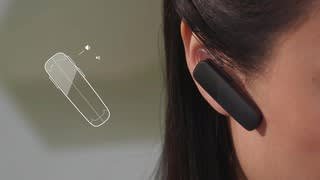
Customers have good things to say about the Explorer 505 Bluetooth Headset's sound quality, ease of use, and battery life. Many appreciate its comfortable fit and lightweight design, along with the Bluetooth functionality and affordable price. However, some users experienced issues with the maximum volume level and occasional connection problems. The headset's range and talk time also received positive feedback.
This summary was generated by AI based on customer reviews.
I hated this thing!
||Posted .This reviewer received promo considerations or sweepstakes entry for writing a review.It was painful to wear and kept disconnecting my calls. I've been very happy with this brand in the past and was surprised with this one. I returned it and got the Plantronics Edge. Awesome Bluetooth! Comfortable and comes with a really cool charger. And doesn't drop my calls!
No, I would not recommend this to a friendBrand response from PlantronicsRepresentative
Posted .Thank you for your honest review on our Explorer 505. We are sorry for your experience, our customer care group is available any time at www.plantronics.com/support in order to assist you before returning your product.

my blue tooth cuts off everytime i touch it
||Posted .This reviewer received promo considerations or sweepstakes entry for writing a review.Everytime i touch my blue tooth doing a phone call it cuts off
No, I would not recommend this to a friendBrand response from PlantronicsRepresentative
Posted .Babydoll48
That may be an issue with the headset or with the connection between the headset and phone. You might want to try resetting the Bluetooth connection between your phone and headset to see if that helps the issue. To do so, 1. Delete the headset from your cell phone's list of paired devices. 2. Once deleted, power your phone completely off, then power it back on. This resets the Bluetooth stack in the Bluetooth software on the phone. 3. Re-pair the headset with your phone. and test. If the reset doesn't help we can replace that device. You can use the following url to view our replacement info. http://www.plantronics.com/us/support/kb/detail.jsp?vfurl=/articles/en_US/Warranty/RN9669&retURL=%2Fapex%2FknowledgeSearch®ion=us&p=&c=All&k=replacement&t=All&lang=en_US&popup=false&c=All
Not for me
||Posted .This reviewer received promo considerations or sweepstakes entry for writing a review.Very uncomfortable in the ear, chose to return it.
No, I would not recommend this to a friendBrand response from PlantronicsRepresentative
Posted .Thank you for your honest review on our Explorer 505, we are sorry for your experience and will forward your feedback to our team for future consideration when developing new products and accessories. Please don't hesitate to contact our customer care group at www.plantronics.com/support if you require assistance!
this blue tooth is very poor
||Posted .This reviewer received promo considerations or sweepstakes entry for writing a review.I have used several Plantronics blue tooth headsets in the past, all of them excellent. This on, though, is full of static. I took the first one back and the second one is also full of static. Unfortunately, I must use this for hands free driving.
No, I would not recommend this to a friendBrand response from PlantronicsRepresentative
Posted .Thank you for your honest review on our Explorer 505, we are sorry to hear you're experiencing trouble with your unit.
In order to troubleshoot connectivity or audio issues you might want to try resetting the Bluetooth connection between your phone and headset to see if that helps the issue. To do so:
1. Delete the headset from your cell phone's list of paired devices.
2. Once deleted, power your phone completely off, then power it back on. This resets the Bluetooth stack in the Bluetooth software on the phone.
3. Re-pair the headset with your phone. If this does not fix your issue, we suggest pairing the headset to another cell phone as a test.
If the issue is not present on the second phone, then the problem may be with the first phone, rather than the headset. If the issue exists on the second phone as well, you will need to replace the headset. Please don't hesitate to contact our customer care group at www.plantronics.com/support if you require assistance.
Bad product - stopped working
||Posted . Owned for less than 1 week when reviewed.This reviewer received promo considerations or sweepstakes entry for writing a review.Plantronics Explorer 505 stopped working after a few days. Now it won't turn on or charge. First bluetooth device and it worked great the first couple of days then it didn't.
No, I would not recommend this to a friendBrand response from PlantronicsRepresentative
Posted .Hello and thank you for your honest review on our Explorer 505; However, we're very sorry to hear about your experience. To troubleshoot battery issues, please try using a different micro-USB cable and a 5-volt wall charger for optimal performance. The life expectancy of the product is of at least a year, but this varies depending on the usage and on most cases it should be closer to 2-4 years. We would also like to share a few tips on how to extend the battery life of our products: https://goo.gl/V5xD4Q. If you still get the same results, then most likely your unit has actual issue and it is best to replace it. If you're no longer able to replace through your reseller, this model counts with a one-year limited warranty. Thank you for your comments. We will forward them to our team for review and consideration. If you require further assistance, please don't hesitate to contact our Customer Care Team at: 1-888-363-0726.

Connection issues
||Posted . Owned for 8 months when reviewed.This reviewer received promo considerations or sweepstakes entry for writing a review.I have had some of the more expensive Plantronics models and I believe now that they are worth the extra money. This model connects and disconnects randomly while I am talking.
No, I would not recommend this to a friendBrand response from PlantronicsRepresentative
Posted .Hello! Thank you for your review on our Explorer 500 headset, however, we are sorry to hear about your experience. If you are experiencing some connectivity issues with the headset you may want to try resetting the Bluetooth connection with your mobile. 1) Unpair the headset from your mobile phone by accessing your Bluetooth settings. 2) Power off your mobile phone for 2 minutes and turn it back on. 3) Re-pair the headset by pressing and holding down the call control button until you see the LED flashing red and blue. 4) Access to your Bluetooth settings and select "PLT_E500". Once successfully paired, you will hear "pairing successful" and the LED on your headset will stop flashing red and blue. You may also want to test the headset with a different mobile to completely isolate the issue. If for some reason the issue remains, then it could mean an actual problem with the headset and it will be best to replace it. Remember this unit counts with a limited warranty from date of purchase and you can request a replacement directly through our official website. Please don't hesitate to contact our Customer Care Team at https://www.plantronics.com/us/en/support/contact if you require assistance.
Sorry I purchase this!!
||Posted . Owned for less than 1 week when reviewed.This reviewer received promo considerations or sweepstakes entry for writing a review.Does not stay in the ear. If the bud does not fit not even the loop will hold it in place. Not worth buying!!
No, I would not recommend this to a friendBrand response from PlantronicsRepresentative
Posted .Thank you for your honest review on our Explorer 505; However, we're sorry to hear you were not able to find a comfortable fit. Please note we offer different sizes of ear gels and you should be able to find a set of 3 different sizes with the following part number: 201777-03. These headsets are designed to fit the vast majority of ear shapes and sizes; however, if you don't find any of the sizes comfortable to wear different, we know that one size may not fit all and if you find the product too uncomfortable for normal use we strongly recommend that you consider using a headset with a different wearing style. We will surely forward your comments to our Product Development Team, as we appreciate feedback based on customer use to create the best possible products. If you have any questions, feel free to contact our Customer Care Team at: 1-855-765-7878
Wouldnt buy it again
||Posted .This reviewer received promo considerations or sweepstakes entry for writing a review.It is so painful that I had to find an earpiece from an old headset that doesn't fit correctly or I couldn't use it at all. Does not announce incoming call numbers. Does not respond well (or at all) to voice commands.
No, I would not recommend this to a friendBrand response from PlantronicsRepresentative
Posted .If the fit is not comfortable or secure we recommend considering another ear tip size, this can greatly impact the feel and sound of the headset. In case you've already tried another ear tip size or shape and the unit is still not comfortable to wear we recommend you to try a headset with a different wearing style like our Voyager Legend or Voyager 5200.
Our explorer series do not have caller announce nor voice answer/ignore but our Voyager Legend, 5200 and Edge to support those voice commands.
In case you have other questions or issues please feel free to contact us at www.plantronics.com/support for additional assistance, we'll be glad to help!
Uncomfortable & wouldn't connect
||Posted .This reviewer received promo considerations or sweepstakes entry for writing a review.Returned this item. It was very uncomfortable for my ears. Might work for others but not for me. And I also had a hard time getting it to connect to my phone & my husband's phone.
No, I would not recommend this to a friendBrand response from PlantronicsRepresentative
Posted .Hello and thank you for your review on our Explorer 500 headset, however, we are sorry to hear about your experience. Whenever you are going to pair the headset to your phone for the first time, we need to make sure the headset is in pairing mode. To do so: 1) With the headset powered on press and hold down the call control button until you hear "pairing" and it starts flashing red and blue. 2) Once flashing red and blue, access your phone Bluetooth settings and select "PLT_M70". 3) Once successfully paired, you will hear "pairing successful" and the headset will stop flashing. While we thrive for our headset to fit everyone, we understand that one size doesn't fit all. With this in mind we include 3 different ear tip sizes for a better fit. If you find the product too uncomfortable for normal use we strongly recommend that you consider using a headset with a different wearing style. Our intention is to provide the highest quality products to our customers and we thank you for bringing this issue to our attention. We will forward your comments and feedback to our team for future consideration when developing new products and accessories. Please feel free to contact our Customer Care Team at https://www.plantronics.com/us/en/support/contact if you require assistance.
Don't Buy This
||Posted .This reviewer received promo considerations or sweepstakes entry for writing a review.Not the cheapest, but definitely the worst headset I've ever used. Constantly cuts out the conversation. Five minutes in to any conversations and it just mutes you. Don't waste money on this.
No, I would not recommend this to a friendBrand response from PlantronicsRepresentative
Posted .Thank you for your honest review on our Explorer 505, we are sorry to hear you experienced trouble with your unit.
You might want to try resetting the Bluetooth connection between your phone and headset to see if that helps the issue. To do so:
1. Delete the headset from your cell phone's list of paired devices.
2. Once deleted, power your phone completely off, then power it back on. This resets the Bluetooth stack in the Bluetooth software on the phone.
3. Re-pair the headset with your phone.
If this does not fix your issue, we suggest pairing the headset to another cell phone as a test. If the issue is not present on the second phone, then the problem may be with the first phone, rather than the headset. If the issue exists on the second phone as well, you will need to replace the headset.
Please don't hesitate to contact our customer care group at www.plantronics.com/support if you require assistance!
poor performance
||Posted .This reviewer received promo considerations or sweepstakes entry for writing a review.At first I thought this would be a great headset but it just failed to connect several times. This may have been a defective unit but rather than chance another one I chose to get a different model.
No, I would not recommend this to a friendBrand response from PlantronicsRepresentative
Posted .Thank you for your honest review on our Explorer 505 Bluetooth headset. We are very sorry for your experience. Our customer care group is available at www.plantronics.com/support at any time to address any questions or issues before returning your headset to the place of purchase.
Normally an excellent product.
||Posted .This reviewer received promo considerations or sweepstakes entry for writing a review.I could not get the Bluetooth to connect with my smartphone and therefore returned the Bluetooth back to the store for new (same product) which did connect properly.
I would recommend this to a friendBrand response from PlantronicsRepresentative
Posted .Hi! Thank you for your honest review on our Explorer 500 headset. However, we are sorry to hear about your experience. Next time, you may want to try to put the headset in pairing mode manually so your phone can detect it. To do so: 1) Power on the headset. 2) Press and hold down the call control button until the LED starts flashing red and blue. 3) Once flashing red and blue access your phone Bluetooth settings and wait for "PLT_E500" to show up and select it. Our intention is to provide the highest quality products to our customers and we thank you for bringing this issue to our attention. Please don't hesitate to contact our Customer Care Team at 800-985-9815 if you require assistance!
So Not Worth It
||Posted .This reviewer received promo considerations or sweepstakes entry for writing a review.Plantronics makes the absolute worst ear pieces out of any hands free head sets. I've owned several from several different companies and Plantronics will kill your ear in less then a half hour.
No, I would not recommend this to a friendNot Recommended
||Posted .This reviewer received promo considerations or sweepstakes entry for writing a review.Will not charge sometimes. Red lights stays on for few seconds and it goes off, so is not charging at all. Talk time says, 7 hours remaining but it dies in less than 2 hours of straight talking.
No, I would not recommend this to a friendBrand response from PlantronicsRepresentative
Posted .Sorry to hear you're having trouble with your headset.
When you experience issues with charging your unit, we recommend that you try another charger and charging cable in order to determine if the issue resides on the headset itself. In case you have the same results even with another cable and charger this can be considered an issue with your product and you can request a replacement by following these instructions:
http://www.plantronics.com/us/support/kb/detail.jsp?vfurl=/articles/en_US/Warranty/RN9669&retURL=%2Fapex%2FknowledgeSearch®ion=us&p=&c=All&k=replacement&t=All&lang=en_US&popup=false&c=All
Did not get enough of the ear clamps to fit my ear
||Posted . Owned for 3 weeks when reviewed.This reviewer received promo considerations or sweepstakes entry for writing a review.Did not get enough of the ear clamps to fit my ears . The ones that came with the unit don't work for me so this device is useless to me .
No, I would not recommend this to a friendBrand response from PlantronicsRepresentative
Posted .Hi Jimmy and thank you for sharing your honest review on our Explorer 505. We're sorry to hear about your experience. This model comes with a medium size ear gel and an optional ear loop clip. These headsets are designed to fit the vast majority of ear shapes and sizes; however, we do know that one size may not fit all; yet, please note there are other sizes of ear gels available. You can find a set of 3 ear tips (S,M,L) and an ear loop with the following part number: 201777-03. If you would like a set of 3 same size ear gels, you might be able to find them with the following part numbers: 201955-01 - Spare small ear gel kit (3), ear loop, 201955-02 - Spare medium ear gel kit (3), ear loop, 201955-03 - Spare large ear gel kit (3), ear loop. We thank you for bringing this to our attention. We will forward your comments to our team for review and consideration. If you require further assistance, please contact our Customer Care Team at: 1-888-363-0726
Real bare bones
||Posted .This reviewer received promo considerations or sweepstakes entry for writing a review.Does not stay charged over 4 hours won’t let me answer incoming call if I’m talking to some one Does not mute from ear piece will not respond to Siri
No, I would not recommend this to a friendBrand response from PlantronicsRepresentative
Posted .Thank you for your honest review on our Explorer 505 Headset. We're sorry to hear about your experience. Please note the earpiece does not have the ability to answer a second incoming call. This would need to be done directly from the phone. If you are experiencing battery issues, you might want to test your headset with a different phone since the performance of the earpiece itself might also depend on the device it is connected to. On the following link you will find some tips to extend its battery life: https://goo.gl/xB2ihm. Here you will find detailed instructions on how to activate mute and access siri: https://goo.gl/ZAXbZs. In case you get the same results and you are still unable to access Siri, even after following these instructions then most likely there is an actual problem with your unit and it is best to replace it. This model has a one-year limited warranty from date of purchase. Feel free to contact our Customer Care Team at: https://www.plantronics.com/us/en/support/contact if you require further assistance!
Poor scratchy sound
||Posted .This reviewer received promo considerations or sweepstakes entry for writing a review.Maybe mine was defective. Didn't want to take a chance on a replacement so I returned it. Even at low volume, the chalkboard scratching sound made it unbearable.
No, I would not recommend this to a friendBrand response from PlantronicsRepresentative
Posted .Thank you for your honest review on our Explorer 505. We are sorry for your experience, our customer care group is available any time at www.plantronics.com/support in order to assist you before returning your product.
Cheap
||Posted .This reviewer received promo considerations or sweepstakes entry for writing a review.I love the Plantronics brand. I was looking for the same Bluetooth I bought lady year but they didn't have it so I bought this one. You get what you pay for.
No, I would not recommend this to a friendBrand response from PlantronicsRepresentative
Posted .Thank you for your honest review on our Explorer 505, please don't hesitate to contact our customer care group at www.plantronics.com/support if you require assistance.
don't buy
||Posted .This reviewer received promo considerations or sweepstakes entry for writing a review.Really small and flimsy. When I spoke on the phone with anyone -- they said it sounded like i was in some sort of tunnel.
No, I would not recommend this to a friendBrand response from PlantronicsRepresentative
Posted .Hello and thank you for sharing your honest feedback on our Explorer 505; However, we're deeply sorry to hear about your experience. This model is designed to fit the vast majority of ear shapes and sizes; however, we do know that one size may not fit all. In case you don't feel it is well secured due to its size, please try other sizes of ear gels to find a more comfortable fit. You can also try it out with the optional ear loop. Resetting the Bluetooth connection between your phone and the earpiece should fix microphone issues. To do so: https://goo.gl/emzUTA. To set the earpiece in pairing mode: press and hold the call button for 6 or 8 seconds until the indicator light flashes red and blue. Testing the earpiece with a different phone is also ideal to isolate the cause of the issue. Please note this model counts with a one-year limited warranty. We thank you for bringing this to our attention. If you require further assistance, please don't hesitate to contact our Customer Care Team at: 1-888-363-0726.
I wouldn't buy it again
||Posted .This reviewer received promo considerations or sweepstakes entry for writing a review.I wouldn't buy it again. It's very hard to hear out of it, even at the maximum volume. And it doesn't fit well in the air. For the price I was not pleased.
No, I would not recommend this to a friendBrand response from PlantronicsRepresentative
Posted .Thank you for your honest review on our Explorer 505, we will forward your feedback to our team for future consideration when developing new products and accessories. In order to get the best possible audio volume and quality please make sure to try wearing your headset on either ear and increase the volume from your headset and phone while you're on a call or listening to media. Our customer care group is available anytime at www.plantronics.com/support if you require assistance with your headset!