Customer Ratings & Reviews



- Model:
- PT-2CHUB
- SKU:
- 6360747
Rating by feature
- Value
Rating 4.2 out of 5 stars
- Quality
Rating 4.4 out of 5 stars
- Ease of Use
Rating 4.6 out of 5 stars
Customers are saying
Customers regard the hub's wide array of ports, compatibility with Apple MacBooks, portability, and user-friendly design as its main advantages. They appreciate the inclusion of an SD card reader and the sleek design. However, some users have concerns about the short cable length, insufficient power supply for certain devices, overheating issues, and the hub's size.
This summary was generated by AI based on customer reviews.
Doesn't work after a couple months of use
||Posted . Owned for 3 months when reviewed.This reviewer received promo considerations or sweepstakes entry for writing a review.Very disappointed in the quality of a relatively expensive piece of hardware.
No, I would not recommend this to a friendOver priced
||Posted . Owned for 3 months when reviewed.This reviewer received promo considerations or sweepstakes entry for writing a review.Over priced and is not good quality so I returned it it got hot when using the hdmi port
No, I would not recommend this to a friendDefective.
||Posted . Owned for 1 year when reviewed.This reviewer received promo considerations or sweepstakes entry for writing a review.Didn’t work. Couldn’t find the receipt to return it.
No, I would not recommend this to a friendKeep ejecting my SD and losing connection
||Posted . Owned for less than 1 week when reviewed.This reviewer received promo considerations or sweepstakes entry for writing a review.Saw plenty of good reviews so went with it. Perhaps I just had a defective product?
No, I would not recommend this to a friend- Pros mentioned:Ports

Very Versatile USB-C Hub
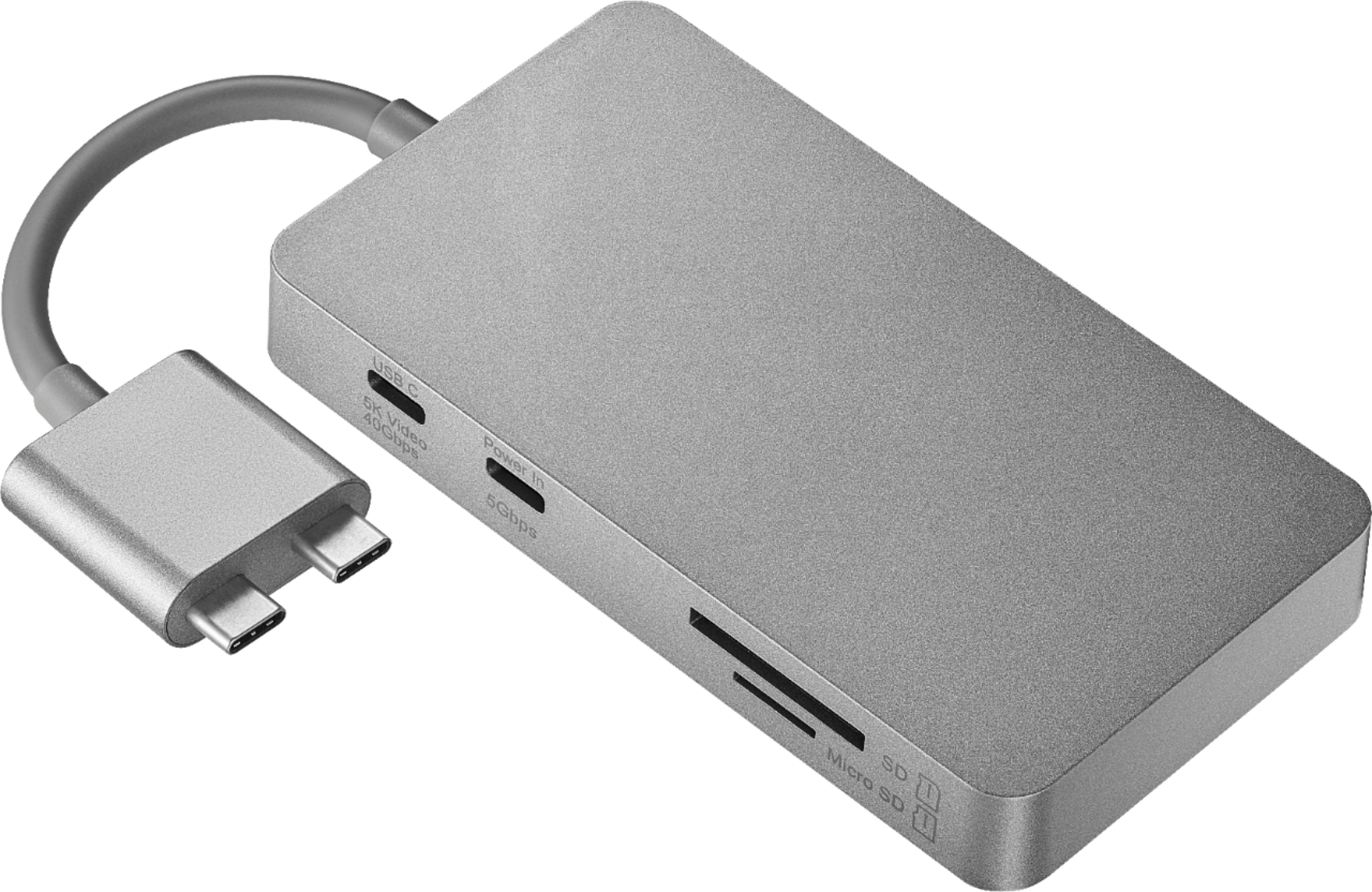
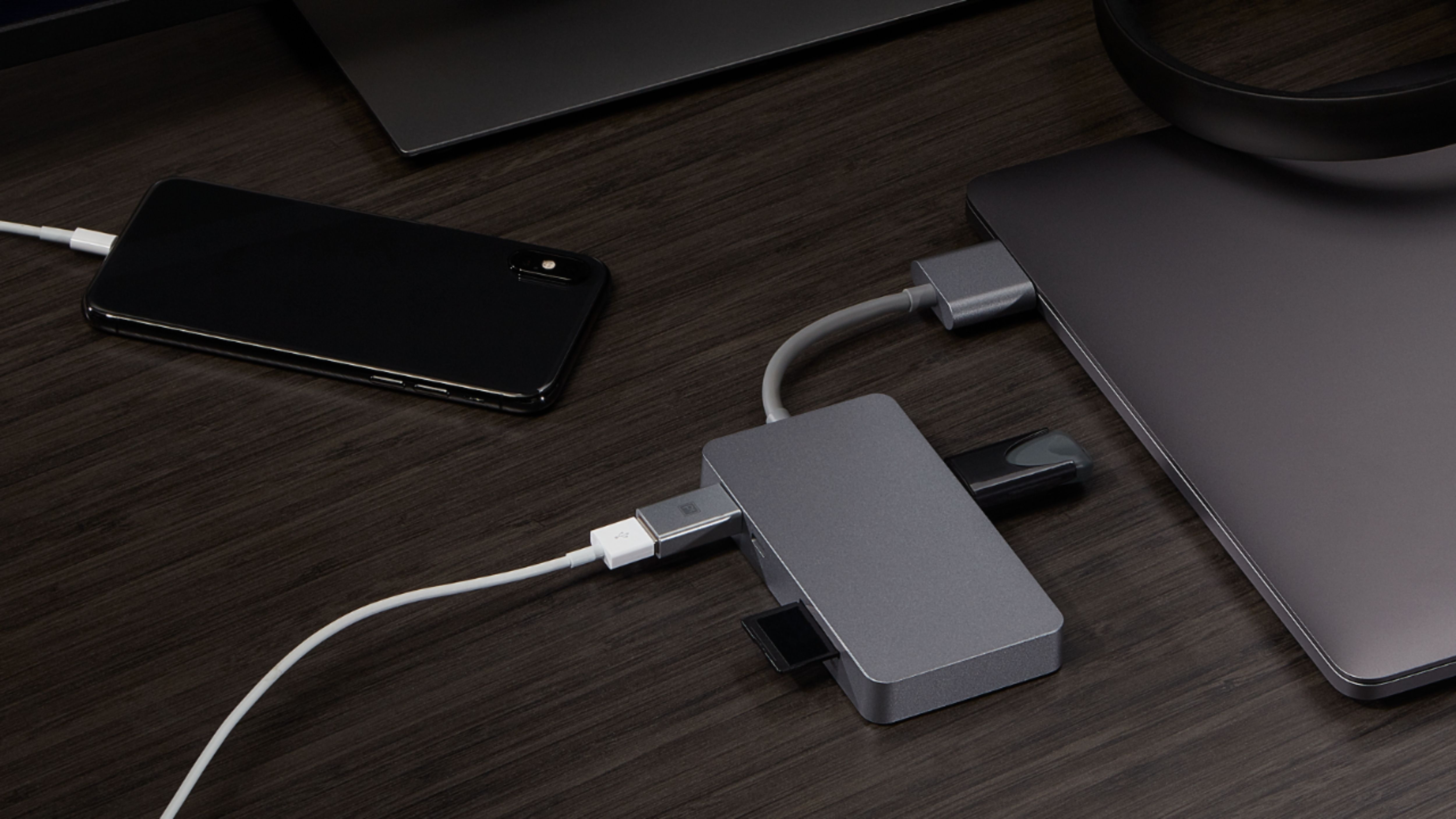
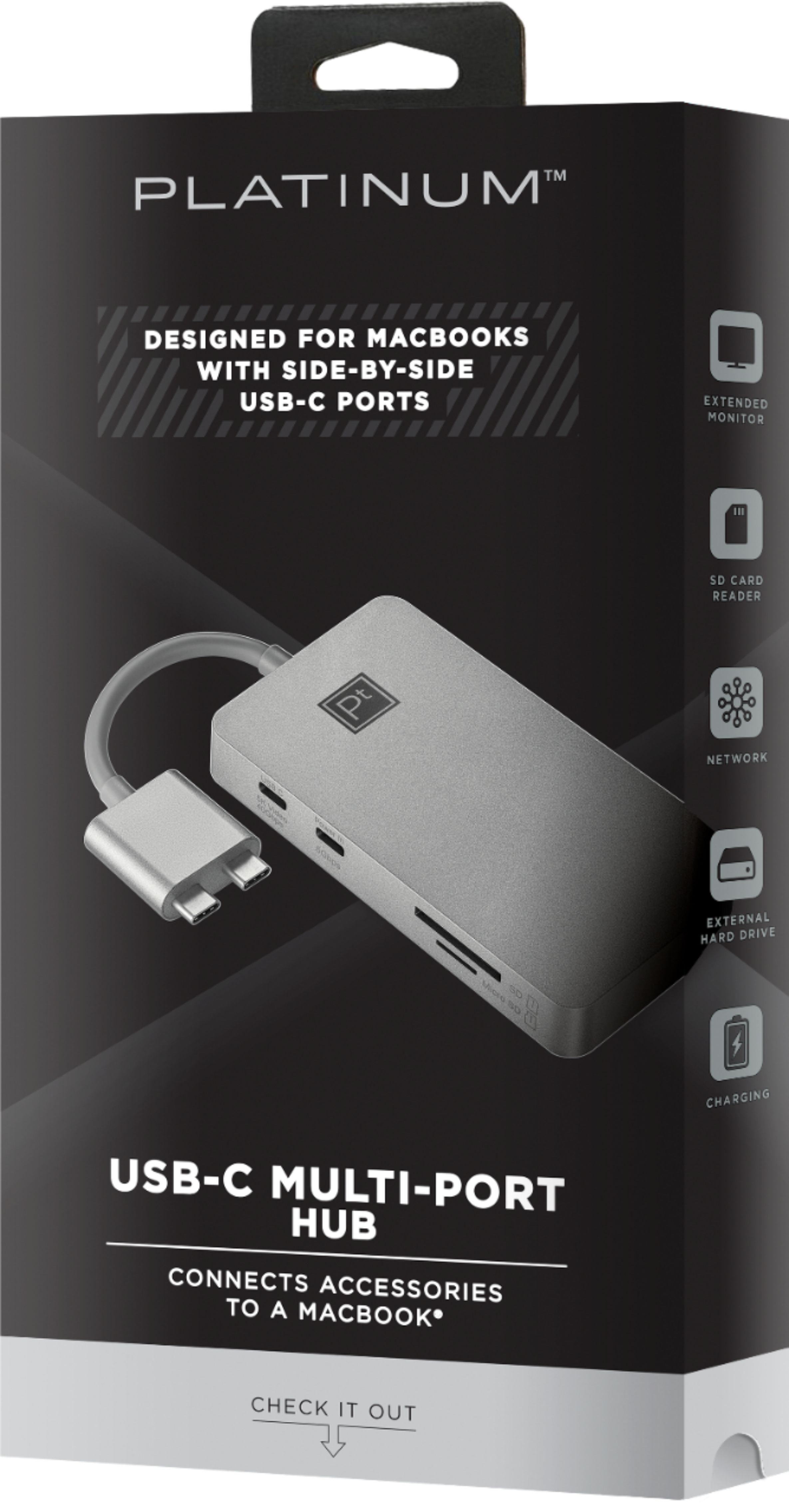
|Posted .This reviewer received promo considerations or sweepstakes entry for writing a review.First off, make sure you have a MacBook Laptop that has dual USB-C ports together on one side of the device. It will not work on single-port USB-C devices. The packaging is very explicit so confirm what you need. The hub matches the color and texture of my MacBook so visually, it is very appealing. Functionality is excellent as it has 8 total ports; specifically, the one I find to be very important is the USB-C charging port. I can charge the battery while also using all of the other available ports. There is another USB-C port that is used for extending to a 5K display or other USB-C devices. I use this port to extend my desktop to a 28-inch external monitor and the speed of connectivity to bring it up was quick and without any issues. I also use the hub to plug in 2 USB 3.0 devices (wireless KB / Mouse combo and an external HDD). The only issue I have seen here is that the mouse can be a bit less responsive when power is not directly connected at the same time as the external monitor. It seemed to only happen when power was not connected and once I reconnected it, this lag went away. If necessary, you can extend to a monitor via an HDMI port up to 4Kdevice or RJ-45 for a hardwired network connection. Lastly, there are SD and Micro SD card readers for moving pictures or other files around as necessary. This will certainly eliminate the need to purchase a few OEM dongles for your device. A great addition to my collection.
I would recommend this to a friend - Pros mentioned:Compatibility
Welcomed companion for my MacBook Pro
|Posted .This reviewer received promo considerations or sweepstakes entry for writing a review.One of the biggest challenges with modern computers is the fact that the smaller and faster they get, the smaller the features seem to become. The current line of Apple MacBooks only has USB-C ports. Gone are the regular USB ports. You are forced to use what they provide. I know it took people a while to get used to the elimination of the CD/DVD drive on their laptops. Many people still use thumb drives and there is no point in getting USB-C thumb drives since there are fewer and sometimes more expensive options. Hence the need for something like the Platinum USB-C to 8 Port Hub. The current line of MacBooks are much more thin than those made just two years ago. They come standard with SSD which eliminates a lot of the weight HDDs had in the older machines. Personally, I am a fan of the thinner, faster and more elaborate models on the market. But I like to have the ability to plug in a SD card from my GoPro, or use a USB drive when I want to. So, but plugging in the Platinum hub, I get the best of both worlds. It is small and durable, and it fits just fine in a pocket inside my laptop bag. I don’t need it all the time, so while I am not using it I don’t have it plugged in to my machine. Essentially, this device bridges the gap between technologies, allowing users familiar with certain ports on their computer to have them when they need them. Even when they are no longer offered on the newer machines. Personally, I was excited for find this item and immediately went for it. I was not disappointed. It works well and the connections are secure. It matches the color scheme of my MacBook (if that is something you need) and it was immediately recognized by my machine. If I am ever asked, I would highly recommend this product for the reasons I specified above.
I would recommend this to a friend Good hub, but a non-unibody design makes it weird
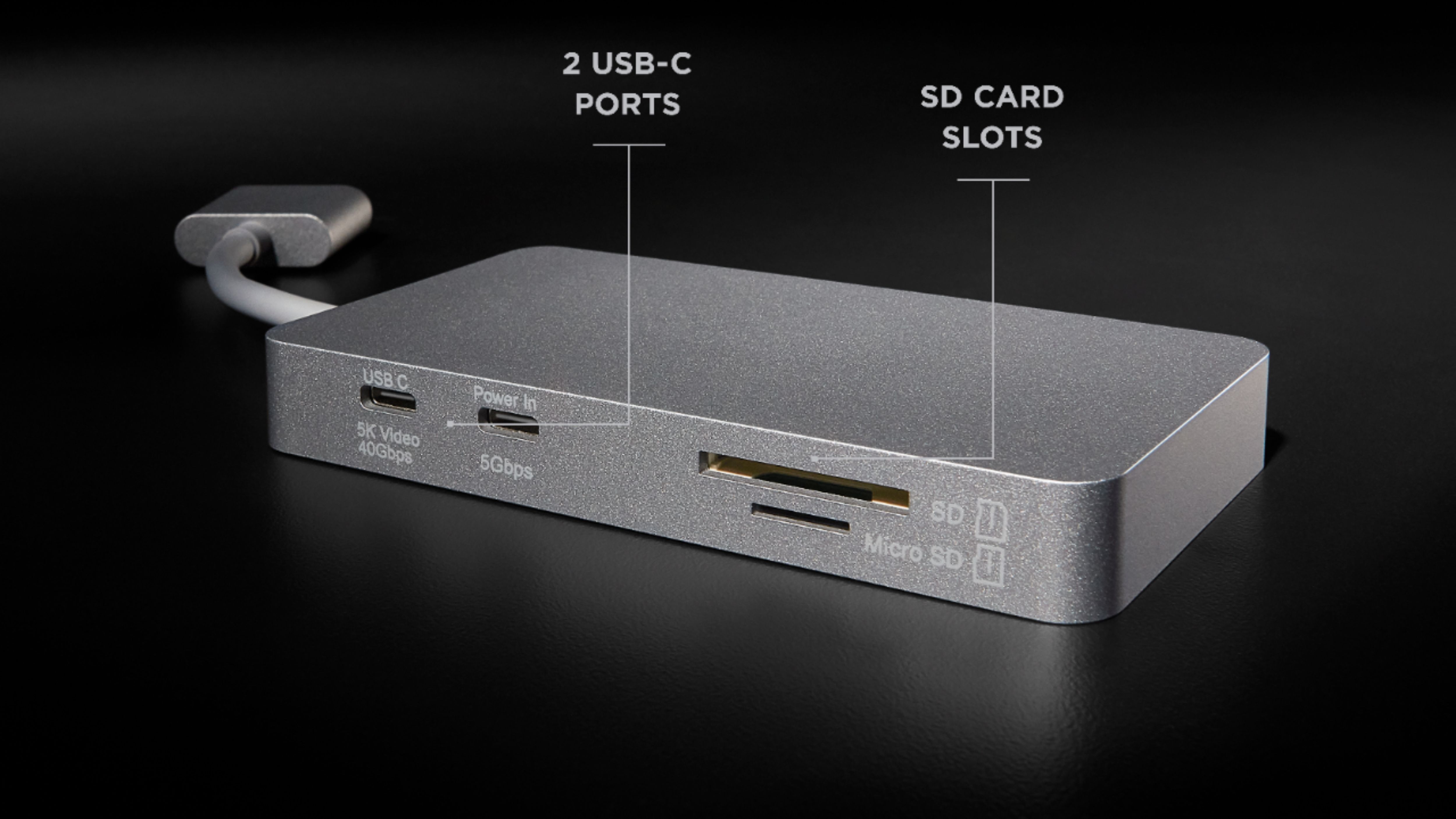
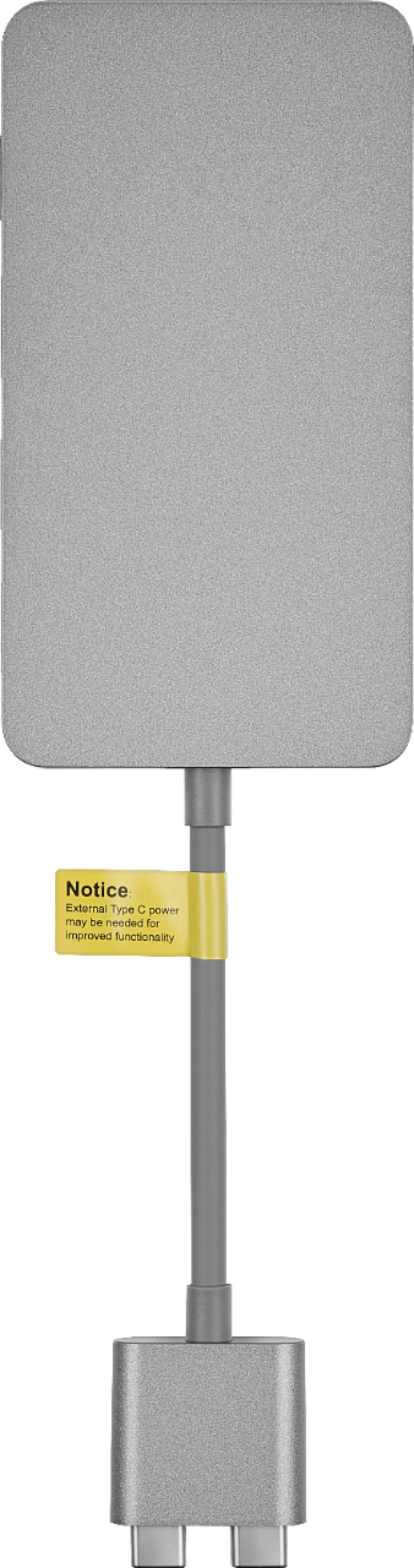
|Posted .This reviewer received promo considerations or sweepstakes entry for writing a review.As USB-C becomes more ubiquitous (and we have Apple to thank for that), the options for USB-C hubs specifically for MacBook owners is virtually unlimited. In my estimation, the biggest barrier that exists for these hubs is the price tag, which is annoyingly more than $50 in almost every case. Platinum's hub is no different, retailing at $80, which is on the lower side of pricing for better known brands (as opposed to numerous non-recognizable and unfamiliar brands you might find on Amazon). Now, this isn't to say that a name brand makes the difference--because what really matters is the performance. From a design perspective, however, Platinum puts together a nice package, matching the space gray hue of my Macbook Pro. The dual-port connection to the laptop is an interesting one, as it necessarily limits this product for use only with dual-USB-C-port Macbook models, and not the numerous other brands and models with single USB-C ports. It does however, in comparison to the single-port hubs, provide a much more stable connection to the laptop. The hub itself allows connections to the following: gigabit ethernet, two USB 3.0 Type A, HDMI that supports up to 4K resolution at 30Hz, separate standard- AND micro-SD card slots, and two additional USB 3.1 Type C ports (one supports 40Gbps data transfer and 5K resolution, while the other provides power pass-through up to 87 W and 5Gbps data transfer. Because it passes power at 87 W and the other ports support 4K and 5K, this hub can serve as a docking solution for your Macbook with up to 2 external monitors (of course, additional cables will be required). Practically, the hub performs as advertised, and there's not much to complain about when it comes to performance. For me, though, the fact that the connector is separate from the hub itself (bridged by a short cable) makes the Platinum hub feel more like a complex dongle than it does a hub or docking solution; many dual-port designs on the market today are straight connections to the body of the hub. I strongly prefer the design of the latter. Otherwise, Platinum's hub is a great addition to your cable bag, provided you like this design over the unibody design that has been more popular over the years.
I would recommend this to a friend- Pros mentioned:PortsCons mentioned:Size
Great Addition to Your USB-C MacBook Pro
|Posted .This reviewer received promo considerations or sweepstakes entry for writing a review.The Platinum Dual USB-C-to-8-Port Hub is a great addition to your USB-C enabled MacBook Pro. With the HDMI, USB 3.0, ethernet ports, and SD and microSD slots, the hub means no more multiple dongles to lug around. The quality of the hub is top notch and matches the premium feel of the MacBook Pro. It's durable and should last a long time with no issues. Performance is not a concern with the hub as the ethernet port provides gigabit speeds and the USB C and 3.0 ports are as fast as advertised. The only downside to this hub is its size. It is on the larger side which makes it a little inconvenient for travel, but is a valuable addition to any MacBook user.
I would recommend this to a friend - Pros mentioned:Price
Quality, but some quirks
|Posted .This reviewer received promo considerations or sweepstakes entry for writing a review.Any MacBook owner knows, that you will need some sort of Hub or Dongle for their new MacBook. While USB-C is the newest connection type, it is still taking time to get to all external devices. Also, the newest MacBooks, are void of the commonly available external monitor/projector connections such as HDMI. We as travlers or office conference room users, need to have a quality hub/dongle to be able to function properly. This Hub certainly fits that need, but has a few minor quirks for me. First there is no doubt that this is quality made, it is not a cheap piece of plastic. The main hub, it's cable, and connector are all of high quality no question. First quirk: The connector to the laptop. I am not sure why it needs BOTH USB-C ports, but it does. Which may cause a problem if future MacBooks change the spacing between the ports, or eliminates or moves them. Related: The housing around the connectors, exceeds over top edge of the bottom portion of the MacBook. I have a clam-shell case on my MacBook, and while using this adapter, I can NOT leave the lid closed completely. It hits the clam-shell. This is a minor issue, and won't effect most. Connection wise: There are two replacement USB-C ports on the hub, which take the place of the two that you just connected to on the MacBook. One is labeled as a power-passthrough, which is GREAT to connect your adapter to, so you don't need to connect it to the other side of the Mac-book (saving a port). The other is for Video/4K connections (or other USB-C connections). Quirk: I wasn't NOT able to successfully connect my Thunderbolt compatible adapter/monitor to that port. When ever I connected it, my monitor would NOT sync properly, and would continue to cycle between connected and not connected. (LG Monitor, connected via a thunderbolt->USB-C adapter). It does however connect properly, when using the HDMI connection. but in my case, I then lose the ability to use the USB connectors on the back of the monitor. The hard-wire network connection is fantastic for those environments, where WiFi isn't optimal. And should be in everyone's bag. The two USB-3 ports are easily used, and perfectly good addition. I have not used the SD card slots yet, but anyone with a non-phone based camera.. will appreciate having the two slots right there and available. At it's price point, it is a good option to purchase right when you purchase your MacBook. 100% of all MacBook users will need a device like this (or a different one that does 1 of the functions in the hub)... Grab it, and have it your bag/drawer, if you don't use it every day like I do.
I would recommend this to a friend - Pros mentioned:Ports
The cure for Mac Laptop Port Deficiency
|Posted .This reviewer received promo considerations or sweepstakes entry for writing a review.Are you suffering under Apple’s port starvation diet? Sure, you’re lighter, slimmer and have more energy, but, like me, I’ll bet you’re feeling isolated, disconnected. The Platinum Dock-tor has a nice fix for your suffering. This is a nicely made device, matching the Space Gray MacBook Pro (13-inch, 2017, Four Thunderbolt 3 Ports) rather nicely. The Platinum has the 8 ports that I thought were most useful for me. You have to use two ports (a rather non-typical requirement) to connect to the Mac, but I actually prefer this setup. Right now, I’m using the ports as follows: 1 GB Ethernet Port: I have 1 Gig Internet access at home, and I’ve got Ethernet ports in every important room. The fact that Mac Laptops lost their Ethernet ports years ago is no longer an issue. Wireless can’t touch the speeds I can now achieve. I’m hard wired. SD and micro SD Ports: I have security cameras, a Dash Cam and other devices with either SD or micro SD digital memory/storage cards that usually has me digging through drawers to find my adapters. Card slots are now always where I can find them, attached to my computer via the Platinum. 2 USB C ports (to replace the 2 you use to connect to the Platinum) and 2 (full size) USB 3.0. One of the USB 3.0 connects to my Logitech Unifying Dongle. These are notorious for being fussy with some hubs. Not a problem for the Platinum Hub. The other USB 3.0 I use for my wired keyboard. It remains very responsive. “Power In” port, which I especially appreciate because it reduces the wear and stress on the most important, and overused, port on my Laptop. 1 HDMI port for my 4K monitor. This is another desirable port that can be troublesome on some hubs. I’m successfully connected to a 2nd monitor, an LG - 27UL600 (27” version, IPS LED 4K, HDR, with Freesync. I’m not terribly demanding, but my screen performance is very nice. Platinum’s thoughtful and comprehensive suite of ports and adapters solves every connection need I might encounter. While some users might be troubled by the need to tie up two USB-C ports on the Mac, I’m actually happier to have a more secure connection with less stress and dependence on a single port. I’ve had too many “Low Battery” shutdowns because my previous hubs were not fully seated in the port. This Platinum Hub looks and feels much more secure. Apple’s port diet plan leaves me hungry for more connections. The Platinum 8 Port Hub is fulfilling my needs.
I would recommend this to a friend Essential Peripheral for Apple MacBook
|Posted .This reviewer received promo considerations or sweepstakes entry for writing a review.The Platinum - Dual USB-C-to-8-Port Hub for the most recent generations of Apple MacBook Laptops (2016 - 2019) is spectacular. I have a 2019 15" Apple MacBook Pro and my wife has a 2017 15" MacBook Pro and the Platinum Dual USB-C-to-8-port hub is simply outstanding! It's easy to use, compact, and delivers exceptional video quality and network performance when paired with HDMI/Ethernet cables. It's the perfect companion for your Apple MacBook that natively only has USB-C ports. Design: The Platinum - Dual USB-C-to-8-Port Hub is designed to optimize efficiency and improve productivity. The hub attaches to the side of your MacBook using a built-in cord that extends from the hub, allowing you to maneuver the hub to a convenient location in your workspace area and organize all connections that are attached to the hub (External Hard Drives, Monitors, Ethernet, etc). The Platinum Dual USB-C hub provides two USB-C ports (one 40Gbps interface & and one 5Gbps interface), a SD card reader, a micro SD card reader, a HDMI port, two standard usb ports and an ethernet port. Thus, providing all the common connectivity options one might need for their laptop. Performance: The Platinum Dual USB-C hub delivers remarkable performance from every connection port. I am able to achieve gigabit speeds of throughput using the ethernet adapter. The HDMI port provides crisp and clear 4K resolution to my UHD external monitor. There are no problems with blurry images, pixelation, or distortion of any kind. USB connections work great as well. Data transfers are fast and backups to external drives are reliable. The SD card readers are a fantastic as well. I use them all the time to transfer HD context from my camera to my laptop for editing and it works great! I can edit directly from the card as well without the need to transfer the files to my local drive. Data transfers from the SD card to an external drive also attached to the Platinum hub are quick. Several gigs of data (approx. 4Gb) take less than a minute to transfer from the SD card to the external drive. I highly recommend the Platinum Dual USB-C-to-8-Port Hub for the Apple MacBook. It's an essential component for optimizing your experience with the MacBook Pro.
I would recommend this to a friend- Pros mentioned:Ports
Restores functionality
|Posted .This reviewer received promo considerations or sweepstakes entry for writing a review.I thought Apple was crazy for removing so many of the ports from the macBook. This one device fixes that dumb move. While it takes away both USBc ports it gives you back all the other ports in one adapter that you need to really use your computer well including HDMI and USB ports. The product is slim and slick, designed to mirror the macBoo's appearance. It is a bit "clunky" plugged in. I found that it was odd to use in your lap but did wonderful on your table or desk.
I would recommend this to a friend Lots of Ports and Connectivity - Not small enough
|Posted .This reviewer received promo considerations or sweepstakes entry for writing a review.The Platinum USB-C Dock is a great addition to the "Port Desert" that is the current line of 2016-2019 MacBook Pros - But it almost resembles a docking station rather than a port hub. I like that the dock is cabled so that it can be used on either side of the 4-port MacBook Pros (13 or 15") without orientation difficulty, but it seems like kind of a large device considering that its competitors have fit almost this same number of ports on devices half the size that can directly attach to the MacBook. In testing the port connectivity was good, and the SD card reader had good read-write response, and I was even able to boot to an external USB thumb drive with the hub, and didn't notice any performance issues. If you're looking for a large, well-built docking station-like hub for your legacy/traditional ports, this is a great device to use!
I would recommend this to a friendThis is a must have for any Macbook Pro user
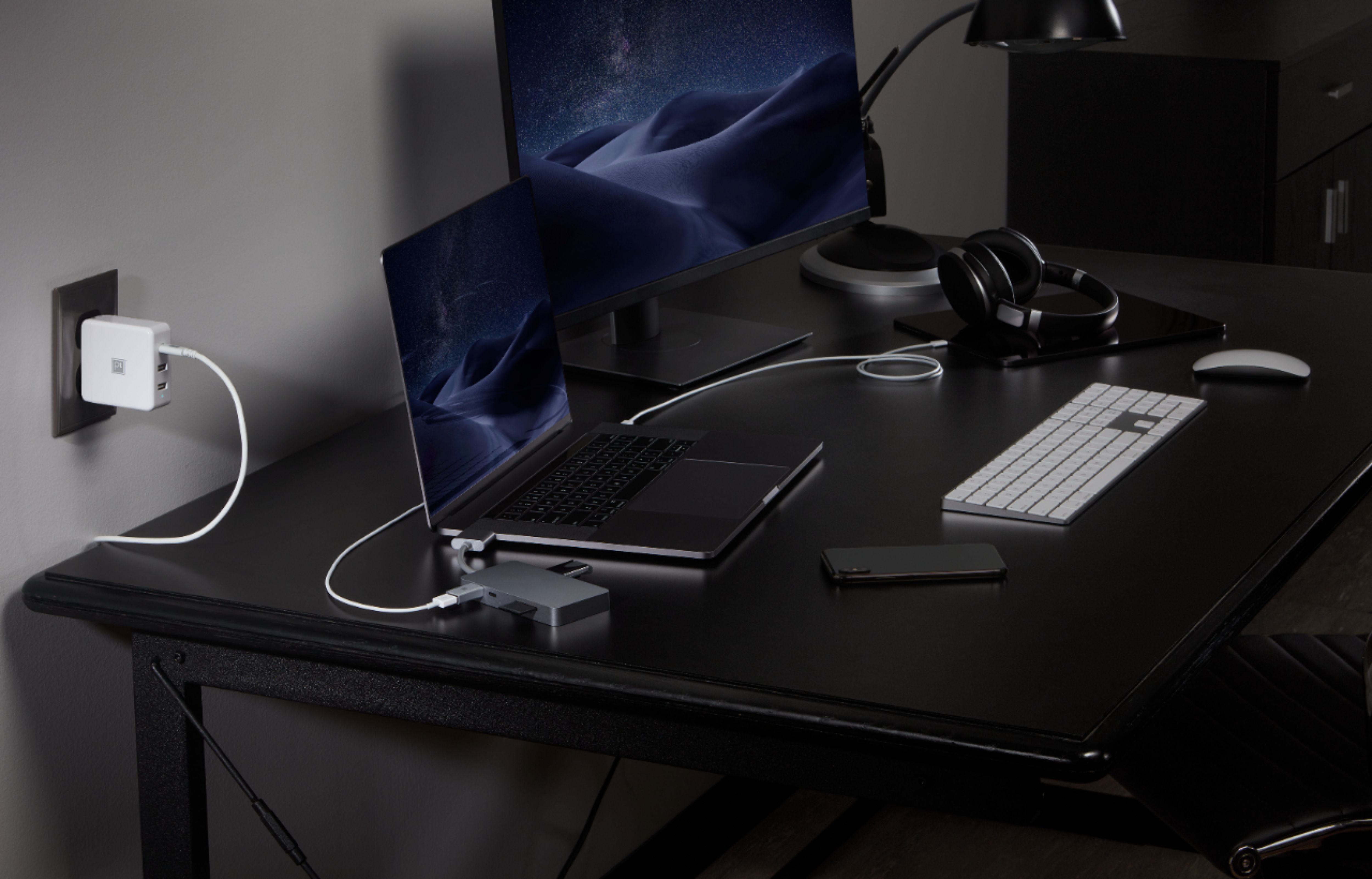
|Posted .This reviewer received promo considerations or sweepstakes entry for writing a review.I have owned several hubs for my Macbook Pro and this one is superior to the others. It starts with just the sheer number of ports. I have gigabit internet service in my home and this hub will handle the high speeds without a problem. While there is only one HDMI port, I have a USB C to HDMI adapter and the USB C 5K video adapter works great. I was easily able to drive two 4K monitors and the laptop with this adapter. The power in is also a nice feature, since the hub takes up two ports on the laptop. The power works as advertised, so the other two ports remain open. It comes with a micro SD and SD card reader as well, so it's easy to import pictures from any camera or telephone. The SD card readers support up to 2 TB memory cards. There are two additional USB 3 ports for thumb drives, scanners, prints, etc. All in all, this is an excellent addition to your Macbook Pro. The gray color matches nicely with a silver or gray Macbook Pro. It is fairly large, but it provides several options that are not native to the laptop.
I would recommend this to a friendUseful and efficient
|Posted .This reviewer received promo considerations or sweepstakes entry for writing a review.Laptops are the new desktops. When using my MacBook Pro, I don’t think of it as just a lightweight gap device. I expect it to give me not only the power, but flexibility of any desktop computer. With everyone taking the minimalist approach to design and use, a good hub or dock is very important for connectivity and productivity. The Platinum dual USB-C hub is a welcome accessory for MacBook Pro users, offering expansion and flexibility in a pleasing package. The device comes in a box that resembles an iPhone accessory. I would say it is mid-level grade, just below what I consider premium. Remove the device, and that changes quickly. The hub is light, but has a very premium feel to it, partnering well with the MacBook Pro aesthetically. The cord length stands out as well. It is short and very sturdy/stiff. I immediately see this as a tabletop or desk top hub for the MacBook. In a lap, this thing would hang in an irritating way. Not sure if that would be a problem for some users, but I’m cool with it. Why purchase a MacBook, or any of the newer laptops that preach lightweight, wire-free productivity, and want desktop connectivity while in a portable setting? To that I say, buy a gaming laptop. This device serves as a hub/dock, and I recommend users see it that way. The hub is simple to use, and installation was as simple as plugging it in. It actually took longer to get it out of the box than to put it in use. It fits beautifully in the MacBook Pro, and offers dual Thunderbolt, 2 USB 3 ports, SD and micro SD card readers, an ethernet port, and an HDMI port. You can literally sit down at your desk, plug this up and be in desktop mode. Very simple and efficient. From a performance standpoint, the hub performs flawlessly, and I noticed no difference in peripheral performance when connected. This is really a no brainer. The Platinum Dual USB-C hub is an excellent accessory for any MacBook Pro owner. It’s lightweight with a premium industrial design and offers fantastic performance in a very simple to connect package. I highly recommend it for those that “dock” their MacBook’s at their desk. Very efficient!
I would recommend this to a friendExcellent Hub for Specific MacBooks
|Posted .This reviewer received promo considerations or sweepstakes entry for writing a review.Given Apple's penchant for minimalism, a hub is practically a must-have. And the Platinum 8-port hub does the job. Pros: • Good port assortment: HDMI, USB-C, Ethernet, USB 3.0, SD and Micro SD slots • Extension wire instead of direct attachment to the MacBook. Other hubs that attach directly tend to disconnect when the MacBook is moved. • Color matches well • Responds quickly to input/output Cons: • Heavy/Bulky though it is still portable • Consumes a lot of battery • Extension wire short/not flexible. A longer cord would make it easier to use. If you’re looking for a hub for your MacBook, this one should be on your shortlist.
I would recommend this to a friend- Cons mentioned:Size
Nice
|Posted .This reviewer received promo considerations or sweepstakes entry for writing a review.I like this dongle. It has all of the connections you may need to get the job done. It feels cheap though. And it’s kinda big. I wish it was a little thinner.
I would recommend this to a friend Great for added productivity
|Posted .This reviewer received promo considerations or sweepstakes entry for writing a review.I have several legacy devices for my MacBook that I have used for several years. WIth the newer MacBooks, they don't have all of the connection ports they once had. The Platinum - Dual USB-C-to-8-Port Hub allows me to connect things like my CD/DVD drive as well as a variety of other devices. I only have two USB ports on my laptop, but the Port has two additional USB 3.0 ports, a USB C port, an additional HDMI port as well as an ethernet port which Apple no longer includes even on their large MacBook pro. In addition to the features & capabilities, the hub is very stylish and looks perfect sitting alongside my space gray MacBook. I'm able to multitask now with all of my devices connected to my laptop. This is a great device and a solid value.
I would recommend this to a friend- Pros mentioned:Compatibility
Great Dock for my MacBook Pro
|Posted .This reviewer received promo considerations or sweepstakes entry for writing a review.This is an excellent dock for my MacBook Pro 2018. It has quite a few ports that I'm able to use for my needs. Great build quality. Everything works and so far no issues.
I would recommend this to a friend A must have for any MacBook Pro
|Posted .This reviewer received promo considerations or sweepstakes entry for writing a review.I was always having difficulties with my new MacBook Pro since it only has USB-C ports, I bought a dongle which felt awkward and only allowed me to plug in one device at a time. This has been an excellent all in one piece of sturdy hardware, it has many ports including USB, HDMI, SD card slot, network cable and more. The connection to your Mac sits securely by plugging into both USB C ports on either side making it sturdy and unlikely to come out.
I would recommend this to a friend