Customer Ratings & Reviews




- Model:
- 7Y206AA#ABA
- SKU:
- 6563035
Rating by feature
- Sound Quality
Rating 4.4 out of 5 stars
- Battery Life
Rating 4.3 out of 5 stars
- Connectivity
Rating 4.4 out of 5 stars
Customers are saying
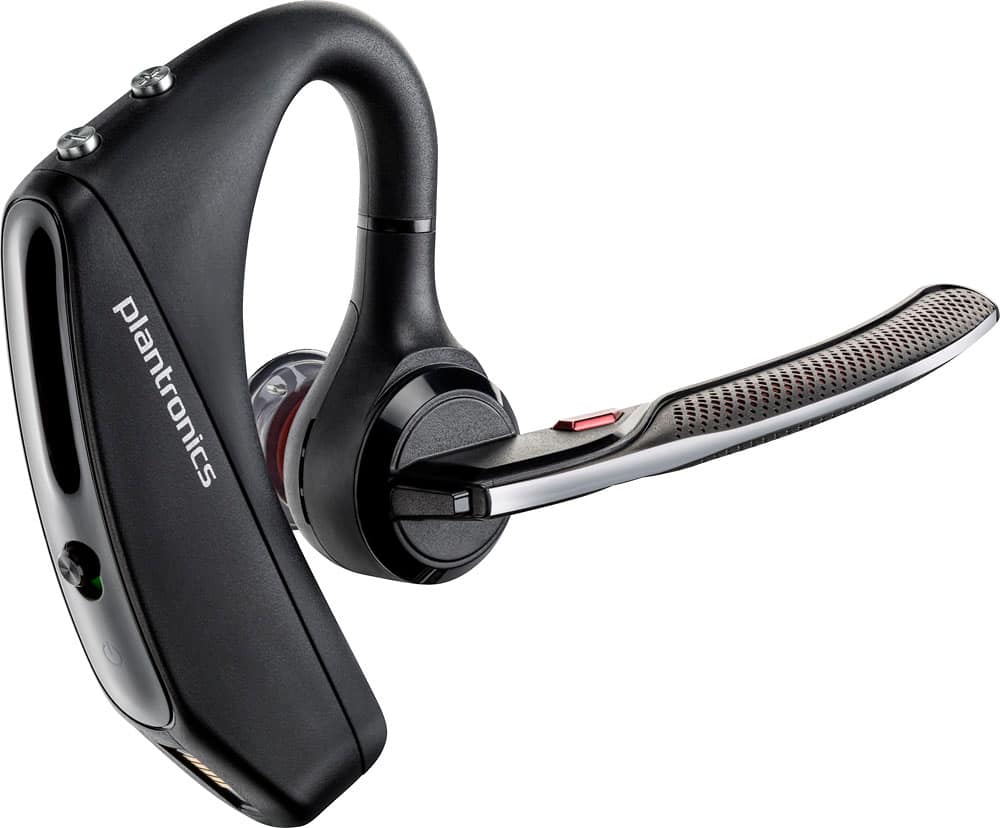
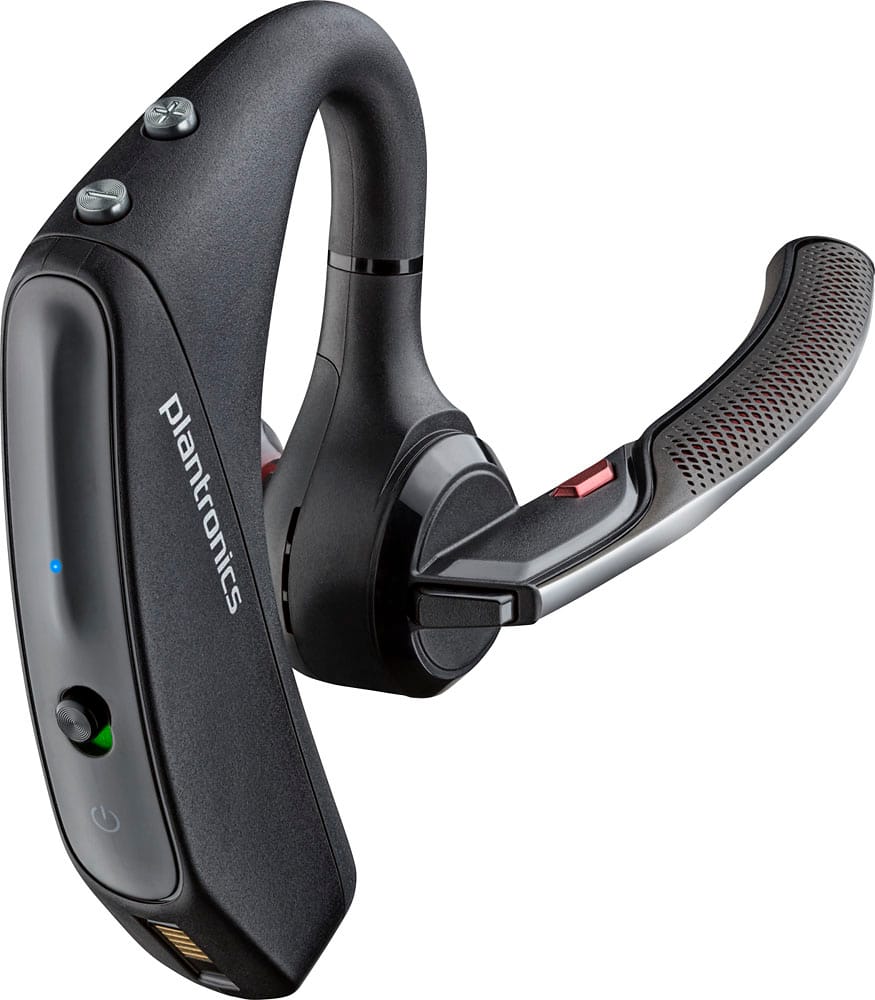
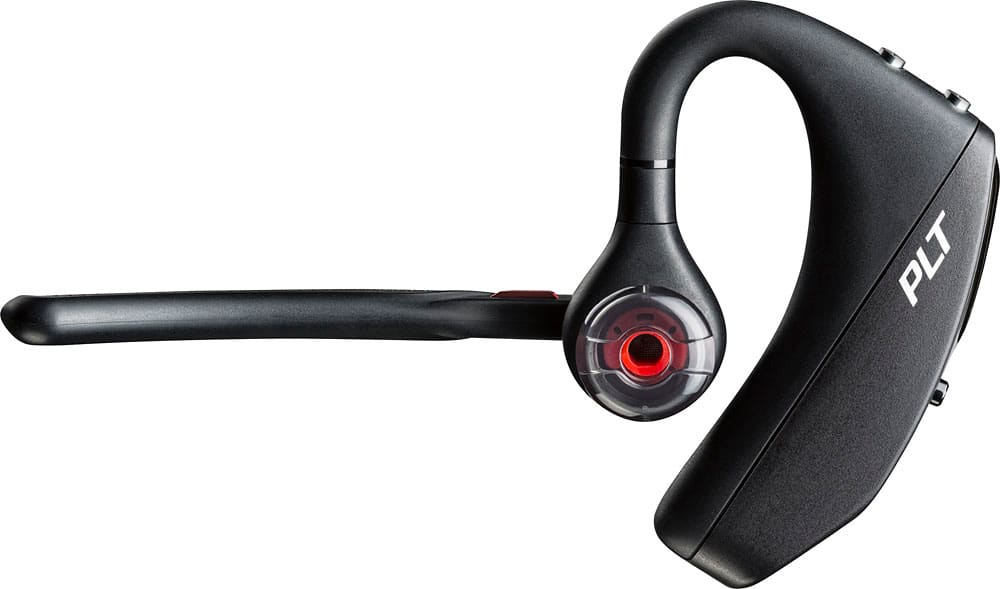
Customers commend the Voyager 5220 for its excellent sound quality, comfortable fit, and long-lasting battery life. Many users appreciate its reliable Bluetooth connectivity and lightweight design. However, some customers have noted concerns about the fit being a little loose, the volume being too low, and the range not meeting expectations.
This summary was generated by AI based on customer reviews.
- Cons mentioned:Fit
Too bulky!
||Posted .This reviewer received promo considerations or sweepstakes entry for writing a review.Purchased after reading the reviews. Was disappointed after purchase. App is not user friendly and headset is very bulky!
No, I would not recommend this to a friendBrand response from PlantronicsRepresentative
Posted .Hello and thank you for your review on our Voyager 5220 headset, however, we are sorry to hear about your experience. Please note that our intention is to provide the highest quality products and services to our customers and we thank you for bringing this to our attention. We will gladly forward your comments and feedback to our team for future consideration when developing new products and accessories. Please feel free to contact our Customer Care Team at https://www.plantronics.com/us/en/support/contact if you require assistance.

LMV' 5250
||Posted . Owned for 1 week when reviewed.This reviewer received promo considerations or sweepstakes entry for writing a review.Ear hook starts to irritate in just 5 minutes of hook up. Sound quality is just average, with garbled and echo sound.
No, I would not recommend this to a friendIts ok.
||Posted . Owned for 1 year when reviewed.This reviewer received promo considerations or sweepstakes entry for writing a review.It gets the job done. After a while you hear echoes on the ear piece while your talking. I exchanged it for a second one that it did the same thing.
No, I would not recommend this to a friendGood but not great
||Posted .This reviewer received promo considerations or sweepstakes entry for writing a review.This earpiece has cool features but it doesn't always answer the phone when you hit the button or say "answer" it's glitchy sometimes, which is frustrating. Otherwise it works fine.
No, I would not recommend this to a friendBrand response from PlantronicsRepresentative
Posted .Thank you for your honest review on our Voyager 5220, we are sorry to hear you're experiencing trouble with your unit.
In order to troubleshoot connectivity or call control issues you might want to try resetting the Bluetooth connection between your phone and headset to see if that helps the issue. To do so:
1. Delete the headset from your cell phone's list of paired devices.
2. Once deleted, power your phone completely off, then power it back on. This resets the Bluetooth stack in the Bluetooth software on the phone.
3. Re-pair the headset with your phone. If this does not fix your issue, we suggest pairing the headset to another cell phone as a test.
If the issue is not present on the second phone, then the problem may be with the first phone, rather than the headset. If the issue exists on the second phone as well, you will need to replace the headset. Please don't hesitate to contact our customer care group at www.plantronics.com/support if you require assistance.
Ok
||Posted . Owned for 3 weeks when reviewed.This reviewer received promo considerations or sweepstakes entry for writing a review.The device is nice and convenient but compared to others the battery doesn’t last as long and the noise canceling doesn’t work as wells and the BlueParrott
I would recommend this to a friendHorrible experience
||Posted . Owned for 1 week when reviewed.This reviewer received promo considerations or sweepstakes entry for writing a review.I first purchased this item at a truck stop cause am a truck driver, people complained that they coudnt hear me and that my voice was like a robot. I went back to the store and exchange it for another for a similar one thinking that the other was maybe damaged. But I had the same experice. I ended up throwing it away through the window of my truck. Then I saw it one day in best buy and I decide it to buy it again cause best buy is a good store but I had the same problem over and over again. This time I returned it. The Plantronics Voyager is better but it has some conection issues. I wouldnt recomend it at all
No, I would not recommend this to a friendBrand response from PlantronicsRepresentative
Posted .Thank you for sharing your honest review; Though we're sorry to hear this has been your experience. The Voyager 5200 is one of our best communication headsets and specially engineered to deliver superior call clarity. Featuring Four-microphones with active digital signal processing (DSP) and delivers six layers of protection against wind noise. Please rest assured that scenarios like these are very unlikely. To troubleshoot microphone issues, please reset the BT connection. To do so: https://bit.ly/2OOMfnw. You may also want to ensure the firmware version is up to date through our Hub Software for desktop: https://bit.ly/30jDXJM. Lastly, testing the earpiece with a different mobile phone and while it is paired with a single BT device is also ideal to isolate the cause of the issue. If you still get the same issue, most likely the earpiece has an actual problem and it is best to replace it. This model counts with a one-year limited warranty. We will forward your comments to our team for review and consideration. If you require further assistance, please don't hesitate to contact our Customer Care Team at: 1 888 248 4143 or 1 916 928 7561.
just ok
||Posted .This reviewer received promo considerations or sweepstakes entry for writing a review.I am told that the person on the other end of my calls some times cannot hear me clearly. I can hear them fine. I have to adjust the microphone several times to get it to be clear again
No, I would not recommend this to a friendBrand response from PlantronicsRepresentative
Posted .That may be an issue with the headset or with the connection between the headset and phone. You might want to try resetting the Bluetooth connection between your phone and headset to see if that helps the issue.
To do so:
1. Delete the headset from your cell phone's list of paired devices.
2. Once deleted, power your phone completely off, then power it back on. This resets the Bluetooth stack in the Bluetooth software on the phone.
3. Re-pair the headset with your phone and test.
If the issue is the same we recommend testing the device with another phone to determine if it's on the phone or headset. If the issue persists even on a different phone we can replace that device, it comes with a 1 year warranty. Please don't hesitate to contact us at www.plantronics.com/support if you require assistance.
Everyday headset
||Posted . Owned for 1.5 years when reviewed.This reviewer received promo considerations or sweepstakes entry for writing a review.This works great, by far my favorite headset. Im on my 4th one because they are not very durable and dont stand up to every day use.
I would recommend this to a friendNot the greatest
||Posted .This reviewer received promo considerations or sweepstakes entry for writing a review.This one does not hold charge as good as the legend did and the ear pieces don't fit as comfortably as the legend, not worth the extra money but best buy quit carrying the legend
No, I would not recommend this to a friendBrand response from PlantronicsRepresentative
Posted .Thank you for your honest review on our Voyager 5220, we are sorry to hear you're experiencing trouble with your unit. This model should provide you with up to 7 hours of talk time on a full charge, if you're getting considerably lower talk time you might want to ensure your headset's firmware is up to date through our Plantronics Hub app and then try draining and recharging your headset to see if this helps. Please don't hesitate to contact our customer care group at www.plantronics.com/support if you require assistance!
Good sound. Not comforatble to wear very long.
||Posted .This reviewer received promo considerations or sweepstakes entry for writing a review.This model is not nearly as comfortable as previous plantronics headsets I've had. I can't wear this one nearly as long as the other models I've owned. Overall performance is very good.
No, I would not recommend this to a friendBrand response from PlantronicsRepresentative
Posted .Thank you for your honest review on our Voyager 5220, we will forward your feedback to our team for consideration when developing new products and accessories.
ouch
||Posted . Owned for 1 year when reviewed.This reviewer received promo considerations or sweepstakes entry for writing a review.Doesn't work with people with large ears. Hurt my ear.
No, I would not recommend this to a friendReliable but unimpressive sound quality
||Posted .This reviewer received promo considerations or sweepstakes entry for writing a review.I've used solely Plantronics for my bluetooth headset needs for the past 6 years and always relied on the call quality of the Voyager set. Call quality on this one is by far the worst I've experienced and considered several times to return. But the consistent connection with two phones and ease to answer calls kept it in my possession. When connected the quality of calls has a crackle and not as clear as previous versions. I've always been happy to pay a $100 for a quality bluetooth but in this case it is not worth the $129.
No, I would not recommend this to a friendBrand response from PlantronicsRepresentative
Posted .Thank you for your honest review on our Voyager 5200, we are sorry to hear you're experiencing trouble with your unit.
In order to troubleshoot connectivity or audio issues you might want to try resetting the Bluetooth connection between your phone and headset to see if that helps the issue. To do so:
1. Delete the headset from your cell phone's list of paired devices.
2. Once deleted, power your phone completely off, then power it back on. This resets the Bluetooth stack in the Bluetooth software on the phone.
3. Re-pair the headset with your phone. If this does not fix your issue, we suggest pairing the headset to another cell phone as a test.
If the issue is not present on the second phone, then the problem may be with the first phone, rather than the headset. If the issue exists on the second phone as well, you will need to replace the headset. Please don't hesitate to contact our customer care group at www.plantronics.com/support if you require assistance.
Gee-Man
||Posted . Owned for more than 2 years when reviewed.This reviewer received promo considerations or sweepstakes entry for writing a review.Very good headset but it will die on you or break so definitely buy the service replacement plan
I would recommend this to a friendNot that good
||Posted .This reviewer received promo considerations or sweepstakes entry for writing a review.I was so excited when I bought it, but then I realized that the quality sucks, sometimes people can't hear me, sometimes a lot of imaginary sound on the background
No, I would not recommend this to a friendBrand response from PlantronicsRepresentative
Posted .Thank you for your honest review on our Voyager 5220. We're sorry to hear you've had trouble with your unit. In order to troubleshoot audio issues, please try resetting the Bluetooth connection with your phone. To do so: 1. Delete the headset from your cell phone’s list of paired devices. 2. Once deleted, power your phone completely off, then power it back on. This resets the Bluetooth stack in the Bluetooth software on the phone. 3. Re-pair the headset with your phone. You might also want to ensure your unit's firmware is up to date by checking for updates and applying any (if available) through our Plantronics Hub software: https://goo.gl/5ceQ1v. Testing your headset with different phones and also at different locations and while connected to a single device at a given time is ideal in order to isolate the cause of the problem. In case you still get the same results after following these instructions, then most likely there is an actual problem and it is best to replace the unit. This model has a one-year limited warranty from date of purchase. Our Customer Care Team is available at: 1-855-765-7878 if you require further assistance!
Prefer the previous model (5200) better
||Posted . Owned for 7 months when reviewed.This reviewer received promo considerations or sweepstakes entry for writing a review.In terms of comfort, this is a step down from the older model. It works fine enough, but the older model still is what I reach for when I have a choice.
No, I would not recommend this to a friendBrand response from PlantronicsRepresentative
Posted .Hello and thank you for your honest review on our Voyager 5220 headset, however, we are sorry to hear it wasn't for you. Please be sure to try wearing your headset on either ear and also trying all of the included ear gel sizes in order to find the most secure and comfortable fit.These headsets are designed to fit the vast majority of ear shapes and sizes; however, we do know that one size may not fit all and if you find the product too uncomfortable for normal use we strongly recommend that you consider using a headset with a different wearing style. Our intention is to provide the highest quality products to our customers and we thank you for bringing this issue to our attention. We will forward your comments and feedback to our team for future consideration when developing new products. Please don't hesitate to contact our Customer Care Team at https://www.plantronics.com/us/en/support/contact if you require assistance.
Review
||Posted .This reviewer received promo considerations or sweepstakes entry for writing a review.This item was very hard for people to here me. No matter how i adjusted it. Never had that problem PLT that i hD previously.
No, I would not recommend this to a friendThe Jury Is Still Out
||Posted .This reviewer received promo considerations or sweepstakes entry for writing a review.I like the unit, but, it keeps switching back and forth between the unit and the phone. One minute I'm talking to someone and the next minute I hear a tiny voice coming from my phone.
No, I would not recommend this to a friendBrand response from PlantronicsRepresentative
Posted .Thank you for your honest review on our Voyager 5200 series Bluetooth headset.
If the audio switches between the headset and phone during a call this might indicate the headset's sensors aren't properly detecting when the unit is on your ear. This can happen when you wear classes, a cap, when you're not using the correct eartip size and for a small percentage of users because of their ear shape/size.
We recommend that you try wearing the headset on your other ear and also try using the other included in-ear eartips to see if this feature improves. In case you have the same results you can disable the headset's smart call transfer using our Hub app for Android, iOS, MacOS and Windows. Please contact us at www.plantronics.com/support if you require assistance with your product.
Not worth the extra money
||Posted .This reviewer received promo considerations or sweepstakes entry for writing a review.This was a disappointment. I love the earlier version but this one misses the mark. Controls are more difficult. Voice commands are not recognized. Just frustrating.
No, I would not recommend this to a friendBrand response from PlantronicsRepresentative
Posted .Hello and thank you for your honest review! We are sorry to hear about your experience with the Voyager 5220, voice commands work together with your voice assistant. If they are not being recognized, please try the following: Completely unpair the headset from your phone, power off and on both devices, press and hold the black call button for 7 seconds and let go once the LED flashes red/blue, reconnect and test. If you continue to experience difficulties please don't hesitate to contact Plantronics Customer Care at 800-985-9815.
Not a positive experience
||Posted .This reviewer received promo considerations or sweepstakes entry for writing a review.Purchased for my work, as I travel extensively. This item was easy to set up but everyone I called couldn't hear me well enough. After multiple adjustments I returned the item.
No, I would not recommend this to a friendBrand response from PlantronicsRepresentative
Posted .Thank you for your honest review on our Voyager 5220. We are sorry for your experience, our customer care group is available any time at www.plantronics.com/support in order to assist you before returning your product.
Driver
||Posted . Owned for 1 week when reviewed.This reviewer received promo considerations or sweepstakes entry for writing a review.They are the best headset i've ever bought but they only last 6 to 8 months, for the price they should last longer!
I would recommend this to a friend