Customer Ratings & Reviews





- Model:
- 7Y206AA#ABA
- SKU:
- 6563035
Rating by feature
- Sound Quality
Rating 4.4 out of 5 stars
- Battery Life
Rating 4.3 out of 5 stars
- Connectivity
Rating 4.4 out of 5 stars
Customers are saying
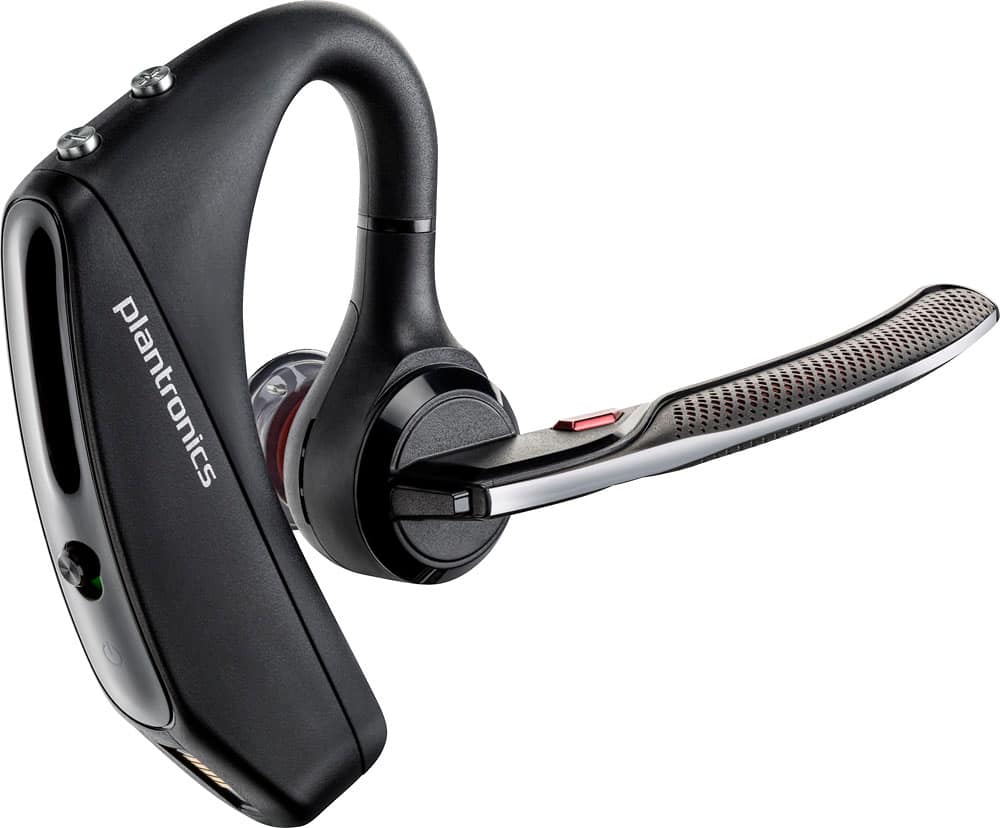
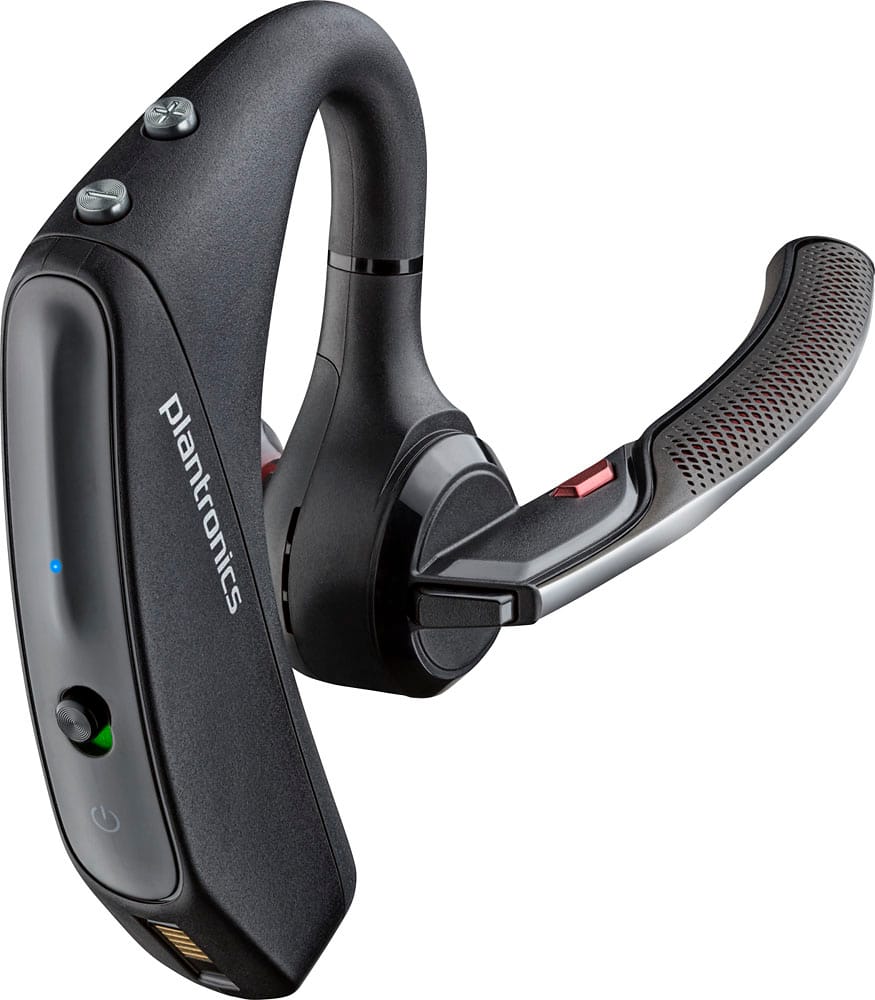
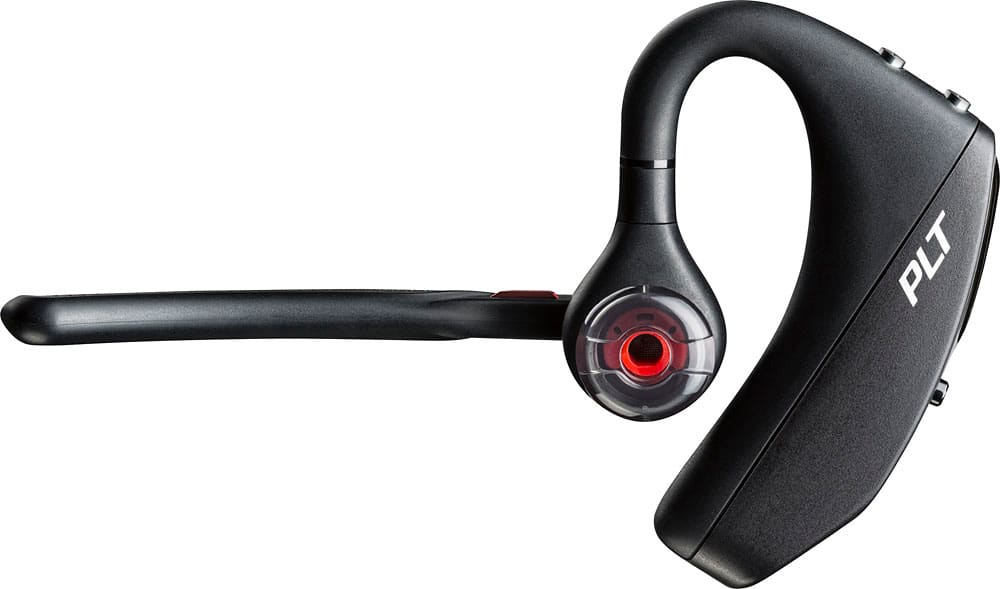
Customers commend the Voyager 5220 for its excellent sound quality, comfortable fit, and long-lasting battery life. Many users appreciate its reliable Bluetooth connectivity and lightweight design. However, some customers have noted concerns about the fit being a little loose, the volume being too low, and the range not meeting expectations.
This summary was generated by AI based on customer reviews.
- Pros mentioned:Sound quality
Great headset
||Posted . Owned for 1 week when reviewed.This reviewer received promo considerations or sweepstakes entry for writing a review.Great headset. Highly recommend it. Great replacement for a plantronics voyager legend.
I would recommend this to a friend Not as expected for Plantronics
||Posted .This reviewer received promo considerations or sweepstakes entry for writing a review.The reception using the device is very spotty. I frequently have callers saying they cannot here me, or think the call was dropped.
No, I would not recommend this to a friendBrand response from PlantronicsRepresentative
Posted .You might want to try resetting the Bluetooth connection between your phone and headset to see if that helps the issue. To do so; Delete the headset from your cell phone's list of paired devices. Once deleted, power your phone completely off, then power it back on. This resets the Bluetooth stack in the Bluetooth software on the phone. Re-pair the headset with your phone. If this does not fix your issue, we suggest pairing the headset to another cell phone as a test. If the issue is not present on the second phone, then the problem may be with the first phone, rather than the headset. If the issue exists on the second phone as well, you will need to replace the headset. Please don't hesitate to contact our customer care group at www.plantronics.com/support if you require assistance.

plantronics review
||Posted . Owned for 1 month when reviewed.This reviewer received promo considerations or sweepstakes entry for writing a review.I’ve had 2 other pair just like these. First one lasted for a long time until I lost it. The 2nd and the current one I’m having drop connections.
I would recommend this to a friendJust ok
||Posted .This reviewer received promo considerations or sweepstakes entry for writing a review.This item is good but doesnt seem to last me over a year. So every year i have to replace it
No, I would not recommend this to a friendIt’s just a good blue tooth device nothing great
||Posted . Owned for 1 month when reviewed.This reviewer received promo considerations or sweepstakes entry for writing a review.It’s ok the one I had before was better it seemed to work much better this one keeps cutting in and out sometimes it won’t let me know who’s calling
No, I would not recommend this to a friendBrand response from PlantronicsRepresentative
Posted .Hi! Than you for your review on our Voyager 5220 headset, however, we are sorry to hear about your experience. If your headset is constantly cutting off and you are no longer hearing the name of the person who's calling, it could be due to the smart sensors. If they are not calibrated or working as expected you can encounter these type of issues. You may want to try disabling the smart sensors. In an idle state, simultaneously press and hold the call and mute buttons for 5 seconds and a voice prompt will inform you of smart sensors status. You may also want to reset the Bluetooth connection with your mobile. To do so: 1) Unpair the headset from your mobile phone by accessing your Bluetooth settings. 2) Power off your mobile phone for 2 minutes and turn it back on. 3) Re-pair the headset by pressing and holding down the call control button until you see the LED flashing red and blue. 4) Access to your Bluetooth settings and select "PLT_V5200". Once successfully paired, you will hear "pairing successful" and the LED on your headset will stop flashing red and blue. Last but not least, we recommend testing the headset with a different mobile to completely isolate the issue. Our intention is to provide the highest quality products to our customers and we thank you for bringing this issue to our attention. Please feel free to contact our Customer Care Team at https://www.plantronics.com/us/en/support/contact if you require assistance!

- Cons mentioned:Fit
Don’t waste your money
||Posted . Owned for 3 months when reviewed.This reviewer received promo considerations or sweepstakes entry for writing a review.Broke after 6 months. Wouldn’t stay in my ear even with changing ear pieces.
No, I would not recommend this to a friendBrand response from PlantronicsRepresentative
Posted .Hello! Thank you for your reviewing our Voyager 5220, however, we are sorry to hear about your experience. If the ear tip slot is damaged, we recommend replacing this unit. Please note this model does have a limited warranty from the date of purchase and you can request a replacement directly through our official website. Please don't hesitate to contact our Customer Care Team at 1-888-363-0726 if you require assistance.
Meh
||Posted . Owned for 6 months when reviewed.This reviewer received promo considerations or sweepstakes entry for writing a review.Worked well, lasted 6 months but one of the 4 speakers in the boom started going out and everyone said I sounded like a robot
I would recommend this to a friendBluetooth
||Posted . Owned for 1 week when reviewed.This reviewer received promo considerations or sweepstakes entry for writing a review.Does not block background noise like it says it does
No, I would not recommend this to a friendNice feel to the ear.
||Posted .This reviewer received promo considerations or sweepstakes entry for writing a review.I have had this Bluetooth ear piece over a month now and the connectivity is not working properly between a connected phone. No doubt a bad unit I will exchange it tomorrow.
I would recommend this to a friendBrand response from PlantronicsRepresentative
Posted .That may be an issue with the headset or with the connection between the headset and phone. You might want to try resetting the Bluetooth connection between your phone and headset to see if that helps the issue.
To do so:
1. Delete the headset from your cell phone's list of paired devices.
2. Once deleted, power your phone completely off, then power it back on. This resets the Bluetooth stack in the Bluetooth software on the phone.
3. Re-pair the headset with your phone and test.
If the issue is the same we recommend testing the device with another phone to determine if it's on the phone or headset. If the issue persists even on a different phone we can replace that device, it comes with a 1 year warranty. Please don't hesitate to contact us at www.plantronics.com/support if you require assistance.
Decent blue tooth
||Posted .This reviewer received promo considerations or sweepstakes entry for writing a review.Only give it 3 stars as it can be a challenge to turn on. They don't tell you you must make sure it is pressed into ear to work. Have to reset on a regular basis....painful
No, I would not recommend this to a friendBrand response from PlantronicsRepresentative
Posted .Thank you for your honest review on our Voyager 5220, the headset has an over the ear wearing style but we recommend that you ensure the gel eartip is sitting right outside of your ear canal to ensure the best possible audio performance and secure fit.
Please don't hesitate to contact us at www.plantronics.com/support if you require assistance with your unit.
- Pros mentioned:Sound quality
Earpiece
||Posted . Owned for 1 week when reviewed.This reviewer received promo considerations or sweepstakes entry for writing a review.Love this product no noise in the background will definitely be buying another one
I would recommend this to a friend - Pros mentioned:Sound quality
Returning
||Posted .This reviewer received promo considerations or sweepstakes entry for writing a review.Kept falling off my ear, when I moved fast. Could not figure out how to unlock the smaller ear buds. GREAT sound!
No, I would not recommend this to a friend - Cons mentioned:Fit
Bad sound quality and fit
||Posted . Owned for 1 week when reviewed.This reviewer received promo considerations or sweepstakes entry for writing a review.Had high hopes but I’m going to end up returning these. Bad fit and sound quality. Had good accessories.
No, I would not recommend this to a friendBrand response from PlantronicsRepresentative
Posted .Hello Zethlyn and thank you for your review on our Voyager 5200 headset, however, we are sorry to hear about your experience. If you are experiencing some audio issues with the headset, you may want to try resetting the Bluetooth connection with your mobile. To do so: 1) Unpair the headset from your mobile phone by accessing your Bluetooth settings. 2) Power off your mobile phone for 2 minutes and turn it back on. 3) Re-pair the headset by pressing and holding down the call control button until you see the LED flashing red and blue. 4) Access to your Bluetooth settings and select "PLT_V5200". Once successfully paired, you will hear "pairing successful" and the LED on your headset will stop flashing red and blue.We also recommend testing the headset with a different mobile to isolate the issue. Please be sure to try wearing your headset on either ear and also trying all of the included ear gel sizes in order to find the most secure and comfortable fit. Our intention is to provide the highest quality products to our customers and we thank you for bringing this issue to our attention. We will forward your comments and feedback to our team for future consideration when developing new products and accessories. Please feel free to contact our Customer Care Team at 800-985-9815 if you require assistance!
- Cons mentioned:Volume
Doesn't last
||Posted .This reviewer received promo considerations or sweepstakes entry for writing a review.Had mine less then 2 months. People saying they can't hear me, volume of the ear peace not loud enough. Dust collector now
No, I would not recommend this to a friendBrand response from PlantronicsRepresentative
Posted .Thank you for your honest review on our Voyager 5220, we are sorry to hear you're experiencing trouble with your unit.
In order to troubleshoot connectivity or audio issues you might want to try resetting the Bluetooth connection between your phone and headset to see if that helps the issue. To do so:
1. Delete the headset from your cell phone's list of paired devices.
2. Once deleted, power your phone completely off, then power it back on. This resets the Bluetooth stack in the Bluetooth software on the phone.
3. Re-pair the headset with your phone. If this does not fix your issue, we suggest pairing the headset to another cell phone as a test.
If the issue is not present on the second phone, then the problem may be with the first phone, rather than the headset. If the issue exists on the second phone as well, you will need to replace the headset. Please don't hesitate to contact our customer care group at www.plantronics.com/support if you require assistance.
Not Recommend
||Posted . Owned for 6 months when reviewed.This reviewer received promo considerations or sweepstakes entry for writing a review.The Plantronics headset worked fine for a few days and then it kept having issues of people not hearing me, but I could hear them. It would happen about 20 min into a call and I had to always have an alternate available to readily switch in middle of calls. I tried switching to other phones and still had issues.
No, I would not recommend this to a friendDoes not last
||Posted . Owned for 4 months when reviewed.This reviewer received promo considerations or sweepstakes entry for writing a review.Many others have experienced the same issue with callers not hearing me anymore. It was great at first, but after 5 months, all of a sudden, I am told they can't hear me, or I am dropping out, wavering, frustrating me. For the price these should last more than five or six months. This is my second one hoping that the first one as an anomaly. But now after research and seeing that others are as frustrated, I am convinced these are not worth it.
No, I would not recommend this to a friendGreat sound poor design
||Posted . Owned for 1 week when reviewed.This reviewer received promo considerations or sweepstakes entry for writing a review.It’s not practical if you need it it all day for work. It was very uncomfortable and difficult to take off and on quickly
No, I would not recommend this to a friend- Pros mentioned:Comfort
Not worth it.
||Posted . Owned for 1 month when reviewed.This reviewer received promo considerations or sweepstakes entry for writing a review.Seems comfortable enough but people claim the volume on their side keeps going in and out. Disappointing! Also battery doesn't last very long at all.
No, I would not recommend this to a friend - Cons mentioned:Fit
No ear size adjustment
||Posted .This reviewer received promo considerations or sweepstakes entry for writing a review.It could fit better design for smaller ears. I am only a medium size ear this product would not work for a large ear.
No, I would not recommend this to a friendBrand response from PlantronicsRepresentative
Posted .Thank you for your honest review on our Voyager 5220, please be sure to try all of the included ear tip sizes in order to find the most comfortable and secure fit. In case you have the same results even after trying all of the included ear tips you might want to consider using a headset with a different wearing style. Please don't hesitate to contact us at www.plantronics.com/support if you require assistance!
Just horrible
||Posted .This reviewer received promo considerations or sweepstakes entry for writing a review.I was so excited to get this updated version of an old favorite, and really wanted to like it. Sadly, this headset is unreliable and suffers from more connection issues than I've experienced with any other headset. Frequent disconnects, sensor issues, etc... make this totally unusable (I went through 3 of these before giving up and returning it). Tried these on different phones, with no improvement, and an now back to my old Plantronics Edge with broken sensors that still works better than this.
No, I would not recommend this to a friendBrand response from PlantronicsRepresentative
Posted .Thank you for your honest review on our Voyager 5200 series Bluetooth headset, if you're having trouble with your headset's smart sensors you might want to ensure the headset's firmware is up to date through our Hub app for Android, iOS, MacOS and Windows. In case the issue persists we recommend disabling the wearing sensor. Please don't hesitate to contact us at www.plantronics.com/support if you require assistance with your unit.