Customer Ratings & Reviews


- Model:
- 7Y206AA#ABA
- SKU:
- 6563035
Rating by feature
- Sound Quality
Rating 4.4 out of 5 stars
- Battery Life
Rating 4.3 out of 5 stars
- Connectivity
Rating 4.4 out of 5 stars
Customers are saying
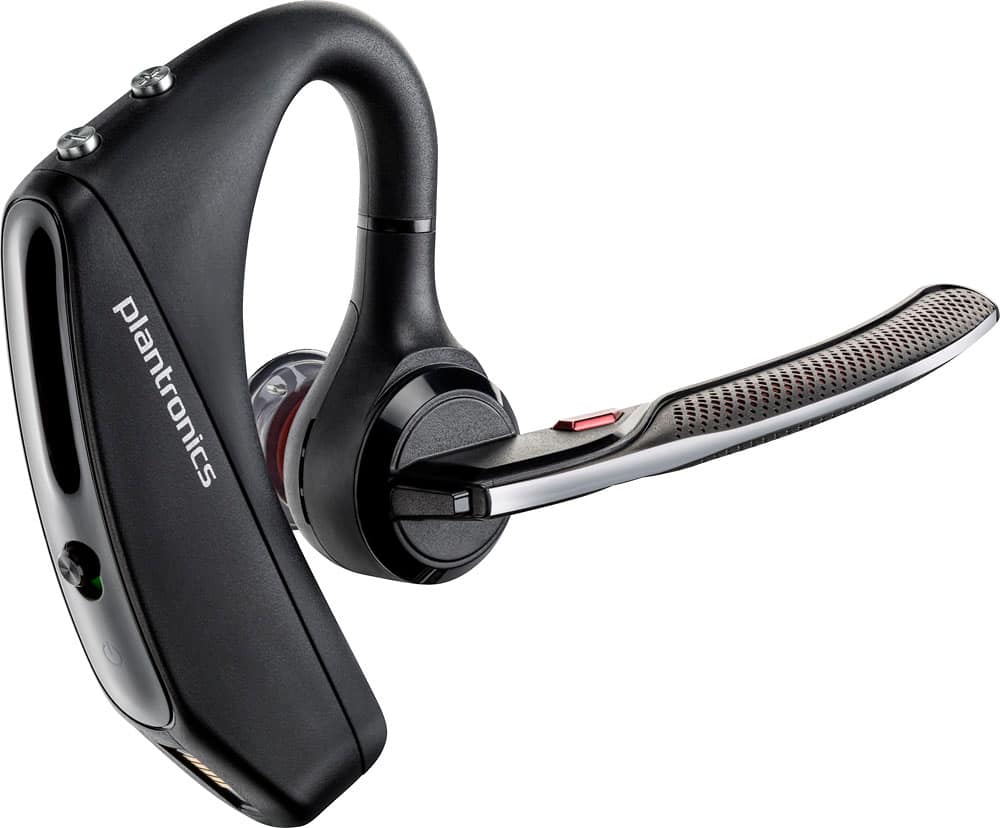
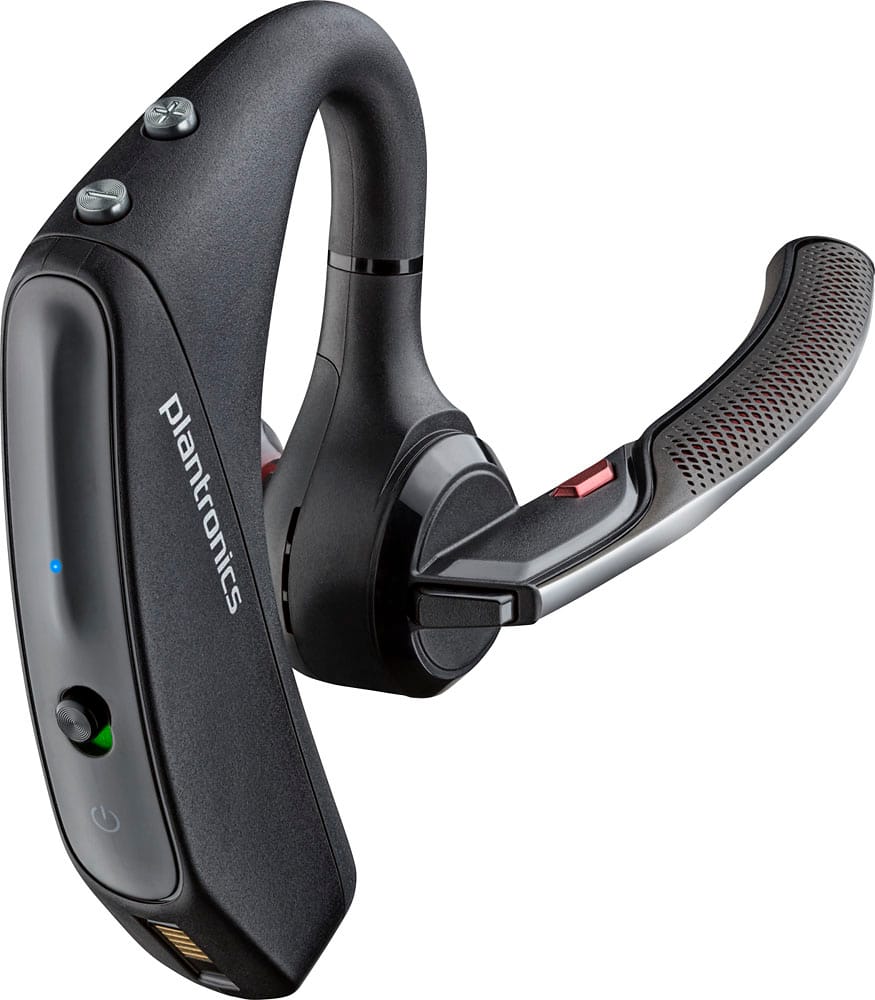
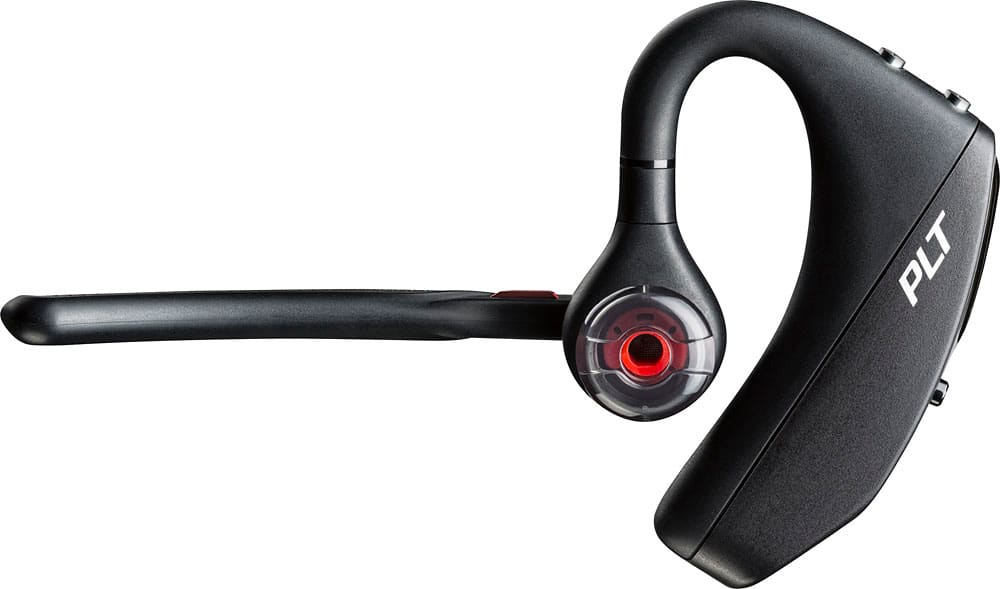
Customers commend the Voyager 5220 for its excellent sound quality, comfortable fit, and long-lasting battery life. Many users appreciate its reliable Bluetooth connectivity and lightweight design. However, some customers have noted concerns about the fit being a little loose, the volume being too low, and the range not meeting expectations.
This summary was generated by AI based on customer reviews.
Really Disappointed
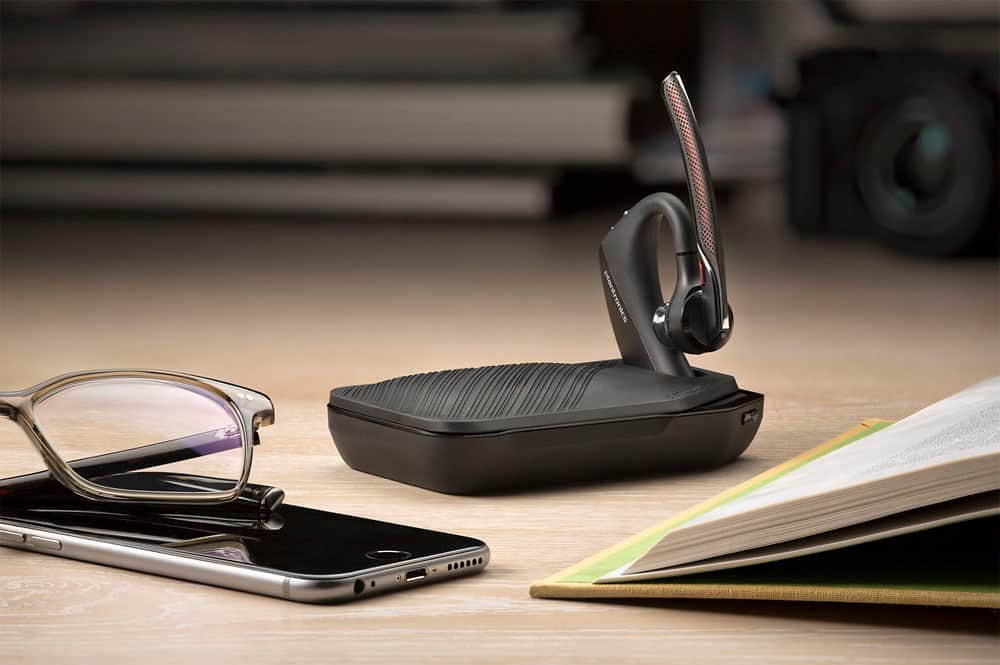
||Posted . Owned for 2 months when reviewed.This reviewer received promo considerations or sweepstakes entry for writing a review.I have gone through 2 of these Voyager 5220's and they are terrible. I see the reviews and can't believe it. I had to return one because it kept skipping words and only allowing me to listen to about 3 words and then skip a word and then 3 more words and skip again CONSTANTLY. I w purchased the extended warranty both times from the same Best Buy here in Stockton Ca. and now my new one is doing the exact same thing. It's not every call though, it just does it whenever it feels like it. It does however do it on EVERY call when I'm in my Camaro and my vehicles Bluetooth is also on. The Voyager SAYS it is compatible and ABLE to be used simultaneously with two Blue Tooth devices at a time but I have found this NOT to be the case. It doesn't work well when I pair it with my Desktop PC either. I hate to take it back because I purchased a portable case and charger that I love but the Blue Tooth just doesn't work. Not sure what to do. I may have to get a different brand.
No, I would not recommend this to a friendBrand response from PlantronicsRepresentative
Posted .Hello! Thank you for your review, however, we are sorry to hear about your experience. If you are experiencing some intermittent audio issues with the headset, you may want to disable the smart sensors of the headset. If the sensors are not calibrated, you could encounter these type of issues. In an idle state, simultaneously press and hold the call and mute buttons for 5 seconds and a voice prompt will inform you of sensors status. You may also want to test the headset connected to a different mobile to isolate the issue. If for some reason you still encounter the same issue, then it means the headset has an actual problem and it is best to replace it. Remember this unit counts with a limited warranty since the first day of purchase, and if you need a replacement you can click on the following link for further instructions: https://bit.ly/2N637EC. Please note this headset counts with multi point technology. Multi point technology enables you to pair and connect your headset to two different Bluetooth audio devices at once. Note that you will not be able to use two devices simultaneously; instead, the benefit is that you will be able to answer an incoming phone call from either device using the headset. Our intention is to provide the highest quality products to our customers and we thank you for bringing this issue to our attention. Please feel free to contact our Customer Care Team at 800-985-9815 if you require assistance.

Bluetooth earpiece
||Posted . Owned for 8 months when reviewed.This reviewer received promo considerations or sweepstakes entry for writing a review.Loses connection to Bluetooth in the middle of a conversation. I am not happy with this item.
No, I would not recommend this to a friendGood for what it is....
||Posted .This reviewer received promo considerations or sweepstakes entry for writing a review.Too old school, returned and got the Apple wireless earbuds. Way better and more useful and the same price when u add this with the portable cradle/ charger.
No, I would not recommend this to a friend- Cons mentioned:Volume
Buyer beware.
||Posted . Owned for 1 week when reviewed.This reviewer received promo considerations or sweepstakes entry for writing a review.Failed to meet expectations. Purchased to replace 8yr old Jabra. Returned due to: 15~20 ft range (one wall). Ah, coffee maker 30 ft from office. Distorted audio Low volume using Google maps (volume on unit and phone max'd) Constant re-pairing within 5 ft of bluetooth connection 5 hour talk time.
No, I would not recommend this to a friendBrand response from PlantronicsRepresentative
Posted .Hi Gordon and thank you for sharing your honest review on our Voyager 5220; However, we're sorry to hear you've had this experience. This model is one of our best communication headsets and specially engineered to deliver superior range as it is a Bluetooth class 1 device but to get the full benefit of the extended range, your phone needs to also be a Class 1 Bluetooth device. If your phone isn’t a Class 1 Bluetooth device, then your maximum range should be closer to the standard 10m/33ft Bluetooth range. To troubleshoot audio and range issues, please reset the connection: https://bit.ly/2OOMfnw. To re-pair, make sure you set it in pair mode by pressing and holding the call button for 6-8 seconds until LED flashes red and blue repeatedly. Also, please ensure the firmware version is up to date through our Hub Software for Desktop. After following the previous steps, test the unit on different locations to isolate the cause of the issue. Building layout and materials affect how far wireless signals will reach, which influences roaming range and density. Concrete and metal construction blocks wireless signals, reducing the potential for interference while limiting roaming range. On the other hand, large windows or a central atrium allow signals to travel farther, allowing greater range while potentially increasing density issues. Understanding how building design affects wireless performance is key to maximizing wireless headset deployment density and audio quality. In order to extend the battery life of our products: https://bit.ly/35IMed5.
- Cons mentioned:Volume
Volume lacking
||Posted .This reviewer received promo considerations or sweepstakes entry for writing a review.Disappointed with the volume of this Bluetooth. Expected a bit more from Plantronics You have to push tight against your ear to really hear good.
No, I would not recommend this to a friend Battery Life
||Posted . Owned for 1 week when reviewed.This reviewer received promo considerations or sweepstakes entry for writing a review.Battery life isn’t very good, noise canceling isn’t as good as the voyager.
No, I would not recommend this to a friendWas ok for 6 month
||Posted .This reviewer received promo considerations or sweepstakes entry for writing a review.After using everyday for 6 month battery doesn’t hold the charge anymore. Spent more than $200 when first released but still not a good choice
No, I would not recommend this to a friendBrand response from PlantronicsRepresentative
Posted .Hello and thank you for your honest review on our Voyager 5220 headset, however, we are sorry to hear about your experience. Charging issues with Bluetooth headsets can be a problem caused by the power source, cable or the product itself (it can be the charging connector or the battery on some cases). You may want to charge the headset with a different micro USB cable to see if the issue persists. If for some reason you are still having the same issue then it means the headset has an actual problem and it is best to replace it. Remember this unit counts with a limited warranty since the first day of purchase. Please don't hesitate to contact our Customer Care Team at https://www.plantronics.com/us/en/support/contact if you require assistance.
On my 2nd one
||Posted . Owned for 2 weeks when reviewed.This reviewer received promo considerations or sweepstakes entry for writing a review.The 1st one I bought had microphone problems. Bestbuy replaced it with a new earpiece. Hoping this one lasts longer than a month.
I would recommend this to a friendDidn't do the job I wanted
||Posted . Owned for 2 weeks when reviewed.This reviewer received promo considerations or sweepstakes entry for writing a review.I needed this to work also as a mic to my phone when I was live streaming and used my cell to record a rear angle of my sim racing online stream, but it didn't do that. Maybe this device was never intended for such use, but I'm at a loss as to why. I also didnt like the ear hook apparatus. Doesn't fit the ear well and the instruction weren't very clear on how to change the different size ear adapters. This was returned!!!
No, I would not recommend this to a friendBrand response from PlantronicsRepresentative
Posted .Hello! Thank you for your review on our Voyager 5220 headset, however, we are sorry to hear it wasn't for you. Please note the functionality of the headset will depend on the device and application being used. In order to change the ear gel from the headset, you need to push in ear tip and rotate to the left to unlock it, then align new ear tip into slot; push, rotate to the right and lock into place. These headsets are designed to fit the vast majority of ear shapes and sizes; however, we do know that one size may not fit all and if you find the product too uncomfortable for normal use we strongly recommend that you consider using a headset with a different wearing style. Our intention is to provide the highest quality products to our customers and we thank you for bringing this issue to our attention. We will forward your comments and feedback to our team for future consideration when developing new products and accessories. Please feel free to contact our Customer Care Team at https://www.plantronics.com/us/en/support/contact if you require assistance!
- Pros mentioned:Comfort
Great earbuds
||Posted .This reviewer received promo considerations or sweepstakes entry for writing a review.Enjoying my bluetooth earbuds, very comfortable, this is my go to!!! Haven't found a better one yet!!
I would recommend this to a friend traded 2 time
||Posted . Owned for 1 year when reviewed.This reviewer received promo considerations or sweepstakes entry for writing a review.bought this and had to trade first one in because it kept unconnecting from my phone. Second one wouldn't keep a charge
No, I would not recommend this to a friend- Pros mentioned:Sound quality
Best bluetooth
||Posted .This reviewer received promo considerations or sweepstakes entry for writing a review.This bluetooth works perfect. I work with my hands so it keeps me hands free and able to talk and hear clearly with loud noises in the back round.
I would recommend this to a friend - Cons mentioned:Range
Meh
||Posted . Owned for 1 week when reviewed.This reviewer received promo considerations or sweepstakes entry for writing a review.Audio quality not very good either on the mic or headphones side. Also the range is terrible— like 10 ft — ever since the firmware update
No, I would not recommend this to a friend Microphone failure
||Posted . Owned for 3 months when reviewed.This reviewer received promo considerations or sweepstakes entry for writing a review.This was the most amazing headset option ... portable and easy to pair with different computers, until one day when it decided to only work for audio and not microphone, which rendered it useless. Of course, it was 2 months after the return window. I purchased on December 11 and the device stopped working correctly on March 11. Waste of money.
No, I would not recommend this to a friendNot happy with this product
||Posted . Owned for 3 weeks when reviewed.This reviewer received promo considerations or sweepstakes entry for writing a review.It does not cancel the noise, and sounds muffled at times.
No, I would not recommend this to a friendRefurbished ones are to be desired
||Posted . Owned for 2 weeks when reviewed.This reviewer received promo considerations or sweepstakes entry for writing a review.Refurbished ones are to be desired Michel phone bad New one are ok Don’t hold up too extreme to use like construction
I would recommend this to a friendBluetooth ok
||Posted .This reviewer received promo considerations or sweepstakes entry for writing a review.Bluetooth does ok , I have to reconnect with phone every time I turn it off ? Doesn't charge all the way to 7 hrs? Looses charge quicker than I think it should.
I would recommend this to a friendBrand response from PlantronicsRepresentative
Posted .This headset should give you up to 7 hours of talk time with a full charge.
If your headset is giving you considerably lower talk time or the battery drain is too high when not in use you might want to try resetting the Bluetooth connection between your phone and headset following these steps:
1. Delete the headset from your cell phone's list of paired devices.
2. Once deleted, power your phone completely off, then power it back on. This resets the Bluetooth stack in the Bluetooth software on the phone.
3. Re-pair the headset with your phone and test.
If the issue is the same we recommend testing the device with another phone to determine if its on the phone or headset. If the issue persists even on a different phone we can replace that device, it comes with a 1 year warranty from the date of purchase. You can use the following url to view our replacement steps: http://www.plantronics.com/us/support/kb/detail.jsp?vfurl=/articles/en_US/Warranty/RN9669&retURL=%2Fapex%2FknowledgeSearch®ion=us&p=&c=All&k=replacement&t=All&lang=en_US&popup=false&c=All
Phone issues
||Posted .This reviewer received promo considerations or sweepstakes entry for writing a review.I really like the quality of this but it freezes up my phone constantly. I checked to see if it's a software update needed, but my phone is up to date.
No, I would not recommend this to a friendBrand response from PlantronicsRepresentative
Posted .Thank you for your honest review on our Voyager 5220, we are sorry to hear you're experiencing trouble with your unit.
In order to troubleshoot connectivity or audio issues you might want to try resetting the Bluetooth connection between your phone and headset to see if that helps the issue. To do so:
1. Delete the headset from your cell phone's list of paired devices.
2. Once deleted, power your phone completely off, then power it back on. This resets the Bluetooth stack in the Bluetooth software on the phone.
3. Re-pair the headset with your phone. If this does not fix your issue, we suggest pairing the headset to another cell phone as a test.
If the issue is not present on the second phone, then the problem may be with the first phone, rather than the headset. If the issue exists on the second phone as well, you will need to replace the headset. Please don't hesitate to contact our customer care group at www.plantronics.com/support if you require assistance.
Love it
||Posted . Owned for 5 months when reviewed.This reviewer received promo considerations or sweepstakes entry for writing a review.This thing is awesome. My only problem is I don’t like to wear it in my ear when I’m not talking on it. So, I put it in my front pocket of my shirt and eventually the talking piece breaks. I tape it together and it’s fine. But, if it came with a case, this would be a 5 start item!
I would recommend this to a friendToo bulky
||Posted .This reviewer received promo considerations or sweepstakes entry for writing a review.Works great, but I couldn’t use it because my glasses wouldn’t fit over the bulky earpiece
I would recommend this to a friendBrand response from PlantronicsRepresentative
Posted .Hi! Thank you for your honest review on our Voyager 5200 headset. However, we are sorry to hear about your experience. Wearing glasses with this headset will probably not be too comfortable depending on the type or size of the arm of the eyeglasses. If the arms of your eyeglasses are too big or thick it will not be comfortable to use. We know that one size may not fit all and if you find the product too uncomfortable for normal use we strongly recommend that you consider using a headset with a different wearing style. Please don't hesitate to contact our Customer Care Team at https://www.plantronics.com/us/en/support/contact if you require assistance.