Customer Ratings & Reviews
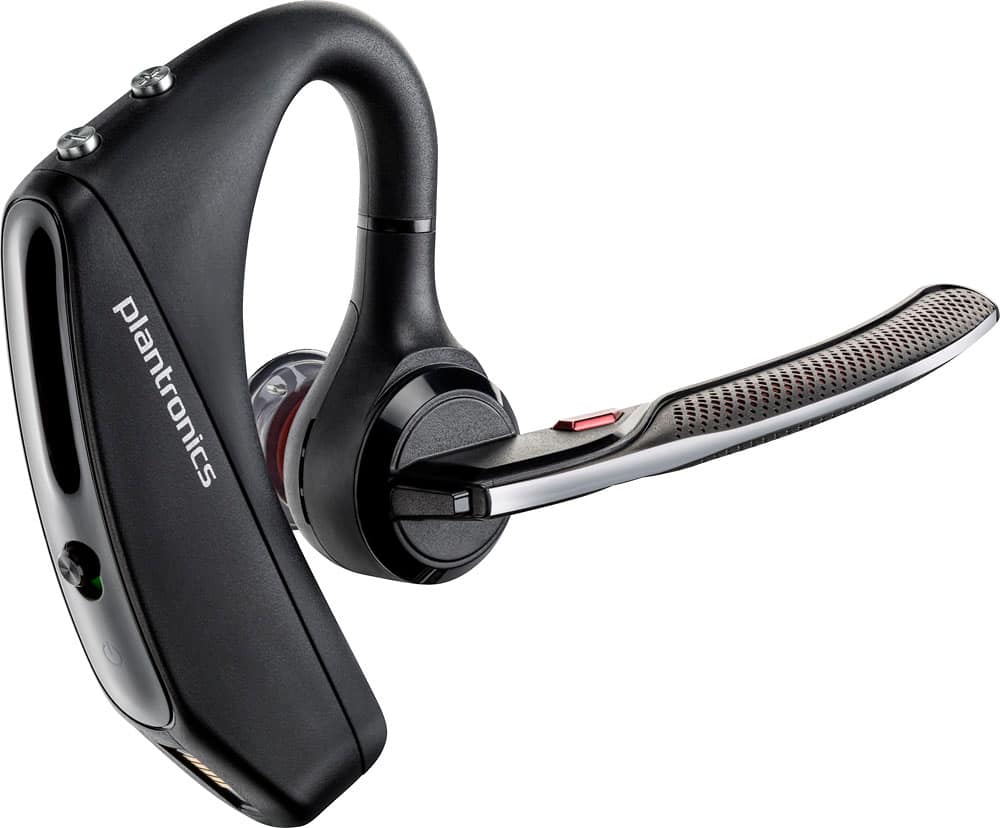
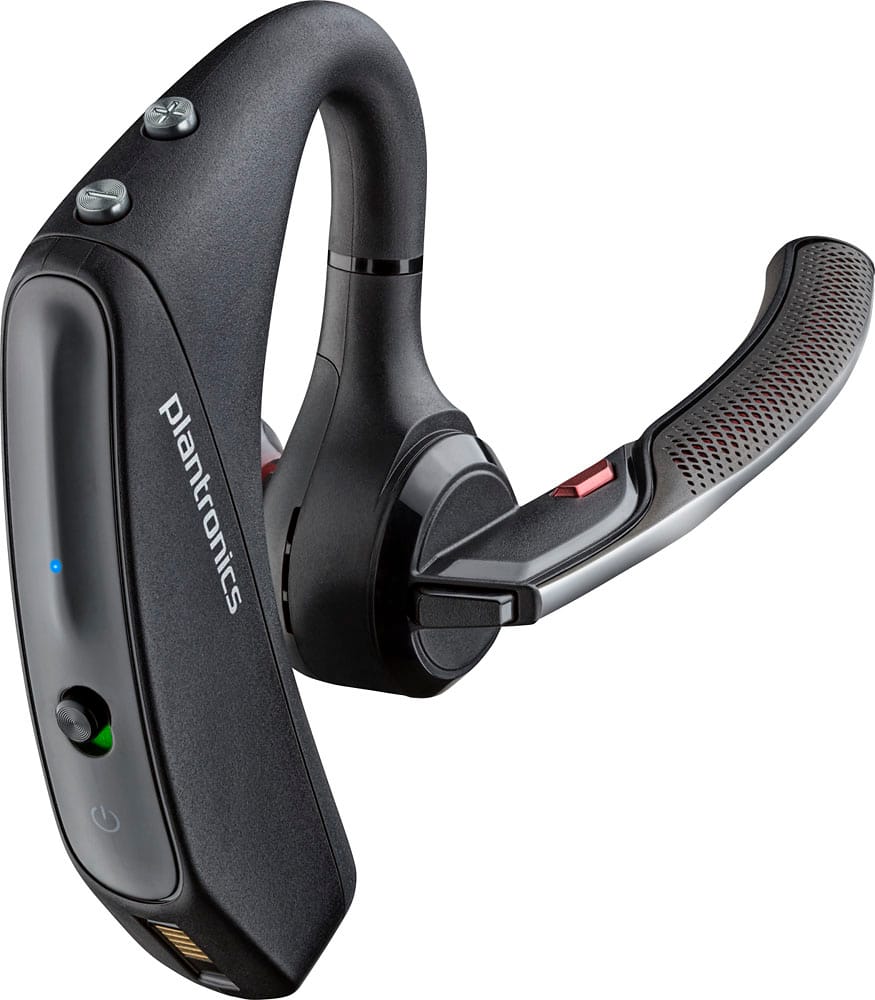
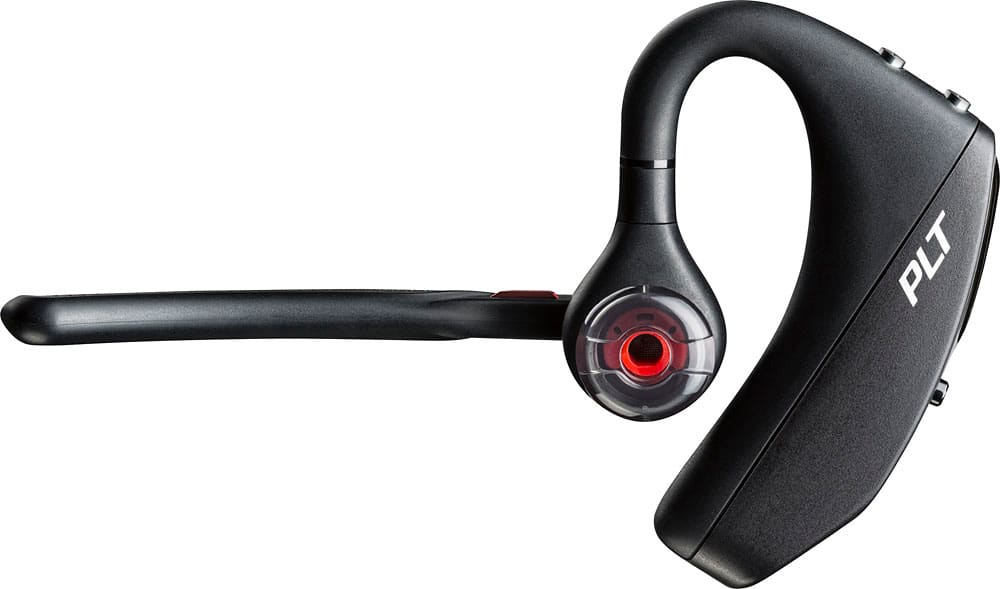
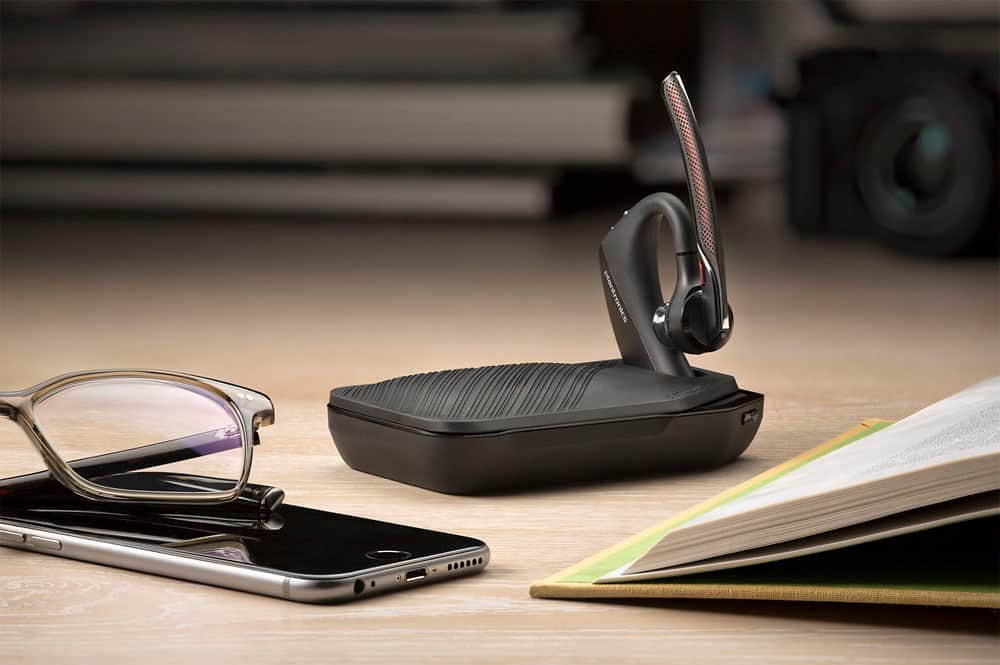



- Model:
- 7Y206AA#ABA
- SKU:
- 6563035
Rating by feature
- Sound Quality
Rating 4.4 out of 5 stars
- Battery Life
Rating 4.3 out of 5 stars
- Connectivity
Rating 4.4 out of 5 stars
Customers are saying
Customers commend the Voyager 5220 for its excellent sound quality, comfortable fit, and long-lasting battery life. Many users appreciate its reliable Bluetooth connectivity and lightweight design. However, some customers have noted concerns about the fit being a little loose, the volume being too low, and the range not meeting expectations.
This summary was generated by AI based on customer reviews.
unbearable
||Posted . Owned for 1 year when reviewed.This reviewer received promo considerations or sweepstakes entry for writing a review.work so so but have a big problem for uncomfortable
No, I would not recommend this to a friendNot so great
||Posted .This reviewer received promo considerations or sweepstakes entry for writing a review.The other voyager legend is better than the 5220. 5220 is easier to charge but not as good of connection.
No, I would not recommend this to a friendBrand response from PlantronicsRepresentative
Posted .Thank you for your honest review on our Voyager 5220, we are sorry to hear you're experiencing trouble with your headset.
In order to troubleshoot connectivity or audio issues you might want to try resetting the Bluetooth connection between your phone and headset to see if that helps the issue. To do so:
1. Delete the headset from your cell phone's list of paired devices.
2. Once deleted, power your phone completely off, then power it back on. This resets the Bluetooth stack in the Bluetooth software on the phone.
3. Re-pair the headset with your phone. If this does not fix your issue, we suggest pairing the headset to another cell phone as a test.
If the issue is not present on the second phone, then the problem may be with the first phone, rather than the headset. If the issue exists on the second phone as well, you will need to replace the headset. Please don't hesitate to contact our customer care group at www.plantronics.com/support if you require assistance.
Pricely
||Posted .This reviewer received promo considerations or sweepstakes entry for writing a review.Cost too much money for what you get in return the caller can hear all the noise around you
No, I would not recommend this to a friendBrand response from PlantronicsRepresentative
Posted .Thank you for sharing your feedback on our Voyager 5220 headset. We're sorry to hear you've had issues with the microphone. This model has a Four-mic active digital signal processing (DSP) Internal, adaptive 20-band equalizer and acoustic echo cancellation. If this is not working, please ensure your unit's firmware is up to date through our Plantronics Hub Software: https://goo.gl/5ceQ1v. You might also want to try resetting the Bluetooth connection with your phone: https://goo.gl/emzUTA. Testing your headset with different phones and also at different locations and while connected to a single device at a given time is ideal in order to isolate the cause of the problem. Please note this unit has a one-year limited warranty from date of purchase. Thank you for your comments, we will forward them to our team as a consideration. If you would like further assistance, feel free to contact our Customer Care Team at: 855-765-7878

Doesn't do what it states.
||Posted .This reviewer received promo considerations or sweepstakes entry for writing a review.It does not have the distance it states ok the packaging. Clarity doesn't last through out battery life.
I would recommend this to a friendBrand response from PlantronicsRepresentative
Posted .Thank you for your honest review on our Voyager 5220. this headset should provide you with up to 98 feet of range when connected to a class 1 Bluetooth device. Most smartphones, tablets and computers have class 2 Bluetooth transmitters that should provide you with up to 33 feet. Please don't hesitate to contact our customer care group at www.plantronics.com/support if you require assistance with your unit!
- Cons mentioned:Fit
okay
||Posted .This reviewer received promo considerations or sweepstakes entry for writing a review.I tried that Bluetooth it hurt my ear. It was not what thought it would be.
No, I would not recommend this to a friendBrand response from PlantronicsRepresentative
Posted .When we design a specific headset we aim to accommodate around 80-90% of different ear shapes and sizes but unfortunately one size (or in this case one style) doesn't fit all. If the headset is uncomfortable to wear, feels loose in your ear or just seems like it'll fall regardless of the eartip size you are using we do recommend trying a headset with a different wearing style.
We will also forward this feedback to our product managers for them to consider when designing future products.
Not so good for trucking
||Posted .This reviewer received promo considerations or sweepstakes entry for writing a review.Not the best for truck driving, backgroud noise and I couldn't hear incoming call well.
No, I would not recommend this to a friendBrand response from PlantronicsRepresentative
Posted .Hello! Thank you for your review on our Voyager 5200 series headset. However, we are sorry to hear about your experience. If you are experiencing some audio issues with the headset, you may want to reset the Bluetooth connection with your mobile. To do so: 1) Unpair the headset from your mobile phone by accessing your Bluetooth settings. 2) Power off your mobile phone for 2 minutes and turn it back on. 3) Re-pair the headset by pressing and holding down the call control button until you see the LED flashing red and blue. 4) Access to your Bluetooth settings and select "PLT_V5200". Once successfully paired, you will hear "pairing successful" and the LED on your headset will stop flashing red and blue. You may also want to check if your headset doesn't have any kind of updates available through Plantronics Hub: https://bit.ly/2NNfqpE. Last but not least we recommend to test the headset with a different mobile to completely isolate the issue. Please don't hesitate to contact our Customer Care Team at https://www.plantronics.com/us/en/support/contact if you require assistance.
- Pros mentioned:Sound quality
defective
||Posted . Owned for 4 months when reviewed.This reviewer received promo considerations or sweepstakes entry for writing a review.My husband is a truck driver this is the 3rd bluetooth we get they stop functioning 100% after a few weeks that's why we purchase the insurance on it they work very well at beginning as far as background noise blocker but other than that it sucks
No, I would not recommend this to a friendBrand response from PlantronicsRepresentative
Posted .Thank you for taking the time to share your honest feedback on our Voyager 5220; However, we're sorry to hear about your experience. The life span of the product depends on the usage but on many cases they last for way past their warranty period. For optimal performance, we recommend to use a 5-volt wall charger. On the following link you will also find a few tips on how to extend the battery life of our products: https://goo.gl/V5xD4Q. Thank you for bringing this to our attention. Your feedback has been shared with our Product Development Team for review and consideration. If you require further assistance, please don't hesitate to contact our Customer Care Team at: 1-888-363-0726.
- Cons mentioned:Fit
just okay
||Posted .This reviewer received promo considerations or sweepstakes entry for writing a review.I didn’t like the way it fit and stay in my ear, it felt too loose.
No, I would not recommend this to a friendBrand response from PlantronicsRepresentative
Posted .Thank you for your honest review on our Voyager 5220, please be sure to try wearing the headset on either ear and using all of the included eartip sizes in order to find a comfortable and secure fit.
We will forward your feedback to our team for future consideration, please don't hesitate to contact our customer care group at www.plantronics.com/support if you require assistance!
- Cons mentioned:Fit
Good voice quality but won’t set on your ears
||Posted . Owned for 1 week when reviewed.This reviewer received promo considerations or sweepstakes entry for writing a review.Good voice quality but won’t set on your ears!!!!!
No, I would not recommend this to a friendBrand response from PlantronicsRepresentative
Posted .Hello! Thank you for your honest review on our Voyager 5200 headset, however, we are sorry to hear you were not able to find a secure fit. Please be sure to try wearing your headset on either ear and also trying all of the included ear gel sizes in order to find the most secure and comfortable fit. These headsets are designed to fit the vast majority of ear shapes and sizes; however, we do know that one size may not fit all and if you find the product too uncomfortable for normal use we strongly recommend that you consider using a headset with a different wearing style. Our intention is to provide the highest quality products to our customers and we thank you for bringing this issue to our attention. We will forward your comments and feedback to our team for future consideration when developing new products and accessories. Please don't hesitate to contact our Customer Care Team at 800-985-9815 if you require assistance.
GREAT EARPIECE
||Posted .This reviewer received promo considerations or sweepstakes entry for writing a review.OVERALL A GREAT PRODUCT...DEFINITELY PLEASED WITH MY. PURCHASE...SO PLEASED I BOUGHT 2.
I would recommend this to a friendBrand response from PlantronicsRepresentative
Posted .Hello! Thank you very much for your honest review and for your kind comments; we really appreciate you taking valuable time out of your day to give your feedback. We will continue to provide our valuable customers like you the best of our products and services. Please don't hesitate to contact our Customer Care Team at https://www.plantronics.com/us/en/support/contact if you require assistance.
Disconnects a lot!
||Posted .This reviewer received promo considerations or sweepstakes entry for writing a review.Really liked the older model better. It was easier to charge and stayed connected better.
No, I would not recommend this to a friendBrand response from PlantronicsRepresentative
Posted .Thank you for your honest review on our Voyager 5200 headset, however we are sorry to hear about your experience. If you are experiencing connectivity issues with the headset you may want to try a simple reset. 1) Access your phone Bluetooth settings and next to "PLT_V5200" tap on the tool or an "i" icon depending on the model of your phone. 2) Select "unpair" or "forget device". 3) Power off your mobile for at least 2 minutes and turn it back on. 4) Re-pair the headset by pressing and holding down the call control button of the headset until it starts flashing red and blue. 5) Access your phone Bluetooth settings and wait for "PLT_V5200" to come up and select it. Please don't hesitate to contact our customer care group at https://www.plantronics.com/us/en/support/contact if you require further assistance!
- Cons mentioned:Fit
Don't care for this model
||Posted .This reviewer received promo considerations or sweepstakes entry for writing a review.The unit is bulky and doesn't sit well in ear. Will not buy another.
No, I would not recommend this to a friendBrand response from PlantronicsRepresentative
Posted .Thank you for your honest review on our Voyager 5220, please be sure to try all included eartip sizes to ensure you get a comfortable and secure fit with your headset. In case you find this model too uncomfortable for daily use even after trying it on either ear and with all included eartip sizes we recommend that you consider a headset with a different wearing style. Please don't hesitate to contact our customer care group at www.plantronics.com/support if you have other questions!
Dawson family
||Posted . Owned for 1 week when reviewed.This reviewer received promo considerations or sweepstakes entry for writing a review.Product is not that good had one before it was very good
No, I would not recommend this to a friendLook into the 5200 before buying
||Posted .This reviewer received promo considerations or sweepstakes entry for writing a review.I can not end the call from the 5200 ear peice. Also, difficult to make a call from the 5220 ear peice.
No, I would not recommend this to a friendBrand response from PlantronicsRepresentative
Posted .Thank you for your honest review on our Voyager 5200, we are sorry to hear you're experiencing trouble with your unit.
In order to troubleshoot connectivity or audio issues you might want to try resetting the Bluetooth connection between your phone and headset to see if that helps the issue. To do so:
1. Delete the headset from your cell phone's list of paired devices.
2. Once deleted, power your phone completely off, then power it back on. This resets the Bluetooth stack in the Bluetooth software on the phone.
3. Re-pair the headset with your phone. If this does not fix your issue, we suggest pairing the headset to another cell phone as a test.
If the issue is not present on the second phone, then the problem may be with the first phone, rather than the headset. If the issue exists on the second phone as well, you will need to replace the headset. Please don't hesitate to contact our customer care group at www.plantronics.com/support if you require assistance.
Will not switch easily between phones and car
||Posted .This reviewer received promo considerations or sweepstakes entry for writing a review.It seems to switch back and forth from my car to the headset
I would recommend this to a friendNot bad for the price
||Posted .This reviewer received promo considerations or sweepstakes entry for writing a review.Ear piece not comfortable doesn't feel secure and it feels like it can come off at any time.
No, I would not recommend this to a friendBrand response from PlantronicsRepresentative
Posted .Thank you for your honest review on our Voyager 5220, we are sorry to her this headset's comfort did not meet your expectations.
We always aim for our headsets to accommodate 80% or more of all different ear shapes and sizes, however, if you don't find a secure and comfortable fit with the product even after trying all of the included ear tip sizes we do recommend that you consider trying a headset with a different wearing style. We'll forward your comments and feedback to our team for future consideration, please don't hesitate to contact us at https://www.plantronics.com/us/en/support/contact if you require assistance!
Awkward Eat piece
||Posted . Owned for 1 week when reviewed.This reviewer received promo considerations or sweepstakes entry for writing a review.Awkward to try to turn Volume up and down. Seems inconvenient
No, I would not recommend this to a friend- Pros mentioned:Sound quality
great unit
||Posted .This reviewer received promo considerations or sweepstakes entry for writing a review.good noise cancelling, easy to control with voice answer,you certainly get what you pay for
I would recommend this to a friend - Cons mentioned:Fit
Don’t like it
||Posted .This reviewer received promo considerations or sweepstakes entry for writing a review.Hard to get it on Can’t hear very good It slips of easily
No, I would not recommend this to a friendBrand response from PlantronicsRepresentative
Posted .Thank you for your honest review on our Voyager 5220, please be sure to try wearing your headset on either ear and also trying all of the included ear gel sizes in order to find the most secure and comfortable fit.
We will forward your feedback to our team for future consideration, please don't hesitate to contact our customer care group at www.plantronics.com/support if you require assistance!
It's nice I use it everyday
||Posted .This reviewer received promo considerations or sweepstakes entry for writing a review.The Only Thing I Don't like is it's Suppose to Charge up to 7 hours and it only charges to 6 hours
I would recommend this to a friendBrand response from PlantronicsRepresentative
Posted .Thank you for your honest review on our Voyager 5220, we are sorry to hear you're experiencing trouble with your unit. If your headset is providing you considerably less talk time than the rated 7 hours please try updating your headset's firmware using your Hub app for Android, iOS, macOS and Windows and then try fully draining and recharging your headset's battery. Please don't hesitate to contact our customer care group at www.plantronics.com/support if you require assistance.