Customer Ratings & Reviews
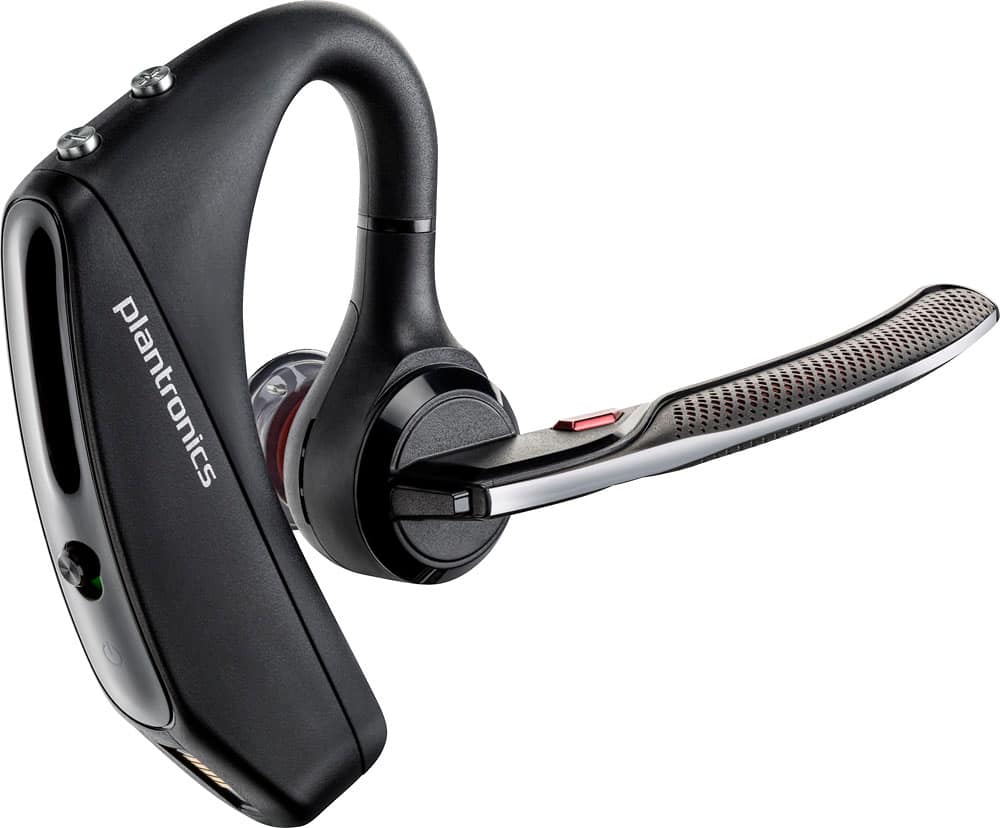
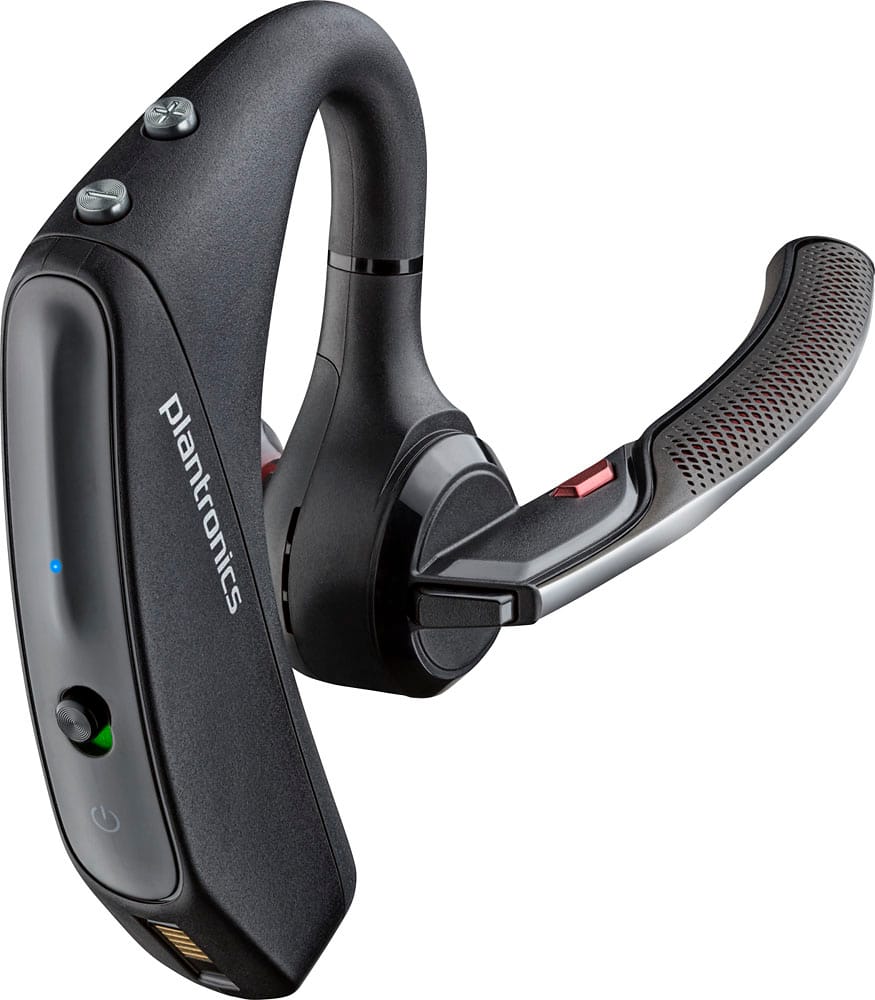
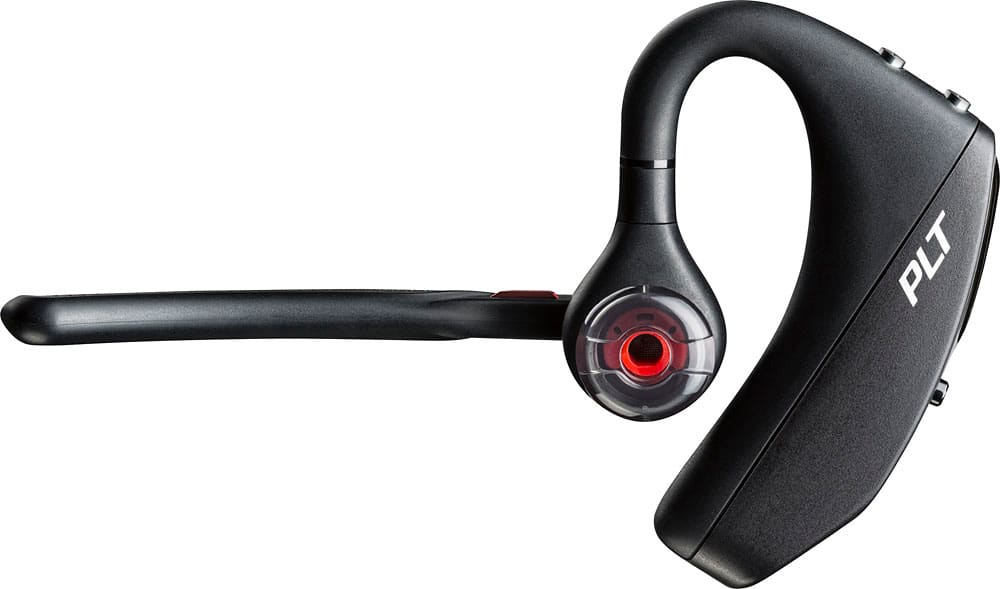
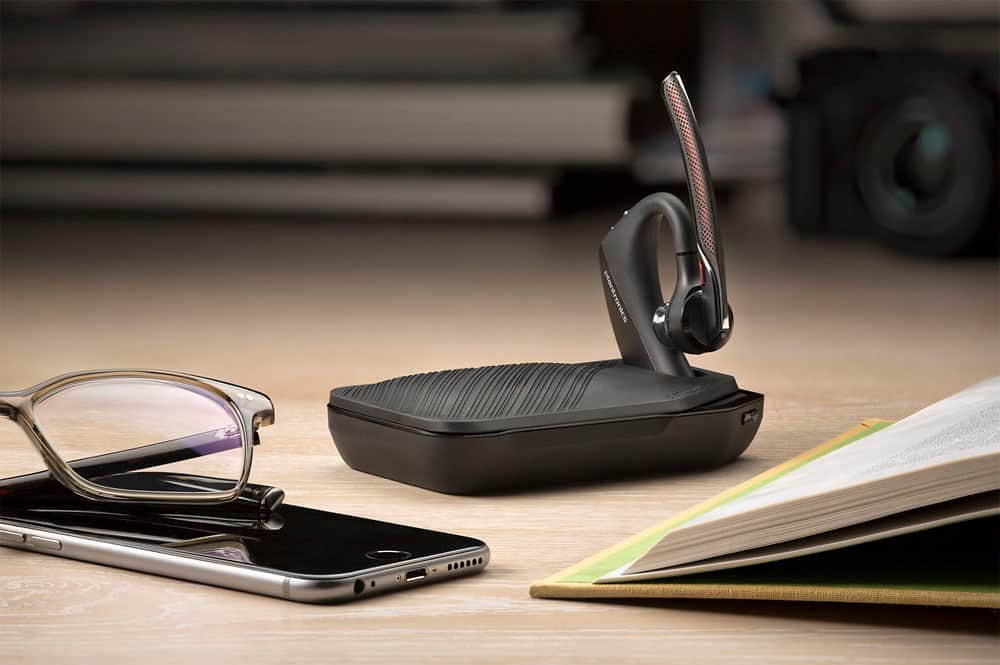




- Model:
- 7Y206AA#ABA
- SKU:
- 6563035
Rating by feature
- Sound Quality
Rating 4.4 out of 5 stars
- Battery Life
Rating 4.3 out of 5 stars
- Connectivity
Rating 4.4 out of 5 stars
Customers are saying
Customers commend the Voyager 5220 for its excellent sound quality, comfortable fit, and long-lasting battery life. Many users appreciate its reliable Bluetooth connectivity and lightweight design. However, some customers have noted concerns about the fit being a little loose, the volume being too low, and the range not meeting expectations.
This summary was generated by AI based on customer reviews.
- Pros mentioned:Bluetooth
Great bluetooth
||Posted .This reviewer received promo considerations or sweepstakes entry for writing a review.I love this bluetooth. Great use for keep moving with touch the phone.
I would recommend this to a friend Okay buy
||Posted .This reviewer received promo considerations or sweepstakes entry for writing a review.Good concept, okay product. Stopped working, needs improvement
No, I would not recommend this to a friendBrand response from PlantronicsRepresentative
Posted .Thank you for taking the time to share your feedback on our Voyager 5220. We're sorry to hear your unit stopped working. The life span of the product depends on the usage but on many cases they last for way past their warranty period. Our intention is to provide the highest quality products to our customers and we thank you for bringing this issue to our attention. If your unit is not turning on, you may want to try using a different micro-USB cable and AC power adapter to isolate the cause of the issue. You might also want to ensure your unit's firmware is up to date through our Plantronics Hub Software for Desktop: https://goo.gl/5ceQ1v. If you get the same results, then the unit has a problem and we'll need to replace it. This model has a one-year manufacturer's warranty from date of purchase. If you require further assistance, please contac tour Customer Care Team at: 855-765-7878.

Not worth the price
||Posted .This reviewer received promo considerations or sweepstakes entry for writing a review.This Bluetooth wouldn’t fully charge and each time I charged it the charge was less. I had to return it and downgraded back to the Voyager Legend. Even if the 5220 would have held the charge I don’t feel it was worth the price you pay for it.
No, I would not recommend this to a friendBrand response from PlantronicsRepresentative
Posted .Hello! Thank you for your honest review on our Voyager 5220, however, we are sorry to hear about your experience. We really appreciate you taking valuable time out of your day to give your feedback. We intend to provide the highest quality products to our customers and we thank you for bringing this to our attention. We will forward your comments to our Product Development Team, as we appreciate feedback based on customer use to create the best possible products. Please don't hesitate to contact our Customer Care Team at 1-888-363-0726 if you require assistance.
So so
||Posted .This reviewer received promo considerations or sweepstakes entry for writing a review.Specs a little better rhan the old but the comfort level wasnt so high
I would recommend this to a friendBrand response from PlantronicsRepresentative
Posted .Thank you for your honest review on our Voyager 5220, we will forward your comments and feedback to our team for future consideration when developing new products and accessories.
Please don't hesitate to contact us at www.plantronics.com/support if you require assistance!
All18wheels
||Posted . Owned for 1 week when reviewed.This reviewer received promo considerations or sweepstakes entry for writing a review.I would prefer this type of Bluetooth as a truck driver, but unfortunately the one I purchased would not charged so I exchanged it out for another one that I don't really like. Maybe it was just a bad one but I am going to try it again.
I would recommend this to a friendBrand response from PlantronicsRepresentative
Posted .Thank you for sharing your honest feedback on our Voyager 5220. We're very sorry to hear your unit did not charge. Please rest assured that we take the quality of our products very seriously, and scenarios like these are very unlikely. For charging issues, we recommend to try using a different micro-USB cable along with a 5-volt wall charger for optimal performance. Also, ensure the unit's firmware version is up to date through out Hub Software: https://bit.ly/30jDXJM. We also have a few tips to take into account in order to extend the battery life of our products: https://bit.ly/35IMed5. We thank you for your comments. We have shared them with our Product Development Team for review and consideration. If you have any questions, please don't hesitate to contact our Customer Care Team at: 1-855-765-7878
Not worth the $100.
||Posted . Owned for 1 week when reviewed.This reviewer received promo considerations or sweepstakes entry for writing a review.So its ok. When you turn it on it says talk time 5 hours. I need something that would last me longer than 8hours. Its also not noise canceling or better said the mic isnt noise canceling. I will be returning.
No, I would not recommend this to a friendBrand response from PlantronicsRepresentative
Posted .Hello Evelyn and thank you for your honest review; However, we're sorry to hear you've had trouble with your unit. Please note the Voyager 5220 should provide up to 7 hours of talk time. To isolate the cause of this issue, try using a different charging cable along with a 5-volt wall charger. To extend the battery life of our products: https://bit.ly/35IMed5. This model features four-mic active digital signal processing (DSP), acoustic echo cancellation and six layers of protection against wind noise. To troubleshoot it, please reset the BT connection. To do so: https://bit.ly/2OOMfnw. You may also want ensure the firmware is up-to-date through our Hub app for Desktop: https://bit.ly/30jDXJM. Lastly, test the earpiece with a different phone model and while it is paired with a single BT device in order to find the cause of the issue. If you still get the same results, then the earpiece might have an actual problem related to hardware and it is best to replace it. The unit counts with a one-year manufacturer's warranty. Your comments will be shared with our Team for review and consideration. If you require further assistance, please don't hesitate to contact our Customer Care Team at: (888) 248-4143 or (916) 928-7561.
UNHAPPY
||Posted .This reviewer received promo considerations or sweepstakes entry for writing a review.I am increasingly becoming a bit UNHAPPY with the plantronic Bluetooth brand. I am having to return and replace bluetooths far more frequent than I have ever before. Now this Bluetooth isn't charging and I just replace this one in Nov 2017. Never had this much problem before with this brand.
No, I would not recommend this to a friendBrand response from PlantronicsRepresentative
Posted .Thank you for your honest review on our Voyager 5220 Headset. We're very sorry to hear about your experience. You might want to try using a different micro-USB cable to isolate the issue and connecting your earpiece to the computer via USB to check for Firmware Updates under Plantronics Hub Software for Desktop https://goo.gl/24ZrPY. If you have the same results then this indicates there might be an actual problem with your unit and should be replaced. This product has a one-year warranty from the date of purchase of your original unit (in case you replaced this product through the manufacture). If your unit is still under warranty, on the following link you will find detailed instructions on how to submit a claim and request a replacement: https://goo.gl/gGxuwi. Please don't hesitate to contact our Customer Care Team at: https://www.plantronics.com/us/en/support/contact if you require further assistance!
Bad.earpiece
||Posted . Owned for 3 weeks when reviewed.This reviewer received promo considerations or sweepstakes entry for writing a review.People rightDue to the fact that the earpieces cheap and ripping and Matt Steen in your ear is not helpful and does not connect to other services that it says it supposed to do.!What are you to expensive for this particular earpiece.!
No, I would not recommend this to a friendBrand response from PlantronicsRepresentative
Posted .Thank you for your honest review on our Voyager 5220. We're sorry to hear you were not happy with our product. This model is one of our best communication headsets and specially engineered to deliver superior call clarity. It is compatible with any cell phone or tablet that supports Bluetooth headsets. It works with both Android and iOS. To access the complete user guide, please click here: https://bit.ly/3uvv2CY. If you're experiencing technical difficulties, please don't hesitate to contact our Customer Care Team at: 1-855-765-7878 for assistance.
Birthday gift
||Posted .This reviewer received promo considerations or sweepstakes entry for writing a review.Received this as a birthday gift, it works well and is easy and simple to use.
I would recommend this to a friendits ok
||Posted .This reviewer received promo considerations or sweepstakes entry for writing a review.think its a good item but dont like the ear peice and dont always stay connected
No, I would not recommend this to a friendBrand response from PlantronicsRepresentative
Posted .That may be an issue with the headset or with the connection between the headset and phone. You might want to try resetting the Bluetooth connection between your phone and headset to see if that helps the issue.
To do so:
1. Delete the headset from your cell phone's list of paired devices.
2. Once deleted, power your phone completely off, then power it back on. This resets the Bluetooth stack in the Bluetooth software on the phone.
3. Re-pair the headset with your phone and test.
If the issue is the same we recommend testing the device with another phone to determine if its on the phone or headset. If the issue persists even on a different phone we can replace that device, it comes with a 1 year warranty from the date of purchase. You can use the following url to view our replacement steps:
http://www.plantronics.com/us/support/kb/detail.jsp?vfurl=/articles/en_US/Warranty/RN9669&retURL=%2Fapex%2FknowledgeSearch®ion=us&p=&c=All&k=replacement&t=All&lang=en_US&popup=false&c=All
Great product... but a litter big
||Posted .This reviewer received promo considerations or sweepstakes entry for writing a review.Donde is ok but is a litter big on the ear.. if you don't maid is great
I would recommend this to a friendBrand response from PlantronicsRepresentative
Posted .Thank you for your honest review on our Voyager 5220! We will forward your feedback to our team for future consideration when developing new products and accessories. Please don't hesitate to contact our customer care group at www.plantronics.com/support if you require assistance!
Always has weird backgroud scratchy sound
||Posted .This reviewer received promo considerations or sweepstakes entry for writing a review.This Bluetooth is really good except people have had a hard time hearing me
I would recommend this to a friendBrand response from PlantronicsRepresentative
Posted .Thank you for your honest review on our Voyager 5220, we are sorry to hear you're experiencing trouble with your unit.
In order to troubleshoot connectivity or audio issues you might want to try resetting the Bluetooth connection between your phone and headset to see if that helps the issue. To do so:
1. Delete the headset from your cell phone's list of paired devices.
2. Once deleted, power your phone completely off, then power it back on. This resets the Bluetooth stack in the Bluetooth software on the phone.
3. Re-pair the headset with your phone. If this does not fix your issue, we suggest pairing the headset to another cell phone as a test.
If the issue is not present on the second phone, then the problem may be with the first phone, rather than the headset. If the issue exists on the second phone as well, you will need to replace the headset. Please don't hesitate to contact our customer care group at www.plantronics.com/support if you require assistance.
Is ok
||Posted .This reviewer received promo considerations or sweepstakes entry for writing a review.Not as good as my last model, since this one not as good with noise reduction.
I would recommend this to a friendBrand response from PlantronicsRepresentative
Posted .Thank you for your honest review.
In order to get the best sound quality possible we recommend that you ensure your headset is up to date through our Hub app for iOS and Android: http://www.plantronics.com/us/product/plantronics-hub-mobile
If your headset is already up to date but noise reduction is still not working as expected that may be an issue with the headset or with the connection between the headset and phone. You might want to try resetting the Bluetooth connection between your phone and headset to see if that helps the issue.
To do so:
1. Delete the headset from your cell phone's list of paired devices.
2. Once deleted, power your phone completely off, then power it back on. This resets the Bluetooth stack in the Bluetooth software on the phone.
3. Re-pair the headset with your phone and test.
If the issue is the same we recommend testing the device with another phone to determine if its on the phone or headset. If the issue persists even on a different phone we can replace that device, it comes with a 1 year warranty from the date of purchase. You can use the following url to view our replacement steps:
http://www.plantronics.com/us/support/kb/detail.jsp?vfurl=/articles/en_US/Warranty/RN9669&retURL=%2Fapex%2FknowledgeSearch®ion=us&p=&c=All&k=replacement&t=All&lang=en_US&popup=false&c=All
- Pros mentioned:Sound quality
GREAT PRODUCT
||Posted .This reviewer received promo considerations or sweepstakes entry for writing a review.GREAT QUALITY PRODUCT; EASY TO SETUP AND USE NEVER MISSES A CALL
I would recommend this to a friend Worst headset I've ever owned
||Posted . Owned for 10 months when reviewed.This reviewer received promo considerations or sweepstakes entry for writing a review.I use this headset daily to take calls for my job, and it constantly loses connection. Sometimes I'll be on a call, other times I won't be, and it will randomly just say "PC Disconnected", forcing me to have to manually reconnect it via the Bluetooth settings on whatever device I'm using. It happens at least 3 times a day and has turned into a frustrating nightmare. It happens on all devices I've used it with, so I know it's the headset and nothing else. Should have went with Jabra.
No, I would not recommend this to a friendBrand response from PlantronicsRepresentative
Posted .Hello! Thank you for your review on our Voyager 5200 headset, however, we are sorry to hear about your experience. Please note this headset is intended to work with mobiles and tablets. If you will be using the headset with your PC for phone calls, we recommend using the BT600 dongle. The BT600 is a Bluetooth device that provides you PC connectivity with the necessary drivers to establish a good connection with your PC. We also recommend testing the headset with your mobile to see where the issue is coming from. Our intention is to provide the highest quality products to our customers and we thank you for bringing this issue to our attention. Please feel free to reach out to our Customer Care Team at https://www.plantronics.com/us/en/support/contact if you require assistance.
Works fine
||Posted .This reviewer received promo considerations or sweepstakes entry for writing a review.This headset works fine. It isn't amazing, but it works well enough.
I would recommend this to a friendBrand response from PlantronicsRepresentative
Posted .Hello, thank you for your honest review on our Voyager 5220. We will make sure to forward your comments to our team so they can be considered for future product development. If you any questions, please feel free to contact our Customer Care team at: https://www.plantronics.com/us/en/support/contact
Fair
||Posted . Owned for 11 months when reviewed.This reviewer received promo considerations or sweepstakes entry for writing a review.Been told it’s hard to hear me when I have used this item.
I would recommend this to a friendBluetooth headset
||Posted .This reviewer received promo considerations or sweepstakes entry for writing a review.I would not spend the extra money on this upgrade and stick with the voyager
No, I would not recommend this to a friend- Pros mentioned:Sound quality
Wonderful ear phone
||Posted .This reviewer received promo considerations or sweepstakes entry for writing a review.Very good and clear and works really well very simple to operate
I would recommend this to a friend - Cons mentioned:Volume
Blue tooth
||Posted . Owned for 1 week when reviewed.This reviewer received promo considerations or sweepstakes entry for writing a review.No volume. Fades in and out. Loses signal. Will be returning it.
No, I would not recommend this to a friend