Customer Ratings & Reviews
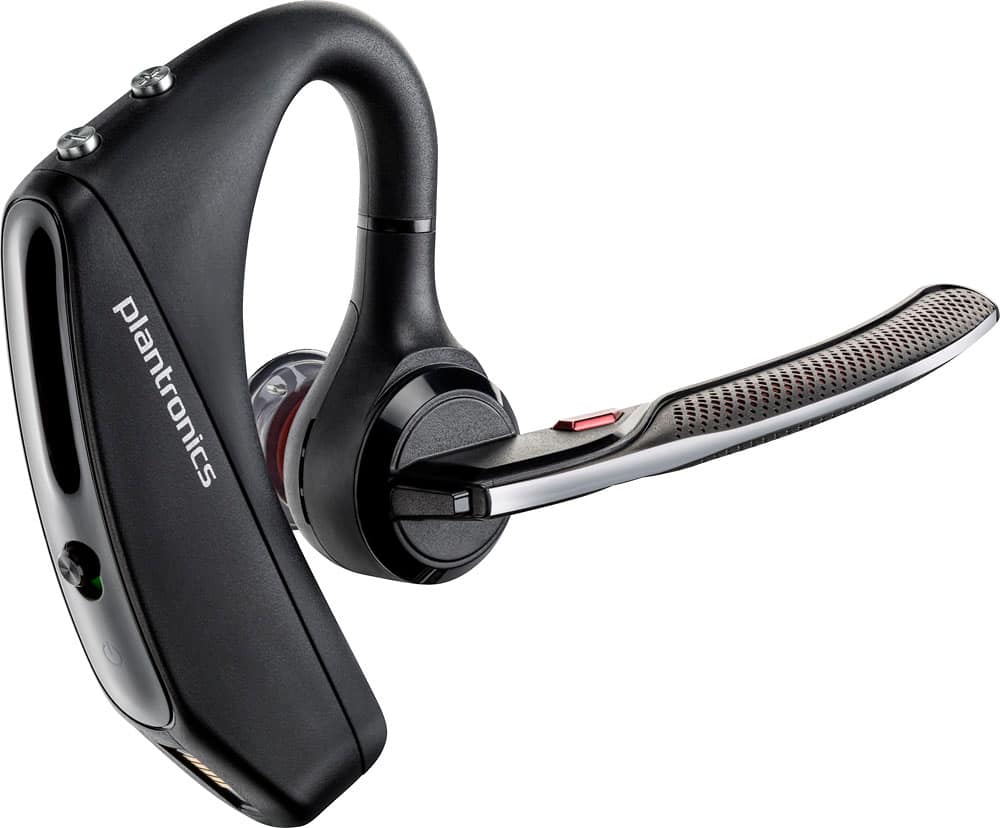
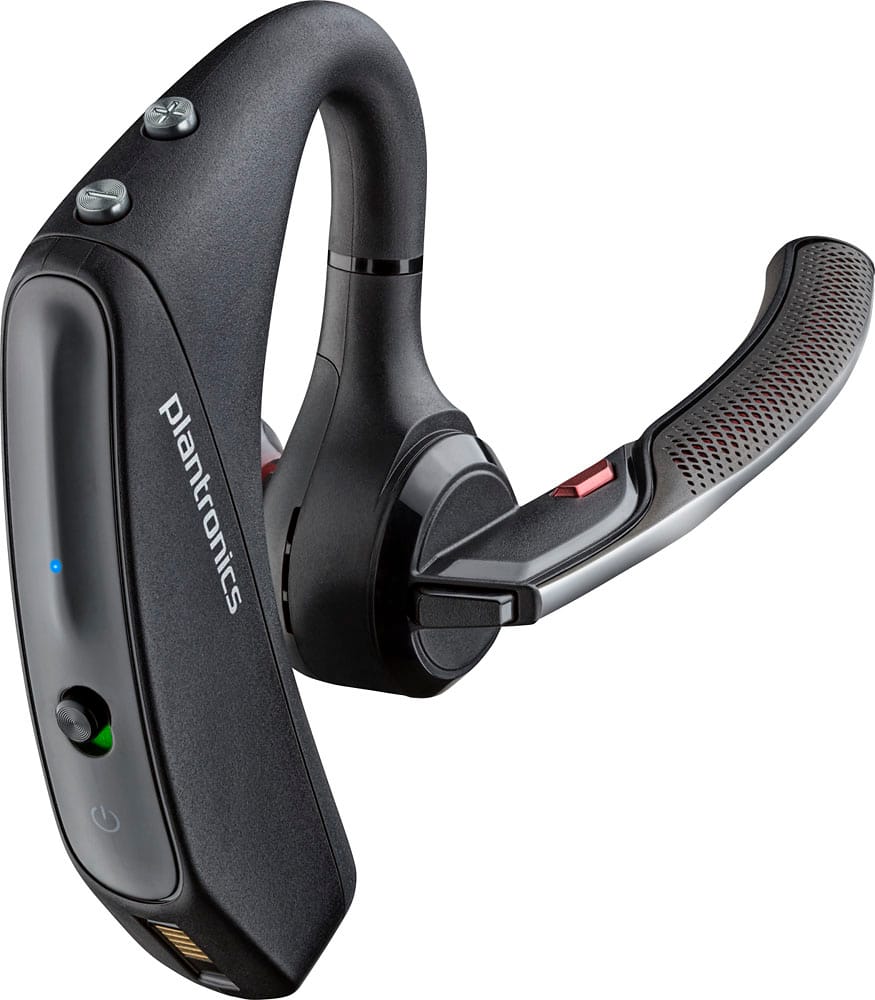
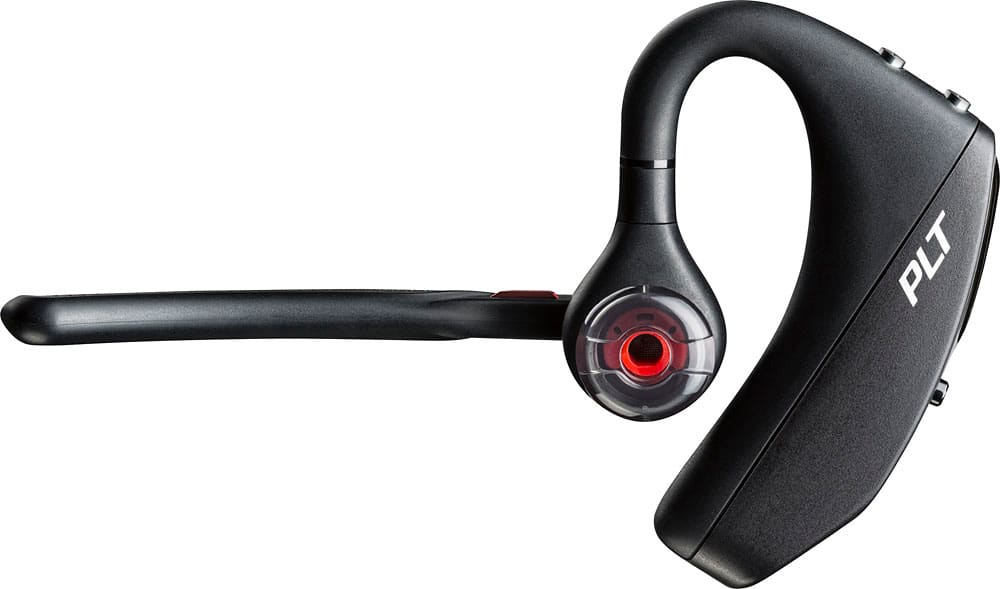
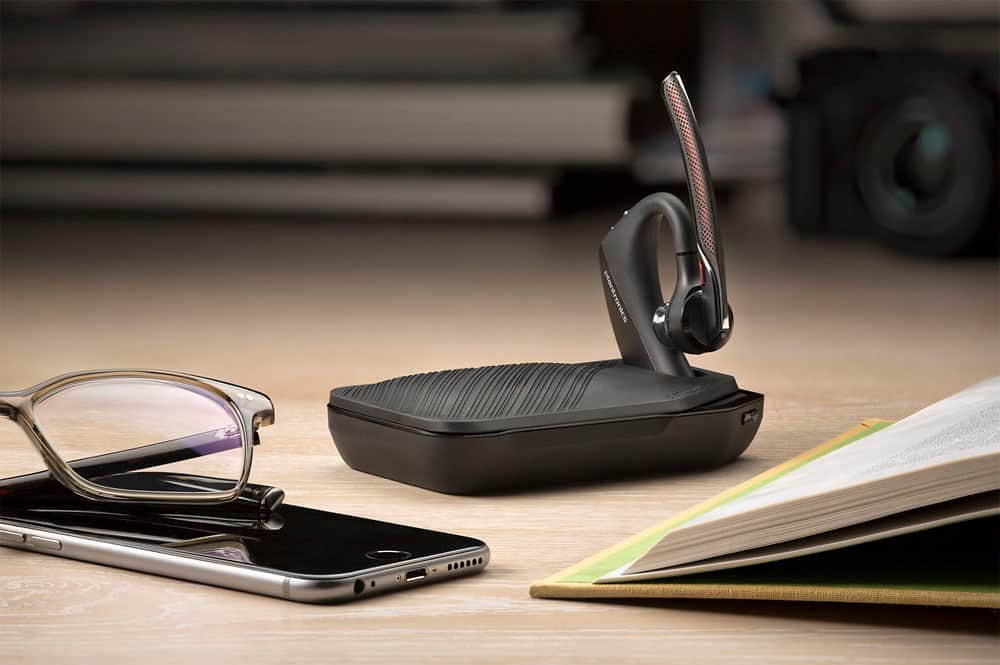





- Model:
- 7Y206AA#ABA
- SKU:
- 6563035
Rating by feature
- Sound Quality
Rating 4.4 out of 5 stars
- Battery Life
Rating 4.3 out of 5 stars
- Connectivity
Rating 4.4 out of 5 stars
Customers are saying
Customers commend the Voyager 5220 for its excellent sound quality, comfortable fit, and long-lasting battery life. Many users appreciate its reliable Bluetooth connectivity and lightweight design. However, some customers have noted concerns about the fit being a little loose, the volume being too low, and the range not meeting expectations.
This summary was generated by AI based on customer reviews.
It's an ok Bluetooth headset
||Posted .This reviewer received promo considerations or sweepstakes entry for writing a review.The model below this seemed to work better and had a little more clarity!!
No, I would not recommend this to a friendBattery never fully charges
||Posted . Owned for 2 weeks when reviewed.This reviewer received promo considerations or sweepstakes entry for writing a review.Battery never fully charges but still last all day
I would recommend this to a friend- Cons mentioned:Fit
Not good in my opinion
||Posted . Owned for 1 week when reviewed.This reviewer received promo considerations or sweepstakes entry for writing a review.Doesn’t really sit in my ear!! Therefore makes it hard to hear!!
No, I would not recommend this to a friend - Cons mentioned:Range
Can with a string is more reliable.
||Posted . Owned for 3 months when reviewed.This reviewer received promo considerations or sweepstakes entry for writing a review.Tested on iphone 12, 11 pro max and $1600 elitebook HP and all 3 of them cut off when 4' away from the headpiece. Waste of money.
No, I would not recommend this to a friendBrand response from PlantronicsRepresentative
Posted .Thank you for your honest review; However, we're very sorry to hear about your experience. Please rest assured that we take the quality of our products very seriously, and scenarios like these are very unlikely. The Voyager 5200 is a Class 1 Bluetooth device, which means it should provide up to 98 ft/ 30 meters of range. Nevertheless, to get the full benefit of the extended range, your phone needs to also be a Class 1 Bluetooth device. The amount of range you're getting is significantly low, hence we would need to verify what is the cause of the issue. The earpiece is compatible with any cell phone or tablet that supports Bluetooth headsets. Works with both android and iOS. Most devices nowadays are equipped with native Bluetooth; yet BT Technology works through different profiles and we are unable to ensure optimal performance when paired to a PC/Laptop. When testing with your iPhone, please make sure the earpiece is paired to a single Bluetooth device to isolate the cause of the issue. If possible, also test the earpiece with an android phone. If you still get the same issue, please ensure the unit's firmware version is up to date through our Hub Software https://bit.ly/30jDXJM. If you still get the same results, then it must have an actual problem and it is best to replace it. We thank you for bringing this to our attention. This model counts with a one-year limited warranty. If you require further assistance, please contact our Customer Care Team at: 1-855-765-7878

Bluetooth Earpiece
||Posted .This reviewer received promo considerations or sweepstakes entry for writing a review.This product is good and i recommend it to all the working people who are always on the phone it allows you to hear text read to you and allows you to answer hands free
I would recommend this to a friendA decent earpiece
||Posted .This reviewer received promo considerations or sweepstakes entry for writing a review.I used to have the plantronics $70 earpiece, and I wasn’t a huge fan of it. So I figured that I would get this as a step up and am very disappointed. It’s no better. In fact, almost worse. It doesn’t keep a charge and the sound goes in and out. Just awful
No, I would not recommend this to a friendBrand response from PlantronicsRepresentative
Posted .Hello and thank you for your review on our Voyager 5200 headset, however, we are sorry to hear about your experience. Please note this model of headset counts with a talk time of up to 7 hours. If you are getting less than that you may want to charge the headset using a different charging cable and power source to completely isolate the issue. If also the audio goes in and out, we recommend resetting the Bluetooth connection with your mobile. 1) Unpair the headset from your mobile phone by accessing your Bluetooth settings. 2) Power off your mobile phone for 2 minutes and turn it back on. 3) Re-pair the headset by pressing and holding down the call control button until you see the LED flashing red and blue. 4) Access to your Bluetooth settings and select "PLT_V5200". Once successfully paired, you will hear "pairing successful" and the LED on your headset will stop flashing red and blue. You may also want to disable the smart sensors of the headset. If they are not calibrated or working as expected you could encounter these type of issues. In an idle state, simultaneously press and hold the call and mute buttons for 5 seconds and a voice prompt will inform you of smart sensors status. If for some reason the issue remains, then it means the headset has an actual problem and it will be best to replace it. Remember this unit counts with a limited warranty since the first day of purchase and you can request a replacement directly through our official website. Please don't hesitate to contact our Customer Care Team at 800-985-9815 if you require assistance.
Average to poor audio quality
||Posted .This reviewer received promo considerations or sweepstakes entry for writing a review.Difficult to fit unit to ear and manage function button with unit in place
No, I would not recommend this to a friendBrand response from PlantronicsRepresentative
Posted .If you are hearing low quality or intermittent audio that may be an issue with the headset or with the connection between the headset and phone. You might want to try resetting the Bluetooth connection between your phone and headset to see if that helps the issue.
To do so:
1. Delete the headset from your cell phone's list of paired devices.
2. Once deleted, power your phone completely off, then power it back on. This resets the Bluetooth stack in the Bluetooth software on the phone.
3. Re-pair the headset with your phone and test.
If the issue is the same we recommend testing the device with another phone to determine if its on the phone or headset. If the issue persists even on a different phone we can replace that device, it comes with a 1 year warranty from the date of purchase. You can use the following url to view our replacement steps:
http://www.plantronics.com/us/support/kb/detail.jsp?vfurl=/articles/en_US/Warranty/RN9669&retURL=%2Fapex%2FknowledgeSearch®ion=us&p=&c=All&k=replacement&t=All&lang=en_US&popup=false&c=All
I returned it
||Posted .This reviewer received promo considerations or sweepstakes entry for writing a review.I was so impressed by the design and features and got it. It was not at all a good item because whad to forget the device twice a day to get the voice prompts . I tried another iPhone and the same thing occurred. I wanted it to work but can’t reset it while driving. I tried for 5+ days.
No, I would not recommend this to a friendBrand response from PlantronicsRepresentative
Posted .Thank you for your honest review on our Voyager 5220, we will forward your comments to our team for future consideration. Please don't hesitate to contact us at www.plantronics.com/support if you require assistance!
Ok
||Posted . Owned for 1 year when reviewed.This reviewer received promo considerations or sweepstakes entry for writing a review.A little hard to hear when in a noisy truck or car.
No, I would not recommend this to a friendBrand response from PlantronicsRepresentative
Posted .Hi! Thank you for your review on our Voyager 5220 headset, however, we are sorry to hear about your experience. If you are having some difficulties hearing the other person with the headset, we recommend increasing the volume directly from your mobile and headset. Please be sure to also try wearing your headset on either ear. Our intention is to provide the highest quality products to our customers and we thank you for bringing this issue to our attention. We will forward your comments and feedback to our team for future consideration when developing new products. Please don't hesitate to contact our Customer Care Team at https://www.plantronics.com/us/en/support/contact if you require assistance.
works, but fit is so-so
||Posted .This reviewer received promo considerations or sweepstakes entry for writing a review.works good but the fit does not allow full sound. May be my ear shape/size
I would recommend this to a friendBrand response from PlantronicsRepresentative
Posted .Using the correct ear tip size is essential to get a comfortable fit and good audio volume.
We do encourage you to try other ear tip sizes in case the one pre-installed on the unit feels too loose or too tight. In case the unit's volume or sound quality is not as good as expected or the fit is uncomfortable we recommend trying headsets with different wearing styles like our Voyager Edge or M80/M100.
Good brand , bad experience.
||Posted . Owned for 2 months when reviewed.This reviewer received promo considerations or sweepstakes entry for writing a review.Device worked for a week and broke. The plug in rubber buds are flimsy and break easily. Sound is good and charge last only for 3 hrs instead of 6 as advertised.
I would recommend this to a friendBrand response from PlantronicsRepresentative
Posted .We're so sorry to hear that you are experiencing audio issues with the Voyager 5200 headset. Please try charging the headset with a different wire, draining the charge of the headset and then fully charging it back. As for the ear-tips, they can be changed. The part number for the same is 203710-02. If you have any additional concerns or if the issue persists even after performing the steps mentioned above, please do not hesitate to contact our Customer Care Team at 800-985-9815. Thank you for your honest review, we appreciate your feedback.
ok
||Posted . Owned for 3 weeks when reviewed.This reviewer received promo considerations or sweepstakes entry for writing a review.it works okay, but not great. it's not comfortable.
No, I would not recommend this to a friendBrand response from PlantronicsRepresentative
Posted .Hello! Thank you for your review on our Voyager 5200 headset, however, we are sorry to hear about your experience. Please be sure to try wearing your headset on either ear and also trying all of the included ear gel sizes in order to find the most secure and comfortable fit. These headsets are designed to fit the vast majority of ear shapes and sizes; however, we do know that one size may not fit all and if you find the product too uncomfortable for normal use we strongly recommend that you consider using a headset with a different wearing style. Our intention is to provide the highest quality products to our customers and we thank you for bringing this issue to our attention. We will forward your comments and feedback to our team for future consideration when developing new products and accessories. Please feel free to contact our Customer Care Team at https://www.plantronics.com/us/en/support/contact if you require assistance.
oj
||Posted .This reviewer received promo considerations or sweepstakes entry for writing a review.Not really happy with it keeps disconnecting all the time
No, I would not recommend this to a friendBrand response from PlantronicsRepresentative
Posted .Hi Tina! Thank you for your honest review on our Voyager 5200. We're sorry to hear you're having linking issues with your unit. There are a few things we can try in order to fix this. Please ensure your unit's firmware is up to date through our Plantronics Hub Software for Desktop: https://goo.gl/5ceQ1v. You might also want to try disabling the Master sensor through Hub by going to settings>settings. These sensors detect the pressure from your ear, however there can be several environmental conditions triggering these sensors, for example: having the earpiece a bit loose from your ear or wearing glasses, hence it could be sending the call back to the phone instead of maintaining the headset connected. In case you don't see any difference, please note that testing your headset with a different phone at different locations and while connected to a single device at a given time is ideal in order to isolate the cause of the problem. In case you get the same results, this unit has a one-year limited warranty from date of purchase. Please don't hesitate to contact our Customer Care Team at: https://www.plantronics.com/us/en/support/contact if you have any other questions!
Buyer beware
||Posted . Owned for 5 months when reviewed.This reviewer received promo considerations or sweepstakes entry for writing a review.You can hear things very clear I love the touch features and announcement of callers BUT it sits on your ear so tight it hurts. I’ve tried everting I could to get it to stop hurting nothing worked. Unfortunately I no longer used it and it sits in the drawer.
No, I would not recommend this to a friendBrand response from PlantronicsRepresentative
Posted .Hello and thank you for your honest review on our Voyager 5220 headset, however, we are sorry to hear it wasn't for you. These headsets are designed to fit the vast majority of ear shapes and sizes; however, we do know that one size may not fit all and if you find the product too uncomfortable for normal use we strongly recommend that you consider using a headset with a different wearing style. Our intention is to provide the highest quality products to our customers and we thank you for bringing this issue to our attention. We will forward your comments and feedback to our team for future consideration when developing new products. Please don't hesitate to contact our Customer Care Team at https://www.plantronics.com/us/en/support/contact if you require assistance.
Not so great of Bluetooth
||Posted .This reviewer received promo considerations or sweepstakes entry for writing a review.Don’t like the fitting of the Bluetooth tight and uncomfortable
No, I would not recommend this to a friend- Pros mentioned:Sound quality
Great Bluetooth
||Posted .This reviewer received promo considerations or sweepstakes entry for writing a review.Best cancelling noise Bluetooth. I will definitely recommend
I would recommend this to a friend Noise cancellation no good
||Posted .This reviewer received promo considerations or sweepstakes entry for writing a review.The noise cancellation is not good Edgar so ever. Needs to improve.
No, I would not recommend this to a friendBrand response from PlantronicsRepresentative
Posted .Thank you for your honest review on our Voyager 5220, we will forward your feedback to our team for future consideration when developing new products and accessories. Please don't hesitate to contact our customer care group at www.plantronics.com/support if you require assistance!
It was ok
||Posted .This reviewer received promo considerations or sweepstakes entry for writing a review.It was ok I would recommend it to beginners because it is so basic
I would recommend this to a friendnot comfortable
||Posted .This reviewer received promo considerations or sweepstakes entry for writing a review.just o.k. not a very comfortable ear piece the old one was better
No, I would not recommend this to a friendBrand response from PlantronicsRepresentative
Posted .Thank you for your honest review on our Voyager 5220, we will forward your feedback to our team for future consideration when developing new products and accessories. Please don't hesitate to contact our customer care group at www.plantronics.com/support if you require assistance with your unit!
- Cons mentioned:Fit
Not Happy
||Posted . Owned for 3 weeks when reviewed.This reviewer received promo considerations or sweepstakes entry for writing a review.Sounds like I'm talking through a tin can, buttons were inaccessible to operate and it doesn't really fit behind the ear of someone who wears glasses.
No, I would not recommend this to a friendBrand response from PlantronicsRepresentative
Posted .Thank you for taking the time to share your honest review on our Voyager 5220; however, we are sorry to hear this product did not meet your expectations. We intend to provide the highest quality products to our customers and we thank you for bringing this to our attention. We will forward your comments to our Product Development Team, as we appreciate feedback based on customer use to create the best possible products. If you require further assistance, please don't hesitate to contact our Customer Care Team at 1-888-363-0726.