Customer Ratings & Reviews
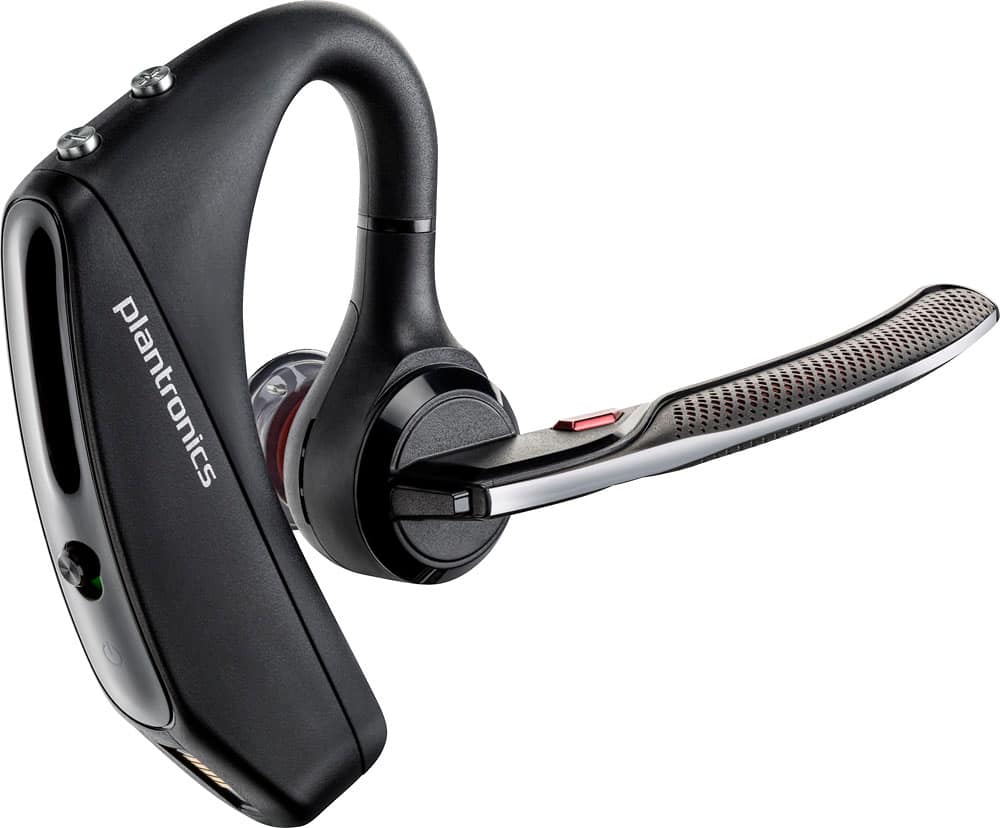
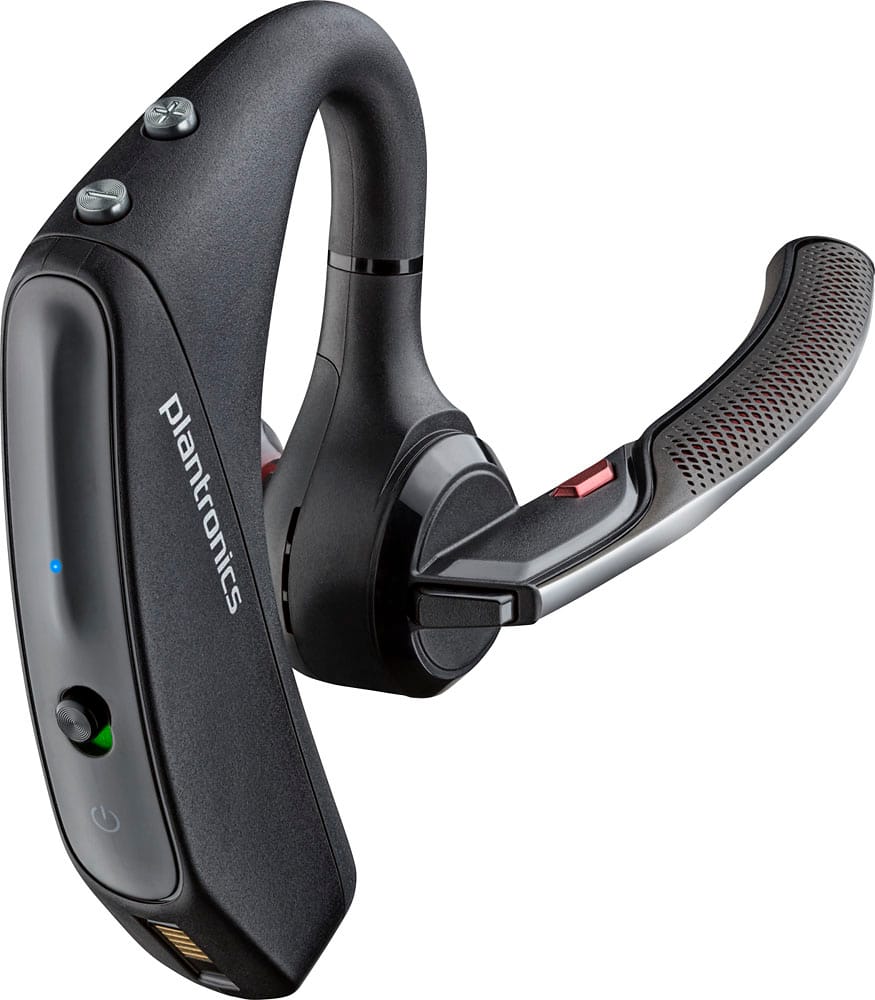
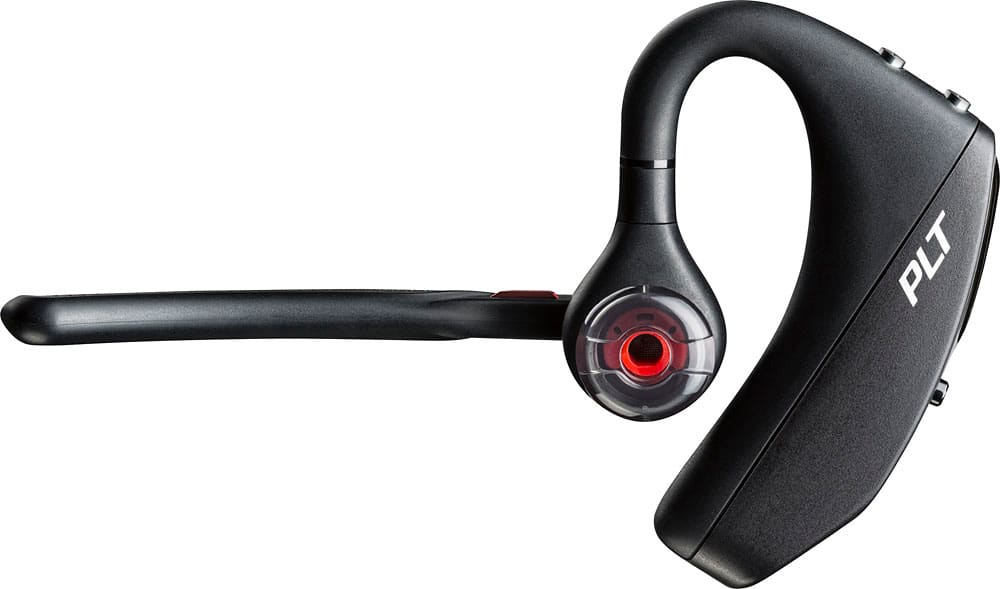
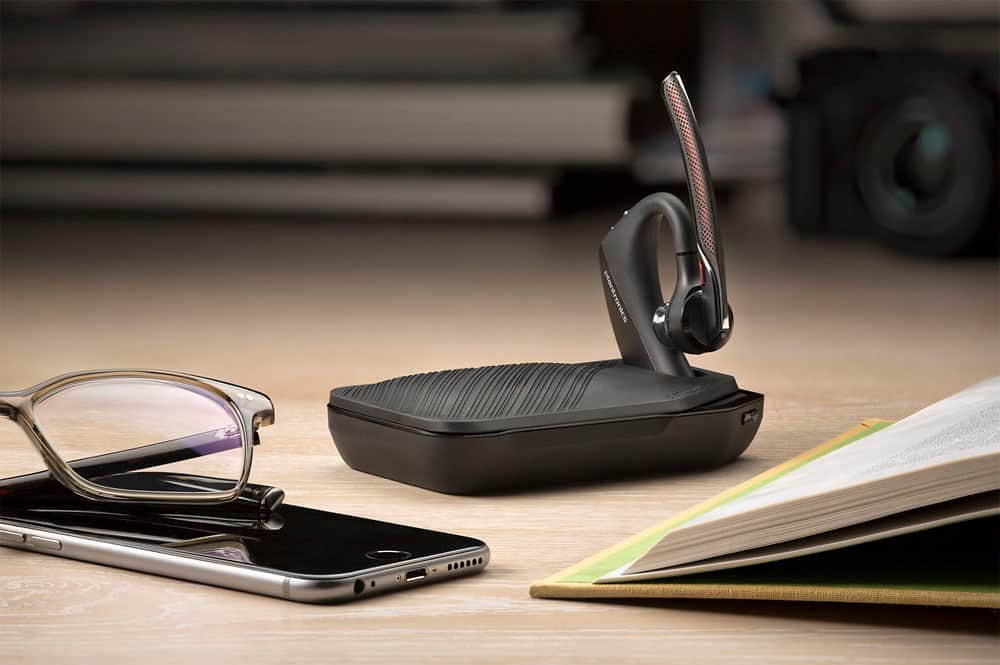




- Model:
- 7Y206AA#ABA
- SKU:
- 6563035
Rating by feature
- Sound Quality
Rating 4.4 out of 5 stars
- Battery Life
Rating 4.3 out of 5 stars
- Connectivity
Rating 4.4 out of 5 stars
Customers are saying
Customers commend the Voyager 5220 for its excellent sound quality, comfortable fit, and long-lasting battery life. Many users appreciate its reliable Bluetooth connectivity and lightweight design. However, some customers have noted concerns about the fit being a little loose, the volume being too low, and the range not meeting expectations.
This summary was generated by AI based on customer reviews.
BAAAAAAD
||Posted .This reviewer received promo considerations or sweepstakes entry for writing a review.Same issues like the previous model, more times not working properly, it doesn't recognize your contacts and it doesn't give you the answer or ignore options, gets disconnected on its own, the legend before, exactly the same issues, I didn't bother to review before but, compare with the older models that were working totally fine, up until they broke, these new last couple models are the worst units ever. I wouldn't even give one star, but I couldn't post the review other way.
No, I would not recommend this to a friendBrand response from PlantronicsRepresentative
Posted .That may be an issue with the headset or with the connection between the headset and phone. You might want to try resetting the Bluetooth connection between your phone and headset to see if that helps the issue. To do so, 1. Delete the headset from your cell phone's list of paired devices. 2. Once deleted, power your phone completely off, then power it back on. This resets the Bluetooth stack in the Bluetooth software on the phone. 3. Re-pair the headset with your phone. and test. If the issue is the same we can replace that device, it comes with a 1 year warranty from the date of purchase. You can use the following url to view our replacement steps. http://www.plantronics.com/us/support/kb/detail.jsp?vfurl=/articles/en_US/Warranty/RN9669&retURL=%2Fapex%2FknowledgeSearch®ion=us&p=&c=All&k=replacement&t=All&lang=en_US&popup=false&c=All

Bad Call Receptions
||Posted . Owned for 2 weeks when reviewed.This reviewer received promo considerations or sweepstakes entry for writing a review.Call reception has a lot of interferences calls break up constantly. I don't know if this is due to it's noise canceling feature or just faulty device....I plan to return mine.
No, I would not recommend this to a friendBrand response from PlantronicsRepresentative
Posted .Hello and thank you for your honest review; though we're very sorry to hear about your experience. The Voyager 5220 is one of our best communication headsets and specially engineered to deliver superior call clarity. There are a few procedures that might fix these issues. First reset the BT connection. To do so: https://bit.ly/2OOMfnw. Please reset the Network Settings on your phone and ensure the firmware is up to date on the earpiece. Lastly, testing the earpiece with a different cell phone model is also ideal to determine the cause of the issue. This model counts with a one-year limited warranty. If you require further assistance, don't hesitate to contact our Customer Care Team at: 1 888 248 4143 or 1 916 928 7561

Not as good as previous Voyager Legend.
||Posted .This reviewer received promo considerations or sweepstakes entry for writing a review.My husband's Bluetooth broke so I gave him my previous Voyager Legend and got this one for me. Very disappointed with the new one. Takes longer to connect calls and eveN switches over to the phone and disconnects the Bluetooth in the middle of calls.
No, I would not recommend this to a friendBrand response from PlantronicsRepresentative
Posted .That may be an issue with the headset or with the connection between the headset and phone. You might want to try resetting the Bluetooth connection between your phone and headset to see if that helps the issue.
To do so:
1. Delete the headset from your cell phone's list of paired devices.
2. Once deleted, power your phone completely off, then power it back on. This resets the Bluetooth stack in the Bluetooth software on the phone.
3. Re-pair the headset with your phone and test.
If the issue is the same we recommend testing the device with another phone to determine if it's on the phone or headset. If the issue persists even on a different phone we can replace that device, it comes with a 1 year warranty. Please don't hesitate to contact us at www.plantronics.com/support if you require assistance.
Great product, when it worked right!
||Posted .This reviewer received promo considerations or sweepstakes entry for writing a review.Worked perfectly for 4 months, then it didn't, had issues with callers telling me they cannot hear me; noisy background lots of static, item boasts and is sold on the idea that it has noise suppressing when suppressing background noise Quiet call,etc.tech support had me check firmware update turn off body sensing and it should take care of the problem, it didn't; now I have to send this one back and they'll send me another, I need to pay shipping, kind of a hassle I'm a bit disappointed I've had many platronics products before never a problem up until now. Would I refer this for someone else to buy at nearly $150;?? I don't know go figure !!!
I would recommend this to a friendBrand response from PlantronicsRepresentative
Posted .Thank you for taking the time to share your feedback on our Voyager 5220. We're sorry to hear you've experienced audio issues. If the headset is already up to date, you might also want to try resetting the connection between your phone and headset. To do so: https://goo.gl/yivTSg. Please note that testing your headset with different phones and also at different locations and while connected to a single device at a given time is ideal in order to isolate the cause of the problem. As you know, this product has a one-year limited warranty from date of purchase. We will forward your comments to our team for consideration. Please feel free to contact our Customer Care Team at: https://www.plantronics.com/us/en/support/contact if you require further assistance!
- Pros mentioned:Sound quality
Returned because of comfort
||Posted .This reviewer received promo considerations or sweepstakes entry for writing a review.The voyager is a great headset. Sound quality and background noise cancellation is awesome. I returned because I am a big guy with big ears :) and it started to hurt my ear after about 5 minutes.
No, I would not recommend this to a friendBrand response from PlantronicsRepresentative
Posted .Thank you for your honest review on our Voyager 5220, we will forward your feedback to our team for consideration when developing new products and accessories.
Fair ear piece
||Posted . Owned for 1 month when reviewed.This reviewer received promo considerations or sweepstakes entry for writing a review.Its small so convenient item for ear not very noticeable only bad part it runs out after 6 or 7 hours but charges fairly quickly.
I would recommend this to a friendIssues
||Posted . Owned for 8 months when reviewed.This reviewer received promo considerations or sweepstakes entry for writing a review.Works great at first but then i have had nothing but issues with people not being able to hear me after any liud sound is made... 3rd one that had the same issue
No, I would not recommend this to a friendBrand response from PlantronicsRepresentative
Posted .Hello and thank you for sharing your honest review. We're sorry to hear about your experience. The Voyager 5220 is one of our best communication devices, featuring four-mic active digital signal processing (DSP), acoustic echo cancellation and six layers of protection against wind noise. Microphone issues should be solved by resetting the Bluetooth connection between a phone and the earpiece. To do so:https://bit.ly/2OOMfnw. You might also want to reset the Network Settings on your phone, and verify the earpiece has the latest firmware version through our Hub Software: https://bit.ly/30jDXJM. Lastly, please test the unit with a different phone model and while it is paired with a single Bluetooth device to isolate the cause of the issue. In case the issue persists, please note this model counts with a one-year limited warranty. For further assistance, please contact our Customer Care Team at: https://www.poly.com/us/en/support/contact
Nice features but..
||Posted .This reviewer received promo considerations or sweepstakes entry for writing a review.Nice features an great range but it breaks up and crackles terribly.. I thought maybe the unit was defective but after returning it 3 times still had the same issue.. I will keep using my jawbone. It does not break up or crackle
No, I would not recommend this to a friendBrand response from PlantronicsRepresentative
Posted .Thank you for your honest review on our Voyager 5220 headset, however we're sorry to hear about your experience. In order to troubleshoot audio issues, there are a few things you could try: you might want to try resetting the Bluetooth connection, to do so: 1. Delete the headset from your cell phone’s list of paired devices. 2. Once deleted, power your phone completely off, then power it back on. This resets the Bluetooth stack in the Bluetooth software on the phone. 3. Re-pair the headset with your phone. You might also want to ensure the headset is the only Bluetooth device connected to your phone while you’re using it in order to rule out wireless interference. In addition to this, please try updating the firmware version through our Plantronics Hub for Desktop. Please note this unit has a one-year warranty from date of purchase. Please don't hesitate to contact us at www.plantronics.com/support if you require assistance.
Bluetooth reveal
||Posted . Owned for 1 month when reviewed.This reviewer received promo considerations or sweepstakes entry for writing a review.I am disappointed in the sound quality of this particular B bluetooth I've owned them before and could hear very clear unfortunately this one is not that great.
No, I would not recommend this to a friendBrand response from PlantronicsRepresentative
Posted .Hi Will and thank you for your honest review, though we're sorry to hear about your experience. The Voyager 5220 is one of our best communication devices and specially engineered to deliver superior call clarity. Was the headset purchased brand new? Did the packaging present any tear or evident tampering? Please rest assured that scenarios like these are very unlikely. To troubleshoot audio issues, please reset the BT connection between your phone and the earpiece. To do so: https://bit.ly/2OOMfnw. Also, please ensure the firmware version is up-to-date through our Hub Software for Desktop: https://bit.ly/30jDXJM. Lastly, test the earpiece with a different phone and while it is paired with a single Bluetooth device in order to determine the cause of the issue. In case you notice the audio quality is significantly poor, please note this model counts with a one-year limited warranty. Thank you for bringing this to our attention. If you require further assistance, feel free to contact our Customer Care Team at: (888) 248-4143 or (916) 928-7561
Not what I thought
||Posted .This reviewer received promo considerations or sweepstakes entry for writing a review.I saw one Like This somewhere else I wanted and I thought it was the Same thing till I found out different! Apparently this song was made specifically for Best Buy and doesn't have all the features the other ones have
No, I would not recommend this to a friendBrand response from PlantronicsRepresentative
Posted .Hello and thank you for your review on our Voyager 5200. However, we are sorry to hear about your experience. All of our Voyager 5200 headsets should have the same features. If you require technical assistance please feel free to contact our Customer Care Team at 855-765-7878.
Worst purchase ever
||Posted . Owned for less than 1 week when reviewed.This reviewer received promo considerations or sweepstakes entry for writing a review.Worst purchase I’ve made for a Bluetooth. I had the older model for 3 years and loved it, then saw this new model with the updated wind mic and voice control and decided it would be worth the $120 to upgrade, first 30min I had it it worked awesome, everything I expected, ever since anyone that I talk to on the phone says they can’t hear me at all. Will be returning and never buying anything associated with this brand again. If you’re looking to spend $120 on a Bluetooth, go buy a blue parrott, not this one
No, I would not recommend this to a friendBrand response from PlantronicsRepresentative
Posted .Thank you for sharing your honest review; However, we're deeply sorry to hear about your experience. The Voyager 5200 is one of our best communication headsets and specially engineered to deliver superior call clarity. Please rest assured that scenarios like these are very unlikely. There are a few troubleshooting steps that should fix audio issues. First, reset the BT connection: https://bit.ly/2OOMfnw. To re-pair the earpiece, remember to set the earpiece in pair mode by pressing and holding the call button for 6-8 seconds until LED flashes red and blue repeatedly. You might also want to ensure the firmware is up to date through our Hub Software: https://bit.ly/30jDXJM. https://bit.ly/3dYqIWG. Lastly, testing the earpiece with a different cell phone model and while it is paired with a single Bluetooth device is also ideal to determine the cause of the issue. If you still get the same issue, then the unit might have an actual hardware issue and it is best to replace it. Please note this model has a one-year manufacturer's warranty. We will surely forward your comments to our team for review and consideration. If you require further assistance, please contact our Customer Care Team at: 1 888 248 4143 or 1 916 928 7561
Price good
||Posted .This reviewer received promo considerations or sweepstakes entry for writing a review.Not as strong as it’s described after few days your ear will start paining
No, I would not recommend this to a friendNot worth the money
||Posted .This reviewer received promo considerations or sweepstakes entry for writing a review.I purchased the Voyager 5220 based on reviews stating how well it performed. These were magazine reviews so I should have dug deeper. Anyway, mine has been wonderful the few times it has worked. But that is not very often. It disconnects for no apparent reason. It does not always respond to voice commands. Recently, the charging cable and convertor get extremely hot while charging the battery so that I am constantly checking to be sure nothing catches fire. Now, the charging cable will not plug into the Voyager. The tab in the center of the receptacle has moved so the plug won't slide over it. Another over-hyped product.
No, I would not recommend this to a friendBrand response from PlantronicsRepresentative
Posted .Thank you for taking the time to share your feedback on our Voyager 5220 Headset. We're sorry to hear about your experience. This does seem to indicate an actual problem with the unit itself and we would need to evaluate it. We strongly recommend you to contact our Customer Care Team at: https://www.plantronics.com/us/en/support/contact so one of our specialists can assist you with this as soon as possible.
It is okay but nothing special.
||Posted .This reviewer received promo considerations or sweepstakes entry for writing a review.I bought the Voyager 5220 thinking it was an upgrade to the Voyager Legend which was not available. My Voyager Legend had outlived itself. The Voyager 5220 does the basics but I don't think it lives up to the descriptions.
No, I would not recommend this to a friendBrand response from PlantronicsRepresentative
Posted .Hi! Thank you for your honest review on our Voyager 5220 headset. We're sorry to hear about your experience. If you happen to notice technical issues, please contact our Customer Care Team at https://www.plantronics.com/us/en/support/contact and we'll be glad to assist you!
- Pros mentioned:Sound quality
Ok
||Posted .This reviewer received promo considerations or sweepstakes entry for writing a review.Call quality is good but can not use the end/call button on back. Updated headset and worked until I turned it off. Turned it back on and same problem occurred.....
No, I would not recommend this to a friendBrand response from PlantronicsRepresentative
Posted .Hi! Thank you for your honest review, however we are sorry to hear about your experience. If the call control button is not working properly and will not answer your calls, you may want to reset the Bluetooth connection with your mobile. To do so: 1) Unpair the headset from your mobile phone by accessing your Bluetooth settings. 2) Power off your mobile phone for 2 minutes and turn it back on.
3) Re-pair the headset by pressing and holding down the call control button for at least 10 seconds until you see the LED flashing red and blue. 4) Access to your Bluetooth settings and select "PLT_V5200". Once successfully paired, you will hear "pairing successful" and the LED on your headset will stop flashing red and blue. You may also want to test the headset connected to a different mobile to completely isolate the issue. If for some reason you are still having the same issue with the button it is best to replace the headset. Remember this unit counts with a limited year warranty since the first day of purchase, and if you need a replacement you can simply click on the following link for further instructions: https://bit.ly/2N637EC. Please don't hesitate to contact our Customer Care Team at 800-985-9815 if you require assistance.
- Cons mentioned:Fit
Not what i expected for a Bluetooth
||Posted .This reviewer received promo considerations or sweepstakes entry for writing a review.I didn't get what I heard about this Bluetooth...background noise could still be heard as well and it just didn't fit right in my ear it was just a bad experience for me....
No, I would not recommend this to a friendBrand response from PlantronicsRepresentative
Posted .Thank you for your honest review on our Voyager 5220! We will forward your comments and feedback to our team for future consideration when developing new products and accessories, please don't hesitate to contact us at www.plantronics.com/support if you require assistance!
- Pros mentioned:Sound quality
failed to stay connected
||Posted . Owned for 3 weeks when reviewed.This reviewer received promo considerations or sweepstakes entry for writing a review.I returned this item because it failed to stay connected to my phone within very close range. Sound quality was great by wouldn't stay connected to my phone.
No, I would not recommend this to a friendBrand response from PlantronicsRepresentative
Posted .Hello! Thank you for your review on our Voyager 5200 headset, however, we are sorry to hear about your experience. If you are experiencing some connectivity issues with the headset, you may want to reset the Bluetooth connection with your mobile. To do so:1) Unpair the headset from your mobile phone by accessing your Bluetooth settings. 2) Power off your mobile phone for 2 minutes and turn it back on. 3) Re-pair the headset by pressing and holding down the call control button until you see the LED flashing red and blue. 4) Access to your Bluetooth settings and select "PLT_V5200". Once successfully paired, you will hear "pairing successful" and the LED on your headset will stop flashing red and blue.You may also want to disable the smart sensors of the headset. If they are not calibrated you could encounter these type of issues. In an idle state, simultaneously press and hold the call and mute buttons for 5 seconds
and a voice prompt will inform you of smart sensors status. Last but not least, we recommend testing the headset with a different mobile to completely isolate the issue. If for some reason you still encounter the same issue, then it means it has an actual problem and it is best to replace it. Remember this unit counts with a limited warranty since the first day of purchase, and if you need a replacement you can click on the following link for further instructions: https://bit.ly/2N637EC. Our intention is to provide the highest quality products to our customers and we thank you for bringing this issue to our attention. Please feel free to contact our Customer Care Team at 800-985-9815 if you require assistance.
Great Ear Piece
||Posted .This reviewer received promo considerations or sweepstakes entry for writing a review.So I really like this ear piece. I had a Voyager Edge but the ear piece broke and Best Buy no longer carried the one I had so I went with this one so far so good. I have only owned Plantronics and will continue to own them.
I would recommend this to a friendJunk
||Posted . Owned for 1.5 years when reviewed.This reviewer received promo considerations or sweepstakes entry for writing a review.Poor poor quality. Worked well for about a day. After that, nobody on the other end of my calls can understand what I was saying. This is my third one of these and the quality has definitely fallen way off.
No, I would not recommend this to a friendDisappointed
||Posted .This reviewer received promo considerations or sweepstakes entry for writing a review.After reading favorable reviews I decided to purchase the voyager 5220. It does not perform as promised. Callers complain of wind noise and static. This is not intermittent...EVERY caller complains unless I'm by myself in a quiet place!
No, I would not recommend this to a friendBrand response from PlantronicsRepresentative
Posted .That may be an issue with the headset or with the connection between the headset and phone. You might want to try resetting the Bluetooth connection between your phone and headset to see if that helps the issue.
To do so:
1. Delete the headset from your cell phone's list of paired devices.
2. Once deleted, power your phone completely off, then power it back on. This resets the Bluetooth stack in the Bluetooth software on the phone.
3. Re-pair the headset with your phone and test.
We also recommend that you ensure your headset's firmware is up to date by using our Hub app for iOS and Android, since this can improve your headset's audio performance.
If the issue is the same we recommend testing the device with another phone to determine if its on the phone or headset. If the issue persists even on a different phone we can replace that device, it comes with a 1 year warranty from the date of purchase. You can use the following url to view our replacement steps: http://www.plantronics.com/us/support/kb/detail.jsp?vfurl=/articles/en_US/Warranty/RN9669&retURL=%2Fapex%2FknowledgeSearch®ion=us&p=&c=All&k=replacement&t=All&lang=en_US&popup=false&c=All