Customer Ratings & Reviews




- Model:
- 7Y206AA#ABA
- SKU:
- 6563035
Rating by feature
- Sound Quality
Rating 4.4 out of 5 stars
- Battery Life
Rating 4.3 out of 5 stars
- Connectivity
Rating 4.4 out of 5 stars
Customers are saying
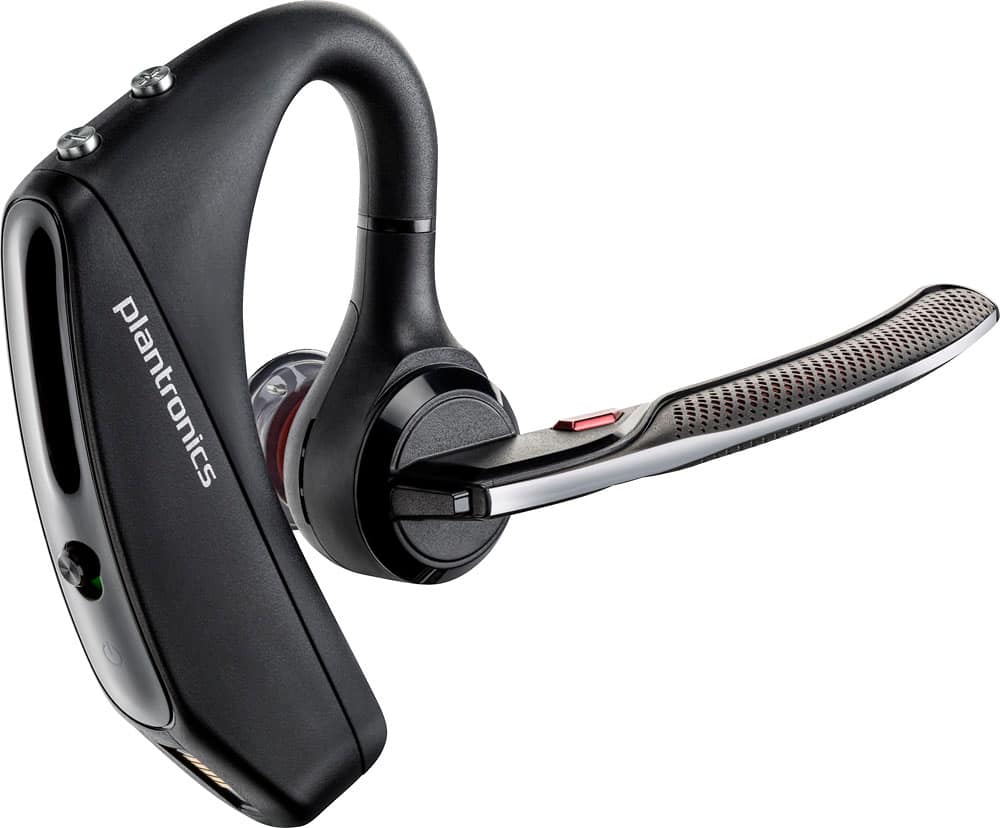
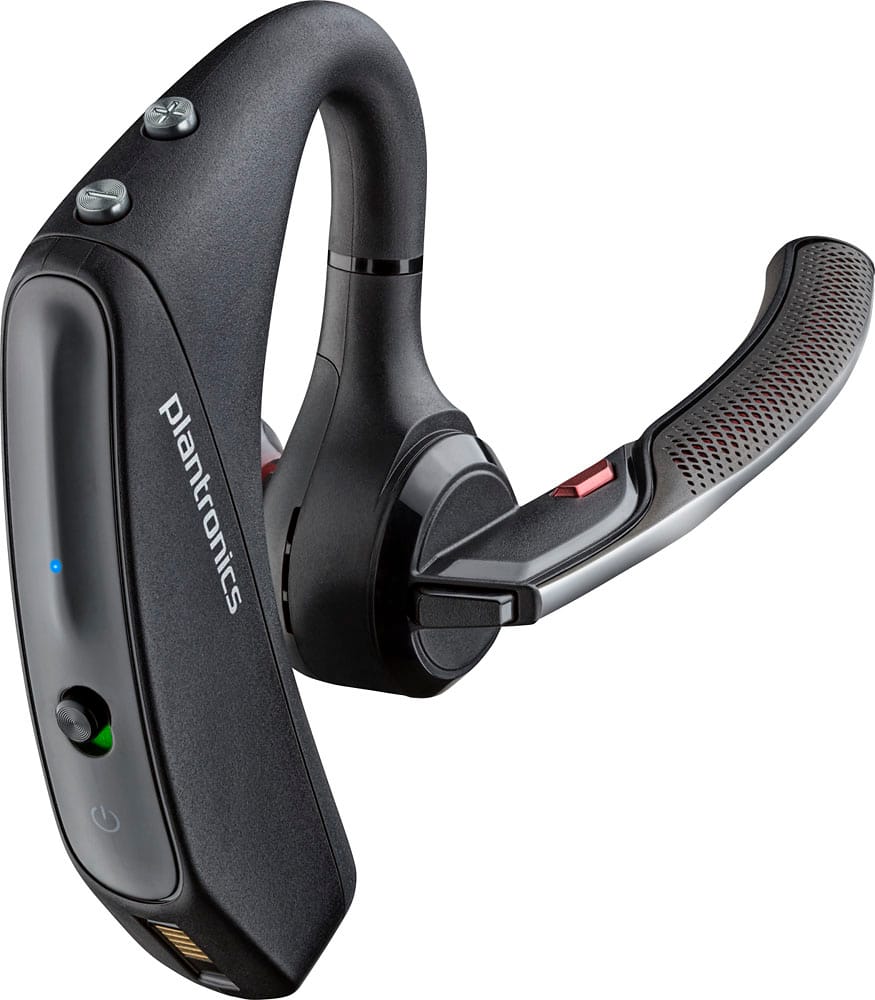
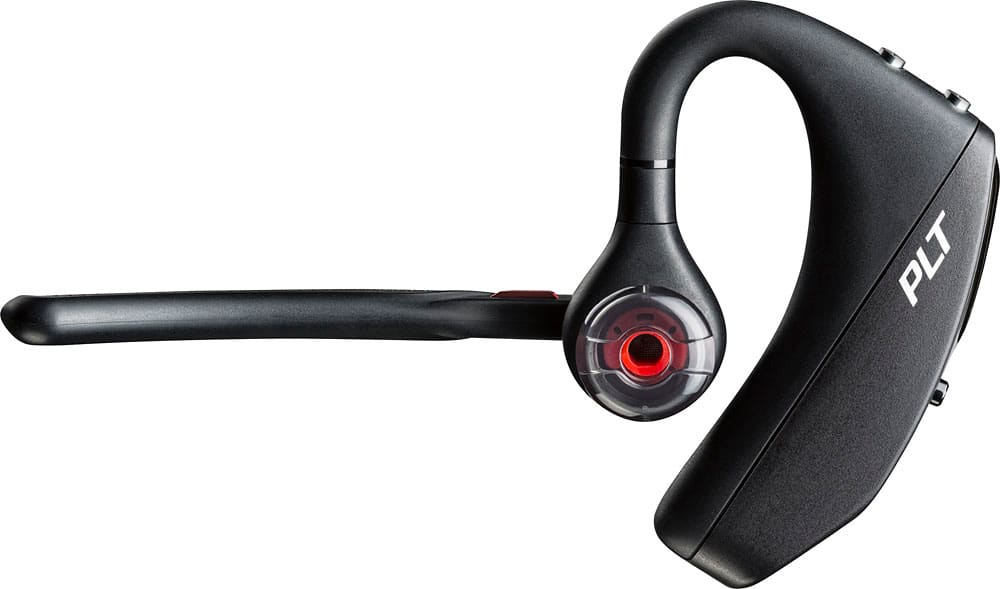
Customers commend the Voyager 5220 for its excellent sound quality, comfortable fit, and long-lasting battery life. Many users appreciate its reliable Bluetooth connectivity and lightweight design. However, some customers have noted concerns about the fit being a little loose, the volume being too low, and the range not meeting expectations.
This summary was generated by AI based on customer reviews.
Look elsewhere
||Posted .This reviewer received promo considerations or sweepstakes entry for writing a review.I would not recomend this product as all of my calls have an echo and are scratchy. Multiple clients complained right off the bat of poor audio quality. Look elsewhere
No, I would not recommend this to a friendBrand response from PlantronicsRepresentative
Posted .Thank you for sharing your honest feedback; though we're sorry to hear you've had audio issues with your unit. Was the headset purchased brand new? Did the packaging present any tear or evident tampering? Please rest assured scenarios like these are very unlikely. The Voyager 5220 is one of our best communication headsets and specially engineered to deliver superior call clarity. To troubleshoot it, please reset the BT connection. To do so: https://bit.ly/2OOMfnw. To re-pair the headset, set the earpiece in pair mode by pressing and holding the call button for 6-8 seconds until LED flashes red and blue repeatedly. Ensure the unit's firmware version is up to date through our Hub Software for Desktop: https://bit.ly/30jDXJM. Lastly, testing the earpiece with a different cell phone and while it is paired with a single Bluetooth device is also ideal to determine the cause of the issue. If you get the same results, then the earpiece needs to be replaced. This model counts with a one-year limited warranty. We thank you for your comments. We will surely forward them to our team for review and consideration. If you have any further questions, feel free to contact our Customer Care Team at: 1-855-765-7878

returning after 15mo Goes out
||Posted . Owned for 1 year when reviewed.This reviewer received promo considerations or sweepstakes entry for writing a review.Having to return. Drops calls or randomly goes out where people cant understand what i am saying. Glad I got a geek squad 2 yr warranty on this one.
No, I would not recommend this to a friendBrand response from PlantronicsRepresentative
Posted .Hi Sparky and thank you for your honest review. We're sorry to hear this has been your experience. There are a few procedures that should solve the issues mentioned. First, we recommend that you reset the Bluetooth connection: https://bit.ly/2OOMfnw. To re-pair be sure to set the earpiece in pair mode by pressing the call button for 6-8 seconds until LED flashes red and blue repeatedly. This could also be related to the smart sensors, as they detect the pressure from your ear when wearing the earpiece, yet there can be factors triggering them like having the earpiece a bit loose from your ear, or wearing glasses. To isolate the cause of the issue, please disable the master sensor through our Hub Software for Desktop: https://bit.ly/30jDXJM. Lastly, testing the earpiece with a different cell phone model, at different locations and while it is paired with a single device, is also ideal to determine the root cause of the issue. Thank you for bringing this to our attention. For further assistance, feel free to contact our Customer Care Team at: (888) 248-4143 or (916) 928-7561
Not great
||Posted . Owned for 1 year when reviewed.This reviewer received promo considerations or sweepstakes entry for writing a review.These really hurt and are hard to use. The rubber part came off the first day.
No, I would not recommend this to a friend- Cons mentioned:Volume
not very good
||Posted . Owned for 1 month when reviewed.This reviewer received promo considerations or sweepstakes entry for writing a review.I'm very disappointed .... The volume is too low. Even when you have it maxed out is very low. How Too much feedback through the speakers.
No, I would not recommend this to a friendBrand response from PlantronicsRepresentative
Posted .Thank you for your honest review on our Voyager 5220; However, we're sorry to hear you didn't find your earpiece loud enough. If you're using an android phone, please note that volume must be set to medium/high or audio will sound too low. We also suggest you to try the different sizes of ear tips included with the unit for optimal volume. If you're experiencing audio issues, please try to reset the connection between the earpiece and your phone. To do so: https://goo.gl/emzUTA. You might also want to ensure the unit's firmware version is up to date through our Plantronics Hub Software for Desktop: https://goo.gl/5ceQ1v. Lastly, testing the earpiece with a different cell phone is also ideal to isolate the cause of the issue. Please note this model comes with a one-year manufacturer's warranty. If you have any questions, feel free to contact our Customer Care Team at: 1-888-363-0726.
Not worth it.
||Posted .This reviewer received promo considerations or sweepstakes entry for writing a review.1st time ear piece broke off completely, this is my 2nd headset and this one the boom separated from the earpiece. I'm careful with my things and was not rough with it.
I would recommend this to a friendBrand response from PlantronicsRepresentative
Posted .Thank you for your honest feedback; However, we're sorry to hear about your experience. Please rest assured that we take the quality of our products very seriously, and scenarios like these are very unlikely. If you are referring to the section that goes around your ear that separated from the boom, please note the Voyager 5220 to some extent is resistant to stretching, but we do not recommend stretching the hook too much to avoid any kind of harm. When you remove the earpiece, we recommend that you slightly stretch it and also slide it over your ear to take it off. In any case, we do thank you for bringing this to our attention. We have shared your comments with our Product Development Team, as we appreciate feedback based on customer use to create the best products. If you require further assistance, please don't hesitate to contact our Customer Care Team at: 1-855-765-7878
Terrible Battery Life
||Posted . Owned for 2 months when reviewed.This reviewer received promo considerations or sweepstakes entry for writing a review.Buyer beware. I only used this device a handful of times and it no longer keeps a charge longer than about 30 minutes. Issue started right after the return period ended.
No, I would not recommend this to a friendI’ve ran through like 10 of these
||Posted . Owned for 4 months when reviewed.This reviewer received promo considerations or sweepstakes entry for writing a review.The little latch at the bottom for the usb cable always ends up breaking and then sweat will drip into it and then your left with a peice of junk
No, I would not recommend this to a friendBrand response from PlantronicsRepresentative
Posted .Thank you for sharing your honest feedback on our Voyager 5220; However, we're sorry to hear this has been your experience. Please rest assured that we take the quality of our products seriously, and scenarios like these are very unlikely. If you experience the exact same issue with consecutive units, our Team may need to do further research to isolate the cause of the issue. We thank you for bringing this to our attention. Your comments will be forwarded to our Product Development Team for review and consideration. For further assistance, please contact our Customer Care Team at: https://www.poly.com/us/en/support/contact.
Lenny
||Posted . Owned for 3 weeks when reviewed.This reviewer received promo considerations or sweepstakes entry for writing a review.It does not stay connected to my iPhone or the distance is 2 to 3 foot foot and that’s about it
No, I would not recommend this to a friendLove it
||Posted .This reviewer received promo considerations or sweepstakes entry for writing a review.Here’s the short version. I have tried on many different ear pieces ,over the years and finally stopped because I have a small ear canal . Well I need not worry about that issue anymore,they fit like a mit . When my hands are full all I hear is accept or ignore .
I would recommend this to a friendHeadset Review
||Posted .This reviewer received promo considerations or sweepstakes entry for writing a review.Although this is an expensive, premium priced product, it gives me the same quality and reception as a $39 headset. Constant static and noise in the reception regardless of device it is being used on.
No, I would not recommend this to a friendBrand response from PlantronicsRepresentative
Posted .Hello, we are sorry to hear about your experience with the Voyager 5220 headset, please try the following: 1) Completely unpair from your phone. 2) Power off and on both devices. 3) Press and hold the call button until the LED flashes red/blue on your headset. 4) Reconnect. We also recommend to download the Plantronics Hub on your computer, from our official website, connect the headset using a USB cable, click on Notifications > Search for updates, and test. If the issue continues, there might be an actual fault with the headset, in which case a replacement will be necessary. The Voyager 5220 comes with a 1 year Limited Warranty, if you continue to experience difficulties, please don't hesitate to contact Plantronics Customer Care at 855-765-7878.
- Cons mentioned:Fit
didn't work as I had hoped
||Posted .This reviewer received promo considerations or sweepstakes entry for writing a review.It never fit well and it picked up a lot of feedback. I tried using it in my truck and most of the time people had a hard time hearing/understanding me.
No, I would not recommend this to a friendBrand response from PlantronicsRepresentative
Posted .Thank you for your honest review on our Voyager 5220 headset, however, we are sorry to hear about your experience. Please be sure to try wearing your headset on either ear and also trying all of the included ear gel sizes in order to find the most secure fit and comfortable fit. If people are having a hard time hearing you, you may want to try resetting the Bluetooth connection with your mobile. To do so: 1) Unpair the headset from your mobile phone by accessing your Bluetooth settings. 2) Power off your mobile phone for 2 minutes. 3) Re-pair the headset by pressing and holding down the call control button until you see the LED flashing red and blue. 4) Access to your Bluetooth settings and select "PLT_V5200". You may also want to test the headset with a different mobile to completely isolate the problem. Please don't hesitate to contact Plantronics Customer Care at 855-765-7878 if you require assistance!
Great product
||Posted .This reviewer received promo considerations or sweepstakes entry for writing a review.Have always been pleased the with voyager series and this headset is no exception. Call sound and clarity are excellent. The earpiece options aren't the best for me but at least there are options.
I would recommend this to a friendCall clarity (mic) didn't hold up
||Posted . Owned for 2 months when reviewed.This reviewer received promo considerations or sweepstakes entry for writing a review.Seemed fine at first but after 2 months of hard use, the call clarity seemed to suffer. My clients couldn't hear me clearly. I returned this and went back to Jabra.
No, I would not recommend this to a friendBrand response from PlantronicsRepresentative
Posted .Thank you for sharing your honest feedback; However, we're very sorry to hear about your experience.The Voyager 5220 is one of our best communication headsets and specially engineered to deliver superior call clarity. It has built-in four-mic active digital signal processing (DSP), acoustic echo cancellation and six layers of protection against wind noise. To troubleshoot microphone issues, we recommend you to reset the BT connection between your phone and the earpiece. To do so: https://bit.ly/2OOMfnw. Also, please reset the Network settings on your phone to rule out any wireless interference. Ensure the headset's firmware is up to date through our Hub Software for Desktop: https://bit.ly/30jDXJM. Lastly, testing the earpiece with a different cell phone and while it is paired to a single Bluetooth device is also ideal to determine the cause of the issue. If you still get the same issue, please note this model comes with a one-year limited warranty. We will surely forward your comments to our team for review and consideration. If you have any questions, feel free to contact our Customer Care Team at: 1-888-363-0726
Not cold weather friendly
||Posted . Owned for 1 year when reviewed.This reviewer received promo considerations or sweepstakes entry for writing a review.My husband uses this daily. Unfortunately when it gets cold it becomes very staticky and doesn't work until its warmed up again. Not a good Bluetooth for winter.
No, I would not recommend this to a friendBrand response from PlantronicsRepresentative
Posted .Hi Holly and thank you for sharing your feedback. We're sorry to hear about your experience. For best performance Bluetooth headsets should be stored and operated in the following conditions: Between 0-50 degrees Celsius (32-122 degrees Fahrenheit). In any case we will surely forward your comments to our team for review and consideration. If you have any questions, please don't hesitate to contact our Customer Care Team at: 1-855-765-7878
- Cons mentioned:Fit
Plantronic voyager 5220
||Posted . Owned for 1 month when reviewed.This reviewer received promo considerations or sweepstakes entry for writing a review.Didn't fit like the one I had before very uncomfortable So I returned back to the store
No, I would not recommend this to a friendBrand response from PlantronicsRepresentative
Posted .Thank you for your honest review; however, we are sorry to hear about your experience. To fix your stability problems, try experimenting with the 3 different eartip sizes that are included in the box. Your left or right ear might require different sizes to get the right fit. The sound quality will improve with a better fit.
Bluetooth
||Posted . Owned for 1 year when reviewed.This reviewer received promo considerations or sweepstakes entry for writing a review.Frequently disconnects from the phone. However it will usually automatically reconnect in a few minutes. But a bit annoying when you’re driving!
No, I would not recommend this to a friendBrand response from PlantronicsRepresentative
Posted .Hello and thank you for sharing your honest review; Though we're sorry to hear you've had trouble with your unit. There are a couple of things you could try that should fix these issues. Please reset the Bluetooth connection. To do so: https://bit.ly/2OOMfnw. To re-pair, make sure you set it in pair mode by pressing and holding the call button for 6-8 seconds until LED flashes red and blue repeatedly. Reset the network settings on your phone. This might also be related to the smart sensors, since they detect the pressure from your ear when wearing it, yet there can be environmental stressors triggering them like having it a bit loose from your ear, or wearing glasses, consequently sending the call back to your phone. To isolate the cause of the issue, please disable the master sensor through our Hub Software for PC under Settings>sensors. Lastly, testing the earpiece with a different cell phone model and at a different location is also ideal to determine the cause of the issue. We thank you for your comments, we will surely forward them to our team for review. If you have any questions, please don't hesitate to contact our Customer Care Team at: 1 888 248 4143 or 1 916 928 7561
Bull Crap
||Posted .This reviewer received promo considerations or sweepstakes entry for writing a review.some times ppl cannot hear you or the vioce quality is bad they only work great when firsy purchased than after arrrggghhh
No, I would not recommend this to a friendBrand response from PlantronicsRepresentative
Posted .Thank you for your honest review; however, we are sorry to hear about your experience.
We intend to provide the highest quality products to our customers, unfortunately, we failed to meet your expectations this time.
We would like to learn more about your specific situation and make things right if you wouldn't mind contacting us back at (916) 928-7561 and providing us with additional details, it would be greatly appreciated, we look forward to working with you towards earning back your business.
Thank you for letting us know about this. Your feedback helps us do better. We are looking into this issue and hope to resolve it promptly and accurately.
Worse Bluetooth ever
||Posted . Owned for 3 weeks when reviewed.This reviewer received promo considerations or sweepstakes entry for writing a review.My husband is a truck driver and relies on his Bluetooth to work perfectly but this device didn’t even last him a month and it works poorly. When he calls me he sounds so far I can’t understand him.
No, I would not recommend this to a friendTwo weeks of bliss..... now it's a piece of junk
||Posted . Owned for 2 weeks when reviewed.This reviewer received promo considerations or sweepstakes entry for writing a review.Worked great for 2 weeks. Now when you start a call it is nice and clear, 30 seconds into the call, it starts to go in and out badly. I can hear others well....but they can't hear me well. Then I begin to not hear them well either. Hopefully, I can return it, otherwise...money gone down the drain. The sales clerk begged me not to buy this......
No, I would not recommend this to a friendBrand response from PlantronicsRepresentative
Posted .We're so sorry to hear that you are experiencing audio issues with the Voyager 5200 headset. Please reset the Bluetooth connection and also ensure the firmware is up to date. To do so, please follow the steps in the link - shorturl.at/dEHJS
To check and update firmware of the headset on PC, download the Plantronics Hub app from link - shorturl.at/nsQ39
Please also test the headset with another device to check if the same issue is seen on the headset.
If you have any additional concerns or if the issue persists even after performing the steps mentioned above, please do not hesitate to contact our Customer Care Team at 800-985-9815. Thank you for your honest review, we appreciate your feedback.
Voyager sinking.
||Posted . Owned for 1 week when reviewed.This reviewer received promo considerations or sweepstakes entry for writing a review.Calls get disconnected and will not in ear like it should.
No, I would not recommend this to a friend