Customer Ratings & Reviews
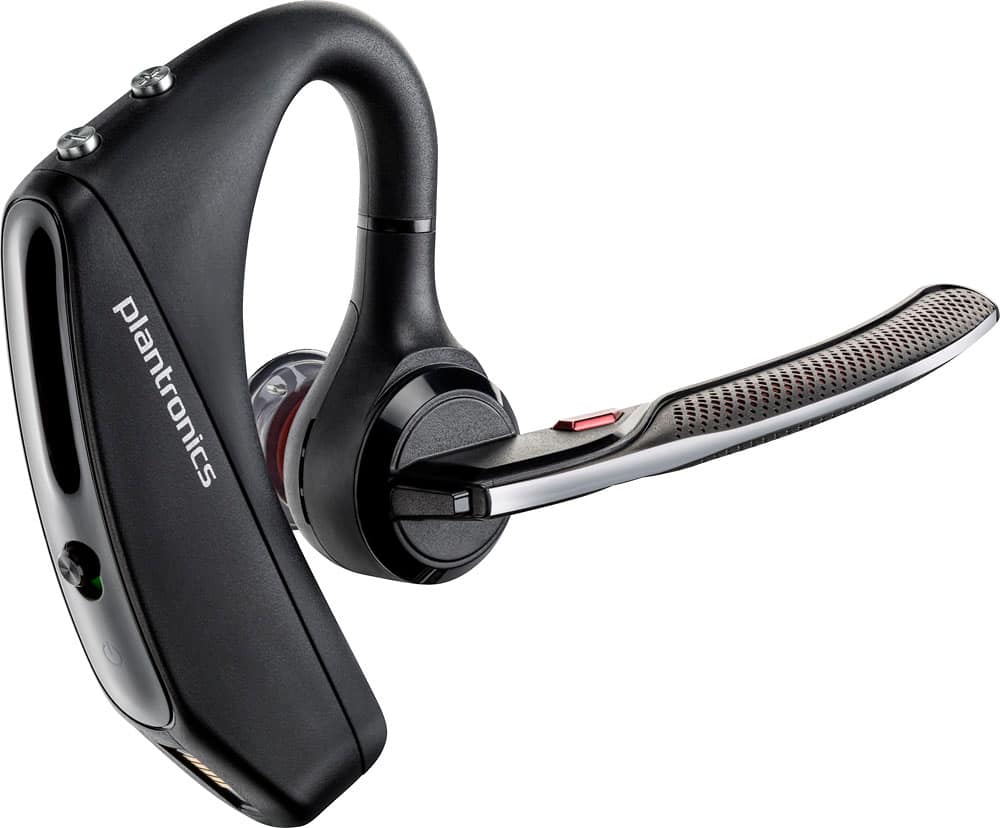
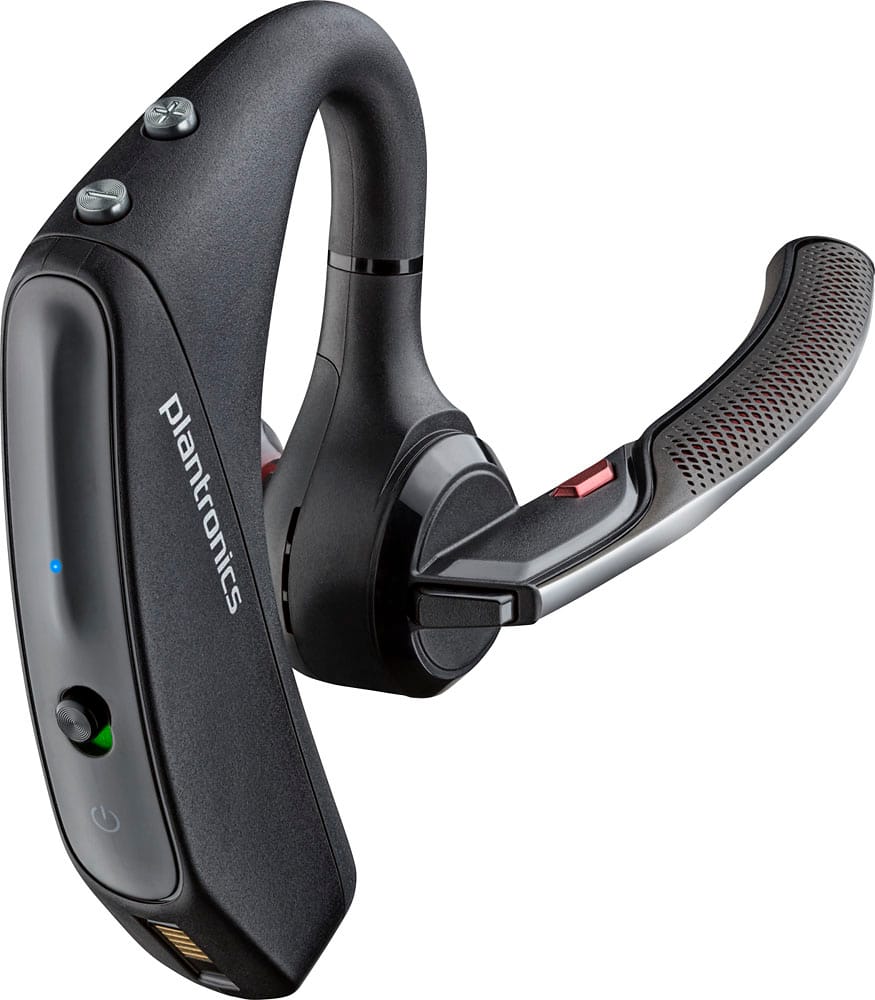
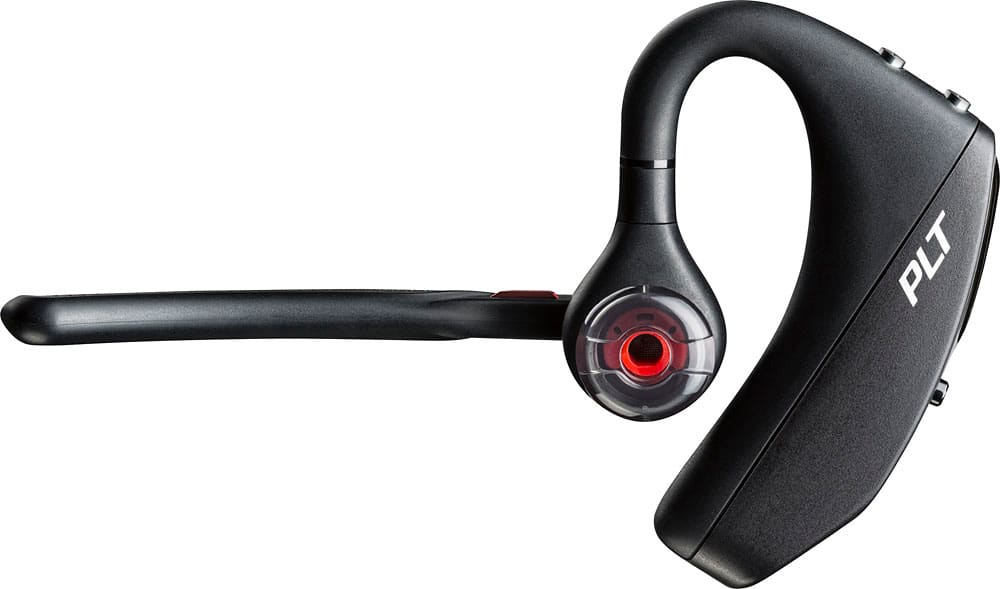
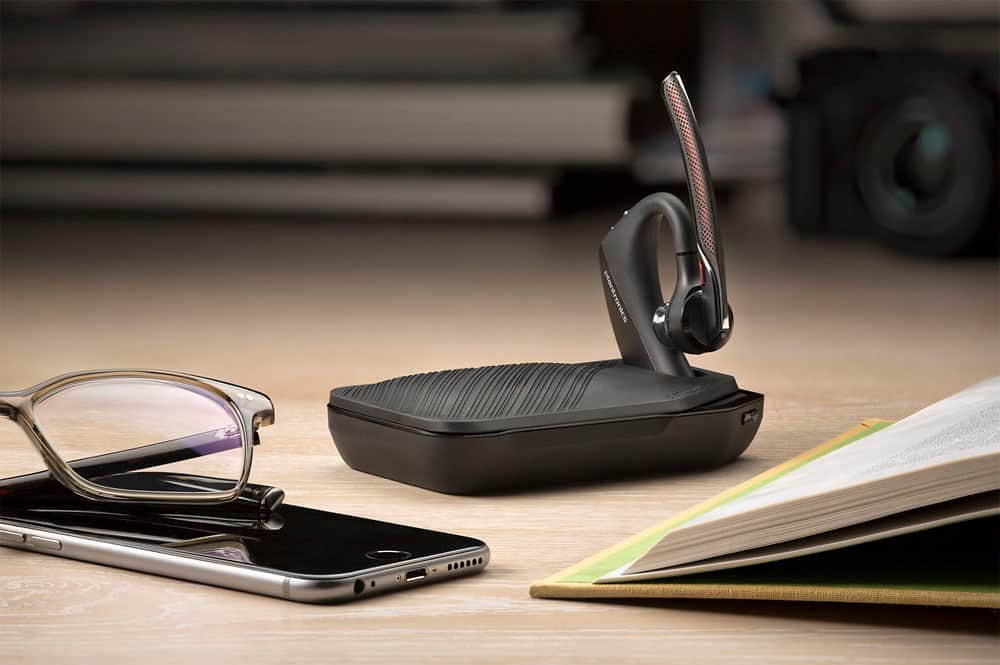



- Model:
- 7Y206AA#ABA
- SKU:
- 6563035
Rating by feature
- Sound Quality
Rating 4.4 out of 5 stars
- Battery Life
Rating 4.3 out of 5 stars
- Connectivity
Rating 4.4 out of 5 stars
Customers are saying
Customers commend the Voyager 5220 for its excellent sound quality, comfortable fit, and long-lasting battery life. Many users appreciate its reliable Bluetooth connectivity and lightweight design. However, some customers have noted concerns about the fit being a little loose, the volume being too low, and the range not meeting expectations.
This summary was generated by AI based on customer reviews.
- Pros mentioned:Sound quality
Don't Buy.
||Posted . Owned for 1 year when reviewed.This reviewer received promo considerations or sweepstakes entry for writing a review.I had two of these models previously that I had returned because they were falling apart, however, I had the extended coverage and returned them twice for a new unit because I like the sound quality and microphone quality. When I obtained the 3rd unit, Best Buy wouldn't offer the extended coverage and didn't seem to know why it was not offered. Well, the unit hasn't fallen apart since I obtained it early in 2022, however, the microphone is no longer adequate to use because of muffled, scratchy, meaning people no longer can understand me. I have notice online reviews from other users that seem to bear this out with the newer models.
No, I would not recommend this to a friend Piece of junk - outgoing talk garbled
||Posted . Owned for 1 year when reviewed.This reviewer received promo considerations or sweepstakes entry for writing a review.Seemed like a good upgrade to old Plantronics. However its performance is terrible. I can hear fine but my outgoing voice is frequently garbled. Not always but enough that this headset is worthless. You can't tell that your voice garbled if leaving a message but during calls it's always "You're breaking up"! I have gone to holding the microphone almost in my mouth to make sure it's picking up. Time to recycle this.
No, I would not recommend this to a friendBrand response from PlantronicsRepresentative
Posted .Hello and thank you for your review on our Voyager 5220 headset, however, we are sorry to hear about your experience. If you are having some issues with the microphone of the headset, you may want to reset the Bluetooth connection with your mobile. To do so: 1) Unpair the headset from your mobile phone by accessing your Bluetooth settings. 2) Power off your mobile phone for 2 minutes and turn it back on. 3) Re-pair the headset by pressing and holding down the call control button until you see the LED flashing red and blue. 4) Access to your Bluetooth settings and select "PLT_V5200". Once successfully paired, you will hear "pairing successful" and the LED on your headset will stop flashing red and blue. You may also want to check if your headset doesn't have any updates available through Plantronics Hub: https://www.plantronics.com/us/en/support/downloads-apps/hub-desktop. Last but not least, we recommend testing the headset with a different mobile to completely isolate the issue. If for some reason you still encounter the same issue, then it means the headset has an actual problem and it is best to replace it. Remember this unit counts with a limited warranty since the first day of purchase, and if you need a replacement you can click on the following link for further instructions: https://bit.ly/2N637EC. Our intention is to provide the highest quality products to our customers and we thank you for bringing this issue to our attention. Please don't hesitate to contact our Customer Care Team at 800-985-9815 if you require assistance.

- Cons mentioned:Fit
Uncomfortable
||Posted .This reviewer received promo considerations or sweepstakes entry for writing a review.This unit was so large, clumsy and uncomfortable that I returned the unit to the store within an hour of purchase. Thank goodness it was purchased at Best Buy.....
No, I would not recommend this to a friendBrand response from PlantronicsRepresentative
Posted .Thank you very much for your honest review.
We aim to accommodate around 80-90% of different ear shapes and sizes when designing a new headset but we understand one size does not fit all. We have different designs and wearing styles that you might like better than this one in our different Voyager, BackBeat, Blackwire and M series headsets.
Does not work as advertised.
||Posted .This reviewer received promo considerations or sweepstakes entry for writing a review.It could not understand simple commands such as "call house," It would not give you time enough to ask it to ask for another call. It would keep repeating different people on my phone contact list.
No, I would not recommend this to a friendBrand response from PlantronicsRepresentative
Posted .Thank you for your honest review on our Voyager 5220, we are sorry to hear you're experiencing trouble using your phone's voice assistant. The headset itself only works as a toggle to trigger your phone's voice assistant and then send your voice command to your phone, afterwards your phone's voice assistant is in charge of actually listening to and performing the command. We recommend that you try using a different voice assistant or another phone in order to troubleshoot this issue, but please don't hesitate to contact our customer care group at www.plantronics.com/support if you require assistance!
Had to return it.
||Posted . Owned for less than 1 week when reviewed.This reviewer received promo considerations or sweepstakes entry for writing a review.Had to return it. The plastic ear piece needed to be changed... And it just tore off when trying to remove it. The sound too would come as muffled
No, I would not recommend this to a friendBrand response from PlantronicsRepresentative
Posted .Hi Chicago! Thank you for your honest review; However, we're sorry to hear you had to return it. The Voyager 5220 is one of our best communication headsets and specially engineered to deliver superior call clarity and quality material. In order to remove the ear gel, we always recommend to do it gently. In order to do so you need to softly press the ear gel down and at the same time twist it to the left. That will unlock the ear gel from the headset. As for audio issues, there are a few procedures that should solve them. First, reset the BT connection between the phone and the earpiece. To do so: https://bit.ly/2OOMfnw. Also, please ensure the unit's firwmare version is up to date through our Hub Software for Desktop: https://bit.ly/30jDXJM. We do thank you for bringing this to our attention. Your comments have been shared with our Product Development Team for review and consideration. If you have any questions, feel free to contact our Customer Care Team at: 1-888-363-0726.
Ree Ree
||Posted . Owned for 1 month when reviewed.This reviewer received promo considerations or sweepstakes entry for writing a review.This bluetooth has broken and best buy won't let me return it. I'm within my 30 days, i don't understand
No, I would not recommend this to a friend- Cons mentioned:Fit
Poor size
||Posted . Owned for 1 month when reviewed.This reviewer received promo considerations or sweepstakes entry for writing a review.The size of the new divece is too small for different sizes of ears I like the 5200 more comfortable in size
I would recommend this to a friendBrand response from PlantronicsRepresentative
Posted .Hi! Thank you for reviewing our Voyager 5220, however, we are sorry to hear you were not able to find a comfortable fit. These headsets are designed to fit the vast majority of ear shapes and sizes; however, we do know that one size may not fit all and if you find the product too uncomfortable for normal use we strongly recommend that you consider using a headset with a different wearing style. We will forward your comments to our Product Development Team, as we appreciate feedback based on customer use to create the best possible products. Please don't hesitate to contact our Customer Care Team at 1-888-363-0726 if you require assistance.
Horrible sound quality
||Posted . Owned for 1 week when reviewed.This reviewer received promo considerations or sweepstakes entry for writing a review.The sound quality is terrible no mid range very tinny. And people I'm talking to say it sounds like I'm in a tin can
No, I would not recommend this to a friendBrand response from PlantronicsRepresentative
Posted .Hi! Thank you for taking the time to share your feedback on our Voyager 5200, however, we’re sorry to hear about your experience. We intend to provide the highest quality products to our customers, unfortunately, this wasn't the case this time, with the audio quality to be precise.
As you may be aware, our Voyager 5200 features a four-mic array and our adaptive DSP work together to cancel disruptive background noise like traffic or crowds, so microphone-related issues are considered unusual, hence isolating, and light troubleshooting are recommended.
Please install the Plantronics Hub app on your computer, (https://bit.ly/30jDXJM) connect the headset, install any pending updates, and reset the device via settings, if issues continue, please disable the wearing sensors master via the settings menu.
Thank you for bringing this to our attention. We will forward your comments to our team for review and consideration.
If you have any additional concerns, please do not hesitate to contact our Customer Care Team at (916) 928-7561
Gift for OTR driver - 100% unhappy customer
||Posted .This reviewer received promo considerations or sweepstakes entry for writing a review.Worked good for 2 days. Doesn't connect quick. People can't hear you talking. Too much noise in the background. Dont have original package for return and Best Buy wont accept it. I am stuck with a Bluetooth that doesn't work, loss of money, unhappy customer. Now i need to spend more money for a better working one. Dont buy! Waste of money!
No, I would not recommend this to a friendBrand response from PlantronicsRepresentative
Posted .Hello! We are sorry to hear you are having problems with your headset. If you are experiencing audio issues, we recommend resetting the headset by pressing and holding the call control and mute buttons for 5 seconds while it's turned off, this will reset the headset. We also recommend unpairing and repairing the headset with your mobile phone, testing with a different phone can also help us isolate the problem. Last but not least we always recommend checking if there are any firmware updates with the Plantronics Hub application. If you require further assistance, please don't hesitate to contact our Customer Care Team at 1-888-363-0726.
How do it work?
||Posted .This reviewer received promo considerations or sweepstakes entry for writing a review.Can't get it to do what it's supposed to do. Receives calls but can't make make calls.????????????????? Typical stuff that only some people can use. All this "Bluetooth" and other stuff escapes me
No, I would not recommend this to a friendBrand response from PlantronicsRepresentative
Posted .Making calls or other voice actions depend on the phone your headset is connected to. If your phone has a voice dialing app or a voice assistant you can enable it from your headset by holding the mute (orange) button for ~3 seconds until you hear a long beep. Afterwards, you can release the button and say the command you'd like to perform.
Please don't hesitate to contact us at www.plantronics.com/support if you require assistance with your unit.
Good from outside bad from the inside
||Posted .This reviewer received promo considerations or sweepstakes entry for writing a review.I had very bad experience with this maybe mine was defective but there where a few simple command's they just didn't work, I have many complaints from people on the other side of the phone
No, I would not recommend this to a friendBrand response from PlantronicsRepresentative
Posted .Thank you for your honest review on our Voyager 5220, we are sorry to hear you're experiencing trouble with your unit.
In order to troubleshoot connectivity or audio issues you might want to try resetting the Bluetooth connection between your phone and headset to see if that helps the issue. To do so:
1. Delete the headset from your cell phone's list of paired devices.
2. Once deleted, power your phone completely off, then power it back on. This resets the Bluetooth stack in the Bluetooth software on the phone.
3. Re-pair the headset with your phone. If this does not fix your issue, we suggest pairing the headset to another cell phone as a test.
If the issue is not present on the second phone, then the problem may be with the first phone, rather than the headset. If the issue exists on the second phone as well, you will need to replace the headset. Please don't hesitate to contact our customer care group at www.plantronics.com/support if you require assistance.
Voyager 5200
||Posted . Owned for 5 months when reviewed.This reviewer received promo considerations or sweepstakes entry for writing a review.It has not been one year and this device is already malfunctioning it no longer holds a charge and doesn't fully charge.
No, I would not recommend this to a friendBrand response from PlantronicsRepresentative
Posted .Thank you for sharing your honest review; Though we're truly sorry to hear battery issues with your unit. The life span of this model depends on the usage but on the vast majority of cases they last for way past their warranty period. We do have a few procedures to troubleshoot battery issues. First, please use a different micro-USB cable along with a 5-volt wall charger when charging the earpiece. The headset has a micro-USB port at the bottom of the piece that goes around the ear. We also have a few tips to take into account in order to extend the battery life of our products: https://bit.ly/35IMed5. You may also want to ensure the firmware version is up to date through our Hub Software for Desktop: https://bit.ly/30jDXJM. Please note this model counts with a one-year limited warranty from date of purchase. We hope you will find this information useful. If you require further assistance, please don't hesitate to contact our Customer Care Team at: https://www.poly.com/us/en/support/contact
Need re-engineering of materials!!!
||Posted . Owned for 8 months when reviewed.This reviewer received promo considerations or sweepstakes entry for writing a review.The product function is incredible , but , the quality of the stem curve is poor. My third one that has broke , all the same place .
No, I would not recommend this to a friendBrand response from PlantronicsRepresentative
Posted .Thank you for sharing your honest review; However, we're sorry to hear about your experience. Please rest assured that scenarios where the exact same issue takes place on consecutive units are very unlikely. The Voyager 5220 to some extent is resistant to stretching, but we do not recommend stretching the hook too much to avoid any kind of harm. When you remove the earpiece, we recommend that you slightly stretch it and also slide it over your ear to take it off. As you may know, this product counts with a one-year limited warranty. In any case we do thank you for bringing this to our attention. We will forward your comments to our team for review and consideration. If you have any questions, feel free to contact our Customer Care Team at: 1-855-765-7878
Surprised
||Posted . Owned for 1 week when reviewed.This reviewer received promo considerations or sweepstakes entry for writing a review.Stops a lot on it's own while listening to music. Battery life is very very short. Can plug in and sometimes it's not even charging. While talking is clear since battery is short turns robotic when battery goes down. I'm surprised this brand did not produce a better product. They fell short with this one.
No, I would not recommend this to a friendComplicated
||Posted .This reviewer received promo considerations or sweepstakes entry for writing a review.It disconnects constantly and the battery power goes down quickly. You can't hear the other caller sometimes, but they can hear you? You have to reconnect it daily and that is tiresome?
No, I would not recommend this to a friendBrand response from PlantronicsRepresentative
Posted .That may be an issue with the headset or with the connection between the headset and phone. You might want to try resetting the Bluetooth connection between your phone and headset to see if that helps the issue.
To do so:
1. Delete the headset from your cell phone's list of paired devices.
2. Once deleted, power your phone completely off, then power it back on. This resets the Bluetooth stack in the Bluetooth software on the phone.
3. Re-pair the headset with your phone and test.
If the issue is the same we recommend testing the device with another phone to determine if its on the phone or headset. If the issue persists even on a different phone we can replace that device, it comes with a 1 year warranty from the date of purchase. You can use the following url to view our replacement steps:
http://www.plantronics.com/us/support/kb/detail.jsp?vfurl=/articles/en_US/Warranty/RN9669&retURL=%2Fapex%2FknowledgeSearch®ion=us&p=&c=All&k=replacement&t=All&lang=en_US&popup=false&c=All
Not what I expected
||Posted .This reviewer received promo considerations or sweepstakes entry for writing a review.Limited talk time. Doesn’t last but six hours on a full charge
No, I would not recommend this to a friendHeadphone
||Posted . Owned for less than 1 week when reviewed.This reviewer received promo considerations or sweepstakes entry for writing a review.I am not happy at all because there is a noise coming from the headphones while talking. It stops after 1-2 minutes. Then it continues again.
I would recommend this to a friend- Cons mentioned:Range
SUCKS NOT GOOD breaks up
||Posted .This reviewer received promo considerations or sweepstakes entry for writing a review.This product is horrible it sucks it supposed to be good and extended distance and clearer it's horrible breaks up and can't hear and disconnects
No, I would not recommend this to a friendBrand response from PlantronicsRepresentative
Posted .That may be an issue with the headset or with the connection between the headset and phone. This model has up to 98 feet of range with devices that support extended Bluetooth range. Most cellphones will only give you up to 33 feet of range with a direct line of sight.
If you are experiencing shorter than expected range or acoustic anomalies like intermittent audio, crackling or static you might want to try resetting the Bluetooth connection between your phone and headset to see if that helps the issue.
To do so:
1. Delete the headset from your cell phone's list of paired devices.
2. Once deleted, power your phone completely off, then power it back on. This resets the Bluetooth stack in the Bluetooth software on the phone.
3. Re-pair the headset with your phone and test.
If the issue is the same we recommend testing the device with another phone to determine if its on the phone or headset. If the issue persists even on a different phone we can replace that device, it comes with a 1 year warranty from the date of purchase. You can use the following url to view our replacement steps:
http://www.plantronics.com/us/support/kb/detail.jsp?vfurl=/articles/en_US/Warranty/RN9669&retURL=%2Fapex%2FknowledgeSearch®ion=us&p=&c=All&k=replacement&t=All&lang=en_US&popup=false&c=All
Good but not this time
||Posted . Owned for 1 year when reviewed.This reviewer received promo considerations or sweepstakes entry for writing a review.I've been purchasing these for years from Best Buy. This one did not work. When I went to Best Buy to exchange it (16 days) they would not allow it so I paid over $100 for a Bluetooth that did not work.
I would recommend this to a friendUnsatisfied
||Posted . Owned for 2 weeks when reviewed.This reviewer received promo considerations or sweepstakes entry for writing a review.Alexa doesn't work all the time it comes and goes when I have it connected to my phone. It half way works just on the phone alone.
No, I would not recommend this to a friendBrand response from PlantronicsRepresentative
Posted .Hello! Thank you for reviewing our Voyager 5220, however, we are sorry to hear you are having problems with your headset. If you are experiencing issues with Alexa, we recommend resetting the headset by pressing and holding the call control and mute buttons for 5 seconds while it's turned off, this will reset the headset. We also recommend unpairing and re-pairing the headset with your mobile phone, testing with a different phone can also help us isolate the problem. Last but not least we always recommend checking if there are any firmware updates with the Plantronics Hub application. If you require further assistance, please don't hesitate to contact our Customer Care Team at 1-888-363-0726.