Customer Ratings & Reviews
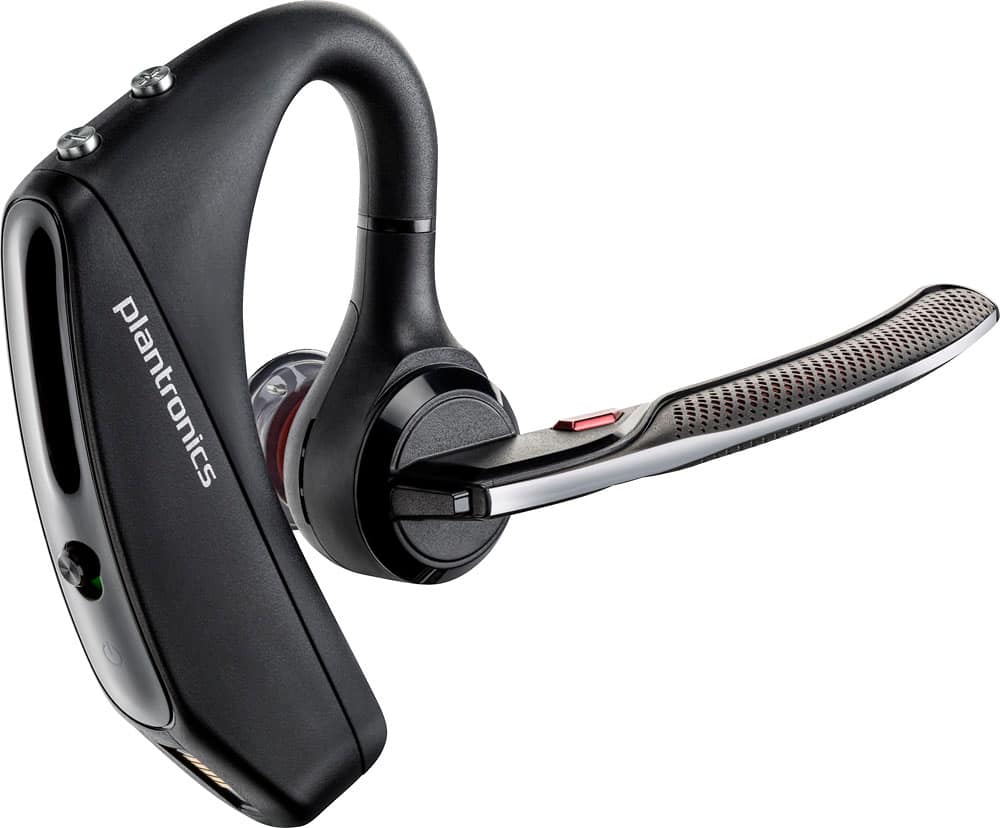
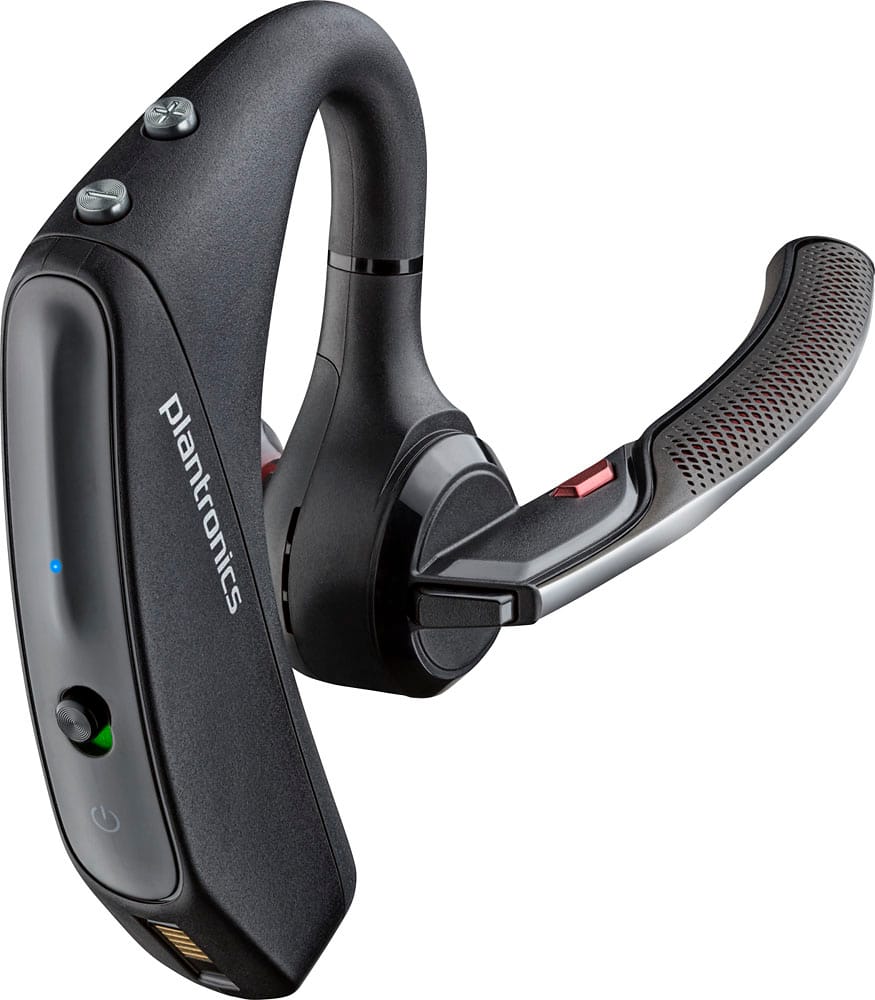
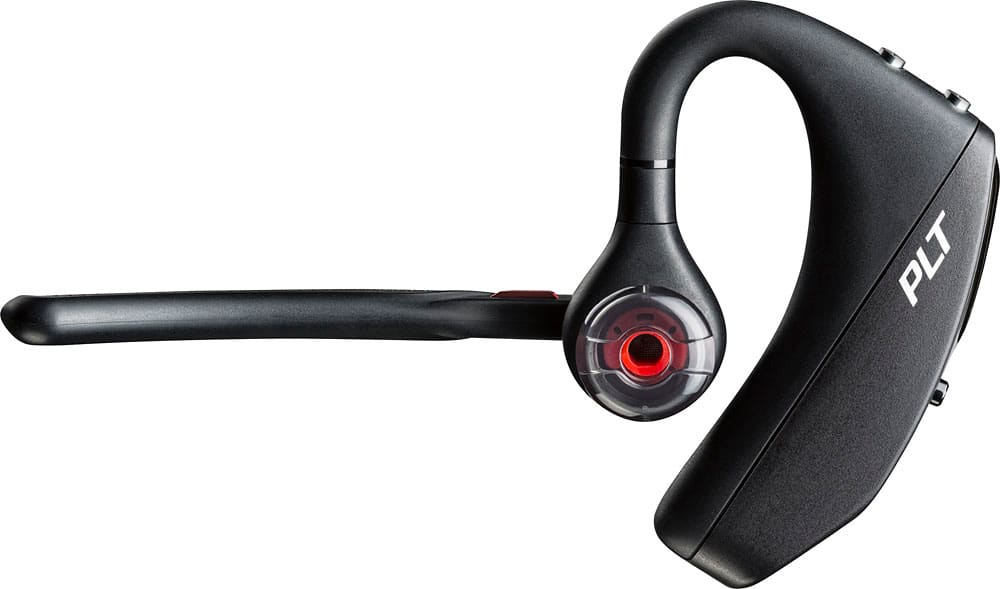
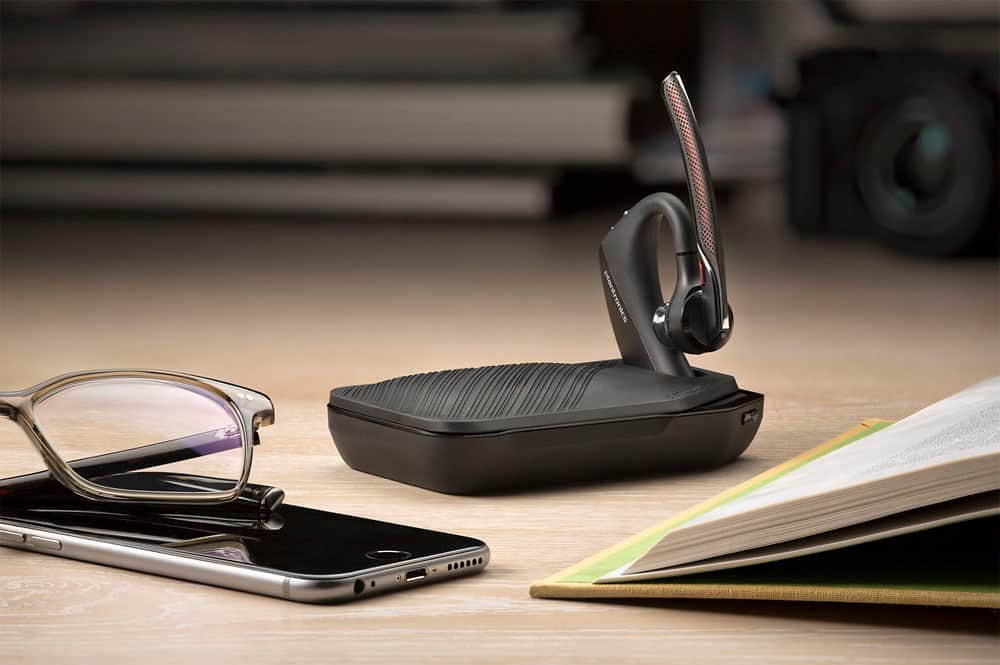





- Model:
- 7Y206AA#ABA
- SKU:
- 6563035
Rating by feature
- Sound Quality
Rating 4.4 out of 5 stars
- Battery Life
Rating 4.3 out of 5 stars
- Connectivity
Rating 4.4 out of 5 stars
Customers are saying
Customers commend the Voyager 5220 for its excellent sound quality, comfortable fit, and long-lasting battery life. Many users appreciate its reliable Bluetooth connectivity and lightweight design. However, some customers have noted concerns about the fit being a little loose, the volume being too low, and the range not meeting expectations.
This summary was generated by AI based on customer reviews.
Very Disappointed
||Posted . Owned for 3 weeks when reviewed.This reviewer received promo considerations or sweepstakes entry for writing a review.I have had to repeatedly exchange this blue tooth due poor quality I have been usinf Plantronics for years and this is not is not the quality it use to be....very disappointing .
No, I would not recommend this to a friendBrand response from PlantronicsRepresentative
Posted .Hi! Thank you for taking the time to share your feedback on our Voyager 5220, however, we’re sorry to hear about your experience. We intend to provide the highest quality products to our customers, unfortunately, this wasn't the case this time.
We would like to learn more about your specific situation and make things right if you wouldn't mind contacting us back at 1 800 725 598 and providing us with additional details, it would be greatly appreciated, we look forward to working with you towards earning back your business.
- Cons mentioned:Volume
Needs More Volume
||Posted .This reviewer received promo considerations or sweepstakes entry for writing a review.This unit does everything I expected, but maximum volume is somewhat low making it difficult to hear the other person.
I would recommend this to a friendBrand response from PlantronicsRepresentative
Posted .Thank you for sharing your feedback on our Voyager 5220. We're sorry to hear you didn't find your unit loud enough. You may want to ensure you've increased the volume on both your phone and the volume buttons on the earpiece. Using a different size of ear tip might also help to have a better volume experience. In any case we thank you for bringing this to our attention. Your feedback has been shared with our Product Development team, as we appreciate feedback based on customer use to create the best possible products. Feel free to contact our Customer Care Team at: https://www.plantronics.com/us/en/support/contact if you have any questions!
This item does NOT work properly.
||Posted .This reviewer received promo considerations or sweepstakes entry for writing a review.It does not work properly. I have had cheap Plantronics that work good but not this one. The incoming is good but the outgoing doesn't. People say they can hardly hear me at all. Unfortunately having been hospitalized I was unable to return it within the 30 day limited time for an exchange ,short by two (2) days . I thought about driving the 60 miles one way to Best Buy where I bought it (Victoria, TX.) and try to Exchange it but after reading their policy I realize that I would be wasting my time and money. I just wasted $119.19 on this.
No, I would not recommend this to a friendBrand response from PlantronicsRepresentative
Posted .I'm sorry to hear you have been having issues with your 5220. That may be an issue with the headset or with the connection between the headset and phone. You might want to try resetting the Bluetooth connection between your phone and headset to see if that helps the issue. To do so,
1. Delete the headset from your cell phone's list of paired devices.
2. Once deleted, power your phone completely off, then power it back on. This resets the Bluetooth stack in the Bluetooth software on the phone.
3. Re-pair the headset with your phone. and test.
If the issue is the same we can replace that device, it comes with a 1 year warranty from the date of purchase. You can use the following url to view our replacement steps.
http://www.plantronics.com/us/support/kb/detail.jsp?vfurl=/articles/en_US/Warranty/RN9669&retURL=%2Fapex%2FknowledgeSearch®ion=us&p=&c=All&k=replacement&t=All&lang=en_US&popup=false&c=All
Terrible product from a terrible company
||Posted .This reviewer received promo considerations or sweepstakes entry for writing a review.This product was terrible, just like your service!
No, I would not recommend this to a friendBluetooth headset
||Posted . Owned for less than 1 week when reviewed.This reviewer received promo considerations or sweepstakes entry for writing a review.Great device for handsfree especially if you can't be on your phone whole at work.
I would recommend this to a friendHeadset review
||Posted . Owned for 1 month when reviewed.This reviewer received promo considerations or sweepstakes entry for writing a review.The product though brand new has lots of problems where the recipients don’t hear the voice clearly. Voice gets muffled.
No, I would not recommend this to a friendBrand response from PlantronicsRepresentative
Posted .Hi Pulse and thank you for sharing your opinion on our Voyager 5220. We're sorry to hear about your experience. This model is one of our best communication headsets and specially engineered to deliver superior call clarity. It has built-in four-mic active digital signal processing (DSP), acoustic echo cancellation and six layers of protection against wind noise. To troubleshoot it, please reset the Bluetooth connection. To do so: https://bit.ly/2OOMfnw. To re-pair the earpiece, make sure to set it in pair mode by pressing and holding the call button for 6-8 seconds until LED flashes red and blue repeatedly. You might also want to ensure the unit's firmware version is up to date through our Hub Software for Desktop: https://bit.ly/30jDXJM. We also recommend you to reset the Network settings on your phone. Lastly, testing the earpiece with a different cell phone and while it is paired with a single Bluetooth device is also ideal to determine the cause of the issue. In case you still get the same issues, please note this product counts with a one-year manufacturer's warranty. We will forward your comments to our team for review and consideration. If you would like further assistance, please contact our Customer Care Team at: 1 888 248 4143 or 1 916 928 7561
- Cons mentioned:Fit
bulky
||Posted .This reviewer received promo considerations or sweepstakes entry for writing a review.This item is very bulky and heavy while using. It does hold a charge pretty well however seems to get a large amount of interference.
No, I would not recommend this to a friendBrand response from PlantronicsRepresentative
Posted .Thank you for your honest review on our Voyager 5200, we are sorry to hear you're experiencing trouble with your unit.
In order to troubleshoot connectivity or audio issues you might want to try resetting the Bluetooth connection between your phone and headset to see if that helps the issue. To do so:
1. Delete the headset from your cell phone's list of paired devices.
2. Once deleted, power your phone completely off, then power it back on. This resets the Bluetooth stack in the Bluetooth software on the phone.
3. Re-pair the headset with your phone. If this does not fix your issue, we suggest pairing the headset to another cell phone as a test.
If the issue is not present on the second phone, then the problem may be with the first phone, rather than the headset. If the issue exists on the second phone as well, you will need to replace the headset. Please don't hesitate to contact our customer care group at www.plantronics.com/support if you require assistance.
- Cons mentioned:Fit
Not worth spending
||Posted . Owned for 1 week when reviewed.This reviewer received promo considerations or sweepstakes entry for writing a review.Battery doesn’t last long fitting is loose didn’t like it at all
No, I would not recommend this to a friendBrand response from PlantronicsRepresentative
Posted .Hi! Thank you for taking the time to share your feedback on our Voyager 5220, however, we’re sorry to hear about your experience. We intend to provide the highest quality products to our customers, unfortunately, this wasn't the case this time.
Please note this product has a one-year limited warranty in the US.
We would like to learn more about your specific situation and make things right if you wouldn't mind contacting us back at 1 800 725 598 and providing us with additional details, it would be greatly appreciated, we look forward to working with you towards earning back your business.
me
||Posted . Owned for less than 1 week when reviewed.This reviewer received promo considerations or sweepstakes entry for writing a review.not soo good my husband got the other edition and I bought this one thinking was better no I returned and bought me the other one
No, I would not recommend this to a friendBrand response from PlantronicsRepresentative
Posted .Hello! Thank you for your honest review of our Voyager 5220 headset, however, we are sorry to hear this product did not meet your expectations. Please don't hesitate to contact our Customer Care Team at 1-888-363-0726 if you require assistance or any questions.
No good for me
||Posted . Owned for 3 weeks when reviewed.This reviewer received promo considerations or sweepstakes entry for writing a review.The Bluetooth device was too top heavy and wouldn’t stay connected so I returned it within days.
No, I would not recommend this to a friendGreat overall product
||Posted .This reviewer received promo considerations or sweepstakes entry for writing a review.#1 good thing is clarity. It is crystal clear. However at least to me its not quite loud enough. Lots of hidden buttons , takes a bit of getting used to.
I would recommend this to a friendDo Not Buy
||Posted . Owned for 1 month when reviewed.This reviewer received promo considerations or sweepstakes entry for writing a review.This used to be a good headset but i guess they're building them cheaper now because the last 2 I have bought have been terrible. Poor battery life, poor microphone function, just poor in general.
No, I would not recommend this to a friendWaste my money
||Posted . Owned for 6 months when reviewed.This reviewer received promo considerations or sweepstakes entry for writing a review.Not good, don’t buy it …………………………………………………………………..
No, I would not recommend this to a friendI love it
||Posted .This reviewer received promo considerations or sweepstakes entry for writing a review.Compact. easy to use and setup. I dropped it a star because I liked the old charging method. Used to have a magnetic charger, now you have to plug it in.
I would recommend this to a friendNo worth the money
||Posted . Owned for less than 1 week when reviewed.This reviewer received promo considerations or sweepstakes entry for writing a review.I’m WFM and my current headset has a cord so I was like let’s do Bluetooth. I got the same brand to keep it easy. My FIRST call the person said I was choppy and going in and out. I did do a test call before so I heard what she’s talking about. I thought maybe it was just me. I’m sad this didn’t work out. I’ll have to look for something else.
No, I would not recommend this to a friendBrand response from PlantronicsRepresentative
Posted .Thank you for your honest review; however, we are sorry to hear about your experience.
We intend to provide the highest quality products to our customers, unfortunately, we failed to meet your expectations this time.
We would like to learn more about your specific situation and make things right if you wouldn't mind contacting us back at (916) 928-7561 and providing us with additional details, it would be greatly appreciated, we look forward to working with you towards earning back your business.Thank you for letting us know about this. Your feedback helps us do better. We are looking into this issue and hope to resolve it promptly and accurately.
Terrible bluetooth connectivity
||Posted . Owned for 2 weeks when reviewed.This reviewer received promo considerations or sweepstakes entry for writing a review.Terrible item. Fails to connect to bluetooth constantly. Bot reliable, very inconsistent. Not worth the purchase.
No, I would not recommend this to a friend- Pros mentioned:Battery life, Sound qualityCons mentioned:Volume
Amazing noise cancelling and voice clarity.
Posted .This reviewer received promo considerations or sweepstakes entry for writing a review.This is an amazing Bluetooth headset. The battery lasts for days with a few calls each day. This one is a little more comfortable than the Voyager legend which I also own. Being able to charge it via any standard microUSB without the adapter is a huge plus. I actually prefer charging it this way versus the magnetic adapter because the USB stays plugged in and doesn't come off when I hit a bump in the road. The noise cancelling on this thing is unbelievable. I've been on phone calls when a semi truck accelerated past with a full heavy load, I could barely hear myself speak over the noise but the person on the other end could hear me loud and clear and barely heard the truck in the background. Cons: There are some sensors that detect when it's in your ear, and the set doesn't quite fit into my ear well enough for these sensors to consistently register the fact that it's in there. The default settings will cause the headset to automatically hang up the call when you remove it. If you have this problem you will need to download the PTLhub application on your device to change this setting. Once you've saved it, it seems to carry across those settings to different devices. The volume could be a little louder. I can't really use it to listen to my audio books because on most titles the narrator's voice tends to get a little quiet sometimes. I also don't recommend this for listening to music, although you can certainly do that. The headset is optimized for vocal clarity, not for the highs and lows you get in music. As a commercial truck driver I highly recommend this to other drivers as a must-have device. This would be great for anyone who has to take frequent calls where there is a lot of background noise. It would probably make a good computer headset for voice communication programs such as Skype and Discord if you've got Bluetooth if your computer.
I would recommend this to a friend - Cons mentioned:Fit
Big and Bulky
||Posted .This reviewer received promo considerations or sweepstakes entry for writing a review.This Bluetooth piece is to big and bulky. This is one of the products I don't like from this Company. It's difficult to wear.
No, I would not recommend this to a friendBrand response from PlantronicsRepresentative
Posted .Thank you for your honest review on our Voyager 5220, we will forward your feedback to our team for future consideration when developing new products and accessories. If you're looking for a headset with a smaller and lighter design you might want to consider our Voyager Edge or any of our Explorer and M series headsets.
Poor connection with your phone
||Posted .This reviewer received promo considerations or sweepstakes entry for writing a review.Poor connection with my phone I have an iPhone 7 andif I have my phone on the left pocket disconnect from the Bluetooth since I use the Bluetooth in my right ear
No, I would not recommend this to a friendBrand response from PlantronicsRepresentative
Posted .Thank you for your honest review on our Voyager 5200, we are sorry to hear you're experiencing trouble with your unit.
In order to troubleshoot connectivity or audio issues please make sure there is a clear line of sight between your phone and headset. You might also want to try resetting the Bluetooth connection between your phone and headset to see if that helps the issue. To do so:
1. Delete the headset from your cell phone's list of paired devices.
2. Once deleted, power your phone completely off, then power it back on. This resets the Bluetooth stack in the Bluetooth software on the phone.
3. Re-pair the headset with your phone. If this does not fix your issue, we suggest pairing the headset to another cell phone as a test.
If the issue is not present on the second phone, then the problem may be with the first phone, rather than the headset. If the issue exists on the second phone as well, you will need to replace the headset. Please don't hesitate to contact our customer care group at www.plantronics.com/support if you require assistance.
Plantronics 5220
||Posted . Owned for 8 months when reviewed.This reviewer received promo considerations or sweepstakes entry for writing a review.Replaced this blue tooth way to many times. Works good in for a bit then fizzles out. To much money to keep having to replace.
No, I would not recommend this to a friendBrand response from PlantronicsRepresentative
Posted .Hi there and thank you for sharing your honest review on our Voyager 5220. However, we're very sorry to hear about your experience. This model is one of our best communication headsets and specially engineered to deliver superior call clarity. The life span of the product depends on the usage but on the vast majority of cases they last for way past their warranty period. If you're experiencing technical issues, we strongly suggest you to contact our Customer Care Team at: 1-855-765-7878 as the issue could be solved through troubleshooting. Your comments have been shared with our Product Development Team for review and consideration. Please don't hesitate to contact us if you have any questions!