Customer Ratings & Reviews





- Model:
- 7Y206AA#ABA
- SKU:
- 6563035
Rating by feature
- Sound Quality
Rating 4.4 out of 5 stars
- Battery Life
Rating 4.3 out of 5 stars
- Connectivity
Rating 4.4 out of 5 stars
Customers are saying
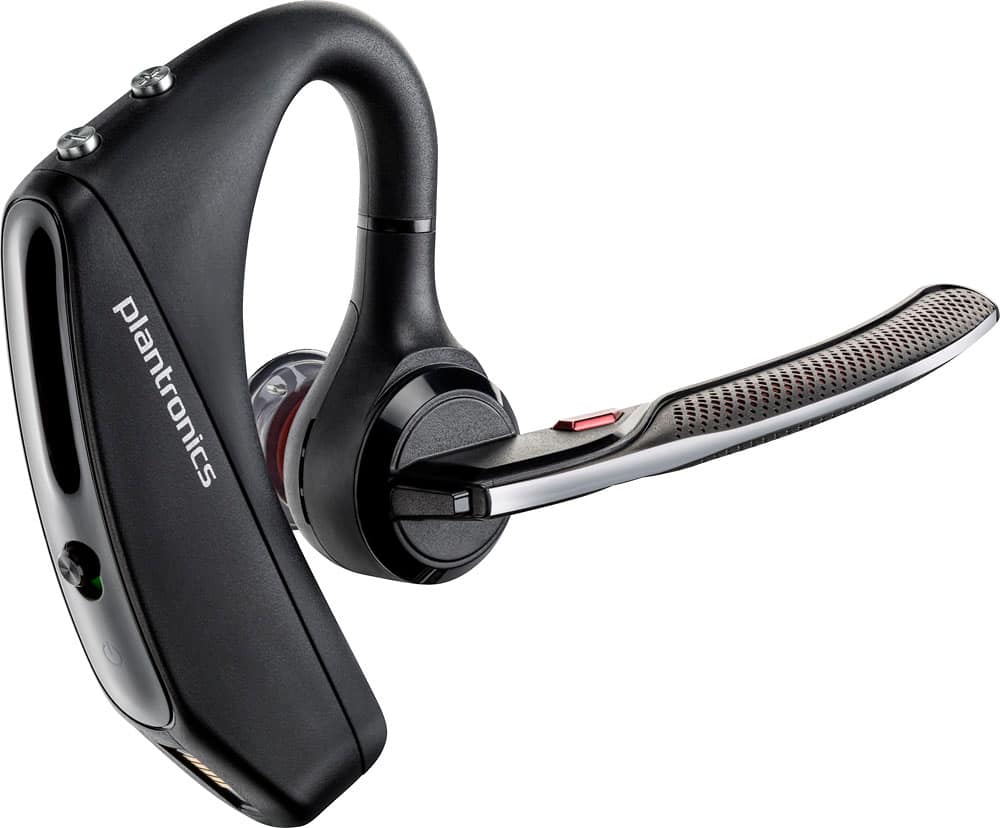
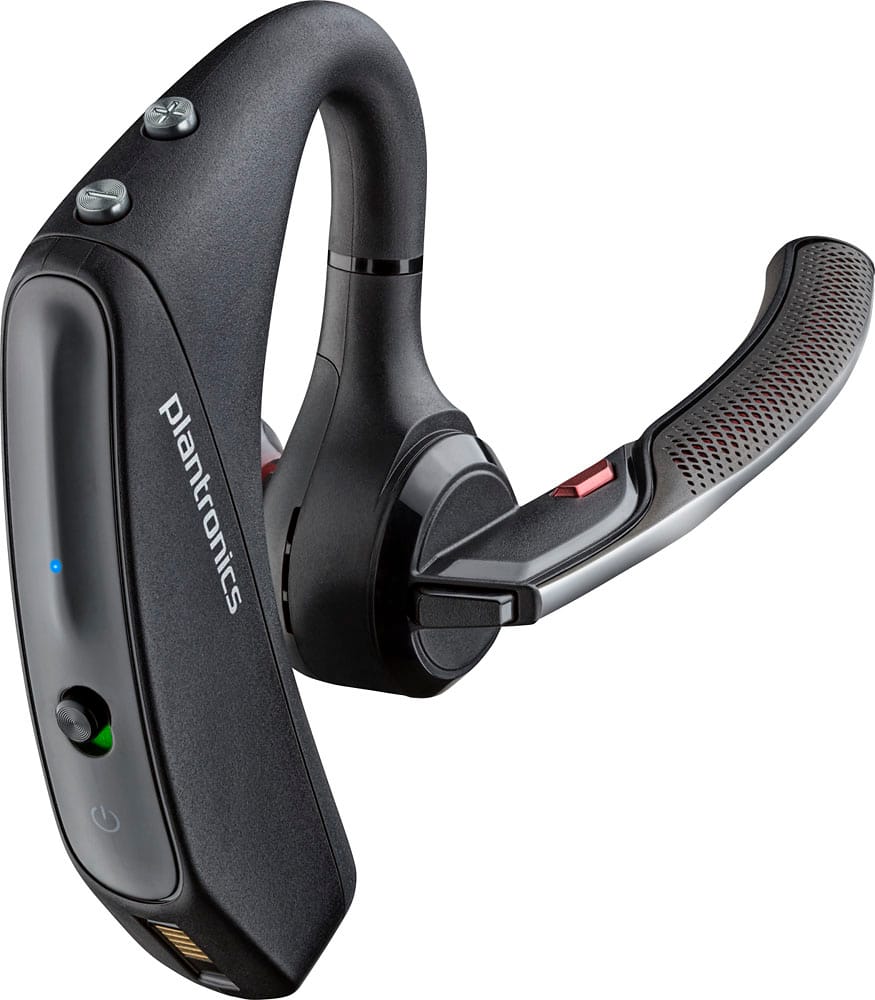
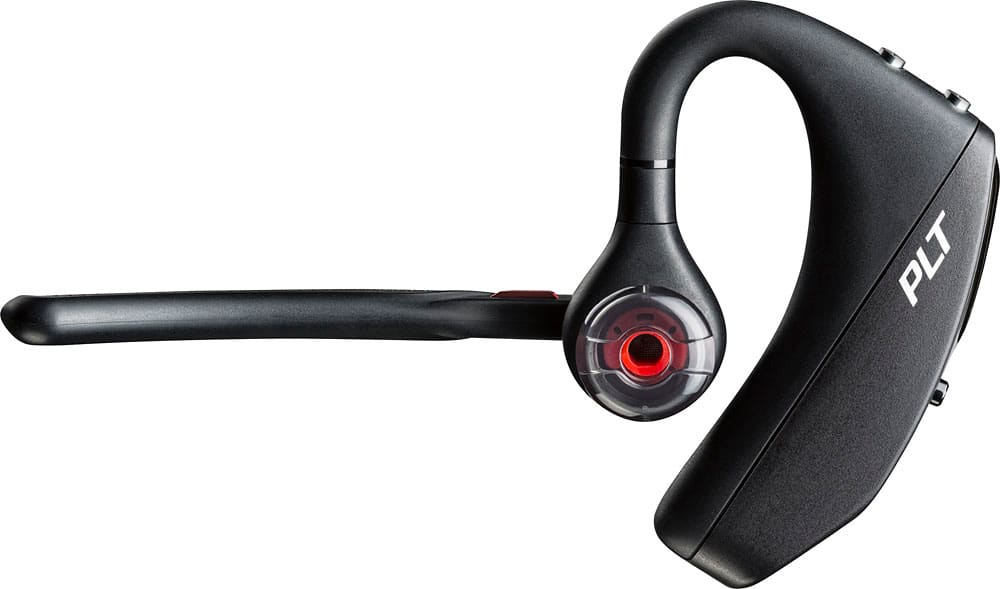
Customers commend the Voyager 5220 for its excellent sound quality, comfortable fit, and long-lasting battery life. Many users appreciate its reliable Bluetooth connectivity and lightweight design. However, some customers have noted concerns about the fit being a little loose, the volume being too low, and the range not meeting expectations.
This summary was generated by AI based on customer reviews.
Not sow good
||Posted .This reviewer received promo considerations or sweepstakes entry for writing a review.Sound is not that good plus it doesn’t last that long full charge
No, I would not recommend this to a friendBrand response from PlantronicsRepresentative
Posted .Hello and thank you for your honest review! It is possible the connection needs to be refreshed, you can do so by unpairing the Voyager 5220 from your phone, power cycling both devices, and re-pairing (pair mode is enabled by pressing and holding the black call button until the LED flashes red/blue). We also recommend you to try a Firmware Update by using our Plantronics Hub for Desktop or Mobile. If you need any further assistance with the headset, please, don't hesitate to contact Plantronics Customer care at 855-765-7878.

Pantronic
||Posted . Owned for 1.5 years when reviewed.This reviewer received promo considerations or sweepstakes entry for writing a review.At first it was fine but now it turns off and on by itself. I have to try to turn it on multiple times to fix it. When I try calling it turns off.
No, I would not recommend this to a friend- Cons mentioned:Fit
Bluetooth not good
||Posted .This reviewer received promo considerations or sweepstakes entry for writing a review.This item was returned because it did not fit my ear adequately
No, I would not recommend this to a friendBrand response from PlantronicsRepresentative
Posted .Thank you for your honest review, however we are sorry to hear about your experience. Next time we recommend to try wearing your headset on either ear and also trying all of the included ear gel sizes in order to find the most secure fit and comfortable fit. We will forward your feedback to our team for future consideration, please don't hesitate to contact our customer care group at https://www.plantronics.com/us/en/support/contact if you require assistance!

Not great noise canceling
||Posted . Owned for 10 months when reviewed.This reviewer received promo considerations or sweepstakes entry for writing a review.Not so great noise canceling design is good ergonomic not recommend
No, I would not recommend this to a friendBrand response from PlantronicsRepresentative
Posted .Hello Cooluncle and thank you for your honest review; though we're sorry to hear you were not happy with its noise cancelling. This model features four-microphones with active digital signal processing (DSP) and Delivers six layers of protection against wind noise from a combination of aerodynamic design elements and an adaptive, proprietary algorithm, therefore please rest assured that scenarios like these where the microphone doesn't work well are very unlikely. To troubleshoot it, please reset the BT connection. To do so: https://bit.ly/2OOMfnw. To re-pair, set the earpiece in pair mode: press and hold the call button for 6-8 seconds until LED flashes red and blue repeatedly. Also, please ensure the unit's firmware version is up to date through our Hub Software https://bit.ly/30jDXJM. Lastly, testing the earpiece with a different cell phone model is also ideal to determine the cause of the issue. If it persists, then most likely the unit has an actual problem and it is best to replace it. This model counts with a one-year limited warranty. We will surely forward your comments to our team for review and consideration. If you require further assistance, feel free to contact our Customer Care Team at: 1-855-765-7878
- Cons mentioned:Fit
Not for me.
||Posted .This reviewer received promo considerations or sweepstakes entry for writing a review.DOES NOT FIT WELL AROUND THE EAR. TOO BULKY AND COMES OFF EASILY.
No, I would not recommend this to a friendBrand response from PlantronicsRepresentative
Posted .Hello and thank you for your honest review! While we thrive for our headset to fit everyone, we understand that one size doesn't fit all. With this in mind, we include 3 different ear tip sizes for a better fit. We are sorry to hear it wasn't for you. Please don't hesitate to contact Plantronics Customer Care at https://www.plantronics.com/us/en/support/contact if you are looking for a product recommendation.
need be
||Posted .This reviewer received promo considerations or sweepstakes entry for writing a review.Im a truckdriver an this is a legal imperitve tgis was returned as I used the other one everyday ..well worth the money to have it reappear
I would recommend this to a friendSound was to low
||Posted .This reviewer received promo considerations or sweepstakes entry for writing a review.Was good at 1st but the sound was really low hard to hear and people i talked to couldnt hear me
No, I would not recommend this to a friendBrand response from PlantronicsRepresentative
Posted .Thank you for sharing your feedback on our Voyager 5220 Headset. We're sorry to hear you've had audio issues. There are a few things you can try in order to troubleshoot it. Please ensure your unit's firmware is up to date through our Plantronics Hub Software for Desktop: https://goo.gl/5ceQ1v. You might also want to try resetting the Bluetooth connection with your phone the clear the BT stack. To do so: https://goo.gl/emzUTA. Testing your headset with different phones and also at different locations and while connected to a single device at a given time is ideal in order to isolate the cause of the problem. Please note this unit has a one-year limited warranty from date of purchase. Feel free to contact our Customer Care Team at: https://www.plantronics.com/us/en/support/contact if you require further assistance!
No one can hear me
||Posted . Owned for 3 months when reviewed.This reviewer received promo considerations or sweepstakes entry for writing a review.Add this about three months and I get constant negative feedback that no one can hear me on calls.
No, I would not recommend this to a friendNot worth the money
||Posted . Owned for 2 weeks when reviewed.This reviewer received promo considerations or sweepstakes entry for writing a review.Couldn’t hear well out of it. Sending it back soon.
No, I would not recommend this to a friendBrand response from PlantronicsRepresentative
Posted .Hello and thank you for sharing your honest review on our Voyager 5220; Though we're sorry to hear you will send your unit back. These headsets are designed to fit the vast majority of ear shapes and sizes with the different size eartips included, keeping in mind that not getting a proper fit is likely to impact the quality of the audio; However, we do know that one size may not fit all and if you find the product too uncomfortable for normal use, we strongly recommend that you consider using a headset with a different wearing style. Your feedback has been shared with our Product Development Team for review and consideration. If you have any further questions, please don't hesitate to contact our Customer Care Team at: (888) 248-4143 or (916) 928-7561.
A magical tool for driving
||Posted . Owned for 1 week when reviewed.This reviewer received promo considerations or sweepstakes entry for writing a review.I like how it works, I don't like that it can't be seen in the dark
I would recommend this to a friendFine for phone
||Posted .This reviewer received promo considerations or sweepstakes entry for writing a review.Not so fine with my MS Surface Pro - the Nextiva phone interface is poor and slows the computer down
No, I would not recommend this to a friendBrand response from PlantronicsRepresentative
Posted .Thank you for your honest review on our Voyager 5220! If you're experiencing issues with your computer or softphone we recommend that you contact the respective vendors for assistance, however, please don't hesitate to contact our customer care group at www.plantronics.com/support if you require assistance with the headset itself.
Amazing product
||Posted . Owned for 1 week when reviewed.This reviewer received promo considerations or sweepstakes entry for writing a review.Long time user of this brand. Great product. Will always purchase
I would recommend this to a friend- Cons mentioned:Volume
Did not like it.
||Posted .This reviewer received promo considerations or sweepstakes entry for writing a review.Would not stay connected, ear plug fell apart in my ear, not good volume.
No, I would not recommend this to a friendBrand response from PlantronicsRepresentative
Posted .Thank you for your honest review on our Voyager 5220, we are sorry for your experience. Please don't hesitate to contact us at www.plantronics.com/support if you require assistance.
Awesome
||Posted . Owned for 2 months when reviewed.This reviewer received promo considerations or sweepstakes entry for writing a review.Best headset for the money. We have owned several over the years
I would recommend this to a friendStep down from the Legend
||Posted .This reviewer received promo considerations or sweepstakes entry for writing a review.5220 has some nice features on paper, but doesn’t transmit voice as well as the older Voyager Legend.
No, I would not recommend this to a friendBrand response from PlantronicsRepresentative
Posted .Thank you for your honest review on our Voyager 5220, we will forward your comments to our team for future consideration. Please don't hesitate to contact us at www.plantronics.com/support if you require assistance!
The best blue tooth
||Posted .This reviewer received promo considerations or sweepstakes entry for writing a review.I luv it. It’s the only blue tooth I use. Try it you will luv it.
I would recommend this to a friendPlantronics garbage
||Posted . Owned for 11 months when reviewed.This reviewer received promo considerations or sweepstakes entry for writing a review.First one last for 5 month ... replaced with new one under warranty, New one last 6 month. Plantronics become a total garbage. Also don't forget that you can't get protection for this junk anymore
No, I would not recommend this to a friendNice shape
||Posted .This reviewer received promo considerations or sweepstakes entry for writing a review.At first worked great. After a month starting having static on each call and poor reception.
No, I would not recommend this to a friendBrand response from PlantronicsRepresentative
Posted .Thank you for your honest review on our Voyager 5220 Headset. We're sorry to hear you've had trouble with your unit. In order to troubleshoot audio issues please try resetting the Bluetooth connection with your phone. Please click here for instructions: https://goo.gl/R2g7ei. You might also want to ensure your unit's firmware is up to date through our Plantronics Hub Software for Desktop: https://goo.gl/5ceQ1v. Testing your headset with different phones and also at different locations and while connected to a single device at a given time is ideal in order to isolate the cause of the problem. If you get the same results, then the unit might be faulty and we will need to replace it. Please note this unit has a one-year limited warranty from date of purchase. Feel free to contact our Customer Care Team at: https://www.plantronics.com/us/en/support/contact if you require further assistance!
Pitiful
||Posted . Owned for 1 month when reviewed.This reviewer received promo considerations or sweepstakes entry for writing a review.My first one was great ‘till it went through the washing machine. I bought this new one and it won’t stay connected to my phone. I know it’s not my phone because I have other Bluetooth devices and they never drop. This one is going back. Hopefully I just got a dud because my last one (same exact make and model) was great!
No, I would not recommend this to a friendBrand response from PlantronicsRepresentative
Posted .Hello Bill! Thank you for your honest review on our Voyager 5200 headset, however, we are sorry to hear about your experience. If you are having some connectivity issues with the headset, you may want to try resetting the Bluetooth connection with your mobile. To do so: 1) Unpair the headset from your mobile phone by accessing your Bluetooth settings. 2) Power off your mobile phone for 2 minutes and turn it back on. 3) Re-pair the headset by pressing and holding down the call control button until you see the LED flashing red and blue. 4) Access to your Bluetooth settings and select "PLT_V5200". Once successfully paired, you will hear "pairing successful" and the LED on your headset will stop flashing red and blue. You may also want to disable the smart sensors. If they are not calibrated, you could encounter this type of issues. In an idle state, simultaneously press and hold the call and mute buttons for 5 seconds and a voice prompt will inform you of smart sensors status. Last but not least, we recommend testing the headset with a different mobile to isolate the issue. If for some reason you still encounter the same issue, then it means the headset has an actual problem and it is best to replace it. Remember this unit counts with a limited warranty since the first day of purchase, and if you need a replacement you can click on the following link for further instructions: https://bit.ly/2N637EC. Our intention is to provide the highest quality products to our customers and we thank you for bringing this issue to our attention. Please don't hesitate to contact our Customer Care Team at 800-985-9815 if you require assistance.
Stay away!
||Posted . Owned for 2 months when reviewed.This reviewer received promo considerations or sweepstakes entry for writing a review.Terrible connectivity, does not come with the magnetic charger, sound is echoey and metallic on both ends, overall terrible headset, the last generation was great but plantronics screwed the pooch on the 5200 series.
No, I would not recommend this to a friendBrand response from PlantronicsRepresentative
Posted .Hello and thank you for your honest review. We're very sorry to hear about your experience. The Voyager 5200 is one of our best communication headsets and specially engineered to deliver superior call clarity. It features It four-mic active digital signal processing (DSP), acoustic echo cancellation and six layers of protection against wind noise. As you've mentioned this model comes with a micro-USB charging cable that plugs into the port located underneath the piece that goes behind the ear. Please be aware scenarios like these are very unlikely. To troubleshoot audio issues, reset the BT connection. To do so: https://bit.ly/2OOMfnw. To re-pair to phone, set it in pair mode by pressing and holding the call button for 6-8 seconds until LED flashes red and blue. You might also want to ensure the unit's firmware version is up to date through Hub Software: https://bit.ly/30jDXJM. Lastly, testing the earpiece with a different cell phone model and while it is paired with a single Bluetooth device is also ideal to determine the cause of the issue. If you still get the same results, please note this model comes with a one-year manufacturer's warranty. If you have any questions, please contact our Customer Care Team at: 1 888 248 4143 or 1 916 928 7561