Customer Ratings & Reviews
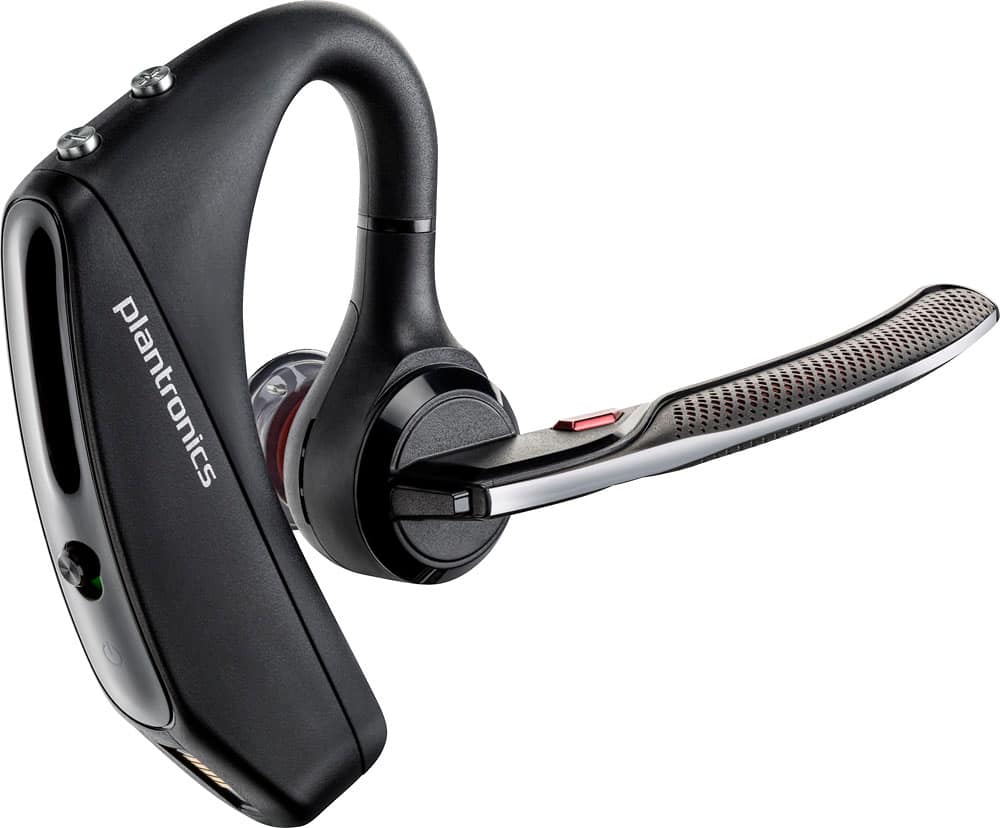
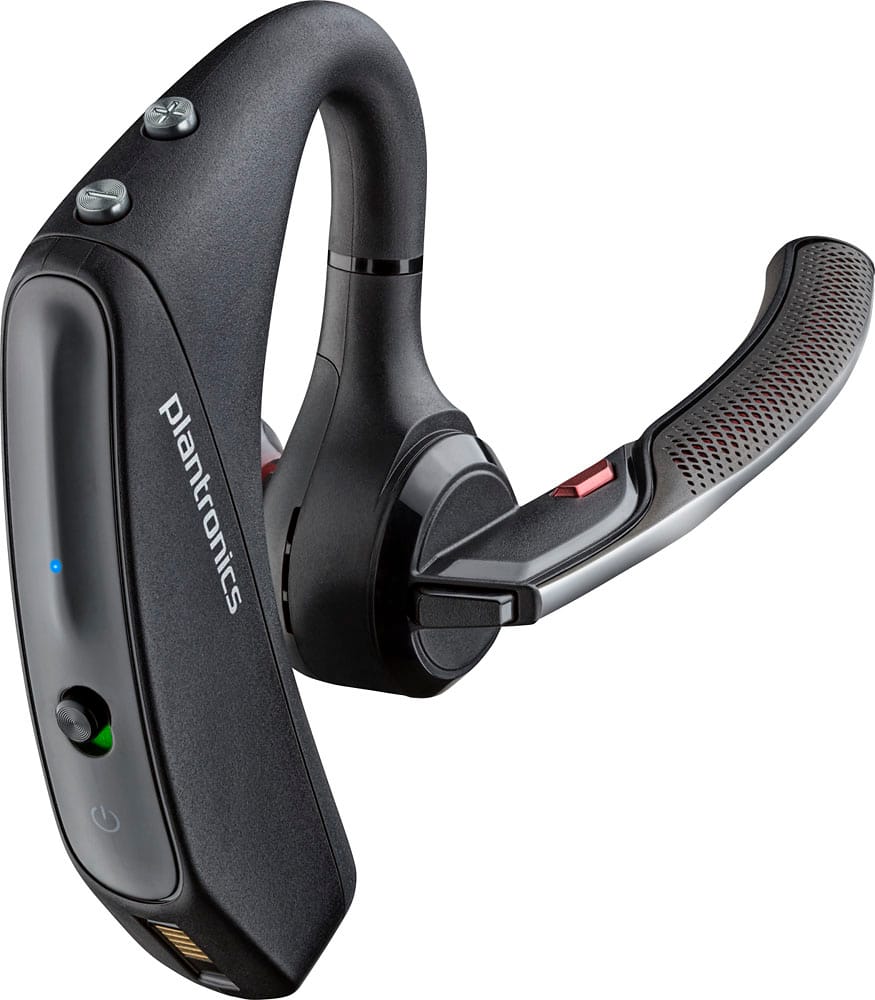
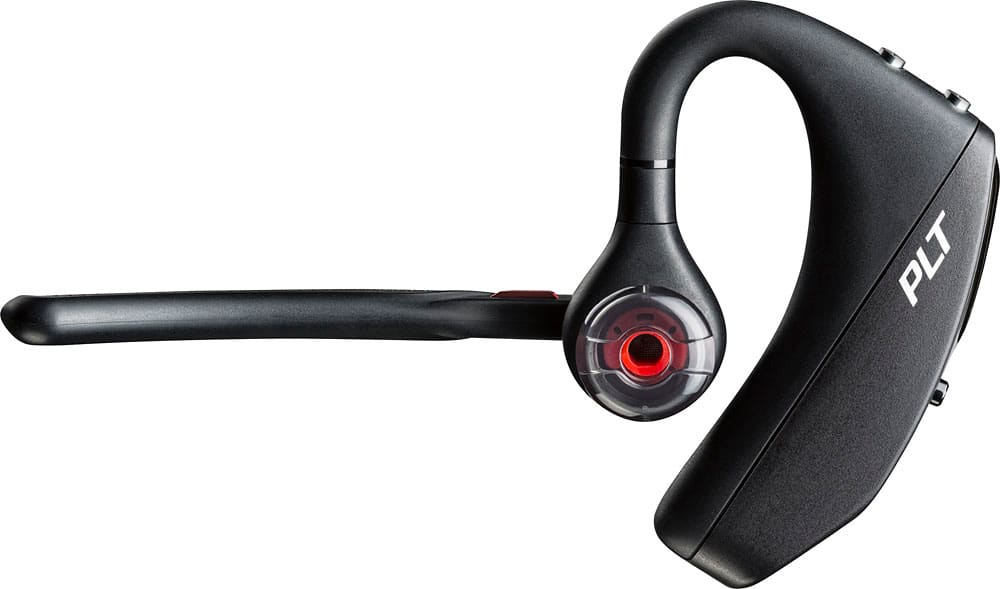
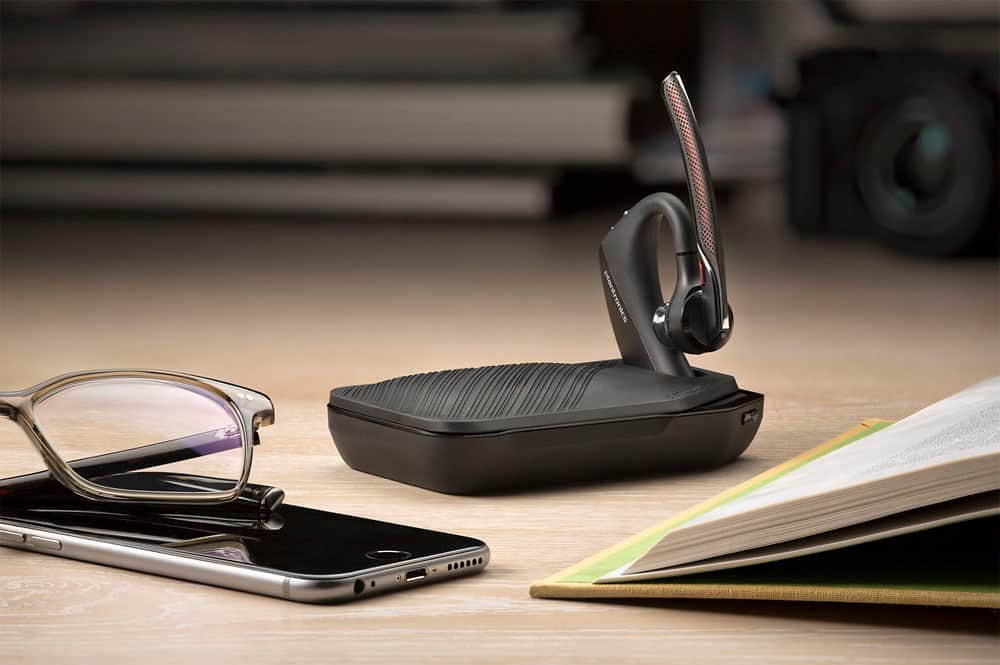



- Model:
- 7Y206AA#ABA
- SKU:
- 6563035
Rating by feature
- Sound Quality
Rating 4.4 out of 5 stars
- Battery Life
Rating 4.3 out of 5 stars
- Connectivity
Rating 4.4 out of 5 stars
Customers are saying
Customers commend the Voyager 5220 for its excellent sound quality, comfortable fit, and long-lasting battery life. Many users appreciate its reliable Bluetooth connectivity and lightweight design. However, some customers have noted concerns about the fit being a little loose, the volume being too low, and the range not meeting expectations.
This summary was generated by AI based on customer reviews.
Was good until it wasn't. Geek squad is a waste.
||Posted . Owned for 1.5 years when reviewed.This reviewer received promo considerations or sweepstakes entry for writing a review.I purchased this and had it shipped because my schedule is so hectic. This worked great until it didn't. I love this product but Geek Squad not so much. Now geek squad says I must drive an hour to the Best Buy so they can check this out.
I would recommend this to a friendThis Bluetooth Headset is not for me
||Posted .This reviewer received promo considerations or sweepstakes entry for writing a review.When using my Bluetooth in my vehicle, I get numerous complaints that no one can hear me very well. I bought this one and still had the same complaints. So next I bought the LG TONE - ULTRA, problems solved! It is clear on both my end and to anyone I speak to when using it!!
No, I would not recommend this to a friendBrand response from PlantronicsRepresentative
Posted .Thank you for your honest review on our Voyager 5220, we are sorry to hear you experienced trouble with your unit.
You might want to try resetting the Bluetooth connection between your phone and headset to see if that helps the issue. To do so:
1. Delete the headset from your cell phone's list of paired devices.
2. Once deleted, power your phone completely off, then power it back on. This resets the Bluetooth stack in the Bluetooth software on the phone.
3. Re-pair the headset with your phone.
If this does not fix your issue, we suggest pairing the headset to another cell phone as a test. If the issue is not present on the second phone, then the problem may be with the first phone, rather than the headset. If the issue exists on the second phone as well, you will need to replace the headset.
Please don't hesitate to contact our customer care group at www.plantronics.com/support if you require assistance!
- Cons mentioned:Fit
Good Bluetooth
||Posted . Owned for 1 week when reviewed.This reviewer received promo considerations or sweepstakes entry for writing a review.Good device but not for me, keep falling out of ear
No, I would not recommend this to a friendBrand response from PlantronicsRepresentative
Posted .Hi! Thank you for your review on our Voyager 5200 headset, however, we are sorry to hear it wasn't for you. Please be sure to try wearing your headset on either ear and also trying all of the included ear gel sizes in order to find the most secure fit and comfortable fit. These headsets are designed to fit the vast majority of ear shapes and sizes; however, we do know that one size may not fit all and if you find the product too uncomfortable for normal use we strongly recommend that you consider using a headset with a different wearing style. Our intention is to provide the highest quality products to our customers and we thank you for bringing this issue to our attention. We will forward your comments and feedback to our team for future consideration when developing new products and accessories. Please don't hesitate to contact our Customer Care Team at https://www.plantronics.com/us/en/support/contact if you require assistance!

Love the quality
||Posted .This reviewer received promo considerations or sweepstakes entry for writing a review.I like that when someone is calling it lets tells you the name you have registered as.
I would recommend this to a friendOk device
||Posted . Owned for 1 month when reviewed.This reviewer received promo considerations or sweepstakes entry for writing a review.It seems to lose connection every hour,Not sure why it does that
No, I would not recommend this to a friendBrand response from PlantronicsRepresentative
Posted .Thank you for sharing your feedback; However, we're sorry to hear you've had connectivity issues. There are a couple of things you could try that should fix this. First, please reset the Bluetooth connection between your cell phone and the earpiece: https://bit.ly/2OOMfnw. Also reset the Network settings on your phone to rule out any wireless interference. In case the issue persists, then please make sure the firmware version is up to date through our Hub Software for Desktop: https://bit.ly/30jDXJM. This issue could be related to the smart sensors. These detect the pressure from your ear when wearing the earpiece; yet, there can be several conditions triggering them like having the earpiece a bit loose from your ear or wearing glasses, hence sending the call back to the phone. To isolate the cause of the issue, disable the master sensor under Settings>sensors>master sensor on Hub for Desktop. Lastly, testing the headset with a different phone is also ideal to determine the cause of the issue. If the issue persists, then most likely the earpiece has an actual problem and it is best to replace it. Thist model counts with a one-year limited warranty. If you require further assistance, feel free to contact our Customer Care Team at: 1-855-765-7878
Lack of Audio Quality
||Posted . Owned for 5 months when reviewed.This reviewer received promo considerations or sweepstakes entry for writing a review.Not good to use for long times when working on line.
No, I would not recommend this to a friendBrand response from PlantronicsRepresentative
Posted .Hi John and thank you for your honest review on our Voyager 5220; Though we're sorry you were not completely satisfied with your product. These headsets are designed to fit comfortably for many hours for the vast majority of users. We will surely forward your comments to our Product Development Team, as we appreciate feedback based on customer use to create the best products. If you have any questions, please don't hesitate to contact our Customer Care Team at: 248 4143 or 1 916 928 7561
Not worth it
||Posted . Owned for 1 year when reviewed.This reviewer received promo considerations or sweepstakes entry for writing a review.The earpud was damaged after a couple months. Not very strong.
No, I would not recommend this to a friendBrand response from PlantronicsRepresentative
Posted .Thank you for your honest review on our Voyager 5220. We're sorry to hear about your experience. The life span of the accessories depends on the usage but on the vast majority of cases they last for way past their warranty period of the headset. Please note you can find a set of ear tips available through our website with the following part numbers depending on the size that you need: 203710-01 - Eartip kit and foam covers - small. 203710-02 - Eartip kit and foam covers - medium. 203710-03 - Eartip kit - large. When removing the ear bud, make sure you push it down gently and turn it to the left at the same time in order to unlock it. We thank you for bringing this to our attention. We have shared your comments with our team for review and consideration. If you have any further questions, feel free to contact our Customer Care Team at: 1-855-765-7878
Great when it works
||Posted . Owned for 7 months when reviewed.This reviewer received promo considerations or sweepstakes entry for writing a review.I loved this earpiece, but purchased it March 20, 2020 and as of today Nov 3, 2020 it won’t charge. Plantronics Bluetooths are absolutely awesome when they work, but they are just not built for longevity. This is my fifth one in four years. Same complaint I hear from Plantronics users.
No, I would not recommend this to a friendBrand response from PlantronicsRepresentative
Posted .Hi Charon and thank you for your honest feedback; However, we're very sorry to hear about your experience. The Voyager 5220 is one of our best communication headsets and specially engineered to deliver superior call clarity and battery performance. The life span of the product depends on the usage but on the vast majority of cases, they last for way past their warranty period. We understand your situation, and as with any complex consumer electronic device, this unit is at risk from any number of environmental stressors that can affect the longevity of the product’s lifecycle. We would like to share a few tips to take into account in order to extend the battery life of our products: https://bit.ly/35IMed5. To troubleshoot it, try using a different micro-USB cable, making sure you're using a 5-volt wall charger. If it doesn't work, then try to perform a firmware update through our Hub Software for desktop: https://bit.ly/30jDXJM. Once the installation is complete, connect the earpiece via Micro-USB cable and go to the notifications tab. If the issue persists, then the earpiece might have an actual problem related to hardware and it is best to replace it. This model counts with a one-year limited warranty. We have shared your comments with our team for review and consideration. If you require further assistance, please contact our Customer Care Team at: 1-888-363-0726
Plant Ron is 5220
||Posted . Owned for 3 weeks when reviewed.This reviewer received promo considerations or sweepstakes entry for writing a review.Terrible Product only holds charge for a few hours, drops calls, and calls are sometime distorted way overpriced for what your getting. I’ve been using plantronics for the last 10 year and the product doesn’t have the quality that it used to. I will be changing manufacturers for my next purchase
No, I would not recommend this to a friendBrand response from PlantronicsRepresentative
Posted .Thank you for sharing your honest review; However, we're very sorry to hear about your experience. The Voyager 5220 is one of our best communication headsets and specially engineered to deliver superior call clarity. It has built-in four-mic active digital signal processing (DSP), acoustic echo cancellation and six layers of protection against wind noise. As for talk time, the unit should provide up to 7 hours of talk time; nevertheless performance is dependent upon battery and usage and may vary by device. For optimal battery performance make sure you're using a 5-volt wall charger. For connection issues, please ensure the unit's firmware is up to date through our Plantronics Hub Software. This might be related to the smart sensors. These detect the pressure from your ear when wearing the earpiece; However, there can be several conditions triggering the sensors like having the earpiece a bit loose from your ear or wearing glasses. To isolate the cause of the issue, please try disabling the master sensor on Hub for Desktop on Settings>Sensors>Master Sensor. If you still get the same results, then most likely the unit has an actual problem and it is best to replace it. This model counts with a one-year limited warranty. We thank you for bringing this to our attention. Your comments will be forwarded to our Product Development Team for review and consideration. If you require further assistance, please don't hesitate to contact our Customer Care Team at: 1-855-765-7878.
Great bluetooth when driving
||Posted .This reviewer received promo considerations or sweepstakes entry for writing a review.I would recommend this product very effective when your a busy person and need a hands free advice to talk on your cell phone.
I would recommend this to a friendNot as good as expected.
||Posted .This reviewer received promo considerations or sweepstakes entry for writing a review.Callers often have difficulty hearing me. Often it does not reduce background noise as it advertises.
No, I would not recommend this to a friendBrand response from PlantronicsRepresentative
Posted .Please ensure your headset's firmware is up to date by using our Hub app for Android, iOS, MacOS and Windows, firmware updates can improve your headset's sound quality and noise cancellation performance. In case the issue persists that may be an issue with the headset or with the connection between the headset and phone. You might want to try resetting the Bluetooth connection between your phone and headset to see if that helps the issue. To do so:
1. Delete the headset from your cell phone's list of paired devices.
2. Once deleted, power your phone completely off, then power it back on. This resets the Bluetooth stack in the Bluetooth software on the phone.
3. Re-pair the headset with your phone and test.
If the issue is the same we recommend testing the device with another phone to determine if it's on the phone or headset. If the issue persists even on a different phone we can replace that device, it comes with a 1 year warranty from the date of purchase. You can use the following URL to view our replacement steps: http://www.plantronics.com/us/support/kb/detail.jsp?vfurl=/articles/en_US/Warranty/RN9669&retURL=%2Fapex%2FknowledgeSearch®ion=us&p=&c=All&k=replacement&t=All&lang=en_US&popup=false&c=All
It was a gift
||Posted .This reviewer received promo considerations or sweepstakes entry for writing a review.It's a gift and has not been used yet. You want me to review an item that has not been used.
I would recommend this to a friend- Pros mentioned:Comfort
great when driving
||Posted .This reviewer received promo considerations or sweepstakes entry for writing a review.Comfortable and convenient when talking on the phone or writing
I would recommend this to a friend Headphones
||Posted . Owned for 2 months when reviewed.This reviewer received promo considerations or sweepstakes entry for writing a review.It's really hard to keep a charge. And sound is very low
No, I would not recommend this to a friendBrand response from PlantronicsRepresentative
Posted .Hello! Thank you for reviewing our Voyager 5220, however, we are sorry to hear about your experience. If your headset is not charging correctly, we recommend that you try another charging cable or another wall outlet if possible to isolate the problem. If you are experiencing audio issues, we recommend resetting the headset by pressing and holding the call control and mute buttons for 5 seconds while it's turned off, this will reset the headset. We also recommend unpairing and re-pairing the headset with your mobile phone, testing with a different phone can also help us isolate the problem. Last but not least we always recommend checking if there are any firmware updates with the Plantronics Hub application. If the same issue persists, then it could be an actual problem with the unit and it will be best to replace it. Please note this model does have a limited warranty from the date of purchase and you can request a replacement directly through our official website. Please don't hesitate to contact our Customer Care Team at 1-888-363-0726 if you require assistance.
Not so good product
||Posted .This reviewer received promo considerations or sweepstakes entry for writing a review.Bluetooth Keeps disconnecting from from phone..I have returned three and on my way back this one.
No, I would not recommend this to a friendBrand response from PlantronicsRepresentative
Posted .That may be an issue with the headset or with the connection between the headset and phone. You might want to try resetting the Bluetooth connection between your phone and headset to see if that helps the issue. To do so,
1. Delete the headset from your cell phone's list of paired devices.
2. Once deleted, power your phone completely off, then power it back on. This resets the Bluetooth stack in the Bluetooth software on the phone.
3. Re-pair the headset with your phone. and test.
The old ones were better
||Posted .This reviewer received promo considerations or sweepstakes entry for writing a review.This Bluetooth is only good for a non noisy environment had trouble with clarity talking.
No, I would not recommend this to a friendBrand response from PlantronicsRepresentative
Posted .Thank you for your honest review on our Voyager 5220, we are sorry to hear you're experiencing trouble with your unit.
In order to troubleshoot connectivity or audio issues you might want to try resetting the Bluetooth connection between your phone and headset to see if that helps the issue. To do so:
1. Delete the headset from your cell phone's list of paired devices.
2. Once deleted, power your phone completely off, then power it back on. This resets the Bluetooth stack in the Bluetooth software on the phone.
3. Re-pair the headset with your phone. If this does not fix your issue, we suggest pairing the headset to another cell phone as a test.
If the issue is not present on the second phone, then the problem may be with the first phone, rather than the headset. If the issue exists on the second phone as well, you will need to replace the headset. Please don't hesitate to contact our customer care group at www.plantronics.com/support if you require assistance!
Ok
||Posted .This reviewer received promo considerations or sweepstakes entry for writing a review.Never was a fan of this type of ear piece my ear just couldn’t get used to it
No, I would not recommend this to a friendBrand response from PlantronicsRepresentative
Posted .Hello and thank you for your honest review! While we thrive for our headset to fit everyone, we understand that one size doesn't fit all. With this in mind we include 3 different ear tip sizes for a better fit. We are sorry to hear it wasn't for you, if you are looking for a product recommendation, please don't hesitate to contact Plantronics Customer Care at 855-765-7878.
Must have!
||Posted .This reviewer received promo considerations or sweepstakes entry for writing a review.i really like and enjoy this earpiece, connects to your contacts in your phone it has voice recognition thats awesome!
I would recommend this to a friendVery disappointing
||Posted .This reviewer received promo considerations or sweepstakes entry for writing a review.My husband was excited about this earpiece... definitely not worth the money
No, I would not recommend this to a friendBrand response from PlantronicsRepresentative
Posted .Thank you for your honest review on our Voyager 5220 Headset. We're sorry to hear about your experience. If your husband is having technical difficulties, we strongly recommend you to contact our Customer Care Team at: 1-855-765-7878 to verify if the issue can be easily fixed through troubleshoot. We thank you for your comments. We will forward them to our team for review and as a consideration.
Decent
||Posted . Owned for 3 weeks when reviewed.This reviewer received promo considerations or sweepstakes entry for writing a review.No complaints as of yet. Let you know more the more I use ir
I would recommend this to a friendBrand response from PlantronicsRepresentative
Posted .Thank you for sharing your honest review. If you have any questions or require further assistance, feel free to contact our Customer Care Team at: 1-888-363-0726.