Customer Ratings & Reviews
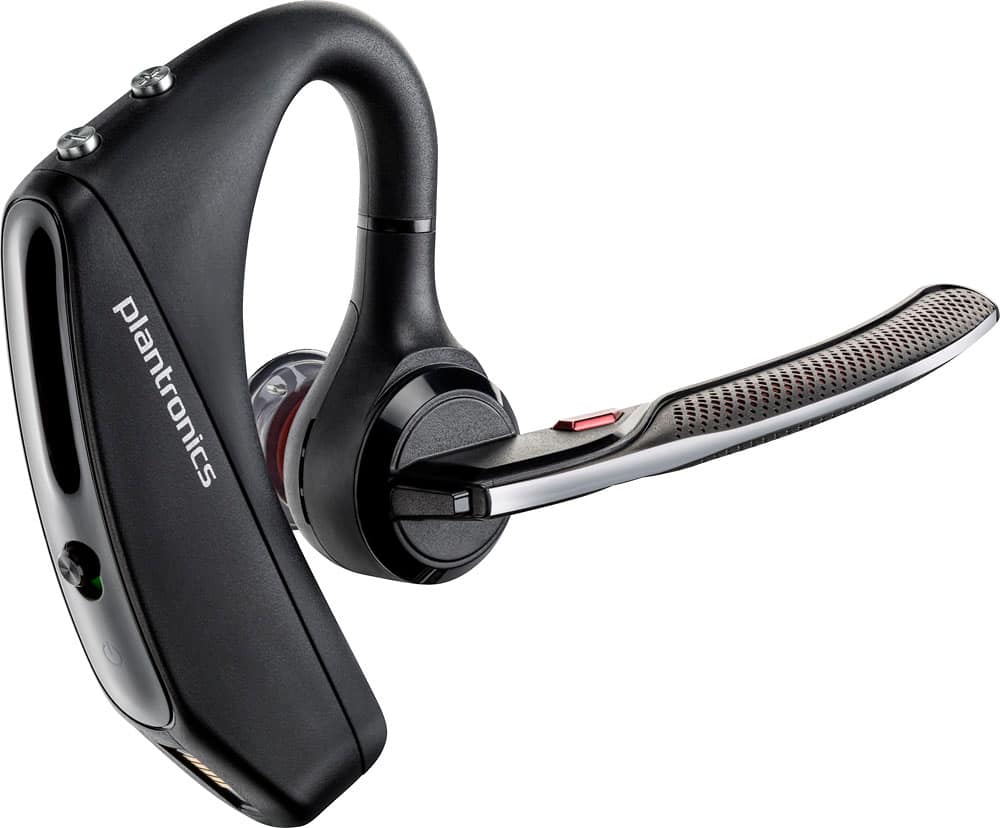
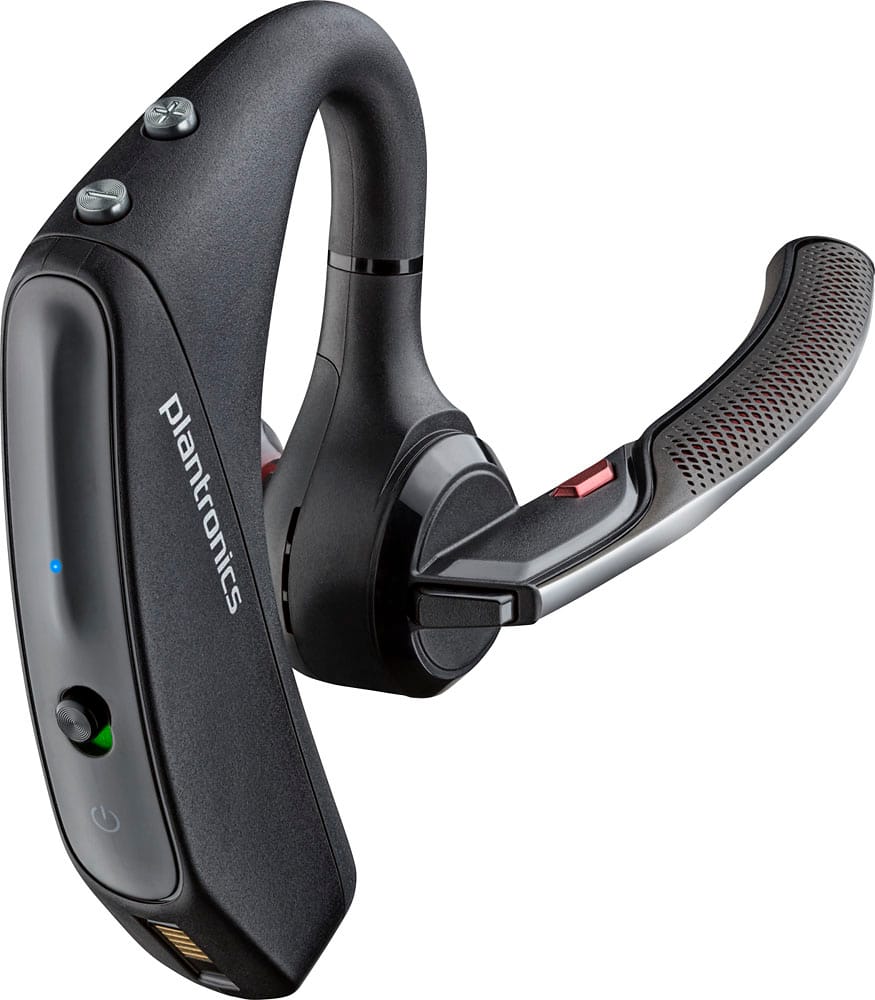
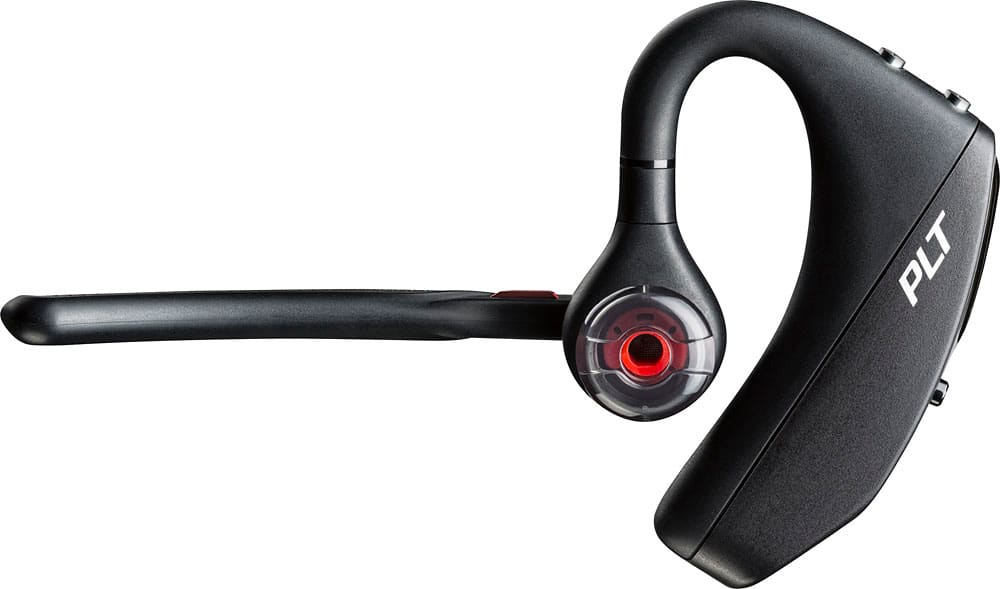
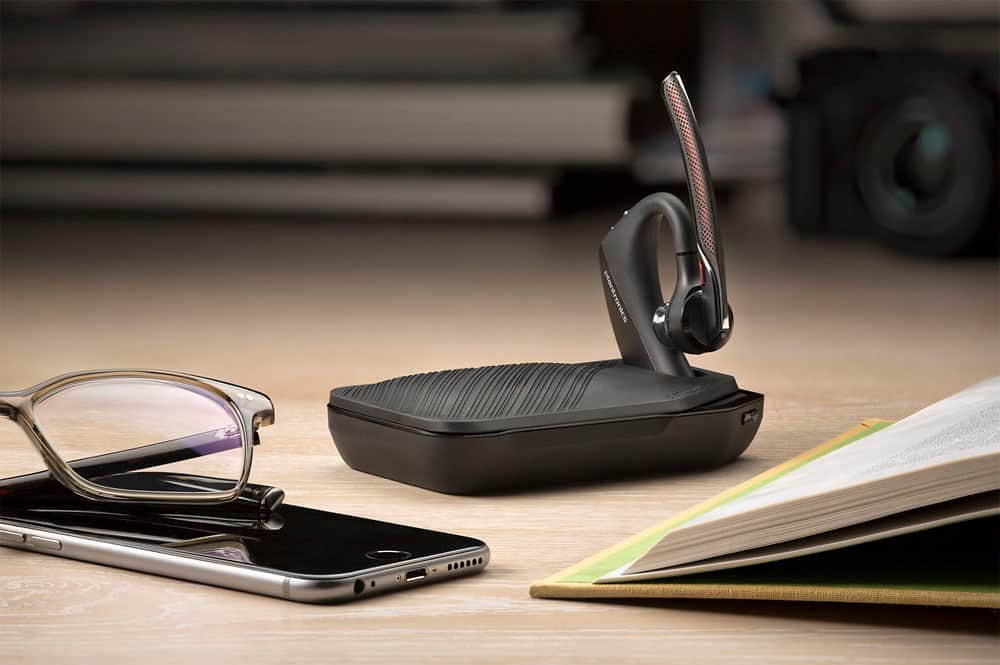



- Model:
- 7Y206AA#ABA
- SKU:
- 6563035
Rating by feature
- Sound Quality
Rating 4.4 out of 5 stars
- Battery Life
Rating 4.3 out of 5 stars
- Connectivity
Rating 4.4 out of 5 stars
Customers are saying
Customers commend the Voyager 5220 for its excellent sound quality, comfortable fit, and long-lasting battery life. Many users appreciate its reliable Bluetooth connectivity and lightweight design. However, some customers have noted concerns about the fit being a little loose, the volume being too low, and the range not meeting expectations.
This summary was generated by AI based on customer reviews.
Great product
||Posted .This reviewer received promo considerations or sweepstakes entry for writing a review.This is a wonderful product to use will multi tasking.
I would recommend this to a friendGreat product
||Posted .This reviewer received promo considerations or sweepstakes entry for writing a review.Very clear and easy to use on ear. Would buy it again
I would recommend this to a friendDisappointed
||Posted . Owned for 3 weeks when reviewed.This reviewer received promo considerations or sweepstakes entry for writing a review.I have used Plantronics for years and this one was a disappointment. The design and fit was great. Unable to keep it connected to my phone was a problem.
No, I would not recommend this to a friendBrand response from PlantronicsRepresentative
Posted .Thank you for taking the time to share your feedback; However, we're very sorry to hear you've had trouble with your unit. Please rest assured that scenarios like these are very unlikely. To troubleshoot connection issues, please reset the BT connection with your phone. To do so: https://bit.ly/2OOMfnw. You might also want to ensure the firmware version is up to date through our Hub Software: https://bit.ly/30jDXJM. If calls are sent back to your phone, this issue might be related to the Sensors, as they detect the pressure from your ear, but there can be a number of environmental conditions triggering them, like having the earpiece a bit loose or wearing glasses. To test it, please disable the Master sensor through our Hub Software settings>sensors. Lastly, test the earpiece with a different cell phone model at different locations and while it is paired with a single Bluetooth device as it would be ideal to determine the cause of the issue. If you still get the same issues, then it will be best to replace the unit. This model counts with a one-year limited warranty. We thank you for bringing this to our attention. If you require further assistance, please don't hesitate to contact our Customer Care Team at: 1 888 248 4143 or 1 916 928 7561

Stopped working after 3 months.
||Posted . Owned for 3 months when reviewed.This reviewer received promo considerations or sweepstakes entry for writing a review.stopped working after 3 months! loud static sound in ear. mic stops transmitting. will contact Plantronics for warranty as it's no longer covered by BB.
No, I would not recommend this to a friendConstantly disconnects
||Posted .This reviewer received promo considerations or sweepstakes entry for writing a review.I purchased this to use at work, and at first it worked well. After a few days I would be talking or listening, but I couldn't hear or be heard. So I returned it.
No, I would not recommend this to a friendBrand response from PlantronicsRepresentative
Posted .Thank you for your honest review on our Voyager 5220. We are sorry for your experience, our customer care group is available any time at www.plantronics.com/support in order to assist you before returning your product.

Haaaawwwwrrrribllllleeee
||Posted .This reviewer received promo considerations or sweepstakes entry for writing a review.This is the worst bluetooth headset I ever purchased after 2 weeks of trying them out I buckled and returned them....DO NOT BUY!!! especially if you have small ears and plan on talking on the phone
No, I would not recommend this to a friendBrand response from PlantronicsRepresentative
Posted .Hello and thank you for your honest review. While we thrive for our products to fit everyone, we understand that one size doesn't fit all. That is why we include 3 different sized eartips so the fit and comfort can be improved. If you need any assistance or have any questions, please don't hesitate to contact Plantronics Customer Care at 855-765-7878.
Poor product
||Posted . Owned for 6 months when reviewed.This reviewer received promo considerations or sweepstakes entry for writing a review.This was a poorly functioning product. I would not purchase it again. Received many complaints that I could not be heard on a call. Sound cut out.
No, I would not recommend this to a friendBrand response from PlantronicsRepresentative
Posted .Hello and thank you for your feedback. We're sorry to hear this has been your experience. The Voyager 5220 is one of our best communication headsets, specially engineered to deliver superior call clarity. Featuring four-mic active digital signal processing (DSP), acoustic echo cancellation and six layers of protection against wind noise. To troubleshoot audio issues, please reset the BT connection: https://bit.ly/2OOMfnw. To re-pair, make sure you set the unit in pair mode by pressing and holding the call button for 6-8 seconds until LED flashes red and blue repeatedly. Also, please ensure the firmware version is up to date through our Hub Software. Lastly, testing the earpiece with a different cell phone model and while it is paired with a single Bluetooth device will help to isolate the cause of the issue. If you still get the same results, then this item might have an actual problem related to hardware and it is best to replace it. This model has a one-year limited warranty. If you require further assistance, please don't hesitate to contact our Customer Care Team at: 1 888 248 4143 or 1 916 928 7561
poor product
||Posted . Owned for 3 months when reviewed.This reviewer received promo considerations or sweepstakes entry for writing a review.the product became worthless when the call button broke. I bought a new phone and could no long pair the phone with my headset.
No, I would not recommend this to a friendBrand response from PlantronicsRepresentative
Posted .Sorry to hear that, without the call button you won't be able to pair them manually, but you can try NFC if your phone supports it.
1 On your mobile phone ensure NFC is enabled and your phone’s display is unlocked. (Phones may vary and some phones may not have NFC support.)
2 With the headset powered on, lay the headset on the back of phone near the NFC tag on phone as shown until NFC pairing completes. If necessary, accept the connection.
Even if it works, I would recommend calling us at 800-985-9815 to check on the broken button, all of our devices have a manufacturer's warranty and we might need to make use of it in this case.
Return period is crap
||Posted .This reviewer received promo considerations or sweepstakes entry for writing a review.Bluetooth is a piece of GARBAGE!! Bought Plantronics for a gift and didn't realize I only had two weeks to return, now I'm stuck with a $126 piece of crap!
No, I would not recommend this to a friendBrand response from PlantronicsRepresentative
Posted .Hello! Thank you for reviewing our Voyager 5220, however, we are truly sorry to hear about your experience. If you require technical assistance, please don't hesitate to contact our Customer Care Team at 1-888-363-0726.
Poor ear bud
||Posted . Owned for 3 weeks when reviewed.This reviewer received promo considerations or sweepstakes entry for writing a review.The ear piece has different selection of bud sizes. But changing them will destroy the rubber piece that seals them. On top of that it doesn't come with no spare. Very disappointed!
No, I would not recommend this to a friendBrand response from PlantronicsRepresentative
Posted .Hi! Thank you for your review, however, we are sorry to hear about your experience. In order to change the ear tip, you will need to push it and rotate to the left to unlock it. Then, align the new ear tip into slot; push, rotate to the right and lock into place. Please note we do include 3 different ear tip sizes for a better fit. If no ear tips were included, we might be able to send them to you as a one time exception. Our intention is to provide the highest quality products to our customers and we thank you for bringing this issue to our attention. Please don't hesitate to contact our Customer Care Team at https://www.plantronics.com/us/en/support/contact if you require assistance.
Very disappointed!
||Posted . Owned for 3 weeks when reviewed.This reviewer received promo considerations or sweepstakes entry for writing a review.Poor performance and reception. Headset disconnects for no reason. Callers cannot understand me when in use. Deleted app and reinstalled and it didn’t help. Must be defective.
No, I would not recommend this to a friendBrand response from PlantronicsRepresentative
Posted .Hi! Thank you for your review on our Voyager 5200 headset, however, we are sorry to hear about your experience. If you are having some issues with the connectivity and audio of the headset you may want to try resetting the Bluetooth connection with your mobile. To do so: 1) Unpair the headset from your mobile phone by accessing your Bluetooth settings. 2) Power off your mobile phone for 2 minutes and turn it back on. 3) Re-pair the headset by pressing and holding down the call control button until you see the LED flashing red and blue. 4) Access to your Bluetooth settings and select "PLT_V5200". Once successfully paired, you will hear "pairing successful" and the LED on your headset will stop flashing red and blue. You may also want to disable the smart sensors of the headset through Plantronics Hub and check if it doesn't have any updates available. Last but not least we always recommend testing the headset with a different mobile to completely isolate the issue. If for some reason the issue remains, then it means it has an actual problem and it will be best to replace it. Remember this unit counts with a limited warranty from date of purchase and you can request a replacement directly through our official website: https://bit.ly/2Er3dTK. Our intention is to provide the highest quality products to our customers and we thank you for bringing this issue to our attention. Please feel free to contact our Customer Care Team at https://www.plantronics.com/us/en/support/contact if you require assistance.
Horrible Call Quality
||Posted . Owned for 5 months when reviewed.This reviewer received promo considerations or sweepstakes entry for writing a review.Worst bluetooth made by plantronics while the original voyager is the best made by plantronics. This upgraded version is a waste of money.
No, I would not recommend this to a friendBrand response from PlantronicsRepresentative
Posted .Hi! Thank you for reviewing our Voyager 5220, we are sorry to hear about your experience, we really appreciate you taking valuable time out of your day to give your feedback, our intention is to provide the highest quality products to our customers and we thank you for bringing this to our attention. We will forward your comments to our Product Development Team, as we appreciate feedback based on customer use to create the best possible products. If you require technical assistance, please don't hesitate to contact our Customer Care Team at 1-888-363-0726.
Waste of money
||Posted . Owned for 6 months when reviewed.This reviewer received promo considerations or sweepstakes entry for writing a review.Short battery life, uncomfortable doesn’t fit an adult human ear, the microphone was the best feature for about 6 months now its crap!!
No, I would not recommend this to a friendBrand response from PlantronicsRepresentative
Posted .Thank you for your honest feedback. We're sorry to hear this has been your experience. The Voyager 5220 features up to 7 hours of talk time. To troubleshoot battery issues, try using a different micro-USB cable along with a 5-volt wall charger for optimal performance. We also have a few tips on how to extend the battery life of our products: https://bit.ly/35IMed5. We're sorry to hear you didn't fit a comfortable fit. These headsets are designed to fit the vast majority of ear shapes and sizes along with the different size eartips; however, we do know that one size may not fit all and if you find the product too uncomfortable for normal use, we strongly recommend that you consider using a headset with a different wearing style. To troubleshoot microphone issues, you can reset the BT connection: https://bit.ly/2OOMfnw, also ensure the firmware version is up to date through our Hub Software for Desktop: https://bit.ly/30jDXJM. Lastly, test the earpiece with a different cell phone and while it is paired with a single device in order to isolate the cause of the issue. If you still get the same results, the earpiece might have an actual problem and it is best to replace it. This model counts with a one-year limited warranty from date of purchase. For further assistance, please don't hesitate to contact our Customer Care Team at: https://www.poly.com/us/en/support/contact
Not the best
||Posted . Owned for 1 week when reviewed.This reviewer received promo considerations or sweepstakes entry for writing a review.People struggle hearing me, saying there is always an echo. Hears a lot of outside noise while I’m speaking with clients.
No, I would not recommend this to a friendHead set
||Posted . Owned for 1 week when reviewed.This reviewer received promo considerations or sweepstakes entry for writing a review.I still here noise in the background and it stating and I didn’t do anything but charged it
No, I would not recommend this to a friendBroken
||Posted . Owned for 1 month when reviewed.This reviewer received promo considerations or sweepstakes entry for writing a review.I’ve had a few of these and they have done really well. Purchased this one from Best Buy and it broke within a month.
No, I would not recommend this to a friendBrand response from PlantronicsRepresentative
Posted .Thank you for your honest review; however, we are sorry to hear about your experience.
We intend to provide the highest quality products to our customers, unfortunately, we failed to meet your expectations this time.
We would like to learn more about your specific situation and make things right if you wouldn't mind contacting us back at (916) 928-7561 and providing us with additional details, it would be greatly appreciated, we look forward to working with you towards earning back your business.
Thank you for letting us know about this. Your feedback helps us do better. We are looking into this issue and hope to resolve it promptly and accurately.
The sound quality is terrible
||Posted . Owned for 1 month when reviewed.This reviewer received promo considerations or sweepstakes entry for writing a review.I bought this device a few years ago, recently I needed to buy a new one. This one is awful. I have to reboot it several times per day and get complaints on every call.
No, I would not recommend this to a friendIt does not work!
||Posted .This reviewer received promo considerations or sweepstakes entry for writing a review.I bought this 20 days ago and it worked only the first day. I have try to connected on other phones to see if it work, but it is not working.
No, I would not recommend this to a friendBrand response from PlantronicsRepresentative
Posted .Hi Yaya and thank you for sharing your honest review; However, we're sorry to hear this. Was the headset purchased brand new? Did the packaging present any tear or evident tampering? Please rest assured that scenarios like these are very unlikely. The earpiece when first taken out of the box, it goes into pairing mode automatically, but in order to pair it with other devices, you need to set the earpiece manually in pair mode. To do so: Power on the earpiece, press and hold the call button (black button on the very back of the microphone) for 6-8 seconds, until LED flashes red and blue. This means the earpiece is in pair mode and it should be listed under Bluetooth settings as available. Select to pair. We will surely forward your comments to our team for review and consideration. If you require further assistance, please contact our Customer Care Team at: 1 888 248 4143 or 1 916 928 7561
Disappointed
||Posted .This reviewer received promo considerations or sweepstakes entry for writing a review.Love this brand but this product is was a big disappointment....this is the first my 2nd go around with this product, works great for a few months then started to drop connections
No, I would not recommend this to a friendBrand response from PlantronicsRepresentative
Posted .Hello and thank you for your review, however, we are sorry to hear about your experience. If you are experiencing some issues with the connection, you may want to reset the Bluetooth connection with your mobile. To do so: 1) Unpair the headset from your mobile phone by accessing your Bluetooth settings. 2) Power off your mobile phone for 2 minutes and turn it back on. 3) Re-pair the headset by pressing and holding down the call control button until you see the LED flashing red and blue. 4) Access your phone Bluetooth settings and select "PLT_ V5200". You may also want to disable the smart sensors of the headset to completely isolate the issue. In an idle state (while not in a call), simultaneously press and hold the call and mute buttons for 5 seconds and a voice prompt will inform you of smart sensors status. Remember this unit counts with a limited warranty since the first day of purchase. Please don't hesitate to contact our Customer Care Team at https://www.plantronics.com/us/en/support/contact if you require assistance.
Not impressed
||Posted . Owned for 1 week when reviewed.This reviewer received promo considerations or sweepstakes entry for writing a review.Not impressed…I can’t get it to sync with my phone.
No, I would not recommend this to a friend