Customer Ratings & Reviews
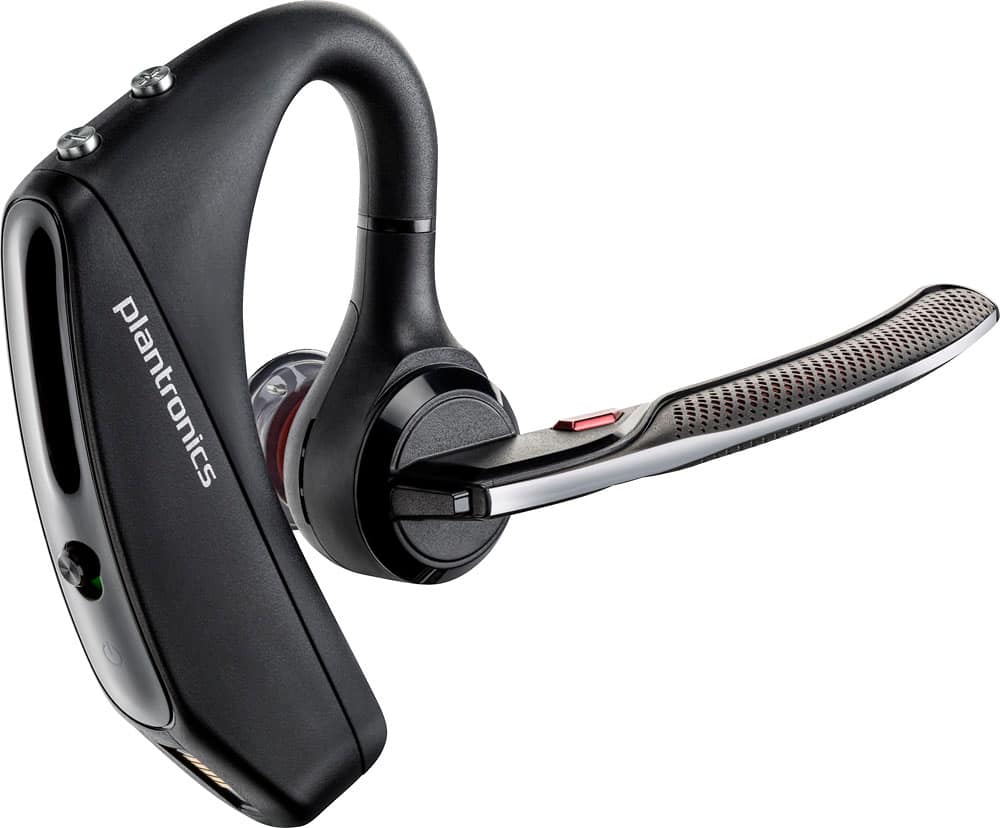
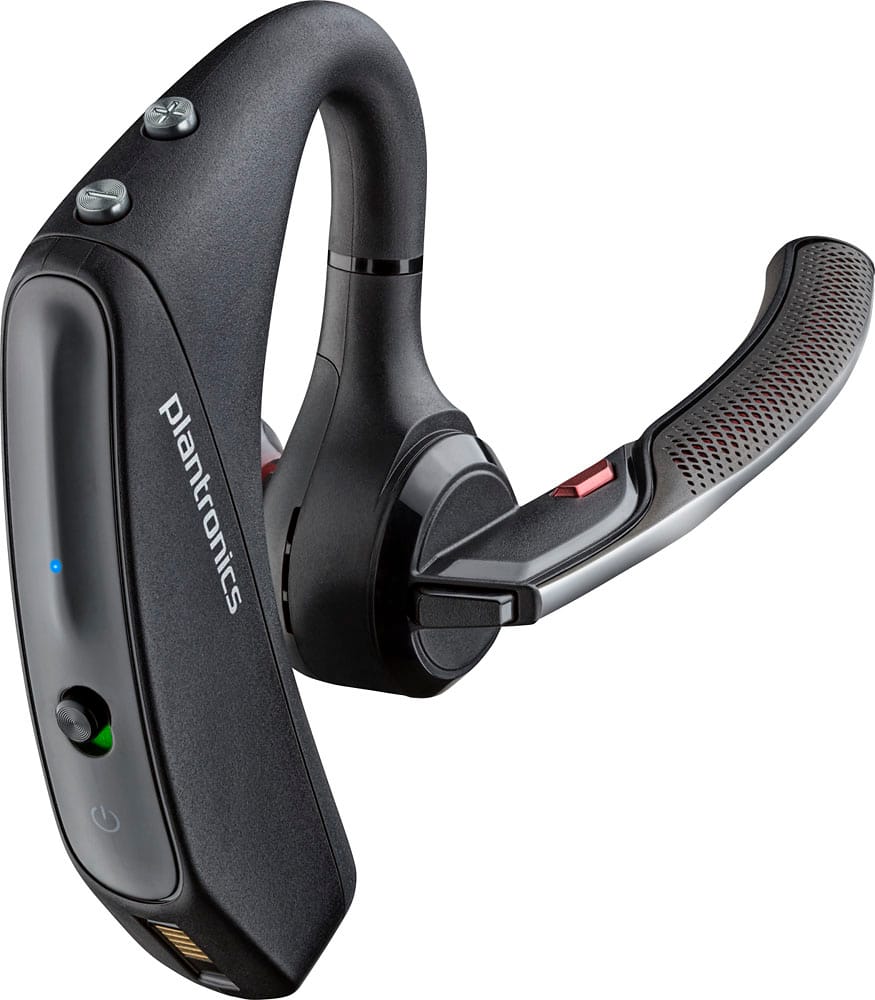
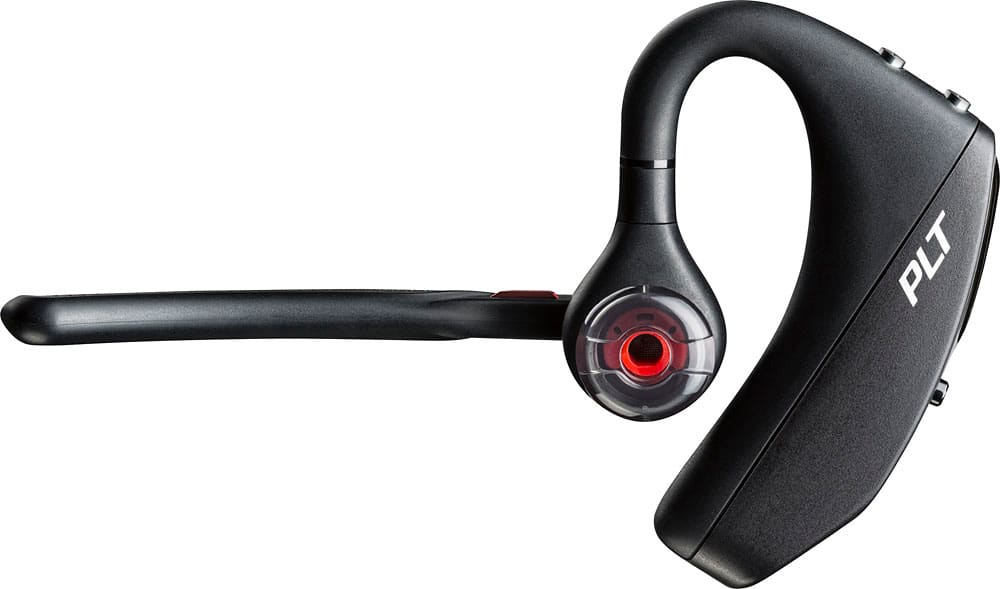



- Model:
- 7Y206AA#ABA
- SKU:
- 6563035
Rating by feature
- Sound Quality
Rating 4.4 out of 5 stars
- Battery Life
Rating 4.3 out of 5 stars
- Connectivity
Rating 4.4 out of 5 stars
Customers are saying
Customers commend the Voyager 5220 for its excellent sound quality, comfortable fit, and long-lasting battery life. Many users appreciate its reliable Bluetooth connectivity and lightweight design. However, some customers have noted concerns about the fit being a little loose, the volume being too low, and the range not meeting expectations.
This summary was generated by AI based on customer reviews.
Waste of money
||Posted . Owned for 2 weeks when reviewed.This reviewer received promo considerations or sweepstakes entry for writing a review.Not comaptible with iphones. Chnged two bluetooth noise cancellation stopped working.
No, I would not recommend this to a friendBrand response from PlantronicsRepresentative
Posted .Thank you for your honest feedback; Though we're sorry to hear about your experience. Please note this model is compatible with any cell phone or tablet that supports Bluetooth headsets (iOS and android). If you're unable to pair your headset to an iPhone, make sure the earpiece is in pairing mode. To do so: Power on the earpiece, then press and hold the call button (black button on the back of the microphone) for 6 or 8 seconds, until the indicator light flashes red and blue repeatedly. This means the earpiece is in pairing mode. On the other hand, if you're not having pairing issues but you've noticed it only takes place with iPhones, then we strongly suggest you to test it with a different iOS version, as it might be related to a recent iOS update, which doesn't mean they're no longer compatible. If you require further assistance, please contact our Customer Care Team at: 1-888-363-0726

no title
||Posted .This reviewer received promo considerations or sweepstakes entry for writing a review.Already sent my comments in an earlier survey -- check your records!!
No, I would not recommend this to a friendDO NOT BUY
||Posted . Owned for 1 month when reviewed.This reviewer received promo considerations or sweepstakes entry for writing a review.Horrible call quality nobody can hear me. A complete waste of money.
No, I would not recommend this to a friendBrand response from PlantronicsRepresentative
Posted .Hi Corey and thank you for your honest review; However, we're sorry to hear this has been your experience. The Voyager 5220 is one of our best communication headsets and specially engineered to deliver superior call clarity. To troubleshoot audio issues, please reset the BT connection: https://bit.ly/2OOMfnw. To re-pair, set the earpiece in pair mode by pressing and holding the call button for 6-8 seconds until LED flashes red and blue repeatedly. Also, please ensure its firmware version is up to date through our Hub Software for Desktop: https://bit.ly/30jDXJM. Lastly, testing the earpiece with a different cell phone model and while it is paired with a single Bluetooth device is also ideal to determine the cause of the issue. If you still get the same results, then the earpiece might have an actual problem and it is best to replace it. This model counts with a one-year limited warranty. Thank you for bringing this to our attention. For further assistance, feel free to contact our Customer Care Team at: https://www.poly.com/us/en/support/contact
air blue tooth
||Posted . Owned for 3 weeks when reviewed.This reviewer received promo considerations or sweepstakes entry for writing a review.people can not hear me on the other side what else you want to know.
No, I would not recommend this to a friendBrand response from PlantronicsRepresentative
Posted .Thank you for sharing your honest review; However, we're sorry to hear you've had audio issues with your unit. Please rest assured scenarios like these are very unlikely. To troubleshoot it, please reset the BT connection. To do so: https://bit.ly/2OOMfnw. To re-pair, press and hold the call button for 6-8 seconds until LED flashes red and blue repeatedly, then go to BT settings on your phone to select it. You might also want to ensure the firmware is up to date through our Hub Software for Desktop: https://bit.ly/30jDXJM. Lastly, testing the earpiece with a difference cell phone model and while it is paired with a single Bluetooth device is also ideal to determine the cause of the issue. If you still get the same results, please note this model counts with a one-year manufacturer's warranty. We will surely forward your comments to our team for review and consideration. For further assistance, please contact our Customer Care Team at: https://www.poly.com/us/en/support/contact
Poor
||Posted . Owned for 2 months when reviewed.This reviewer received promo considerations or sweepstakes entry for writing a review.Is really bad doesn’t work is always disconnected and I can’t return it
I would recommend this to a friendBrand response from PlantronicsRepresentative
Posted .Thank you for your honest review; However, we're very sorry to hear this has been your experience. The Voyager 5220 is one of our best communication headsets. Please rest assured scenarios like these are very unlikely. There's a number of environmental stressors that can affect its performance. To troubleshoot it, please reset the BT connection with your phone. To do so: https://bit.ly/2OOMfnw to re-pair, make sure you set it in pair mode by pressing and holding the call button for 6-8 seconds until LED flashes red and blue repeatedly. You might also want to ensure the unit's firmware version is up to date. Testing the earpiece with a different cell phone model and while it is paired with a single Bluetooth device is also ideal to isolate the cause of the issue and see if it is related to an android/iOS update. Please note this model counts with a one-year limited warranty. For further assistance, please contact our Customer Care Team at: 1 888 248 4143 or 1 916 928 7561.
Bad product
||Posted .This reviewer received promo considerations or sweepstakes entry for writing a review.Bad product I purchased this item it stopped working for me 17 days after purchasing it and Best Buy would not exchange item
No, I would not recommend this to a friendBrand response from PlantronicsRepresentative
Posted .Thank you for your honest review on our Voyager 5200 series Bluetooth headset.
Your product comes with our one year limited warranty, please contact us at www.plantronics.com/support for troubleshooting assistance. In case we are unable to fix your unit by troubleshooting you can request a replacement by following these instructions: www.plantronics.com/us/support/kb/detail.jsp?vfurl=/articles/en_US/Warranty/RN9669&retURL=/apex/knowledgeSearch®ion=us&p=&c=All&k=replacement&t=All&lang=en_US&popup=false&c=All
Low quality
||Posted .This reviewer received promo considerations or sweepstakes entry for writing a review.Have owned a lot of plantronics. This one cost more but not near as good.
No, I would not recommend this to a friendBrand response from PlantronicsRepresentative
Posted .Thank you for your feedback on our Voyager 5220, we will forward your comments to our team for future consideration. Please don't hesitate to contact us at www.plantronics.com/support if you require assistance!
Had a Bose for years it was great this one one sta
||Posted . Owned for 1 week when reviewed.This reviewer received promo considerations or sweepstakes entry for writing a review.Have the volume all the way up can barely hear anything would not recomend waste of time and money
No, I would not recommend this to a friendBrand response from PlantronicsRepresentative
Posted .Hello and thank you for your review on our Voyager 5200 headset, however, we are sorry to hear about your experience. If you are experiencing some audio issues with the headset, you may want to try resetting the Bluetooth connection with your mobile. To do so: 1) Unpair the headset from your mobile phone by accessing your Bluetooth settings. 2) Power off your mobile phone for 2 minutes and turn it back on. 3) Re-pair the headset by pressing and holding down the call control button until you see the LED flashing red and blue. 4) Access to your Bluetooth settings and select "PLT_V5200". Once successfully paired, you will hear "pairing successful" and the LED on your headset will stop flashing red and blue. You may also want to check if your headset doesn't have any updates available through Plantronics Hub: https://bit.ly/2NNfqpE. Last but not least we recommend testing the headset with a different mobile to complete isolate the issue. If for some reason you still have reasonable low volume coming from the headset, then it means it has an actual problem and it is best to replace it. Remember this unit counts with a limited warranty since the first day of purchase, and if you need a replacement you can click on the following link for further instructions: https://bit.ly/2N637EC. Our intention is to provide the highest quality products to our customers and we thank you for bringing this issue to our attention. Please don't hesitate to contact our Customer Care Team at 800-985-9815 if you require assistance.
Not ok
||Posted .This reviewer received promo considerations or sweepstakes entry for writing a review.Not happy w it. Uncomfortable. Returning in the store.
No, I would not recommend this to a friendBrand response from PlantronicsRepresentative
Posted .Hi! Thank you for taking the time to share your feedback on our Voyager 5220, however, we’re sorry to hear about your experience. We intend to provide the highest quality products to our customers, unfortunately, this wasn't the case this time, with the wearing style more specifically. About the fit issue, keep in mind the headset includes spare ear tips in different sizes, make sure to try the other ones for a better fit. Thank you for bringing this to our attention. We will forward your comments to our team for review and consideration.
Bad plantronics
||Posted .This reviewer received promo considerations or sweepstakes entry for writing a review.Problem with noise cancelation not working properly
No, I would not recommend this to a friendBrand response from PlantronicsRepresentative
Posted .Hi! Thank you for taking the time to share your feedback on our Voyager 5200, however, we’re sorry to hear about your experience. We intend to provide the highest quality products to our customers, unfortunately, this wasn't the case this time, with the noise cancelation to be precise.
Please note this product has a one-year limited warranty in the US.
We would like to learn more about your specific situation and make things right if you wouldn't mind contacting us back at (916) 928-7561 and providing us with additional details, it would be greatly appreciated, we look forward to working with you towards earning back your business.Thank you for letting us know about this. Your feedback helps us do better. We are looking into this issue and hope to resolve it promptly and accurately.
no good
||Posted . Owned for 1 month when reviewed.This reviewer received promo considerations or sweepstakes entry for writing a review.wont stay charged, not been able o use it, going back to best buy
No, I would not recommend this to a friendBrand response from PlantronicsRepresentative
Posted .Thank you for reviewing our Voyager 5220; However, we're sorry to hear about your experience. If your headset is not charging, we recommend that you try another charging cable, another charger, or another wall outlet if possible to isolate the problem. We also recommend resetting the headset by pressing and holding the call and mute buttons for 5 seconds while it's turned off, this will reset the headset. If the headset still won't charge, then it could mean an actual problem with the unit and it will be best to replace it. Please note this model does have a limited warranty from the date of purchase and you can request a replacement directly through our official website. Please don't hesitate to contact our Customer Care Team at 1-888-363-0726 if you require assistance.
gguj
||Posted . Owned for 1 week when reviewed.This reviewer received promo considerations or sweepstakes entry for writing a review.did not come with a charger. ubhugbhgvyf tfctfctfctfc5tfctf
No, I would not recommend this to a friendBrand response from PlantronicsRepresentative
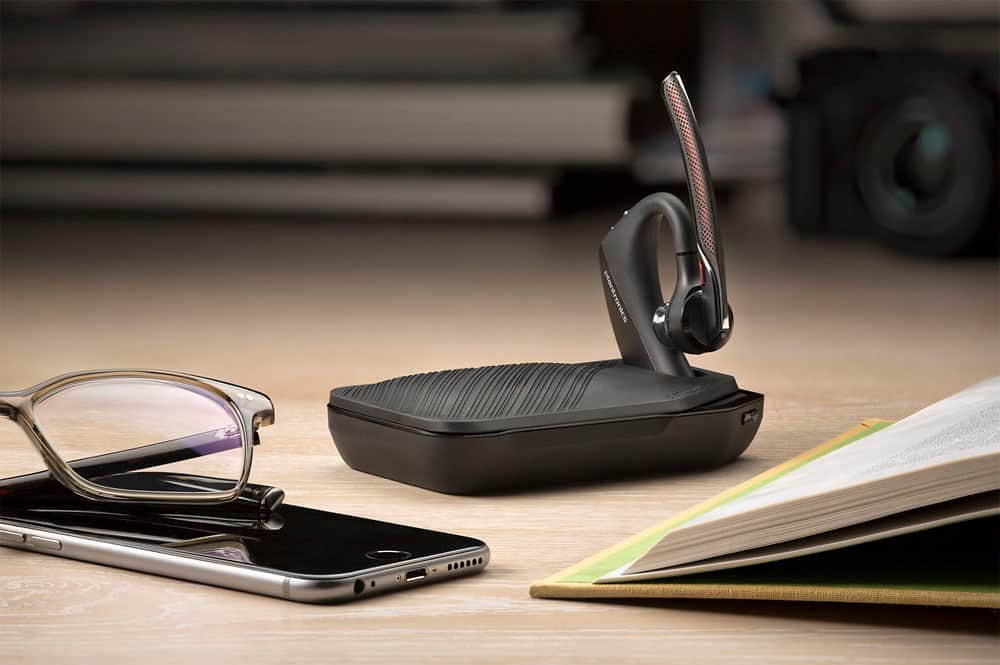
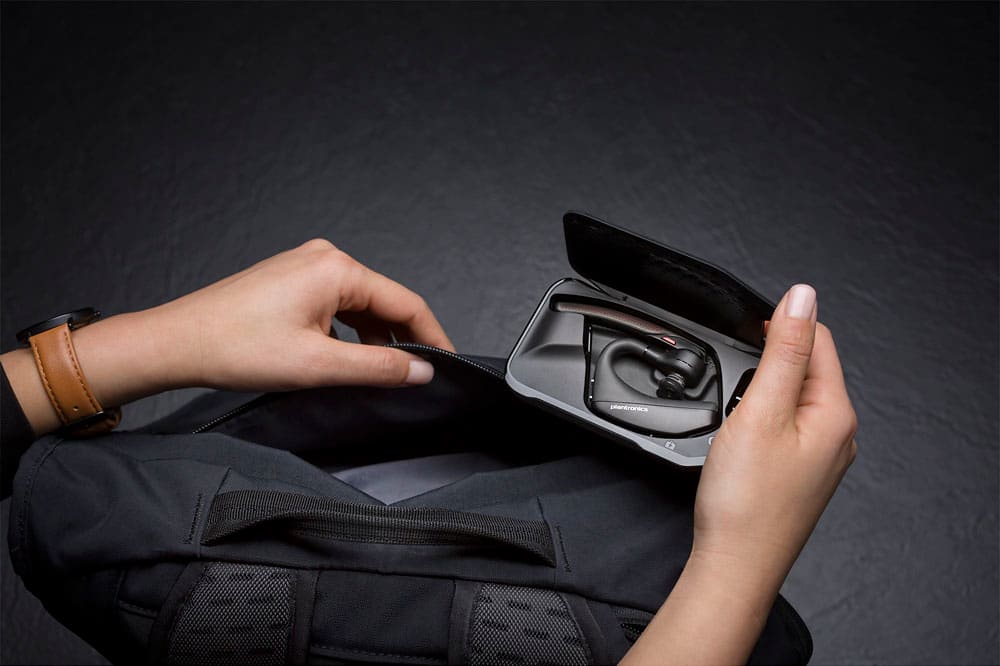
Posted .Thank you for your honest review on our Voyager 5220. Please note the Voyager 5220 does not include the portable charging case. The Voyager 5200 UC is the one that comes with the charging case and a USB dongle to ensure optimal PC connectivity. For further assistance, please don't hesitate to contact our Customer Care Team at: (888) 248-4143 or (916) 928-7561.
Sucks
||Posted . Owned for 3 months when reviewed.This reviewer received promo considerations or sweepstakes entry for writing a review.Sucks! Can’t hear very well with this earpiece! Will return!!!
No, I would not recommend this to a friendBrand response from PlantronicsRepresentative
Posted .Thank you for taking the time to share your honest feedback; Though we're sorry to hear this has been your experience. The Voyager 5220 is one of our best communication headsets and specially engineered to deliver superior call clarity. Please make sure you pick the right ear gel size for you, keeping in mind that not getting a proper fit is likely to impact the quality of the audio. You may also want to reset the BT connection: https://bit.ly/2OOMfnw. Lastly, testing the earpiece with a different cell phone and while it is paired with a single BT Device is ideal to determine the cause of the issue. Please note this model comes with a one-year manufacturer's warranty. We will forward your comments to our team for review and consideration. If you would like further assistance, please contact our Customer Care Team at: 1 888 248 4143 or 1 916 928 7561
Owner
||Posted .This reviewer received promo considerations or sweepstakes entry for writing a review.It’s doesn’t work good sometimes it’s got Disconnected by itself
No, I would not recommend this to a friendBrand response from PlantronicsRepresentative
Posted .Hi Athee and thank you for sharing your honest review on our Voyager 5220; However, we're sorry to hear you were not happy with your product. We do have some troubleshooting steps whenever the headset is getting disconnected that should solve the issue. First, reset the BT connection. To do so: https://bit.ly/2OOMfnw. To re-pair, set the earpiece in pair mode by pressing and holding the call button for 6-8 seconds until LED flashes red and blue repeatedly. Then go to Bluetooth settings and select it to pair. Linking issue could also be related to the smart sensors, as these detect the pressure from your ear. They could be triggered by several environmental conditions, like having the earpiece a bit loose from your ear, or wearing glasses, consequently sending the call back to the phone. To isolate the cause of the issue, disable the master sensor through our Hub Software: https://bit.ly/30jDXJM go to Settings>Sensors and disable it. Lastly, testing the earpiece with a different cell phone model is also ideal to determine the cause of the issue. We will forward your comments to our team for review and consideration. For further assistance, please contact our Customer Care Team at: 1 888 248 4143 or 1 916 928 7561
Clunky
||Posted . Owned for 1 month when reviewed.This reviewer received promo considerations or sweepstakes entry for writing a review.It is very hard to keep this behind the ear can’t return it due to being quarantined
No, I would not recommend this to a friendBrand response from PlantronicsRepresentative
Posted .Thank you for your honest review on our Voyager 5220; However, we're sorry to hear you were not able to find a comfortable fit. These headsets are designed to fit the vast majority of ear shapes and sizes; however, we do know that one size may not fit all and if you find the product too uncomfortable for normal use we strongly recommend that you consider using a headset with a different wearing style. We strongly recommend you to contact the reseller directly since only the reseller can exchange it for a different model. In any case we do thank you for bringing this to our attention. We will forward your comments to our Product Development Team for review and as a future consideration when developing new products. If you have any questions related to our products, feel free to contact our Customer Care Team at: 1-888-363-0726.
Dont donit
||Posted . Owned for 3 weeks when reviewed.This reviewer received promo considerations or sweepstakes entry for writing a review.Not very good at all. Don't waste your money. Wind did not stop.
No, I would not recommend this to a friendBrand response from PlantronicsRepresentative
Posted .Hello and thank you for your honest review. We're sorry to hear you were not happy with your product. The Voyager 5220 is one of our customer's favorite communication headsets, specially engineered to deliver superior call clarity. It has built-in four-mic active digital signal processing (DSP), acoustic echo cancellation and six layers of protection against wind noise. To troubleshoot microphone issues, please reset the BT connection: https://bit.ly/2OOMfnw. To re-pair the earpiece make sure you set it in pair mode by pressing and holding the call button for 6-8 seconds until LED flashes red and blue repeatedly. Also, please ensure the firmware version is up to date through Hub Software. https://bit.ly/30jDXJM. Lastly, test the earpiece with a different cell phone model, as it is ideal to isolate the cause of the issue. If you still get the same results, then most likely the unit has an actual problem and it is best to replace it. This model counts with a one-year limited warranty. If you would like further assistance, please don't hesitate to contact our Customer Care Team at: 1 888 248 4143 or 1 916 928 7561
Headset
||Posted . Owned for 4 months when reviewed.This reviewer received promo considerations or sweepstakes entry for writing a review.I purchased this items less than 2 months don't work.
No, I would not recommend this to a friendBrand response from PlantronicsRepresentative
Posted .Thank you for sharing your honest review; Though we're truly sorry to hear about your experience. Let us know if the headset was purchased brand new or if the packaging present any tear or evident tampering. The life span of the product depends on the usage but on many cases they last for way past their warranty period. We thank you for bringing this to our attention and we would like to look further into your case. For technical assistance, please contact our Customer Care Team at: (888) 248-4143 or (916) 928-7561
Defective
||Posted . Owned for 1 month when reviewed.This reviewer received promo considerations or sweepstakes entry for writing a review.I got it and was defective, not happy with this purchase!!!
No, I would not recommend this to a friendBrand response from PlantronicsRepresentative
Posted .Hello! Thank you for reviewing our Voyager 5220, however, we are truly sorry to hear about your experience. If you require technical assistance, please don't hesitate to contact our Customer Care Team at 1-888-363-0726.
Not good at all
||Posted . Owned for 1 month when reviewed.This reviewer received promo considerations or sweepstakes entry for writing a review.Just waste off money not good hering responce don’t recommend
No, I would not recommend this to a friendBrand response from PlantronicsRepresentative
Posted .Hello! Thank you for reviewing our Voyager 5220, however, we are truly sorry to hear about your experience. If you require technical assistance, please don't hesitate to contact our Customer Care Team at 1-888-363-0726.
- Pros mentioned:Battery life, Sound quality
The best just got BETTER!
Posted .This reviewer received promo considerations or sweepstakes entry for writing a review.I've used the Voyager Pro HD, the Voyager Legend and now the Voager 5220. And each model keeps getting better! The built-in speech is superior to the Voyager Legend. The battery life is good. The sound quality is great and the BIGGEST improvements are; 1. The wind/noise cancelling works way better than the previous Voyager Legend. 2. It has a microUSB connector! So even if you lose or misplace the proprietary cord, you can still recharge and use the headset!
I would recommend this to a friend