Customer Ratings & Reviews
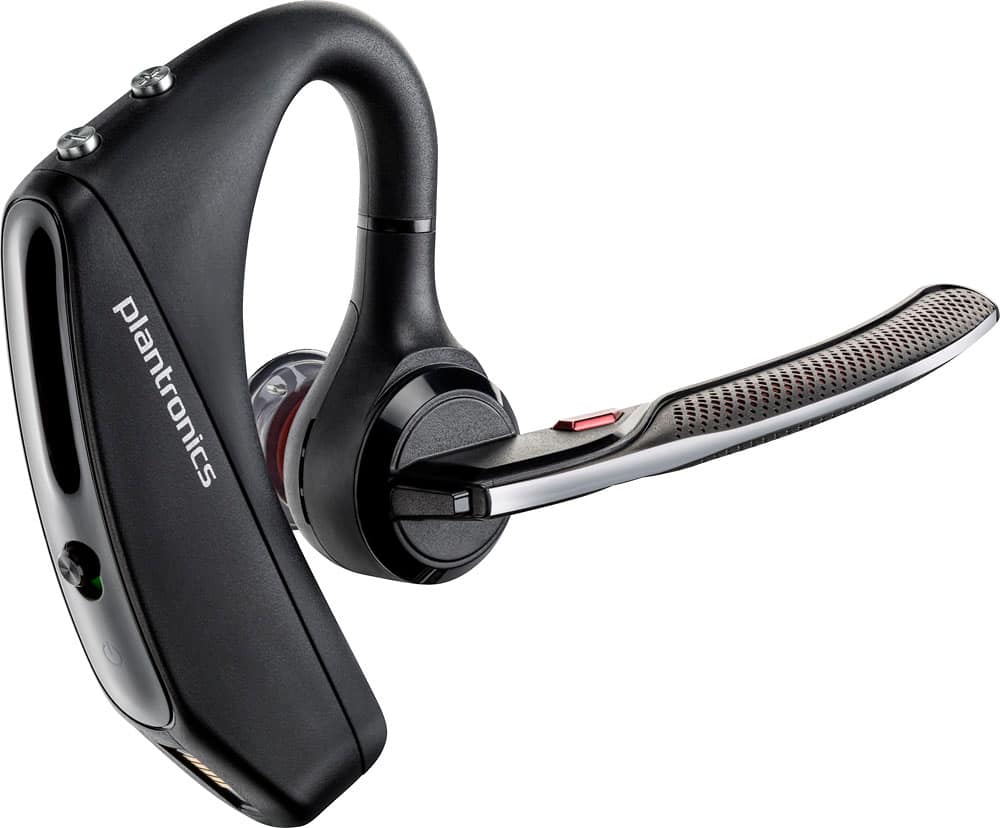
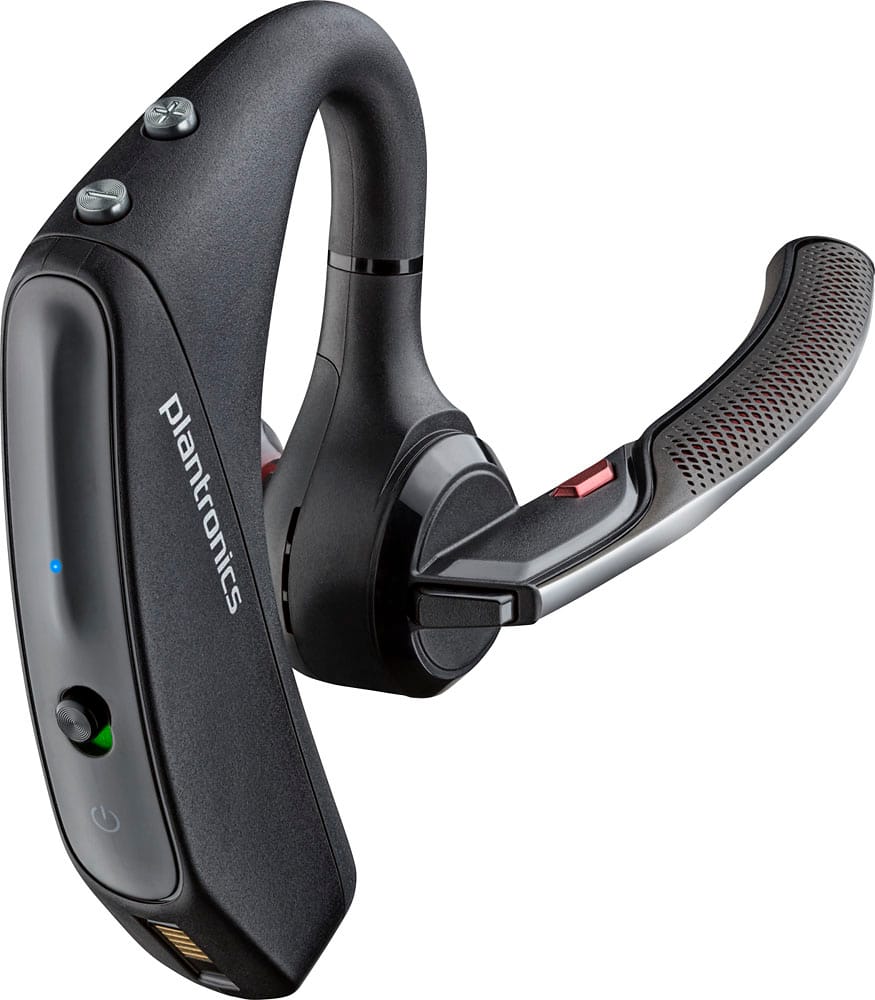
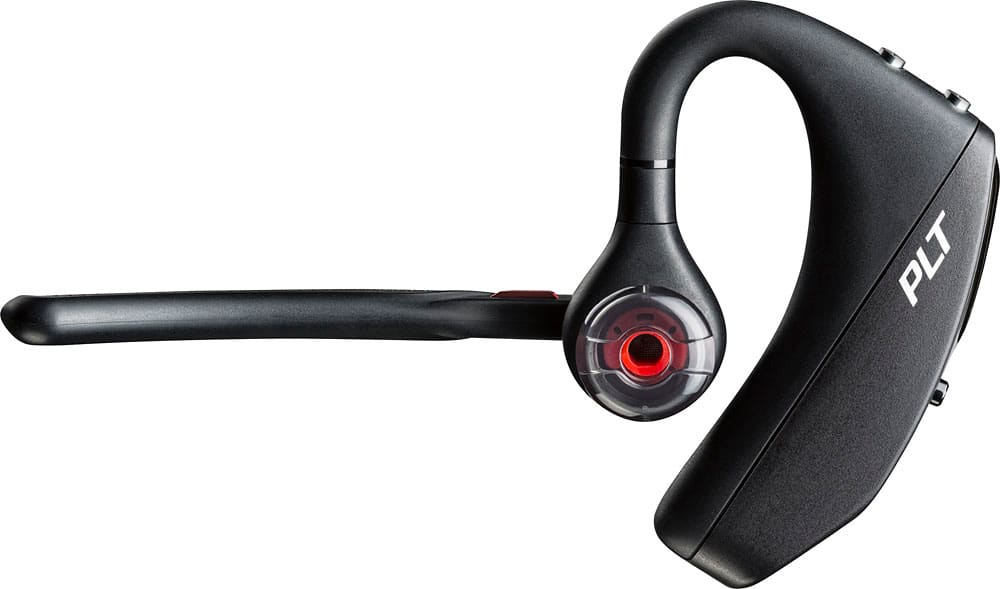
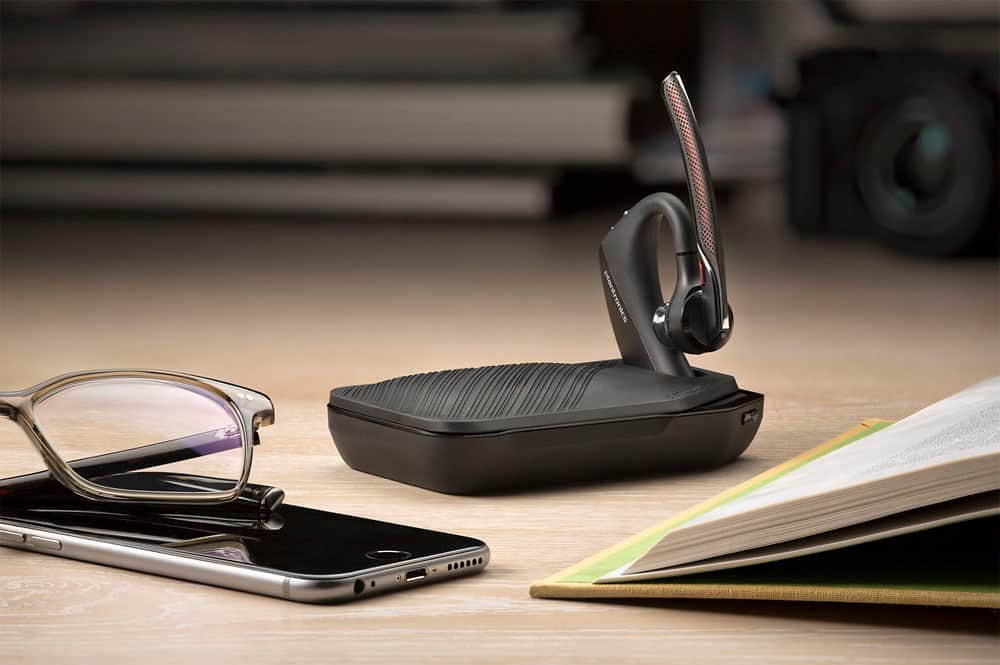
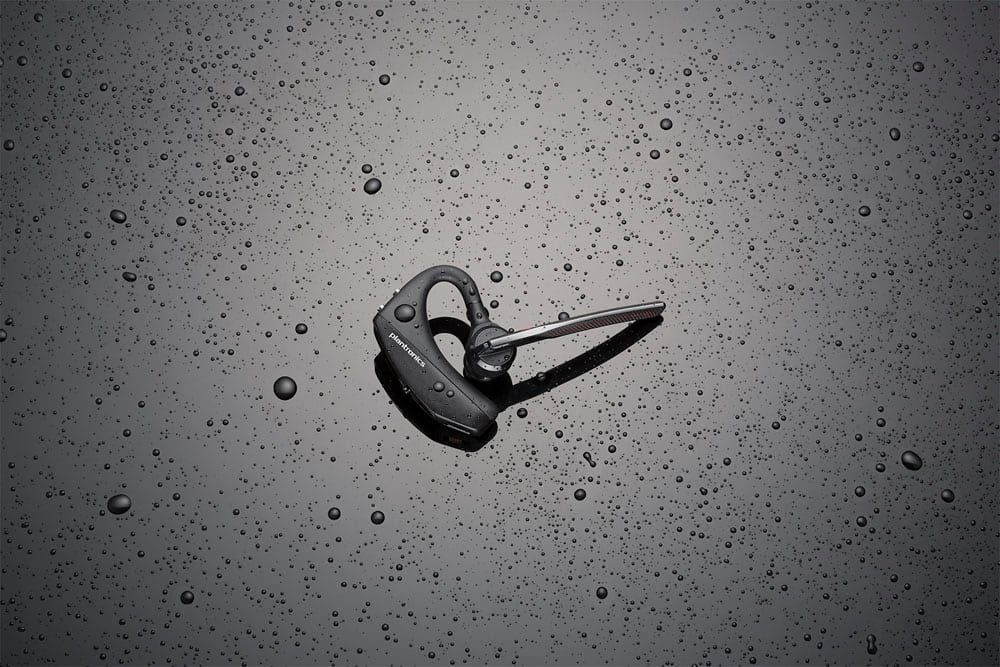
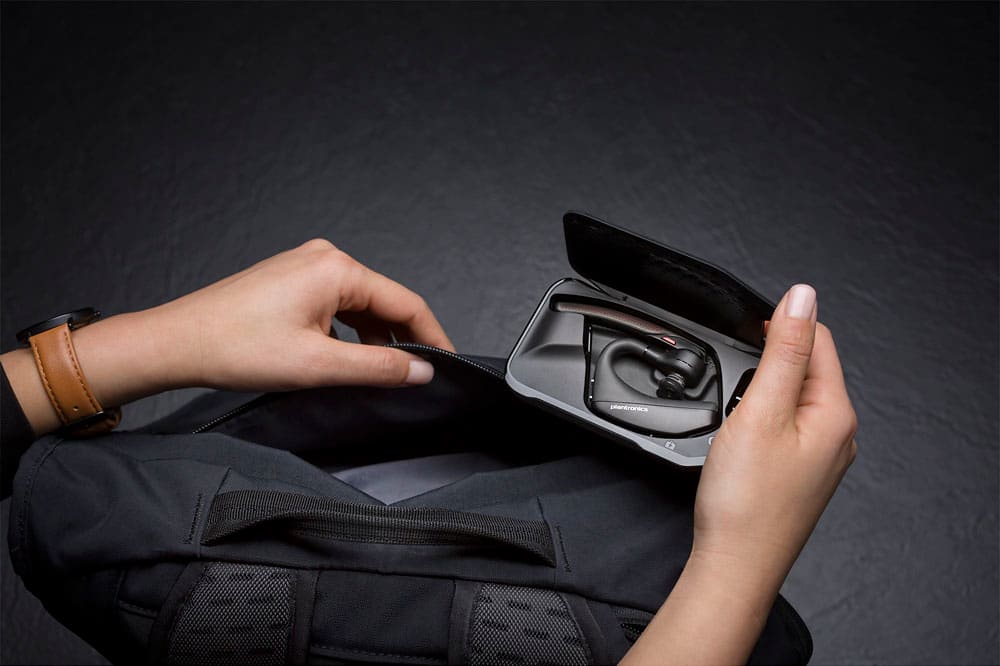



- Model:
- 7Y206AA#ABA
- SKU:
- 6563035
Rating by feature
- Sound Quality
Rating 4.4 out of 5 stars
- Battery Life
Rating 4.3 out of 5 stars
- Connectivity
Rating 4.4 out of 5 stars
Customers are saying
Customers commend the Voyager 5220 for its excellent sound quality, comfortable fit, and long-lasting battery life. Many users appreciate its reliable Bluetooth connectivity and lightweight design. However, some customers have noted concerns about the fit being a little loose, the volume being too low, and the range not meeting expectations.
This summary was generated by AI based on customer reviews.
Worst Apple product ever
||Posted . Owned for 3 weeks when reviewed.This reviewer received promo considerations or sweepstakes entry for writing a review.Cost more than $100 Never once has it work properly should not be sold in any stores
No, I would not recommend this to a friendBrand response from PlantronicsRepresentative
Posted .Hi and thank you for your review on our Voyager 5200 headset, however, we are sorry to hear you are having some issues. Please note our intention is to provide the highest quality products to our customers and if you require technical assistance or even a replacement, feel free to reach out to our Customer Care Team at https://www.plantronics.com/us/en/support/contact.

Work les then week
||Posted .This reviewer received promo considerations or sweepstakes entry for writing a review.Microphone stop work in forth day , no body anderstand nothing , so expensive , good news I have warranty
No, I would not recommend this to a friendBrand response from PlantronicsRepresentative
Posted .Thank you for your honest review on our Voyager 5200, we are sorry to hear you're experiencing trouble with your unit.
In order to troubleshoot connectivity or audio issues you might want to try resetting the Bluetooth connection between your phone and headset to see if that helps the issue. To do so:
1. Delete the headset from your cell phone's list of paired devices.
2. Once deleted, power your phone completely off, then power it back on. This resets the Bluetooth stack in the Bluetooth software on the phone.
3. Re-pair the headset with your phone. If this does not fix your issue, we suggest pairing the headset to another cell phone as a test.
If the issue is not present on the second phone, then the problem may be with the first phone, rather than the headset. If the issue exists on the second phone as well, you will need to replace the headset. Please don't hesitate to contact our customer care group at www.plantronics.com/support if you require assistance.
Loses signal
||Posted .This reviewer received promo considerations or sweepstakes entry for writing a review.Loses signal way to much and battery life sucks I hate it I lost the packaging and couldn’t return it
No, I would not recommend this to a friendBrand response from PlantronicsRepresentative
Posted .Thank you for your honest review on our Voyager 5220, we are sorry to hear you experienced trouble with your unit.
You might want to try resetting the Bluetooth connection between your phone and headset to see if that helps the issue. To do so:
1. Delete the headset from your cell phone's list of paired devices.
2. Once deleted, power your phone completely off, then power it back on. This resets the Bluetooth stack in the Bluetooth software on the phone.
3. Re-pair the headset with your phone.
If this does not fix your issue, we suggest pairing the headset to another cell phone as a test. If the issue is not present on the second phone, then the problem may be with the first phone, rather than the headset. If the issue exists on the second phone as well, you will need to replace the headset.
Please don't hesitate to contact our customer care group at www.plantronics.com/support if you require assistance!
Be careful
||Posted . Owned for 1 week when reviewed.This reviewer received promo considerations or sweepstakes entry for writing a review.Headset was defective, The bottom of the headset melted when charging.
No, I would not recommend this to a friendBrand response from PlantronicsRepresentative
Posted .Hello! Thank you for reviewing our Voyager 5220, however, we’re very sorry to hear about your experience. Please rest assured that we take the quality of our products very seriously, and scenarios like these are very unlikely. Please contact our Customer Care Team at 1-888-363-0726 for immediate assistance.
Bad mic
||Posted .This reviewer received promo considerations or sweepstakes entry for writing a review.Everyone I talk to say that I sound groggy and muffled when I talked and it is a brand new headset
No, I would not recommend this to a friendBrand response from PlantronicsRepresentative
Posted .Thank you for your honest review on our Voyager 5220, we are sorry to hear you experienced trouble with your unit.
You might want to try resetting the Bluetooth connection between your phone and headset to see if that helps the audio issue you're experiencing with the headset. To do so:
1. Delete the headset from your cell phone's list of paired devices.
2. Once deleted, power your phone completely off, then power it back on. This resets the Bluetooth stack in the Bluetooth software on the phone.
3. Re-pair the headset with your phone.
If this does not fix your issue, we suggest pairing the headset to another cell phone as a test. If the issue is not present on the second phone, then the problem may be with the first phone, rather than the headset. If the issue exists on the second phone as well, you will need to replace the headset.
Please don't hesitate to contact our customer care group at www.plantronics.com/support if you require assistance!
Plantronics - Voyager 5220 Bluetooth Headset with
||Posted . Owned for 1.5 years when reviewed.This reviewer received promo considerations or sweepstakes entry for writing a review.it works just does not stay charged that long and is not worth the money
No, I would not recommend this to a friendBrand response from PlantronicsRepresentative
Posted .Thank you for your honest feedback; However, we're sorry to hear you were not satisfied with your unit. The Voyager 5220 is one of our best communication headsets and specially engineered to deliver sound quality along with optimal battery performance. In order to extend the battery life of our products: Store your headset at room temperature. When batteries are exposed to elevated levels of heat such as inside a hot car, they lose their ability to store energy. If storing your headset for an extended period of time, discharge it to around a 40 to 50 percent charge. Lithium ion oxidizes at its highest rate if the battery is fully charged, which leads to quicker deterioration. Avoid discharging your headset completely or leaving it discharged for extended periods of time. The battery loses the ability to hold a complete charge. For optimal performance, please make sure you're using a 5-volt wall charger. Please note this model counts with a one-year limited warranty. If you require further assistance, please contact our Customer Care Team at: 1-855-765-7878
Very nosy
||Posted . Owned for 1 week when reviewed.This reviewer received promo considerations or sweepstakes entry for writing a review.Very nosy, can't even talk.........................
No, I would not recommend this to a friendBrand response from PlantronicsRepresentative
Posted .Thank you for your honest review on our Voyager 5220; Though we're sorry to hear you were not happy with your unit. The Voyager 5220 is one of our best communication headsets and specially engineered to deliver superior call clarity, featuring four-microphones with active digital signal processing (DSP) and Delivers six layers of protection against wind noise. If you're experiencing technical difficulties with this product, please don't hesitate to contact our Customer Care Team at: 1 888 248 4143 or 1 916 928 7561 for technical assistance and hopefully solve the issue. We will forward your comments to our team for review and consideration.
Unfomfortable
||Posted . Owned for 1.5 years when reviewed.This reviewer received promo considerations or sweepstakes entry for writing a review.Words cannot describe how uncomfortable this headset is to wear.
No, I would not recommend this to a friendBrand response from PlantronicsRepresentative
Posted .Hello! Thank you for your honest review of our Voyager 5220, however, we are sorry to hear you were not able to find a comfortable fit. These headsets are designed to fit the vast majority of ear shapes and sizes; however, we do know that one size may not fit all and if you find the product too uncomfortable for normal use we strongly recommend that you consider using a headset with a different wearing style. We will forward your comments to our Product Development Team, as we appreciate feedback based on customer use to create the best possible products. Please don't hesitate to contact our Customer Care Team at 1-888-363-0726 if you require assistance.
Love Legend this one not so much
||Posted .This reviewer received promo considerations or sweepstakes entry for writing a review.I have bought 20 legends for my employees and they work great , this one crashed and burned from out of box
No, I would not recommend this to a friendBrand response from PlantronicsRepresentative
Posted .It is unfortunate that you are experiencing issues with this unit from the start, we have a couple of troubleshooting options available and will gladly assist you. Please don't hesitate to contact us at www.plantronics.com/support
Bluetooth
||Posted . Owned for 1 year when reviewed.This reviewer received promo considerations or sweepstakes entry for writing a review.Returned it because it was not comfortable. Pain within 10-15 minutes
No, I would not recommend this to a friendBrand response from PlantronicsRepresentative
Posted .Hi Frank and thank you for taking the time to share your feedback on our Voyager 5220; However, we're sorry to hear you didn't find it comfortable enough. These headsets are designed to fit the vast majority of ear shapes and sizes with the different size eartips; however, we do know that one size may not fit all and if you find the product too uncomfortable for normal use we strongly recommend that you consider using a headset with a different wearing style. If you have any questions related to our products, feel free to contact our Customer Care Team at: 1-888-363-0726.
Not good
||Posted . Owned for 2 months when reviewed.This reviewer received promo considerations or sweepstakes entry for writing a review.I have to keep turning it off and back on to be able to pick up a call
No, I would not recommend this to a friendBrand response from PlantronicsRepresentative
Posted .Thank you for sharing your honest review on our Voyager 5220 Headset; However, we're sorry to hear about your experience. This model is one of our best communication headsets and specially engineered to deliver superior call clarity. There are a couple of procedures that should fix linking issues. As you may know, the unit has smart sensors. These detect the pressure from your ear when wearing the earpiece; However, there can be several conditions influencing their performance and sending the call to your phone instead of the earpiece. For example, having the earpiece a bit loose from your ear or wearing glasses. To isolate the cause of the issue, please disable the master sensor through Plantronics Hub Software for Desktop: https://goo.gl/5ceQ1v. Once installed on your PC, connect the earpiece powered-off via USB and go to settings>sensors>master sensor. If you get the same results, please test the earpiece with a different phone and while it is connected to a single device. If the earpiece doesn't connect to your phone even after performing the previous suggestions, please note this model counts with a one-year limited warranty. If you require further assistance, please don't hesitate to contact our Customer Care Team at: 1-888-363-0726.
not good
||Posted . Owned for 3 weeks when reviewed.This reviewer received promo considerations or sweepstakes entry for writing a review.hard to plug up to charge. won't hang up without doing it on your phone
No, I would not recommend this to a friendBrand response from PlantronicsRepresentative
Posted .Hello and thank you for your honest review on our Voyager 5220; However, we're sorry to hear you've had trouble with your unit. As you know, the earpiece features a micro-USB connection underneath the piece that goes behind your ear, if the connection has some type of short or damage, please let us know. In order to end a call you should be able to do so by simply pressing the (black button) call button located behind the microphone. If it is not responding, please ensure the unit's firmware version is up to date through our Plantronics Hub Software for Desktop: https://goo.gl/5ceQ1v. Testing the earpiece with a different phone is also ideal to isolate the cause of the issue. Here you will find the complete user guide: https://bit.ly/39YjcH9. In case you're no longer able to replace it through your seller, please note this model comes with a one-year manufacturer's warranty. Your comments will be shared with our Team for review and consideration. If you require further assistance, please contact our Customer Care Team at: 1-888-363-0726.
Hard to stay in the ear
||Posted . Owned for 1 month when reviewed.This reviewer received promo considerations or sweepstakes entry for writing a review.Have a hard time staying in the ear. Tried both ear
No, I would not recommend this to a friendBrand response from PlantronicsRepresentative
Posted .Thank you for sharing your honest review; However we're truly sorry to hear you were not able to find a comfortable fit. These headsets are designed to fit the vast majority of ear shapes and sizes with the different size eartips included; however, we do know that one size may not fit all and if you find the product too uncomfortable for normal use we strongly recommend that you consider using a headset with a different wearing style. We have shared your comments to our Product Development Team, as we appreciate feedback based on customer use to create the best products. If you have any questions, please don't hesitate to contact our Customer Care Team at: 1 888 248 4143 or 1 916 928 7561
Plantonics
||Posted . Owned for 3 weeks when reviewed.This reviewer received promo considerations or sweepstakes entry for writing a review.Hard to hear doesn’t sit right in-ear it just sucks
No, I would not recommend this to a friendBrand response from PlantronicsRepresentative
Posted .Hello and thank you for sharing your honest feedback; though we're sorry to hear you were not satisfied with your product. The Voyager 5200 is one of our best communication headsets and specially engineered to deliver superior call clarity. It has built-in four-mic active digital signal processing (DSP), acoustic echo cancellation and six layers of protection against wind noise. These headsets are designed to fit the vast majority of ear shapes and sizes; including different sizes of ear gels. Keep in mind that not getting a proper fit is likely to impact the quality of the audio. However, we do know that one size may not fit all and if you find the product too uncomfortable for normal use we strongly recommend that you consider using a headset with a different wearing style. We will surely forward your comments to our team for review and consideration. If you have any questions, feel free to contact our Customer Care Team at: https://www.poly.com/us/en/support/contact
Barely holds charge
||Posted . Owned for 1 year when reviewed.This reviewer received promo considerations or sweepstakes entry for writing a review.I buy these a lot and this thing barely holds the charge brand new
No, I would not recommend this to a friendBrand response from PlantronicsRepresentative
Posted .Hello and thank you for sharing your honest review; However, we're sorry to hear you've had battery issues. As you may know this model provides up to 7 hours of talk time. Please note performance is dependent upon battery and usage and may vary by device. If you get a significant lower amount of talk time, then please try using a different micro-USB cable to isolate the cause of the issue and a 5-volt wall charger for optimal performance. You might also want to ensure the unit's firmware version is up to date through our Plantronics Hub Software for Desktop: https://goo.gl/5ceQ1v. We'd also like to share a few tips on how to extend the battery life of our products: https://goo.gl/V5xD4Q. If you still experience the same results, then most likely there's an actual problem with the unit. This model counts with a one-year limited warranty. We thank you for bringing this to our attention. If you require further assistance, please don't hesitate to contact our Customer Care Team at: 1-888-363-0726.
Sound
||Posted .This reviewer received promo considerations or sweepstakes entry for writing a review.Poor sound quality (static) and drops your calls..
No, I would not recommend this to a friendBrand response from PlantronicsRepresentative
Posted .Thank you for your honest review on our Voyager 5220, we are sorry to hear you're experiencing trouble with your unit. Most audio and connectivity related issues can be fixed by resetting the Bluetooth connection between your phone and headset, please don't hesitate to contact our customer care group at www.plantronics.com/support if you require assistance!
Awesome Item
||Posted . Owned for less than 1 week when reviewed.This reviewer received promo considerations or sweepstakes entry for writing a review.I am having great luck with this Blue Tooth and the service was 5 star.
I would recommend this to a friendBrand response from PlantronicsRepresentative
Posted .Hello and thank you for your honest review on our Voyager 5220. We will forward your comments to our team for review and consideration. If you have any questions, please don't hesitate to contact our Customer Care Team at: 855-765-7878
Cannot hear
||Posted .This reviewer received promo considerations or sweepstakes entry for writing a review.I cannot hear well from the blue tooth. You hear a lot of static and noise.
No, I would not recommend this to a friendBrand response from PlantronicsRepresentative
Posted .Hi! Thank you for your review on our Voyager 5200 headset, however, we are sorry to hear about your experience. If you are experiencing some audio issues with the headset it could be due to a bad connection with your mobile or an actual problem with your headset. You may want to reset the Bluetooth connection with your mobile. To do so: 1) Unpair the headset from your mobile phone by accessing your Bluetooth settings. 2) Power off your mobile phone for 2 minutes and turn it back on. 3) Re-pair the headset by pressing and holding down the call control button until you see the LED flashing red and blue. 4) Access your Bluetooth settings and select "PLT_V5200". Once successfully paired, you will hear "pairing successful" and the LED on your headset will stop flashing red and blue. You may also want to test the headset connected to a different mobile to completely isolate the issue. Remember this unit counts with a limited warranty since the first day of purchase. For replacement instructions please click on the following link: https://bit.ly/2N637EC. Please don't hesitate to contact our Customer Care Team at 800-985-9815 if you require assistance.
Hard to use
||Posted . Owned for 3 weeks when reviewed.This reviewer received promo considerations or sweepstakes entry for writing a review.Not good. Difficult to use. Cannot use with 2 phone
No, I would not recommend this to a friendBrand response from PlantronicsRepresentative
Posted .Hi Jimmy and thank you for your honest review. We're sorry to hear you were not happy with our product. The Voyager 5220 is one of our best communication headsets and specially engineered to deliver superior call clarity. Please note this model does count with Multipoint Technology which enables you to pair and connect your headset to two different Bluetooth audio devices at once. Here is an article on how this technology works: https://bit.ly/3suKcHR. In order to pair it with a second phone, you need to make sure the earpiece is in pairing mode. To do so: with the earpiece powered-on, press and hold the call button for 6-8 seconds, (not the mute button) until the LED flashes red and blue repeatedly. This means the earpiece will be detected by a second phone under Bluetooth settings. For a complete user guide: https://bit.ly/3sNjv1u. We thank you for your comments. We have shared them with our Team for review and consideration. If you would like further assistance, please contact our Customer Care Team at: 1-888-363-0726
Plantronics - Voyager 5220 Bluetooth Headset - Bla
||Posted .This reviewer received promo considerations or sweepstakes entry for writing a review.I been using this Bluetooth for years and never have any issues with it!!!
I would recommend this to a friendBrand response from PlantronicsRepresentative
Posted .Thank you for your honest review on our Voyager 5220. We will forward your comments to our team as we appreciate feedback based on customer use. Feel free to contact our Customer Care Team at: 800-985-9815 if you have any questions!