Customer Ratings & Reviews
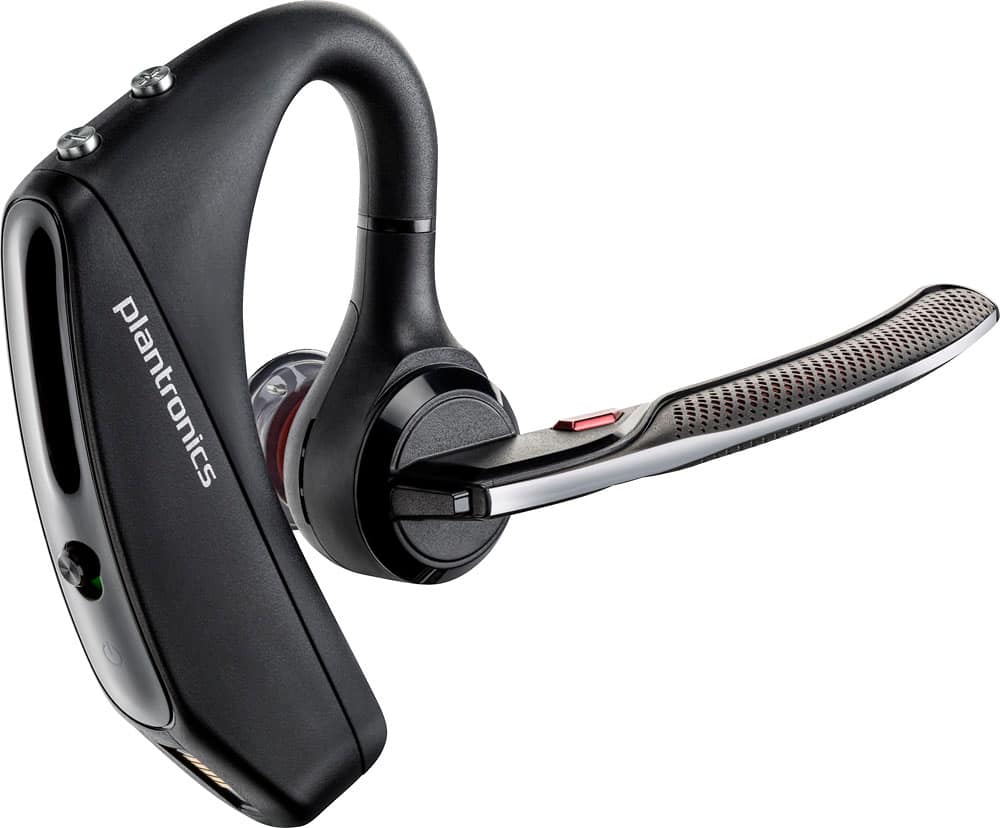
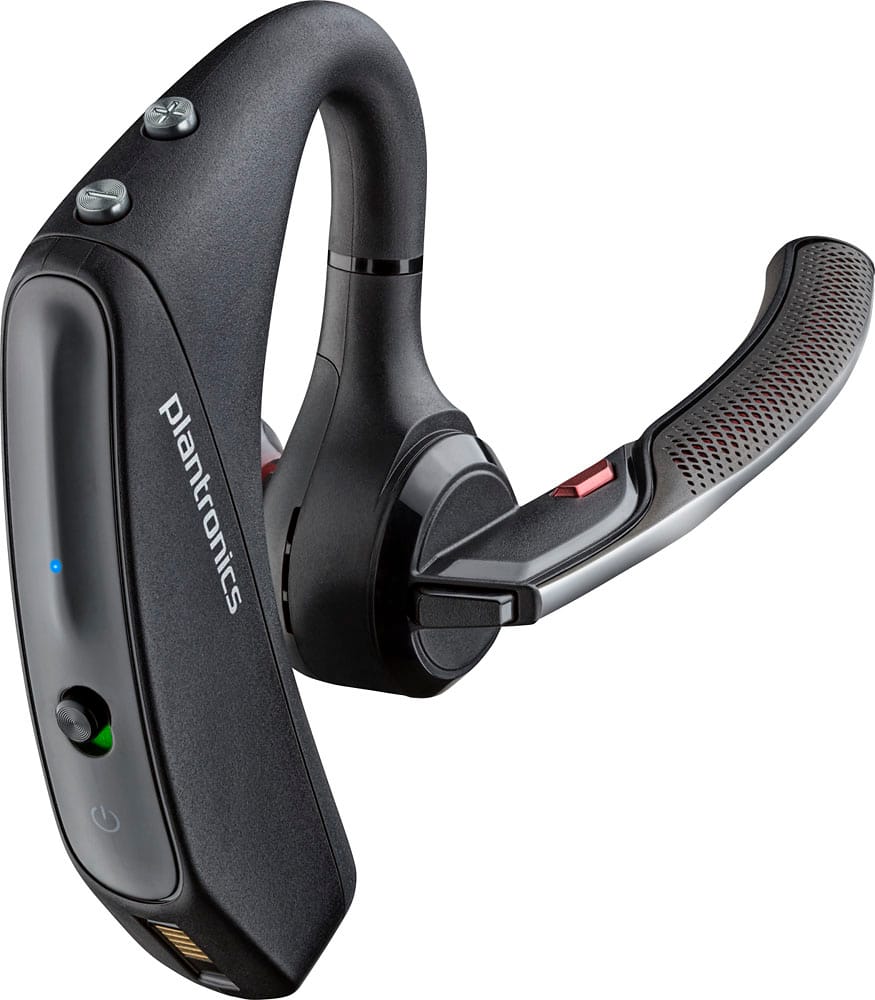
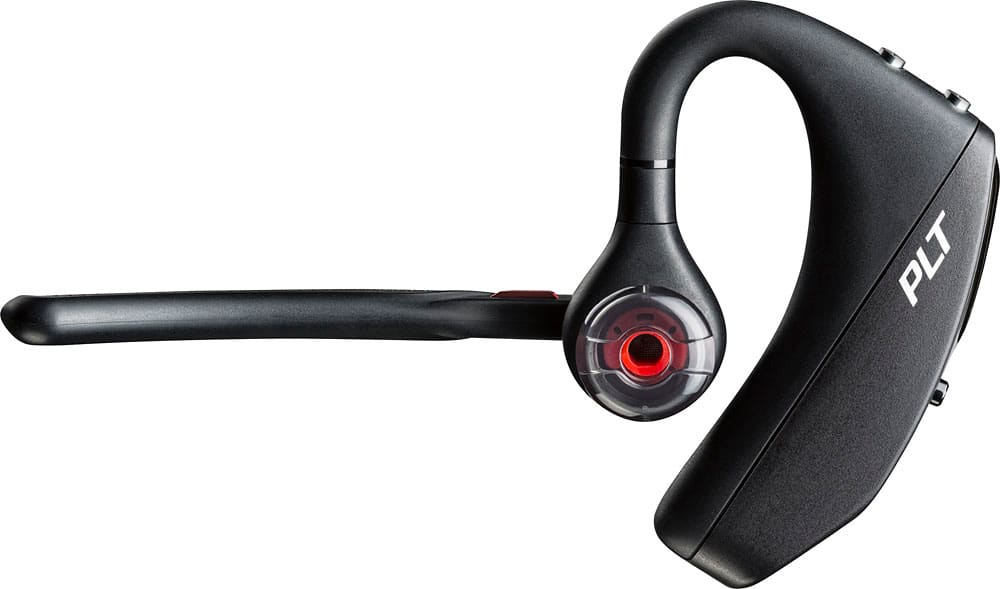
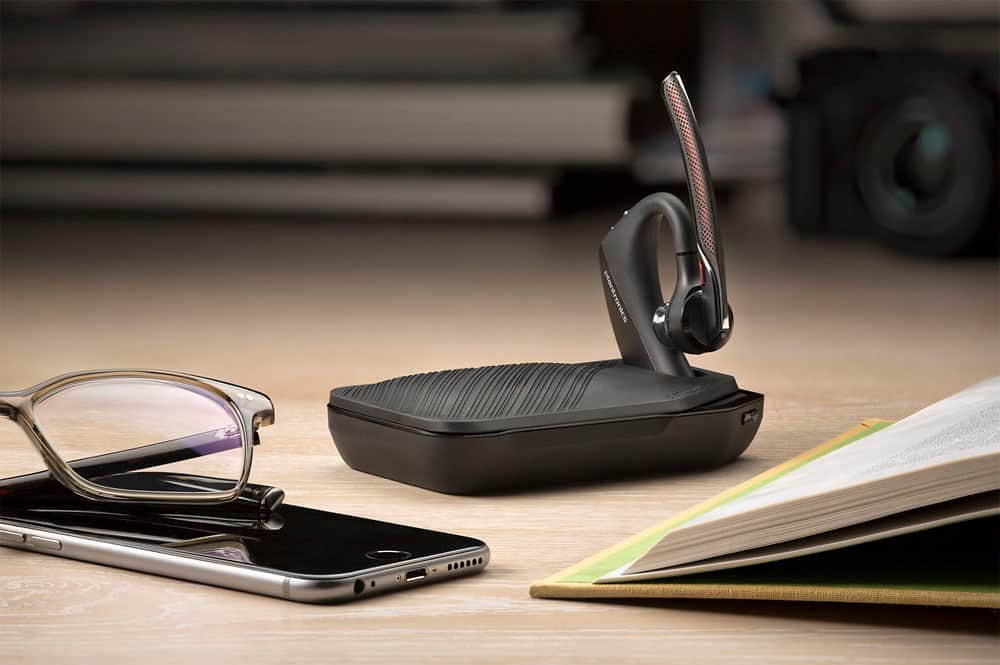


- Model:
- 7Y206AA#ABA
- SKU:
- 6563035
Rating by feature
- Sound Quality
Rating 4.4 out of 5 stars
- Battery Life
Rating 4.3 out of 5 stars
- Connectivity
Rating 4.4 out of 5 stars
Customers are saying
Customers commend the Voyager 5220 for its excellent sound quality, comfortable fit, and long-lasting battery life. Many users appreciate its reliable Bluetooth connectivity and lightweight design. However, some customers have noted concerns about the fit being a little loose, the volume being too low, and the range not meeting expectations.
This summary was generated by AI based on customer reviews.
Sucks
||Posted .This reviewer received promo considerations or sweepstakes entry for writing a review.Not a good quality product! Only had for 8 month now and already not working properly!
No, I would not recommend this to a friendBrand response from PlantronicsRepresentative
Posted .Thank you for your honest review on our Voyager 5220, we are sorry to hear you're experiencing trouble with your unit. Please don't hesitate to contact our customer care group at www.plantronics.com/support if you require assistance!

I have problem to distorcion audio
||Posted . Owned for 1 week when reviewed.This reviewer received promo considerations or sweepstakes entry for writing a review.I nead change i have problem in call noise audio and distorcion
No, I would not recommend this to a friendNot waterproof
||Posted . Owned for 1 week when reviewed.This reviewer received promo considerations or sweepstakes entry for writing a review.Works great until you get it wet with sweat. Sweat isn’t it friend!
No, I would not recommend this to a friendBrand response from PlantronicsRepresentative
Posted .Hello! Thank you for your review on our Voyager 5200 headset, however, we are sorry to hear about your experience. Please note this headset does count with sweat proof nano-coating by P2i for sweat and moisture protection., however, it is not water proof. Our intention is to provide the highest quality products to our customers and we thank you for bringing this issue to our attention. We will forward your comments and feedback to our team for future consideration when developing new products and accessories. Please feel free to contact our Customer Care Team at https://www.plantronics.com/us/en/support/contact if you require assistance.

Terrible
||Posted .This reviewer received promo considerations or sweepstakes entry for writing a review.It isn't compatible with my phone. Can't receive text messages vocally.
No, I would not recommend this to a friendBrand response from PlantronicsRepresentative
Posted .Hello and thank you for your honest review! Please note the headset itself doesn't have the ability to read your text messages, this feature needs to be provided by the phone. You can also use the headset to interact with your phone's voice assistant by holding the red button for 2 seconds, the voice assistant can also read the text message. If you have any other questions, please don't hesitate to contact Plantronics Customer Care at 855-765-7878.
Not working right
||Posted .This reviewer received promo considerations or sweepstakes entry for writing a review.The volume go up and down on while in use and can not hear that well in it.
No, I would not recommend this to a friendBrand response from PlantronicsRepresentative
Posted .Thank you for taking the time to review our Voyager 5220, we are sorry to hear this headset did not meet your expectations.
You might want to try resetting the Bluetooth connection between your phone and headset to see if that helps the issue, you can find instructions on how to do so here: www.plantronics.com/us/en/support/knowledge-base/kb-article-page.html?type=How_To__kav&lang=en_US&urlName=Bluetooth-Headsets-How-to-Reset-the-Connection&t=All&k=bluetooth%20reset
Please don't hesitate to contact our customer care group at www.plantronics.com/support if you require assistance!
It didn't work for very long
||Posted .This reviewer received promo considerations or sweepstakes entry for writing a review.I bought it thinking it was an upgrade. Not true. Started to have audio issues.
No, I would not recommend this to a friendBrand response from PlantronicsRepresentative
Posted .Hello, than you for your honest review of our Voyager 5220, we are sorry to hear that you are having audio issues with your unit. If the issue appeared after some time of using the product, you may want to reset the Bluetooth connection, as this might resolve the issue that you are describing, to complete this reset please follow these steps. 1. Delete the headset from your cell phone's list of paired devices. 2. Once deleted, power your phone completely off, then power it back on. This resets the Bluetooth stack in the Bluetooth software on the phone. 3. Re-pair the headset with your phone. In case this issue continues please do not hesitate in contacting our Customer Support at http://www.plantronics.com/us/support/contact/
Headset keeps turning off .
||Posted .This reviewer received promo considerations or sweepstakes entry for writing a review.Headset keeps turning off. Voice come out shake when on the phone
No, I would not recommend this to a friendBrand response from PlantronicsRepresentative
Posted .Hi! Thank you for your review on our Voyager 5200 headset, however, we are sorry to hear about your experience. If your headset is constantly powering off, it could be an issue with the battery of the headset or with the headset itself. You may want to try charging the headset using a different charging cable and power source. You may also want to check if your headset doesn't have any updates available through Plantronics Hub: https://www.plantronics.com/us/en/support/downloads-apps/hub-desktop. If you are also experiencing some audio issues with the headset you may want to reset the Bluetooth connection with your mobile. To do so: 1) Unpair the headset from your mobile phone by accessing your Bluetooth settings. 2) Power off your mobile phone for 2 minutes and turn it back on. 3) Re-pair the headset by pressing and holding down the call control button until you see the LED flashing red and blue. 4) Access to your Bluetooth settings and select "PLT_V5200". Once successfully paired, you will hear "pairing successful" and the LED on your headset will stop flashing red and blue. Last but not least we recommend to test the headset connected to a different mobile to completely isolate the issue. If for some reason you still encounter the same issues with the headset it means it has an actual problem and it is best to replace it. Remember this unit counts with a limited warranty since the first day of purchase, and if you need a replacement you can simply click on the following link for further instructions: https://bit.ly/2N637EC. Please don't hesitate to contact our Customer Care Team at 800-985-9815 if you require assistance.
- Pros mentioned:Battery life, Sound quality
Works Very Well for Truck Drivers
Posted .This reviewer received promo considerations or sweepstakes entry for writing a review.I am in my work truck for 10-12 hours a day and plantronics hit this one out of the park. People I speak with cant tell I am at work. The battery life is very good and I am glad it is waterproof because I am constantly outside. Overall this is a must need for truck drivers that want a small bluetooth with the features of a large blue parrot headset.
I would recommend this to a friend No idea
||Posted .This reviewer received promo considerations or sweepstakes entry for writing a review.Sent to in-law as gift, never used can not give accurate assessment
No, I would not recommend this to a friendDo not buy this Bluetooth
||Posted .This reviewer received promo considerations or sweepstakes entry for writing a review.This Bluetooth has serious connection issues and sound quality issues on calls
No, I would not recommend this to a friendBrand response from PlantronicsRepresentative
Posted .Thank you for your honest review on our Voyager 5220, we are sorry to hear you're experiencing trouble with your unit.
In order to troubleshoot connectivity or audio issues you might want to try resetting the Bluetooth connection between your phone and headset to see if that helps the issue. To do so:
1. Delete the headset from your cell phone's list of paired devices.
2. Once deleted, power your phone completely off, then power it back on. This resets the Bluetooth stack in the Bluetooth software on the phone.
3. Re-pair the headset with your phone. If this does not fix your issue, we suggest pairing the headset to another cell phone as a test.
If the issue is not present on the second phone, then the problem may be with the first phone, rather than the headset. If the issue exists on the second phone as well, you will need to replace the headset. Please don't hesitate to contact our customer care group at www.plantronics.com/support if you require assistance.
- Pros mentioned:Battery life, Comfort, Sound quality
Bring the old charg port back
Posted .This reviewer received promo considerations or sweepstakes entry for writing a review.My previous review got tossed or put on page 77. This unit is the 3rd 5200 that I have purchased, it is comfortable. sound quality is great, and the battery life is 7 hours of talk time. ALL great. Too bad that changed the charging port from a plus in to a (proprietary) magnetic connection. I have to do a balancing act to keep the contacts connected. I charged it all night but it didn't charge...multiple times. Worthless...it is going back. If I can find one with a regular jack I will get that one. It's a shame, before they made the charger proprietary it was 7 stars.
No, I would not recommend this to a friend Garbage
||Posted .This reviewer received promo considerations or sweepstakes entry for writing a review.Returned 2 of them in 3 weeks. Clients said I just cant hear you most of the time.
No, I would not recommend this to a friendBrand response from PlantronicsRepresentative
Posted .Thank you for your honest review on our Voyager 5220 Bluetooth headset. We are very sorry for your experience. Our customer care group at www.plantronics.com/support is available any time to address any questions or issues before returning your headset to the place of purchase.
Not IOS 10 user friendly and Uconnect System
||Posted .This reviewer received promo considerations or sweepstakes entry for writing a review.To many crashes with the phone, sometimes it syncs and sometime it's doesn't.
No, I would not recommend this to a friendBrand response from PlantronicsRepresentative
Posted .Thank you for your honest review on our Voyager 5220, we are sorry to hear you're experiencing trouble with your unit.
In order to troubleshoot connectivity or audio issues you might want to try resetting the Bluetooth connection between your phone and headset to see if that helps the issue. To do so:
1. Delete the headset from your cell phone's list of paired devices.
2. Once deleted, power your phone completely off, then power it back on. This resets the Bluetooth stack in the Bluetooth software on the phone.
3. Re-pair the headset with your phone. If this does not fix your issue, we suggest pairing the headset to another cell phone as a test.
If the issue is not present on the second phone, then the problem may be with the first phone, rather than the headset. If the issue exists on the second phone as well, you will need to replace the headset. Please don't hesitate to contact our customer care group at www.plantronics.com/support if you require assistance.
Bluetooth
||Posted . Owned for 1 week when reviewed.This reviewer received promo considerations or sweepstakes entry for writing a review.The bluetooth don't work but they did exchanged it.
No, I would not recommend this to a friendBrand response from PlantronicsRepresentative
Posted .Hello there! Thank you for your review on our Voyager 5200 headset, however, we are sorry to hear you had some issues. Our intention is to provide the highest quality products and services to our customers and we thank you for bringing this issue to our attention. Please feel free to reach out to our Customer Care Team at https://www.plantronics.com/us/en/support/contact if you require technical assistance.
Too big and complicated
||Posted .This reviewer received promo considerations or sweepstakes entry for writing a review.Apple airpods all the way too complicated, i do not recommend it
No, I would not recommend this to a friendBrand response from PlantronicsRepresentative
Posted .Thank you for your honest review on our Voyager 5200 Headset. We're very sorry to hear you didn't find a comfortable fit. Please be sure to try wearing your headset on either ear and also trying all of the included ear gel sizes in order to find the most fit and comfortable fit. We will forward your feedback to our team for future consideration, please don't hesitate to contact our customer care group at https://www.plantronics.com/us/en/support/contact if you require assistance!
Don't like it for the price...
||Posted .This reviewer received promo considerations or sweepstakes entry for writing a review.Car charger doesn't work. Not voice operated. Over priced for what you get.
No, I would not recommend this to a friendBrand response from PlantronicsRepresentative
Posted .Thank you for your honest review on our Voyager 5220 Bluetooth headset. If your phone supports it, you can initiate your phone's voice assistant by pressing and holding your headset's voice/VPA button for a couple of seconds. Please don't hesitate to contact us at www.plantronics.com/support if you require assistance.
Not happy
||Posted .This reviewer received promo considerations or sweepstakes entry for writing a review.Very bad feed back coming to the user and who are you are talking to.
No, I would not recommend this to a friendBrand response from PlantronicsRepresentative
Posted .Thank you for your honest review on our Voyager 5220, we are sorry to hear you're experiencing trouble with your unit.
In order to troubleshoot connectivity or audio issues you might want to try resetting the Bluetooth connection between your phone and headset to see if that helps the issue. To do so:
1. Delete the headset from your cell phone's list of paired devices.
2. Once deleted, power your phone completely off, then power it back on. This resets the Bluetooth stack in the Bluetooth software on the phone.
3. Re-pair the headset with your phone. If this does not fix your issue, we suggest pairing the headset to another cell phone as a test.
If the issue is not present on the second phone, then the problem may be with the first phone, rather than the headset. If the issue exists on the second phone as well, you will need to replace the headset. Please don't hesitate to contact our customer care group at www.plantronics.com/support if you require assistance.
Not happy
||Posted .This reviewer received promo considerations or sweepstakes entry for writing a review.Sound quality very poor It’s has a very buzzing noise
No, I would not recommend this to a friendBrand response from PlantronicsRepresentative
Posted .Hi! Thank you for taking the time to share your feedback on our Voyager 5200, however we are sorry to hear about your experience. If you are having some audio issues you may want to try resetting the Bluetooth connection with your phone. To do so: 1. Unpair the headset from your phone's Bluetooth settings. 2. Power off your mobile for at least 2 min and turn it back on. 3. Once the phone is back up re-pair the headset to your mobile by pressing and holding down the call control button until the LED starts flashing red and blue. Our intention is to provide the highest quality products to our customers and we thank you for bringing this issue to our attention. Please don't hesitate to contact our Customer Care Team at 800-985-9815 if you require assistance.
Horrible! Stay with the Legend
||Posted .This reviewer received promo considerations or sweepstakes entry for writing a review.All sorts of problems. Don't upgrade to this, stick with the Legend.
No, I would not recommend this to a friendBrand response from PlantronicsRepresentative
Posted .We are sorry to hear you've had a negative experience with our Voyager 5220, please don't hesitate to contact our customer care team at www.plantronics.com/support if you require assistance with your unit.
The previous model was better
||Posted .This reviewer received promo considerations or sweepstakes entry for writing a review.Loses connection to often people complain tha they can heer you
No, I would not recommend this to a friendBrand response from PlantronicsRepresentative
Posted .Thank you for your honest review on our Voyager 5220, we are sorry to hear you're experiencing trouble with your unit.
In order to troubleshoot connectivity or audio issues you might want to try resetting the Bluetooth connection between your phone and headset to see if that helps the issue. To do so:
1. Delete the headset from your cell phone's list of paired devices.
2. Once deleted, power your phone completely off, then power it back on. This resets the Bluetooth stack in the Bluetooth software on the phone.
3. Re-pair the headset with your phone. If this does not fix your issue, we suggest pairing the headset to another cell phone as a test.
If the issue is not present on the second phone, then the problem may be with the first phone, rather than the headset. If the issue exists on the second phone as well, you will need to replace the headset. Please don't hesitate to contact our customer care group at www.plantronics.com/support if you require assistance.