Customer Ratings & Reviews

![Basilisk S/N: PM24WW No. [AAAXXXXX] Model No. RZ01-0400 Gaming Mouse/ / CE FC EAC 10 FOCUS+ R-R-RAZ- IG RZ01-0400 P RZ01-04000300] 400mA R39212 / 5V HoHS P/NO. I I / NMB-003(8) RATING I CAN ICES-003(B) IN CHINA (Europe) GmbH MADE IN CHINA (Europe) GmbH MADE IN CHINA (Europe) GmbH MADE IN CHINA (Europe) GmbH MADE IN CHINA (Europe) GmbH MADE IN CHINA (Europe) GmbH MADE IN CHINA (Europe) GmbH MADE IN CHINA (Europe) GmbH MADE IN CHINA (Europe) GmbH MADE IN CHINA (Europe) GmbH MADE IN CHINA (Europe) GmbH MADE IN CHINA (Europe) GmbH MADE IN CHINA (Europe) GmbH MADE IN CHINA (Europe) GmbH MADE IN CHINA (Europe) GmbH MADE IN CHINA (Europe) GmbH MADE IN CHINA (Europe) GmbH MADE IN CHINA (Europe) GmbH MADE IN CHINA (Europe) GmbH MADE IN CHINA (Europe) GmbH MADE IN CHINA (Europe) GmbH MADE IN CHINA (Europe) GmbH MADE IN CHINA (Europe) GmbH MADE IN CHINA (Europe) GmbH MADE IN CHINA (Europe) GmbH MADE IN CHINA (Europe) GmbH MADE IN CHINA (Europe) GmbH MADE IN CHINA (Europe) GmbH MADE IN CHINA (Europe) GmbH MADE IN CHINA (Europe) GmbH MADE IN CHINA (Europe) GmbH MADE IN CHINA (Europe) GmbH MADE IN CHINA (Europe) GmbH MADE IN CHINA (Europe) GmbH MADE IN CHINA (Europe) GmbH MADE IN CHINA (Europe) GmbH MADE IN CHINA (Europe) GmbH MADE IN CHINA (Europe) GmbH MA](https://pisces.bbystatic.com/image2/BestBuy_US/images/products/6707bf2f-8b30-44d2-9127-721e2fab2ae3.jpg)

- Model:
- RZ01-04000300-R3U1
- SKU:
- 6578689
Rating by feature
- Value
Rating 4.7 out of 5 stars
- Quality
Rating 4.8 out of 5 stars
- Ease of Use
Rating 4.8 out of 5 stars
Customers are saying
Customers love the Basilisk V3 Optical Gaming Mouse, highlighting its overall performance, comfortable feel, and vibrant RGB lighting. Many users appreciate the adaptive scroll wheel and the ability to customize the mouse to their preferences. Some customers have noted minor concerns with the software and size, while others have experienced connectivity and sensitivity issues. Overall, the mouse is considered a good value for its price.
This summary was generated by AI based on customer reviews.
- Pros mentioned:Comfort, Rgb lighting, Scroll wheel

A serious mouse for serious gamers
|Posted .This reviewer received promo considerations or sweepstakes entry for writing a review.The Razer Basilisk V3 wired optical mouse is a terrific mouse for gamers. With 11 programmable buttons, you can not only make it work for you, but customize it for every game you play. My first recommendation is to use the Razer software called Synapse. It allows you to make adjusts to the buttons and the RGB lighting, and you can create an account or login to your existing one, to save your settings. The Synapse software is used for a lot of Razer products, so if you also have a Razer keyboard, you can use the same program to adjust both devices. The software is also a good place to figure out what all those buttons do. In my case, my previous mice was simpler so I needed a little help. You can also use the Chroma Studio to sync the RGB colors with other lighting devices, including Philips Hue lightbulbs. Nanoleafs have been discontinued, but are still supported to some degree, at least for now, although it says July 2021. Out of the box, the mouse was a litte too fast for me, but one of the default buttons changes the DPI, so I could quickly switch to the perfect setting. The mouse feels very responsive and accurate, and it was a pleasure playing games with it. It does a great job at non-gaming tasks too, like browsing. I would argue that this is the most complete mouse on the market, in terms of functionality, at least for gamers. The scroll button in particular, is so much more useful than a typical one, especially since you can go sideways, but also because of alternative smart scrolling settings. I found the Basilisk V3 to be comfortable after hours of use, which is important for extended gaming sessions. It’s wired, but as long as the cable is placed correctly, that shouldn’t be a concern, and it’s made out of a nice, soft material that doesn’t get stuck as easily as typical rubber cables. I’m glad it’s wired actually because it keeps the latency and connection in check. Judging by the feel of the material and continued use of buttons and wheel, this thing feels like it’s built to last a long time. This was my first Razer mouse, but it doesn’t look like it will be my last. The price seems pretty fair to me, considering the quality of the product. I have no harsh criticisms for this mouse, at least not after a few days of use, so I’m giving it two thumbs up.
I would recommend this to a friend Completely dead
||Posted .This reviewer received promo considerations or sweepstakes entry for writing a review.Less than a year of having it and it’s completely dead. Don’t waste your money.
No, I would not recommend this to a friend- Pros mentioned:Rgb lighting, Scroll wheel
Wonderful wired RGB ergonomic gaming mouse.
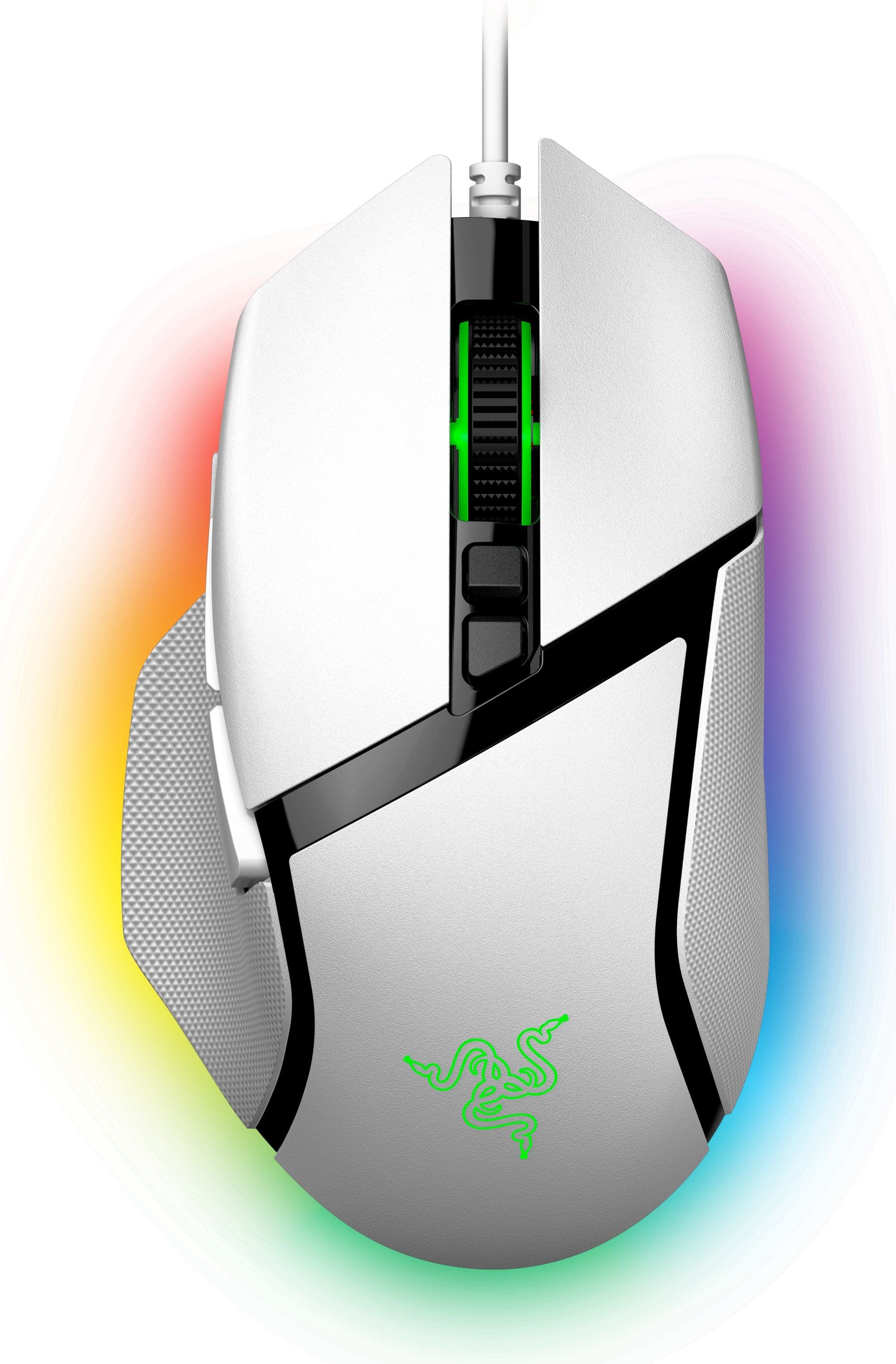
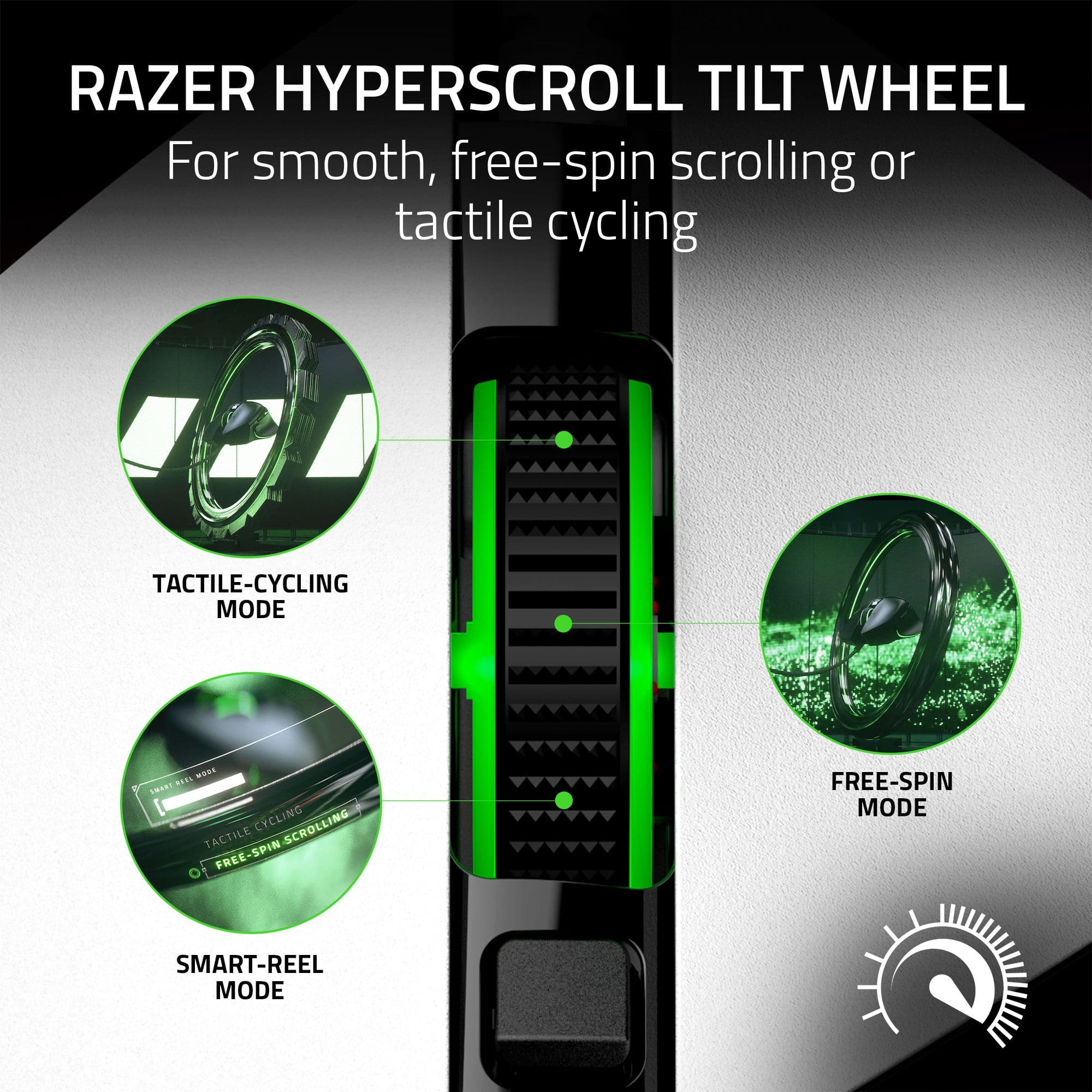
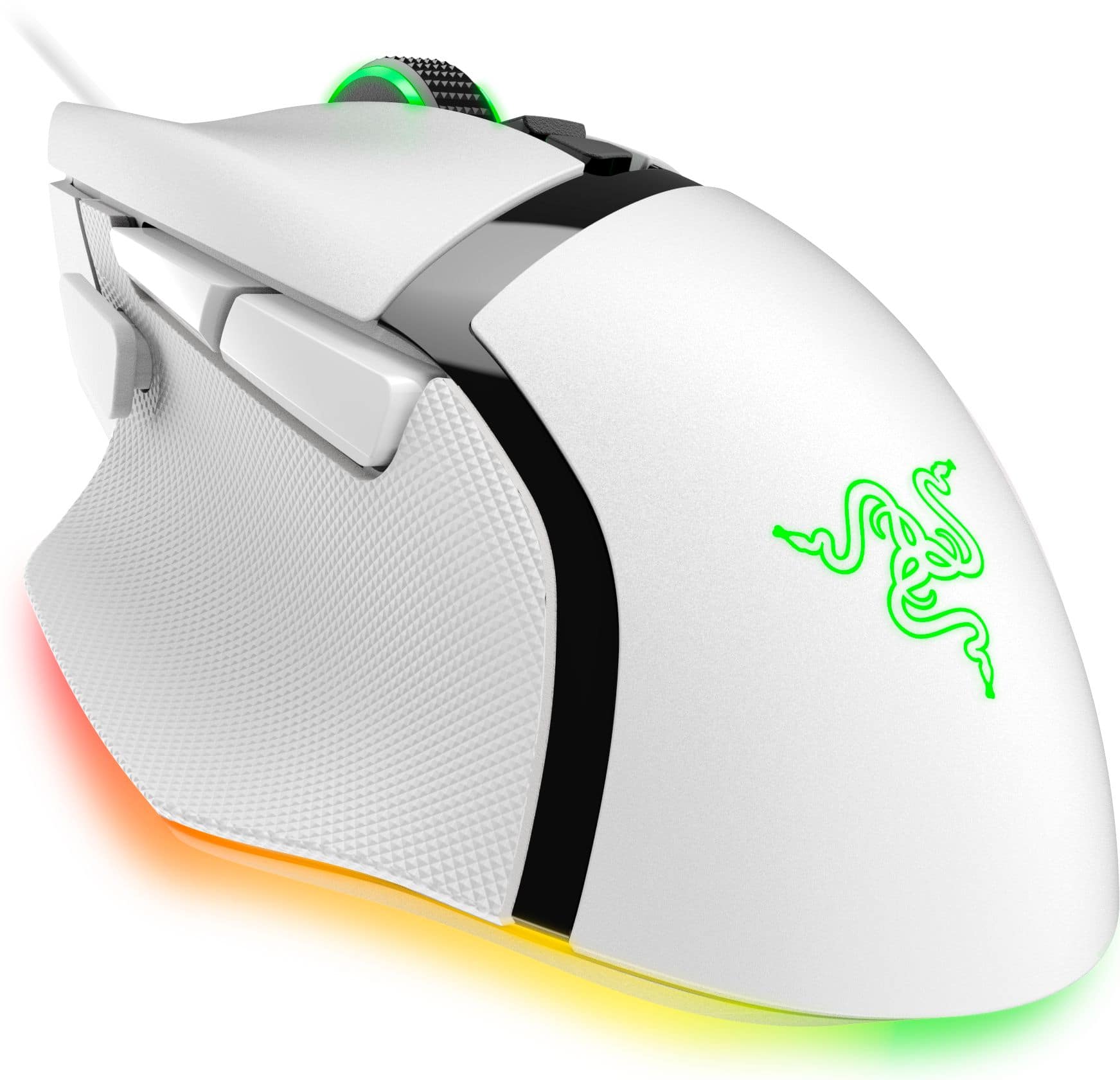
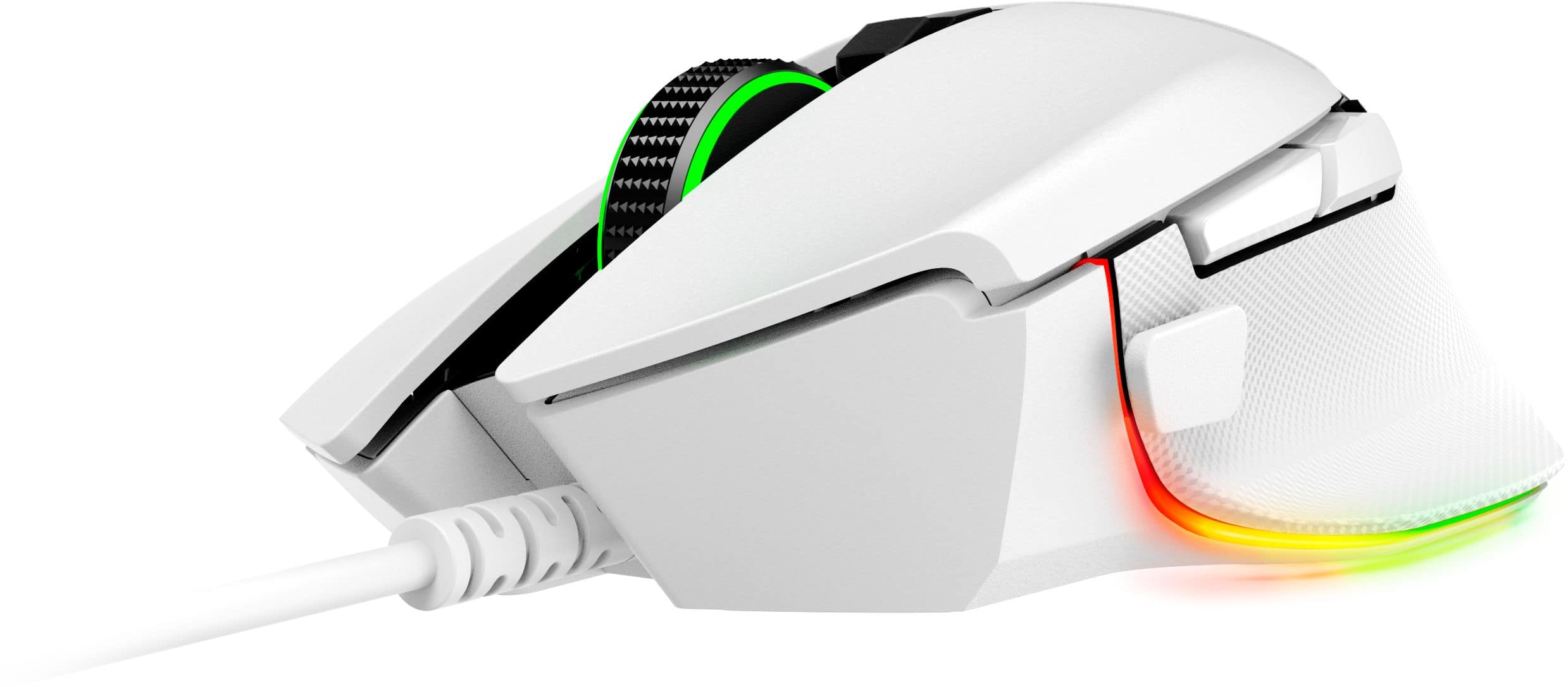
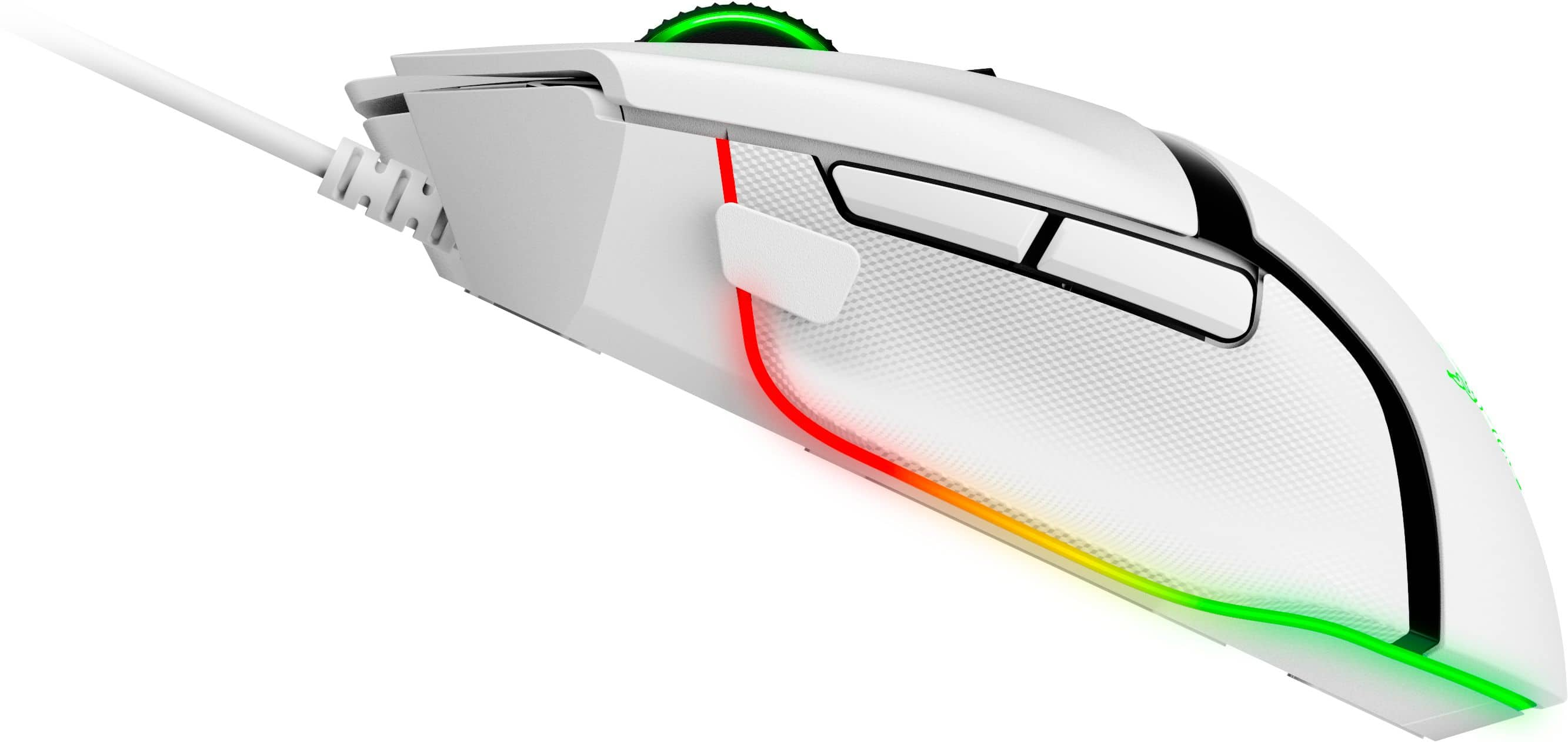
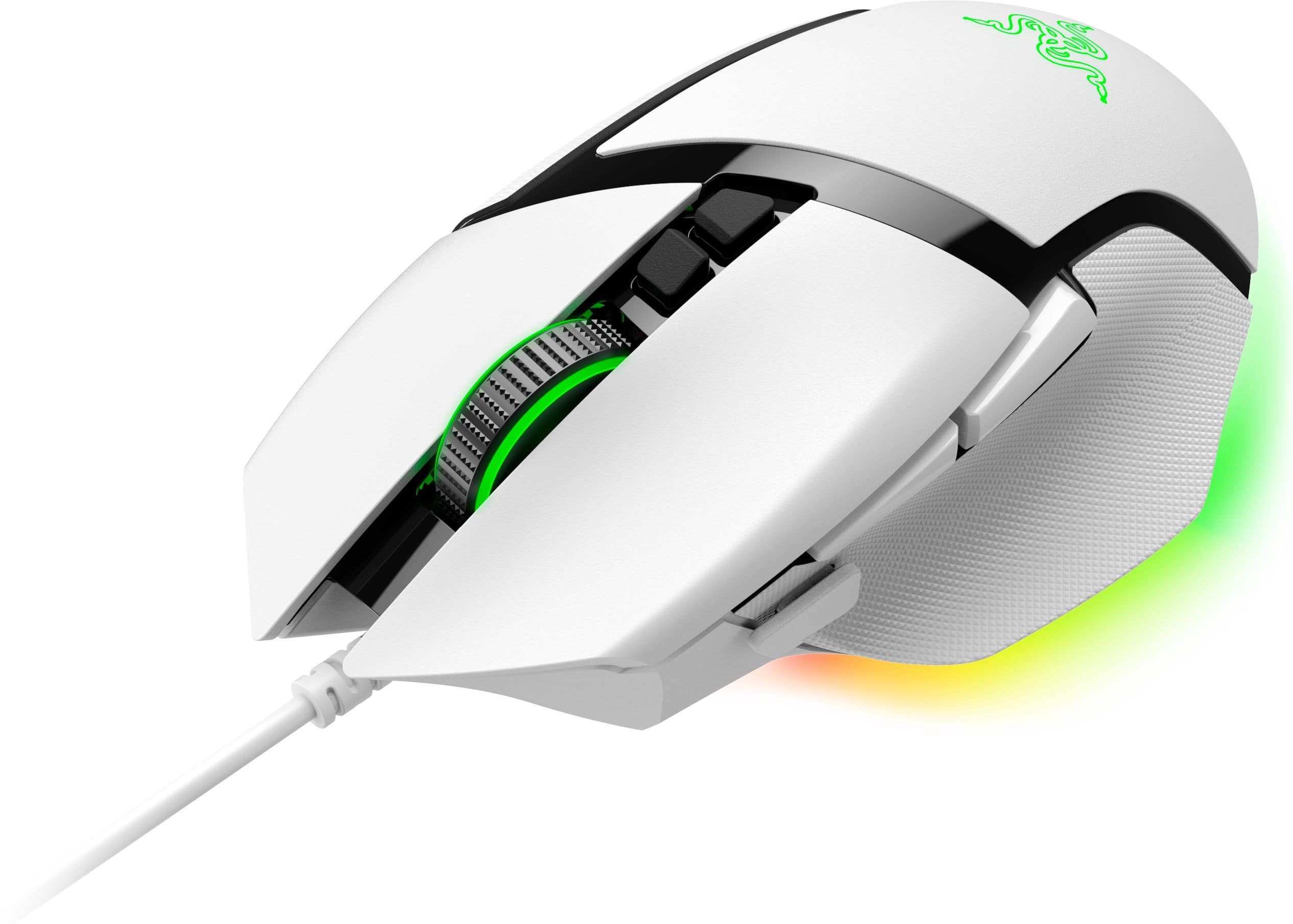
Posted .This reviewer received promo considerations or sweepstakes entry for writing a review.Bought a new gaming rig recently, which has some RGB features, and wanted a complementary set of RGB keyboard & mouse. Got the HyperX Alloy Core RGB keyboard and the Razer Basilisk v3 RGB wired ergonomic mouse. I love them both, and they go nicely together. The Basilisk v3 mouse is a right-handed ergonomic mouse. Not sure if they make a left-handed version. It comes with several Razer logo and brand stickers that looks pretty nice affixed to my desktop. It has several function buttons / programmable buttons. It has an RGB scroll-wheel, as well as RGB along the underside, and under the Razer logo. One of the buttons on top of the mouse, below the scroll-wheel switches between wheel modes: "tactile feedback" [which 'clicks'] and "free-scrolling" [where the wheel is free to spin, without clicks]. You can switch back and forth, or just leave it whichever way you prefer. Personally, I like the feel of the tactile feedback. But the free-scrolling is also very smooth feeling and fast/responsive. To set the RGB on the mouse, you need the Razer Synapse software. It hs a number of different easy or advanced RGB modes. "Breathing" is a nice smooth pulsing mode. Though, it goes all the way down to 'off' rather than just stopping at a low lighting level. For some reason, I fought that slightly off-putting, as I like to be able to see the RGB at all times. I ended up just setting it to a static color, and the keyboard as well. I found the pulsing LEDs a little distracting. Anyway, overall, I like the feeling of the mouse in my hand. The ergonomic feel is pretty nice. I haven't done a tone of gaming on it yet, so not sure yet on how the button placement is. But there are two buttons placed right above where the thumb rests on the left side of the mouse, so I assume they'd be pretty convenient for pre-set key-binds, etc. There's one additional button just in front of the thumb that's easily reachable. It feels like it might be *too* easy to reach, and maybe could be accidentally clicked on repeatedly, if not careful. But, presumably one would get used to the mouse and maybe position one's thumb slightly further back by default to compensate? Anyway, overall, I love this mouse. :) Had I know the scroll wheel on the Razer Cobra is RGB, I might have bought that one instead and saved myself a few $$, as this one is a little more expensive. But, the advertising imges didn't show the RGB on the Cobra, so I ended up continuing to look for something that suited my aesthetic / functional tastes and settled on the Basilisk v3, and I'm quite happy with it. ^_^ You will be too, presumably. It's a good mouse! Slightly expensive, but probably worth it. One slight thing to note, since the Razer Synapse software is required to run the RGB, it has the quirky behavior of "losing" your RGB setting while the computer is "asleep" or "locked," so it'll revert to its default rainbow color-changing mode while the machine is locked, and then go back to your chosen RGB color profile when you unlock / log-in, assuming the Razer Synapse software is running. Also, if you close the Razer Synapse tray icon it will also revert to the default rainbow color-cycling mode. When you reopen Synapse, it will resume your color profile(s).
I would recommend this to a friend - Pros mentioned:Weight
Accurate and Excellently Weighted
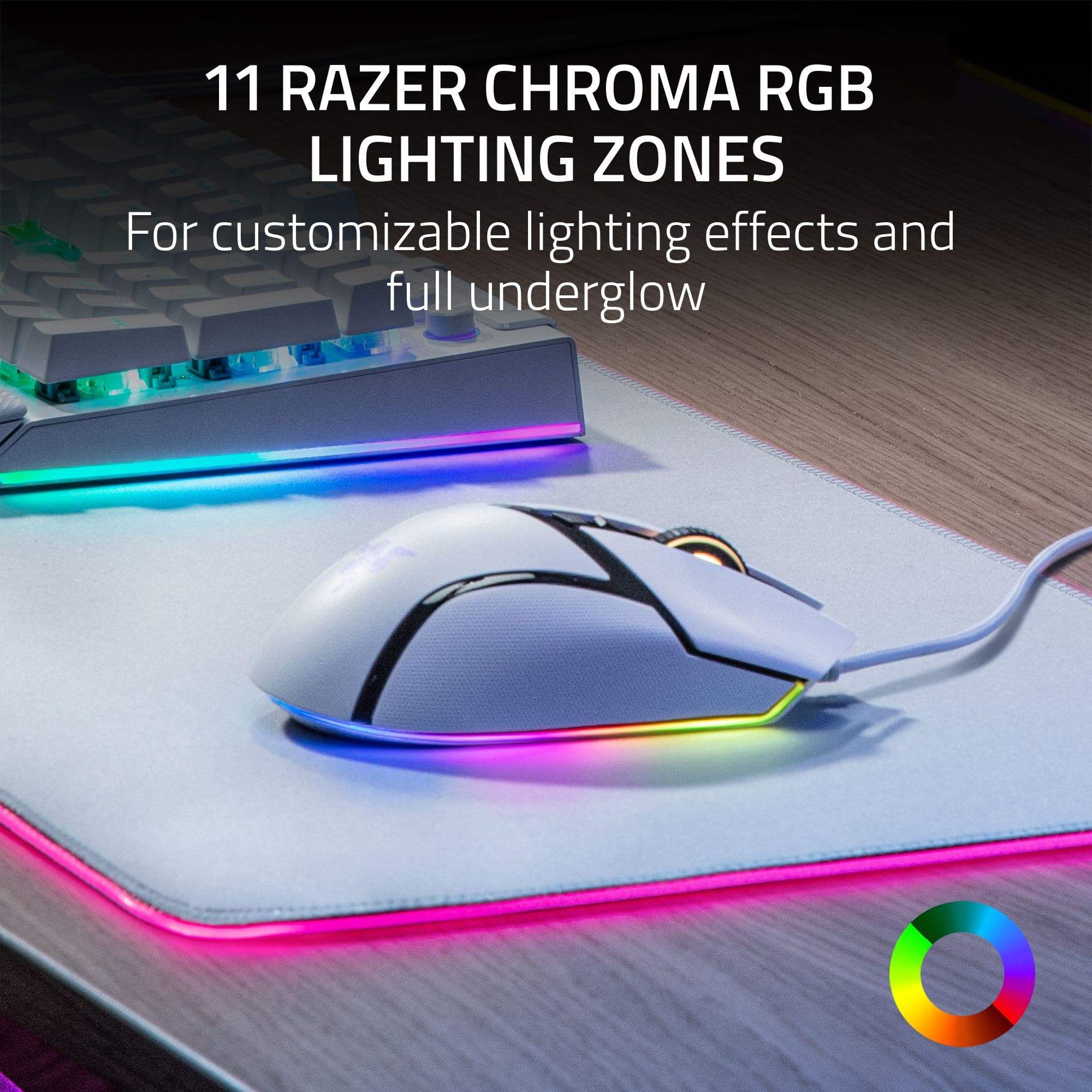
|Posted .This reviewer received promo considerations or sweepstakes entry for writing a review.KEY FEATURES Fully Customizable 26000 dpi Resolution Up to 1000Hz Polling INITIAL SET-UP AND CONFIGURATION My opinions of the Razer Synapse software stated in my review of the Huntsman keyboard carryover to the Basilisk mouse. I won't rehash all the details, but I do not like the Synapse software. Like the keyboard, the freshly downloaded Synapse software would not recognize the Basilisk mouse without first downloading a 100+MB software update. Additionally, Windows 10 did not recognize the device after plugging it in either. So initial set-up is definitely WAY MORE cumbersome than most any other mouse on the market. USE AND PERFORMANCE The mouse is great! It is weighted perfectly and glides smoothly and precisely. The mouse has a premium texture and feel about it. The left and right buttons have the same odd texture that the new Huntsman keyboard has. Like the keyboard, it feels odd at first, but after a couple of minutes, you wonder why other mice don't have the same texture. The Synapse software allows for full customization of the mouse. Buttons, Macros, sensitivity, scrolling, precision, it is all there and fully adjustable to your liking. Similar to Razer's other products, the lighting is bright and vibrant. The colors are rich and true, unlike some other manufacturers' products that tend to look dull and washed out. One unique feature that is a gimmick, but I find thoroughly enjoyable is the LED strip a the bottom of the mouse. It is recessed just enough that it makes the mouse appear like it is levitating on the mousepad. Cool! FINAL THOUGHTS It's hard to write a huge amount about a mouse. But final thoughts are that I seriously doubt anyone would be disappointed. It is a precise and well-made piece of hardware that manages to satisfy what gamers' want as well as what business and casual users need. If you are already invested in the Razer infrastructure and in need of a new mouse, this should be a no-brainer. If you are not already invested, but need a mouse and have been curious about Razer's qualities, you won't be disappointed and may very well win you over to their universe. Like my review of other Razer products, this is a 5 star mouse hampered by 3 star software. I don't see how this mouse wouldn't serve any buyer well.
I would recommend this to a friend - Pros mentioned:Comfort, Rgb lighting
Comfortable!
Posted .This reviewer received promo considerations or sweepstakes entry for writing a review.This is by far thee most comfortable, contouring to your hand, mouse I have ever placed my hand on. Let alone, having the chance to use it everyday! I absolutely love the RGB flowing of colors, that I am able to sync up to all my other Razer products. Also, all the buttons that you can control or do different things with. I also don't even notice that it is wired at all. Absolutely amazing product!
I would recommend this to a friend - Pros mentioned:Overall performance, Rgb lighting
Fantastic mouse for a fantastic price
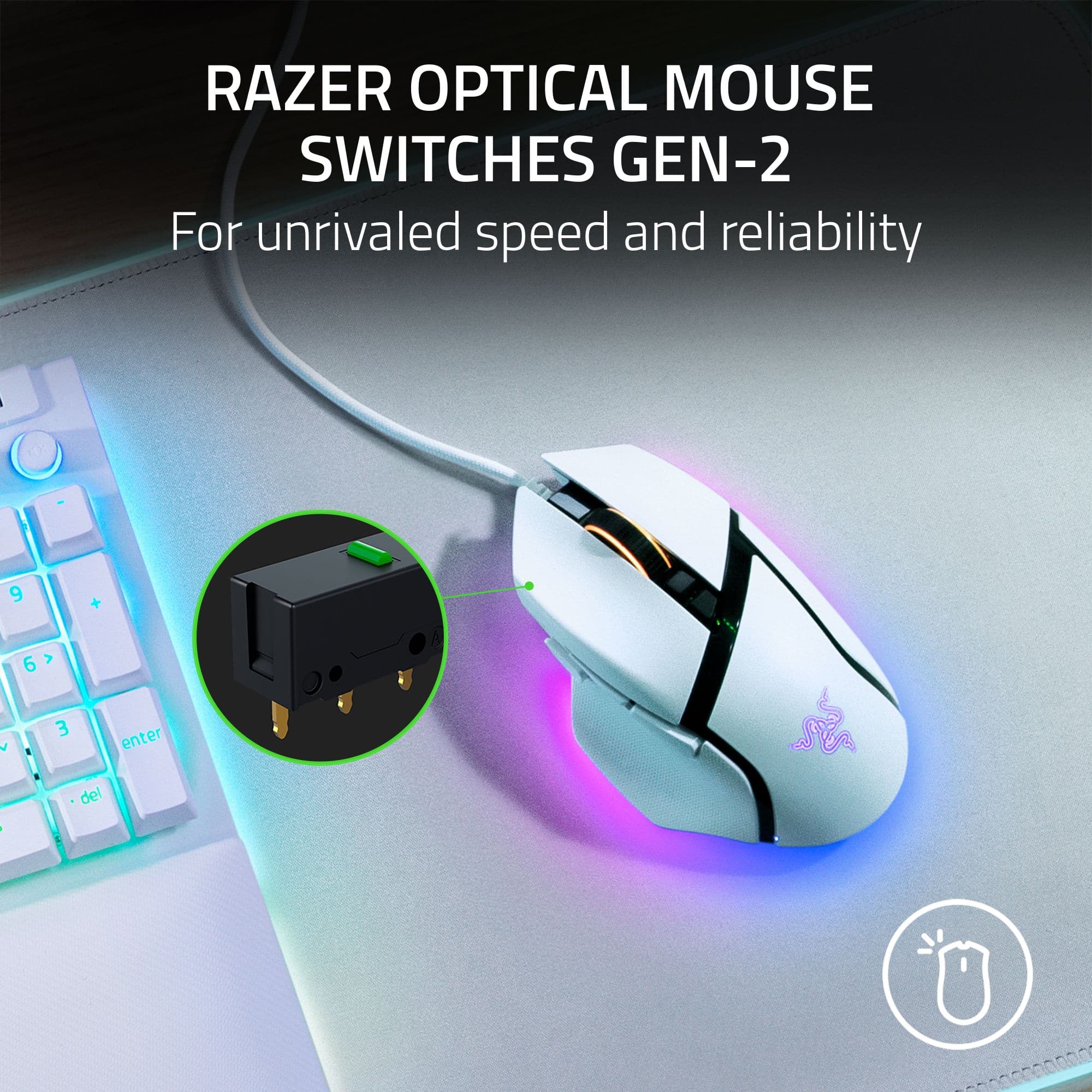
Posted .This reviewer received promo considerations or sweepstakes entry for writing a review.Great mouse! It is well priced and well designed. I love the RGB lighting. Synapse can customize the RGB lighting, DPI, surface calibration, and button mapping. The new scroll wheel is god tier. It's awesome and extremely satisfying. Razer totally nailed it! Pros: - lots of beautiful RGB lighting - well placed thumb buttons - free-spin scroll wheel works great - super comfortable in the hand - very flexible wire - the optical switches feel great and have a nice click noise Cons: - the "sniper" DPI button is a bit too mushy, I would have liked it to be more firm and clicky, a bit too much force to press it in my opinion - the scroll wheel is a little bit louder than my previous mouse, but it's not too bad after getting used to it - a little over 100g is a bit heavy, but it feels very familiar coming from my previous mouse - the two buttons below the scroll wheel (scroll wheel lock/unlock and DPI adjustment) can be a bit awkward to press sometimes - not fingertip grip friendly, palm grip is best. claw grip will be fine. small hands will feel awkward, medium and large hands will feel comfortable Overall, a very solid mouse and I'm loving it so far. I highly recommend trying it out!
I would recommend this to a friend - Pros mentioned:Weight
Responsive and light
|Posted .This reviewer received promo considerations or sweepstakes entry for writing a review.Pros Relatively light Cord isn’t even noticeable 5 profiles can be stored onboard Notched and free spin wheel Cons No glide pad on the right side of mouse Design At first glance, you would be forgiven if you thought the Basilisk V3 was a V2. Externally the changes are subtle. The trigger button is not fixed in place, not removable, and is shorter. A light now surrounds the base which causes the base to glow. Underneath, the control to switch from notched scrolling to free spin is gone and has been replaced with a software control of the mode. Also, underneath is a profile switch button as it can now store up to 5 profiles directly into onboard storage. Setup and Performance While not the lightest mouse available, the Basilisk feels light and comfortable in the hand. It is very flickable and switch activation is fast without being so touchy as to allow accidental activation. The Speedflex cable seems unnoticeable and thankfully doesn’t seem to snag on anything. It feel as though it were a wireless mouse. Quick movements are precise with no perceptible lag over overshoot. At first glance, the most noticeable change over the previous generation is the lighting. However, the most significant change is the scroll wheel. You can change from natural scrolling to notched scrolling using a button on the top, but the control is electronic. This means you can also control it through software and via game profiles. You can also a setting where you have the wheel change modes based on speed. Go slow and it is in notched mode but speed up enough and it becomes free spinning. It seems like a nice idea but the transition between modes is abrupt and somewhat odd as you hear it click and feel it change feel during operation. This possibly is a feature that you can get accustomed to, but for now it’s interesting but odd. Most people would likely choose to set it in the preferred mode manually or use the profile switch option as it is more seamless. Where is really comes in handy is in profiles. Do you like the wheel to scroll freely outside of games but need finer control in game? Just set your game profile for notched movement of the wheel. When you fire up the game it will automatically switch modes on the wheel. Once you exit, it switches back to free spinning all on its own. The buttons feel consistent and activate almost exactly at the same moment you hear and feel the click, possibly just slightly before. The pressure required is well weighted, not overly sensitive nor too hard. If there was any criticism of the design, it would be the glide pads. While having a large left pad and only a tiny pad around the sensor for the right works, it seems likely that down the wrong this could cause issues. With Razer Synapse you can map and change the function of each button and the scroll wheel. You can also create profiles that automatically switch between games. A nice additional is onboard profile storage. If you want to take your mouse with you, you can also store up to 5 profiles directly into the onboard storage on the mouse. You can switch between them using a profile switch on the bottom. This way you don’t have to have Synapse installed in every place you use the Basilisk. Just make to upload the profiles you need before you go. Final Thoughts It’s hard top find fault with the Razer Basilisk V3. It’s smooth, responsive, and feels comfortable. If you are in the market for a gaming mouse and are open to the idea of a wired one, its worth giving the Basilisk V3 a try. You might find yourself happy surprised you chose a wired.
I would recommend this to a friend - Pros mentioned:Comfort, Weight
Great hardware
||Posted . Owned for 1 month when reviewed.This reviewer received promo considerations or sweepstakes entry for writing a review.I love the feel of this mouse. Nice weight, and feels comfortable in my hand (I use palm grip instead of claw grip). The one thing I don't like is being required to create an account to use the software for the mouse.
I would recommend this to a friend - Pros mentioned:Comfort, Rgb lighting, Weight
Great mouse for budget gaming
||Posted . Owned for 1 month when reviewed.This reviewer received promo considerations or sweepstakes entry for writing a review.It is very light and responsive i have used it for Minecraft, Call of duty, as well as valorant! I think it has great rgb lighting. i do like the feeling of this mouse very comfortable as well as the other settings you can use. Overall great gaming mouse for the price range!
I would recommend this to a friend - Pros mentioned:Rgb lighting
Must have!!!!
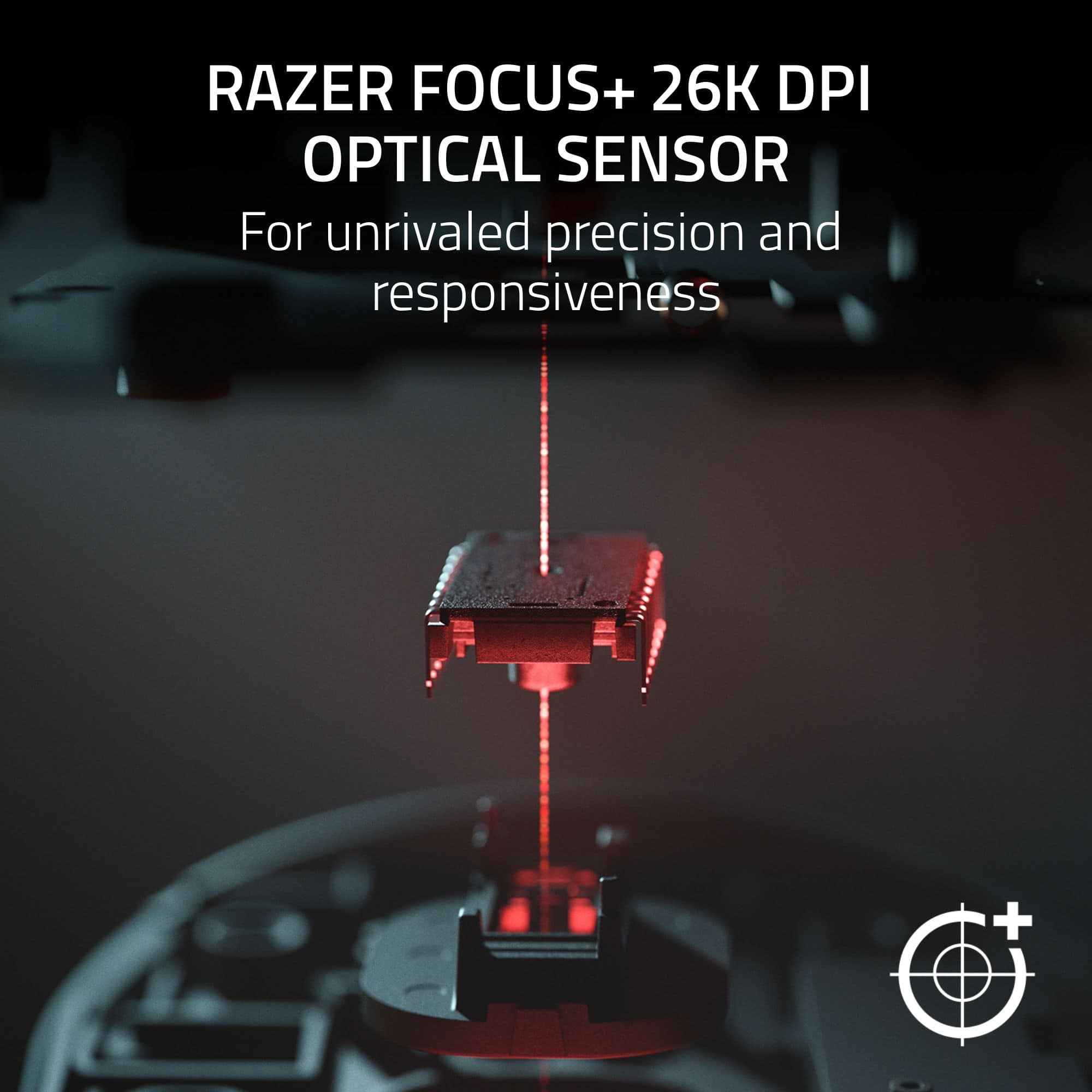
||Posted . Owned for 1 month when reviewed.This reviewer received promo considerations or sweepstakes entry for writing a review.My Take: Why the Razer Basilisk V3 is a Total Win If you're looking for a great wired mouse, the Razer Basilisk V3 is easily one of the best out there. It’s a huge rival to the famous Logitech G502, and honestly, it’s just a blast to use whether you're gaming or just getting through a workday. 1. The Quick Specs Sensor: Super precise Razer Focus+ (26K or 35K DPI depending on the model). Switches: Optical buttons that feel snappy and last a long time. Weight: Around 101g—it has a bit of "heft" to it! Buttons: 11 buttons you can set up however you like. * Lighting: Awesome RGB lights that actually glow onto your desk. Cable: A soft, braided cord that doesn't get in the way. 2. The Best Part: That Scroll Wheel! The coolest thing about this mouse is the HyperScroll Tilt Wheel. It’s not just a normal wheel; it has three ways to work: Tactile Mode: Great for when you want that classic "clicky" feel. Free-Spin: Perfect for flying through long websites or spreadsheets! * Smart-Reel: This is the best part! It switches from clicky to smooth automatically if you give it a fast flick. 3. Comfort and Style This mouse is built for righties and feels great in your hand. It has a nice thumb rest and rubber grips that make long sessions much easier. The matte finish doesn't show fingerprints, and those optical buttons mean you won't have to worry about annoying "double-click" glitches. Plus, the light-up ring around the bottom looks fantastic! 4. How It Actually Feels Gaming & Work: The sensor is spot on! There’s a "Sniper Button" on the side that’s perfect for slowing things down when you need to aim carefully. But it’s also a productivity beast because you can program all those buttons for your favorite shortcuts. The App: You’ll use Razer Synapse to change your lights and buttons. Just keep in mind the app needs to be open for your more advanced settings to work.
I would recommend this to a friend Very Sharp
Posted .This reviewer received promo considerations or sweepstakes entry for writing a review.The lights are great on top of that, super sharp mouse/cursor reaction. I love the feeling while scrolling. Lots of other addition this mouse brings. I love this mouse.
I would recommend this to a friend- Pros mentioned:Rgb lighting
Battlefield all version played Werewolf1952
||Posted . Owned for 1 month when reviewed.This reviewer received promo considerations or sweepstakes entry for writing a review.The Razer Basilisk V3 Optical Gaming Mouse has exceeded my expectations in every way. It feels solid and comfortable right out of the box, with an ergonomic design that keeps my hand feeling great even after long gaming or work sessions. One thing that really stood out to me is how well it works on a tempered glass mouse pad. Tracking is incredibly smooth and accurate — no jitter, no lag, just consistent performance that makes every movement feel natural and responsive. The Chroma RGB lighting adds a sleek, customizable look without being distracting, and the programmable buttons are intuitive and genuinely useful. For the performance you get, I also appreciate how affordable this mouse is compared to other high-end gaming mice on the market. It doesn’t feel like a budget model at all — it feels like a premium mouse at a great price. Overall, this mouse delivers excellent precision, comfort, customization, and great value for the money. If you want a high-quality wired gaming mouse that performs flawlessly — especially on tempered glass — at a very reasonable price, this is a top choice. Highly recommended!
I would recommend this to a friend Basilisk v3 35k
||Posted . Owned for 1 month when reviewed.This reviewer received promo considerations or sweepstakes entry for writing a review.This mouse is very responsive and smooth and fast clicks very grip too
I would recommend this to a friend- Pros mentioned:Comfort, Scroll wheelCons mentioned:Size
kinda small but still good
||Posted . Owned for 3 weeks when reviewed.This reviewer received promo considerations or sweepstakes entry for writing a review.very nice mouse, the fast scroll option is kinda cool. thumb rest is VERY comfortable, the only thing i would change about it is the size, kinda small for my hands but still a good mouse.
I would recommend this to a friend - Pros mentioned:Scroll wheel, WeightCons mentioned:Software
Great all around option
||Posted . Owned for 2 weeks when reviewed.This reviewer received promo considerations or sweepstakes entry for writing a review.I've been using this for a couple weeks and so far so good. I was looking for something a little newer compared to my G502 and when I saw that the Basilisk V3 had some similar features I picked it up after returning the new Corsair. The issue with the Corsair was that it didn't have a hyper scroll wheel and it was very application dependent. While I've generally stayed away from Razer because of the ridiculous amount of RGB (I work in an office environment and don't want a light show at my desk), I saw that the Basilisk V3 had some of the features I was looking for. Pros: - The form factor is very similar to my wired G502, I don't like a lightweight, dainty mouse. the V3 fits my hand very well and has a little heft to it. - Functions well out of the box without having to configure it in the Razer app. The issue with the new Corsair was that it was very application heavy and default functions limit the mouse's capability not to mention completely make it useless if the app profile doesn't save. - The new mesh material used for the cord is very light and unrestrictive. One of the complaints I have about the G502 cord was that it was not as flexible so I would cause issues snagging during use. - The adaptive scroll wheel is awesome. I like that it speeds up when I scroll fast. Really cool feature. Cons: - The biggest issue I have with Razer products, is there horrible software. In order to customize the peripherals such as RGB settings, you need to download the software and save it to the profile. The issue I'm running into with the V3, is that the application always has an issue loading and its not saving the profile so I haven't been able to use the customized settings unless I'm using the mouse on my personal desktop. The stock settings aren't bad but I'd like to use my own settings. Overall great mouse and it's got me looking at Razer products again. Reasonably priced so I would definitey recommend it.
I would recommend this to a friend - Pros mentioned:Comfort, Rgb lighting
best mouse everrr
||Posted . Owned for 3 weeks when reviewed.This reviewer received promo considerations or sweepstakes entry for writing a review.i love this mouse so much. the RGB is so clean and super customizable in the software it comes with, and i love being able to match it with whatever vibe i currently have on my setup. the mouse is so comfortable in my hand and the different textures feel nice. it feels high quality and not to light or too heavy. i use my mouse for gaming and also my schoolwork, so the dual scroll mode is so nice as i can use the ratcheted scroll for gaming and the smooth infinite scroll wheel for scrolling through long articles/documents. the same day i opened this out of the box i bought a second one as a gift for someone else because it was just that good. buy this mouse rn!
I would recommend this to a friend - Pros mentioned:Scroll wheel
Precision, Comfort, and Style — The Perfect Gaming
||Posted . Owned for 3 weeks when reviewed.This reviewer received promo considerations or sweepstakes entry for writing a review.The Razer Basilisk V3 Optical Gaming Mouse is a true game-changer for both casual and competitive gamers. The ergonomic design feels incredibly comfortable, even during long gaming sessions, and the textured side grips add excellent control. The optical switches are responsive and precise, making every click feel instantaneous. The customizable Chroma RGB lighting is stunning, adding a sleek and vibrant look to my setup — especially in the crisp white finish. The scroll wheel’s adjustable resistance is a standout feature, letting me fine-tune it for different games and tasks. Overall, this mouse offers top-tier performance, premium build quality, and eye-catching style. It’s well worth the investment for anyone looking to enhance their gaming experience.
I would recommend this to a friend - Pros mentioned:Comfort, Weight
I love this mouse
||Posted . Owned for 1 year when reviewed.This reviewer received promo considerations or sweepstakes entry for writing a review.I keep buying this same mouse whenever mine breaks, if that says anything about it. I have small hands and this is the perfect size and comfort for my grip and not too heavy or too light. Also pretty decently priced.
I would recommend this to a friend - Pros mentioned:Comfort
Good for any size hand
||Posted .This reviewer received promo considerations or sweepstakes entry for writing a review.I bought this to play my favorite game The Sims, I use this remote to customize my movements when playing the game this mouse was easy to customize and if you do have a razor computer it works better together to customize. I have small hands and this mouse was still comfortable enough for me to play all night without any hand cramps. Really please with this mouse and would recommend for this mouse for any size hand.
I would recommend this to a friend The best and most versitile gaming mouse!
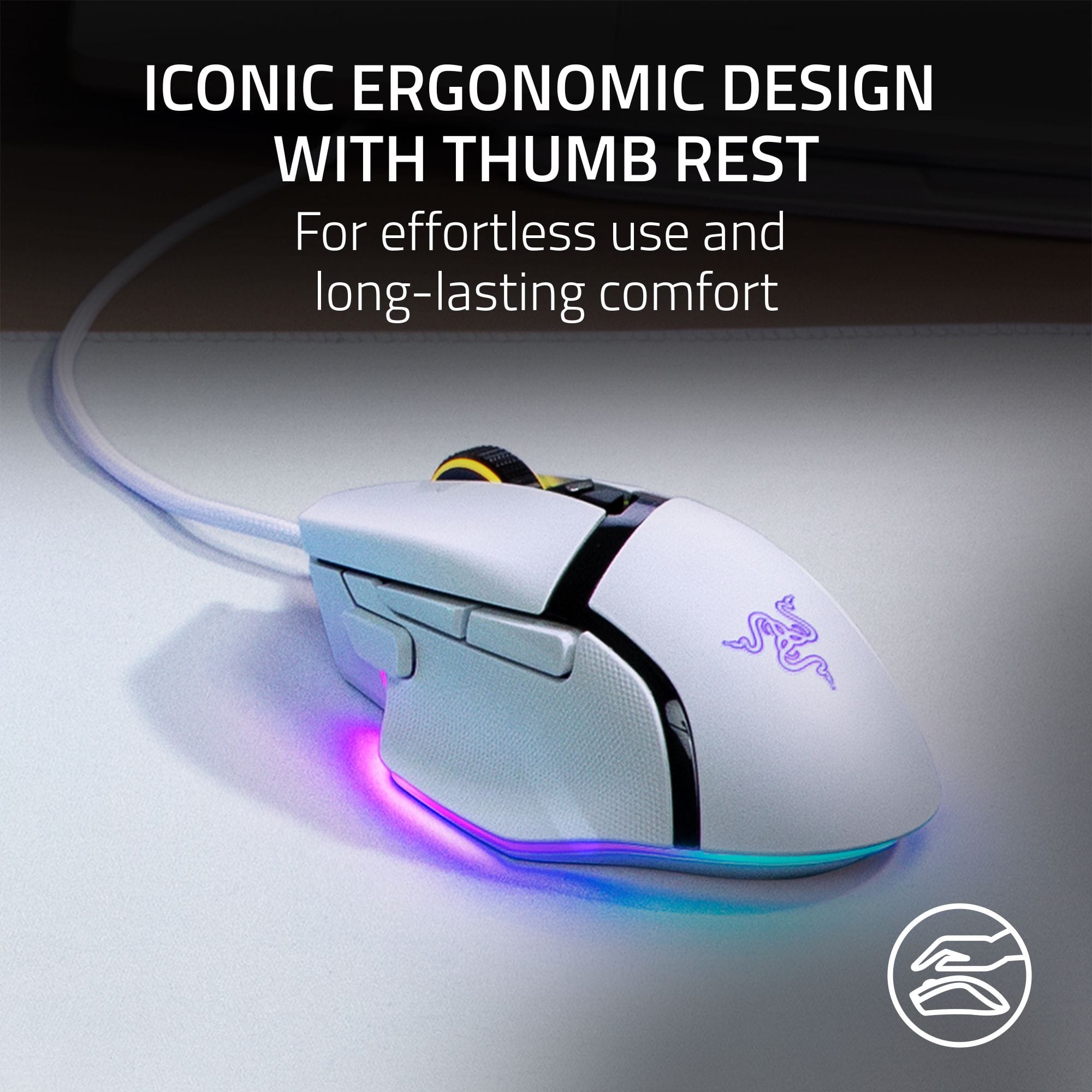
||Posted . Owned for 1 month when reviewed.This reviewer received promo considerations or sweepstakes entry for writing a review.Likes: Scrolling switches from free-spin to tactical. The side mount buttons are easily reached compared to most mice where you have to stretch and lose your aim to click it. You cwn add macros to your mouse. Theres a button on too of the mouse where you cen chsnge the DPI speed settings by just one click instsntly. You can chamge the RGB slrip sround the bottom perimeter of the mousr as well as the colors ofnthe icons. I have small hands but it fits perfectly and has a perfectly designed thumb rest. The switches are serviceable snd interchangeable with over 90,000 clicks. This mouse will last a lifetime. I have one for eaxh gaming rig including all my computers at work.
I would recommend this to a friend