Customer Ratings & Reviews


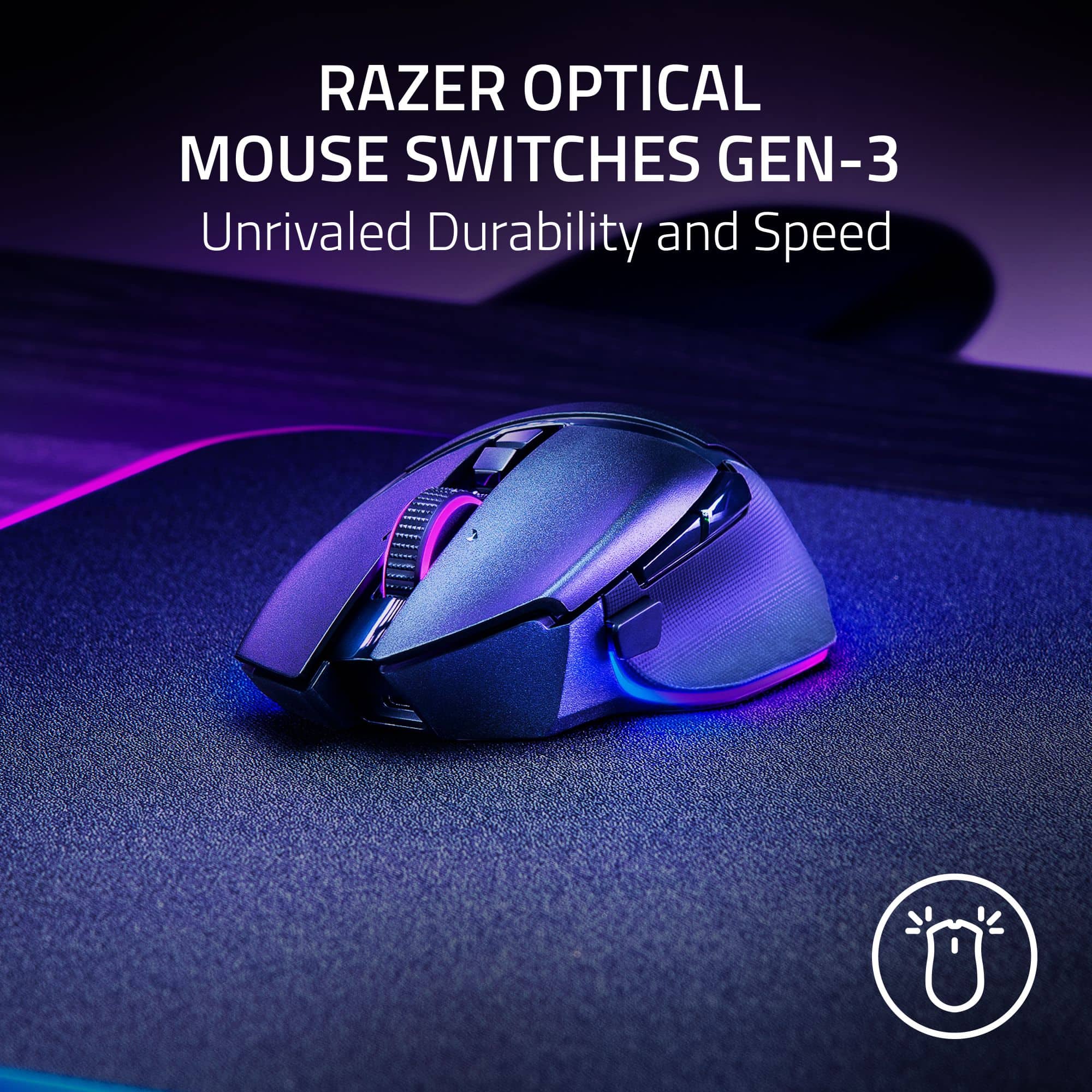
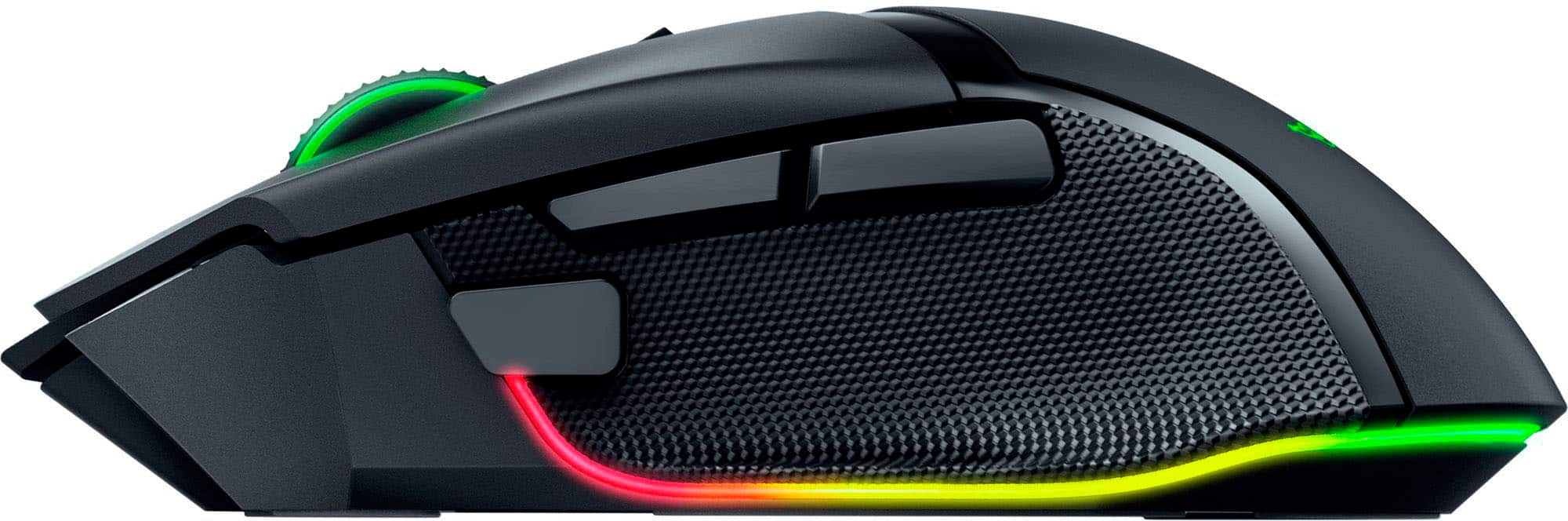
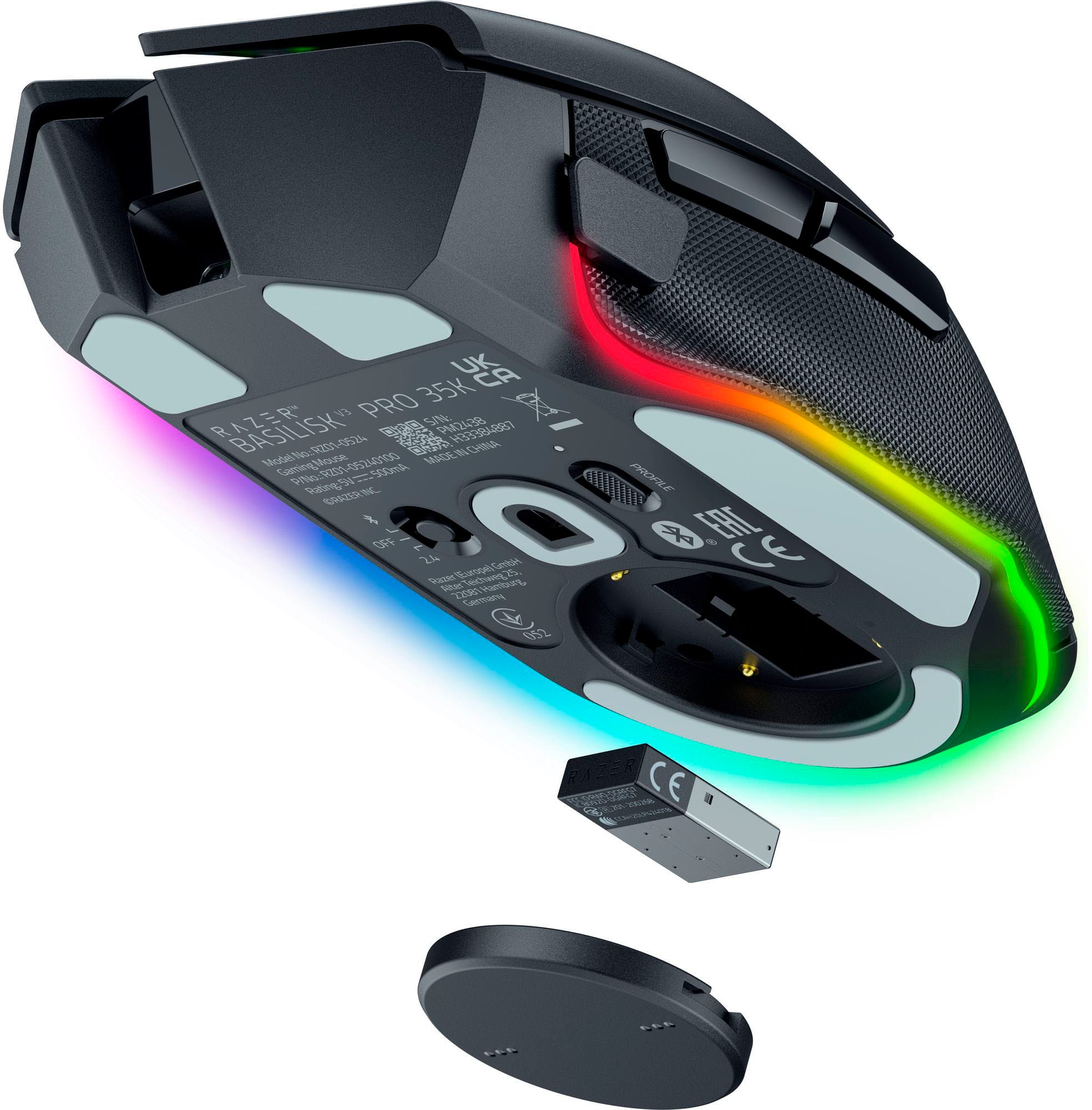
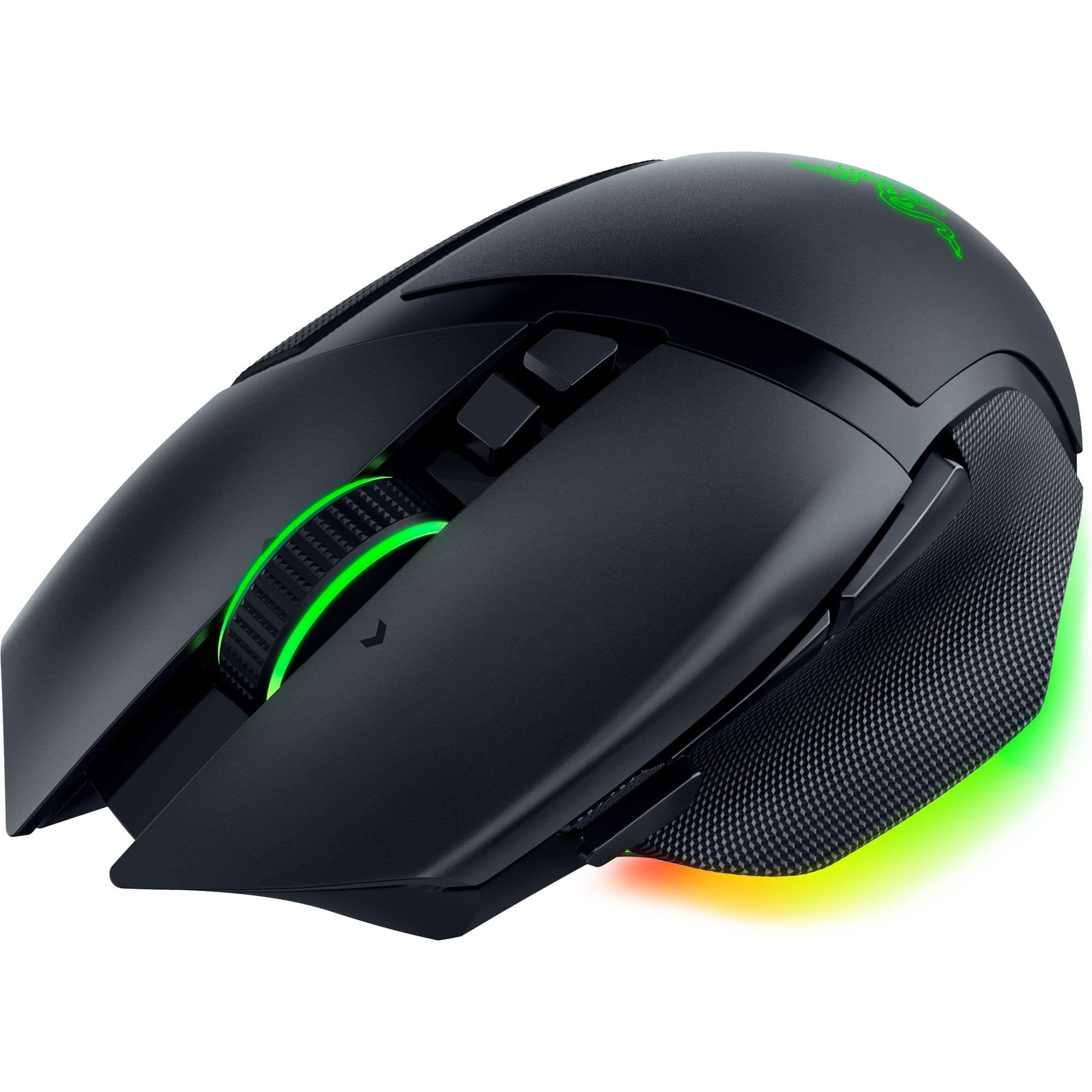
- Model:
- RZ01-05240100-R3U1
- SKU:
- 6589883
Rating by feature
- Value
Rating 4.4 out of 5 stars
- Quality
Rating 4.8 out of 5 stars
- Ease of Use
Rating 4.8 out of 5 stars
Customers are saying
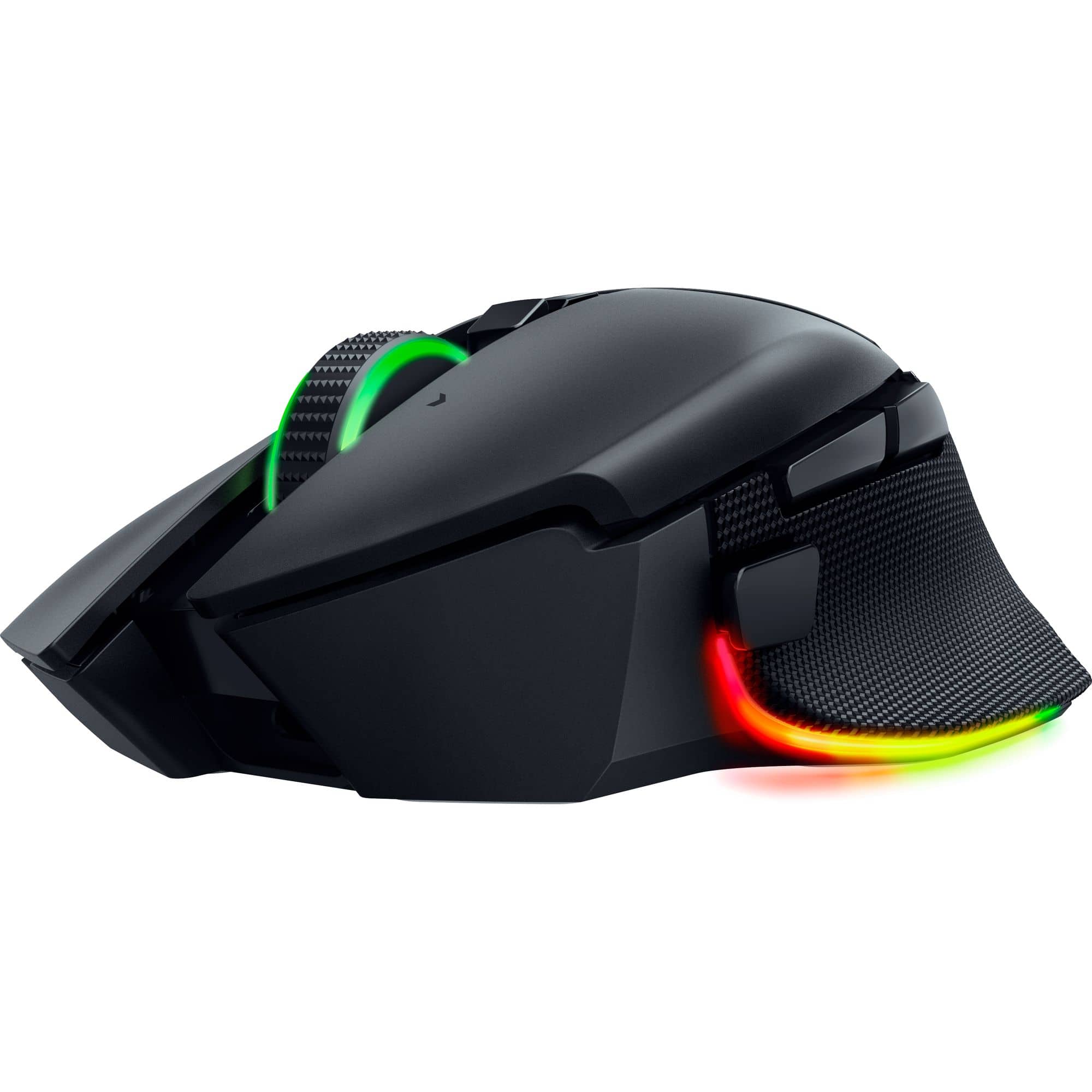
Customers value the product's amazing overall performance, noticeably better battery life, and excellent ergonomics. They also appreciate features such as the new scroll wheel, gorgeous RGB lighting, versatile wired or wireless connectivity, and comfortable weight, alongside its customization options. A few customers, however, found the size to be too large for their hands and noted a decrease in sensitivity when a specific function was activated.
This summary was generated by AI based on customer reviews.
- Pros mentioned:Battery life, Ergonomics

Best Ergonomic Gaming Mouse. Period.
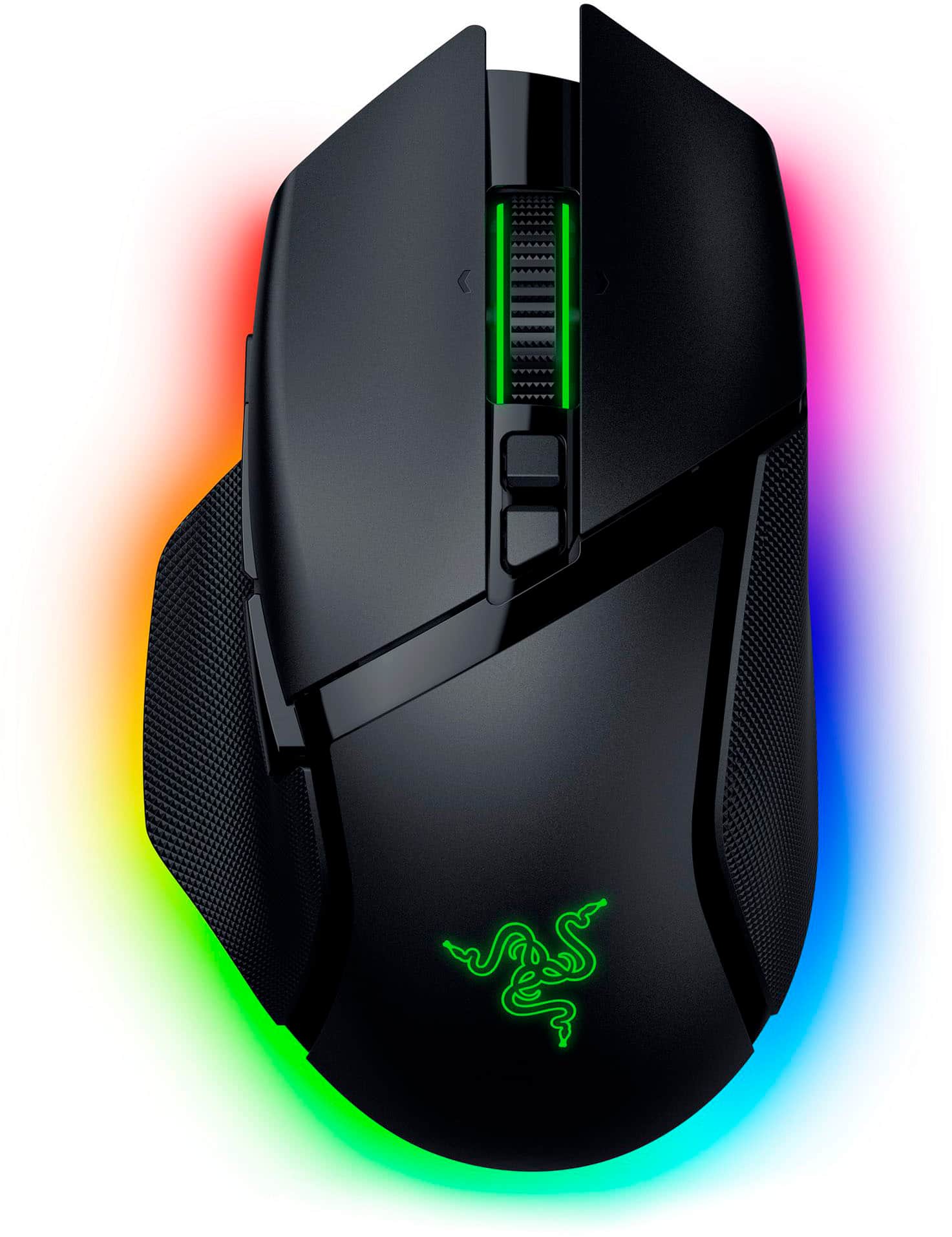
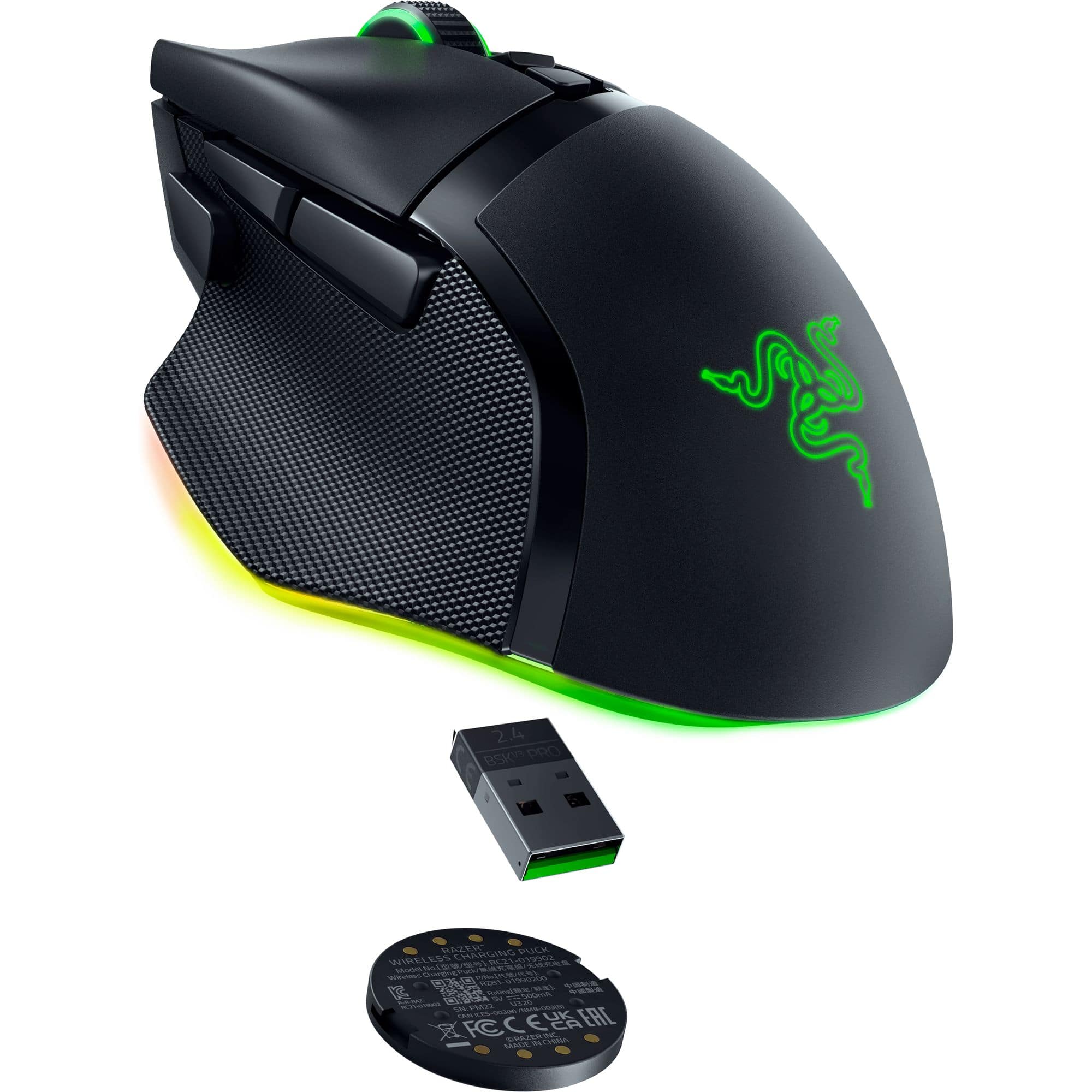
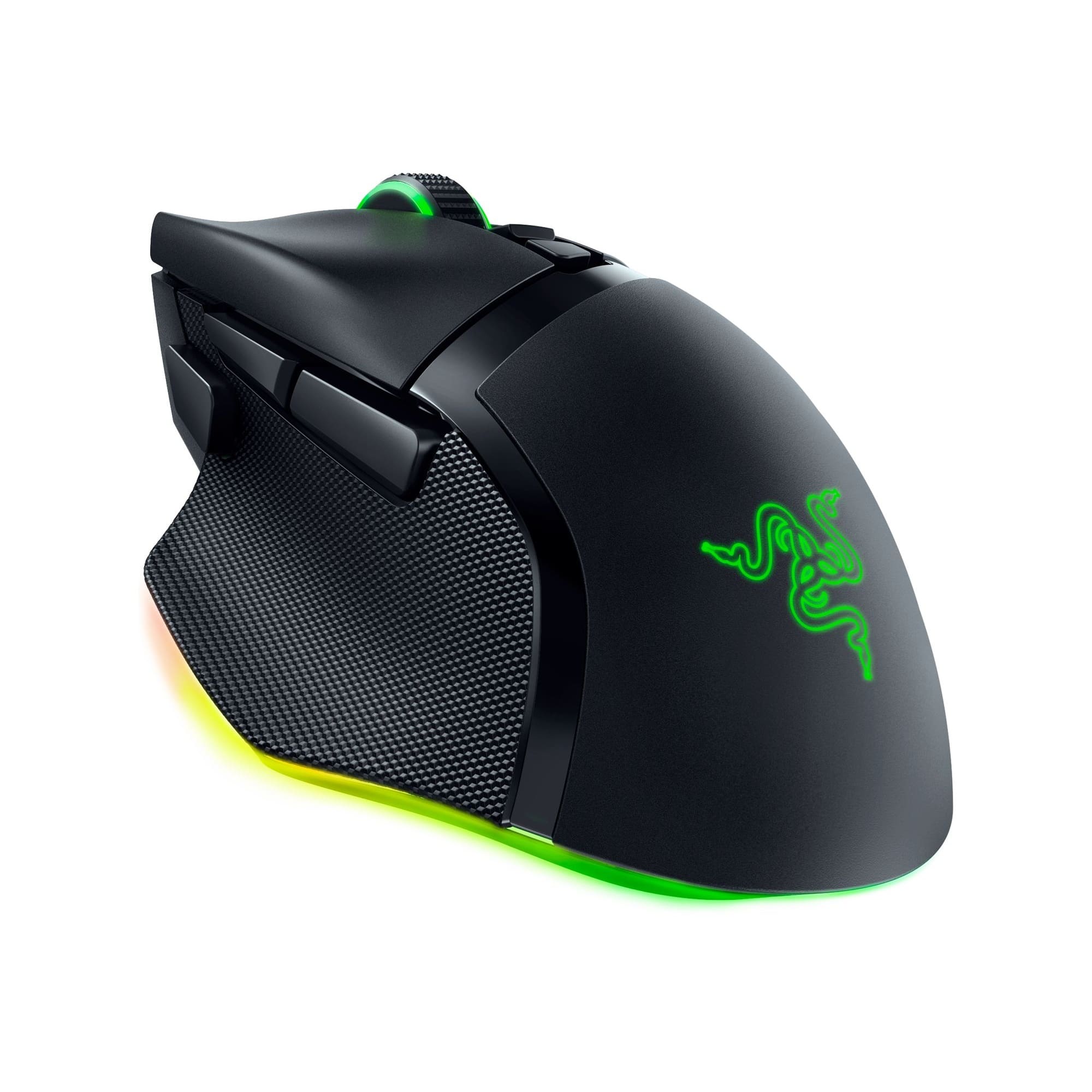
|Posted .This reviewer received promo considerations or sweepstakes entry for writing a review.My old Razer Basilisk Ultimate mouse has served me well for the past 4 years, but it was starting to show its age with the right button starting to stick. So, it was time to replace it. As much as I’m open to trying other brands, I keep going back to Razer because I really like the way their mouse work and feel. That’s why I picked out the Basilisk V3 Pro, as an upgraded version of my old mouse, which will hopefully last me for the next 4 years. Pros: - Ergonomic style feels great in hand. - Crazy high mouse sensitivity, DPI up to 35K. - Customization. - Works with Bluetooth, Wireless, or Wired. Cons: - No charging dock included. - Basically, the same as prior models. Setup: Easy setup, just had to plug in and the Razer Synapse detected the mouse. I already had the software installed for the previous mouse and my keyboard. No updates were needed. The connectivity options available on the Basilisk V3 Pro are about the same as prior models, Bluetooth, Wireless, or Wired. I’ll mainly use it in the wireless mode but will switch to wired when charging. I’m a bit disappointed that Razer did not include a Charging Dock with the Basilisk V3 Pro. There is a Mouse Dock Pro that can be bought separately, it replaces the puck on the bottom of the mouse to enable wireless charging. Software: Razer has a lot of software paired with its hardware, but I only use the Razer Central to install Synapse for the settings and light customization. There are a ton of customizable settings from Scroll Wheel Tactile or Free-Spinning, Smart-Reel, 5 Stages of DPI (Mouse Sensitivity), and Polling Rate to name a few of the main settings. Then there’s the RBG customization, too whatever color your heart desires. Razer RBG is at least tasteful enough to make the mouse noticeable but not over the top with too many lights. Mouse Sensitivity: One of the first changes I always make on my mouse is to customize the DPI (mouse sensitivity), I’ve always used crazy high setting compared to what is default. I always find it a bit amusing to see people use my mouse for the first time and realize the sensitivity. I usually set it between 11K-16K, so that my cursor can go from one corner of the monitor to the other without moving my wrist. This might seem extreme, but for someone who uses PC’s for at least 12hrs a day, often more, you want to reduce strain on your hands as much as possible. With the ability to switch DPI on the fly, you can always just drop it down at any time. Using: The Basilisk model has always been one of the best Ergonomic Gaming mice designs, it just fits the hand and feels good to use. The buttons are all in the right place, where the hand would naturally sit. It is one of my favorites, hence just getting the same mouse but just a newer version. The high DPI works perfectly for my use and being the same model means I don’t have to get used to a new mouse. With the Wired or Wireless dongle, there’s little to no latency between your mouse movements and the cursor. It is a smooth flow across the screen to the perfect shot or click or move. Conclusion: The Basilisk V3 Pro 35K is basically the same mouse as the old Basilisk Ultimate, except for the higher 35K DPI and a slightly bigger battery. Honestly, I live by the mantra “If it ain’t broke, don’t fix it”. So, I don’t think it’s worth upgrading if your mouse is perfectly fine. But if your current mouse is giving you problems or you’re looking for the best mouse out there, then I’d suggest the Razer Basilisk V3 Pro 35K without hesitation. I’ve only had the best experience with it and continue to choose it over other mice I have.
I would recommend this to a friend - Pros mentioned:Ergonomics, Rgb lighting, Scroll wheel
Great Hardware... Software Almost There
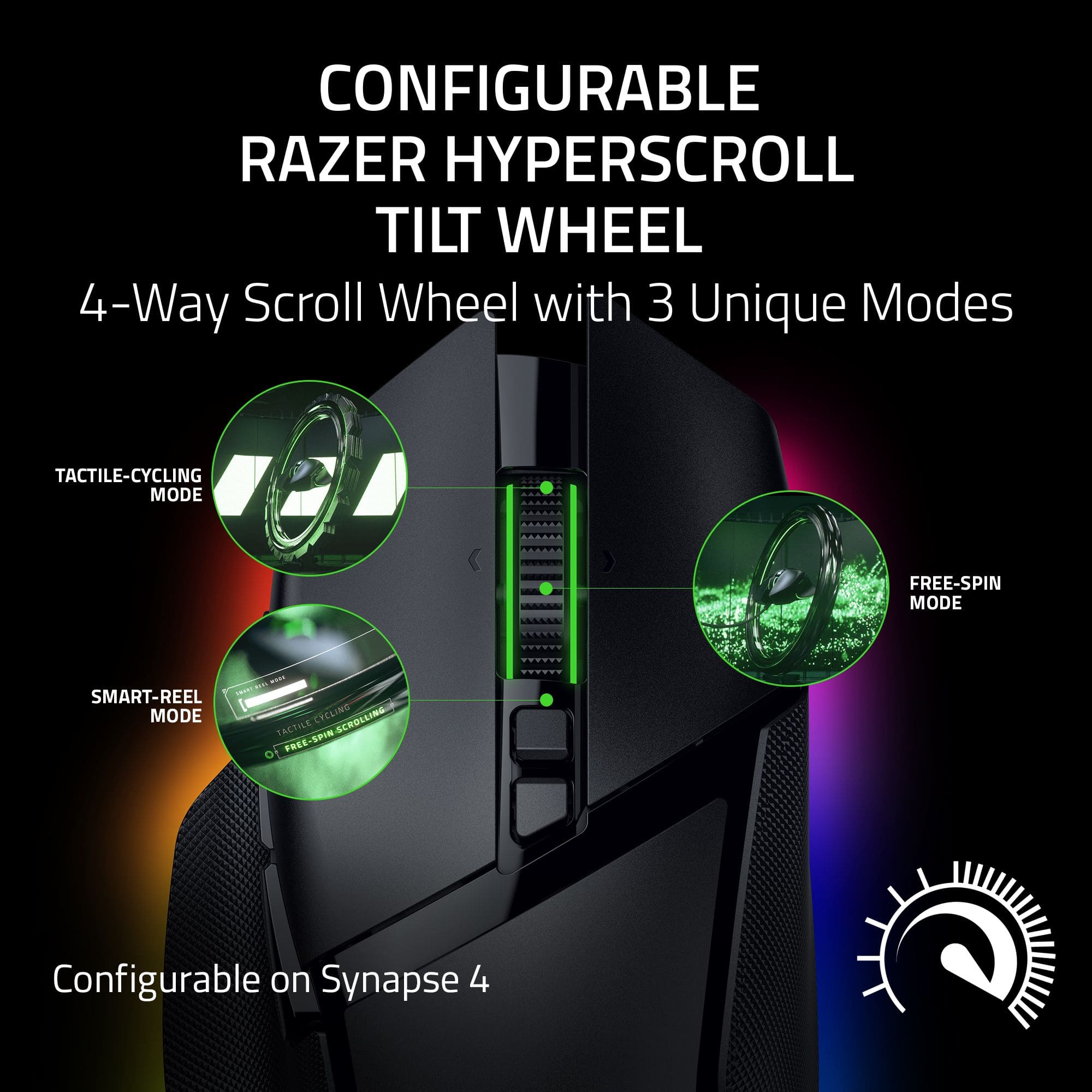
|Posted .This reviewer received promo considerations or sweepstakes entry for writing a review.The Razer - Basilisk V3 Pro 35K Wireless Mouse tops my list of wireless gaming mice. Being a huge fan and current user of the Basilisk wired gaming mouse, I was eager to see if Razer could pull off the whole wireless thing in a format/design I find otherwise perfect. From a purely hardware perspective, there isn't anything that left me wanting for more in terms of ergonomics, weight balance, button precision and glide on the Basilisk V3 Pro 35K. All of these facets are perfect for my gaming style and daily-driver, usage pattern. I've been disappointed with other brands of wireless gaming mice over the years; it always seems to come down to one hardware peculiarity or another but mainly it's the response time or detection of lag during intense gaming sessions. The V3 Pro 35K performs brilliantly and I'm officially a convert. The scroll wheel can spin freely or lock into a tactile, segmented mode that engages electronically. It feels great in either mode. All the buttons are precise and quick to react; I especially like the front, forward "sniper" button's position. This button is positioned perfectly for my grip style. I also really like the rubberized, textured sides as well as the subtle texture to the button panels. The glide on this mouse is very smooth and near silent on a glass gaming plate and one of the best I've used in recent years. Moving on to the RGB lighting, I find the underneath glow to be just about perfect along with the Razer logo and scroll wheel illumination. I'm a big fan of the "Wheel" light pattern. Similar to the wired model, the new Synapse software provides a much more logical layout to customization in terms of performance, sensitivity, lighting and calibration. The version 4 of Synapse also behaves nicely in the Windows 11 environment with the sole exception of interfering with the operation of the Western Digital SSD Dashboard software. That is frustrating and I hope a future update will rectify this incompatibility. (Doesn't interfere with Samsung Magician; for those that are curious...) But with this WD issue set aside, the new version of Synapse no longer throws Windows Error event log entries on Windows boot up or shut down - like version 3 or earlier versions tend to do. Lastly, one thing I like about Razer mice is their ability to retain ones customization settings onboard. This alleviates having to leave the Synapse software running all the time and also lets the owner move the mouse to different computers with ease, without reverting back to an undesirable selection of settings. I appreciate this feature a lot. The 2.4 GHz communication of the Razer - Basilisk V3 Pro 35K Wireless Ergonomic Gaming Mouse is truly amazing and works brilliantly no matter the computer I switch to. The mouse can also connect via Bluetooth but I haven't a need to use it in that capacity; so I didn't test it out. Pros: Perfect balance and weight for my tastes Smooth, clean & quiet glide Precise and reassuring buttons with no hollow chassis sound Killer optical switches Awesome scroll wheel Perfectly positioned, forward 'sniper' button Nice balance of lighting zones without coming across too blingy Nice selection of predefined lighting scenes and adjust-ability Lag-free 2.4 GHz connectivity Cons: Synapse version 4 interferes with Western Digital Dashboard Anyone that is looking for an alternative to the Logi G502 series should check out this mouse!
I would recommend this to a friend - Pros mentioned:Battery life, Overall performance, Rgb lighting
Super comfortable and insanely responsive
||Posted . Owned for 3 months when reviewed.This reviewer received promo considerations or sweepstakes entry for writing a review.I’ve been using the Razer Basilisk V3 Pro for a bit now and it’s easily one of the best gaming mice I’ve used. The shape fits my hand perfectly and I can use it for hours without any discomfort. It has a nice weight to it where it feels solid but not heavy, and the texture on the sides gives a good grip without feeling sticky. The sensor is incredibly accurate. I play a lot of fast paced games and this mouse keeps up without any issues. Every movement feels smooth and precise. The wireless connection has been flawless too. No lag, no random dropouts, it just works like a high end wired mouse but with the freedom of wireless. One of my favorite features is the scroll wheel. The HyperScroll mode is great for browsing or long menus because it flies through pages quickly, and then I can switch right back to a controlled step-by-step scroll when I’m in game. It’s a small thing but it makes a huge difference in everyday use. Battery life has been solid. I can go several days of heavy use before needing to recharge it, and when I dock it or plug it in it charges fast. The RGB lighting looks clean and not overdone, and it syncs well with the rest of my Razer gear. Overall, this mouse feels premium in every way. It’s comfortable, extremely responsive, and packed with useful features that actually help in both gaming and regular daily tasks. If you want a mouse that performs at a high level and feels great to use, this one is definitely worth it.
I would recommend this to a friend - Pros mentioned:Battery life, Ergonomics, Scroll wheel
My new daily driver mouse for gaming and work!
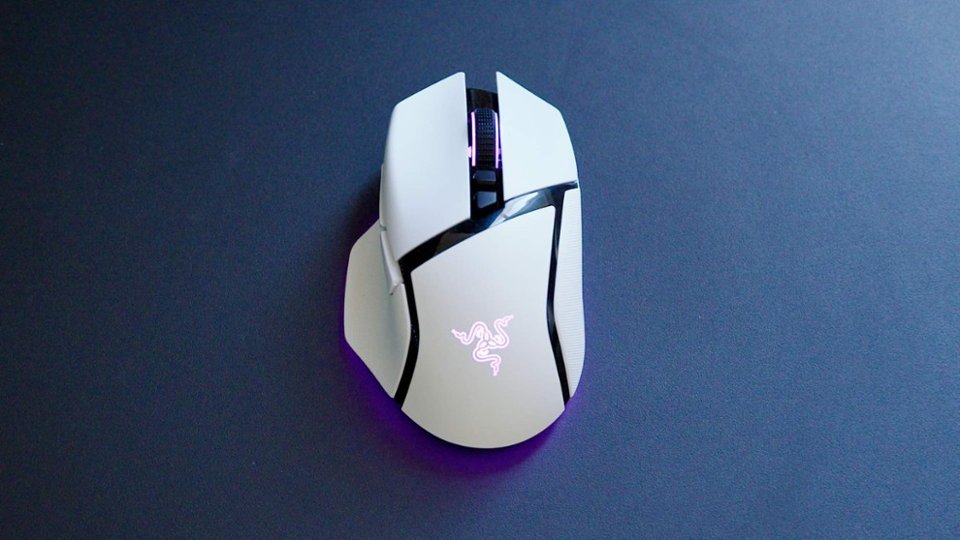
|Posted .This reviewer received promo considerations or sweepstakes entry for writing a review.Well, folks, here is the mouse I have been waiting for! Razer has NAILED it with the Basilisk V3 Pro 35K. It is the perfect wireless mouse for me, from FPS gaming to productivity and work-related needs. The mouse itself is gorgeous. I love the white edition and how nicely it fits into a light-themed PC setup. It will be interesting to see how, over, the mouse holds up to grit and grime from the user’s hand, but I will say at this point that this material is grippy, and for a claw-style mouse user, it feels like I can exert perfect strength and precision over this mouse. My first Razer Basilisk mouse was a wired version back in 2017, and I feel like this version continues the tradition of such a comfortable and ergonomically pleasing mouse. Right off the bat, one of my favorite features is the smart reel mode for the scroll wheel! It is a mode that has the wheel set at pleasant, tactile cycling at baseline with tactile clicks, but if you scroll faster, the electronic clutch releases and you can free-spin the scroll wheel to navigate through web pages and documents rapidly! This feature is EXACTLY what I have been looking for to help me at work. I have to review a ton of lengthy documents and faxed files, and the ability to adaptively scroll through them in a rapid or more precise and tactile manner is amazing and practically worth the price of the mouse alone to me. I would say it matches the Logitech MX Master 3S series mouse in terms of productivity! I also adore that this mouse has the means to store the USB-A 2.4ghz dongle in it so that I never have to worry about losing that tiny accessory between my work and home commute. This mouse is a no-brainer for someone who will use it for work and games. For the first time since I started reviewing Razer products, I can finally say that I don’t hate their software. The new Razer Synapse 4 software uses fewer computer resources, is less invasive (i.e., doesn’t require a login to set up your mouse), and truly allows you to exert full control and customization over the mouse. Changing bindings, color, battery savings schemes, and more is intuitive. I occasionally stream on Twitch and enjoyed setting some important functions, like muting Discord to the DPI clutch thumb button. For high-end gamers, the features you want are here. The mouse has a max sensitivity of 35,000 DPI, a fantastic battery life, and the ability to be paired with a $70 Razer Mouse Dock Pro, which can enable you to wirelessly charge this mouse via a magnetic charging puck module you install on the bottom of this mouse and the dock acts as an integrated 8K Hz transceiver when plugged into your PC (and set up in the Synapse 4 software) to increase your polling rate. That makes this mouse a top-end, extreme performer with all of the other features Razer offers, which are too many to list in this one review. I am by no means a competitive gamer, but when I set the DPI to my preferred 2,000 DPI, I definitely felt like I was flicking headshots with ease on Hunt Showdown, and I had precise control over the fighter-jet-like Doom Slayer in the Doom Eternal Ancient Gods DLC’s.
I would recommend this to a friend - Pros mentioned:Ergonomics
Bringing comfort to a gaming mouse with style
|Posted .This reviewer received promo considerations or sweepstakes entry for writing a review.You'd think at this point all gaming mice are the same. To an extent, you're kind of right. You're not gonna notice huge difference in a gaming mouse. However, I'll tell you sometimes the small things make a huge difference. When I first put my hand around the Razer Basilisk V3 Pro 35k, I noticed a small difference, and after a decent amount of usage, it's made a big difference and made me a huge fan. When I first took the Basilisk V3 Pro 35k out of it's packaging and sat it on my desk I thought "Man, that looks just like the mouse I've been using." Then, I turned it on and it lit up. Ok, cool....that's different. Nice. When I put my and on it the first time...there is absolutely no comparison between this mouse and the other one I've been using (a very highly rated and recommended gaming mouse) when it comes to comfortability . The combination of the slight indents on the left and right button with the feeling of where your palm sits. It's different. It doesn't look much different on the outside, but when you feel it, it's different. That was at first touch. Over time? I can't switch back. Set up was super easy. When I cut the mouse on and set it to Bluetooth, my computer easily recognized it. Then when I found the USB adapter and connected that, my computer l recognized that and asked for a quick restart. I already had Razer Synapse installed, if you don't, downloading that opens up the customization, which...boy is there customization. The options seem almost limitless. I like that while the Basilisk V3 Pro has the amount of buttons it has, they're not "loud." Sure, the chroma lighting, which includes the Razer logo on the palm draw attention, the overall design of the mouse is sleek, which I'm sure was done for the sake of comfortability. The combination of customization options and comfortability make the Razer Basilisk V3 Pro 35k my go to mouse. Not just for gaming either. For day to day stuff the HyperScroll tilt wheel and the ability to switch it from tactile to free spin at the push of a button or the sensitivity button to tweak DPI on the fly make it easy to use the mouse regardless of what I'm using it for.
I would recommend this to a friend - Pros mentioned:Overall performance, Rgb lightingCons mentioned:Sensitivity
Really good mouse
||Posted . Owned for 2 weeks when reviewed.This reviewer received promo considerations or sweepstakes entry for writing a review.This is an amazing mouse. It's nice and heavy which is something I was looking for. It has an amazing sensor and does not miss my movements no matter how small or twitchy. It has beautiful RGB and syncs with my other razer products. But it has an issue. 35k is too much for most people, myself included. As twitchy as my movements can be, I have yet to go above 12,000 before its too sensitive for me. Awesome mouse, and I'm glad I bought it. I wish they made a pro non-35k
I would recommend this to a friend - Pros mentioned:Battery life, Scroll wheel
Jack Of All Trades Master Of Comfort
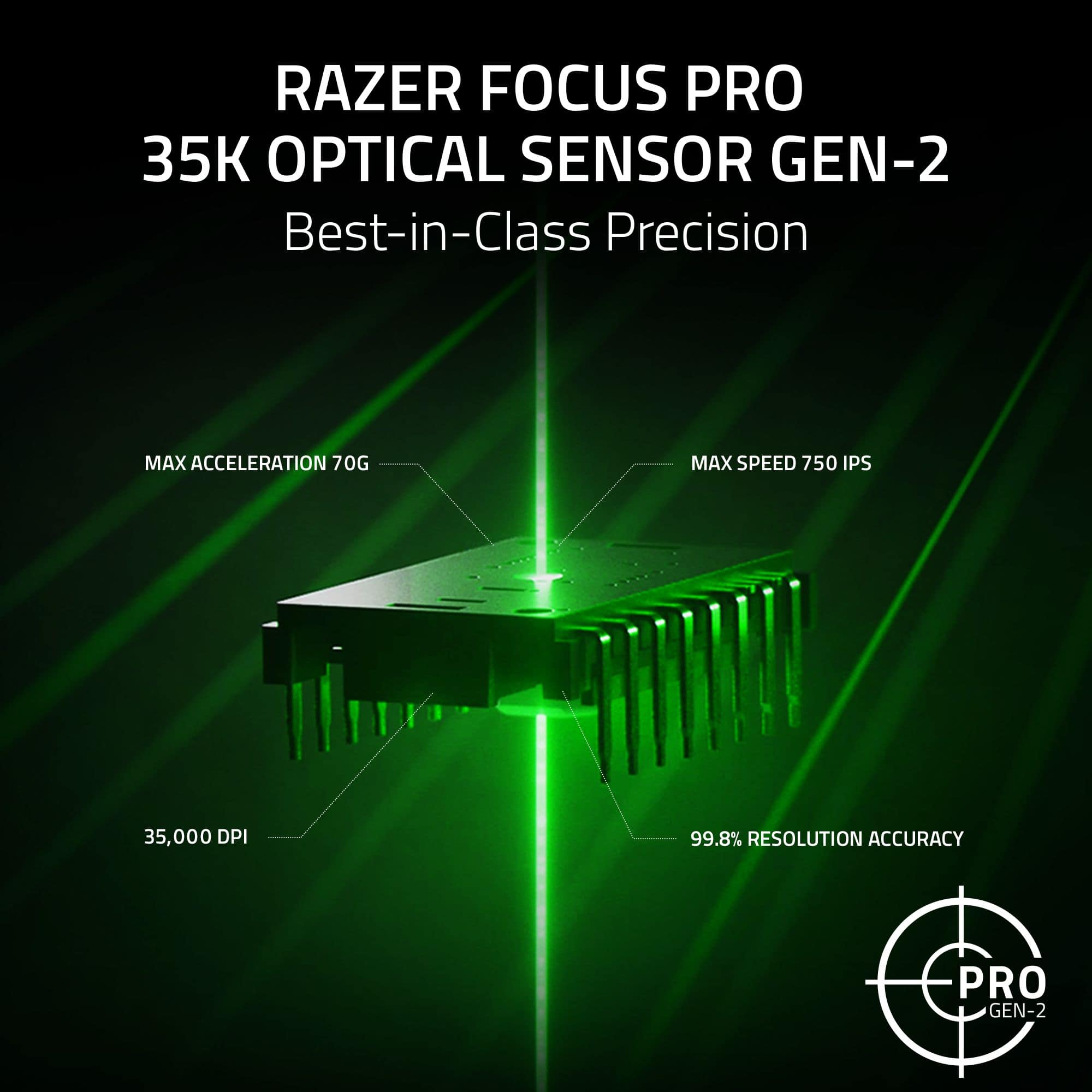
|Posted .This reviewer received promo considerations or sweepstakes entry for writing a review.Want to start off by saying I’ve actually owned almost every single Basilisk mouse Razer has made over the years, from the original to v2 wired, Ultimate, X, v3 pro, now comes this v3 pro 35k. I tend to go between FPS mice and more productivity combo-style mice during daily use, so I have a feel of both sides of the tracks here for this one. The injection-molded side grips are pretty much a staple to this mouse over the years, and though many would prefer ones that are replaceable, I value the fact that these are not removable because then they don’t fail like almost all others do. They keep the grip and feel great once you break them in. This newer model has the upgraded gen 3 optical switches, which feel much better in my opinion and are quieter than gen 2, which I really prefer. This uses their new Focus Pro gen 2 35k sensor, which is quite literally best in class for any mouse, as Razer always leads the way with this. Of course, they added even more battery life, which is always appreciated. Though as a side note, I use it with the Razer mouse dock Pro and the wireless charging puck, which makes this thing super convenient. As I said, I switched between FPS mice and some variant of the Basilisk every day, and that just makes it that much better because I never have to plug it in. It's not like the days of old with the Basilisk Ultimate that had the mouse dock where you had to line up the pins; it’s legitimately just qi charging and magnets. The best part about this one, though, is the fact that they finally added the configurable hyper scroll 4-way tilt wheel to this. The previous model had the hyperscroll you could toggle and auto mode, but you could not adjust, and I just love the fact you can actually do it how you want on this instead of being forced into a scroll you don’t like. I personally really, really enjoy the smart reel mode, so it’s tactile when I want it to be and free spins if I flick it automatically; it’s quite literally perfect in implementation on this finally! The PTFE feet are a standard play from Razer at this point and feel great, smooth, and with no edges to be found. The fact that I can use this during the day on my Mac using Bluetooth and then swap over to the 2.4 mode on the dongle on my PC is also just perfect. This is everything I wanted the v3 Pro to be, and it’s finally here. The ONLY thing I wish is that they made this a little lighter in weight, but can you really complain for such a fully featured mouse like this? (Or you can be like me and just use an FPS mouse for FPS gaming lol; this one is still amazingly perfect for desktop use and games such as World of Warcraft for those that don’t like 12-button mice like the Naga, as with this Basilisk, you can maintain your current mouse grip and use while adding some binds. I personally use the paddle as a hyper shift and have all the other buttons to keyboard functions as shortcuts. Once you really open up the customization, it’s amazing what it can do.
I would recommend this to a friend - Pros mentioned:Battery life, Scroll wheel
The Serpent King of Mice
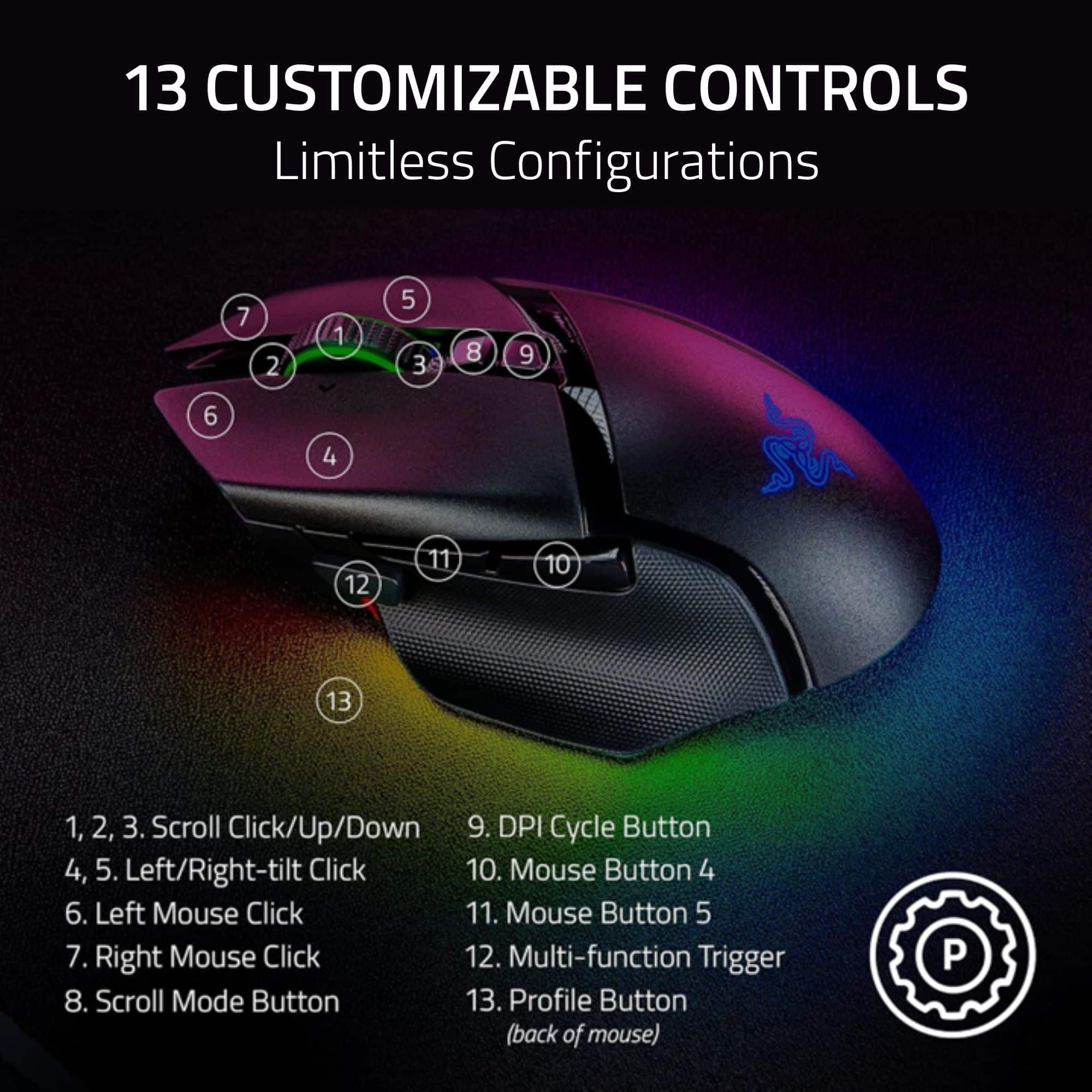
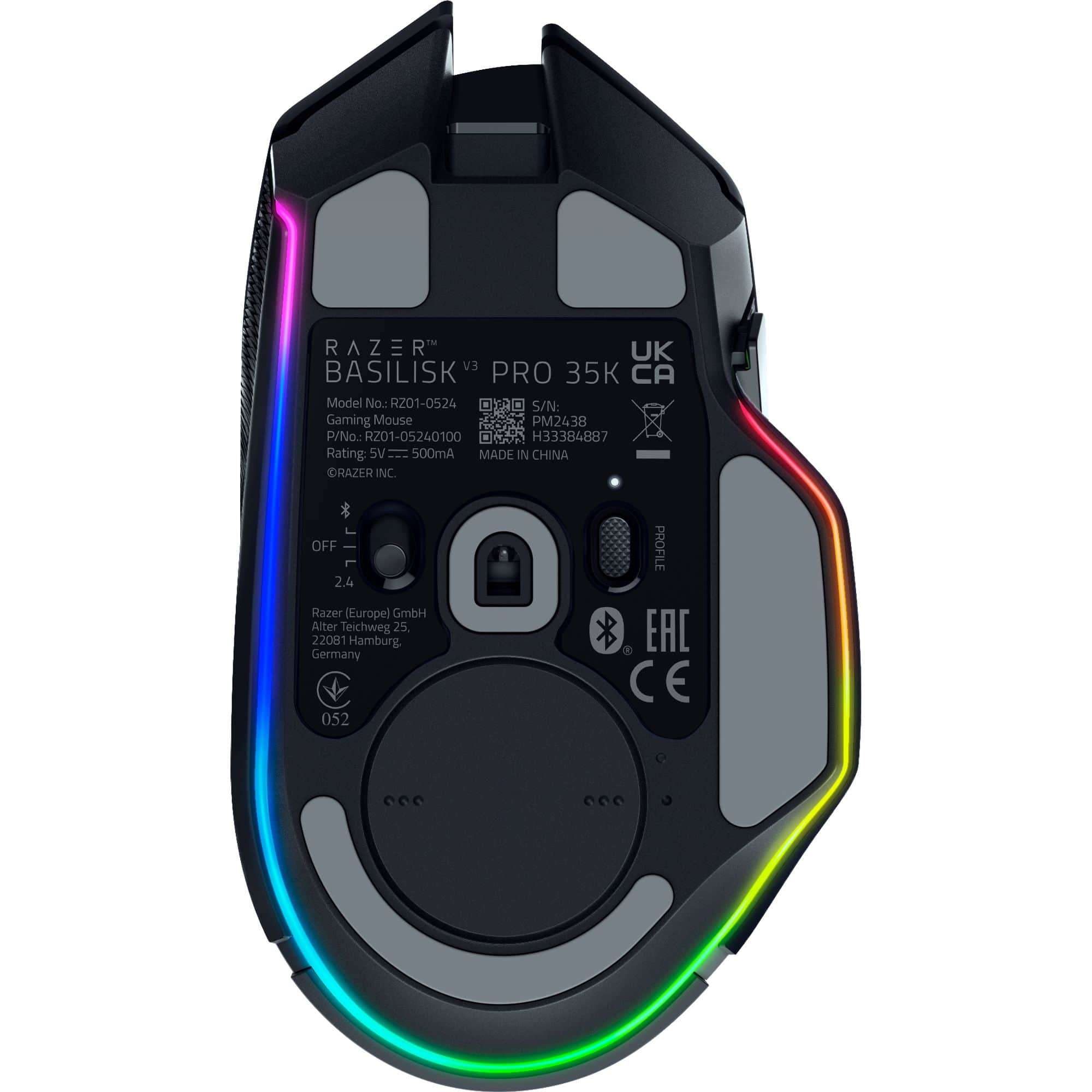
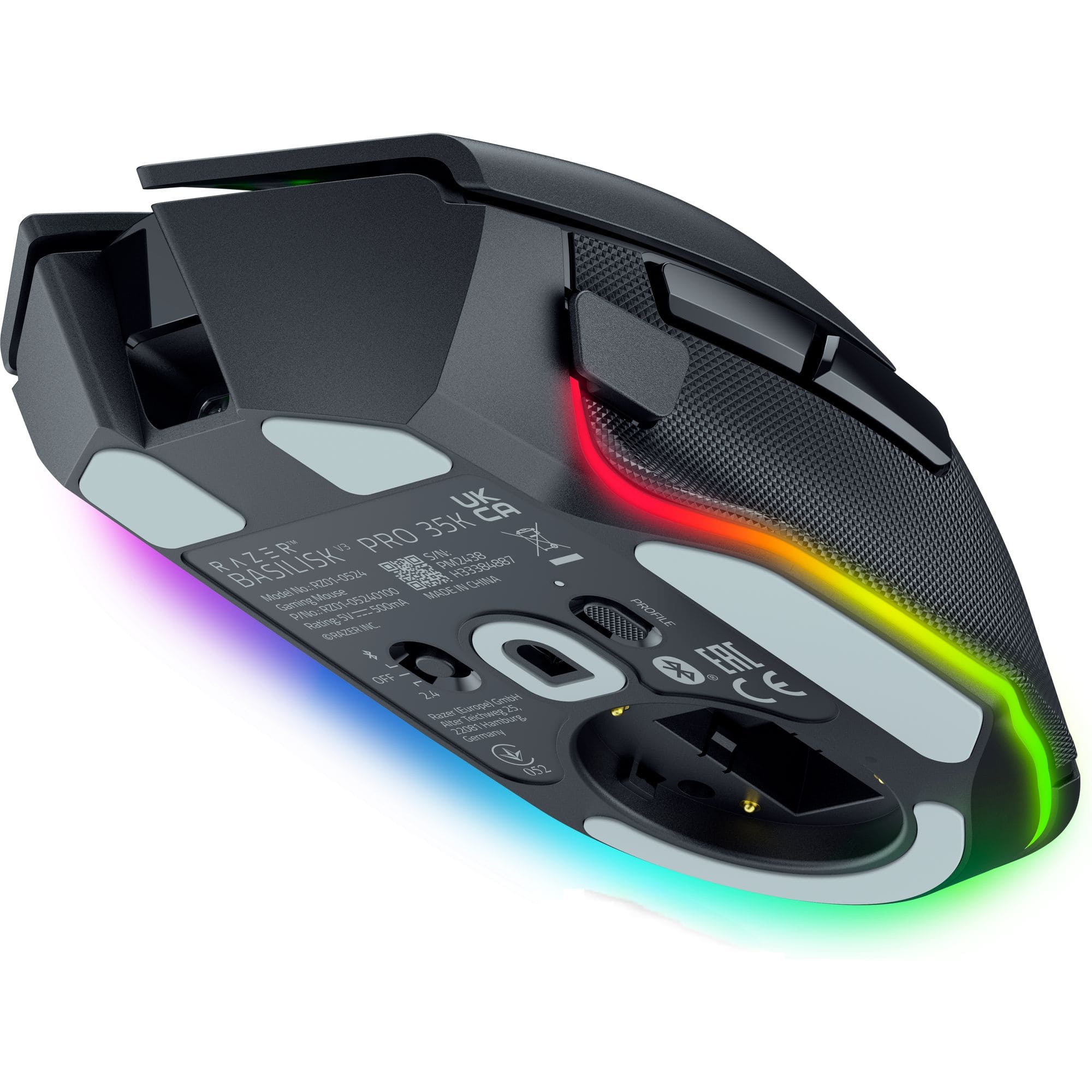
|Posted .This reviewer received promo considerations or sweepstakes entry for writing a review.I own several high end gaming mice including several Razer mice and I have found that the fit and feel is more important when gaming than specs. This Basilisk Pro 35 fits like a glove and has fantastic specs! From the curve of the mouse to the thumb rest this mouse is ergonomically perfect for my hand. I have the white version and when playing the RGB lighting definitely adds to the fun. Overall it’s the best gaming mouse I have used so far. Pros: - Ergonomic fit and weighted for smooth movement - Super fast responsiveness with 35k Optical sensor - Optical switches that are configurable - Scroll wheel can be switched from free float to notched - Mouse material easy to grip and hold even after intense gaming sessions - Bluetooth, wireless or wired connectivity - Great battery life - RGB lighting that is noticeable without being overstated Cons: - The Sensitivity Clutch button is farther from my thumb than I would prefer The Basilisk has all the specs for top end gaming. It has a 35k optical sensor, optical switches that have good tactical feedback when pressed, the mouse is configurable via Synapse and it can connect via the included USB dongle or Bluetooth. This mouse is about the same size as other gaming mice that I own but it has a lower profile and it tilts downward towards the right side like most Razer mice – in other words its not level across the top of the mouse. With this mouse that angle feels more natural and the material used for the mouse and especially the cross pattern on the thumb rest make gripping it easy. The mouse is nicely weighted so it moves smoothly across my mouse pad. All the buttons are located for easy access and the scroll wheel can be configured as free rolling or notched by selecting it via a button on the top of the mouse. I find this and the dps button on top easy to access and use when playing FPS games. Like most Razer mice this one can be configured using the Synapse program. You can configure the buttons, create profiles and set the performance and lighting functions. The profiles are selected using a button on the bottom of the mouse. Up to four additional profiles can be stored in the mouse and the led indicator tells you which profile you are using. You can also link games to profiles to make the process much simpler.
I would recommend this to a friend - Pros mentioned:Battery life, Rgb lighting
It's really good!
|Posted .This reviewer received promo considerations or sweepstakes entry for writing a review.What I liked: Eventually I loved the weight, at first I hated how light it felt, especially compared to what I was using. I got over it and now hate how heavy my old mouse is. I love the look and the design, it’s really a good looking device. I also love the lighting, it just kind of glows. The way Razer designed the lighting, and how it defuses on the table, looks so good. Not sure if it’s just the white color, or a purposefully design decision. The glide on the table surface is satisfying. I don’t know how long these pads will last, but the way it feels out the box is so good. Battery Life seems to be great. I’ve been using it for productivity tasks and gaming in Black Ops 6, and it seems to have a lot of life left. What I didn't Like: At first I didn't like the weight, as mentioned earlier, I thought I preferred heavier mice, but I like the lightweight of it. I also didn't like how the software just installs itself, what's up with that? I plugged it in and then started searching online for software and it just starts installing… I canceled it and went with the one from Razer’s website; Synapse 4. I haven’t experienced anything yet, but I think the white finish will get dirty quickly, it’s just speculation, but considering the porous feel of the plastic, it seems inevitable. It’s also super hard for me to reach the shift button... Razer calls it the "Clutch". Perhaps it’s how I hold a mouse, but that button is WAY out of reach. In order for me to reach it in standard use in gaming is to shift my hands way forward and that’s just uncomfortable. What I wish it had: I wish it had the ability to pair to multiple devices. I originally assumed it was the "Profile" button underneath, but it's not. It would be nice to be able to pair it to my desktop, then laptop, and maybe even a console. I can work around that, but making one device a BT mouse, and the other the 2.4 Ghz device, but it’d be nicer if I could have a 1,2,3, button on the bottom to pair up to 3 devices to BT. At the end of the day, I’m super happy with the device and will make it my daily driver.
I would recommend this to a friend - Pros mentioned:Battery life
Wired experience without the wire
|Posted .This reviewer received promo considerations or sweepstakes entry for writing a review.I actually own the wired version of the Basilisk v3, however with my new desk setup and tower location, its an eye sore to have the mouse cable running across the desk. Not to mention the random things (Phone, drinks, keys, etc..) that the cord may catch and create more tug randomly which is very annoying during gaming. I have grown to love the Razer ecosystem, especially how well the lighting works together and how you can create profiles that can be stored on their cloud. This is super important for me since I like to switch to my laptop on occasion and not have to worry about settings and configurations when using my Razer mouse or keyboard. So switching to the new mouse was really easy, I just had to update 2 settings in the Synapse app to match my previous mouse setup. The mouse (white version) looks great and matches my computer case. I have the option to use Wifi or Bluetooth. The battery life on the mouse has been pretty good. I use it for both work during the day and gaming in the evening. After 2 days of use I still had about 80% of the battery life remaining. Keep in mind the first day I didn't have the lights on, so battery life will be affected running the lights but its what makes it pleasing to the eye! What I like about this is it basically gives you the option to use the wired version if you prefer. The usb charger is braided just like the wired version, and just about as long. My one concern was the potential for any signal lag between wireless vs wired since I play a lot of first-person shooters. So far, it feels completely identical with the settings set the same, so I am happy about that. I will say that the door to where you store the usb receiver seems a little cheap and seems like it could fall off easily. Not sure how much I would trust it to securely store the usb receiver, but I don’t plan on moving it around much. Besides that, it’s a great mouse and I’ve been really happy with the Basilisk v3 for a few years now.
I would recommend this to a friend - Pros mentioned:Ergonomics
Novice or Performance Mouse
|Posted .This reviewer received promo considerations or sweepstakes entry for writing a review.I have had the opportunity to use a wide variety of mice in the past, some mechanical, some digital. This mouse is a lightweight high performance gaming mouse. With that said, there are 2 primary areas that really peaked my interest about this mouse. Those areas are comfort and design. The feel of this mouse is one of quality, it's textured exterior provides just enough grip for me to feel comfortable with its performance and responsiveness. The inner and outer exterior have an almost spongy feel that attributes to those quick knee-jerk reactions that are needed when gaming. From connectivity standpoint I am able to connect to my pc in one of 3 ways, 2.4, Bluetooth or even hardwire... this is a neat feature that give me the flexibility on when and where I am gaming. The underlight light of this mouse is very vivid and really makes the experience immersive. Responsiveness is top notch as noted above. All in all, when it comes to PC accessories it is very difficult to differentiate but this brand has done an excellent job at doing so. This mouse caters to those high end gamers but also to those who are green. I highly recommend if you are looking for a mouse that packs a punch.
I would recommend this to a friend - Pros mentioned:Rgb lighting
Sweet mouse tons of options
|Posted .This reviewer received promo considerations or sweepstakes entry for writing a review.So i have always stuck with a different brand of mouse i will say that but will not name the other brand other than it's a well known brand. Figured i needed a new mouse and thought what do i have to lose and im telling you i could not be more happy. The biggest thing im looking for when getting a mouse is how comfortable it is in my hand while using it. Nothing worse than a mouse that does not fit your hand and next thing you know your hand is crampping up because it just is to small or to big. Also another thing i look for is what i call the sniper button but it's really a dpi adjuster to go from a normal movement down to a crawl. I play world of tanks and it;s nice to have that button because you press it and you can aim for that weak spot were with a mouse that does not have the sniper button your all over the place with your aim and you miss what you are shooting at. So two boxes checked so far RGB Yes a must have for the looks box checked. Wireless bluetooth or 2.4 or wired check check check. The ability to go in and make changes to the mouse on the fly, check the abilitly to go into settting and save your settings and make all adjustments you want also check. This mouse checked every box i was looking for and a list of other things that make it such a great mouse to use. If your looking for a great no awsome mouse for setting, feel and ease of use this is the mouse for you. Also with Razor central it's simple as pie to set up.
I would recommend this to a friend - Pros mentioned:Rgb lighting, Scroll wheel
A Great Mouse for Everything!
|Posted .This reviewer received promo considerations or sweepstakes entry for writing a review.Razor's products are always premium. The Basilisk V3 Pro is no exception to Razor's quality when it comes to computer accessories. You get an unboxing experience like no other. Even their packaging and boxing feel premium. The braided cord is strong and lengthy. The cord even comes with plastic covers. Protecting both sides from damage. Again, Razor pays attention to small details. The overall size of the mouse is in the medium category. Not small and it's not large. I wear XXL large gloves and the mouse fits my hand well. It did not offer me any fatigue or hotspots in my time of use. The additional programmable buttons were simple and easy to program thanks to the Razor Synapse software. Being able to adjust the RGB on the mouse is another feature. When it came down to gaming the mouse delivered. It was all-day comfort. The texture of the mouse changes varying on the location. The distinct sound of each click. It was very satisfying to hear while playing. Also, to me, the best feature was the infinite scroll wheel. It felt amazing. This mouse is a great Bluetooth gaming mouse but it also is good for content creation. The only con is the battery length. While some mice last months on a charge. This one seems to not last as long with normal every day.
I would recommend this to a friend - Pros mentioned:Ergonomics, Rgb lighting, Scroll wheel
The Apex Fang of the Digital Seraph
||Posted . Owned for 2 months when reviewed.This reviewer received promo considerations or sweepstakes entry for writing a review.The Razer Basilisk V3 Pro isn’t just a mouse—it’s a tactical relic, forged for those who game with purpose, fury, and finesse. This beast doesn’t ask for your respect—it demands it. Design: A Predator in Black - Sleek, angular, and unapologetically aggressive, the Basilisk V3 Pro looks like it was carved from obsidian and baptized in shadow. - The Chroma RGB underglow pulses like a heartbeat—alive, reactive, and ready to sync with your setup like a symphony of light and vengeance. Precision That Cuts Through Chaos - With a 35K DPI Focus Pro Optical Sensor, this mouse doesn’t just track—it hunts. Every flick, every micro-adjustment feels like a divine strike. - Whether you're sniping from the shadows or charging headlong into battle, the responsiveness is otherworldly. HyperScroll Tilt Wheel: The Wheel of Fate - The HyperScroll Tilt Wheel is a revelation. Switch between tactile and free-spin modes like shifting between dimensions. - Perfect for rapid weapon swaps, scrolling through spellbooks, or navigating vast digital landscapes with the grace of a celestial outlaw. Smart Features, No Strings Attached - Wireless freedom with Razer HyperSpeed means zero lag and total liberation. It’s like wielding lightning without the leash. - 13 programmable buttons give you full control over your arsenal—macro your destiny, bind your wrath, and let no keystroke go to waste. Final Verdict: The Basilisk V3 Pro is the kind of gear that doesn’t just elevate your gameplay—it amplifies your legend. It’s the fang of the rebel seraph, the tool of the tactician, and the crown jewel of any setup that dares to defy the ordinary.
I would recommend this to a friend - Pros mentioned:Ergonomics
Razer Sharp Updatee of a Classic
|Posted .This reviewer received promo considerations or sweepstakes entry for writing a review.Razer has been making gaming mice for as long as I remember PC gaming with their iconic Boomslang, Mamba and Death Adder designs. But arguably the most iconic iteration of the modern gaming mouse is the G502, to which the Basilisk V3 Pro is the answer to. Right away, the resemblance is uncanny as both the G502 X Plus and Basilisk V3 Pro share nearly identical shape and design cues. The similarities are undeniable but there are also significant differences. These are both heavy and larger mice, suited more for claw grip gamers who want the mouse to fill their hands a bit more and provide some arch and palm support. They both have a left thumb wing to prevent your thumb from dragging as well as the pronounced middle finger peninsula. On the G502 X, Logitech has fused the LMB and RMB while the Basilisk still has an indentation beyond the mouse wheel. The materials used are slightly different as well. The G502 has a much smoother body overall with a lightly textured rubberized thumb rest while the Basilisk has a textured body and a much more textured thumb rest as well. The buttons all feel quality on both mice, but the Basilisk is a bit louder and deeper on clicks and take a little more pressure to press, largely bc it seems as if the button material is thicker plastic. Basilisk wheel is larger and more textured rubber entirely, while the G502 has a smooth rubber tread on the wheel with metal edges. Both mice have tilt wheels that can be mapped as buttons, as well as the ability to go from free scroll to notched scrolling by pressing the button below the wheel. The G502 has 2 additional buttons on the left side of the LMB that are default mapped to changing DPI settings, but you can remap these to extra buttons which is useful if you need them especially for games like MMOs. In terms of aesthetics, both mice are stunning, especially in white. The Basilisk clearly takes the cake here with the light up Razer logo, wheel and underglow. Soooo crisp looking. Underneath, you can also stow the 2.4 USB receiver on both mice, which is a nice touch if you travel or store the mouse and don’t want to lose the dongle. So here’s two pretty significant divergences that may sway you in one direction or another. The Basilisk has a BIG advantage over the G502 because it supports BLUETOOTH. This effectively gives you two mice in one package because you can quickly switch between two devices, like your work laptop and your gaming desktop at home, without needing a KVM or 2nd set of peripherals. Especially if you also use a wireless keyboard that also supports BT and 2.4 RF functionality. Massive game changer and awesome to see on the Basilisk. Corsair also supports this on some of their mice and it’s a great feature. The G502 has another trick up its sleeve however that is fantastic, which is PowerPlay, which allows you to charge wirelessly while just mousing normally, as a charging puck is inserted in the mouse that uses capacitive charging to charge the mouse. The Basilisk has an aftermarket charging stand that will run you $70, but you have to physically place the mouse on the charging stand. It is magnetic and effortless to place and remove it, also looks fantastic. Ultimately it will come down to price and preference, they are both premium looking and feeling charging solutions and you can’t go wrong with either. In the end it may come down to which peripherals you already own and which software you prefer. Razer’s Synapse is excellent and works great with their keyboards. You can set DPI sensitivity, map buttons, change RGB color and scheme all through the app and it works flawlessly. Lastly, durability has always been a huge concern on mice, as they tend to fail over time with the dreaded double click or ghost click/drag as the mechanical switches wear down and fail over time. G502 fixed this with their latest optical mechanical switches and I’ve been using mine for 2 years without any signs of breaking down. The Basilisk uses Razer’s Gen3 Optical mouse switches so I’d expect similar performance and durability from them. The bundle looks amazing as you’d expect with super premium usb-c cables, a tiny usb-a dongle and even a non-slip receiver mount. If you love Razer but love that G502 feeling and design, then the Basilisk V3 has got you covered. 35K sensor may be overkill but it is there if you need it. This mouse looks, feels, and performs absolutely amazingly and should provide lots of mob slayin and loot clicking for years to come.
I would recommend this to a friend - Pros mentioned:Battery life
A Solid Upgrade...I Hope!
|Posted .This reviewer received promo considerations or sweepstakes entry for writing a review.Razer’s Basilisk V3 Pro 35k wireless gaming mouse is a premium gaming mouse that is highly customizable. As an owner of the original Basilisk V3 Pro, there isn’t much of a difference between both mice but this recent V3 Pro 35k has some slightly better features than its predecessor. This is my review of the Razer Basilisk V3 Pro 35k. In the box, you get the mouse, a HyperSpeed wireless dongle, a USB dongle adapter, a braided USB-A to USB-C cable, and some documentation. The setup is all plug-and-play if you plan to use the 2.4GHz wireless dongle or the provided cable, no drivers are needed! This mouse also has Bluetooth if desired. I recommend downloading Razer’s Synapse software. Not only is it easy to use but this mouse is highly customizable via this software. Changing lighting, mapping buttons, game profiles, sensitivity, and more are customizable through this software. The Basilisk V3 Pro has the same design as the original (see picture). I don’t mind this, as I found the original comfortable and ergonomic. I also thought the buttons were well-placed except for the Razer Hypershift/Sensitivity Clutch. I have used mice where this button was on the same area where one rests their thumb. I find this more comfortable and easier to use especially while gaming. I hope the location for this button changes in the future. But if you had me blind-test both mice, I would not be able to find a difference. The difference is with the mouse’s capabilities which I will cover later. To preface, I still own the original Basilisk V3 Pro and let’s say there were some prevalent quality control issues with that model. Initially, there were no issues at all until I started noticing slowly that the 2.4GHz receiver was not receiving input. I did all I could in troubleshooting the issue and after some research, I noticed that the issues with the wireless receiver were widespread with this model. I was saddened to see that such issues existed since I held Razer in high regard. Fortunately, I have yet to see these QC issues arise with this model of the Basilisk V3 Pro. I hope it stays that way but only time will tell. As I said, the differences between the original and the new one are minor, but they do make a difference if you are a gamer who enjoys wireless peripherals. First, the battery on the new model will last significantly longer than its predecessor. I have yet to charge this mouse since the initial charge. The new one will last about 140 hours on the wireless receiver and up to 210 hours on Bluetooth. The max sensitivity (DPI) is 5000 greater than the original coming in at a whopping 35k. I’m not a competitive gamer, so there is no need to set my DPI that high, but it can still give a great advantage, especially in FPS games. And that’s it for differences. It is the same mouse that is just as customizable as the original and looks the same. In conclusion, this seems to be a solid upgrade from the original Basilisk V3 Pro. I had issues with the wireless receiver with the previous model which never got fixed and seem to be due to QC issues. Luckily, this new Basilisk V3 Pro 35k seems to be working a whole lot better. I hope it stays that way because this is seriously a nice gaming mouse. Now if you still have the original and it works fine, I would keep it and not upgrade as the differences are minor and upgrading is not justified. On the other hand, if you want a new solid and premium gaming mouse, you cannot go wrong with this one!
I would recommend this to a friend - Pros mentioned:Battery life
High Build Quality Gaming Mouse Wireless and BT
|Posted .This reviewer received promo considerations or sweepstakes entry for writing a review.Unboxing - The Mouse, Cord and getting started pamphlet are very well packed and nicely presents. The USB dongle can be located in the mouse under a twist off cover. The USB-C cord for charging and wired mode is a generous length. Setup and Daily use - While this mouse will work in windows without any software installed, Razer Synapse setup up in just a few seconds and allows for customization of every button and function as desired. I noticed that I was able to use the side buttons in various graphic and drawing applications with the default settings and no extra assignment. For games - I was able to quickly assign different functions to my preference to make the best use of the three side buttons. Build quality - This is a premium tier product and it will show as soon as you handle and use it. The switches and scroll wheel are just … perfect for the size and weight of this mouse. There is no better way I can think of to describe it. If you have never owned a higher end mouse you will understand within seconds of first use. It's silky smooth to use in games, in drawing software and just for mousing around applications. "Non standard use" - Can I use it on my work laptop ? - YES. You may or may not be allowed to install razer synapse on a corporate or work PC but this mouse is still completely usable without software. You will NOT have advanced macro support or the ability to set the lighting. The saved mode is set by mechanical switch ( USB, Bluetooth ) and by default the resolution can be cycled through with two top buttons. The mouse will "remember" some settings from synapse per connected profile ( Lighting On/Off and simple macro assignment ). All buttons have a default function on windows laptops. What I love - The switches and scroll wheel are perfect. Excellent battery life at high precision It glows everywhere ! Room for improvement - At this price it would be nice touch to receive extra pads for the bottom.
I would recommend this to a friend it’s back for round 2!
|Posted .This reviewer received promo considerations or sweepstakes entry for writing a review.I love razer I previous used the Razer basilisk V2 pro, and moved on using basilisk V3 pro, and now they updated their latest basilisk V3 pro with 35k wireless, aesthetically everything looks the same with the previous version now with Razer latest optic sensor gen 2, that keeps the same RGB functionality and pretty the same customization like the previous release DEVICE the new refresh offer the latest 35k focus pro optical sensors from razer, previous version was 30k optical sensor. the design has changed at all unless you’re coming from V2 pro since V3 uses USBC for charging or a wireless charger that can be purchased separately. same programmable button as previous version overall you will not tell the difference at all. the box also comes with their Hyperspeed wireless dongle, that let you achieve 4000hz polling rate. I didn’t notice any sounds differences when clicking compared to regular V3 pro, one i’ve notice after having almost 3 basilisk mouse is that V3 pro 35k feels so much heavier compared to V2 pro. SOFTWARE Razer synapes will be required if would like to fully customize your RGB. add Macros and save multiple DPI profile. you can even sync the RGB lights with all your razer product to communicate in game that reacts to certain in game actions. CONCLUSION V3 Pro 35k is great for people who enjoy heavy mouse, some might not enjoy the weight of this mouse since it’s a bit on the heavy side. I was hoping for this new refresh that they will also include the wireless charger but we would still need to purchase that separately. the addition of wireless dongle make this deal atleast a much better purchase that it’s previous version. if you have other razer mice that supports the dongle it can fully take advantage of it’s 4000hz polling rate. overall this mouse is an excellent choice for competitive gamer, it’s precise that guarantee will help you win those battles
- Pros mentioned:Battery life, Ergonomics, Scroll wheel
Razer basilisk v3 Pro 35K
||Posted . Owned for 1 week when reviewed.This reviewer received promo considerations or sweepstakes entry for writing a review.I like the scroll wheel where you can configure its scroll speed, switch between free scroll to tactile scroll. Battery life is good and lasts for days. I like the way the mouse feels in my hand. Also it is very pretty mouse too. You can add a lot of command short cuts to this mouse and switch profiles like one profile is work and other is gaming. Having the ability to switch profiles is nice and your shorts are there when you need them. Overall this is my favorite mouse. Plus when you plug in this mouse to different computer or a friend’s computer; you still have all your productivity shortcuts with you.
I would recommend this to a friend - Pros mentioned:Ergonomics
Small upgrade for a still great mouse
|Posted .This reviewer received promo considerations or sweepstakes entry for writing a review.I’ve owned a couple older Basilisks including the wired V3 so I’m very familiar with the mouse and shape. The 35K mainly brings a updated sensor and a few software tweaks - it’s not a massive upgrade by any means and I wish it included the 8K dongle in the box, but I still had a great time using it! Unboxing/setup/software: As usual top of the line Razer products have a very premium unboxing experience - you get the mouse itself on top, the dongle and cable underneath, and some stickers. To set up the mouse I recommend getting Razer Synapse 3 (soon to be 4) you will get access to the full DPI range and be able to tweak things like scroll acceleration. With a mouse with this many buttons it’s also good to set up macros and remap the buttons for different media controls in my case. Razer hypershift which I have mapped the DPI shift key to also allows me to basically double everything. It’s honestly not very complicated, but could be a bit of a learning curve if this is your first gaming mouse with this many features. Shape/weight: The shape is designed for medium/large hands using a standard palm grip. You can still pull off claw, but I found palm to be most comfortable. I also much prefer this exact shape over others that compete with the Basilisk. This mouse is more for general gaming/productivity for me and not really any FPS games. This is because of the hefty weight - coming in at 112g it’s not great for fast movements. Still I know a lot of you may prefer a heavier mouse like this so it’s still totally viable. Buttons: All the buttons feel great minus some quality issues on my particular unit (will get into that more in the QC section) the Razer gen 3 opticals have a light yet tactile feel, and since they are optical you don’t have to worry about double clicking. Scroll wheel is awesome and can be made free-spinning with the press of a button OR automatically if you use the software. I will say that the scroll wheel does feel a bit loose on my unit compared to my older wired V3. Sensor/performance: This uses the newest updated Focus Pro Gen 2 (35K) sensor hence the name of the mouse. Do I notice a difference? Nope. It performs flawlessly even at the standard 1K polling and that’s all that matters to me at the end. Speaking of which - why for such a price is the 8K dongle not included? You can get it on other Razer mice like the Viper V3 Pro in the box, but on this mouse it’s a separate purchase. This truly would have been a much bigger upgrade with it included. QC: Quality control on mice can be hit or miss and my unit is mostly good, but as stated before my scroll wheel is loose and feels way too light in its regular mode. Besides that I have no complaints as the rest of the buttons all feel great and everything works as it should. The Basilisk V3 Pro 35K is a beast of a mouse! It’s just that it could have been beast-errr? That’s not a word lol, but I definitely feel like Razer could have done better. Perhaps a future V4 will bring something more. I still recommend this mouse if you’re looking for something in this category that can do it all! Pros: Design Shape Fun RGB Flawless performance Cons: No 8K dongle in the box Questionable QC
I would recommend this to a friend